ആമുഖം
This manual provides essential instructions for the safe and effective use of your TECKNET AF-2004 Rechargeable Personal Safety Alarm. Please read this manual thoroughly before using the device and retain it for future reference.
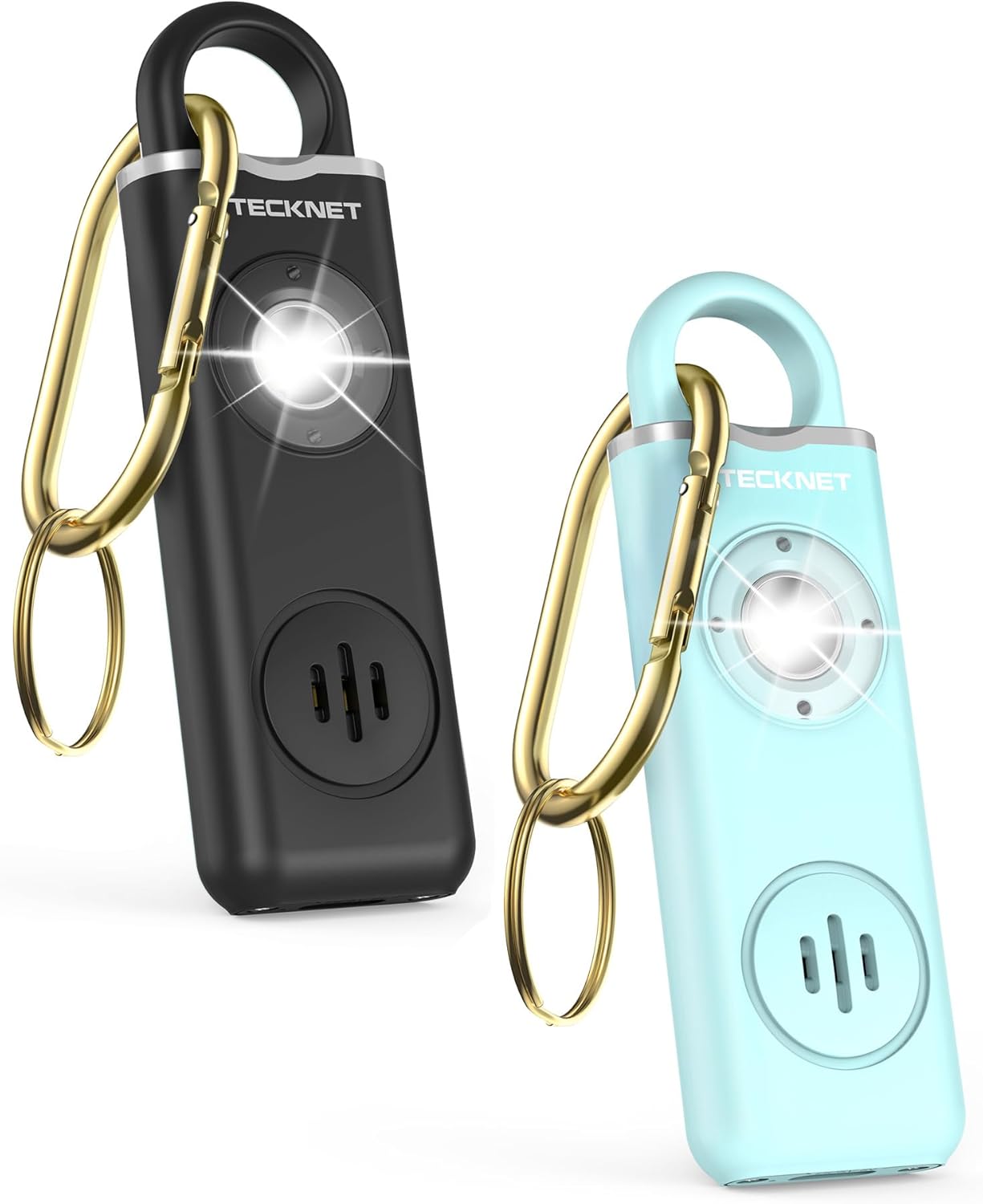
The TECKNET AF-2004 is a compact and portable personal safety device designed to emit a loud siren and a bright strobe light to attract attention and deter potential threats. It features a rechargeable battery and multiple activation methods for user convenience and safety.
ഉൽപ്പന്നം കഴിഞ്ഞുview
ഘടകങ്ങൾ
- Personal Safety Alarm Unit
- കീചെയിൻ അറ്റാച്ച്മെൻ്റ്
- USB-C ചാർജിംഗ് കേബിൾ
പ്രധാന സവിശേഷതകൾ
- 130dB സൈറൺ: Emits a loud, attention-grabbing sound.
- SOS Strobe Light: High-intensity flashing light for visibility and disorientation.
- റീചാർജ് ചെയ്യാവുന്ന ബാറ്ററി: Long standby time with USB-C charging.
- കുറഞ്ഞ ബാറ്ററി സൂചകം: Notifies user when charging is needed.
- രണ്ട് സജീവമാക്കൽ മോഡുകൾ: Pull-pin and double-press button.
- ഒതുക്കമുള്ളതും പോർട്ടബിൾ: Lightweight design with keychain for easy carrying.

സജ്ജമാക്കുക
പ്രാരംഭ ചാർജ്
Before first use, fully charge your personal safety alarm. Connect the provided USB-C cable to the charging port on the device and plug the other end into a standard USB power adapter (not included) or a computer USB port. The charging indicator light will show the charging status (e.g., red for charging, green for fully charged).
ഒരു പൂർണ്ണ ചാർജ് സാധാരണയായി ഏകദേശം 1.5 മണിക്കൂർ എടുക്കും.

Attaching to Keychain
Use the integrated keychain attachment to secure the alarm to your keys, bag, belt loop, or other easily accessible items. Ensure it is securely fastened to prevent accidental loss.

പ്രവർത്തന നിർദ്ദേശങ്ങൾ
Alarm Activation Modes
The TECKNET AF-2004 offers two methods for activating the alarm:
- Pull-Pin Activation:
To activate the alarm, firmly pull the ring-shaped pin away from the main unit. The 130dB siren and strobe light will activate instantly.
To deactivate, reinsert the pin fully into the alarm unit.

Image: Illustration of pulling the pin to activate the alarm and reinserting it to deactivate. - ബട്ടൺ സജീവമാക്കൽ:
For a more discreet activation, double-press the button located on the side of the alarm. This will also trigger the 130dB siren and strobe light.
To deactivate, press and hold the button for approximately 4 seconds.

Image: Illustration of double-pressing the side button to activate the alarm and pressing and holding to deactivate.
ലൈറ്റ് മോഡുകൾ
The integrated LED light can be used independently of the alarm function:
- 1st Click: Activates the flashlight mode (steady light).
- 2nd Click: Activates the flashing mode (strobe light).
- 3rd Click: ലൈറ്റ് ഓഫ് ചെയ്യുന്നു.

മെയിൻ്റനൻസ്
ചാർജിംഗ്
The alarm features a low battery indicator to alert you when charging is required. Connect the USB-C cable to a power source. A full charge provides:
- Up to 500 days of standby time.
- Up to 90 minutes of continuous alarm sound.
- Up to 5 hours of continuous flashing light.
- Up to 3 hours of continuous steady light.

വൃത്തിയാക്കലും സംഭരണവും
- മൃദുവായതും ഉണങ്ങിയതുമായ തുണി ഉപയോഗിച്ച് ഉപകരണം തുടയ്ക്കുക. അബ്രസീവ് ക്ലീനറുകളോ ലായകങ്ങളോ ഉപയോഗിക്കരുത്.
- Store the alarm in a cool, dry place away from direct sunlight and extreme temperatures.
- Ensure the device is fully charged before storing for extended periods to maintain battery health.
ട്രബിൾഷൂട്ടിംഗ്
| പ്രശ്നം | സാധ്യമായ കാരണം | പരിഹാരം |
|---|---|---|
| അലാറം സജീവമാകുന്നില്ല. | Low battery; Pin not fully pulled; Button not double-pressed or held correctly. | Charge the device; Ensure pin is fully removed; Double-press the button quickly or press and hold for deactivation. |
| ലൈറ്റ് ഓണാക്കില്ല. | Low battery; Button not pressed correctly. | Charge the device; Press the button once for steady light, twice for flashing light. |
| അലാറം ദുർബലമായ ശബ്ദമാണ്. | കുറഞ്ഞ ബാറ്ററി. | ഉപകരണം പൂർണ്ണമായും ചാർജ് ചെയ്യുക. |
If you experience issues not covered here, please contact TECKNET customer support.
സ്പെസിഫിക്കേഷനുകൾ
| മോഡൽ നമ്പർ | AF-2004 |
| Siren Loudness | 130 ഡി.ബി |
| പവർ ഉറവിടം | റീചാർജ് ചെയ്യാവുന്ന ലിഥിയം-അയൺ ബാറ്ററി |
| ചാർജിംഗ് പോർട്ട് | USB-C |
| ചാർജിംഗ് സമയം | ഏകദേശം 1.5 മണിക്കൂർ |
| സ്റ്റാൻഡ്ബൈ സമയം | 500 ദിവസം വരെ |
| അലാറം ദൈർഘ്യം | Up to 90 minutes (continuous) |
| Light Duration (Steady) | 3 മണിക്കൂർ വരെ (തുടർച്ചയായി) |
| Light Duration (Flashing) | 5 മണിക്കൂർ വരെ (തുടർച്ചയായി) |
| അളവുകൾ (L x W x H) | 3.94 x 1.26 x 0.49 ഇഞ്ച് (100 x 32 x 12.5 മിമി) |
| ഭാരം | 0.99 ഔൺസ് (28 ഗ്രാം) |
| ഉൾപ്പെടുത്തിയ ഘടകങ്ങൾ | Personal alarm unit, keychain, USB-C cable |
വാറൻ്റിയും പിന്തുണയും
വാറൻ്റി വിവരങ്ങൾ
The TECKNET AF-2004 Personal Safety Alarm comes with a 36 മാസ വാറൻ്റി. To activate your warranty, please register your product on the official TECKNET website. This warranty covers manufacturing defects and ensures product reliability.
ഉപഭോക്തൃ പിന്തുണ
For any questions, technical assistance, or warranty claims, please contact the professional TECKNET customer service team. Contact details can typically be found on the official TECKNET webസൈറ്റ് അല്ലെങ്കിൽ ഉൽപ്പന്ന പാക്കേജിംഗിൽ.
Please have your model number (AF-2004) and purchase information ready when contacting support.


