ആമുഖം
This manual provides essential information for the operation, maintenance, and troubleshooting of your CHUWI Hi10 X1 Windows 11 Tablet. Please read this manual thoroughly before using the device to ensure proper functionality and longevity.

ചിത്രം: മുൻഭാഗം view of the CHUWI Hi10 X1 tablet displaying the Windows 11 desktop, highlighting its Intel N100 processor, 8GB RAM, and 256GB SSD.
ബോക്സിൽ എന്താണുള്ളത്
ഉൽപ്പന്ന പാക്കേജിംഗ് തുറക്കുമ്പോൾ, ലിസ്റ്റുചെയ്തിരിക്കുന്ന എല്ലാ ഇനങ്ങളും ഉണ്ടെന്ന് ഉറപ്പാക്കുക:
- Hi10 X1 Tablet (N100)
- Charger set
- Multi-language manual
- അനുരൂപതയുടെ സർട്ടിഫിക്കറ്റ്
സജ്ജമാക്കുക
- പ്രാരംഭ ചാർജ്: Before first use, connect the tablet to the charger using the provided charger set. Ensure the tablet is fully charged for optimal battery performance.
- പവർ ഓൺ: Press and hold the power button located on the top edge of the tablet until the CHUWI logo appears.
- വിൻഡോസ് 11 സജ്ജീകരണം: Follow the on-screen prompts to complete the initial Windows 11 setup, including language selection, network connection, and user account creation.
- Optional Keyboard Attachment: If using a detachable magnetic keyboard (sold separately), align the keyboard connector with the port on the bottom edge of the tablet until it securely attaches.
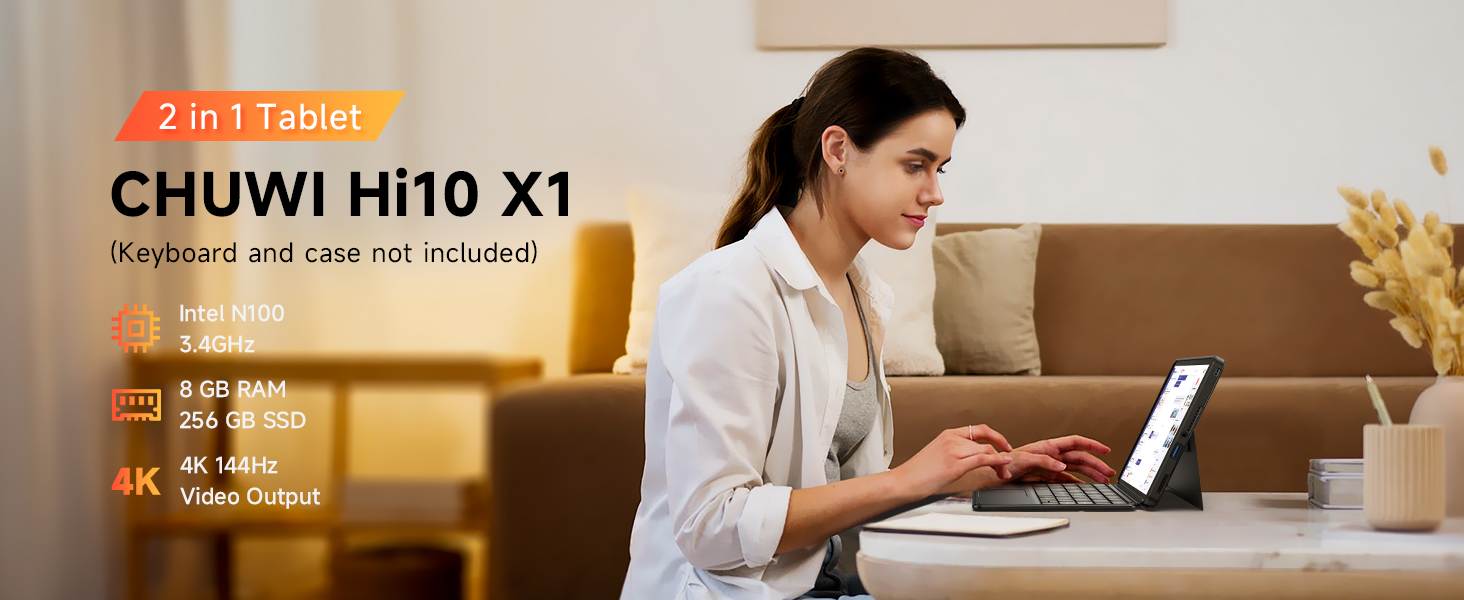
Image: The CHUWI Hi10 X1 tablet configured in 2-in-1 mode with an attached keyboard, demonstrating its versatility for work and entertainment.
ടാബ്ലെറ്റ് പ്രവർത്തിപ്പിക്കുന്നു
പ്രകടനവും സംഭരണവും
The CHUWI Hi10 X1 is powered by an Intel N100 processor, designed for efficient performance across various tasks. With 8GB of LPDDR5 RAM and a 256GB SSD, the tablet offers quick boot times, rapid application launches, and smooth multitasking capabilities.

Image: A detailed diagram illustrating the specifications of the Intel Alder Lake N100 Processor, including its core count, thread count, turbo frequency, and TDP.
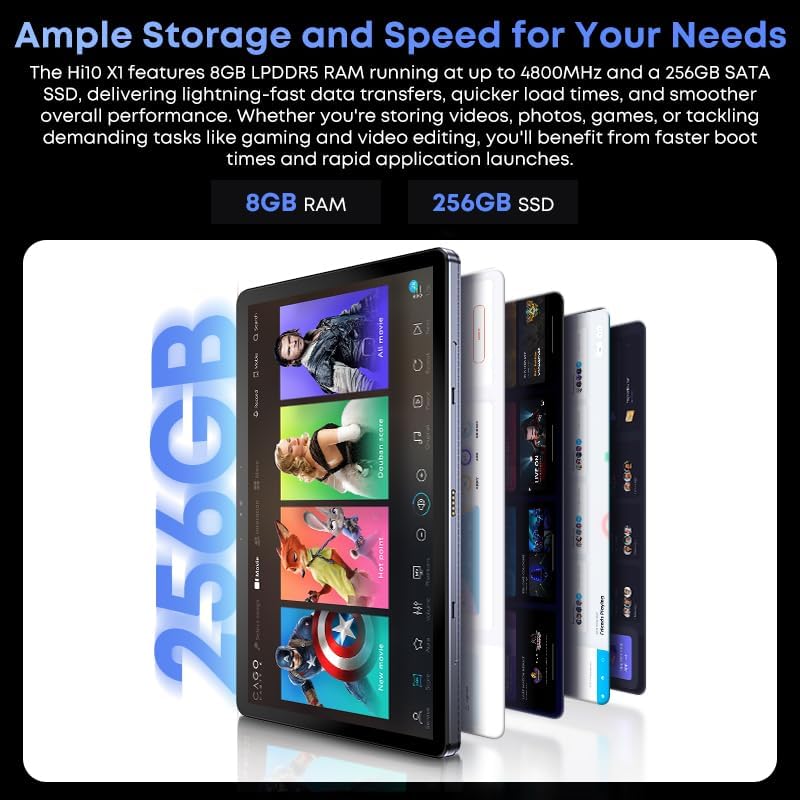
Image: A graphic highlighting the tablet's ample storage and speed, featuring 8GB LPDDR5 RAM and 256GB SSD.
ഡിസ്പ്ലേയും ഓഡിയോയും
The tablet features a 10.1-inch In-Cell HD display with a resolution of 1280x800 pixels and a 16:10 aspect ratio, providing clear and vibrant visuals. Integrated speakers deliver audio for multimedia consumption.

ചിത്രം: ഒരു ക്ലോസ്-അപ്പ് view of the tablet's 10.1-inch HD display, showcasing its visual quality and aspect ratio for an immersive viewഅനുഭവം.
ക്യാമറകൾ
Equipped with an 8MP rear camera with autofocus for capturing photos and videos, and a 5MP front camera suitable for video calls and selfies.

Image: A visual representation highlighting the tablet's 8MP rear camera and 5MP front camera, designed for clear image and video capture.
കണക്റ്റിവിറ്റിയും പോർട്ടുകളും
The tablet supports Wi-Fi 6 for faster and more stable wireless connections and Bluetooth 5.2 for connecting peripherals. It includes a Micro HDMI port and a full-featured USB-C port, both supporting 4K 60Hz external display output. Additionally, it features a USB 3.2 port and a 3.5mm headphone jack.

Image: An annotated diagram detailing the placement and type of various ports on the CHUWI Hi10 X1 tablet, including USB-C, Micro HDMI, USB-A 3.2, and the 3.5mm audio jack.

Image: The CHUWI Hi10 X1 tablet connected to an external monitor, showcasing its ability to support 4K UHD dual display output for extended workspaces or presentations.
ഫിസിക്കൽ ഡിസൈൻ
The tablet features a 10.1mm ultra-thin full metal chassis, weighing approximately 1.34lb, making it portable and durable. It includes a cooling fan for efficient heat dissipation.

Image: A person holding the CHUWI Hi10 X1 tablet, emphasizing its stylish, thin, and portable design, weighing 1.34lb and measuring 0.39in thin.
ബഹുമുഖ ഉപയോഗം
The CHUWI Hi10 X1 is suitable for a variety of applications, including daily office work, online classes, and light gaming, providing a versatile computing experience.
Video: This video demonstrates the CHUWI Hi10 X1 tablet's versatility, showcasing its use for daily office tasks, online learning, and light gaming, highlighting its adaptability for various user needs.
മെയിൻ്റനൻസ്
- വൃത്തിയാക്കൽ: ടാബ്ലെറ്റിന്റെ സ്ക്രീനും ബോഡിയും വൃത്തിയാക്കാൻ മൃദുവായ, ലിന്റ് രഹിത തുണി ഉപയോഗിക്കുക. കഠിനമായ പാടുകൾക്ക്, ചെറുതായി ഡി.ampതുണിയിൽ വെള്ളം അല്ലെങ്കിൽ സ്ക്രീൻ-സേഫ് ക്ലീനിംഗ് ലായനി ഉപയോഗിക്കുക. കഠിനമായ രാസവസ്തുക്കളോ ഉരച്ചിലുകളോ ഉള്ള വസ്തുക്കൾ ഒഴിവാക്കുക.
- സംഭരണം: Store the tablet in a cool, dry place away from direct sunlight and extreme temperatures. When not in use for extended periods, ensure the battery is charged to about 50% to preserve its lifespan.
- സോഫ്റ്റ്വെയർ അപ്ഡേറ്റുകൾ: നിങ്ങളുടെ സിസ്റ്റത്തിൽ ഏറ്റവും പുതിയ സുരക്ഷാ പാച്ചുകളും പ്രകടന മെച്ചപ്പെടുത്തലുകളും ഉണ്ടെന്ന് ഉറപ്പാക്കാൻ വിൻഡോസ് അപ്ഡേറ്റുകൾ പതിവായി പരിശോധിച്ച് ഇൻസ്റ്റാൾ ചെയ്യുക.
- ശാരീരിക സംരക്ഷണം: Consider using a protective case or screen protector to guard against scratches, drops, and impacts.
ട്രബിൾഷൂട്ടിംഗ്
| ഇഷ്യൂ | സാധ്യമായ കാരണം | പരിഹാരം |
|---|---|---|
| ടാബ്ലെറ്റ് ഓണാക്കുന്നില്ല. | ബാറ്ററി ചാർജ് കുറവാണ്; പവർ ബട്ടൺ ശരിയായി അമർത്തിയില്ല. | Charge the tablet for at least 30 minutes. Press and hold the power button for 10-15 seconds. |
| സ്ക്രീൻ പ്രതികരിക്കുന്നില്ല. | താൽക്കാലിക സോഫ്റ്റ്വെയർ തകരാർ; സ്ക്രീൻ പ്രൊട്ടക്ടറിന്റെ ഇടപെടൽ. | Restart the tablet. Ensure screen protector is properly applied or remove it to test. |
| വൈഫൈ കണക്ഷൻ പ്രശ്നങ്ങൾ. | Router problem; incorrect Wi-Fi password; outdated drivers. | Restart your Wi-Fi router. Re-enter Wi-Fi password. Update Wi-Fi drivers via Device Manager. |
| മന്ദഗതിയിലുള്ള പ്രകടനം. | Too many applications running; low storage space; outdated software. | Close unnecessary applications. Free up storage space. Install Windows updates. |
| ബാഹ്യ ഡിസ്പ്ലേ കണ്ടെത്തിയില്ല. | Incorrect cable; display settings; driver issue. | Ensure correct HDMI/USB-C cable is used. Check display settings in Windows. Update graphics drivers. |
സ്പെസിഫിക്കേഷനുകൾ
| ഫീച്ചർ | വിശദാംശങ്ങൾ |
|---|---|
| ബ്രാൻഡ് | ചുവി |
| മോഡലിൻ്റെ പേര് | CHUWI Hi10 X1 |
| ഓപ്പറേറ്റിംഗ് സിസ്റ്റം | വിൻഡോസ് 11 ഹോം |
| സ്ക്രീൻ വലിപ്പം | 10.1 ഇഞ്ച് |
| സ്ക്രീൻ റെസല്യൂഷൻ | 1280 x 800 പിക്സലുകൾ |
| പ്രോസസ്സർ | Intel N100 (Up to 3.4 GHz) |
| റാം | 8GB LPDDR5 |
| സംഭരണം | 256GB SSD |
| പിൻ ക്യാമറ | 8MP AF |
| മുൻ ക്യാമറ | 5എംപി |
| വയർലെസ് തരം | Wi-Fi 6 (802.11ax) |
| ബ്ലൂടൂത്ത് | ബ്ലൂടൂത്ത് 5.2 |
| തുറമുഖങ്ങൾ | Micro HDMI, Full-featured USB-C, USB 3.2, 3.5mm Headphone Jack |
| ഇനത്തിൻ്റെ ഭാരം | 1.34 പൗണ്ട് |
| ഉൽപ്പന്ന അളവുകൾ | 9.6 x 0.4 x 6.4 ഇഞ്ച് |
| ബാറ്ററികൾ | 1 9V ബാറ്ററി (ഉൾപ്പെടുത്തിയിരിക്കുന്നു) |
വാറൻ്റിയും പിന്തുണയും
CHUWI provides a 1-year guarantee for the Hi10 X1 tablet, effective immediately after purchase. Lifetime technical support is also available to assist with any product-related inquiries or issues.
- സേവന കാലയളവ്: 1 Year (Tablet)
- പ്രൊഫഷണൽ പിന്തുണ: Lifetime factory professional support.
- ഓൺലൈൻ പിന്തുണ: 24 hours of online support.
- For further assistance, please visit the official CHUWI webസൈറ്റ് അല്ലെങ്കിൽ അവരുടെ ഉപഭോക്തൃ സേവനവുമായി ബന്ധപ്പെടുക.

Image: The official CHUWI brand logo, representing the manufacturer of the tablet.