1. ആമുഖം
This manual provides detailed instructions for the setup, operation, and maintenance of your TUINYO WH-819 Wireless Over-Ear Bluetooth Headphones. Please read this manual thoroughly before using the product to ensure proper function and longevity.
2. ഉൽപ്പന്നം കഴിഞ്ഞുview
The TUINYO WH-819 headphones offer high-fidelity stereo sound, comfortable over-ear design, and versatile connectivity options. They are designed for extended listening periods, featuring a long-lasting battery and a foldable structure for portability.
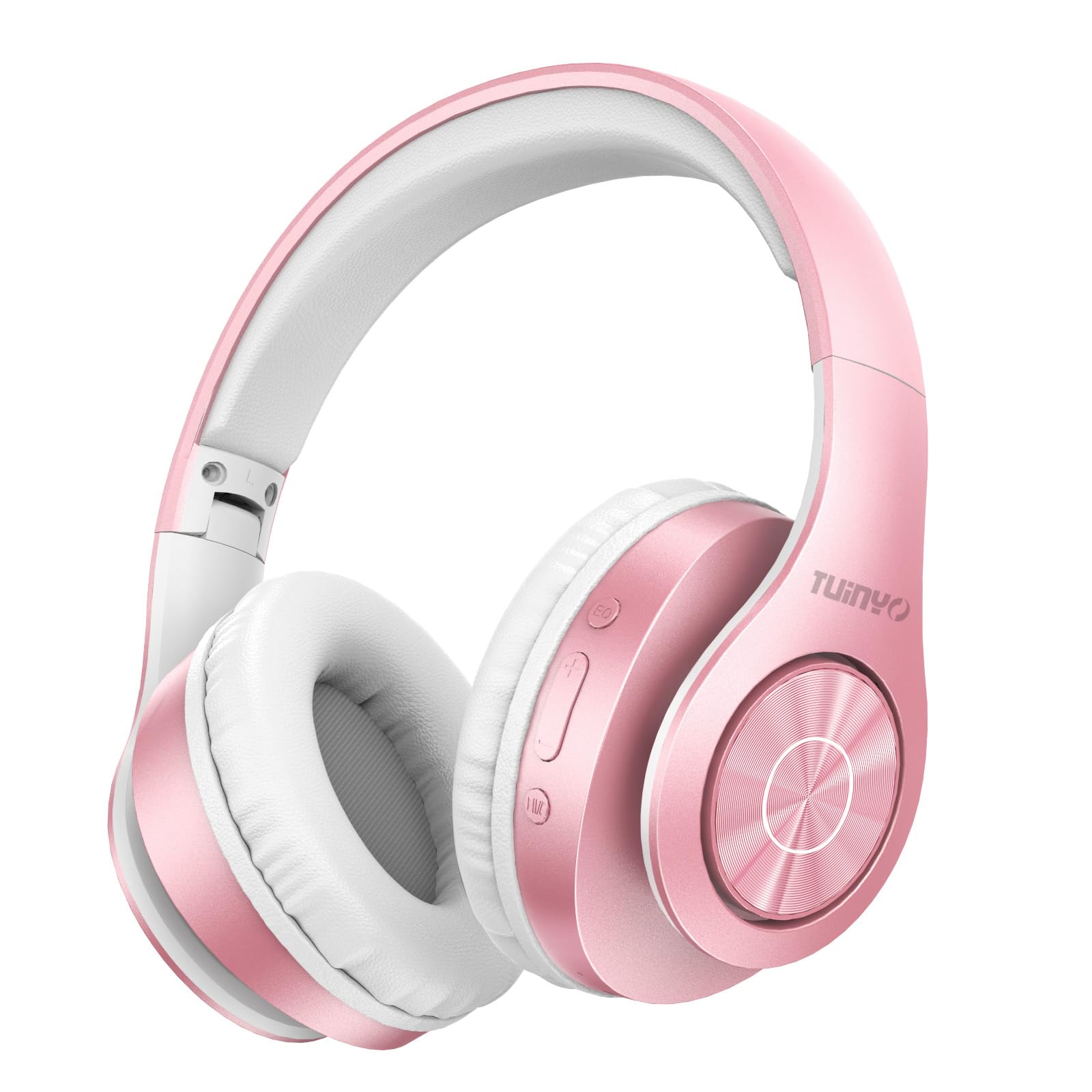
Figure 2.1: TUINYO WH-819 Rose Gold Wireless Over-Ear Bluetooth Headphones.
വീഡിയോ 2.1: ഒരു ഓവർview of the TUINYO wireless Bluetooth headphones, highlighting their design and features.
3. പാക്കേജ് ഉള്ളടക്കം
പാക്കേജിൽ എല്ലാ ഇനങ്ങളും ഉണ്ടെന്ന് ഉറപ്പാക്കുക:
- TUINYO WH-819 Wireless Over-Ear Bluetooth Headphones
- യുഎസ്ബി ചാർജിംഗ് കേബിൾ
- 3.5 എംഎം ഓഡിയോ കേബിൾ
- Protective Premium Case
- ഉപയോക്തൃ മാനുവൽ

Figure 3.1: Included accessories with the TUINYO WH-819 headphones.
4. നിയന്ത്രണങ്ങളും പോർട്ടുകളും
Familiarize yourself with the headphone controls and ports:
- പവർ ബട്ടൺ: Long press to power on/off. Short press to play/pause music or answer/end calls.
- വോളിയം കൂട്ടുക/അടുത്ത ട്രാക്ക് ബട്ടൺ: വോളിയം കൂട്ടാൻ ഷോർട്ട് പ്രസ്സ് ചെയ്യുക. അടുത്ത ട്രാക്കിനായി ദീർഘനേരം അമർത്തുക.
- വോളിയം കുറയ്ക്കൽ/മുമ്പത്തെ ട്രാക്ക് ബട്ടൺ: ശബ്ദം കുറയ്ക്കാൻ ഷോർട്ട് പ്രസ്സ് ചെയ്യുക. മുമ്പത്തെ ട്രാക്കിനായി ദീർഘനേരം അമർത്തുക.
- ഇക്യു ബട്ടൺ: Press to cycle through different equalizer modes (Normal, Rock, Pop, Classic, Jazz, Country).
- 3.5mm ഓഡിയോ ജാക്ക്: വയർഡ് കണക്ഷനായി.
- യുഎസ്ബി ചാർജിംഗ് പോർട്ട്: ഹെഡ്ഫോണുകൾ ചാർജ് ചെയ്യുന്നതിനായി.
- മൈക്രോ എസ്ഡി കാർഡ് സ്ലോട്ട്: For direct music playback from a MicroSD card.

ചിത്രം 4.1: വിശദമായി view of headphone controls and features.
Video 4.1: A demonstration of the TUINYO headphones' folding mechanism and button controls.
5. സജ്ജീകരണം
5.1 ഹെഡ്ഫോണുകൾ ചാർജ് ചെയ്യുന്നു
- Connect the USB charging cable to the headphone's charging port.
- USB കേബിളിന്റെ മറ്റേ അറ്റം അനുയോജ്യമായ ഒരു USB പവർ സ്രോതസ്സുമായി (ഉദാ: കമ്പ്യൂട്ടർ, വാൾ അഡാപ്റ്റർ) ബന്ധിപ്പിക്കുക.
- LED ഇൻഡിക്കേറ്റർ ചാർജിംഗ് സ്റ്റാറ്റസ് കാണിക്കും (ഉദാ: ചാർജ് ചെയ്യുന്നതിന് ചുവപ്പ്, പൂർണ്ണമായി ചാർജ് ചെയ്തതിന് നീല).
- പൂർണ്ണമായി ചാർജ് ചെയ്യുന്നതിന് സാധാരണയായി 2-2.5 മണിക്കൂർ എടുക്കും.
5.2 ബ്ലൂടൂത്ത് ജോടിയാക്കൽ
- ഹെഡ്ഫോണുകൾ പൂർണ്ണമായും ചാർജ്ജ് ചെയ്തിട്ടുണ്ടെന്ന് ഉറപ്പാക്കുക.
- Long press the Power button until the LED indicator flashes blue and red, indicating pairing mode.
- നിങ്ങളുടെ ഉപകരണത്തിൽ (സ്മാർട്ട്ഫോൺ, ടാബ്ലെറ്റ്, ലാപ്ടോപ്പ്), ബ്ലൂടൂത്ത് പ്രവർത്തനക്ഷമമാക്കി ലഭ്യമായ ഉപകരണങ്ങൾക്കായി തിരയുക.
- Select "WH-819" from the list of devices.
- Once connected, the LED indicator will flash blue slowly, and a voice prompt will confirm successful pairing.
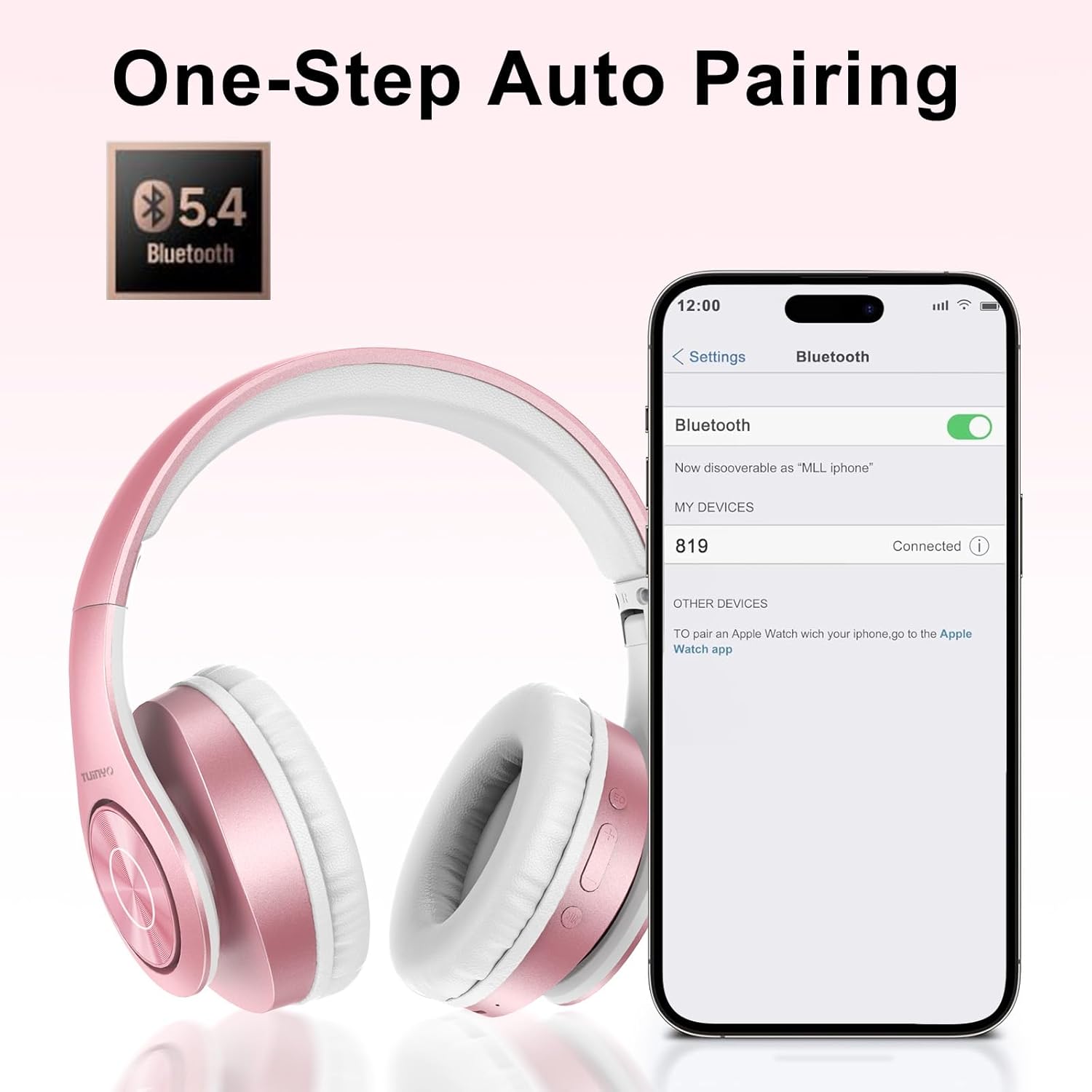
ചിത്രം 5.1: ഒരു സ്മാർട്ട്ഫോണിലെ ബ്ലൂടൂത്ത് ജോടിയാക്കൽ പ്രക്രിയ.
6. പ്രവർത്തന നിർദ്ദേശങ്ങൾ
6.1 പവർ ഓൺ/ഓഫ്
- പവർ ഓൺ: Long press the Power button until the LED indicator lights up blue.
- പവർ ഓഫ്: LED ഇൻഡിക്കേറ്റർ ഓഫാകുന്നത് വരെ പവർ ബട്ടൺ ദീർഘനേരം അമർത്തുക.
6.2 മ്യൂസിക് പ്ലേബാക്ക്
- പ്ലേ/താൽക്കാലികമായി നിർത്തുക: പവർ ബട്ടൺ ചെറുതായി അമർത്തുക.
- അടുത്ത ട്രാക്ക്: വോളിയം അപ്പ് ബട്ടൺ ദീർഘനേരം അമർത്തുക.
- മുമ്പത്തെ ട്രാക്ക്: വോളിയം ഡൗൺ ബട്ടൺ ദീർഘനേരം അമർത്തുക.
- വോളിയം ക്രമീകരണം: വോളിയം അപ്പ് അല്ലെങ്കിൽ വോളിയം ഡൗൺ ബട്ടണുകൾ ചുരുക്കി അമർത്തുക.
6.3 കോൾ മാനേജ്മെന്റ്
- ഉത്തരം/അവസാന കോൾ: പവർ ബട്ടൺ ചെറുതായി അമർത്തുക.
- കോൾ നിരസിക്കുക: പവർ ബട്ടൺ ദീർഘനേരം അമർത്തുക.
6.4 EQ മോഡ്
- Press the EQ button to switch between different sound equalizer modes (Normal, Rock, Pop, Classic, Jazz, Country) to optimize your listening experience.
6.5 വയേർഡ് മോഡ്
- Insert the 3.5mm audio cable into the headphone's audio jack and the other end into your audio device.
- The headphones will automatically switch to wired mode, and Bluetooth functionality will be disabled.
6.6 MicroSD Card Playback
- Insert a MicroSD card with MP3 audio files into the MicroSD card slot.
- The headphones will automatically detect the card and begin playing music.
- Use the music playback controls (Play/Pause, Next/Previous Track, Volume) to manage your audio.
7. പരിപാലനം
- മൃദുവായതും ഉണങ്ങിയതുമായ തുണി ഉപയോഗിച്ച് ഹെഡ്ഫോണുകൾ പതിവായി വൃത്തിയാക്കുക.
- ഉരച്ചിലുകളോ ലായകങ്ങളോ ഉപയോഗിക്കുന്നത് ഒഴിവാക്കുക.
- കേടുപാടുകൾ ഒഴിവാക്കാൻ ഉപയോഗത്തിലില്ലാത്തപ്പോൾ ഹെഡ്ഫോണുകൾ അവയുടെ സംരക്ഷണ കേസിൽ സൂക്ഷിക്കുക.
- തീവ്രമായ ഊഷ്മാവിൽ നിന്നും ഈർപ്പത്തിൽ നിന്നും അകന്നുനിൽക്കുക.
8. പ്രശ്നപരിഹാരം
| പ്രശ്നം | പരിഹാരം |
|---|---|
| ഹെഡ്ഫോണുകൾ പവർ ഓൺ ചെയ്യുന്നില്ല. | ഹെഡ്ഫോണുകൾ ചാർജ് ചെയ്തിട്ടുണ്ടെന്ന് ഉറപ്പാക്കുക. ഒരു പവർ സ്രോതസ്സിലേക്ക് കണക്റ്റ് ചെയ്ത് വീണ്ടും ശ്രമിക്കുക. |
| ബ്ലൂടൂത്ത് വഴി ജോടിയാക്കാൻ കഴിയില്ല. | Ensure headphones are in pairing mode (LED flashing blue/red). Turn off and on Bluetooth on your device. Move closer to the device. |
| ബ്ലൂടൂത്ത് മോഡിൽ ശബ്ദമില്ല. | Check volume levels on both headphones and connected device. Ensure headphones are successfully paired. |
| വയേർഡ് മോഡിൽ ശബ്ദമില്ല. | Ensure the 3.5mm audio cable is fully inserted into both the headphones and the audio device. Check the audio source. |
| മൈക്രോഎസ്ഡി കാർഡ് പ്ലേ ചെയ്യുന്നില്ല. | Ensure the MicroSD card is inserted correctly and contains compatible MP3 audio files. |
9 സ്പെസിഫിക്കേഷനുകൾ
| ഫീച്ചർ | വിശദാംശങ്ങൾ |
|---|---|
| മോഡലിൻ്റെ പേര് | WH-819 |
| കണക്റ്റിവിറ്റി ടെക്നോളജി | വയർലെസ്സ് (ബ്ലൂടൂത്ത്), വയർഡ് (3.5mm ജാക്ക്) |
| വയർലെസ് കമ്മ്യൂണിക്കേഷൻ ടെക്നോളജി | ബ്ലൂടൂത്ത് 4.0 |
| ഓഡിയോ ഡ്രൈവർ തരം | Dynamic Driver (40mm neodymium) |
| ബാറ്ററി ലൈഫ് | Up to 40 hours of music time (800mAh battery) |
| ചാർജിംഗ് സമയം | 2-2.5 മണിക്കൂർ |
| ഇയർപീസ് ആകൃതി | ഓവർ-ഇയർ |
| മെറ്റീരിയൽ | Plastic, Memory-Protein Earmuffs |
| ഭാരം | 13.4 ഔൺസ് |
| അളവുകൾ | 8.5 x 6.22 x 4.25 ഇഞ്ച് (പാക്കേജ്) |
| അനുയോജ്യമായ ഉപകരണങ്ങൾ | Tablets, Laptops, Desktops, Smartphones, Bluetooth-enabled devices |
| ജല പ്രതിരോധ നില | വാട്ടർ റെസിസ്റ്റൻ്റ് അല്ല |
10. വാറൻ്റിയും പിന്തുണയും
Your TUINYO WH-819 headphones are covered by a 30-day warranty from the date of purchase. For any product inquiries, technical support, or warranty claims, please refer to the contact information provided with your purchase or visit the official TUINYO webസൈറ്റ്.


