1. പാക്കേജ് ഉള്ളടക്കം
പാക്കേജിൽ എല്ലാ ഇനങ്ങളും ഉണ്ടെന്ന് ഉറപ്പാക്കുക:
- 1Mii Y8+ Hybrid Active Noise Cancelling Over Ear Bluetooth Headphones
- AUX കേബിൾ
- USB-C ചാർജിംഗ് കേബിൾ
- Headphones Pouch
- ഉപയോക്തൃ മാനുവൽ (ഈ പ്രമാണം)
2. ഉൽപ്പന്നം കഴിഞ്ഞുview
The 1Mii AI Y8+ headphones feature Active Noise Cancellation (ANC), Hi-Res Audio with LDAC support, and AI voice chat capabilities. They are designed for comfort and portability, offering both wireless Bluetooth 6.0 and wired 3.5mm AUX connectivity.
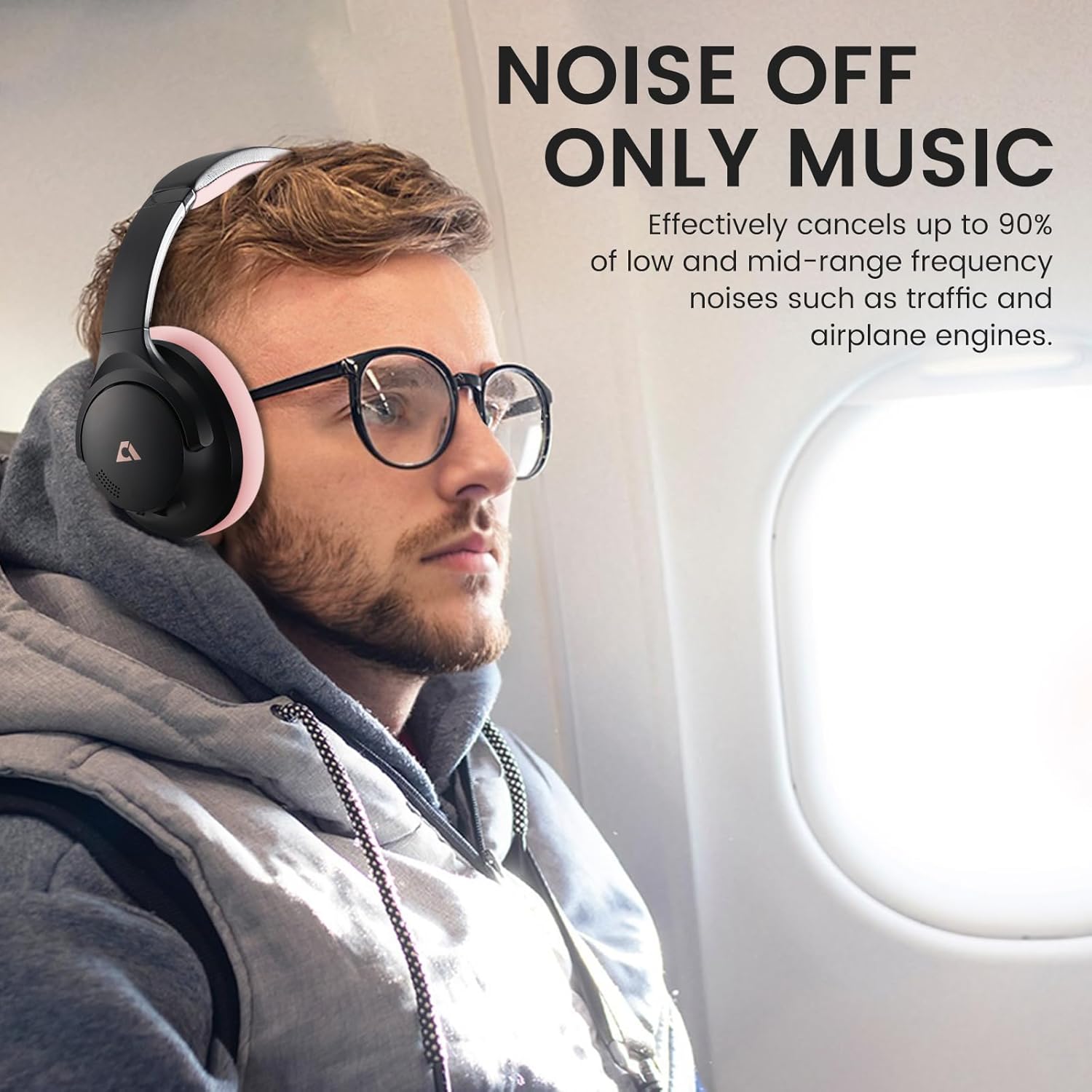
Image: 1Mii AI Y8+ Noise Cancelling Headphones, showcasing the black and pink design.
നിയന്ത്രണങ്ങളും തുറമുഖങ്ങളും:

ചിത്രം: വിശദമായത് view of the headphone controls, including volume buttons, play/pause, and voice assistant activation.
- പവർ ബട്ടൺ: Press and hold for 3 seconds to power ON/OFF. Hold for 5 seconds when off to enter pairing mode.
- ANC ബട്ടൺ: Press once to cycle through Noise Cancelling, Normal, and Transparency modes. Hold for 2 seconds to switch between Noise Cancelling and Transparency modes directly.
- വോളിയം കൂട്ടുക (+): Press once for volume up. Hold for 1 second for next song.
- Multi-function Button (Play/Pause): Press once for Play/Pause. Press twice for Voice Assistant.
- വോളിയം ഡൗൺ (-): Press once for volume down. Hold for 1 second for previous song.
- 3.5mm ഓഡിയോ ജാക്ക്: വയർഡ് കണക്ഷനായി.
- USB-C ചാർജിംഗ് പോർട്ട്: ഹെഡ്ഫോണുകൾ ചാർജ് ചെയ്യുന്നതിനായി.
3. സജ്ജീകരണം
3.1 ഹെഡ്ഫോണുകൾ ചാർജ് ചെയ്യുന്നു
Before first use, fully charge the headphones. Use the provided USB-C charging cable.
- കേബിളിന്റെ USB-C അറ്റം ഹെഡ്ഫോണുകളിലെ ചാർജിംഗ് പോർട്ടുമായി ബന്ധിപ്പിക്കുക.
- USB-A എൻഡ് അനുയോജ്യമായ ഒരു USB പവർ അഡാപ്റ്ററിലേക്കോ (ഉൾപ്പെടുത്തിയിട്ടില്ല) അല്ലെങ്കിൽ ഒരു കമ്പ്യൂട്ടറിന്റെ USB പോർട്ടിലേക്കോ ബന്ധിപ്പിക്കുക.
- LED ഇൻഡിക്കേറ്റർ ചാർജിംഗ് സ്റ്റാറ്റസ് കാണിക്കും. പൂർണ്ണമായി ചാർജ് ചെയ്യാൻ ഏകദേശം 3.5 മണിക്കൂർ എടുക്കും.

Image: The 1Mii Y8+ headphones connected to a USB-C charging cable.
Note: A 10-minute quick charge provides approximately 5 hours of playback.
3.2 പവർ ഓൺ/ഓഫ്
- പവർ ഓണാക്കാൻ: LED ഇൻഡിക്കേറ്റർ പ്രകാശിക്കുന്നത് വരെ പവർ ബട്ടൺ 3 സെക്കൻഡ് അമർത്തിപ്പിടിക്കുക.
- പവർ ഓഫ് ചെയ്യാൻ: എൽഇഡി ഇൻഡിക്കേറ്റർ ഓഫ് ആകുന്നത് വരെ പവർ ബട്ടൺ 3 സെക്കൻഡ് അമർത്തിപ്പിടിക്കുക.
3.3 ബ്ലൂടൂത്ത് ജോടിയാക്കൽ
- ഹെഡ്ഫോണുകൾ ഓഫാണെന്ന് ഉറപ്പാക്കുക.
- ജോടിയാക്കൽ മോഡ് സൂചിപ്പിക്കുന്ന LED ഇൻഡിക്കേറ്റർ നീലയും ചുവപ്പും നിറങ്ങളിൽ മിന്നുന്നതുവരെ പവർ ബട്ടൺ 5 സെക്കൻഡ് അമർത്തിപ്പിടിക്കുക.
- നിങ്ങളുടെ ഉപകരണത്തിൽ (സ്മാർട്ട്ഫോൺ, ടാബ്ലെറ്റ്, ലാപ്ടോപ്പ്), ബ്ലൂടൂത്ത് പ്രവർത്തനക്ഷമമാക്കി ലഭ്യമായ ഉപകരണങ്ങൾക്കായി തിരയുക.
- Select "1Mii Y8+" from the list of devices.
- കണക്റ്റ് ചെയ്തുകഴിഞ്ഞാൽ, എൽഇഡി ഇൻഡിക്കേറ്റർ കടും നീലയായി മാറും.
Note: For LDAC functionality, ensure your paired device supports LDAC.
3.4 വയർഡ് കണക്ഷൻ
The headphones can also be used with a wired connection using the provided 3.5mm AUX cable.
- Plug one end of the 3.5mm AUX cable into the headphone's audio jack.
- Plug the other end into your audio source's 3.5mm port.
Important: Wired mode requires the headphones to have battery power for full functionality, including ANC. If the battery is completely dead, wired audio may not function.
4. ഓപ്പറേഷൻ
4.1 ആക്ടീവ് നോയ്സ് റദ്ദാക്കലും (ANC) ട്രാൻസ്പരൻസി മോഡും
The 1Mii Y8+ headphones feature hybrid ANC to reduce ambient noise and a Transparency mode to hear your surroundings.
Video: Demonstration of the 1Mii Y8+ Noise Cancelling Headphones' features, including ANC and sound quality.
- അമർത്തുക ANC ബട്ടൺ സൈക്കിൾ ചെയ്യാൻ ഒരിക്കൽ:
- ശബ്ദം റദ്ദാക്കൽ: Reduces external noise.
- സാധാരണ: ANC ഓഫാണ്.
- സുതാര്യത: Allows ambient sounds to pass through.
- പിടിക്കുക ANC ബട്ടൺ for 2 seconds to quickly switch between Noise Cancelling and Transparency modes.
Image: A person wearing the 1Mii Y8+ headphones on an airplane, demonstrating the noise cancelling feature.
Note: While ANC significantly reduces noise, it may not completely eliminate all sounds, especially high-frequency human voices.
4.2 സംഗീത പ്ലേബാക്കും കോളുകളും
- പ്ലേ/താൽക്കാലികമായി നിർത്തുക: മൾട്ടി-ഫംഗ്ഷൻ ബട്ടൺ ഒരിക്കൽ അമർത്തുക.
- അടുത്ത ഗാനം: Hold the Volume Up (+) button for 1 second.
- മുൻ ഗാനം: Hold the Volume Down (-) button for 1 second.
- വോളിയം കൂട്ടുക: വോളിയം അപ്പ് (+) ബട്ടൺ ഒരിക്കൽ അമർത്തുക.
- വോളിയം താഴേക്ക്: വോളിയം ഡൗൺ (-) ബട്ടൺ ഒരിക്കൽ അമർത്തുക.
- ഉത്തരം/അവസാന കോൾ: മൾട്ടി-ഫംഗ്ഷൻ ബട്ടൺ ഒരിക്കൽ അമർത്തുക.
- കോൾ നിരസിക്കുക: മൾട്ടി-ഫംഗ്ഷൻ ബട്ടൺ 2 സെക്കൻഡ് അമർത്തിപ്പിടിക്കുക.
- വോയ്സ് അസിസ്റ്റന്റിനെ സജീവമാക്കുക: Press the Multi-function button twice.
4.3 AI Features (via App)
The 1Mii Y8+ headphones support AI features through a dedicated application. Download the "YeeMall" app from Google Play Store or Apple App Store.

Image: Screenshots of the YeeMall app, showing options for custom EQ, ambient sound control, and AI features.
The app enables:
- AI Voice Chat: Engage in voice conversations.
- English Practice: Utilize for language learning.
- Contextual Learning: Access learning resources.
- തത്സമയ വിവർത്തനം: Supports translation across 103 languages.
- ഇഷ്ടാനുസൃത ഇക്യു: സൗണ്ട് പ്രോ ക്രമീകരിക്കുകfiles with 22 preset effects or personalized settings.
- ആംബിയന്റ് സൗണ്ട് കൺട്രോൾ: ANC, സുതാര്യത മോഡുകൾ കൈകാര്യം ചെയ്യുക.
- ബാറ്ററി ലെവൽ മോണിറ്ററിംഗ്: Check headphone battery status.
- Soothing Sleep Sounds: Access various calming sounds.
Note: Some AI features may require an active internet connection.
4.4 Dual-Device Pairing
The headphones support simultaneous connection to two Bluetooth devices.
- Ensure LDAC is turned off in the YeeMall app.
- Activate "Dual-Device Connection" within the YeeMall app settings.
- Pair the headphones with your first device.
- ഹെഡ്ഫോണുകൾ വീണ്ടും പെയറിംഗ് മോഡിലേക്ക് ഇട്ട് രണ്ടാമത്തെ ഉപകരണവുമായി പെയർ ചെയ്യുക.
- The headphones will now be connected to both devices, allowing seamless switching.
5. പരിപാലനം
- വൃത്തിയാക്കൽ: മൃദുവായതും ഉണങ്ങിയതുമായ തുണി ഉപയോഗിച്ച് ഹെഡ്ഫോണുകൾ തുടയ്ക്കുക. അബ്രാസീവ് ക്ലീനറുകളോ ലായകങ്ങളോ ഉപയോഗിക്കരുത്.
- സംഭരണം: Store the headphones in the provided pouch when not in use to protect them from dust and scratches. Avoid extreme temperatures.
- ബാറ്ററി കെയർ: To prolong battery life, avoid fully discharging the headphones frequently. Charge regularly, even if not used for extended periods.
- ജല പ്രതിരോധം: These headphones are not water-resistant. Avoid exposure to liquids.
6. പ്രശ്നപരിഹാരം
| പ്രശ്നം | പരിഹാരം |
|---|---|
| ഹെഡ്ഫോണുകൾ പവർ ഓൺ ചെയ്യുന്നില്ല. | ഹെഡ്ഫോണുകൾ ചാർജ് ചെയ്തിട്ടുണ്ടെന്ന് ഉറപ്പാക്കുക. USB-C കേബിൾ ഉപയോഗിച്ച് ഒരു പവർ സ്രോതസ്സിലേക്ക് കണക്റ്റ് ചെയ്യുക. |
| ബ്ലൂടൂത്ത് വഴി ജോടിയാക്കാൻ കഴിയില്ല. |
|
| വയേർഡ് മോഡിൽ ശബ്ദമില്ല. | Ensure the headphones have sufficient battery power. Wired mode requires power for audio output. Check cable connections. |
| ANC ഫലപ്രദമല്ല. |
|
| ശബ്ദ നിലവാരം മോശമാണ്. |
|
7 സ്പെസിഫിക്കേഷനുകൾ
| ഫീച്ചർ | വിശദാംശങ്ങൾ |
|---|---|
| മോഡലിൻ്റെ പേര് | Y8+ |
| ബ്ലൂടൂത്ത് പതിപ്പ് | 6.0 |
| ബ്ലൂടൂത്ത് ശ്രേണി | 32.8 അടി (10 മീറ്റർ) |
| ശബ്ദ നിയന്ത്രണം | സജീവ നോയ്സ് റദ്ദാക്കൽ |
| ഓഡിയോ ഡ്രൈവർ വലിപ്പം | 40 എംഎം ഡൈനാമിക് ഡ്രൈവറുകൾ |
| ഫ്രീക്വൻസി പ്രതികരണം | Up to 40 KHz (Hi-Res Audio) |
| സംവേദനക്ഷമത | 105 ഡി.ബി |
| പ്രതിരോധം | 32 ഓം |
| ബാറ്ററി ലൈഫ് | Up to 100 hours (ANC off, 50% volume) / 75 hours (ANC on) |
| ചാർജിംഗ് സമയം | ഏകദേശം 3.5 മണിക്കൂർ |
| ചാർജിംഗ് പോർട്ട് | യുഎസ്ബി ടൈപ്പ്-സി |
| വയർഡ് കണക്ഷൻ | 3.5 എംഎം ഓഡിയോ ജാക്ക് |
| ഇനത്തിൻ്റെ ഭാരം | 268 ഗ്രാം (9.5 ഔൺസ്) |
| അളവുകൾ | 7.87 x 6.42 x 3.31 ഇഞ്ച് |
| മെറ്റീരിയൽ | Faux Leather, Memory Foam, Metal, Plastic |
8. വാറൻ്റിയും പിന്തുണയും
വാറന്റി വിവരങ്ങൾക്കും സാങ്കേതിക പിന്തുണയ്ക്കും, ദയവായി ഔദ്യോഗിക 1Mii കാണുക. webസൈറ്റ് അല്ലെങ്കിൽ അവരുടെ ഉപഭോക്തൃ സേവനവുമായി നേരിട്ട് ബന്ധപ്പെടുക.
ഓൺലൈൻ പിന്തുണ: സന്ദർശിക്കുക ആമസോണിലെ 1Mii സ്റ്റോർ ഉൽപ്പന്ന വിവരങ്ങൾക്കും പിന്തുണാ ഉറവിടങ്ങൾക്കും.
വാറൻ്റി ക്ലെയിമുകൾക്കായി നിങ്ങളുടെ വാങ്ങിയതിൻ്റെ തെളിവ് സൂക്ഷിക്കുക.