1. ആമുഖം
This manual provides comprehensive instructions for the safe and efficient operation, maintenance, and troubleshooting of your VOLTCRAFT WB-310 Thermal Imager. Please read this manual thoroughly before using the device to ensure proper functionality and to prevent damage or injury.
The VOLTCRAFT WB-310 is a compact thermal imager designed for professional applications in industrial and trade environments. It features a wide temperature measurement range and multiple color scales for versatile use. Its robust design ensures reliable performance even in challenging conditions.
2 സുരക്ഷാ വിവരങ്ങൾ
Always observe the following safety precautions to prevent personal injury and damage to the device:
- Do not point the thermal imager directly at strong light sources (e.g., sun, lasers) as this may damage the sensor.
- Do not expose the device to extreme temperatures, high humidity, or corrosive environments.
- Use only the specified power adapter and accessories.
- ഉപകരണം ഡിസ്അസംബ്ലിംഗ് ചെയ്യാനോ പരിഷ്ക്കരിക്കാനോ ശ്രമിക്കരുത്. എല്ലാ സേവനങ്ങളും യോഗ്യതയുള്ള ഉദ്യോഗസ്ഥരെ ഏൽപ്പിക്കുക.
- ഉപകരണം വെള്ളത്തിൽ നിന്നും മറ്റ് ദ്രാവകങ്ങളിൽ നിന്നും അകറ്റി നിർത്തുക.
- പ്രവർത്തന സമയത്ത് ശരിയായ വായുസഞ്ചാരം ഉറപ്പാക്കുക.
3. ഉൽപ്പന്നം കഴിഞ്ഞുview
Familiarize yourself with the components of your VOLTCRAFT WB-310 Thermal Imager.
ഫ്രണ്ട് View
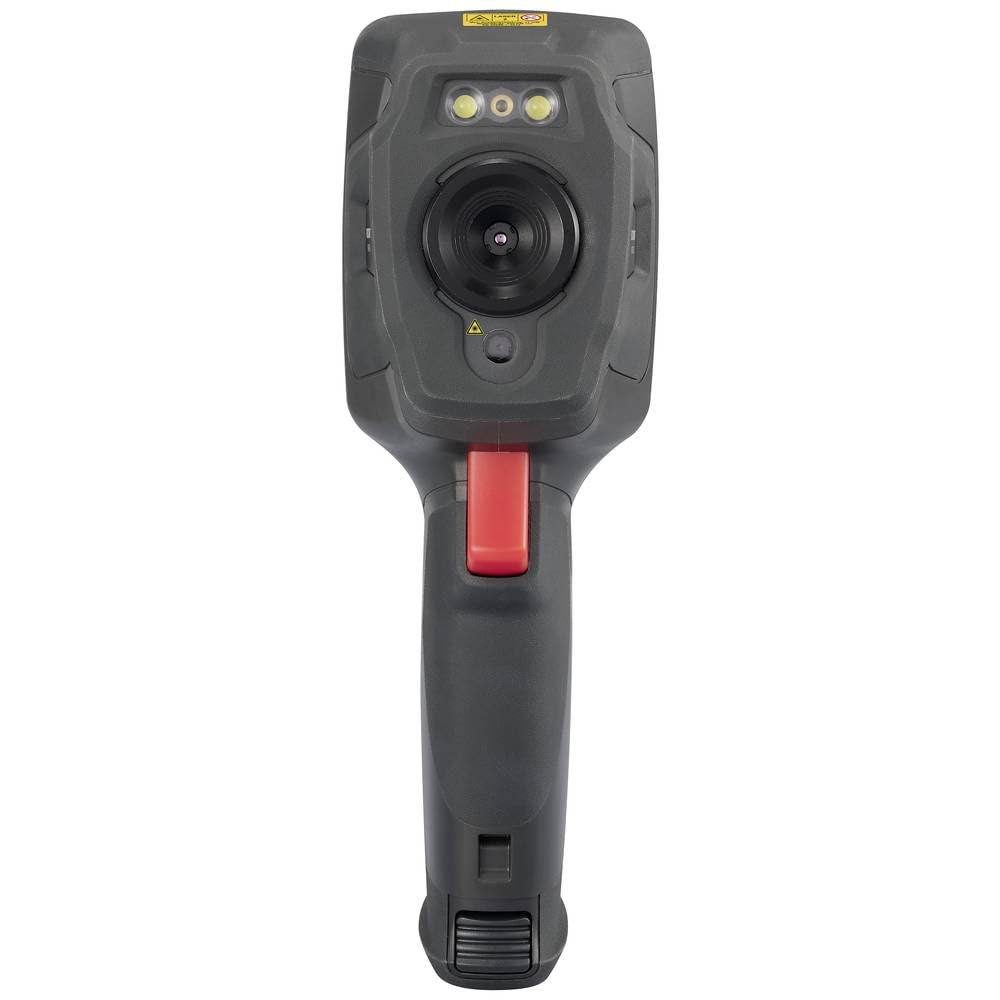
This image displays the front of the WB-310 thermal imager, highlighting the main thermal lens, the integrated visible light camera, and the LED illumination lights located above the lenses. A warning label is visible at the top.
വശം View (Screen Side)
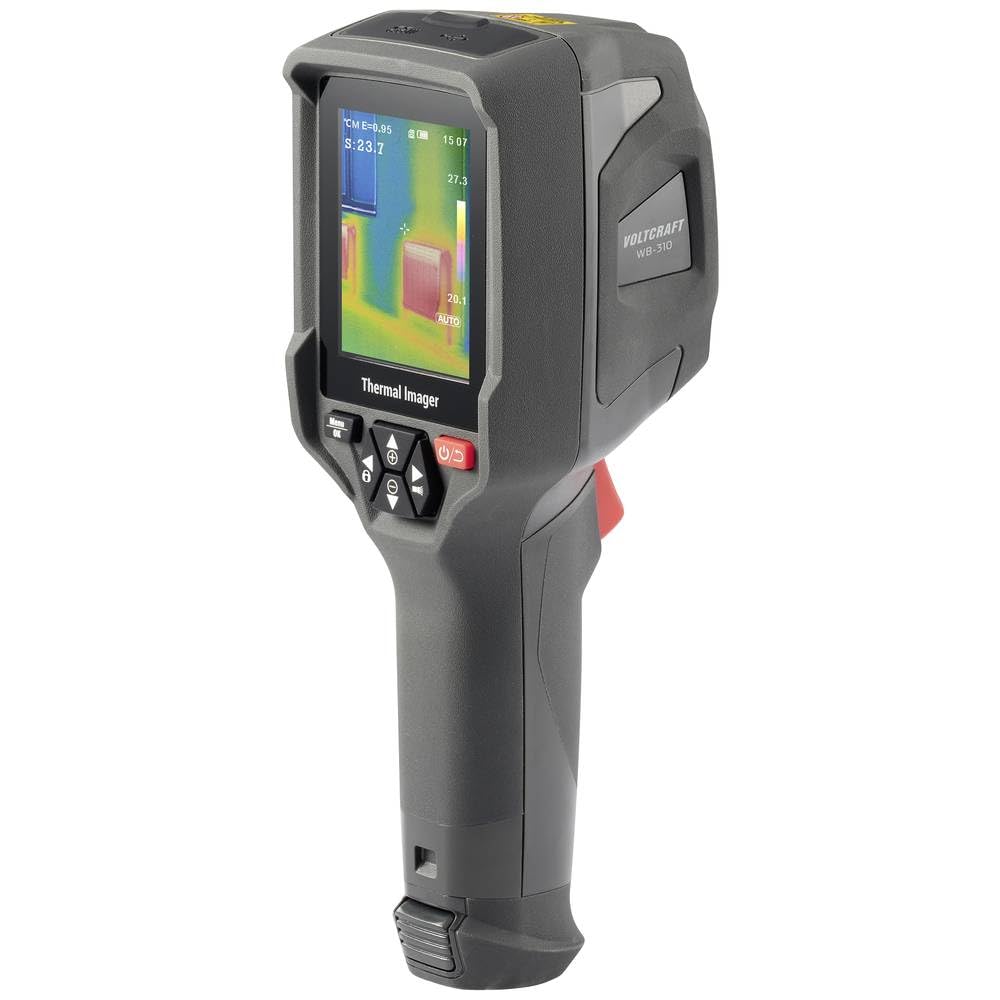
This image shows the side of the WB-310 thermal imager, focusing on the display screen which shows a thermal image with temperature readings. Below the screen are the navigation and power buttons, and the ergonomic handle is clearly visible.
വശം View (Lens Side)
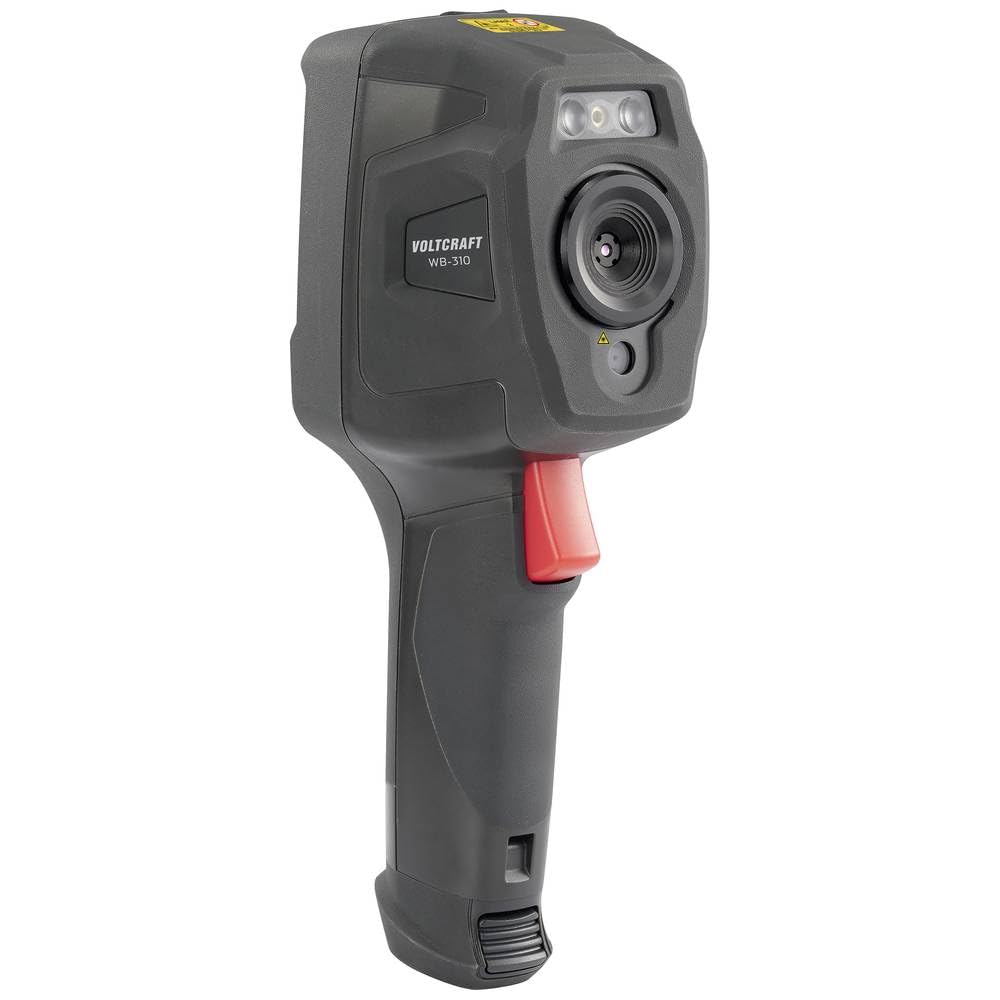
This image presents another side view of the WB-310 thermal imager, highlighting the lens assembly and the red trigger button located on the handle. The "VOLTCRAFT WB-310" branding is visible on the side casing.
പിൻഭാഗം View
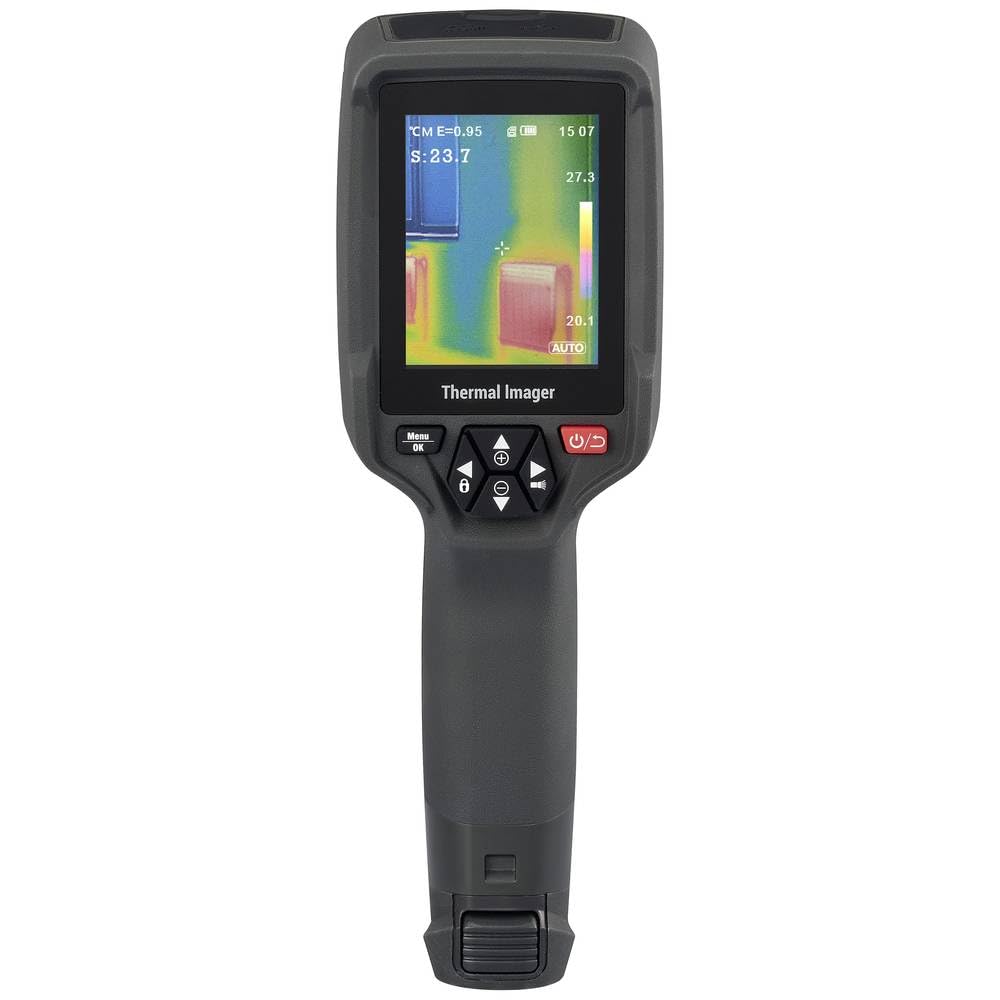
ഈ ചിത്രം പിൻഭാഗം കാണിക്കുന്നു view of the WB-310 thermal imager, primarily featuring the display screen and the array of control buttons beneath it. The ergonomic grip is also prominent.
- തെർമൽ ലെൻസ്
- ദൃശ്യമായ ലൈറ്റ് ക്യാമറ
- LED പ്രകാശം
- ഡിസ്പ്ലേ സ്ക്രീൻ
- Navigation Buttons (Up, Down, Left, Right, OK/Menu)
- പവർ ബട്ടൺ
- ട്രിഗർ ബട്ടൺ
- Micro-SD Card Slot (under protective cover)
- USB-C Port (under protective cover)
4. സജ്ജീകരണം
4.1 ബാറ്ററി ചാർജ് ചെയ്യുന്നു
The device is powered by an internal rechargeable battery. Before first use, fully charge the battery using the provided USB-C cable and a compatible power adapter.
- Connect the USB-C cable to the port on the device (usually located under a protective cover).
- കേബിളിന്റെ മറ്റേ അറ്റം ഒരു USB പവർ സ്രോതസ്സുമായി ബന്ധിപ്പിക്കുക (ഉദാ: കമ്പ്യൂട്ടർ USB പോർട്ട്, വാൾ അഡാപ്റ്റർ).
- The charging indicator on the device will illuminate during charging and turn off when fully charged.
4.2. Inserting the Micro-SD Card
The WB-310 requires a micro-SD card (not included) to save thermal images and data. Ensure the device is powered off before inserting or removing the card.
- Locate the micro-SD card slot, typically under a protective rubber cover on the side or bottom of the device.
- Gently insert the micro-SD card with the contacts facing down until it clicks into place.
- നീക്കം ചെയ്യാൻ, കാർഡ് പുറത്തേക്ക് വരുന്നത് വരെ ചെറുതായി ഉള്ളിലേക്ക് തള്ളുക.
5. പ്രവർത്തന നിർദ്ദേശങ്ങൾ
5.1. പവർ ഓൺ/ഓഫ്
അമർത്തിപ്പിടിക്കുക പവർ ബട്ടൺ (usually marked with a power symbol) for a few seconds to turn the device on or off.
5.2. അടിസ്ഥാന അളവെടുപ്പ്
- നിങ്ങൾ അളക്കാൻ ആഗ്രഹിക്കുന്ന വസ്തുവിലോ വിസ്തൃതിയിലോ തെർമൽ ഇമേജർ ചൂണ്ടിക്കാണിക്കുക.
- The display will show the thermal image in real-time.
- The central spot meter will indicate the temperature at the center of the screen.
- അമർത്തുക ട്രിഗർ ബട്ടൺ to capture and save the current thermal image to the micro-SD card.
5.3. മെനു നാവിഗേഷൻ
ഉപയോഗിക്കുക മെനു/ശരി ബട്ടൺ to access the main menu. Use the നാവിഗേഷൻ ബട്ടണുകൾ (Up, Down, Left, Right) to scroll through options and adjust settings. Press മെനു / ശരി again to confirm selections or exit a submenu.
5.4. കീ സെറ്റിംഗ്സ്
- എമിസിവിറ്റി: Adjust this setting based on the material being measured for accurate temperature readings. Common values are provided in the specifications section.
- വർണ്ണ പാലറ്റുകൾ: Select from eight available color scales (e.g., Iron, Rainbow, Black-Hot, White-Hot) to visualize temperature differences.
- താപനില യൂണിറ്റ്: സെൽഷ്യസിനും (°C) ഫാരൻഹീറ്റിനും (°F) ഇടയിൽ മാറുക.
- ഇമേജ് മോഡ്: Choose between thermal image, visible light image, or fusion modes (picture-in-picture, overlay) if available.
6. പരിപാലനം
6.1. ഉപകരണം വൃത്തിയാക്കൽ
- ഉപകരണ ബോഡി മൃദുവായ, d തുണി ഉപയോഗിച്ച് തുടയ്ക്കുക.amp തുണി. ഉരച്ചിലുകളുള്ള ക്ലീനറുകളോ ലായകങ്ങളോ ഉപയോഗിക്കരുത്.
- For the lens and screen, use a specialized lens cleaning cloth and solution to avoid scratches.
- വൃത്തിയാക്കുന്നതിന് മുമ്പ് ഉപകരണം ഓഫാക്കിയിട്ടുണ്ടെന്നും ഏതെങ്കിലും പവർ സ്രോതസ്സിൽ നിന്ന് വിച്ഛേദിക്കപ്പെട്ടിട്ടുണ്ടെന്നും ഉറപ്പാക്കുക.
6.2. ബാറ്ററി പരിചരണം
- Recharge the battery regularly, even if the device is not in use, to maintain battery health.
- ബാറ്ററി ഇടയ്ക്കിടെ പൂർണ്ണമായും ഡിസ്ചാർജ് ചെയ്യുന്നത് ഒഴിവാക്കുക.
- ദീർഘനേരം ഉപയോഗിക്കാത്തപ്പോൾ ഉപകരണം തണുത്തതും വരണ്ടതുമായ സ്ഥലത്ത് സൂക്ഷിക്കുക.
6.3. ഫേംവെയർ അപ്ഡേറ്റുകൾ
Check the official VOLTCRAFT website periodically for available firmware updates. Follow the instructions provided with the update package carefully.
7. പ്രശ്നപരിഹാരം
| പ്രശ്നം | സാധ്യമായ കാരണം | പരിഹാരം |
|---|---|---|
| ഉപകരണം പവർ ഓണാക്കുന്നില്ല. | ബാറ്ററി ഡിസ്ചാർജ് ചെയ്തു. | ബാറ്ററി പൂർണ്ണമായും ചാർജ് ചെയ്യുക. |
| ഉപകരണം മരവിക്കുന്നു അല്ലെങ്കിൽ പ്രതികരിക്കുന്നില്ല. | സോഫ്റ്റ്വെയർ പിശക്. | Perform a soft reset by holding the power button for 10 seconds. If problem persists, contact support. |
| കൃത്യമല്ലാത്ത താപനില റീഡിംഗുകൾ. | Incorrect emissivity setting. | Adjust emissivity according to the material being measured. Ensure the lens is clean. |
| ഇമേജുകൾ സംരക്ഷിക്കാൻ കഴിയില്ല. | Micro-SD card full or not inserted correctly. | Check micro-SD card insertion. Delete old files or replace card. Ensure card is formatted correctly. |
8 സ്പെസിഫിക്കേഷനുകൾ
| ഫീച്ചർ | സ്പെസിഫിക്കേഷൻ |
|---|---|
| മോഡൽ | VOLTCRAFT WB-310 (VC-14452015) |
| താപനില അളക്കൽ ശ്രേണി | -20 ° C മുതൽ +550 ° C വരെ (-4 ° F മുതൽ +1022 ° F വരെ) |
| Bolometer Matrix Resolution | 160 x 120 പിക്സലുകൾ |
| തെർമൽ സെൻസിറ്റിവിറ്റി (NETD) | 50 എം.കെ. |
| ഫ്രെയിം റേറ്റ് | 25 Hz |
| പ്രദർശിപ്പിക്കുക | 71 mm (2.8") LCD, 320 x 240 pixels |
| കണക്റ്റിവിറ്റി | WiFi, USB-C |
| സംഭരണം | മൈക്രോ എസ്ഡി കാർഡ് സ്ലോട്ട് |
| അളവുകൾ (L x W x H) | ഏകദേശം. 23.5 x 10.1 x 7.55 സെ |
| ഭാരം | ഏകദേശം 840 ഗ്രാം |
| വൈദ്യുതി വിതരണം | ആന്തരിക റീചാർജ് ചെയ്യാവുന്ന ബാറ്ററി |
9. വാറൻ്റിയും പിന്തുണയും
VOLTCRAFT products are designed for reliability and performance. For warranty information and technical support, please refer to the official VOLTCRAFT webസൈറ്റ് അല്ലെങ്കിൽ നിങ്ങളുടെ പ്രാദേശിക വിതരണക്കാരനെ ബന്ധപ്പെടുക.
കൂടുതൽ സഹായത്തിന്, ദയവായി സന്ദർശിക്കുക VOLTCRAFT Store on Amazon or consult the contact information provided with your product packaging.


