1. ആമുഖം
വാങ്ങിയതിന് നന്ദി.asing the GLOBE Electric 65000108 Rechargeable LED Wall Sconce. This modern, minimalist wall light features integrated LED technology, a 3-step dimmer touch switch, and a rechargeable battery for versatile lighting. This manual provides detailed instructions for safe installation, operation, and maintenance of your new wall sconce.

Image 1.1: The GLOBE Electric 65000108 Rechargeable LED Wall Sconce with its white fabric shade and matte black finish, shown with the included USB-C charging cable.
2 പ്രധാനപ്പെട്ട സുരക്ഷാ വിവരങ്ങൾ
ഇൻസ്റ്റാൾ ചെയ്യുന്നതിനും ഉപയോഗിക്കുന്നതിനും മുമ്പ് ദയവായി എല്ലാ നിർദ്ദേശങ്ങളും ശ്രദ്ധാപൂർവ്വം വായിക്കുക. ഭാവിയിലെ റഫറൻസിനായി ഈ മാനുവൽ സൂക്ഷിക്കുക.
- ഇൻഡോർ ഉപയോഗത്തിന് മാത്രം: വരണ്ട സ്ഥലങ്ങളിൽ ഇൻഡോർ ഉപയോഗത്തിനായി ഈ ഉൽപ്പന്നം രൂപകൽപ്പന ചെയ്തിരിക്കുന്നു. വെള്ളത്തിനോ ഈർപ്പത്തിനോ വിധേയമാകരുത്.
- ഊർജ്ജ സ്രോതസ്സ്: Use only the provided USB-C cable for charging. Do not use damaged cables or chargers.
- ബാറ്ററി കെയർ: The sconce contains a Lithium Ion battery. Do not attempt to replace the battery yourself. Do not expose the battery to extreme temperatures or direct sunlight.
- വൃത്തിയാക്കൽ: Disconnect from power before cleaning. Use a soft, dry cloth. Do not use abrasive cleaners.
- ഇൻസ്റ്റലേഷൻ: മൗണ്ടിംഗ് ഉപരിതലം അനുയോജ്യമാണെന്നും ഫിക്ചറിന്റെ ഭാരം താങ്ങാൻ കഴിയുമെന്നും ഉറപ്പാക്കുക.
- കുട്ടികൾ: കുട്ടികളിൽനിന്നും നിന്നും ദൂരെ വയ്ക്കുക. ഇതൊരു കളിപ്പാട്ടമല്ല.
3. പാക്കേജ് ഉള്ളടക്കം
ഇൻസ്റ്റാളേഷൻ ആരംഭിക്കുന്നതിന് മുമ്പ് എല്ലാ ഘടകങ്ങളും നിലവിലുണ്ടെന്ന് ഉറപ്പാക്കുക:
- GLOBE Electric 65000108 Wall Sconce (with integrated LED and battery)
- വൈറ്റ് ഫാബ്രിക് ഷേഡ്
- Mounting Hardware (screws, anchors, mounting bracket)
- USB-C ചാർജിംഗ് കേബിൾ (5 അടി)
- ഇൻസ്ട്രക്ഷൻ മാനുവൽ
4. സജ്ജീകരണവും ഇൻസ്റ്റാളേഷനും
Follow these steps to properly install your wall sconce:
- മൗണ്ടിംഗ് ലൊക്കേഷൻ തയ്യാറാക്കുക: Choose a suitable indoor wall location. Ensure there are no electrical wires or pipes behind the wall where you plan to drill.
- മൗണ്ടിംഗ് ബ്രാക്കറ്റ് ഇൻസ്റ്റാൾ ചെയ്യുക:

Image 4.1: A hand using a screwdriver to secure the mounting bracket to the wall.
Position the mounting bracket on the wall and mark the drill holes. Drill pilot holes if necessary, then secure the mounting bracket to the wall using the provided screws and anchors.
- സ്കോൺസ് ഘടിപ്പിക്കുക: Align the sconce with the installed mounting bracket. Gently slide the sconce onto the bracket until it is securely in place.
- Attach the Fabric Shade: Carefully place the white fabric shade onto the sconce. Ensure it is seated properly and securely.
5. പ്രവർത്തന നിർദ്ദേശങ്ങൾ
Your wall sconce features a touch-sensitive switch for power and brightness control.

ചിത്രം 5.1: ക്ലോസ്-അപ്പ് view of the sconce's base showing the dimmable touch switch and the USB-C charging port.
5.1. Power and Brightness Control
The sconce has a 3-step dimmer function controlled by the touch switch:
- ആദ്യ സ്പർശം: Turns the light on at 10% brightness.
- രണ്ടാമത്തെ സ്പർശം: Brightens the light to 50% brightness.
- മൂന്നാമത്തെ സ്പർശം: Brightens the light to 100% brightness.
- നാലാമത്തെ സ്പർശം: ലൈറ്റ് ഓഫ് ചെയ്യുന്നു.
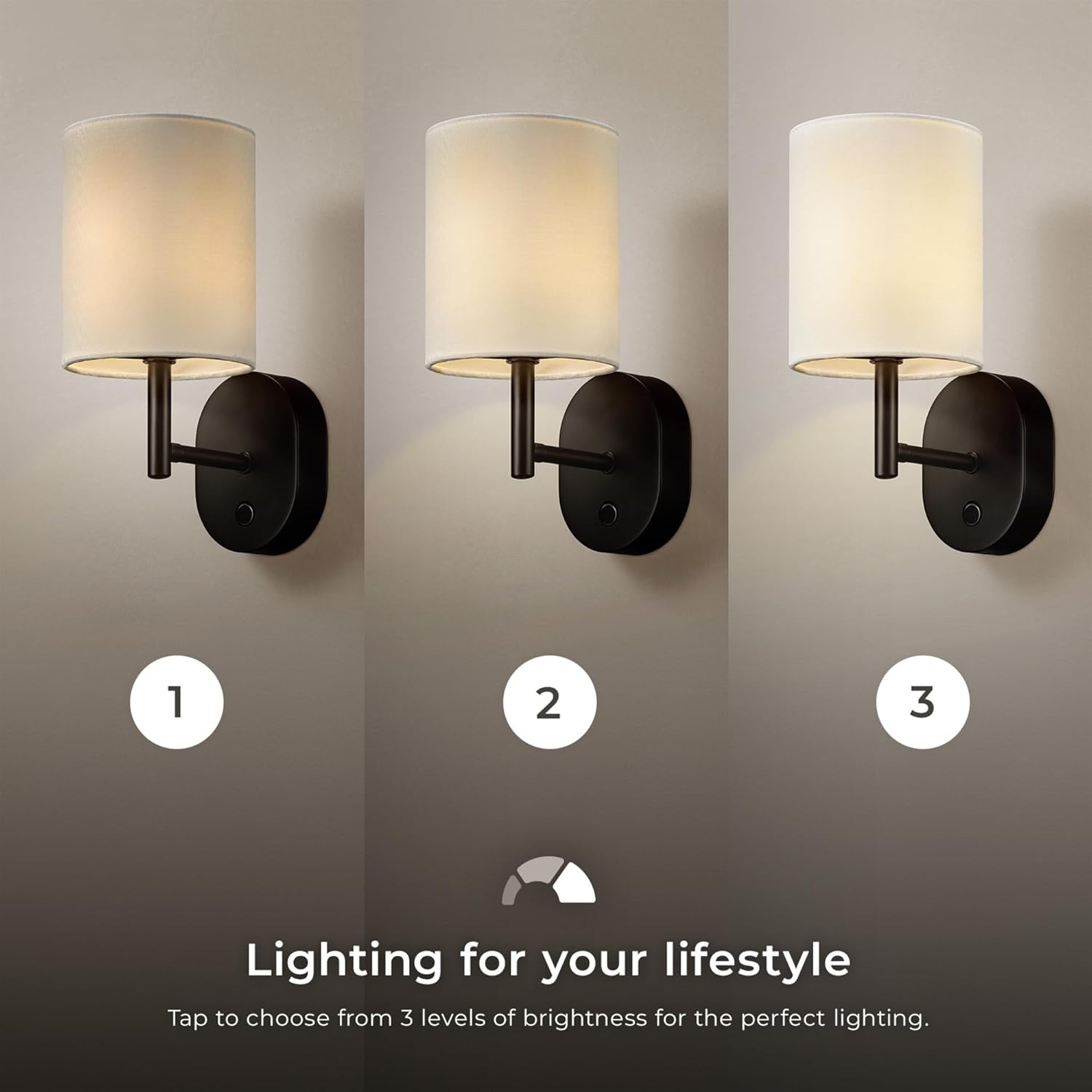
Image 5.2: The wall sconce displaying its three brightness levels: 10%, 50%, and 100% illumination.
5.2. One-Hour Timer Function
To activate the one-hour timer:
- While the light is on, press and hold the on/off touch button for 3 seconds.
- A blue indicator light will illuminate, confirming that the timer is active.
- The wall sconce will automatically turn off after one hour.
6. ചാർജിംഗ് നിർദ്ദേശങ്ങൾ
The sconce is powered by a rechargeable battery. When the battery is low, the light output may diminish or turn off.
- USB-C കേബിൾ ബന്ധിപ്പിക്കുക: Locate the USB-C charging port on the base of the sconce (refer to Image 5.1). Insert the provided USB-C cable into the port.
- പവറിലേക്ക് ബന്ധിപ്പിക്കുക: USB-C കേബിളിന്റെ മറ്റേ അറ്റം അനുയോജ്യമായ ഒരു USB പവർ അഡാപ്റ്ററിലേക്ക് (ഉൾപ്പെടുത്തിയിട്ടില്ല) അല്ലെങ്കിൽ ഒരു പവർഡ് USB പോർട്ടിലേക്ക് പ്ലഗ് ചെയ്യുക.
- ചാർജിംഗ് സൂചകം: The indicator light on the sconce will show the charging status (e.g., red for charging, green for fully charged).
- ചാർജിംഗ് സമയം: ഒരു ഫുൾ ചാർജിന് ഏകദേശം 6 മണിക്കൂർ എടുക്കും.
- ബാറ്ററി ലൈഫ്:
- Up to 10 hours at 100% brightness.
- Up to 20 hours at 50% brightness.
- Up to 100 hours at 10% brightness.
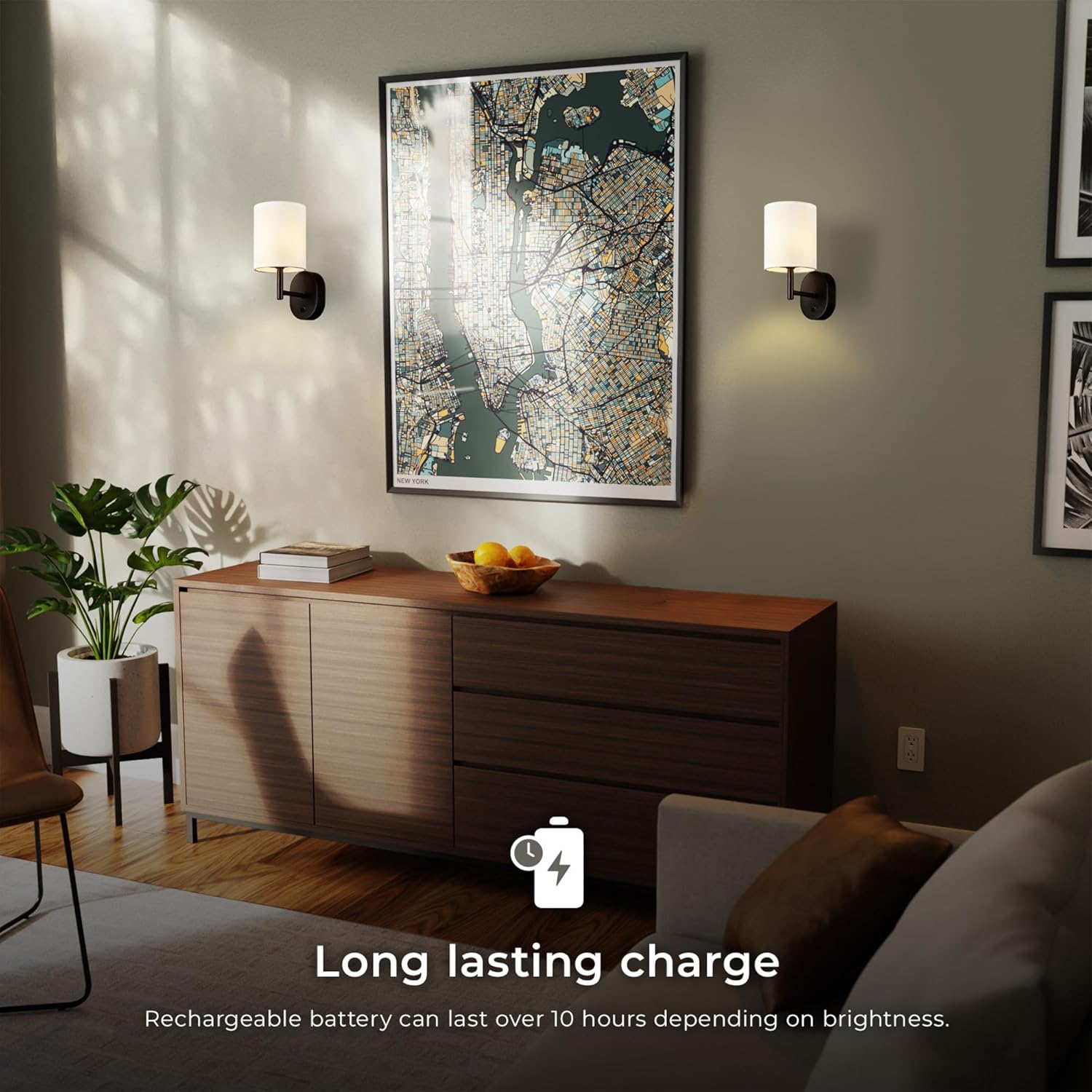
Image 6.1: An icon indicating a long-lasting charge, with text stating "Rechargeable battery can last over 10 hours depending on brightness."
7. പരിപാലനം
Proper care will ensure the longevity of your wall sconce.
- വൃത്തിയാക്കൽ: Ensure the sconce is turned off and disconnected from any charging cable before cleaning. Wipe the metal parts with a soft, dry cloth. For the fabric shade, use a lint roller or a soft brush to remove dust. Do not use liquid cleaners or sprays directly on the fixture.
- സംഭരണം: If storing the sconce for an extended period, ensure it is fully charged and store it in a cool, dry place. Recharge every 3-6 months to maintain battery health.
- LED- കൾ: The LED light source is integrated and not user-replaceable. Do not attempt to open the fixture to access the LEDs.
8. പ്രശ്നപരിഹാരം
If you encounter issues with your wall sconce, refer to the following common problems and solutions:
| പ്രശ്നം | സാധ്യമായ കാരണം | പരിഹാരം |
|---|---|---|
| ലൈറ്റ് ഓണാക്കില്ല. | ബാറ്ററി തീർന്നു. | Charge the sconce using the provided USB-C cable. |
| വെളിച്ചം മങ്ങുന്നു അല്ലെങ്കിൽ മിന്നിമറയുന്നു. | കുറഞ്ഞ ബാറ്ററി. | Recharge the sconce. |
| Touch switch is unresponsive. | Sconce is not charged or a temporary glitch. | Ensure the sconce is charged. Try a soft reset by letting the battery fully deplete and then recharging. |
| Timer function does not activate. | ബട്ടൺ കൂടുതൽ സമയം പിടിച്ചിട്ടില്ല. | Ensure you press and hold the touch button for a full 3 seconds until the blue indicator light appears. |
If the problem persists, please contact customer support (refer to Section 10).
9. ഉൽപ്പന്ന സവിശേഷതകൾ
| ഫീച്ചർ | വിശദാംശങ്ങൾ |
|---|---|
| മോഡൽ നമ്പർ | 65000108 |
| ബ്രാൻഡ് | ഗ്ലോബ് ഇലക്ട്രിക് |
| പ്രകാശ സ്രോതസ്സ് | സംയോജിത എൽഇഡി |
| വാട്ട്tage | 1.5 വാട്ട്സ് |
| ല്യൂമെൻ ഔട്ട്പുട്ട് | 150 ല്യൂമെൻസ് |
| വർണ്ണ താപനില | 3000 കെൽവിൻ (വാം വൈറ്റ്) |
| കളർ റെൻഡറിംഗ് ഇൻഡക്സ് (CRI) | 90 സി.ആർ.ഐ |
| തെളിച്ച നിലകൾ | 3-step dimmer (10%, 50%, 100%) |
| നിയന്ത്രണ രീതി | ടച്ച് സ്വിച്ച് |
| പവർ ഉറവിടം | റീചാർജ് ചെയ്യാവുന്ന ലിഥിയം അയോൺ ബാറ്ററി |
| ചാർജിംഗ് പോർട്ട് | USB-C |
| മുഴുവൻ ചാർജ്ജ് സമയം | ഏകദേശം 6 മണിക്കൂർ |
| Battery Life (100% brightness) | 10 മണിക്കൂർ വരെ |
| ടൈമർ പ്രവർത്തനം | 1 മണിക്കൂർ ഓട്ടോ ഓഫ് |
| മെറ്റീരിയൽ | ലോഹം (ഫിക്സ്ചർ), തുണി (ഷേഡ്) |
| പൂർത്തിയാക്കുക | Matte Black (fixture), White (shade) |
| ഉൽപ്പന്ന അളവുകൾ | 7"L x 9"W x 10.5"H (17.78cm L x 22.86cm W x 26.67cm H) |
| ഇനത്തിൻ്റെ ഭാരം | 1.03 പൗണ്ട് (0.47 കി.ഗ്രാം) |
| ഇൻഡോർ/ഔട്ട്ഡോർ ഉപയോഗം | ഇൻഡോർ മാത്രം |

Image 9.1: Diagram showing the dimensions of the wall sconce: 10.5" (26.67 cm) height, 7" (17.78 cm) length, and 4.88" (12.3 cm) width from the wall.
10. വാറണ്ടിയും ഉപഭോക്തൃ പിന്തുണയും
10.1. നിർമ്മാതാവിന്റെ വാറന്റി
This GLOBE Electric 65000108 Rechargeable LED Wall Sconce is covered by a 1 വർഷത്തെ നിർമ്മാതാവിന്റെ പരിമിത വാറന്റി വാങ്ങിയ തീയതി മുതൽ. സാധാരണ ഉപയോഗത്തിലുള്ള മെറ്റീരിയലുകളിലെയും പ്രവർത്തനങ്ങളിലെയും തകരാറുകൾ ഈ വാറന്റി ഉൾക്കൊള്ളുന്നു. ദുരുപയോഗം, അപകടം, പരിഷ്ക്കരണം അല്ലെങ്കിൽ അനധികൃത അറ്റകുറ്റപ്പണികൾ എന്നിവയിൽ നിന്നുള്ള നാശനഷ്ടങ്ങൾക്ക് ഇത് പരിരക്ഷ നൽകുന്നില്ല.
വാറൻ്റി ക്ലെയിമുകൾക്കായി നിങ്ങളുടെ വാങ്ങിയതിൻ്റെ തെളിവ് സൂക്ഷിക്കുക.
10.2. ഉപഭോക്തൃ പിന്തുണ
For technical assistance, warranty inquiries, or to report missing/damaged parts, please contact GLOBE Electric customer support:
- Webസൈറ്റ്: Visit the official GLOBE Electric webപിന്തുണാ ഉറവിടങ്ങൾക്കും ബന്ധപ്പെടാനുള്ള വിവരങ്ങൾക്കുമുള്ള സൈറ്റ്.
- ഫോൺ: Refer to the contact details provided on the product packaging or the official webസൈറ്റ്.
- ഓൺലൈൻ സ്റ്റോർ: നിങ്ങൾക്ക് സന്ദർശിക്കാനും കഴിയും ആമസോണിലെ ഗ്ലോബ് ഇലക്ട്രിക് സ്റ്റോർ ഉൽപ്പന്ന വിവരങ്ങൾക്കും പിന്തുണയ്ക്കും.


