ആമുഖം
സൗകര്യത്തിനും പോർട്ടബിലിറ്റിക്കും വേണ്ടി രൂപകൽപ്പന ചെയ്തിരിക്കുന്ന ഒതുക്കമുള്ളതും വൈവിധ്യമാർന്നതുമായ ഒരു ക്വാർട്സ് അലാറം ക്ലോക്കാണ് ടെക്നോലൈൻ WT175. ഇതിന് വ്യക്തമായ ഡിജിറ്റൽ ഡിസ്പ്ലേയുണ്ട്, സമയം, തീയതി, താപനില, ഈർപ്പം, വിവിധ അലാറം ക്രമീകരണങ്ങൾ എന്നിവയുൾപ്പെടെ ഒന്നിലധികം പ്രവർത്തനങ്ങൾ ഇത് വാഗ്ദാനം ചെയ്യുന്നു. ഇതിന്റെ കാന്തിക സി.asing ഇതിനെ യാത്രയ്ക്കും ദൈനംദിന ഉപയോഗത്തിനും അനുയോജ്യമാക്കുന്നു.

ചിത്രം 1: ഫ്രണ്ട് view ടെക്നോലൈൻ WT175 മിനി ട്രാവൽ അലാറം ക്ലോക്കിന്റെ, സമയവും നിയന്ത്രണ ബട്ടണുകളും പ്രദർശിപ്പിക്കുന്നു.
പ്രധാന സവിശേഷതകൾ
- 12/24 മണിക്കൂർ സമയ പ്രദർശനം
- തീയതി ഡിസ്പ്ലേ
- താപനില ഡിസ്പ്ലേ (സെൽഷ്യസിൽ)
- ഈർപ്പം ഡിസ്പ്ലേ
- സ്നൂസ് പ്രവർത്തനത്തോടുകൂടിയ അലാറം
- ക്രമീകരിക്കാവുന്ന അലാറം ക്രമീകരണങ്ങൾ: പ്രവൃത്തിദിനം, വാരാന്ത്യം അല്ലെങ്കിൽ ദിവസേന
- കൗണ്ട്ഡൗൺ, സ്റ്റോപ്പ് ഫംഗ്ഷൻ എന്നിവയുള്ള ടൈമർ
- കുറഞ്ഞ ബാറ്ററി സൂചകം
- മാഗ്നറ്റിക് സിasinവൈവിധ്യമാർന്ന പ്ലെയ്സ്മെന്റിനുള്ള g
പാക്കേജ് ഉള്ളടക്കം
- ടെക്നോലൈൻ WT175 മിനി ട്രാവൽ അലാറം ക്ലോക്ക്
- ഉപയോക്തൃ മാനുവൽ (ഈ പ്രമാണം)
- കുറിപ്പ്: ബാറ്ററികൾ ഉൾപ്പെടുത്തിയിട്ടില്ല, പ്രത്യേകം വാങ്ങണം.

ചിത്രം 2: ടെക്നോലൈൻ WT175-നുള്ള ഉൽപ്പന്ന പാക്കേജിംഗ്, സ്പെസിഫിക്കേഷനുകളും സവിശേഷതകളും വിശദീകരിക്കുന്നു.
സജ്ജമാക്കുക
1. ബാറ്ററി ഇൻസ്റ്റാളേഷൻ
- അലാറം ക്ലോക്കിന്റെ പിൻഭാഗത്ത് ബാറ്ററി കമ്പാർട്ട്മെന്റ് കണ്ടെത്തുക.
- ബാറ്ററി കമ്പാർട്ട്മെൻ്റ് കവർ തുറക്കുക.
- ശരിയായ പോളാരിറ്റി (+/-) ഉറപ്പാക്കിക്കൊണ്ട് 1x AAA മൈക്രോ LR03 ബാറ്ററി ഇടുക.
- ബാറ്ററി കമ്പാർട്ട്മെൻ്റ് കവർ സുരക്ഷിതമായി അടയ്ക്കുക.
2. പ്രാരംഭ പവർ-ഓൺ
ബാറ്ററി ഇൻസ്റ്റാളേഷൻ വിജയകരമായി കഴിഞ്ഞാൽ, ഡിസ്പ്ലേ സജീവമാകും. നിങ്ങൾ അമർത്തേണ്ടി വന്നേക്കാം സെറ്റ് പ്രാരംഭ സമയ, തീയതി കോൺഫിഗറേഷൻ ആരംഭിക്കുന്നതിനുള്ള ബട്ടൺ.
പ്രവർത്തന നിർദ്ദേശങ്ങൾ
ടെക്നോലൈൻ WT175-ൽ നിരവധി നിയന്ത്രണ ബട്ടണുകൾ ഉണ്ട്: സെറ്റ്, ആരംഭിക്കുക/നിർത്തുക/പുനഃസജ്ജമാക്കുക, ZZ (സ്നൂസ്/ലൈറ്റ്), AL ഓൺ-ഓഫ് ആയി സജ്ജമാക്കി, +, ഒപ്പം മോഡ്.
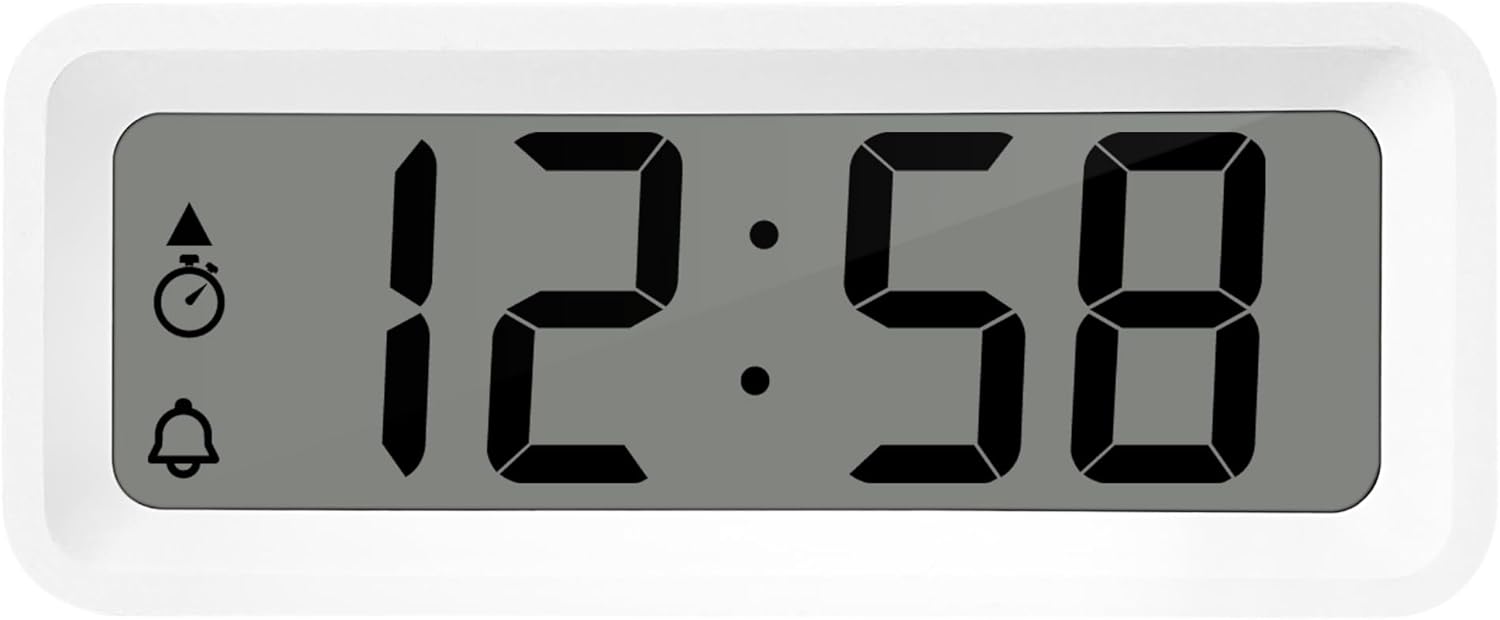
ചിത്രം 3: വിശദമായി view അലാറം ക്ലോക്കിന്റെ ഡിസ്പ്ലേ, നിയന്ത്രണ ബട്ടണുകൾ എന്നിവയിൽ നിന്ന്.
1. സമയവും തീയതിയും ക്രമീകരിക്കുന്നു
- അമർത്തിപ്പിടിക്കുക സെറ്റ് സമയ ഡിസ്പ്ലേ മിന്നിത്തുടങ്ങുന്നത് വരെ ബട്ടൺ അമർത്തുക.
- ഉപയോഗിക്കുക + or - മണിക്കൂർ ക്രമീകരിക്കാനുള്ള ബട്ടണുകൾ.
- അമർത്തുക സെറ്റ് മണിക്കൂർ സ്ഥിരീകരിക്കാൻ വീണ്ടും മിനിറ്റുകളിലേക്ക് നീങ്ങുക.
- ഉപയോഗിക്കുക + or - മിനിറ്റ് ക്രമീകരിക്കാൻ.
- അമർത്തുന്നത് തുടരുക സെറ്റ് ഉപയോഗിച്ച് വർഷം, മാസം, ദിവസം എന്നിവ സൈക്കിൾ ചെയ്ത് സജ്ജമാക്കാൻ + or - ബട്ടണുകൾ.
- അമർത്തുക സെറ്റ് ക്രമീകരണ മോഡിൽ നിന്ന് പുറത്തുകടക്കാൻ അവസാനമായി ഒരിക്കൽ കൂടി.
2. 12/24 മണിക്കൂർ ഫോർമാറ്റ് തിരഞ്ഞെടുക്കൽ
സാധാരണ സമയ പ്രദർശന മോഡിലായിരിക്കുമ്പോൾ, അമർത്തുക മോഡ് 12 മണിക്കൂർ മുതൽ 24 മണിക്കൂർ വരെയുള്ള സമയ ഫോർമാറ്റുകൾക്കിടയിൽ മാറാൻ ബട്ടൺ.
3. അലാറം സജ്ജമാക്കുന്നു
- അമർത്തുക AL ഓൺ-ഓഫ് ആയി സജ്ജമാക്കി അലാറം സജ്ജീകരണ മോഡിൽ പ്രവേശിക്കാൻ ഒരിക്കൽ ബട്ടൺ അമർത്തുക. അലാറം സമയം മിന്നിമറയും.
- ഉപയോഗിക്കുക + or - അലാറം സമയം ക്രമീകരിക്കാനുള്ള ബട്ടണുകൾ.
- അമർത്തുക AL ഓൺ-ഓഫ് ആയി സജ്ജമാക്കി മണിക്കൂർ സ്ഥിരീകരിക്കുന്നതിനും അലാറം മിനിറ്റുകളിലേക്ക് നീങ്ങുന്നതിനും വീണ്ടും.
- ഉപയോഗിക്കുക + or - അലാറം മിനിറ്റ് ക്രമീകരിക്കാൻ.
- അമർത്തുക AL ഓൺ-ഓഫ് ആയി സജ്ജമാക്കി അലാറം ക്രമീകരണ മോഡ് സ്ഥിരീകരിച്ച് പുറത്തുകടക്കാൻ വീണ്ടും.
4. അലാറവും സ്നൂസും സജീവമാക്കൽ/നിർജ്ജീവമാക്കൽ
- അലാറം തിരിക്കാൻ ON or ഓഫ്, അമർത്തുക AL ഓൺ-ഓഫ് ആയി സജ്ജമാക്കി സാധാരണ സമയ ഡിസ്പ്ലേ മോഡിൽ ആയിരിക്കുമ്പോൾ ബട്ടൺ അമർത്തുക. ഡിസ്പ്ലേയിൽ ഒരു അലാറം ഐക്കൺ പ്രത്യക്ഷപ്പെടും/അപ്രത്യക്ഷമാകും.
- അലാറം മുഴങ്ങുമ്പോൾ, അമർത്തുക ZZ സ്നൂസ് പ്രവർത്തനം സജീവമാക്കുന്നതിനുള്ള (സ്നൂസ്) ബട്ടൺ. അലാറം താൽക്കാലികമായി നിലയ്ക്കുകയും കുറച്ച് മിനിറ്റുകൾക്ക് ശേഷം വീണ്ടും മുഴങ്ങുകയും ചെയ്യും.
- അലാറം പൂർണ്ണമായും നിർത്താൻ, മറ്റേതെങ്കിലും ബട്ടൺ അമർത്തുക (ഉദാ. സെറ്റ് or മോഡ്).
5. ആഴ്ചദിനം/വാരാന്ത്യം/പ്രതിദിന അലാറം ക്രമീകരണങ്ങൾ
WT175 അലാറം സജ്ജീകരണ മോഡിൽ ആയിരിക്കുമ്പോൾ (അമർത്തിയ ശേഷം) വഴക്കമുള്ള അലാറം ഷെഡ്യൂളിംഗ് അനുവദിക്കുന്നു. AL ഓൺ-ഓഫ് ആയി സജ്ജമാക്കി), അമർത്തി അലാറം തരങ്ങളിലൂടെ നിങ്ങൾക്ക് സൈക്കിൾ ചെയ്യാം + or - അലാറം സമയം സജ്ജീകരിച്ചതിന് ശേഷം ബട്ടണുകൾ അമർത്തുക. ഡിസ്പ്ലേയിൽ ഇനിപ്പറയുന്ന സൂചകങ്ങൾക്കായി നോക്കുക:
- പ്രതിദിന അലാറം: എല്ലാ ദിവസവും അലാറം മുഴങ്ങുന്നു.
- ആഴ്ചയിലെ അലാറം: തിങ്കൾ മുതൽ വെള്ളി വരെ അലാറം മുഴങ്ങുന്നു.
- വാരാന്ത്യ അലാറം: ശനിയും ഞായറും അലാറം മുഴങ്ങുന്നു.
6. ടൈമർ, കൗണ്ട്ഡൗൺ ഫംഗ്ഷൻ
- അമർത്തുക മോഡ് ടൈമർ ഡിസ്പ്ലേ ദൃശ്യമാകുന്നതുവരെ ബട്ടൺ ആവർത്തിച്ച് അമർത്തുക (പലപ്പോഴും ഒരു സ്റ്റോപ്പ് വാച്ച് ഐക്കൺ ഉപയോഗിച്ച് സൂചിപ്പിക്കും).
- കൗണ്ട്ഡൗൺ ടൈമർ സജ്ജീകരിക്കാൻ, അമർത്തിപ്പിടിക്കുക സെറ്റ്. ഉപയോഗിക്കുക + or - ആവശ്യമുള്ള മണിക്കൂർ, മിനിറ്റ്, സെക്കൻഡ് എന്നിവ സജ്ജമാക്കാൻ. അമർത്തുക സെറ്റ് ഓരോ സെഗ്മെന്റും സ്ഥിരീകരിക്കാൻ.
- അമർത്തുക ആരംഭിക്കുക/നിർത്തുക/പുനഃസജ്ജമാക്കുക കൗണ്ട്ഡൗൺ ആരംഭിക്കാൻ.
- അമർത്തുക ആരംഭിക്കുക/നിർത്തുക/പുനഃസജ്ജമാക്കുക കൗണ്ട്ഡൗൺ താൽക്കാലികമായി നിർത്താൻ/പുനരാരംഭിക്കാൻ വീണ്ടും.
- ടൈമർ പുനഃസജ്ജമാക്കാൻ, അമർത്തിപ്പിടിക്കുക ആരംഭിക്കുക/നിർത്തുക/പുനഃസജ്ജമാക്കുക.
7. താപനിലയും ഈർപ്പവും പ്രദർശിപ്പിക്കുന്നു
ടെക്നോലൈൻ WT175 നിലവിലെ ഇൻഡോർ താപനിലയും (സെൽഷ്യസിൽ) ഈർപ്പ നിലയും തുടർച്ചയായി പ്രദർശിപ്പിക്കുന്നു. ഈ റീഡിംഗുകൾ സാധാരണയായി പ്രധാന ഡിസ്പ്ലേയിൽ സമയത്തിനും തീയതിക്കും ഒപ്പമാണ് കാണിക്കുന്നത്.

ചിത്രം 4: കിടപ്പുമുറിയിലെ സമയം, താപനില, ഈർപ്പം എന്നിവ പ്രദർശിപ്പിക്കുന്ന WT175 അലാറം ക്ലോക്ക്.
മെയിൻ്റനൻസ്
1. ബാറ്ററി മാറ്റിസ്ഥാപിക്കൽ
ഡിസ്പ്ലേയിൽ ബാറ്ററി കുറവാണെന്ന് കാണിക്കുന്ന സൂചകം ദൃശ്യമാകുമ്പോൾ, ബാറ്ററി മാറ്റിസ്ഥാപിക്കേണ്ട സമയമായി. വിഭാഗത്തിൽ വിവരിച്ചിരിക്കുന്ന ബാറ്ററി ഇൻസ്റ്റാളേഷൻ ഘട്ടങ്ങൾ പാലിക്കുക. സജ്ജമാക്കുക വിഭാഗം. പ്രാദേശിക നിയന്ത്രണങ്ങൾ അനുസരിച്ച് പഴയ ബാറ്ററികൾ ഉത്തരവാദിത്തത്തോടെ നിർമാർജനം ചെയ്യുന്നുണ്ടെന്ന് ഉറപ്പാക്കുക.
2. വൃത്തിയാക്കൽ
അലാറം ക്ലോക്ക് വൃത്തിയാക്കാൻ, മൃദുവായതും ഉണങ്ങിയതുമായ തുണി ഉപയോഗിക്കുക. അബ്രാസീവ് ക്ലീനറുകളോ ലായകങ്ങളോ ഉപയോഗിക്കരുത്, അല്ലെങ്കിൽ ഉപകരണം വെള്ളത്തിൽ മുക്കിവയ്ക്കരുത്. ക്ലീനിംഗ് ലായനികൾ നേരിട്ട് യൂണിറ്റിലേക്ക് സ്പ്രേ ചെയ്യുന്നത് ഒഴിവാക്കുക.
ട്രബിൾഷൂട്ടിംഗ്
- ഡിസ്പ്ലേ ശൂന്യമോ മങ്ങിയതോ ആണ്:
- ബാറ്ററി ശരിയായി ഇൻസ്റ്റാൾ ചെയ്തിട്ടുണ്ടോയെന്ന് പരിശോധിക്കുക.
- ബാറ്ററി പുതിയത് ഉപയോഗിച്ച് മാറ്റിസ്ഥാപിക്കുക.
- അലാറം മുഴങ്ങുന്നില്ല:
- അലാറം സജീവമാക്കിയിട്ടുണ്ടെന്ന് ഉറപ്പാക്കുക (പ്രദർശനത്തിൽ അലാറം ഐക്കൺ ദൃശ്യമാണ്).
- അലാറം സമയം ശരിയായി സജ്ജീകരിച്ചിട്ടുണ്ടെന്ന് ഉറപ്പാക്കുക.
- നിങ്ങളുടെ ആവശ്യമുള്ള ഷെഡ്യൂളുമായി പൊരുത്തപ്പെടുന്ന അലാറം തരം (ദിവസേന, ആഴ്ചതോറുമുള്ള, വാരാന്ത്യം) പരിശോധിക്കുക.
- തെറ്റായ സമയമോ തീയതിയോ:
- ലെ നിർദ്ദേശങ്ങൾ പാലിച്ചുകൊണ്ട് സമയവും തീയതിയും വീണ്ടും നൽകുക പ്രവർത്തന നിർദ്ദേശങ്ങൾ വിഭാഗം.
- 12/24 മണിക്കൂർ ഫോർമാറ്റ് ഇഷ്ടാനുസരണം സജ്ജീകരിച്ചിട്ടുണ്ടെന്ന് ഉറപ്പാക്കുക.
- ബട്ടണുകൾ പ്രതികരിക്കുന്നില്ല:
- സോഫ്റ്റ് റീസെറ്റ് നടത്താൻ ബാറ്ററി നീക്കം ചെയ്ത് വീണ്ടും ചേർക്കുക.
- മറ്റ് ബട്ടണുകൾ ലോക്ക് ചെയ്യുന്ന ഒരു പ്രത്യേക ക്രമീകരണ മോഡിലല്ല ഉപകരണം എന്ന് ഉറപ്പാക്കുക.
സ്പെസിഫിക്കേഷനുകൾ
| ഫീച്ചർ | വിശദാംശങ്ങൾ |
|---|---|
| മോഡൽ | WT175 |
| ബ്രാൻഡ് | ടെക്നോലൈൻ |
| അളവുകൾ (L x W x H) | 8.8 x 3.81 x 3.7 സെ.മീ |
| ഭാരം | 120 ഗ്രാം |
| പവർ ഉറവിടം | 1x AAA മൈക്രോ LR03 ബാറ്ററി (ഉൾപ്പെടുത്തിയിട്ടില്ല) |
| ഡിസ്പ്ലേ തരം | ഡിജിറ്റൽ |
| പ്രത്യേക സവിശേഷതകൾ | അലാറം, സ്നൂസ്, താപനില, ഈർപ്പം, തീയതി, ടൈമർ, കൗണ്ട്ഡൗൺ, മാഗ്നറ്റിക് സിasing, കുറഞ്ഞ ബാറ്ററി സൂചകം |
| നിറം | വെള്ള (നിലവിലെ ഉൽപ്പന്ന വകഭേദം അനുസരിച്ച്) |
| ഇൻഡോർ/ഔട്ട്ഡോർ ഉപയോഗം | ഇൻഡോർ |

ചിത്രം 5: ടെക്നോലൈൻ WT175 അലാറം ക്ലോക്കിന്റെ അളവുകൾ.
വാറൻ്റിയും പിന്തുണയും
നിങ്ങളുടെ ടെക്നോലൈൻ WT175 മിനി ട്രാവൽ അലാറം ക്ലോക്കിനെക്കുറിച്ചുള്ള വാറന്റി വിവരങ്ങൾക്കോ സാങ്കേതിക പിന്തുണയ്ക്കോ, ദയവായി നിങ്ങളുടെ വാങ്ങലിനൊപ്പം ഉൾപ്പെടുത്തിയിരിക്കുന്ന വാറന്റി കാർഡ് പരിശോധിക്കുകയോ ഔദ്യോഗിക ടെക്നോലൈൻ സന്ദർശിക്കുകയോ ചെയ്യുക. webസൈറ്റ്.
ഔദ്യോഗിക ടെക്നോലൈൻ Webസൈറ്റ്: http://www.technoline.de


