ആമുഖം
The bea-fon Smartwatch 102 is designed to seamlessly integrate into your daily life, offering a blend of style and advanced functionality. Featuring a sleek rectangular design with a 1.83-inch digital display, this smartwatch provides essential health monitoring capabilities, including heart rate, blood oxygen, and sleep tracking. It is compatible with smartphones via the FitCloudPro app, ensuring seamless connectivity. Built for durability, it boasts an IP68 waterproof rating and a long-lasting battery.

ചിത്രം 1: മുൻഭാഗം view of the bea-fon Smartwatch 102, displaying time and health metrics.
പാക്കേജ് ഉള്ളടക്കം
നിങ്ങളുടെ പാക്കേജിൽ താഴെ പറയുന്ന എല്ലാ ഇനങ്ങളും ഉണ്ടെന്ന് ഉറപ്പാക്കുക:
- bea-fon Smartwatch 102 (with silicone strap)
- Magnetic Charging Cable/Base
- ഉപയോക്തൃ മാനുവൽ (ഈ പ്രമാണം)
ഉൽപ്പന്നം കഴിഞ്ഞുview
The bea-fon Smartwatch 102 features a durable black silicone strap with a magnetic clasp, a rectangular display, and integrated sensors on the back for health monitoring.
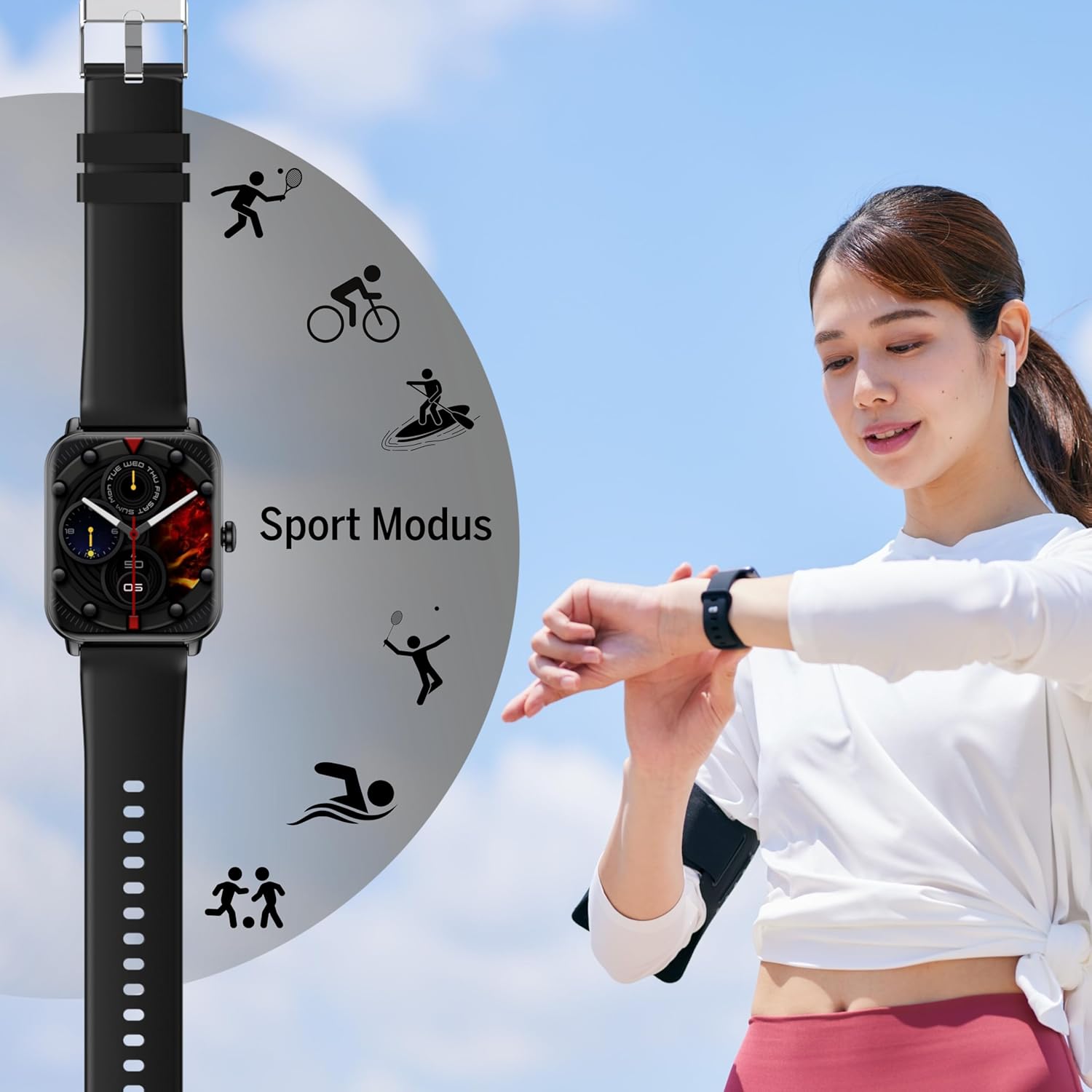
ചിത്രം 2: വശം view of the Smartwatch 102, highlighting its sleek profile.

ചിത്രം 3: പിന്നിലേക്ക് view of the Smartwatch 102, showing the integrated health sensors.
പ്രധാന സവിശേഷതകൾ:
- ഡിസ്പ്ലേ: 1.83-inch (4.64 cm) digital screen for clear visibility.
- ബാറ്ററി ലൈഫ്: Up to 4-5 days of normal use with a 250mAh Li-ion battery.
- ജല പ്രതിരോധം: IP68 rated, suitable for immersion up to 1 meter.
- ആരോഗ്യ നിരീക്ഷണം: Integrated heart rate monitor, blood oxygen sensor, and sleep tracker.
- കണക്റ്റിവിറ്റി: Bluetooth for seamless smartphone pairing via FitCloudPro app.
- ഡിസൈൻ: Rectangular watch face with a comfortable silicone strap and magnetic clasp.
സജ്ജമാക്കുക
1 ഉപകരണം ചാർജ് ചെയ്യുന്നു
Before first use, fully charge your bea-fon Smartwatch 102. The device comes with a magnetic charging cable/base.
- മാഗ്നറ്റിക് ചാർജിംഗ് കേബിൾ ഒരു USB പവർ അഡാപ്റ്ററിലേക്കോ (ഉൾപ്പെടുത്തിയിട്ടില്ല) അല്ലെങ്കിൽ ഒരു കമ്പ്യൂട്ടറിന്റെ USB പോർട്ടിലേക്കോ ബന്ധിപ്പിക്കുക.
- സ്മാർട്ട് വാച്ചിന്റെ പിൻഭാഗത്തുള്ള ചാർജിംഗ് കോൺടാക്റ്റുകളുമായി കേബിളിന്റെ കാന്തിക അറ്റം വിന്യസിക്കുക. കാന്തങ്ങൾ അവയുടെ സ്ഥാനത്ത് ഉറപ്പിക്കും.
- വാച്ച് ഡിസ്പ്ലേ ചാർജിംഗ് സ്റ്റാറ്റസ് സൂചിപ്പിക്കും. പൂർണ്ണമായി ചാർജ് ചെയ്യാൻ ഏകദേശം 3 മണിക്കൂർ എടുക്കും.
2. Pairing with Your Smartphone (FitCloudPro App)
To unlock the full potential of your smartwatch, pair it with your smartphone using the FitCloudPro application.
- ഡൗൺലോഡ് ചെയ്യുക FitCloudPro ആപ്പ് സ്റ്റോറിൽ (iOS) നിന്നോ ഗൂഗിൾ പ്ലേ സ്റ്റോറിൽ (ആൻഡ്രോയിഡ്) നിന്നോ ഉള്ള ആപ്പ്.
- നിങ്ങളുടെ സ്മാർട്ട്ഫോണിൽ ബ്ലൂടൂത്ത് പ്രവർത്തനക്ഷമമാക്കിയിട്ടുണ്ടെന്ന് ഉറപ്പാക്കുക.
- FitCloudPro ആപ്പ് തുറന്ന് സ്ക്രീനിലെ നിർദ്ദേശങ്ങൾ പാലിച്ച് ഒരു അക്കൗണ്ട് സൃഷ്ടിക്കുകയോ ലോഗിൻ ചെയ്യുകയോ ചെയ്യുക.
- In the app, navigate to the "Device" or "Add Device" section.
- The app will search for nearby devices. Select "Smartwatch 102" or the corresponding device ID when it appears.
- ആവശ്യപ്പെടുകയാണെങ്കിൽ, നിങ്ങളുടെ സ്മാർട്ട്ഫോണിലും സ്മാർട്ട് വാച്ചിലും പെയറിംഗ് അഭ്യർത്ഥന സ്ഥിരീകരിക്കുക.
- Once paired, the app will synchronize data with your smartwatch.

Figure 4: The Smartwatch 102 demonstrating Bluetooth connectivity for smartphone pairing.
പ്രവർത്തന നിർദ്ദേശങ്ങൾ
ഇൻ്റർഫേസ് നാവിഗേറ്റ് ചെയ്യുന്നു
- മുകളിലേക്കും താഴേക്കും സ്വൈപ്പ് ചെയ്യുക: മെനുകളിലൂടെയും അറിയിപ്പുകളിലൂടെയും സ്ക്രോൾ ചെയ്യുക.
- ഇടത്തേക്ക്/വലത്തേക്ക് സ്വൈപ്പ് ചെയ്യുക: Access quick functions or different widgets (e.g., heart rate, steps, weather).
- ടാപ്പ് ചെയ്യുക: ഒരു ഇനം തിരഞ്ഞെടുക്കുക അല്ലെങ്കിൽ ഒരു പ്രവർത്തനം സ്ഥിരീകരിക്കുക.
- സൈഡ് ബട്ടൺ: Press to wake the screen, return to the watch face, or access the main menu.
ആരോഗ്യ നിരീക്ഷണ സവിശേഷതകൾ
The Smartwatch 102 is equipped with sensors to help you monitor your health.
- ഹൃദയമിടിപ്പ് നിരീക്ഷണം: The watch continuously tracks your heart rate. View real-time data on the watch or detailed graphs in the FitCloudPro app.
- Blood Oxygen (SpO2) Sensor: Measure your blood oxygen levels. Ensure the watch is snug on your wrist for accurate readings.
- ഉറക്ക ട്രാക്കിംഗ്: Wear the watch to bed to monitor your sleep patterns, including deep sleep, light sleep, and awake times. Data is synchronized with the app for analysis.
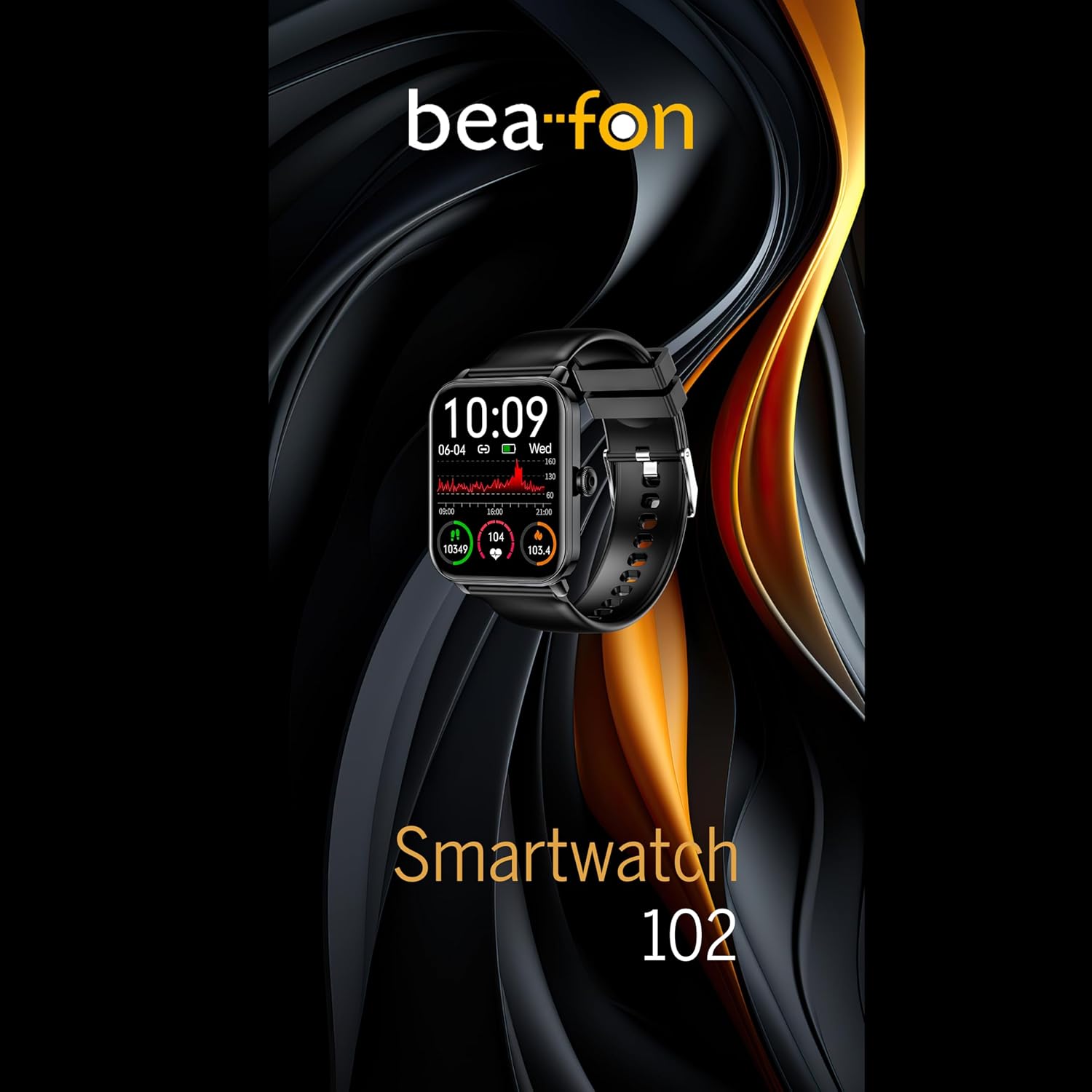
Figure 5: Visual representation of the Smartwatch 102's health monitoring capabilities, including heart rate, sleep, and blood oxygen.
കായിക മോഡുകൾ
Track your workouts with various built-in sport modes.
- Access the "Sport" menu on your watch.
- നിങ്ങൾക്ക് ആവശ്യമുള്ള പ്രവർത്തനം തിരഞ്ഞെടുക്കുക (ഉദാ: ഓട്ടം, സൈക്ലിംഗ്, നീന്തൽ).
- The watch will begin tracking relevant metrics such as duration, calories burned, and heart rate.
- End your workout by following the on-screen prompts. Data will sync to the FitCloudPro app.
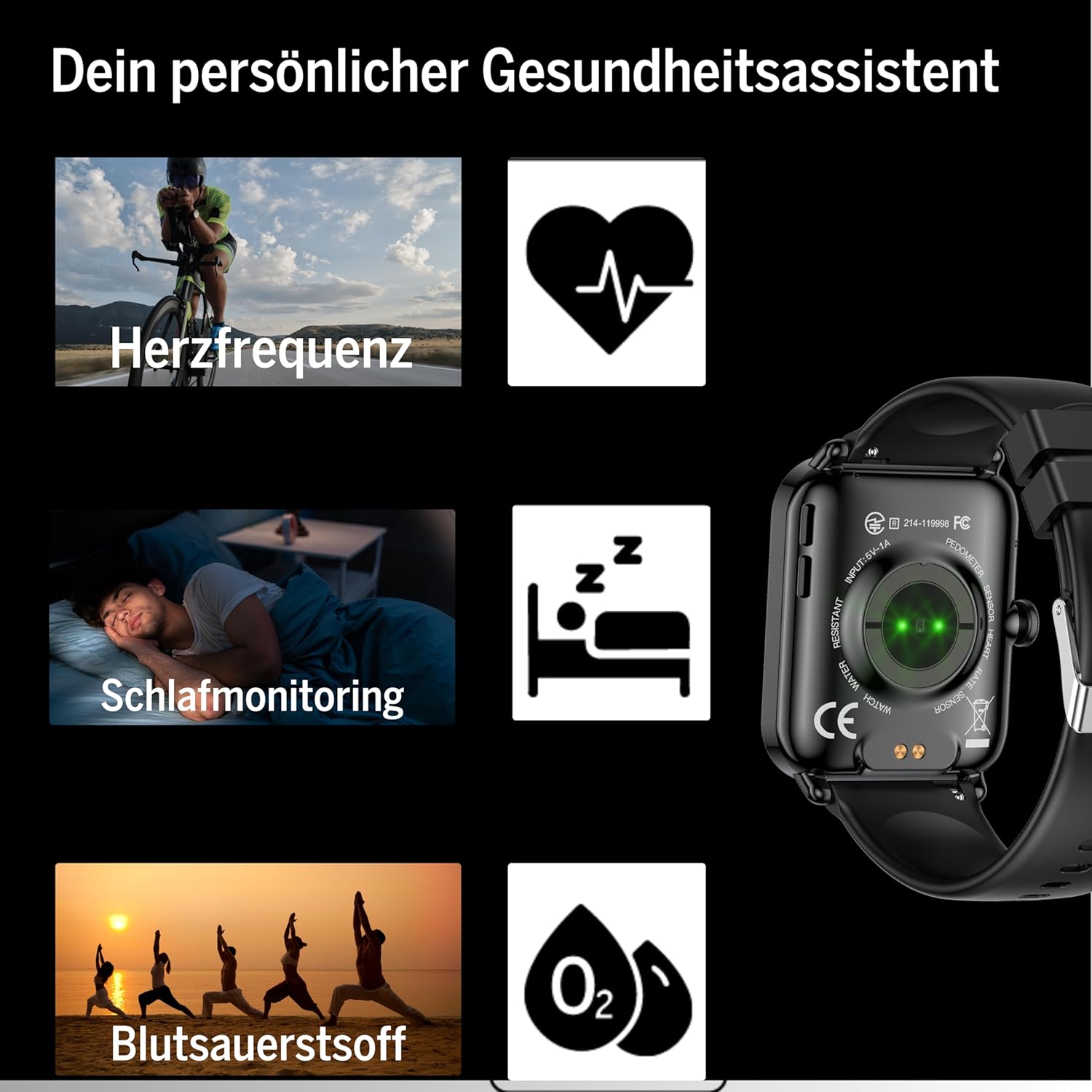
Figure 6: The Smartwatch 102 displaying various sport modes for activity tracking.
അറിയിപ്പുകളും കോളുകളും
Once paired, your smartwatch can receive notifications from your smartphone.
- Enable app notifications in the FitCloudPro app settings.
- Incoming calls and messages will be displayed on your watch. You can typically reject calls from the watch, but not answer them directly.
മെയിൻ്റനൻസ്
Cleaning the Smartwatch
നിങ്ങളുടെ സ്മാർട്ട് വാച്ചിന്റെ രൂപവും പ്രവർത്തനക്ഷമതയും നിലനിർത്താൻ:
- Wipe the screen and strap regularly with a soft, damp, ലിൻ്റ് രഹിത തുണി.
- കഠിനമായ രാസവസ്തുക്കൾ, അബ്രസീവ് ക്ലീനറുകൾ, അല്ലെങ്കിൽ ലായകങ്ങൾ എന്നിവ ഉപയോഗിക്കുന്നത് ഒഴിവാക്കുക.
- ചാർജ് ചെയ്യുന്നതിനുമുമ്പ് ചാർജിംഗ് കോൺടാക്റ്റുകൾ വൃത്തിയുള്ളതും വരണ്ടതുമാണെന്ന് ഉറപ്പാക്കുക.
ജല പ്രതിരോധം (IP68)
The bea-fon Smartwatch 102 has an IP68 water resistance rating, meaning it is protected against dust ingress and can withstand immersion in water up to 1 meter for 30 minutes.
- It is suitable for daily use, such as hand washing, rain, and shallow swimming.
- Do not use the watch in hot water, saunas, or steam rooms, as steam can penetrate the seals.
- Avoid exposing the watch to high-velocity water or sudden temperature changes.
- After exposure to water, especially saltwater, rinse the watch with fresh water and dry it thoroughly.
ട്രബിൾഷൂട്ടിംഗ്
- വാച്ച് ഓണാകുന്നില്ല: Ensure the watch is fully charged. Connect it to the magnetic charger and leave it for at least 30 minutes.
- Unable to pair with smartphone:
- നിങ്ങളുടെ ഫോണിൽ ബ്ലൂടൂത്ത് പ്രവർത്തനക്ഷമമാക്കിയിട്ടുണ്ടെന്നും വാച്ച് പരിധിക്കുള്ളിലാണെന്നും ഉറപ്പാക്കുക.
- നിങ്ങളുടെ ഫോണും സ്മാർട്ട് വാച്ചും പുനരാരംഭിക്കുക.
- നിങ്ങളുടെ ഫോണിലെ ബ്ലൂടൂത്ത് കാഷെ മായ്ക്കുക (ബാധകമെങ്കിൽ) വീണ്ടും ജോടിയാക്കാൻ ശ്രമിക്കുക.
- Ensure the FitCloudPro app has necessary permissions.
- കൃത്യമല്ലാത്ത ആരോഗ്യ വായനകൾ:
- വാച്ച് നിങ്ങളുടെ കൈത്തണ്ടയിൽ നന്നായി ധരിക്കുന്നുണ്ടെന്ന് ഉറപ്പാക്കുക, അധികം അയഞ്ഞതോ അധികം ഇറുകിയതോ അല്ല.
- വാച്ചിന്റെ പിൻഭാഗത്തുള്ള സെൻസറുകൾ വൃത്തിയാക്കുക.
- വായനയ്ക്കിടെ അമിതമായ ചലനം ഒഴിവാക്കുക.
- അറിയിപ്പുകൾ ദൃശ്യമാകുന്നില്ല:
- Check notification settings within the FitCloudPro app.
- നിങ്ങളുടെ ഫോണിന്റെ നോട്ടിഫിക്കേഷൻ ക്രമീകരണങ്ങൾ FitCloudPro ആപ്പിനെ അലേർട്ടുകൾ പ്രദർശിപ്പിക്കാൻ അനുവദിക്കുന്നുണ്ടെന്ന് ഉറപ്പാക്കുക.
- വാച്ച് ബ്ലൂടൂത്ത് വഴി ബന്ധിപ്പിച്ചിട്ടുണ്ടെന്ന് ഉറപ്പാക്കുക.
സ്പെസിഫിക്കേഷനുകൾ
| ഫീച്ചർ | സ്പെസിഫിക്കേഷൻ |
|---|---|
| ബ്രാൻഡ് | Beafon |
| മോഡൽ | 102 |
| ഡിസ്പ്ലേ വലിപ്പം | 1.83 ഇഞ്ച് (4.64 സെ.മീ) |
| ബാറ്ററി തരം | 3.7V 250mAh Li-ion rechargeable |
| ബാറ്ററി ലൈഫ് | 4-5 ദിവസം (സാധാരണ ഉപയോഗം) |
| ചാർജിംഗ് സമയം | ഏകദേശം 3 മണിക്കൂർ |
| ജല പ്രതിരോധം | IP68 (up to 1 meter) |
| കണക്റ്റിവിറ്റി | ബ്ലൂടൂത്ത് |
| ആരോഗ്യ സെൻസറുകൾ | Heart Rate, Blood Oxygen, Sleep Tracker |
| അളവുകൾ | 16.5 x 7.3 x 3.7 cm (Package); 160 g (Product Weight) |
| സ്ട്രാപ്പ് മെറ്റീരിയൽ | സിലിക്കൺ |
| നിറം | കറുപ്പ് |
വാറൻ്റി വിവരങ്ങൾ
Specific warranty details for the bea-fon Smartwatch 102 may vary by region and retailer. Please refer to the warranty card included with your product or contact your point of purchase for precise warranty terms and conditions. Generally, electronic devices come with a standard manufacturer's warranty covering defects in materials and workmanship under normal use.
പിന്തുണ
For technical support, troubleshooting assistance, or further inquiries regarding your bea-fon Smartwatch 102, please refer to the following resources:
- ഓൺലൈൻ ഉറവിടങ്ങൾ: Visit the official Beafon website for FAQs, updated manuals, and support articles.
- FitCloudPro App: The app may offer an in-app support section or contact information.
- കസ്റ്റമർ സർവീസ്: Contact the retailer from whom you purchased the product for initial support.
പിന്തുണയുമായി ബന്ധപ്പെടുമ്പോൾ, ദയവായി നിങ്ങളുടെ ഉൽപ്പന്ന മോഡൽ നമ്പറും (102) വാങ്ങൽ വിശദാംശങ്ങളും തയ്യാറായി വയ്ക്കുക.


