1. ആമുഖം
This manual provides detailed instructions for the installation, operation, and maintenance of your WEILAILIFE Outdoor Wired Security Camera System. This system features an integrated 10.1-inch Full HD IPS display, four 5.0MP wired HD-Analog cameras, and a 500GB hard drive for local storage.
The system is designed for comprehensive surveillance, offering features such as PIR motion detection with red and blue flashing LEDs, 122° ultra wide-angle coverage, 90ft night vision, and remote viewing via the "HonestView" app without monthly fees.
2. ബോക്സിൽ എന്താണുള്ളത്?
പാക്കേജിൽ എല്ലാ ഘടകങ്ങളും ഉണ്ടെന്ന് ഉറപ്പാക്കുക:
- Monitor 8-Channel 5.0MP DVR with Pre-installed 500GB Hard Drive (x1)
- 5.0MP Wired HD-Analog Camera (x4)
- 2-in-1 Cable 60ft for Camera (x4)
- DC12V2A Power Supply for DVR (x1)
- വിദൂര നിയന്ത്രണം (x1)
- 1m LAN Cable (x1)
- HDMI കേബിൾ (x1)
- USB മൗസ് (x1)
- Separation Power Cord 1-to-4 (x1)
- Screw Kits (x4)
- ഉപയോക്തൃ മാനുവൽ (x1)
- Security Sticker (x1)

ചിത്രം 2.1: പാക്കേജ് ഉള്ളടക്കം
3. സജ്ജീകരണവും ഇൻസ്റ്റാളേഷനും
3.1 ക്യാമറ ഇൻസ്റ്റാളേഷൻ
Follow these steps to install the cameras:
- ഡ്രിൽ ദ്വാരങ്ങൾ അടയാളപ്പെടുത്തൽ: Position the camera in the desired location. Use a marker to indicate the positions for drilling the mounting holes.
- ഡ്രില്ലിംഗ്: അടയാളപ്പെടുത്തിയ സ്ഥാനങ്ങളിൽ ദ്വാരങ്ങൾ തുരത്തുക.
- Inserting Wall Anchors: Insert the provided wall anchors into the drilled holes to ensure a secure fit for the screws.
- Securing the Camera: Align the camera base with the wall anchors and secure it using the provided screws.
Video 3.1: Camera Installation Guide. This video demonstrates the physical installation process of the WEILAILIFE security camera, including marking, drilling, and securing the camera to a wall.
3.2 ഡിവിആർ കണക്ഷൻ
Connect the DVR (Digital Video Recorder) to power, network, and display:
- പവർ കണക്ഷൻ: Connect the DC12V2A power supply to the DVR's power input and plug it into an electrical outlet.
- നെറ്റ്വർക്ക് കണക്ഷൻ: Connect one end of the LAN cable to the DVR's Ethernet port and the other end to your router.
- ഡിസ്പ്ലേ കണക്ഷൻ: Connect the HDMI cable from the DVR's HDMI output to an HDMI input on your monitor or TV. Alternatively, use a VGA cable for VGA displays.
- USB മൗസ്: Connect the USB mouse to one of the DVR's USB ports for navigation.
- ക്യാമറ കണക്ഷൻ: Connect each camera to the DVR using the provided 2-in-1 cables. Ensure secure connections for both video (BNC) and power (DC connector). Use the separation power cord if multiple cameras share a single power adapter.
Video 3.2: DVR Connection Setting. This video illustrates the correct wiring and connection procedures for the DVR unit, including power, network, display, and camera inputs.
3.3 Initial Setup and App Configuration
After connecting all hardware, power on the DVR. The system will boot up and display on the connected monitor. For remote viewing and advanced settings, download and configure the "HonestView" app:
- അപ്ലിക്കേഷൻ ഡൗൺലോഡുചെയ്യുക: Download the free "HonestView" app from the App Store (iOS) or Google Play Store (Android).
- ഉപകരണം ചേർക്കുക: Open the app, tap the "+" icon to add a new device.
- QR കോഡ് സ്കാൻ ചെയ്യുക: Scan the QR code displayed on the DVR monitor or located on the DVR unit itself.
- നെറ്റ്വർക്ക് സജ്ജീകരണം: Follow the on-screen prompts to complete the network setup.
- തത്സമയം View: Once connected, tap the play button to start live viewing from your cameras.
Video 3.3: CCTV Camera System App Setup. This video guides users through the process of setting up the security camera system with the mobile application, including device pairing and live view സജീവമാക്കൽ.
4. സിസ്റ്റം ഓപ്പറേറ്റിംഗ്
4.1 Live Monitoring
The integrated 10.1-inch Full HD IPS display provides a clear view of all camera feeds. You can also monitor live footage remotely via the "HonestView" app on your smartphone, PC, or tablet.
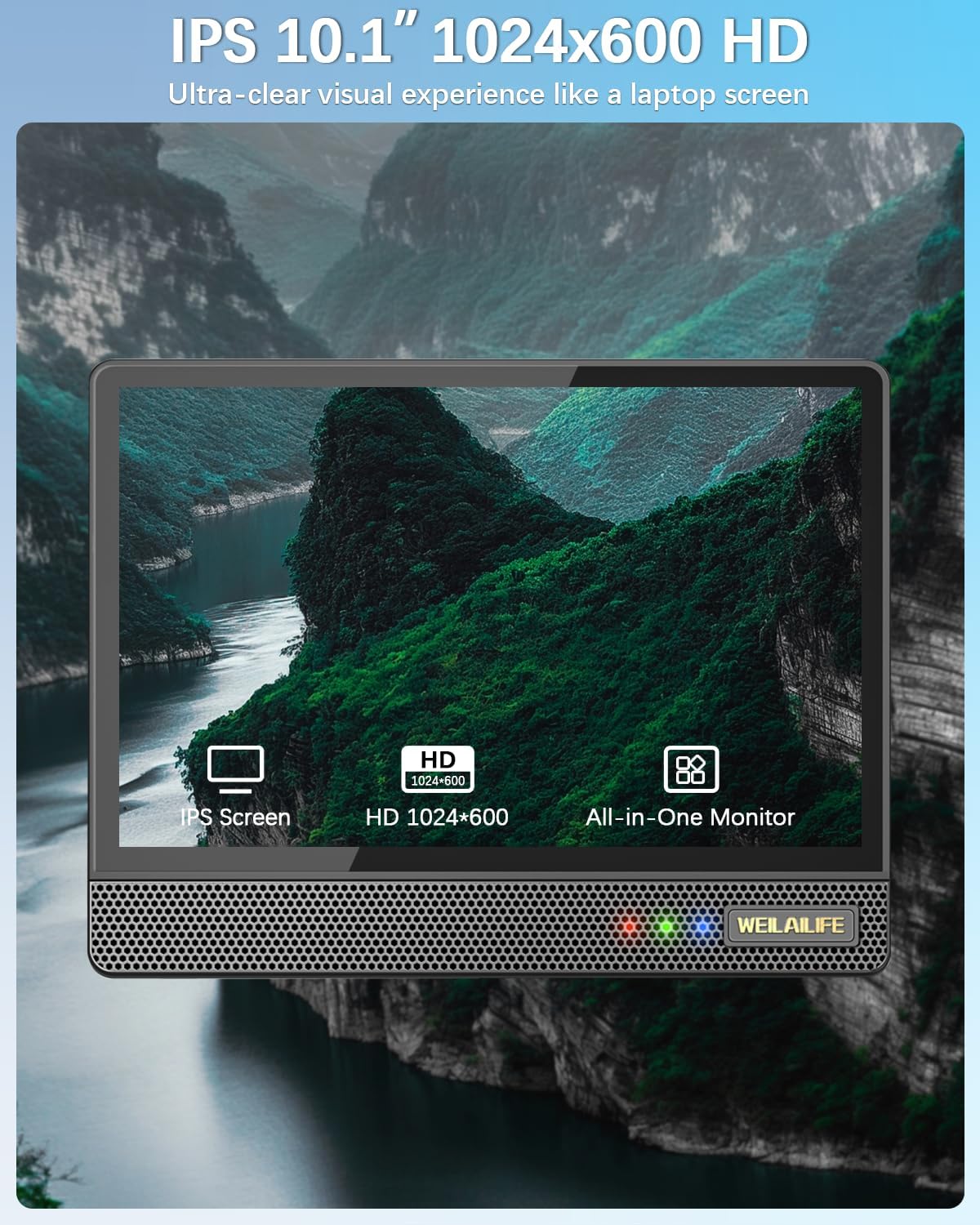
Figure 4.1: 10.1-inch Full HD IPS Monitor Display
4.2 മോഷൻ ഡിറ്റക്ഷനും അലേർട്ടുകളും
The system features PIR motion detection. When motion is detected, the cameras activate red and blue flashing LEDs for 15 seconds to deter potential intruders. The system can also send email alerts and app notifications, and trigger recording.
- ഇഷ്ടാനുസൃതമാക്കൽ: You can customize the motion detection area, sensitivity, and time within the DVR settings or the "HonestView" app.
- AI WDR Function: The AI WDR (Wide Dynamic Range) function enhances image clarity by balancing bright and dark areas in surveillance footage, ensuring details are visible in challenging lighting conditions.

Figure 4.2: Red & Blue Flashing LEDs in Action

Figure 4.3: PIR Motion Detection Zones

Figure 4.4: AI WDR Function
4.3 റെക്കോർഡിംഗ് മോഡുകൾ
The system supports multiple recording modes to suit your surveillance needs:
- മോഷൻ ഡിറ്റക്ഷൻ റെക്കോർഡിംഗ്: ചലനം കണ്ടെത്തുമ്പോൾ മാത്രം റെക്കോർഡ് ചെയ്യുന്നു, സംഭരണ സ്ഥലം ലാഭിക്കുന്നു.
- ഷെഡ്യൂൾ റെക്കോർഡിംഗ്: Records continuously during specified time periods.
- മാനുവൽ റെക്കോർഡിംഗ്: Allows you to start and stop recording manually.

Figure 4.5: Multiple Recording Modes
4.4 നൈറ്റ് വിഷൻ
The cameras are equipped with 90ft Super Night Vision, utilizing enhanced 2 Array Infrared Light and an Auto IR-Cut Filter for clear black-and-white video even in complete darkness.
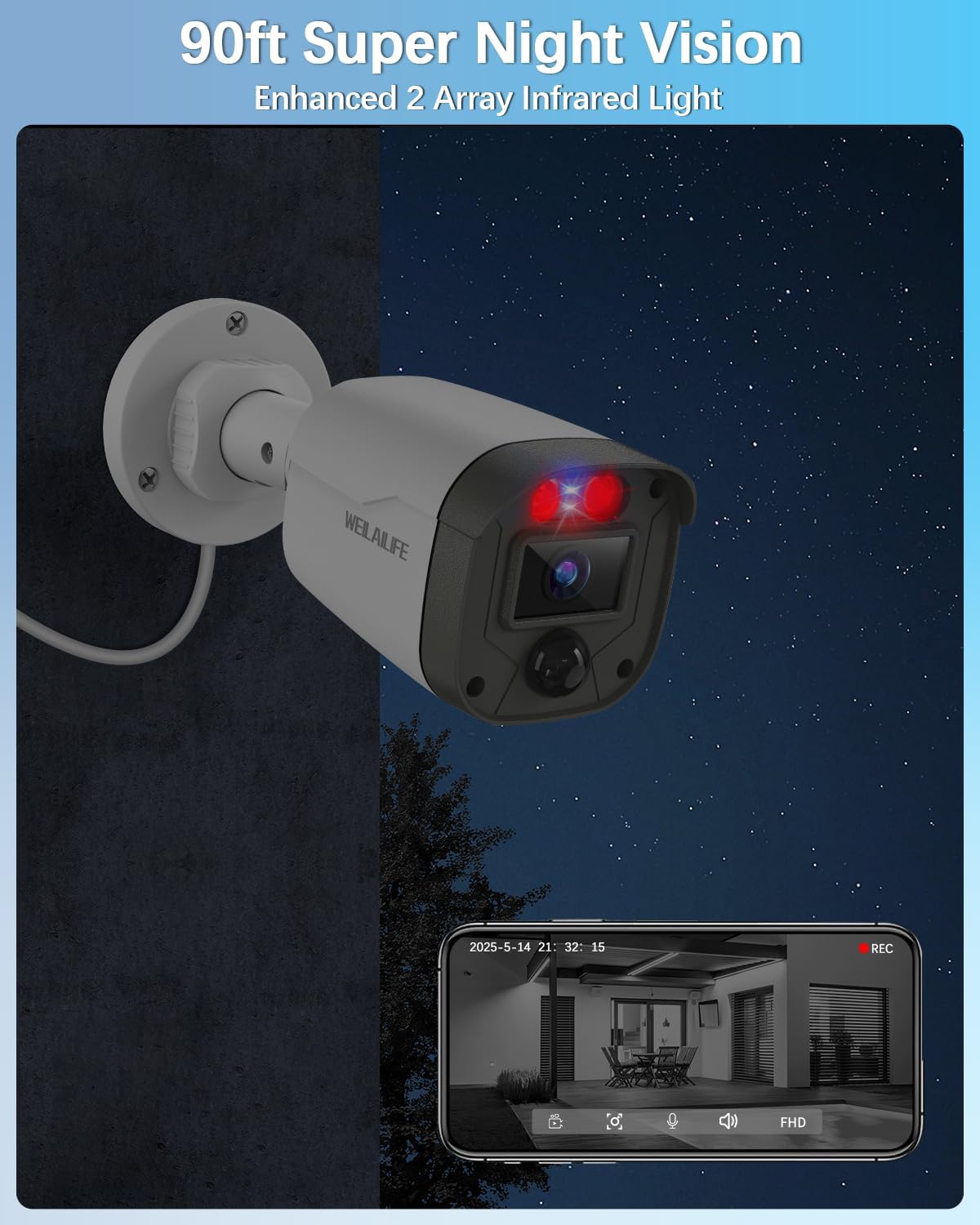
Figure 4.6: 90ft Super Night Vision
4.5 ടു-വേ ഓഡിയോ
While the product description mentions two-way audio in a customer review, specific details on its operation are not provided in the product features. If available, this feature typically allows you to speak through the camera's speaker and hear audio from the camera's microphone via the mobile app.
5. പരിപാലനം
5.1 കാലാവസ്ഥാ പ്രതിരോധം
The outdoor cameras are IP67 waterproof, ensuring reliable operation in various weather conditions including rain, snow, and extreme temperatures ranging from -20°C (-5°F) to 60°C (140°F).

Figure 5.1: IP67 Waterproof Camera
5.2 പൊതു പരിചരണം
- ക്യാമറ ലെൻസുകൾ പതിവായി മൃദുവായ, ഡി-ക്ലിപ്പർ ഉപയോഗിച്ച് വൃത്തിയാക്കുക.amp വ്യക്തമായ ഇമേജ് ഗുണനിലവാരം ഉറപ്പാക്കാൻ തുണി.
- Ensure all cable connections remain secure and free from damage.
- Keep the DVR unit in a well-ventilated area to prevent overheating.
6. പ്രശ്നപരിഹാരം
നിങ്ങൾ നേരിട്ടേക്കാവുന്ന പൊതുവായ പ്രശ്നങ്ങൾക്കുള്ള പരിഹാരങ്ങൾ ഈ വിഭാഗം നൽകുന്നു:
- വീഡിയോ സിഗ്നൽ ഇല്ല: Check all cable connections (power, video, HDMI/VGA) to ensure they are secure. Verify that the cameras are powered on.
- മോശം ചിത്രത്തിന്റെ ഗുണനിലവാരം: ക്യാമറ ലെൻസുകൾ വൃത്തിയാക്കുക. ക്യാമറയുടെ ഫീൽഡിൽ തടസ്സങ്ങളൊന്നുമില്ലെന്ന് ഉറപ്പാക്കുക. view. Adjust camera position if necessary.
- മോഷൻ ഡിറ്റക്ഷൻ പ്രവർത്തിക്കുന്നില്ല: Verify motion detection settings in the DVR or app. Adjust sensitivity and detection areas. Ensure the PIR sensor is not obstructed.
- റിമോട്ട് Viewപ്രശ്നങ്ങൾ: Check your internet connection and router settings. Ensure the DVR is connected to the network and the "HonestView" app is properly configured and updated.
- DVR റെക്കോർഡ് ചെയ്യുന്നില്ല: Check hard drive status in DVR settings. Ensure sufficient storage space is available. Verify recording schedules and motion detection settings.
7 സ്പെസിഫിക്കേഷനുകൾ
| ഫീച്ചർ | വിശദാംശങ്ങൾ |
|---|---|
| ബ്രാൻഡ് | വെയിലിഫ് |
| മോഡൽ നമ്പർ | WE-44500 |
| കണക്റ്റിവിറ്റി ടെക്നോളജി | HD-Analog, Wired |
| വീഡിയോ ക്യാപ്ചർ റെസല്യൂഷൻ | 2536 x 1944p, 5.0 Megapixel |
| പ്രത്യേക സവിശേഷതകൾ | 10" Full HD IPS Screen, 90ft Night Vision, AI WDR Function, Human Detection, Red & Blue Flashing LEDs |
| ചാനലുകളുടെ എണ്ണം | 8 (System includes 4 cameras) |
| മെമ്മറി സ്റ്റോറേജ് കപ്പാസിറ്റി | 500 GB (Pre-installed) |
| നിറം | വെള്ള |
| പവർ ഉറവിടം | കോർഡഡ് ഇലക്ട്രിക് |
| ഇനത്തിന്റെ അളവുകൾ (L x W x H) | 13 x 11 x 7 ഇഞ്ച് |
| ഓപ്പറേറ്റിംഗ് സിസ്റ്റം | ലിനക്സ് |
| ശുപാർശ ചെയ്യുന്ന ഉപയോഗങ്ങൾ | ഇൻഡോർ, ഔട്ട്ഡോർ |
| അനുയോജ്യമായ ഉപകരണങ്ങൾ | ക്യാമറകൾ, പേഴ്സണൽ കമ്പ്യൂട്ടറുകൾ, സ്മാർട്ട്ഫോണുകൾ, ടിവി, ടാബ്ലെറ്റുകൾ |
| മറ്റ് ക്യാമറ സവിശേഷതകൾ | 122° Wide-Angle, 90ft Super Night Vision, Motion Detection |
| ലോ ലൈറ്റ് ടെക്നോളജി | 90ft Night Vision with Auto IR-Cut Filter and Infrared LEDs |
| നൈറ്റ് വിഷൻ റേഞ്ച് | 90 അടി |
| ഫ്രെയിം റേറ്റ് | 15fps |
| റെക്കോർഡിംഗ് മോഡ് | പരിപാടി, ഷെഡ്യൂൾ |
| മൊത്തം USB പോർട്ടുകൾ | 2 |
| ഹാർഡ്വെയർ ഇന്റർഫേസ് | HDMI, USB 2.0 |
| ലെൻസ് തരം | വൈഡ് ആംഗിൾ |
| വീഡിയോ ഇൻപുട്ട് | HD-Analog Cameras, RJ45 |
| Viewing ആംഗിൾ | 122 ഡിഗ്രി |
| നിർമ്മാതാവ് | വെയിലിഫ് |
| സ്മാർട്ട് ഹോം അനുയോജ്യത | Smart Home Compatible |
| ഇനത്തിൻ്റെ ഭാരം | 11.05 പൗണ്ട് |
8. വാറൻ്റിയും പിന്തുണയും
Specific warranty details are not provided in the product information. Please refer to the warranty card included in your package or contact WEILAILIFE customer support for information regarding warranty coverage and technical assistance.
For customer support, please visit the official WEILAILIFE website or use the contact information provided in your product documentation.


