1. ആമുഖം
Thank you for choosing the ELEPHAS Projector. This projector is designed to provide a high-quality home theater experience with its 800 ANSI lumens brightness, 1080p HD resolution, and versatile connectivity options. Enjoy officially licensed streaming apps like Netflix, Prime Video, and YouTube directly from the device, along with seamless dual-band WiFi and Bluetooth 5.0 for enhanced audio. This manual will guide you through the setup, operation, and maintenance of your new projector.
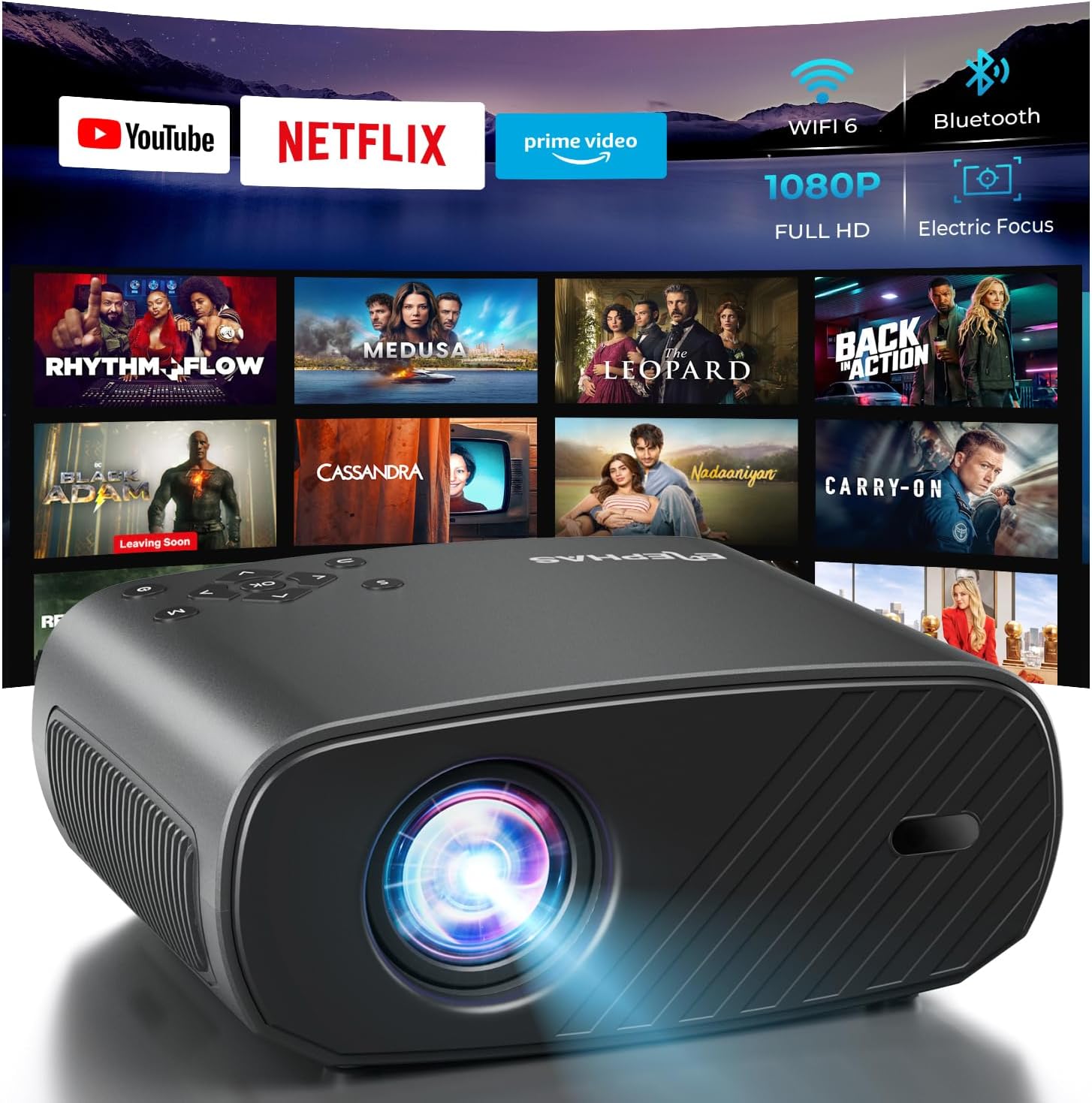
The ELEPHAS Projector offers a comprehensive entertainment solution with integrated streaming services and advanced display technology.
2 സുരക്ഷാ വിവരങ്ങൾ
- വെന്റിലേഷൻ ദ്വാരങ്ങൾ അടയ്ക്കരുത്. അമിതമായി ചൂടാകുന്നത് തടയാൻ പ്രൊജക്ടറിന് ചുറ്റും മതിയായ വായുസഞ്ചാരം ഉറപ്പാക്കുക.
- l ചെയ്യുമ്പോൾ പ്രൊജക്ടർ ലെൻസിലേക്ക് നേരിട്ട് നോക്കരുത്amp തിളക്കമുള്ള വെളിച്ചം കണ്ണിന് കേടുപാടുകൾ വരുത്തുമെന്നതിനാൽ ഓണാണ്.
- Keep the projector away from water or any liquids. Do not expose it to rain or moisture.
- പ്രൊജക്ടറിനൊപ്പം നൽകിയിരിക്കുന്ന പവർ അഡാപ്റ്റർ മാത്രം ഉപയോഗിക്കുക.
- Avoid placing the projector on unstable surfaces where it could fall.
- ഇടിമിന്നൽ ഉണ്ടാകുമ്പോഴോ ദീർഘനേരം ഉപയോഗിക്കാതിരിക്കുമ്പോഴോ പ്രൊജക്ടർ പ്ലഗ് ഊരിവയ്ക്കുക.
3. പാക്കേജ് ഉള്ളടക്കം
താഴെ പറയുന്ന ഇനങ്ങൾക്കായി ബോക്സ് ചെക്ക് ചെയ്യുക:
- ELEPHAS Projector (BL128-PLUS)
- പവർ കേബിൾ
- HDMI കേബിൾ
- റിമോട്ട് കൺട്രോൾ
- ഉപയോക്തൃ മാനുവൽ
4. ഉൽപ്പന്നം കഴിഞ്ഞുview
Familiarize yourself with the various components and ports of your ELEPHAS Projector.

The projector features multiple connectivity options for diverse media sources.
ഫ്രണ്ട് പാനൽ:
- ലെൻസ്: ചിത്രം സ്ക്രീനിലേക്ക് പ്രൊജക്റ്റ് ചെയ്യുന്നു.
പിൻ പാനൽ:
- HDMI പോർട്ടുകൾ (HDMI1, HDMI2): Connect to devices like laptops, gaming consoles, or streaming sticks.
- USB പോർട്ടുകൾ (USB1, USB2): Connect USB drives for media playback or power external devices.
- എവി പോർട്ട്: AV കേബിൾ ഉപയോഗിച്ച് പഴയ ഉപകരണങ്ങളിലേക്ക് കണക്റ്റ് ചെയ്യുക.
- ഹെഡ്സെറ്റ് പോർട്ട്: Connect external headphones or speakers via a 3.5mm audio jack.
- പവർ ഇൻപുട്ട്: വൈദ്യുതി കേബിൾ ബന്ധിപ്പിക്കുക.
5. സജ്ജീകരണം
5.1 പ്ലേസ്മെൻ്റ്
പ്രൊജക്ടർ ഒരു സ്ഥിരതയുള്ളതും പരന്നതുമായ പ്രതലത്തിൽ സ്ഥാപിക്കുക. ഒപ്റ്റിമൽ ആയി viewing, ensure the projector is aligned with your projection surface (wall or screen). The projector can project images up to 150 inches. The ideal projection distance will vary based on desired screen size.

The ELEPHAS Projector delivers stunning brightness and clarity for an immersive viewഅനുഭവം.
5.2 പവർ കണക്ഷൻ
- പ്രൊജക്ടറിന്റെ പവർ ഇൻപുട്ട് പോർട്ടിലേക്ക് പവർ കേബിൾ ബന്ധിപ്പിക്കുക.
- പവർ കേബിളിൻ്റെ മറ്റേ അറ്റം പവർ ഔട്ട്ലെറ്റിലേക്ക് പ്ലഗ് ചെയ്യുക.
- പ്രൊജക്ടറിലോ റിമോട്ട് കൺട്രോളിലോ ഉള്ള പവർ ബട്ടൺ അമർത്തി അത് ഓണാക്കുക.
5.3 Initial Image Adjustment
The ELEPHAS Projector features cutting-edge electric focus and auto keystone correction for instant image perfection.
- യാന്ത്രിക കീസ്റ്റോൺ തിരുത്തൽ: The projector will automatically adjust the image to correct trapezoidal distortion, ensuring a rectangular picture even if the projector is not perfectly aligned.
- ഇലക്ട്രിക് ഫോക്കസ്: The projector will automatically adjust the focus for a sharp image. Manual adjustments can typically be made via the remote control if needed.
6. പ്രവർത്തന നിർദ്ദേശങ്ങൾ
6.1 ഉപകരണങ്ങൾ ബന്ധിപ്പിക്കുന്നു
Your projector supports various input sources:
- എച്ച്ഡിഎംഐ: Connect your laptop, gaming console, Blu-ray player, or streaming devices (e.g., Firestick) to the HDMI ports. Select the corresponding HDMI input from the projector's source menu.
- USB: Insert a USB flash drive into a USB port to play media files (videos, photos, music). Navigate to the media player application on the projector's interface.
- Wireless Connectivity (Wi-Fi): The projector supports dual-band WiFi (2.4G and 5G) for seamless screen mirroring from iOS and Android devices. Access the screen mirroring function from the main menu and follow the on-screen instructions to connect your device.

Effortlessly connect your mobile devices wirelessly for screen mirroring.
6.2 സ്ട്രീമിംഗ് ആപ്ലിക്കേഷനുകൾ
The ELEPHAS Projector comes with officially licensed Netflix, Prime Video, and YouTube apps pre-installed, allowing direct access to a vast library of content.

Enjoy seamless access to popular streaming platforms directly from the projector.
- Navigate to the desired app from the home screen using the remote control.
- Log in with your account credentials to start streaming.
6.3 ബ്ലൂടൂത്ത് ഓഡിയോ
Enhance your audio experience by connecting external Bluetooth speakers or headphones.

Connect wirelessly to your favorite audio devices via Bluetooth 5.0.
- പ്രൊജക്ടറിന്റെ സെറ്റിംഗ്സ് മെനുവിലേക്ക് പോകുക.
- Select 'Bluetooth' and turn it on.
- നിങ്ങളുടെ ബ്ലൂടൂത്ത് ഓഡിയോ ഉപകരണം ജോടിയാക്കൽ മോഡിൽ ഇടുക.
- Select your device from the list of available devices on the projector screen to connect.
7. പരിപാലനം
7.1 ലെൻസ് വൃത്തിയാക്കൽ
Use a soft, lint-free cloth specifically designed for optical lenses. Do not use abrasive cleaners or cloths, as they can scratch the lens.
7.2 Cleaning the Projector Body and Vents
Wipe the projector's exterior with a soft, dry cloth. Use a small brush or vacuum cleaner with a soft brush attachment to gently clean the ventilation openings to prevent dust buildup, which can affect performance and lifespan.
8. പ്രശ്നപരിഹാരം
| പ്രശ്നം | സാധ്യമായ കാരണം | പരിഹാരം |
|---|---|---|
| സ്ക്രീനിൽ ചിത്രമൊന്നുമില്ല | Power cable disconnected; Incorrect input source selected; Device not powered on. | Check power connection; Select correct input source (HDMI1/2, USB); Ensure connected device is on. |
| ചിത്രം മങ്ങിയതാണ് | Out of focus; Projector not perpendicular to screen. | Allow auto-focus to adjust or manually adjust focus via remote; Auto keystone correction should fix image shape. |
| ശബ്ദമില്ല | Volume too low/muted; External audio device not connected properly; Incorrect audio output selected. | Increase volume; Check Bluetooth connection or 3.5mm cable; Ensure projector's audio output is set correctly. |
| വൈഫൈ/ബ്ലൂടൂത്ത് കണക്ഷൻ പ്രശ്നങ്ങൾ | Out of range; Interference; Incorrect password. | Move closer to router/device; Reduce interference; Re-enter password. |
| Fan noise is noticeable | Normal operation; Blocked vents. | A slight fan noise is normal for projectors. Ensure vents are not blocked and are clean. |
9 സ്പെസിഫിക്കേഷനുകൾ
| ഫീച്ചർ | വിശദാംശങ്ങൾ |
|---|---|
| ബ്രാൻഡ് | എലിഫാസ് |
| മോഡൽ നമ്പർ | BL128-PLUS |
| ഡിസ്പ്ലേ റെസല്യൂഷൻ | 1920 x 1080 (പൂർണ്ണ HD) |
| തെളിച്ചം | 800 ആൻസി ലുമെൻസ് |
| കോൺട്രാസ്റ്റ് റേഷ്യോ | 10,000:1 |
| കണക്റ്റിവിറ്റി ടെക്നോളജി | ബ്ലൂടൂത്ത്, HDMI, USB, വൈ-ഫൈ |
| പ്രത്യേക സവിശേഷതകൾ | Auto Focus, Built-In Speaker, Netflix Official License, Prime Video, YouTube Support |
| ശുപാർശ ചെയ്യുന്ന ഉപയോഗം | ഹോം സിനിമ |
| ഇനത്തിൻ്റെ ഭാരം | 4.64 പൗണ്ട് |
| പാക്കേജ് അളവുകൾ | 13.98 x 10.87 x 5.28 ഇഞ്ച് |
10. വാറൻ്റിയും പിന്തുണയും
The ELEPHAS Projector is backed by a 1 വർഷത്തെ വാറൻ്റി from the date of purchase. This warranty covers manufacturing defects and ensures reliable performance of your device.
For any questions, setup assistance, troubleshooting, or warranty claims, please contact ELEPHAS customer support. Our dedicated team is available 24/7 to provide prompt and helpful service.
Please refer to the contact information provided on the ELEPHAS official webഏറ്റവും കാലികമായ പിന്തുണാ ചാനലുകൾക്കായുള്ള സൈറ്റ് അല്ലെങ്കിൽ നിങ്ങളുടെ വാങ്ങൽ ഡോക്യുമെന്റേഷൻ.


