1. ആമുഖം
This manual provides detailed instructions for the installation, operation, and maintenance of your CP PLUS CP-E81AR 8MP Smart Wi-Fi AI CCTV Camera. Please read this manual thoroughly before using the product to ensure proper functionality and safety. Keep this manual for future reference.
2. ബോക്സിൽ എന്താണുള്ളത്?
പാക്കേജിൽ എല്ലാ ഇനങ്ങളും ഉണ്ടെന്ന് ഉറപ്പാക്കുക:
- CP PLUS CP-E81AR Camera
- USB കേബിൾ
- പവർ അഡാപ്റ്റർ
- ഉപയോക്തൃ മാനുവൽ (ഈ പ്രമാണം)
3. ഉൽപ്പന്നം കഴിഞ്ഞുview
The CP PLUS CP-E81AR is an advanced 8MP Smart Wi-Fi AI CCTV Camera designed for comprehensive surveillance. It offers 4K video clarity and a 360-degree view, ensuring wide coverage. Key features include two-way audio communication, motion tracking, human body detection, vehicle detection, crossline detection, and an in-built siren for enhanced security. The camera also supports advanced night vision and integrates with smart home systems like Alexa and Google Home.

ചിത്രം 3.1: മുൻഭാഗം view of the CP PLUS CP-E81AR camera.

ചിത്രം 3.2: വശം view of the CP PLUS CP-E81AR camera.

ചിത്രം 3.3: പിന്നിലേക്ക് view of the CP PLUS CP-E81AR camera.
പ്രധാന സവിശേഷതകൾ:
- 8MP AI Powered Camera: Delivers superior 4K image quality and intelligent functionality.
- 360° View: Provides comprehensive surveillance without blind spots.
- View & Talk (Two-Way Audio): ക്യാമറയിലൂടെ നേരിട്ട് ആശയവിനിമയം നടത്തുക.
- മോഷൻ ട്രാക്കിംഗ്: കണ്ടെത്തിയ ചലനത്തെ യാന്ത്രികമായി പിന്തുടരുന്നു.
- Human Body Detection: Identifies human presence for accurate alerts.
- വാഹനം കണ്ടെത്തൽ: Recognizes vehicles within the surveillance area.
- Cross Line Detection: Triggers alerts when an object crosses a predefined virtual line.
- Edge Alert: Provides alerts based on specific boundary breaches.
- In-built Siren: കേൾക്കാവുന്ന അലാറം ഉപയോഗിച്ച് നുഴഞ്ഞുകയറ്റക്കാരെ തടയുന്നു.
- വിപുലമായ രാത്രി കാഴ്ച: Ensures clear monitoring in low-light conditions.
- വൈ-ഫൈ 6 കണക്റ്റിവിറ്റി: For seamless and stable network connection.
- സ്വകാര്യത മോഡ്: Allows temporary disabling of recording for privacy.
- സ്മാർട്ട് ഹോം ഇൻ്റഗ്രേഷൻ: Amazon Alexa, Google Assistant എന്നിവയുമായി പൊരുത്തപ്പെടുന്നു.

Figure 3.4: The camera features an 8MP AI sensor for high-resolution video.

Figure 3.5: Illustration of vehicle detection capability.

ചിത്രം 3.6: ഉദാample of crossline detection in action.

Figure 3.7: The camera's in-built siren feature for deterrence.

Figure 3.8: Visual representation of motion tracking functionality.
ചിത്രം 3.9: ദി View & Talk feature allows two-way communication.

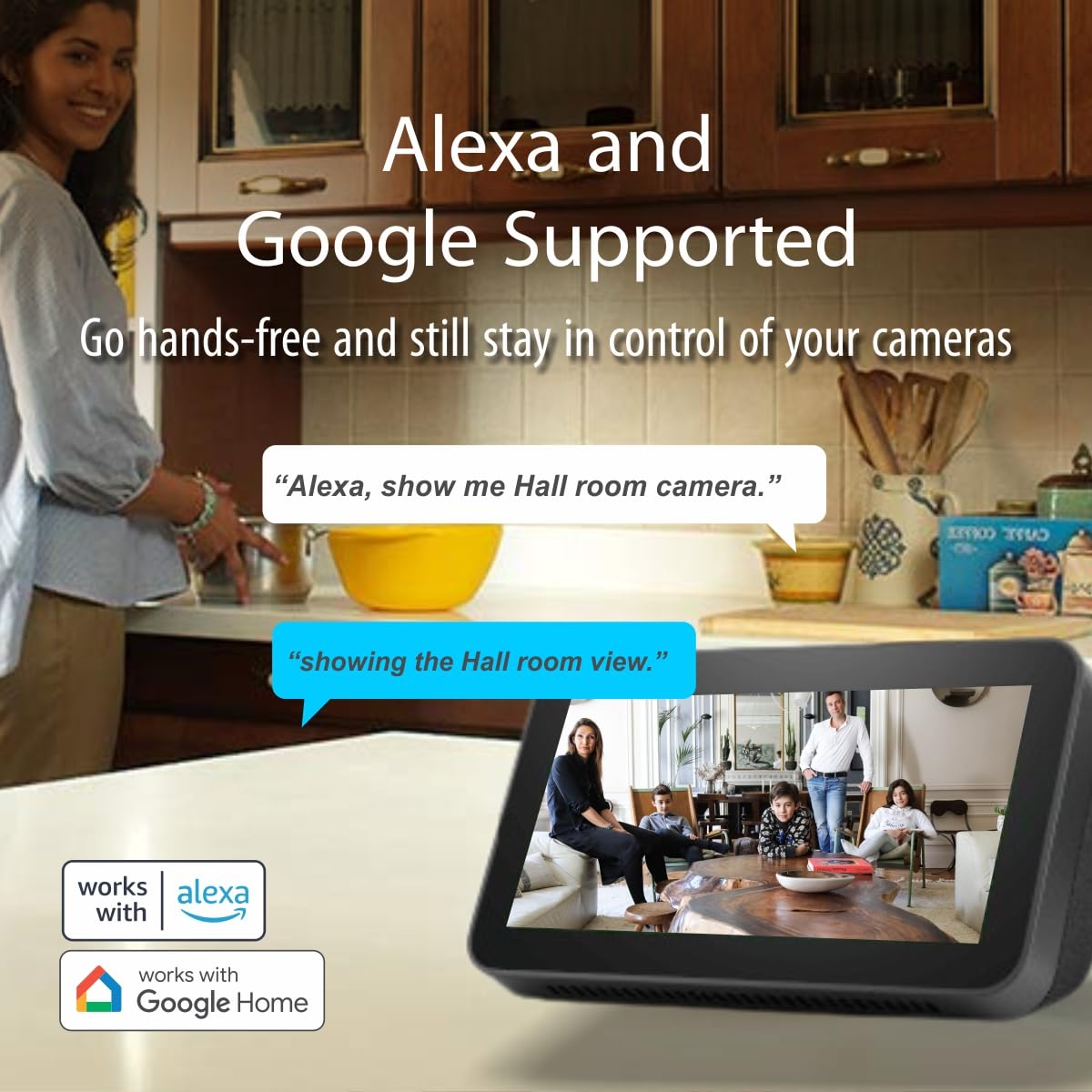
Figure 3.10: The camera supports integration with Alexa and Google Assistant.
4. സജ്ജീകരണം
Follow these steps to set up your CP PLUS CP-E81AR camera:
- പവർ ഓൺ: Connect the camera to a power source using the provided USB cable and power adaptor. The camera will power on and initiate its startup sequence.
- അപ്ലിക്കേഷൻ ഡൗൺലോഡുചെയ്യുക: Download the official CP PLUS mobile application from your smartphone's app store (iOS or Android). ഇതിനായി തിരയുക "CP PLUS ezyKam+" or refer to the QR code in the quick start guide if available.
- അക്കൗണ്ട് സൃഷ്ടിക്കുക: ആപ്പ് തുറന്ന് പുതിയൊരു ഉപയോക്തൃ അക്കൗണ്ട് സൃഷ്ടിക്കുക അല്ലെങ്കിൽ നിങ്ങൾക്ക് ഇതിനകം അക്കൗണ്ട് ഉണ്ടെങ്കിൽ ലോഗിൻ ചെയ്യുക.
- ഉപകരണം ചേർക്കുക: In the app, select the option to add a new device. Follow the on-screen prompts to scan the QR code on the camera or manually select your camera model.
- വൈഫൈയിലേക്ക് കണക്റ്റുചെയ്യുക: Ensure your smartphone is connected to a 2.4GHz Wi-Fi network. The app will guide you through connecting the camera to your home Wi-Fi network. Enter your Wi-Fi password when prompted.
- പ്ലേസ്മെൻ്റ്: Position the camera in your desired surveillance area. Ensure it has a clear line of sight and is within range of your Wi-Fi router. The 360-degree pan/tilt function allows for flexible viewകോണുകൾ.
- പ്രാരംഭ കോൺഫിഗറേഷൻ: Complete any initial settings within the app, such as naming the camera, setting time zones, and configuring storage options (e.g., SD card or cloud storage).
5. പ്രവർത്തന നിർദ്ദേശങ്ങൾ
Once set up, you can control and monitor your camera using the CP PLUS mobile application:
5.1 തത്സമയം View ഒപ്പം പ്ലേബാക്ക്
- തത്സമയ ഫീഡ്: ആപ്പ് തുറന്ന് നിങ്ങളുടെ ക്യാമറ തിരഞ്ഞെടുക്കുക view തത്സമയ വീഡിയോ ഫീഡ്.
- പാൻ/ടിൽറ്റ്/സൂം: Use the on-screen controls to remotely adjust the camera's viewing angle (pan and tilt) and zoom in/out.
- പ്ലേബാക്ക്: റെക്കോർഡ് ചെയ്ത foo ആക്സസ് ചെയ്യുകtage from the app's playback section. You can filter by date and time or event type.
5.2 ടു-വേ ഓഡിയോ
- ലൈവിൽ ആയിരിക്കുമ്പോൾ view, ക്യാമറയുടെ സ്പീക്കറിലൂടെ സംസാരിക്കാൻ മൈക്രോഫോൺ ഐക്കണിൽ ടാപ്പ് ചെയ്യുക.
- ക്യാമറയുടെ ചുറ്റുപാടിൽ നിന്നുള്ള ഓഡിയോ കേൾക്കാൻ സ്പീക്കർ ഐക്കണിൽ ടാപ്പ് ചെയ്യുക.
5.3 മോഷൻ ഡിറ്റക്ഷൻ, AI സവിശേഷതകൾ
- അലേർട്ടുകൾ പ്രവർത്തനക്ഷമമാക്കുക: Navigate to the camera settings in the app to enable motion detection, human body detection, vehicle detection, and crossline detection.
- സംവേദനക്ഷമത: Adjust the detection sensitivity to minimize false alarms.
- മോഷൻ ട്രാക്കിംഗ്: When enabled, the camera will automatically follow detected moving objects.
- In-built Siren: Configure the siren to activate automatically upon detection or manually trigger it from the app.
5.4 നൈറ്റ് വിഷൻ
- കുറഞ്ഞ വെളിച്ചത്തിൽ ക്യാമറ യാന്ത്രികമായി നൈറ്റ് വിഷൻ മോഡിലേക്ക് മാറുന്നു.
- Ensure the camera lens is unobstructed for optimal night vision performance.
5.5 സ്വകാര്യത മോഡ്
- Activate privacy mode through the app settings to temporarily disable video recording and live view സ്വകാര്യതയ്ക്കായി.
5.6 സ്മാർട്ട് ഹോം ഇന്റഗ്രേഷൻ
- അലക്സ/ഗൂഗിൾ അസിസ്റ്റന്റ്: Link your CP PLUS account with your Amazon Alexa or Google Home app. Follow the respective app's instructions to discover and control your camera using voice commands (e.g., "Alexa, show me the living room camera").
6. പരിപാലനം
പതിവ് അറ്റകുറ്റപ്പണികൾ നിങ്ങളുടെ ക്യാമറയുടെ മികച്ച പ്രകടനവും ദീർഘായുസ്സും ഉറപ്പാക്കുന്നു:
- വൃത്തിയാക്കൽ: Gently wipe the camera lens with a soft, dry cloth to remove dust or smudges. Do not use harsh chemicals or abrasive materials.
- ഫേംവെയർ അപ്ഡേറ്റുകൾ: Periodically check the app for available firmware updates. Install updates to ensure your camera has the latest features and security enhancements.
- നെറ്റ്വർക്ക് സുരക്ഷ: Use a strong, unique password for your Wi-Fi network and camera account. Change passwords regularly.
- വൈദ്യുതി വിതരണം: Ensure the camera is connected to a stable power source. Avoid using unapproved adaptors.
- സ്റ്റോറേജ് മാനേജ്മെന്റ്: If using an SD card, periodically check its status and format it if necessary to maintain recording efficiency. Manage cloud storage space as needed.
7. പ്രശ്നപരിഹാരം
If you encounter issues with your CP PLUS CP-E81AR camera, refer to the following common problems and solutions:
| പ്രശ്നം | സാധ്യമായ കാരണം | പരിഹാരം |
|---|---|---|
| ക്യാമറ ഓഫ്ലൈനാണ്/വൈഫൈയിലേക്ക് കണക്റ്റുചെയ്യാൻ കഴിയില്ല. | Incorrect Wi-Fi password, weak Wi-Fi signal, camera too far from router, router settings. | 1. Ensure correct Wi-Fi password. 2. Move camera closer to the router. 3. Check if your Wi-Fi is 2.4GHz (5GHz is not supported by some cameras). 4. Restart the camera and router. 5. Re-add the device in the app. |
| മോശം വീഡിയോ നിലവാരം | Dirty lens, weak Wi-Fi signal, insufficient lighting. | 1. Clean the camera lens. 2. Ensure strong Wi-Fi signal. 3. Check lighting conditions; night vision should activate automatically in low light. |
| ചലന മുന്നറിയിപ്പുകൾ ലഭിച്ചില്ല. | Motion detection disabled, incorrect sensitivity settings, app notifications off. | 1. Enable motion detection and other AI features in app settings. 2. Adjust sensitivity levels. 3. Check app notification settings on your smartphone. |
| ടു-വേ ഓഡിയോ പ്രവർത്തിക്കുന്നില്ല | Microphone/speaker muted in app, network issues. | 1. Ensure microphone and speaker icons are active in the live view. 2. Check network connection. |
| Camera not responding to controls | Network connectivity issues, camera frozen. | 1. Check Wi-Fi connection. 2. Restart the camera by unplugging and re-plugging the power. |
If the problem persists, please contact CP PLUS customer support for further assistance.
8 സ്പെസിഫിക്കേഷനുകൾ
Detailed technical specifications for the CP PLUS CP-E81AR camera:
| ഫീച്ചർ | സ്പെസിഫിക്കേഷൻ |
|---|---|
| മോഡൽ നമ്പർ | CP-E81AR |
| റെസലൂഷൻ | 8MP (4K) |
| കണക്റ്റിവിറ്റി ടെക്നോളജി | വയർലെസ് (വൈ-ഫൈ) |
| കണക്റ്റിവിറ്റി പ്രോട്ടോക്കോൾ | വൈഫൈ |
| പ്രത്യേക സവിശേഷതകൾ | 2 Way Audio, 8MP 4K Resolution, Motion Sensor, Night Vision, AI Features (Human Body, Vehicle, Cross Line Detection, Motion Tracking, Edge Alert) |
| ഇൻഡോർ/ഔട്ട്ഡോർ ഉപയോഗം | ഇൻഡോർ |
| അനുയോജ്യമായ ഉപകരണങ്ങൾ | Smartphone (iOS, Android), Amazon Alexa, Google Assistant |
| പവർ ഉറവിടം | കോർഡഡ് ഇലക്ട്രിക് |
| ഉൽപ്പന്ന അളവുകൾ | 7.7 x 7.7 x 10.7 സെ.മീ |
| ഇനത്തിൻ്റെ ഭാരം | 210 ഗ്രാം |
| ഉൾപ്പെടുത്തിയ ഘടകങ്ങൾ | Camera, USB, Adaptor, User Manual |
| നിർമ്മാതാവ് | സിപി പ്ലസ് |
| മാതൃരാജ്യം | ഇന്ത്യ |
9. വാറൻ്റിയും പിന്തുണയും
For warranty information, please refer to the warranty card included with your product packaging or visit the official CP PLUS webസൈറ്റ്. വാറന്റി സാധാരണയായി വാങ്ങിയ തീയതി മുതൽ ഒരു നിശ്ചിത കാലയളവിലേക്ക് നിർമ്മാണ വൈകല്യങ്ങൾ ഉൾക്കൊള്ളുന്നു.
ഉപഭോക്തൃ പിന്തുണ:
If you require technical assistance, have questions about your product, or need to report an issue, please contact CP PLUS customer support:
- ഇറക്കുമതിക്കാരന്റെ കോൺടാക്റ്റ്: Aditya Infotech Ltd, F28, Okhla Industrial Area, New Delhi-110020, India. Phone: 8800952952
- Refer to the official CP PLUS website for the most current support contact details and resources.


