1. ഉൽപ്പന്നം കഴിഞ്ഞുview
This manual provides detailed instructions for the installation, operation, and maintenance of your GreenYi FW93-19H422-AB Backup Camera. This camera is designed as a direct OE replacement, offering enhanced rear visibility for safer parking and reversing maneuvers.

Image 1.1: The GreenYi FW93-19H422-AB Backup Camera, a compact and durable unit designed for vehicle integration.
2. വാഹന അനുയോജ്യത
The GreenYi FW93-19H422-AB Backup Camera is compatible with a range of Land Rover and Jaguar models. Please verify your vehicle's OE part number to ensure proper fitment.
- Land Rover Discovery IV: 2012-2015
- Range Rover IV L405: 2012-2016
- Range Rover Sport L494: 2013-2016
- Range Rover Evoque L538: 2012-2016 (Including Dynamic, Prestige, Pure)
- Jaguar E-Pace (X540): 2017-2022
- Jaguar F-Pace (X761): 2016-2022
- Jaguar F-Type (X152): 2015-2022
- Jaguar XE (X760): 2015-2022
- Jaguar XF (X260): 2016-2022
- Jaguar XJ (X351): 2010-2022
Replaces OE Part Numbers: FW93-19H422-AB, FW9319H422AB, T4N3099, LR060915.

Image 2.1: Visual representation of compatible vehicle models and corresponding OE part numbers.
3 പ്രധാന സവിശേഷതകൾ
- Star Night Vision: Experience superior visual clarity in low-light conditions, providing enhanced safety and convenience during nighttime maneuvers.
- IP68 വാട്ടർപ്രൂഫ് റേറ്റിംഗ്: Built with a robust metal housing, this camera is designed to withstand diverse weather conditions, ensuring reliable performance even during car washes or heavy rain. It offers strength, toughness, high-temperature resistance, sturdiness, durability, wear resistance, and non-deformation.
- High-Definition Vision: Delivers delicate and high-definition images for improved visibility and safety.
- വൈഡ് ആംഗിൾ ലെൻസ്: Features a 130-degree real angle of view for comprehensive coverage of the rear area.
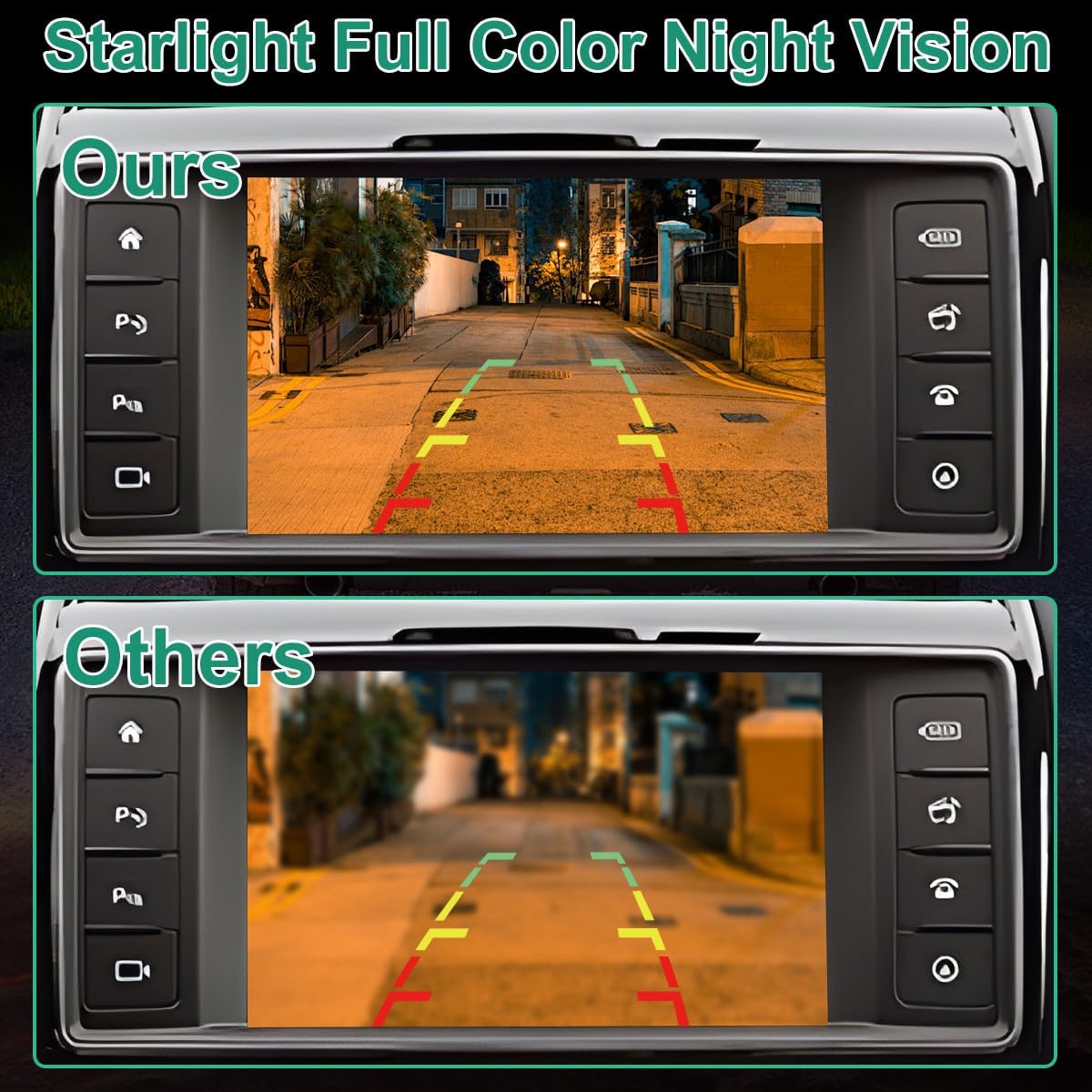
Image 3.1: Comparison illustrating the superior Starlight Full Color Night Vision feature of the GreenYi camera versus standard cameras.

Image 3.2: Depiction of the camera's IP68 waterproof capability, showcasing its resilience in wet conditions.
4. ഇൻസ്റ്റാളേഷൻ ഗൈഡ്
The GreenYi FW93-19H422-AB camera is engineered for seamless integration as a direct replacement for the original backup camera part. It supports coding with original vehicle features and utilizes a plug-and-play mechanism, eliminating the need for complex wiring.
4.1 പ്രീ-ഇൻസ്റ്റലേഷൻ പരിശോധനകൾ
- Ensure your vehicle is turned off and the battery is disconnected before beginning installation.
- Confirm the new camera matches the OE part number of your original camera.
- ആവശ്യമായ ഉപകരണങ്ങൾ (ഉദാ: ട്രിം നീക്കംചെയ്യൽ ഉപകരണങ്ങൾ, സ്ക്രൂഡ്രൈവറുകൾ) ശേഖരിക്കുക.
4.2 ഇൻസ്റ്റലേഷൻ ഘട്ടങ്ങൾ
- Locate the existing backup camera on your vehicle. This is typically found near the license plate or tailgate handle.
- Carefully remove any trim panels or fasteners securing the original camera.
- Disconnect the electrical connector from the original camera.
- Remove the original camera from its mounting location.
- Connect the new GreenYi camera to the vehicle's existing electrical connector. Ensure a secure connection.
- Mount the new camera in the original location, securing it with the appropriate fasteners.
- Reinstall any trim panels or covers removed earlier.
- വാഹന ബാറ്ററി വീണ്ടും ബന്ധിപ്പിക്കുക.
4.3 പോസ്റ്റ്-ഇൻസ്റ്റലേഷൻ
After installation, test the camera functionality by engaging reverse gear. If the image does not appear or is distorted, refer to the troubleshooting section. For visual step-by-step guidance, consider searching for installation videos on platforms like YouTube specific to your vehicle model and camera type.
വീഡിയോ 4.1: ഒരു ഓവർview of the FW93-19H422-AB parking camera, showcasing its design and features relevant to installation.
Video 4.2: A detailed look at the FW93-19H422-AB backup camera, highlighting its components and connection points for installation.
Video 4.3: A demonstration of the front and rear backup camera, providing visual context for its function and placement.
5. ഉൽപ്പന്ന സവിശേഷതകൾ
| മോഡൽ നമ്പർ | GreenYi-350 |
| ഉൽപ്പന്ന അളവുകൾ | 1.1 x 0.91 x 0.91 ഇഞ്ച് |
| ഇനത്തിൻ്റെ ഭാരം | 2.08 ഔൺസ് |
| നിറം | കറുപ്പ് |
| ഇൻസ്റ്റലേഷൻ തരം | Original Mounting, Plug and Play |
| വാല്യംtage | 12 വോൾട്ട് (DC) |
| ഒപ്റ്റിക്കൽ സെൻസർ ടെക്നോളജി | CMOS |
| ലെൻസ് തരം | വൈഡ് ആംഗിൾ |
| യഥാർത്ഥ ആംഗിൾ View | 130 ഡിഗ്രി |
| കണക്റ്റർ തരം | Original Connector Compatible with Vehicle |
6. പരിചരണവും പരിപാലനവും
To ensure optimal performance and longevity of your GreenYi backup camera, follow these maintenance guidelines:
- പതിവ് വൃത്തിയാക്കൽ: ക്യാമറ ലെൻസ് ഇടയ്ക്കിടെ മൃദുവായ, ഡി-ടച്ച് ഉപയോഗിച്ച് വൃത്തിയാക്കുക.amp തടസ്സമാകുന്ന അഴുക്ക്, പൊടി അല്ലെങ്കിൽ വെള്ളക്കെട്ടുകൾ നീക്കം ചെയ്യുന്നതിനുള്ള തുണി view. അബ്രാസീവ് ക്ലീനറുകൾ ഒഴിവാക്കുക.
- കണക്ഷനുകൾ പരിശോധിക്കുക: Occasionally check the electrical connections for any signs of corrosion or looseness. Ensure they remain secure.
- കാലാവസ്ഥ സംരക്ഷണം: While the camera is IP68 waterproof, extreme weather conditions (e.g., prolonged exposure to harsh chemicals, high-pressure washing directly on the lens) should be avoided to prevent potential damage.
7. പ്രശ്നപരിഹാരം
If you encounter issues with your GreenYi backup camera, refer to the following common problems and solutions:
- ഇമേജ് ഡിസ്പ്ലേ ഇല്ല:
- Check all electrical connections to ensure they are firmly seated.
- Verify that the vehicle is in reverse gear.
- Inspect the camera cable for any visible damage or kinks.
- Ensure the vehicle's display unit is functioning correctly.
- Distorted or Blurry Image:
- ക്യാമറ ലെൻസ് നന്നായി വൃത്തിയാക്കുക.
- Check for any physical damage to the lens.
- ക്യാമറ സുരക്ഷിതമായി ഘടിപ്പിച്ചിട്ടുണ്ടെന്നും വൈബ്രേറ്റ് ചെയ്യുന്നില്ലെന്നും ഉറപ്പാക്കുക.
- Intermittent Image:
- Re-check all connections for looseness.
- Ensure there are no electrical interferences from other vehicle components.
If these steps do not resolve the issue, please contact GreenYi customer support for further assistance.
8. വാറൻ്റിയും പിന്തുണയും
For information regarding product warranty, returns, or technical support, please refer to the documentation included with your purchase or visit the official GreenYi webസൈറ്റ്. ഏതെങ്കിലും വാറന്റി ക്ലെയിമുകൾക്ക് വാങ്ങിയതിന്റെ തെളിവായി നിങ്ങളുടെ വാങ്ങൽ രസീത് സൂക്ഷിക്കുക.
GreenYi Customer Support: For specific inquiries or assistance, please contact GreenYi directly through their official channels.


