ആമുഖം
Thank you for choosing the NBD 5K Video Camera Camcorder. This compact and versatile device is designed to capture stunning 5K video at 30 frames per second and true 48MP photos, making it ideal for vlogging, travel, and everyday use. Equipped with 16X digital zoom and a 270° flip IPS screen, it offers flexibility and ease of use for creators on the go. This manual provides essential information for setting up, operating, maintaining, and troubleshooting your camcorder to ensure optimal performance.
ബോക്സിൽ എന്താണുള്ളത്
താഴെ ലിസ്റ്റ് ചെയ്തിരിക്കുന്ന എല്ലാ ഇനങ്ങളും നിങ്ങളുടെ പാക്കേജിൽ ഉൾപ്പെടുത്തിയിട്ടുണ്ടെന്ന് ദയവായി പരിശോധിക്കുക:
- D100 Camcorder
- മൈക്രോഫോൺ
- LED ഫിൽ ലൈറ്റ്
- 43mm Lens Hood
- കാർഡ് റീഡർ
- 32GB SD കാർഡ്
- 2 x ലിഥിയം അയൺ ബാറ്ററികൾ
- Professional Cleaning Tools
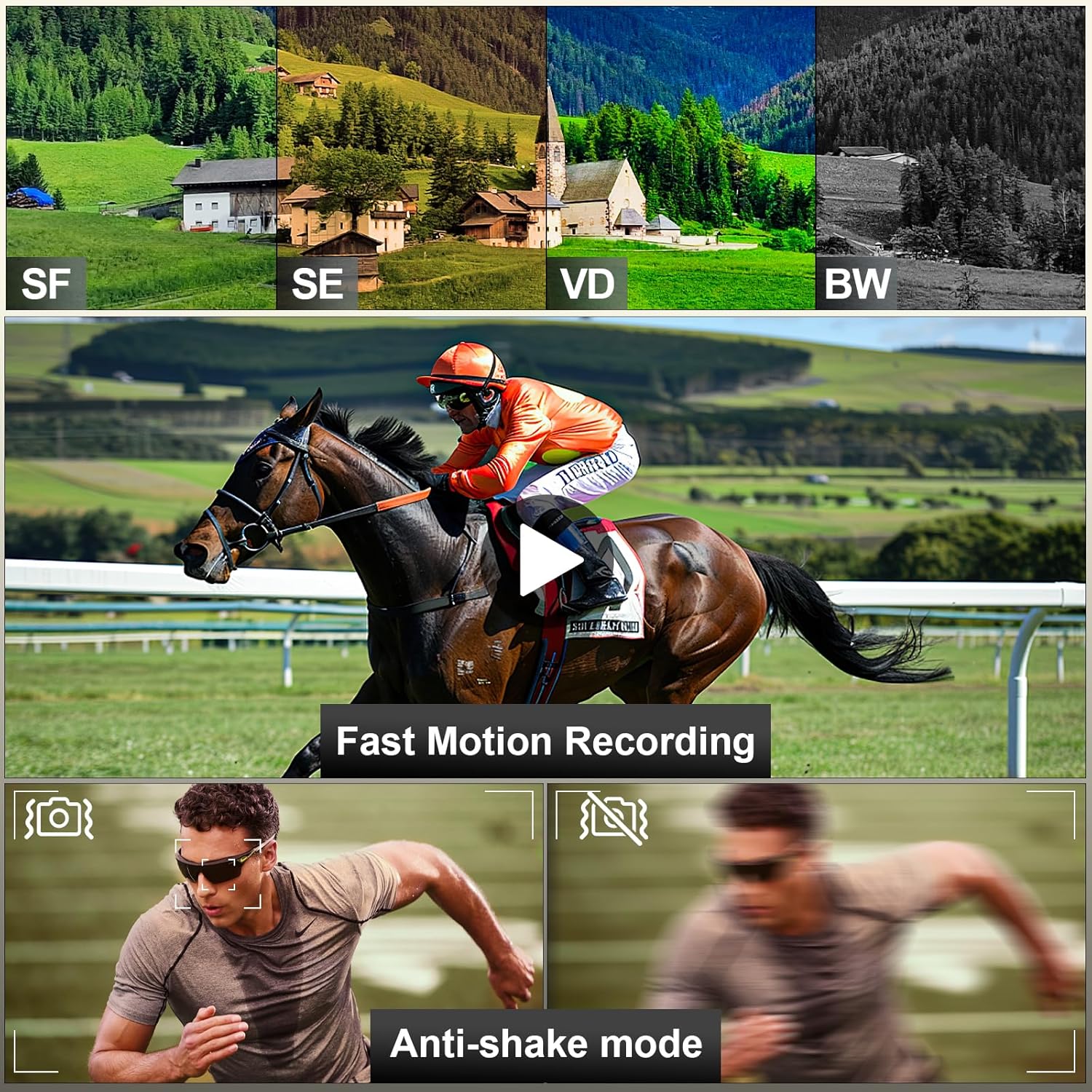
Image: The complete NBD 5K Video Camera Camcorder kit, showcasing all included accessories.
സജ്ജീകരണ ഗൈഡ്
1. ബാറ്ററി ഇൻസ്റ്റാളേഷൻ
The camcorder comes with two rechargeable Lithium Ion batteries. To install a battery, locate the battery compartment on the bottom of the camcorder. Slide the latch to open the cover, insert the battery with the correct orientation, and close the cover until it clicks securely. The camcorder will power on automatically once the battery is correctly inserted.
Video: Demonstrates the process of inserting the battery into the NBD D100 Camcorder and the immediate power-on.
2. SD കാർഡ് ചേർക്കൽ
Locate the TF (microSD) card slot, typically near the battery compartment or on the side of the camcorder. Gently insert the included 32GB SD card until it clicks into place. Ensure the card is inserted in the correct orientation to avoid damage.
3. Attaching Accessories (Microphone, LED Fill Light, Lens Hood)
The camcorder features a hot shoe mount on top for attaching the external microphone and LED fill light. Slide the accessories onto the mount until they are secure. The 43mm lens hood can be screwed onto the front of the camcorder lens to reduce glare and protect the lens.

Image: The NBD camcorder with the external microphone attached, demonstrating its use for enhanced audio recording.
പ്രവർത്തന നിർദ്ദേശങ്ങൾ
1. Power On/Off and Screen Operation
The camcorder powers on automatically when the 270° flip IPS touchscreen is opened. To power off, close the screen or press and hold the power button. The screen can be pivoted to various angles, including facing forward for vlogging and selfies.

Image: The camcorder's 270-degree flip screen in action, alongside a smartphone demonstrating the WiFi control and transfer capabilities.
2. സൂം നിയന്ത്രണം
Utilize the physical zoom button (T/W lever) located on the top of the camcorder to adjust the 16X digital zoom. Push the lever towards 'T' for telephoto (zoom in) and 'W' for wide (zoom out). This allows for seamless magnification adjustments.
ചിത്രം: വിശദമായത് view of the camcorder's stepless zoom control, illustrating its function for precise magnification.
3. മെനു നാവിഗേഷനും ക്രമീകരണങ്ങളും
Access the camcorder's settings by pressing the 'MENU' button. Use the 'UP' and 'DOWN' buttons to navigate through options such as Video Resolution, White Balance, Filter, Exposure Setting, Stabilization, Metering Mode, Video Quality, Sharpness, Fast Motion Recording, and Angle. Press 'OK' or 'MODE/OK' to select an option and 'MENU' again to exit.
Video: Demonstrates navigating the menu settings of the NBD D100 Camcorder, showing various adjustable parameters like video resolution and white balance.
4. Recording Video and Capturing Photos
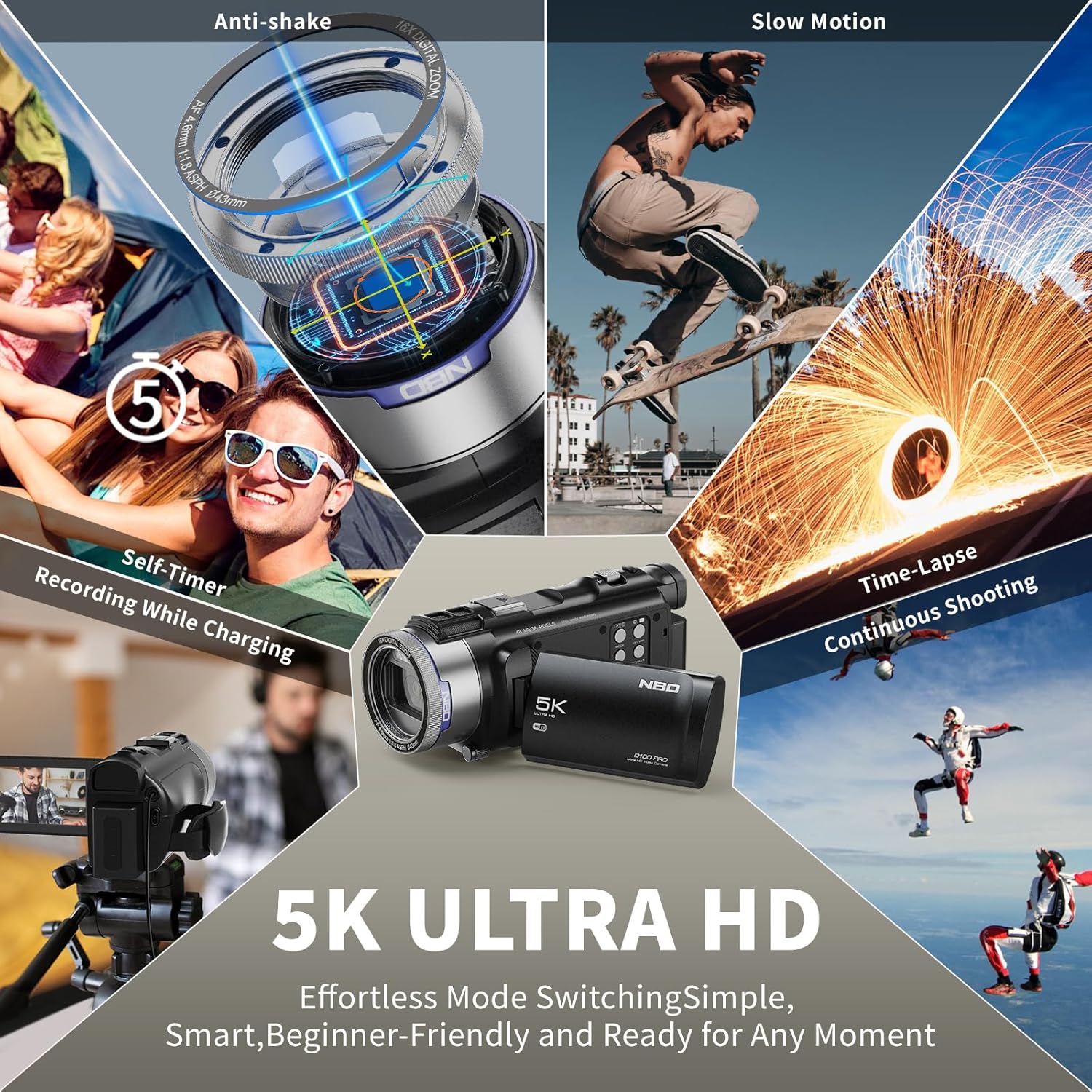
To start recording video, ensure the camcorder is in video mode (indicated by an icon on the screen) and press the record button. For photos, switch to photo mode and press the shutter button. The camcorder supports various modes including self-timer, slow motion, and time-lapse.

Image: Visual representation of the camcorder's diverse shooting modes, including anti-shake, slow motion, and time-lapse.
5. WiFi Connection and App Control
Enable WiFi on the camcorder to connect to your smartphone via the dedicated app. This allows for real-time preview, remote parameter adjustments, and one-touch social sharing of your content. The app also supports remote shutter control for convenient group shots or pet photography.
മെയിൻ്റനൻസ്
1. ബാറ്ററി പരിചരണം
To maximize battery life, fully charge both included batteries before first use. The camcorder offers up to 150 minutes of continuous shooting on a single charge. Store batteries in a cool, dry place when not in use. Avoid extreme temperatures.

Image: The camcorder's batteries, emphasizing their extended operational duration.
2. വൃത്തിയാക്കൽ
Use the provided professional cleaning tools, such as the lens cleaning cloth and air blower, to keep the lens and screen free from dust and smudges. Do not use abrasive cleaners or solvents on any part of the camcorder.
3. സംഭരണം
When not in use for extended periods, store the camcorder in a dry, dust-free environment. Remove batteries if storing for several months to prevent leakage.
ട്രബിൾഷൂട്ടിംഗ്
| പ്രശ്നം | സാധ്യമായ കാരണം | പരിഹാരം |
|---|---|---|
| കാംകോർഡർ പവർ ഓൺ ചെയ്യുന്നില്ല. | Battery is not installed or is depleted. | Ensure battery is correctly installed and charged. |
| മോശം ഇമേജ്/വീഡിയോ നിലവാരം. | Lens is dirty; incorrect settings; low light conditions. | Clean the lens. Adjust settings like White Balance, Exposure, Video Quality, and Sharpness in the menu. Use the LED fill light in low light. |
| Cannot connect to WiFi/App. | WiFi is not enabled; app not installed or outdated. | Ensure WiFi is enabled on the camcorder. Download and install the latest version of the dedicated app on your smartphone. |
| Autofocus issues. | Subject too close or insufficient light. | Ensure adequate lighting. Maintain appropriate distance from the subject. |
| SD കാർഡ് പിശക്. | Card not inserted correctly; card is full or corrupted. | Reinsert the SD card. Format the SD card (this will erase all data). Use a new SD card if issues persist. |
സ്പെസിഫിക്കേഷനുകൾ
- ബ്രാൻഡ്: എൻ.ബി.ഡി
- മോഡൽ: ഡി 100 പ്രോ
- വീഡിയോ ക്യാപ്ചർ റെസല്യൂഷൻ: 5K (5120x2880)
- ഫോട്ടോ സെൻസർ ടെക്നോളജി: CMOS
- ഫോട്ടോ മിഴിവ്: 48എംപി
- ഡിജിറ്റൽ സൂം: 16X
- സ്ക്രീൻ വലിപ്പം: 3.0 Inches (270° Flip IPS Screen)
- കണക്റ്റിവിറ്റി ടെക്നോളജി: വൈഫൈ
- ബാറ്ററി തരം: ലിഥിയം അയോൺ (2 ഉൾപ്പെടുത്തിയിരിക്കുന്നു)
- ഇനത്തിൻ്റെ ഭാരം: 2.33 പൗണ്ട്
- നിറം: കറുപ്പ്
- ഫ്ലാഷ് മെമ്മറി തരം: SD കാർഡ് (32GB ഉൾപ്പെടുത്തിയിരിക്കുന്നു)
- വീഡിയോ ക്യാപ്ചർ ഫോർമാറ്റ്: MP4
- പരമാവധി അപ്പെർച്ചർ: 2 എഫ്
- പരമാവധി ഫോക്കൽ ദൂരം: 4.6 മില്ലിമീറ്റർ
വാറൻ്റിയും പിന്തുണയും
For specific warranty information and technical support, please refer to the documentation provided with your purchase or visit the official NBD website. Contact details for customer service are typically available on the product packaging or the manufacturer's support page.


