ആമുഖവും അവസാനിച്ചുview
KinetCam വയർലെസ് ഇൻഡോർ സെക്യൂരിറ്റി ക്യാമറ തിരഞ്ഞെടുത്തതിന് നന്ദി. നിങ്ങളുടെ ഇൻഡോർ ഇടങ്ങളുടെ തത്സമയ നിരീക്ഷണത്തിനായി രൂപകൽപ്പന ചെയ്തിരിക്കുന്ന ഈ 2K HD വൈ-ഫൈ ക്യാമറ, ചലന കണ്ടെത്തൽ, തൽക്ഷണ അറിയിപ്പുകൾ, ദീർഘകാലം നിലനിൽക്കുന്ന റീചാർജ് ചെയ്യാവുന്ന ബാറ്ററി എന്നിവ പോലുള്ള സവിശേഷതകൾ വാഗ്ദാനം ചെയ്യുന്നു. ഒപ്റ്റിമൽ പ്രകടനം ഉറപ്പാക്കാൻ നിങ്ങളുടെ ക്യാമറ സജ്ജീകരിക്കുന്നതിനും പ്രവർത്തിപ്പിക്കുന്നതിനും പരിപാലിക്കുന്നതിനും ആവശ്യമായ വിവരങ്ങൾ ഈ മാനുവൽ നൽകുന്നു.

ചിത്രം: ക്യാമറയുടെ ലൈവ് ഫീഡും ആപ്പ് ഇന്റർഫേസും പ്രദർശിപ്പിക്കുന്ന ഒരു സ്മാർട്ട്ഫോണിന് അടുത്തായി കാണിച്ചിരിക്കുന്ന കൈനെറ്റ്കാം വയർലെസ് ഇൻഡോർ സെക്യൂരിറ്റി ക്യാമറ.
പ്രധാന സവിശേഷതകളിൽ ഇവ ഉൾപ്പെടുന്നു:
- 2K HD വീഡിയോ: വ്യക്തവും വിശദവുമായ foo പകർത്തുകtage.
- വൈഫൈ കണക്റ്റിവിറ്റി: 2.4G വൈഫൈ നെറ്റ്വർക്കുകളിലേക്കുള്ള എളുപ്പത്തിലുള്ള കണക്ഷൻ (5G വൈഫൈ പിന്തുണയ്ക്കുന്നില്ല).
- തത്സമയ നിരീക്ഷണം: View മൊബൈൽ ആപ്പ് വഴി എവിടെ നിന്നും തത്സമയ ഫീഡ്.
- ചലനം കണ്ടെത്തലും അലേർട്ടുകളും: ചലനം കണ്ടെത്തുമ്പോൾ തൽക്ഷണ അറിയിപ്പുകൾ സ്വീകരിക്കുക.
- റീചാർജ് ചെയ്യാവുന്ന ബാറ്ററി: 100 ദിവസം വരെ സ്റ്റാൻഡ്ബൈ സമയം (പ്രവർത്തനത്തെ ആശ്രയിച്ച്).
- രാത്രി കാഴ്ച: വ്യക്തതയ്ക്കായി ഓട്ടോമാറ്റിക് രാത്രി കാഴ്ച viewകുറഞ്ഞ വെളിച്ചത്തിൽ.
- ലോക്കൽ & ക്ലൗഡ് സംഭരണം: 256GB വരെയുള്ള TF കാർഡും (ഉൾപ്പെടുത്തിയിട്ടില്ല) ഓപ്ഷണൽ ക്ലൗഡ് സംഭരണവും പിന്തുണയ്ക്കുന്നു.
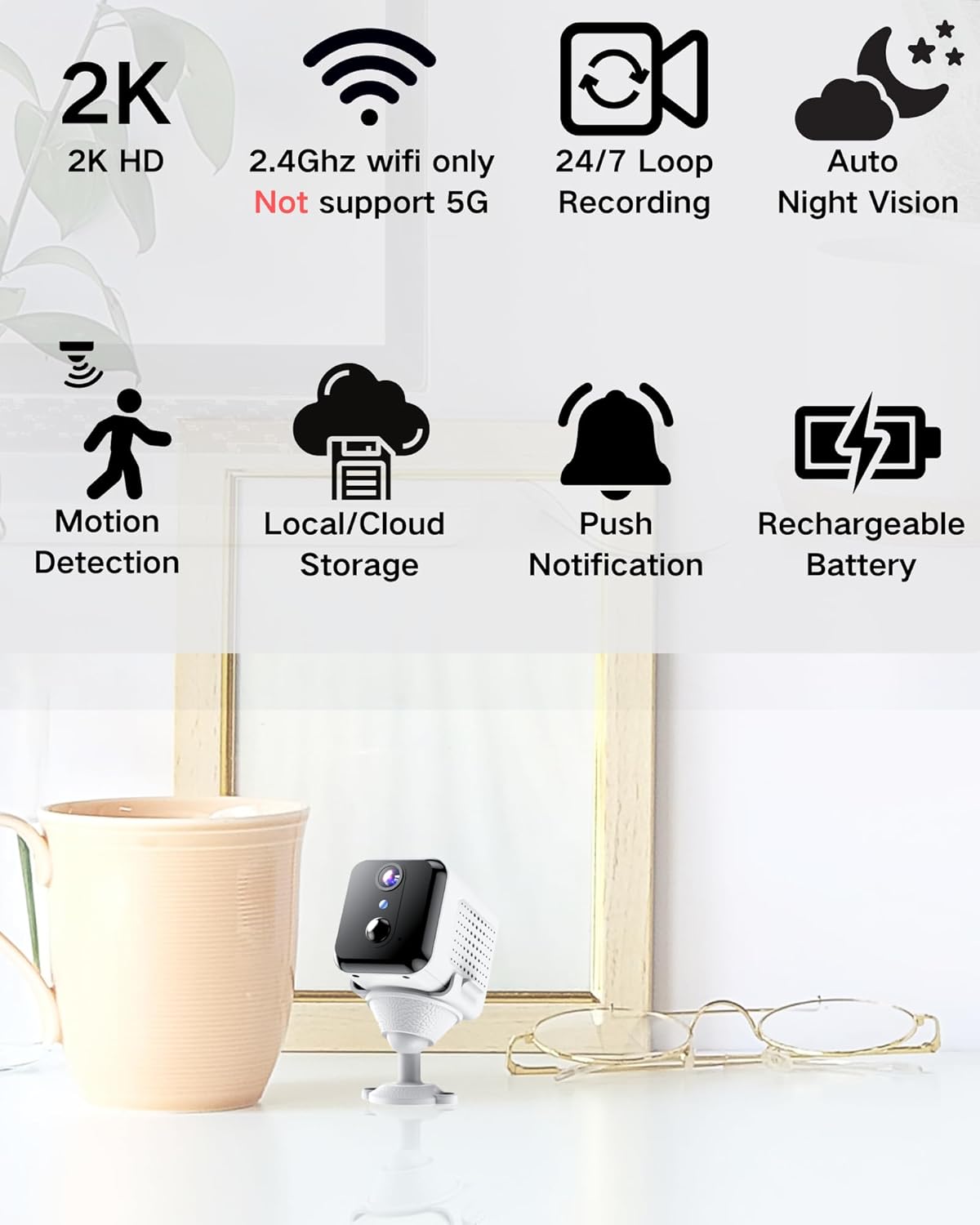
ചിത്രം: 2K HD, 2.4GHz വൈ-ഫൈ പിന്തുണ, ലൂപ്പ് റെക്കോർഡിംഗ്, നൈറ്റ് വിഷൻ, മോഷൻ ഡിറ്റക്ഷൻ, സ്റ്റോറേജ് ഓപ്ഷനുകൾ, പുഷ് നോട്ടിഫിക്കേഷനുകൾ, റീചാർജ് ചെയ്യാവുന്ന ബാറ്ററി എന്നിവയുൾപ്പെടെയുള്ള ക്യാമറയുടെ പ്രധാന സവിശേഷതകളുടെ ദൃശ്യ പ്രാതിനിധ്യം.
ബോക്സിൽ എന്താണുള്ളത്
അൺബോക്സിംഗ് ചെയ്യുമ്പോൾ പാക്കേജ് ഉള്ളടക്കങ്ങൾ പരിശോധിക്കുക:
- ക്യാമറ ബോഡി
- ഇൻസ്റ്റലേഷൻ അടിസ്ഥാനം
- ഉപയോക്തൃ മാനുവൽ
സജ്ജീകരണ ഗൈഡ്
1. ക്യാമറ ചാർജ് ചെയ്യുന്നു
പ്രാരംഭ ഉപയോഗത്തിന് മുമ്പ്, നൽകിയിരിക്കുന്ന USB കേബിളും അനുയോജ്യമായ ഒരു പവർ അഡാപ്റ്ററും (ഉൾപ്പെടുത്തിയിട്ടില്ല) ഉപയോഗിച്ച് ക്യാമറ പൂർണ്ണമായും ചാർജ് ചെയ്യുക. ചാർജിംഗ് ഇൻഡിക്കേറ്റർ ലൈറ്റ് ചാർജിംഗ് സ്റ്റാറ്റസ് കാണിക്കും.

ചിത്രം: കൈനെറ്റ്കാം ക്യാമറയുടെ ആന്തരിക റീചാർജ് ചെയ്യാവുന്ന ബാറ്ററി എടുത്തുകാണിക്കുന്ന ഒരു ചിത്രം, അതിന്റെ ദീർഘമായ സ്റ്റാൻഡ്ബൈ ശേഷിക്ക് ഊന്നൽ നൽകുന്നു.
2. ആപ്പ് ഇൻസ്റ്റാളേഷൻ
നിങ്ങളുടെ സ്മാർട്ട്ഫോണിന്റെ ആപ്പ് സ്റ്റോറിൽ നിന്ന് (ആൻഡ്രോയിഡിനുള്ള ഗൂഗിൾ പ്ലേ സ്റ്റോർ അല്ലെങ്കിൽ iOS-നുള്ള ആപ്പിൾ ആപ്പ് സ്റ്റോർ) "KinetCam" ആപ്പ് ഡൗൺലോഡ് ചെയ്യുക. പകരമായി, ആപ്പ് ഡൗൺലോഡ് ചെയ്യുന്നതിന് ക്വിക്ക് സ്റ്റാർട്ട് ഗൈഡിൽ നൽകിയിരിക്കുന്ന QR കോഡ് (ബാധകമെങ്കിൽ) സ്കാൻ ചെയ്യുക.
3. Wi-Fi-ലേക്ക് ബന്ധിപ്പിക്കുന്നു
- നിങ്ങളുടെ സ്മാർട്ട്ഫോൺ ഒരു ഉപകരണവുമായി ബന്ധിപ്പിച്ചിട്ടുണ്ടെന്ന് ഉറപ്പാക്കുക. 2.4GHz വൈഫൈ നെറ്റ്വർക്ക്. ക്യാമറ 5GHz വൈ-ഫൈ പിന്തുണയ്ക്കുന്നില്ല.
- KinetCam ആപ്പ് തുറന്ന് ഒരു അക്കൗണ്ട് സൃഷ്ടിക്കുക അല്ലെങ്കിൽ ലോഗിൻ ചെയ്യുക.
- പുതിയൊരു ഉപകരണം ചേർക്കാൻ ആപ്പിലെ നിർദ്ദേശങ്ങൾ പാലിക്കുക. സാധാരണയായി ഇതിൽ ക്യാമറ ഓൺ ചെയ്ത് നിങ്ങളുടെ ഫോണിൽ പ്രദർശിപ്പിച്ചിരിക്കുന്ന ഒരു QR കോഡ് ക്യാമറയുടെ ലെൻസ് ഉപയോഗിച്ച് സ്കാൻ ചെയ്യുകയോ ഒരു ആക്സസ് പോയിന്റ് വഴി ബന്ധിപ്പിക്കുകയോ ചെയ്യുന്നു.
- കണക്റ്റ് ചെയ്തുകഴിഞ്ഞാൽ, ക്യാമറയുടെ ഇൻഡിക്കേറ്റർ ലൈറ്റ് മാറും, നിങ്ങളുടെ ആപ്പിൽ ലിസ്റ്റ് ചെയ്തിരിക്കുന്ന ക്യാമറ നിങ്ങൾക്ക് കാണാൻ കഴിയും.

ചിത്രം: ഒരു സ്മാർട്ട്ഫോണിലെ KinetCam ആപ്പുമായി സംവദിക്കുന്ന ഒരു ഉപയോക്താവ്, ക്യാമറ ഒരു Wi-Fi നെറ്റ്വർക്കിലേക്ക് കണക്റ്റുചെയ്യുന്നതിന്റെ എളുപ്പം ചിത്രീകരിക്കുന്നു.
4. ക്യാമറ ഘടിപ്പിക്കുന്നു
വഴക്കമുള്ള പ്ലെയ്സ്മെന്റിനായി ക്യാമറ ഒരു ഇൻസ്റ്റലേഷൻ ബേസുമായി വരുന്നു. നിങ്ങൾക്ക് ഇത് ഒരു പരന്ന പ്രതലത്തിൽ സ്ഥാപിക്കാം അല്ലെങ്കിൽ ഒരു ഭിത്തിയിൽ ഘടിപ്പിക്കാം. നിങ്ങൾ നിരീക്ഷിക്കാൻ ആഗ്രഹിക്കുന്ന ഭാഗത്തേക്ക് ക്യാമറയ്ക്ക് വ്യക്തമായ കാഴ്ച രേഖയുണ്ടെന്ന് ഉറപ്പാക്കുക.
- ക്യാമറ ബോഡി ഇൻസ്റ്റലേഷൻ ബേസിൽ ഘടിപ്പിക്കുക.
- ഭിത്തിയിൽ ഉറപ്പിക്കുന്നതിന്, ആവശ്യമുള്ള സ്ഥലത്ത് അടിത്തറ ഉറപ്പിക്കാൻ ഉചിതമായ സ്ക്രൂകൾ (ഉൾപ്പെടുത്തിയിട്ടില്ല) ഉപയോഗിക്കുക.
പ്രവർത്തന നിർദ്ദേശങ്ങൾ
1. തത്സമയം View
തത്സമയ വീഡിയോ ഫീഡ് ആക്സസ് ചെയ്യുന്നതിന് KinetCam ആപ്പ് തുറന്ന് ഉപകരണ ലിസ്റ്റിൽ നിന്ന് നിങ്ങളുടെ ക്യാമറ തിരഞ്ഞെടുക്കുക. നിങ്ങൾക്ക് view 2K HD വീഡിയോ തത്സമയം.

ചിത്രം: ക്യാമറയിൽ നിന്നുള്ള വ്യക്തമായ 2K ലൈവ് വീഡിയോ ഫീഡ് കാണിക്കുന്ന ഒരു സ്മാർട്ട്ഫോൺ സ്ക്രീൻ, ഇരുണ്ട മുറിയിൽ അതിന്റെ രാത്രി കാഴ്ച ശേഷിയുടെ പ്രദർശനം ഉൾപ്പെടെ.
2. മോഷൻ ഡിറ്റക്ഷനും അലേർട്ടുകളും
ക്യാമറയിൽ PIR (പാസീവ് ഇൻഫ്രാറെഡ്) മോഷൻ ഡിറ്റക്ഷൻ ഉണ്ട്. ചലനം കണ്ടെത്തുമ്പോൾ, ക്യാമറ യാന്ത്രികമായി റെക്കോർഡുചെയ്ത് നിങ്ങളുടെ സ്മാർട്ട്ഫോണിലേക്ക് ഒരു തൽക്ഷണ അറിയിപ്പ് അയയ്ക്കും. ആപ്പിനുള്ളിൽ നിങ്ങൾക്ക് മോഷൻ സെൻസിറ്റിവിറ്റി ക്രമീകരണങ്ങൾ ക്രമീകരിക്കാൻ കഴിയും.

ചിത്രം: KinetCam ആപ്പിൽ നിന്നുള്ള ചലന കണ്ടെത്തൽ അലേർട്ട് കാണിക്കുന്ന ഒരു സ്മാർട്ട്ഫോൺ സ്ക്രീൻ, പ്രവർത്തനം കണ്ടെത്തുമ്പോൾ ക്യാമറ എങ്ങനെ ഉടനടി അറിയിപ്പുകൾ അയയ്ക്കുന്നു എന്ന് കാണിക്കുന്നു.
3. റെക്കോർഡിംഗും സംഭരണവും
ക്യാമറ തുടർച്ചയായ ലൂപ്പ് റെക്കോർഡിംഗിനെയും ഇവന്റ്-ട്രിഗർ ചെയ്ത റെക്കോർഡിംഗിനെയും പിന്തുണയ്ക്കുന്നു. നിങ്ങൾക്ക് രണ്ട് സംഭരണ ഓപ്ഷനുകൾ ഉണ്ട്:
- പ്രാദേശിക സംഭരണം: ലോക്കൽ വീഡിയോ സംഭരണത്തിനായി ക്യാമറയുടെ നിയുക്ത സ്ലോട്ടിൽ ഒരു TF (മൈക്രോ എസ്ഡി) കാർഡ് (256GB വരെ, ഉൾപ്പെടുത്തിയിട്ടില്ല) ചേർക്കുക.
- ക്ലൗഡ് സംഭരണം: നിങ്ങളുടെ റെക്കോർഡിംഗുകളുടെ സുരക്ഷിതമായ ഓഫ്-സൈറ്റ് സംഭരണത്തിനായി ആപ്പ് വഴി ഓപ്ഷണൽ ക്ലൗഡ് സ്റ്റോറേജ് സേവനങ്ങൾ ലഭ്യമായേക്കാം. സബ്സ്ക്രിപ്ഷൻ വിശദാംശങ്ങൾക്ക് ആപ്പ് പരിശോധിക്കുക.

ചിത്രം: TF കാർഡിനുള്ള പിന്തുണ (256GB വരെ), ഓപ്ഷണൽ ക്ലൗഡ് സംഭരണം എന്നിവയുൾപ്പെടെ ക്യാമറയുടെ സംഭരണ ഓപ്ഷനുകളുടെ ഒരു ദൃശ്യ വിശദീകരണം.
4. നൈറ്റ് വിഷൻ
കുറഞ്ഞ വെളിച്ചത്തിൽ ക്യാമറ യാന്ത്രികമായി നൈറ്റ് വിഷൻ മോഡിലേക്ക് മാറുന്നു, 15 അടി വരെ വ്യക്തമായ കറുപ്പും വെളുപ്പും വീഡിയോ നൽകുന്നു.
മെയിൻ്റനൻസ്
- ബാറ്ററി ചാർജിംഗ്: തുടർച്ചയായ പ്രവർത്തനം ഉറപ്പാക്കാൻ ആപ്പ് കുറഞ്ഞ പവർ സൂചിപ്പിക്കുമ്പോൾ ക്യാമറ ബാറ്ററി റീചാർജ് ചെയ്യുക.
- വൃത്തിയാക്കൽ: മൃദുവായതും ഉണങ്ങിയതുമായ തുണി ഉപയോഗിച്ച് ക്യാമറ ലെൻസും ബോഡിയും സൌമ്യമായി തുടയ്ക്കുക. കഠിനമായ രാസവസ്തുക്കളോ ഉരച്ചിലുകളോ ഉള്ള വസ്തുക്കൾ ഉപയോഗിക്കുന്നത് ഒഴിവാക്കുക.
- ഫേംവെയർ അപ്ഡേറ്റുകൾ: നിങ്ങളുടെ ക്യാമറയിൽ ഏറ്റവും പുതിയ സവിശേഷതകളും സുരക്ഷാ മെച്ചപ്പെടുത്തലുകളും ഉണ്ടെന്ന് ഉറപ്പാക്കാൻ ലഭ്യമായ ഫേംവെയർ അപ്ഡേറ്റുകൾക്കായി ഇടയ്ക്കിടെ KinetCam ആപ്പ് പരിശോധിക്കുക.
ട്രബിൾഷൂട്ടിംഗ്
| പ്രശ്നം | സാധ്യമായ പരിഹാരം |
|---|---|
| ക്യാമറ വൈഫൈയിലേക്ക് കണക്റ്റ് ചെയ്യുന്നില്ല. |
|
| തത്സമയ വീഡിയോ ഫീഡ് ഇല്ല. |
|
| ചലന മുന്നറിയിപ്പുകൾ ലഭിച്ചില്ല. |
|
| മോശം വീഡിയോ നിലവാരം. |
|
സ്പെസിഫിക്കേഷനുകൾ
| ഫീച്ചർ | വിശദാംശങ്ങൾ |
|---|---|
| മോഡലിൻ്റെ പേര് | CAM-A |
| ഇൻഡോർ/ഔട്ട്ഡോർ ഉപയോഗം | ഇൻഡോർ |
| അനുയോജ്യമായ ഉപകരണങ്ങൾ | സ്മാർട്ട്ഫോൺ |
| പവർ ഉറവിടം | ബാറ്ററി പവർ (1 ലിഥിയം പോളിമർ ബാറ്ററി ഉൾപ്പെടുത്തിയിട്ടുണ്ട്) |
| കണക്റ്റിവിറ്റി പ്രോട്ടോക്കോൾ | വൈഫൈ (2.4GHz മാത്രം) |
| മൗണ്ടിംഗ് തരം | മതിൽ മൗണ്ട് |
| വീഡിയോ ക്യാപ്ചർ റെസല്യൂഷൻ | 2K |
| Viewing ആംഗിൾ | 150 ഡിഗ്രി |
| നൈറ്റ് വിഷൻ റേഞ്ച് | 15 അടി |
| ഉൽപ്പന്ന അളവുകൾ (L x W x H) | 3.19 x 2.1 x 2.1 ഇഞ്ച് |
| ഇനത്തിൻ്റെ ഭാരം | 7 ഔൺസ് |
| ഉൾപ്പെടുത്തിയ ഘടകങ്ങൾ | ക്യാമറ ബോഡി, ഇൻസ്റ്റലേഷൻ ബേസ്, യൂസർ മാനുവൽ |
വാറൻ്റിയും പിന്തുണയും
വാറന്റി വിവരങ്ങൾക്കും ഉപഭോക്തൃ പിന്തുണയ്ക്കും, ദയവായി നിങ്ങളുടെ വാങ്ങലിനൊപ്പം ഉൾപ്പെടുത്തിയിരിക്കുന്ന ഡോക്യുമെന്റേഷൻ പരിശോധിക്കുക അല്ലെങ്കിൽ ഔദ്യോഗിക KinetCam സന്ദർശിക്കുക. webഈ മാനുവലിൽ ഉൾപ്പെടുത്തിയിട്ടില്ലാത്ത എന്തെങ്കിലും പ്രശ്നങ്ങൾ നിങ്ങൾ നേരിടുന്നുണ്ടെങ്കിൽ, സഹായത്തിനായി KinetCam ഉപഭോക്തൃ സേവനവുമായി ബന്ധപ്പെടുക.
കൂടുതൽ വിവരങ്ങൾക്ക് നിങ്ങൾക്ക് ആമസോണിലെ KinetCam സ്റ്റോർ സന്ദർശിക്കാം: കൈനെറ്റ്കാം ആമസോൺ സ്റ്റോർ


