ആമുഖം
This manual provides detailed instructions for the safe and efficient installation, operation, and maintenance of your NKPU 48-Inch Flush Mount Ceiling Fan. Designed for both indoor and outdoor use, this modern ceiling fan features a reversible DC motor, dimmable LED lighting with adjustable color temperatures, and convenient remote and app control. Please read this manual thoroughly before beginning installation or operation to ensure proper function and safety.
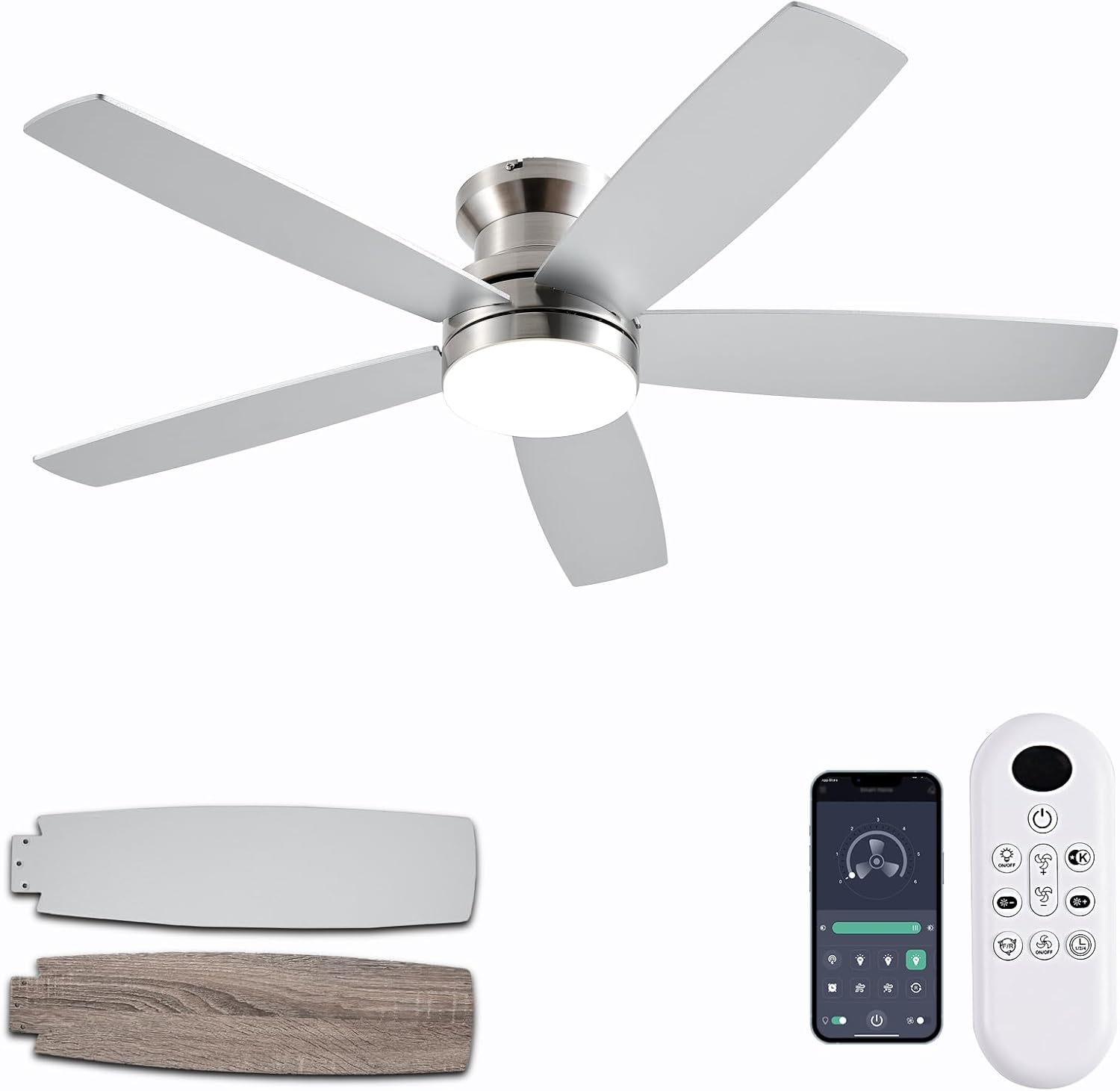
Figure 1: NKPU 48-Inch Flush Mount Ceiling Fan with remote and app interface.
പ്രധാന സവിശേഷതകൾ
- Dual-Sided Fan Blades: Features reversible blades with a sleek nickel finish on one side and a wood grain design on the other, allowing for versatile aesthetic integration with various interior decors.
- Silent & Reversible DC Motor: Equipped with an energy-efficient DC motor that operates silently, providing powerful air circulation. The reversible function allows for both downdraft (cooling in summer) and updraft (warming in winter) modes. This motor is rated A-level energy efficiency, reducing power loss by up to 80% compared to traditional fans.
- 3CCT Dimmable LED Lighting: Integrated LED light offers dimming capabilities from 10% to 100% brightness. Users can select from three color temperatures: 3000K (warm white), 4000K (natural white), and 6000K (cool white) to suit different moods and needs.
- റിമോട്ട് & ആപ്പ് നിയന്ത്രണം: Control the fan and light functions conveniently via the included remote control or the "Fan Lamp Pro" mobile application. Adjust light brightness, color temperature, 6-speed settings, and set 1/2/4-hour timers independently for optimal comfort.
- കുറഞ്ഞ പ്രോfile ഡിസൈൻ: The flush mount design ensures a low profile, making it suitable for rooms with lower ceilings while maintaining effective air circulation.
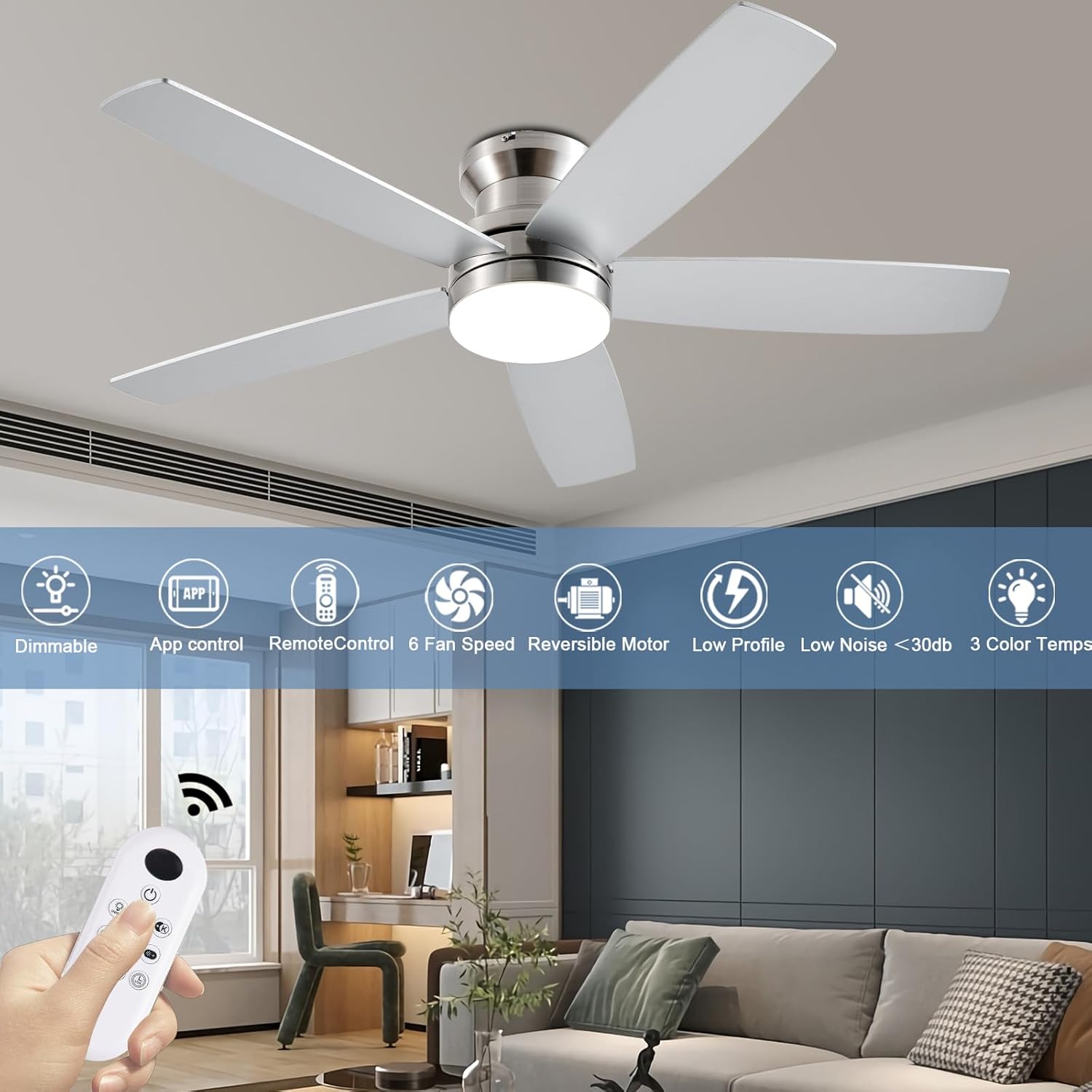
ചിത്രം 2: ഓവർview of the fan's key features.
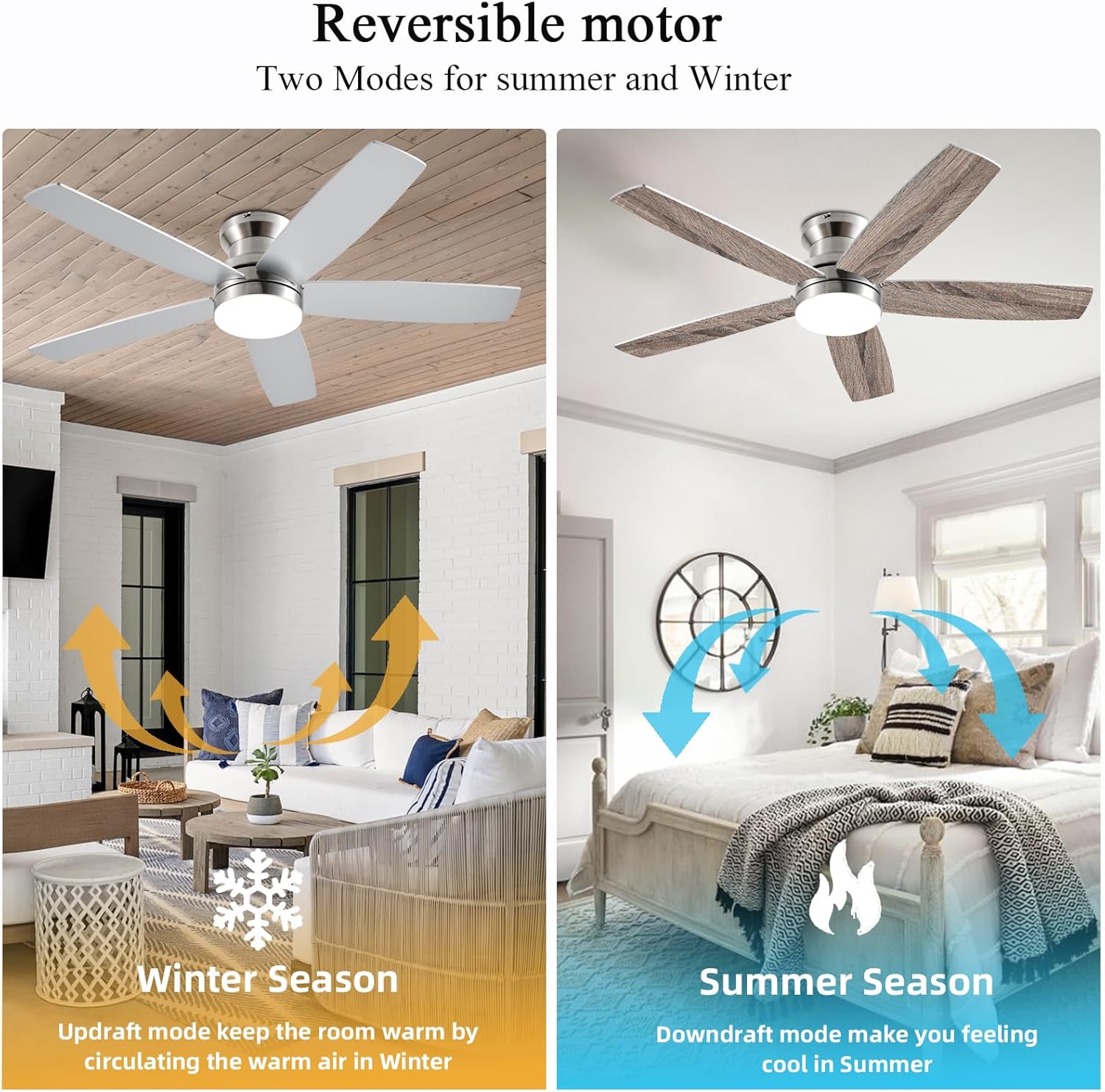
Figure 3: Reversible motor for year-round comfort.
ഘടകങ്ങൾ പൂർത്തിയായിview
Your NKPU 48-Inch Flush Mount Ceiling Fan package includes the following main components:
- 1 x Ceiling Fan with Lights Kit (Motor Housing, Fan Blades, LED Light Kit)
- 1 x ഉപയോക്തൃ മാനുവൽ
- 1 x റിമോട്ട് കൺട്രോൾ
- മൗണ്ടിംഗ് ഹാർഡ്വെയർ (സ്ക്രൂകൾ, വയർ നട്ടുകൾ മുതലായവ)
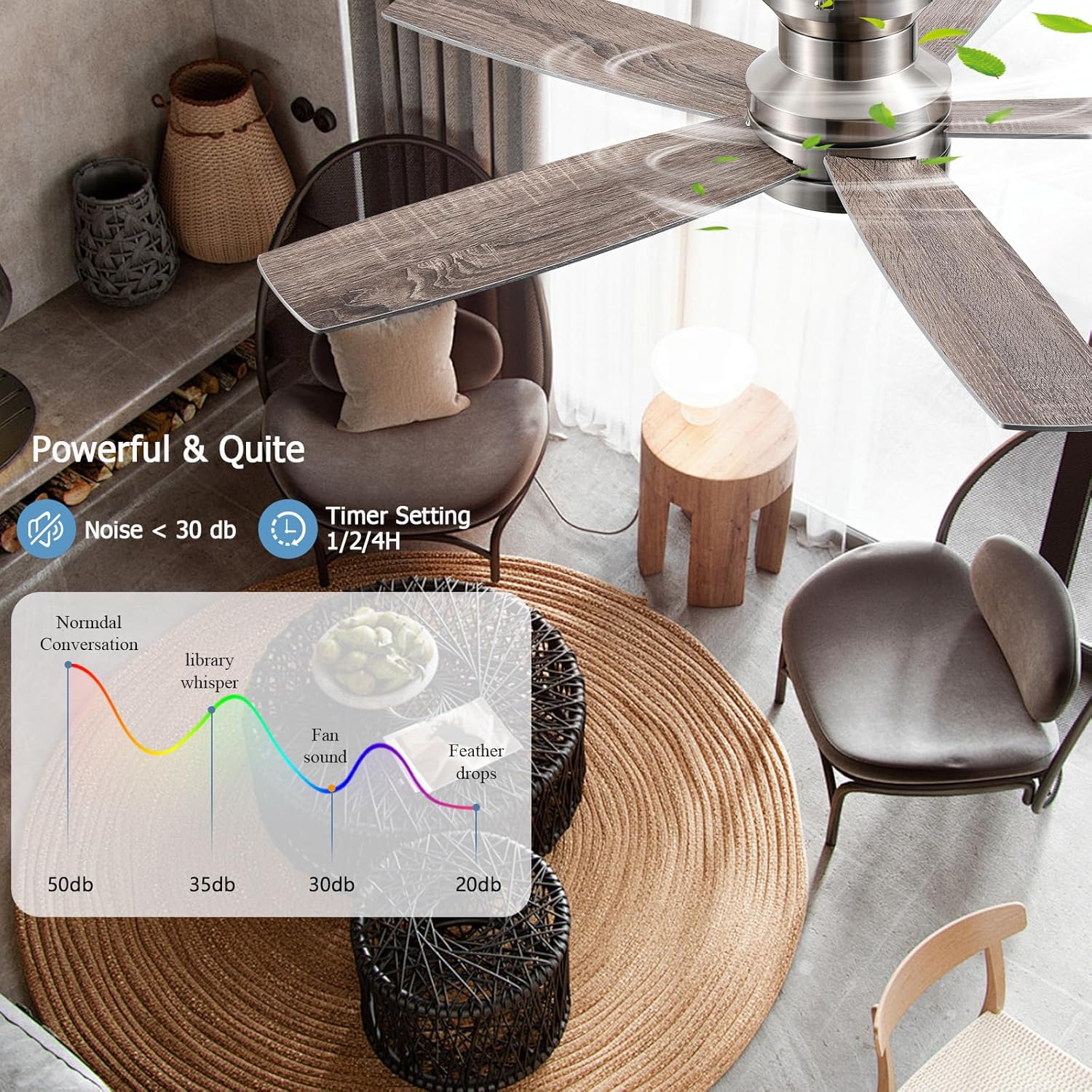
Figure 4: Unboxed components of the ceiling fan.
ഇൻസ്റ്റലേഷൻ ഗൈഡ്
സുരക്ഷ ആദ്യം: Before beginning installation, ensure the power supply to the ceiling fan location is turned off at the circuit breaker. If you are unsure about electrical wiring, consult a qualified electrician.
- മൗണ്ടിംഗ് ബ്രാക്കറ്റ് തയ്യാറാക്കുക: മൗണ്ടിംഗ് ബ്രാക്കറ്റ് സീലിംഗ് ജംഗ്ഷൻ ബോക്സിൽ ഉറപ്പിക്കുക. അത് ദൃഢമായി ഘടിപ്പിച്ചിട്ടുണ്ടെന്നും ഫാനിന്റെ ഭാരം താങ്ങാൻ കഴിയുമെന്നും ഉറപ്പാക്കുക.
- Assemble the Fan Motor: Attach the fan motor assembly to the mounting bracket. Carefully connect the electrical wires (live, neutral, ground) from the ceiling to the corresponding wires on the fan. Use wire nuts to secure connections.
- ഫാൻ ബ്ലേഡുകൾ ഘടിപ്പിക്കുക: Securely attach each of the five dual-sided fan blades to the motor housing using the provided screws. Ensure they are tightened evenly to prevent wobbling.
- LED ലൈറ്റ് കിറ്റ് ഇൻസ്റ്റാൾ ചെയ്യുക: Connect the LED light kit wires to the fan's electrical connections. Carefully tuck all wires into the housing.
- Secure the Light Cover: Attach the light cover to the fan body. Ensure it is securely fastened.
- അന്തിമ പരിശോധനകൾ: എല്ലാ കണക്ഷനുകളും രണ്ടുതവണ പരിശോധിച്ച് വയറുകളൊന്നും കുടുങ്ങിയിട്ടില്ലെന്ന് ഉറപ്പാക്കുക. സർക്യൂട്ട് ബ്രേക്കറിൽ പവർ പുനഃസ്ഥാപിക്കുക.
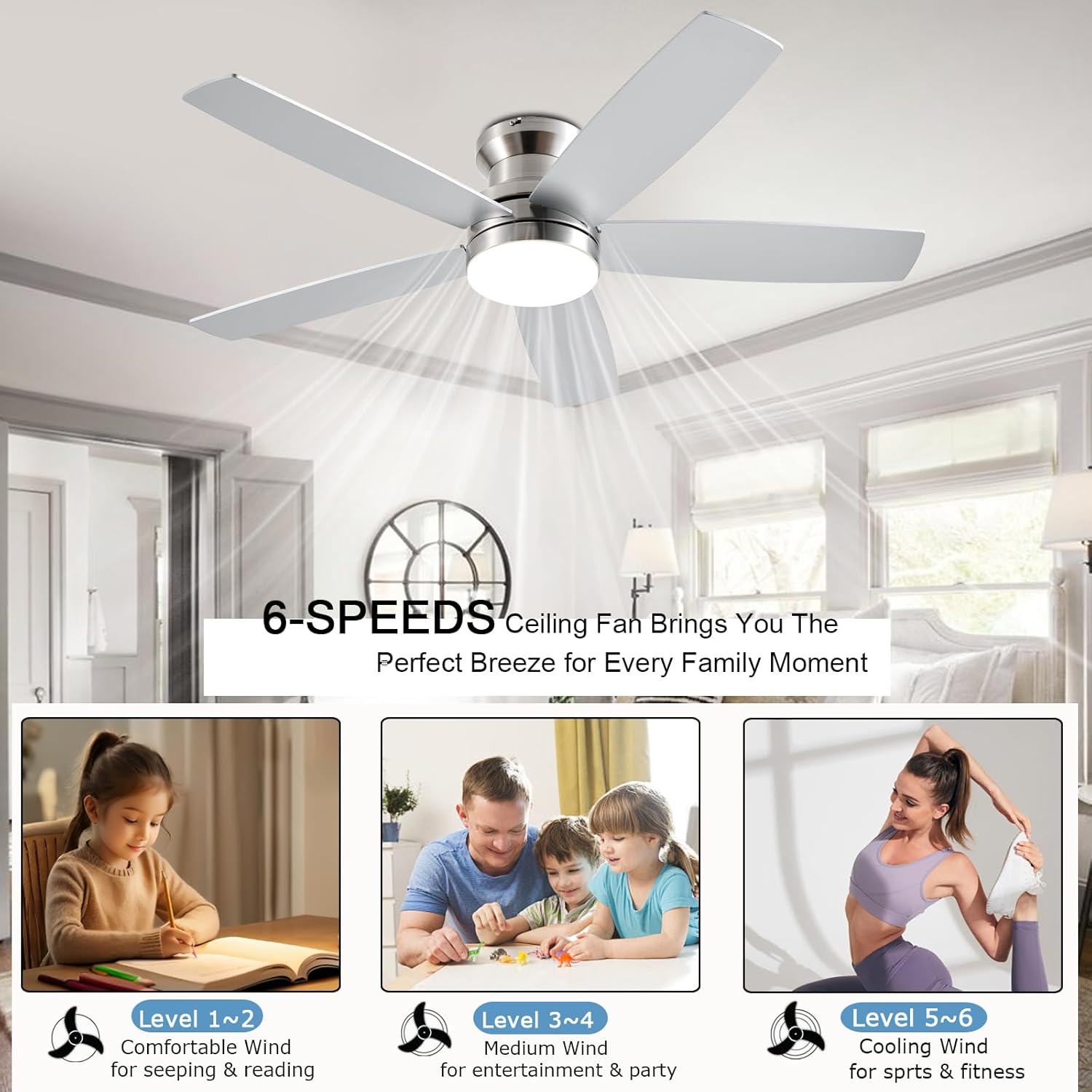
Figure 5: Attaching the fan blades.
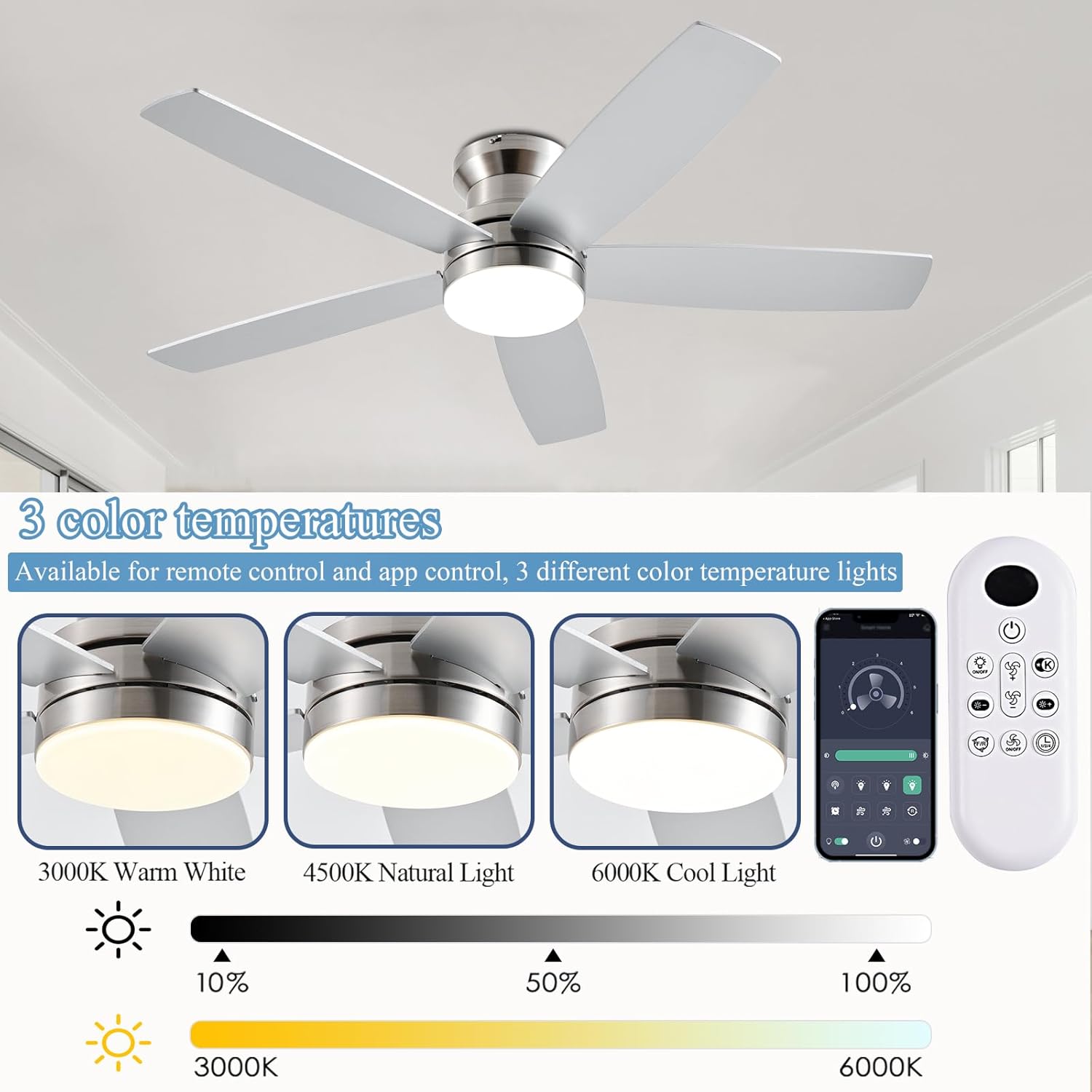
Figure 6: Securing the LED light cover.
For visual guidance, refer to the detailed installation instructions provided in the included user manual.

Figure 7: Mounting options (Flush Mount recommended).
പ്രവർത്തന നിർദ്ദേശങ്ങൾ
Your NKPU ceiling fan can be controlled using the included remote control or the "Fan Lamp Pro" mobile application.
റിമോട്ട് കൺട്രോൾ ഓപ്പറേഷൻ
The remote control allows for full control over the fan and light functions. Ensure batteries are installed correctly.

ചിത്രം 8: റിമോട്ട് കൺട്രോൾ പ്രവർത്തനങ്ങൾ.
- പവർ ഓൺ/ഓഫ്: ഫാനും ലൈറ്റും ഓണാക്കാനോ ഓഫാക്കാനോ പവർ ബട്ടൺ അമർത്തുക.
- ഫാൻ സ്പീഡ് അഡ്ജസ്റ്റ്മെന്റ്: Cycle through 6 fan speeds using the fan speed buttons.
- പ്രകാശ തെളിച്ചം: Adjust the LED light brightness from 10% to 100%.
- വർണ്ണ താപനില: Switch between 3000K (warm white), 4000K (natural white), and 6000K (cool white) light temperatures.
- ടൈമർ ക്രമീകരണങ്ങൾ: 1, 2, അല്ലെങ്കിൽ 4 മണിക്കൂറിനു ശേഷം ഫാൻ യാന്ത്രികമായി ഓഫാകാൻ സജ്ജമാക്കുക.
- റിവേഴ്സിബിൾ മോട്ടോർ: Use the forward/reverse button to change the blade direction for summer (downdraft) or winter (updraft) modes.

Figure 9: Fan Speed Settings.
App Control (Fan Lamp പ്രോ)
For enhanced control, download the "Fan Lamp Pro" app on your smartphone. Scan the QR code below or visit http://www.jasonghost.com/fanlamppro/ ആപ്പ് ഡൗൺലോഡ് ചെയ്യാൻ.

Figure 10: Fan Lamp Pro App Setup and Interface.
- QR കോഡ് സ്കാൻ ചെയ്യുക അല്ലെങ്കിൽ നൽകിയിരിക്കുന്നത് സന്ദർശിക്കുക URL to download the "Fan Lamp Pro" app.
- Open the app and click "Add Device".
- Select "Light Fan" from the device list.
- Click "Pair" and follow the on-screen instructions to connect your fan. (Typically, power on the fan and click the pair button 1-2 times within 3 seconds).
The app provides a comprehensive interface to control all fan and light settings, including brightness, color temperature, fan speed, and timers.
മെയിൻ്റനൻസ്
പതിവ് അറ്റകുറ്റപ്പണികൾ നിങ്ങളുടെ സീലിംഗ് ഫാനിന്റെ ദീർഘായുസ്സും മികച്ച പ്രകടനവും ഉറപ്പാക്കുന്നു.
- വൃത്തിയാക്കൽ: ഫാൻ ബ്ലേഡുകളും മോട്ടോർ ഹൗസിംഗും പതിവായി സോഫ്റ്റ്, ഡി ഉപയോഗിച്ച് പൊടി തുടയ്ക്കുക.amp തുണി. അബ്രാസീവ് ക്ലീനറുകളോ ലായകങ്ങളോ ഉപയോഗിക്കരുത്, കാരണം അവ ഫിനിഷിന് കേടുവരുത്തും.
- ബ്ലേഡ് ബാലൻസ്: If the fan wobbles, check that all blade screws are tight. Use the included dynamic blade kit if necessary to balance the blades.
- ഇലക്ട്രിക്കൽ കണക്ഷനുകൾ: Periodically check electrical connections for tightness, especially after initial installation.
ട്രബിൾഷൂട്ടിംഗ്
നിങ്ങളുടെ ഫാനിൽ പ്രശ്നങ്ങൾ നേരിടുകയാണെങ്കിൽ, ഇനിപ്പറയുന്ന പൊതുവായ ട്രബിൾഷൂട്ടിംഗ് ഘട്ടങ്ങൾ പരിശോധിക്കുക:
- ഫാൻ പ്രവർത്തിക്കുന്നില്ല: Ensure the power supply is on at the circuit breaker and wall switch. Check remote control batteries. Verify all electrical connections are secure.
- ലൈറ്റ് പ്രവർത്തിക്കുന്നില്ല: Check light kit wiring. Ensure the light function is enabled on the remote/app.
- അമിതമായ കുലുക്കം: Confirm all blade screws are tight. Check that the mounting bracket is securely installed. Ensure blades are balanced using the provided kit.
- Remote/App Not Responding: Replace remote batteries. Ensure the fan is properly paired with the app. Try resetting the fan by turning off power at the breaker for a few minutes, then restoring it.
കൂടുതൽ സങ്കീർണ്ണമായ പ്രശ്നങ്ങൾക്ക്, ദയവായി ഉപഭോക്തൃ പിന്തുണയുമായി ബന്ധപ്പെടുക.
സ്പെസിഫിക്കേഷനുകൾ
| ഫീച്ചർ | സ്പെസിഫിക്കേഷൻ |
|---|---|
| ബ്രാൻഡ് | എൻ.കെ.പി.യു. |
| മോഡലിൻ്റെ പേര് | BR-SY69 |
| ഇനം മോഡൽ നമ്പർ | SY69-Nickel |
| നിറം | നിക്കൽ |
| ഇലക്ട്രിക് ഫാൻ ഡിസൈൻ | സീലിംഗ് ഫാൻ |
| പവർ ഉറവിടം | DC |
| ശൈലി | ആധുനികം |
| ഉൽപ്പന്ന അളവുകൾ | 48"D x 48"W x 12.9"H |
| മുറിയുടെ തരം | കിടപ്പുമുറി, കുട്ടികളുടെ മുറി, സ്വീകരണമുറി, നഴ്സറി, കളിസ്ഥലം |
| പ്രത്യേക സവിശേഷതകൾ | Adjustable Height, Adjustable Tilt, App Operable, LED Light, Remote Controlled |
| ശുപാർശ ചെയ്യുന്ന ഉപയോഗങ്ങൾ | Air Circulation, Cooling, Lighting |
| ശബ്ദ നില | 30 ഡി.ബി |
| വാട്ട്tage | 60 വാട്ട്സ് |
| ഫിനിഷ് തരം | മാറ്റ് |
| ബ്ലേഡുകളുടെ എണ്ണം | 5 |
| വേഗത | 6 RPM (6 levels) |
| വാല്യംtage | 110 വോൾട്ട് |
| സ്വിച്ച് തരം | പുഷ് ബട്ടൺ |
| ഇനത്തിൻ്റെ ഭാരം | 10.27 പൗണ്ട് |
| ഇൻഡോർ/ഔട്ട്ഡോർ ഉപയോഗം | ഇൻഡോർ, ഔട്ട്ഡോർ |
| നിയന്ത്രണ രീതി | ആപ്പ്, റിമോട്ട് |
| ലൈറ്റ് തരം | എൽഇഡി |
| കാര്യക്ഷമത | ഉയർന്ന കാര്യക്ഷമത |
| നിർമ്മാണ വർഷം | 2025 |
| വലിപ്പം | 48 ഇഞ്ച് |
| ബാറ്ററികൾ ആവശ്യമുണ്ടോ? | അതെ |
വാറൻ്റിയും പിന്തുണയും
The NKPU 48-Inch Flush Mount Ceiling Fan comes with a 24 മാസത്തെ ആശങ്ക രഹിത വാറൻ്റി. NKPU also provides 24-hour after-sales support to assist with any issues encountered during installation or use.
For additional peace of mind, protection plans are available for purchase:
- 3-വർഷ സംരക്ഷണ പദ്ധതി
- 4-വർഷ സംരക്ഷണ പദ്ധതി
- കംപ്ലീറ്റ് പ്രൊട്ടക്റ്റ് (യോഗ്യതയുള്ള വാങ്ങലുകൾ ഉൾക്കൊള്ളുന്ന പ്രതിമാസ പ്ലാൻ)
If you require assistance, please refer to the contact information provided in your product packaging or on the official NKPU webസൈറ്റ്.


