ഉൽപ്പന്നം കഴിഞ്ഞുview
The AdaLov CPE467 Wireless Bridge is designed for long-range 5.8GHz outdoor point-to-point wireless connections. It features an 8dBi high-gain directional antenna, IP65 weatherproof housing, and supports 24V PoE power. This device is ideal for extending network coverage to remote locations such as warehouses, barns, shops, and for surveillance camera systems or Starlink network extension.
പ്രധാന സവിശേഷതകൾ
- എളുപ്പമുള്ള പ്ലഗ്-ആൻഡ്-പ്ലേ സജ്ജീകരണം: Simple installation without requiring GUI access for basic point-to-point setups.
- 1.5KM Long-Range Connectivity: Achieves stable connections up to 1.5KM in clear line-of-sight with an 8dBi high-gain antenna.
- High-Speed 5.8GHz Performance: Ensures anti-interference and high-speed data transfer, suitable for demanding applications.
- IP65 Weatherproof Design: Built to withstand harsh outdoor conditions including rain, dust, and extreme temperatures.
- Versatile Mounting & PoE Power: Includes mounting brackets for pole or wall installation and is powered by 24V PoE for simplified cabling.
- Point-to-Multipoint Support: Capable of extending wireless coverage across large areas with multiple units.
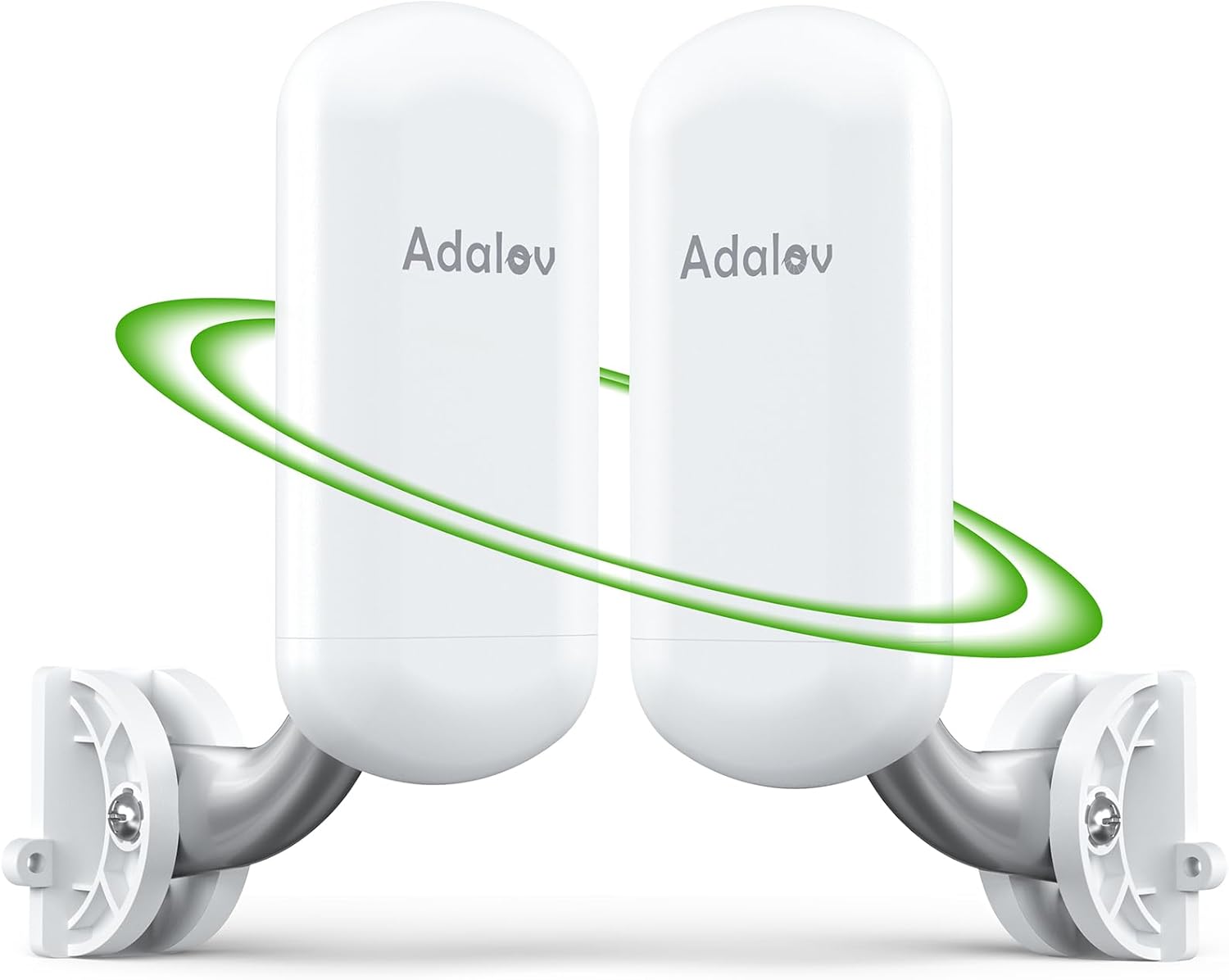
Figure 1: Two AdaLov CPE467 Wireless Bridge units, illustrating their sleek design and wireless connection capability.

Figure 2: The IP65-rated weatherproof design of the AdaLov CPE467 ensures durability against sun, rain, snow, and dust, making it suitable for harsh outdoor environments.
പാക്കേജ് ഉള്ളടക്കം
താഴെ ലിസ്റ്റ് ചെയ്തിരിക്കുന്ന എല്ലാ ഇനങ്ങളും നിങ്ങളുടെ പാക്കേജിൽ ഉൾപ്പെടുത്തിയിട്ടുണ്ടെന്ന് ഉറപ്പാക്കുക:
- 2 x CPE467 Wireless Bridges
- 2 x PoE അഡാപ്റ്ററുകൾ
- 2 x Short Network Cables
- 2 x Bracket Mounts
- 4 x Nylon Cable Ties
- 1 x ഉപയോക്തൃ മാനുവൽ

ചിത്രം 3: വിശദമായി view of all components included in the AdaLov CPE467 Wireless Bridge package, including the two bridges, PoE adapters, network cables, mounting kits, and user manual.
Video 1: An unboxing video demonstrating the contents of the CPE467 Wireless Bridge package, showing each item as it is removed from the box.
Video 2: A detailed unboxing of the CPE467 Wireless Bridge, highlighting the bridges and mounting accessories included in the kit.
Video 3: An unboxing and first look at the CPE467 High-Speed Wireless Bridge Kit, showcasing its components and initial impressions.
സുരക്ഷാ വിവരങ്ങൾ
- ഔട്ട്ഡോർ ഇൻസ്റ്റാളേഷനുകൾക്ക് ശരിയായ ഗ്രൗണ്ടിംഗ് ഉറപ്പാക്കുക.
- Do not use 48V PoE power supply; only use the provided 24V PoE adapters.
- Avoid installing the devices during lightning storms.
- Maintain a clear line of sight between the two bridge units for optimal performance. Obstructions can significantly degrade signal quality.
- Ensure the bridges are placed facing each other.

Figure 4: Illustration of correct (facing each other) and incorrect (not facing) placement of master and slave bridge units for optimal signal.

Figure 5: Visual representation emphasizing the importance of a clear line of sight between the master and slave bridge units, free from obstructions like walls or trees.
സജ്ജീകരണ ഗൈഡ്
1. ഫിസിക്കൽ ഇൻസ്റ്റലേഷൻ
- Attach the mounting brackets to the desired pole or wall location using appropriate screws or cable ties.
- Securely attach the CPE467 Wireless Bridge units to the mounted brackets.
- Ensure the units are positioned for a clear line of sight to each other.
2. Initial Configuration and Connections
- Connect one end of a network cable to the LAN/PoE port of the PoE adapter.
- Connect the other end of the network cable from the PoE adapter to the LAN/PoE port on the CPE467 bridge unit.
- Plug the PoE adapter into a power outlet. The device will power on.
- Repeat steps 1-3 for the second CPE467 bridge unit.
- Identify one unit as the Master (connected to your main router) and the other as the Slave (for the remote location).
- For auto-pairing, ensure both units are powered on in the same room. The pairing process typically takes less than 1 minute if units are in factory default settings.
- Connect the Master unit's PoE adapter's LAN port to your main router using a network cable.

Figure 6: Instructions for single-key operation and auto-pairing: Set Master CPE to A, Slave CPE to B, set the same number/letter on both, and wait for pairing.
Video 4: A step-by-step guide on how to pair and connect CPE467 bridges to extend your network, demonstrating the initial setup process.
പ്രവർത്തന നിർദ്ദേശങ്ങൾ
1. Point-to-Point Network Extension
The CPE467 bridges are pre-configured for point-to-point operation. Once paired, they will automatically establish a wireless link. You can then connect a router, switch, or other network device to the Slave unit's PoE adapter's LAN port to extend your network.
Figure 7: Diagram illustrating a point-to-point network extension setup, connecting a main router to a master bridge, and a slave bridge to a remote network device like a switch or DVR.
2. Surveillance Camera Connectivity
For surveillance systems, connect your IP camera to the Slave unit's PoE adapter's LAN port. The Master unit will then transmit the camera feed back to your NVR or monitoring station connected to your main network.
Figure 8: Illustration of how to extend surveillance camera ranges using a point-to-point wireless bridge setup, connecting an IP camera to the slave unit and monitoring via a computer.
3. Starlink Internet Extension
The CPE467 can extend your Starlink internet. Connect the Starlink Ethernet Adapter to the Master unit's PoE adapter's LAN port. The Slave unit will then provide internet access to a router or computer at the remote location.

Figure 9: Setup diagram for extending Starlink internet service using the AdaLov Wireless Bridge, connecting the Starlink adapter to the master unit and providing internet to a remote router via the slave unit.
4. Point-to-Multipoint Configuration
For extending network to multiple remote locations, configure one CPE467 as a Master and additional CPE467 units as Slaves. The Master unit can communicate with multiple Slave units within its 60-degree transmission angle.

Figure 10: Illustration of a point-to-multipoint setup where one master bridge connects to multiple slave bridges, each linked to an IP camera, all within a 60-degree angle.

ചിത്രം 11: ഉദാamples of broad applications for the CPE467 Wireless Bridge, including compatibility with antennas, Starlink, network expansion to barns, and camera surveillance.
Video 5: A performance test of the CPE467 Wireless Bridge, showcasing its speed and reliability in various scenarios.
മെയിൻ്റനൻസ്
1. വൃത്തിയാക്കൽ
Periodically inspect the CPE467 units for dirt, dust, or debris, especially on the antenna surface. Clean with a soft, dry cloth. Do not use harsh chemicals or abrasive materials.
2. ഫേംവെയർ അപ്ഡേറ്റുകൾ
Check the AdaLov official website regularly for firmware updates. Keeping your device's firmware up-to-date ensures optimal performance and security. Follow the instructions provided with the firmware update package carefully.
ട്രബിൾഷൂട്ടിംഗ്
പൊതുവായ പ്രശ്നങ്ങളും പരിഹാരങ്ങളും
- സിഗ്നൽ ഇല്ല/ദുർബലമായ സിഗ്നൽ:
- Ensure clear line of sight between units. Remove any obstructions.
- Verify both units are powered on and correctly paired.
- കേബിൾ കണക്ഷനുകൾക്ക് അയവ് ഉണ്ടോ അല്ലെങ്കിൽ കേടുപാടുണ്ടോ എന്ന് പരിശോധിക്കുക.
- Adjust horizontal and vertical alignment for optimal signal strength.
- ഇൻ്റർനെറ്റ് ആക്സസ് ഇല്ല:
- Confirm your main router has internet access.
- Verify the Master unit is correctly connected to your main router.
- Check the network settings of devices connected to the Slave unit.
- ഉപകരണം പവർ ചെയ്യുന്നില്ല:
- Ensure the PoE adapter is correctly plugged into a working power outlet.
- Verify the network cable is securely connected to the PoE port on both the adapter and the CPE unit.
- Confirm you are using the correct 24V PoE adapter.
സ്പെസിഫിക്കേഷനുകൾ
| ഫീച്ചർ | വിശദാംശങ്ങൾ |
|---|---|
| ഉൽപ്പന്ന അളവുകൾ | 3.54 x 2.17 x 9.84 ഇഞ്ച് |
| ഇനത്തിൻ്റെ ഭാരം | 2.41 പൗണ്ട് |
| ഇനം മോഡൽ നമ്പർ | CPE467 |
| ബ്രാൻഡ് | AdaLov |
| ഫ്രീക്വൻസി ബാൻഡ് ക്ലാസ് | സിംഗിൾ-ബാൻഡ് (5.8GHz) |
| വയർലെസ് കമ്മ്യൂണിക്കേഷൻ സ്റ്റാൻഡേർഡ് | 802.11എ, 802.11എസി, 802.11എൻ |
| കണക്റ്റിവിറ്റി ടെക്നോളജി | 5G, Ethernet, RJ45, Wi-Fi |
| പ്രത്യേക സവിശേഷതകൾ | Access Point Mode, Guest Mode, LED Indicator, Remote Access, Weatherproof (IP65) |
| നിറം | വെള്ള |
വാറൻ്റിയും പിന്തുണയും
Your AdaLov CPE467 Wireless Bridge comes with a standard manufacturer's warranty. Please refer to the warranty card included in your package for specific terms and conditions. For technical support, troubleshooting assistance, or warranty claims, please contact AdaLov customer service through their official webസൈറ്റ് അല്ലെങ്കിൽ ഉപയോക്തൃ മാനുവലിൽ നൽകിയിരിക്കുന്ന കോൺടാക്റ്റ് വിവരങ്ങൾ.

