1. ഉൽപ്പന്നം കഴിഞ്ഞുview
The MOREFINE M10 Mini PC is a compact and powerful desktop computer designed for various applications, from office tasks and streaming to light photo editing and use as a network-attached storage (NAS) device. It features a 12th Gen Intel Alder Lake-N100 processor, high-speed LPDDR5 RAM, and a fast NVME SSD for responsive performance.

Image: The MOREFINE M10 Mini PC, showcasing അതിന്റെ ഒതുക്കമുള്ള രൂപകൽപ്പനയും വിവിധ കണക്റ്റിവിറ്റി പോർട്ടുകളും.
പ്രധാന സവിശേഷതകൾ:
- 12th Gen Alder Lake-N100 Processor: Equipped with a 12th Gen Alder Lake-N100 Processor (up to 3.4 GHz) and Intel UHD Graphics, offering improved performance for daily computing tasks.
- ഹൈ-സ്പീഡ് മെമ്മറിയും സംഭരണവും: Features 12GB LPDDR5 4800MHz RAM and a 512GB NVME M.2 SSD for fast boot times, quick application loading, and efficient multitasking. Storage is expandable up to 2TB.
- 4K UHD Dual Display Support: Two HD2.0 ports allow simultaneous connection to two 4K monitors, enhancing productivity and visual experience.
- Ultra-Fast Connectivity: Includes 2.5G dual Gigabit Ethernet, WiFi 6, and Bluetooth 5.2 for stable and high-speed network connections and seamless peripheral pairing.
- ഒതുക്കമുള്ളതും പോർട്ടബിൾ ഡിസൈൻ: Measures approximately 5.5 x 2.4 x 0.82 inches, making it highly portable and suitable for various setups, including VESA mount options for a tidy workspace.

Image: Detailed specifications of the 12th Gen Intel Alder Lake-N100 Processor.
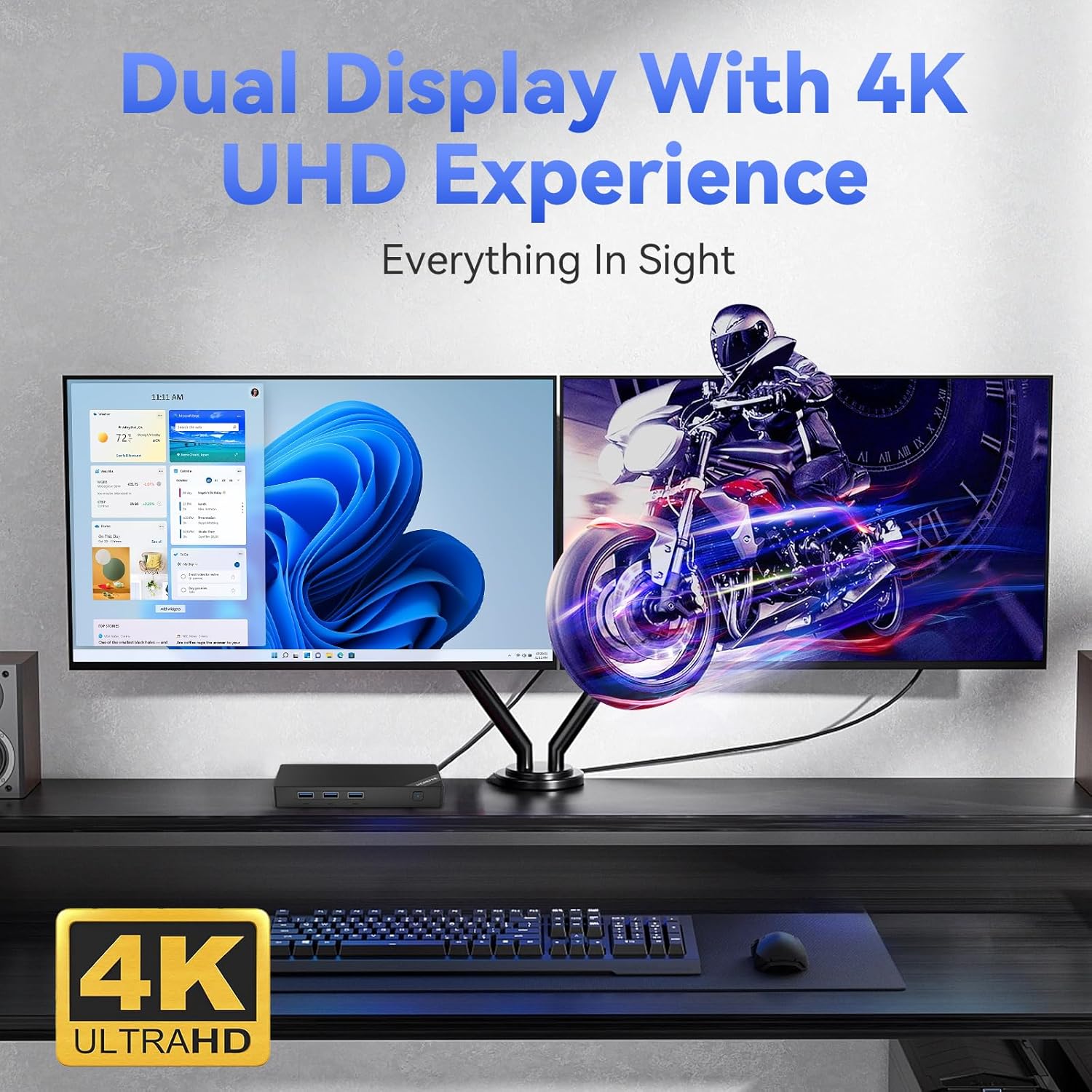
Image: The Mini PC supporting a dual 4K UHD display setup.

Image: Illustrating the Mini PC's advanced wireless connectivity options.
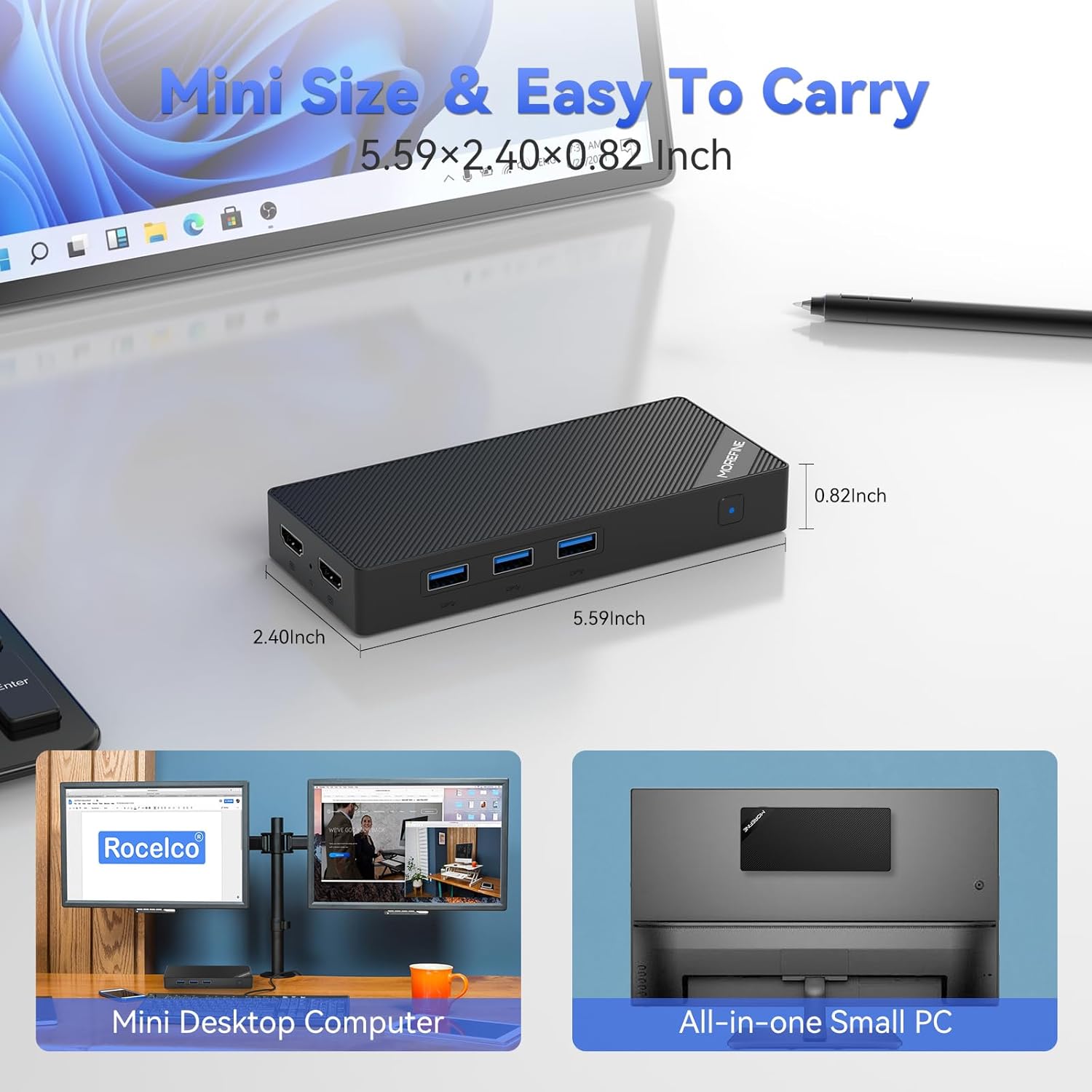
Image: The compact dimensions of the MOREFINE Mini PC, emphasizing its portability.
2. ബോക്സിൽ എന്താണുള്ളത്?
പാക്കേജ് തുറക്കുമ്പോൾ, ഇനിപ്പറയുന്ന എല്ലാ ഇനങ്ങളും ഉൾപ്പെടുത്തിയിട്ടുണ്ടെന്ന് ദയവായി ഉറപ്പാക്കുക:
- 1 x MOREFINE Mini PC
- 1 x HDMI കേബിൾ
- 1 x ഉപയോക്തൃ മാനുവൽ (ഈ പ്രമാണം)
- 1 x പവർ അഡാപ്റ്റർ
3. സജ്ജീകരണ ഗൈഡ്
Follow these steps to set up your MOREFINE Mini PC:
- ഒരു ഡിസ്പ്ലേയിലേക്ക് കണക്റ്റുചെയ്യുക: Use the provided HDMI cable to connect one or both HDMI 2.0 ports on the Mini PC to your monitor(s) or TV. The Mini PC supports dual 4K displays.
- പെരിഫറലുകൾ ബന്ധിപ്പിക്കുക: നിങ്ങളുടെ കീബോർഡ്, മൗസ്, മറ്റ് ഏതെങ്കിലും യുഎസ്ബി ഉപകരണങ്ങൾ എന്നിവ ലഭ്യമായ യുഎസ്ബി 3.2 പോർട്ടുകളിലേക്ക് പ്ലഗ് ഇൻ ചെയ്യുക.
- നെറ്റ്വർക്കിലേക്ക് കണക്റ്റുചെയ്യുക (ഓപ്ഷണൽ): For a wired connection, connect an Ethernet cable from your router or modem to the 2.5G RJ45 LAN port on the Mini PC. For wireless, you can configure WiFi 6 after powering on.
- പവർ ബന്ധിപ്പിക്കുക: Plug the power adapter into the DC-in port on the Mini PC, then plug the adapter into a power outlet.
- പവർ ഓൺ: മിനി പിസിയുടെ മുൻവശത്തുള്ള പവർ ബട്ടൺ അമർത്തുക. പവർ ഇൻഡിക്കേറ്റർ ലൈറ്റ് പ്രകാശിക്കും.

ചിത്രം: കഴിഞ്ഞുview of the Mini PC's multi-purpose ports for various connections.
4. പ്രവർത്തന നിർദ്ദേശങ്ങൾ
പവർ ഓൺ/ഓഫ്:
- പവർ ഓണാക്കാൻ: പവർ ബട്ടൺ ഒരിക്കൽ അമർത്തുക.
- പവർ ഓഫ് ചെയ്യാൻ: From the operating system, select 'Shut Down'. Alternatively, press and hold the power button for 5-7 seconds for a forced shutdown (use only when necessary).
ഓപ്പറേറ്റിംഗ് സിസ്റ്റം:
The Mini PC comes with an operating system pre-installed. Follow the on-screen instructions for initial setup, including language, region, and user account creation.
നെറ്റ്വർക്ക് കണക്റ്റിവിറ്റി:
- വയർഡ് (ഇഥർനെറ്റ്): If you connected an Ethernet cable during setup, the system should automatically detect the network connection.
- വയർലെസ് (വൈ-ഫൈ): Access the network settings within your operating system, select your Wi-Fi network, and enter the password to connect. The Mini PC supports Wi-Fi 6 for fast wireless speeds.
ബ്ലൂടൂത്ത് ഉപകരണങ്ങൾ:
To connect Bluetooth devices (e.g., headphones, speakers, keyboards), enable Bluetooth in your operating system settings, search for available devices, and pair with your desired device.
Dual Display Usage:
With two HDMI 2.0 ports, you can extend or duplicate your desktop across two monitors. Configure display settings within your operating system to arrange screens, adjust resolution, and set primary displays.

Image: The Mini PC's versatility for various applications.
5. പരിപാലനം
Proper maintenance ensures the longevity and optimal performance of your Mini PC:
- വൃത്തിയാക്കൽ: Regularly clean the exterior of the Mini PC with a soft, dry cloth. Avoid using liquid cleaners or abrasive materials. Ensure ventilation openings are free from dust and obstructions.
- വെൻ്റിലേഷൻ: Place the Mini PC in a well-ventilated area to prevent overheating. Do not block the air vents.
- താപനില: Operate the Mini PC within recommended temperature ranges. Avoid extreme hot or cold environments.
- സോഫ്റ്റ്വെയർ അപ്ഡേറ്റുകൾ: സുരക്ഷ, സ്ഥിരത, പ്രകടനം എന്നിവ ഉറപ്പാക്കാൻ നിങ്ങളുടെ ഓപ്പറേറ്റിംഗ് സിസ്റ്റവും ഡ്രൈവറുകളും അപ്ഡേറ്റ് ചെയ്ത് സൂക്ഷിക്കുക.
- ഡാറ്റ ബാക്കപ്പ്: ഡാറ്റ നഷ്ടപ്പെടുന്നത് തടയാൻ പ്രധാനപ്പെട്ട ഡാറ്റ ഒരു ബാഹ്യ ഡ്രൈവിലേക്കോ ക്ലൗഡ് സ്റ്റോറേജിലേക്കോ പതിവായി ബാക്കപ്പ് ചെയ്യുക.
6. പ്രശ്നപരിഹാരം
If you encounter issues with your MOREFINE Mini PC, refer to the following common problems and solutions:
| പ്രശ്നം | സാധ്യമായ പരിഹാരം |
|---|---|
| No power/System does not turn on |
|
| മോണിറ്ററിൽ ഡിസ്പ്ലേ ഇല്ല |
|
| ഇന്റർനെറ്റ് കണക്ഷനില്ല (വയർ മുഖേന) |
|
| ഇന്റർനെറ്റ് കണക്ഷനില്ല (വയർലെസ്) |
|
| സിസ്റ്റം മന്ദഗതിയിലാണ് അല്ലെങ്കിൽ പ്രതികരിക്കുന്നില്ല. |
|
If these solutions do not resolve the issue, please refer to the Support section for further assistance.
7 സ്പെസിഫിക്കേഷനുകൾ
Detailed technical specifications for the MOREFINE M10 Mini PC:
| ഫീച്ചർ | സ്പെസിഫിക്കേഷൻ |
|---|---|
| ബ്രാൻഡ് | കൂടുതൽ വിവരിക്കുക |
| മോഡൽ നമ്പർ | M10-N100-12+512 |
| പ്രോസസ്സർ | 12th Gen Intel Alder Lake-N100 (up to 3.4 GHz, 4 Cores, 4 Threads, 6MB Cache) |
| ഗ്രാഫിക്സ് | ഇന്റൽ യുഎച്ച്ഡി ഗ്രാഫിക്സ് (ഇന്റഗ്രേറ്റഡ്) |
| റാം | 12GB LPDDR5 4800MHz |
| സംഭരണം | 512GB NVME M.2 SSD (Expandable up to 2TB) |
| പരമാവധി സ്ക്രീൻ റെസല്യൂഷൻ | 3840x2160 Pixels (4K UHD) |
| വീഡിയോ ഔട്ട്പുട്ട് | 2 x HDMI 2.0 |
| USB പോർട്ടുകൾ | 3 x USB 3.2, 1 x Type-C |
| നെറ്റ്വർക്ക് | 2.5G Dual Gigabit Ethernet (RJ45), Wi-Fi 6 |
| ബ്ലൂടൂത്ത് | ബ്ലൂടൂത്ത് 5.2 |
| ഓഡിയോ | ഓഡിയോ ജാക്ക് |
| ഓപ്പറേറ്റിംഗ് സിസ്റ്റം | OS (as specified) |
| ഇനത്തിൻ്റെ ഭാരം | 1.21 പൗണ്ട് (ഏകദേശം 0.55 കിലോഗ്രാം) |
| അളവുകൾ (L x W x H) | 5.59 x 2.40 x 0.82 ഇഞ്ച് (ഏകദേശം 14.2 x 6.1 x 2.1 സെ.മീ) |
| നിറം | കറുപ്പ് |
| പ്രത്യേക സവിശേഷതകൾ | WOL (Wake On LAN), PXE Boot, Auto Power On, VESA Mount support |
8. വാറൻ്റിയും പിന്തുണയും
വാറൻ്റി വിവരങ്ങൾ:
Your MOREFINE Mini PC is covered by a manufacturer's warranty. Please refer to the warranty card included in your product packaging or visit the official MOREFINE webവാറന്റി കവറേജും കാലാവധിയും സംബന്ധിച്ച വിശദമായ നിബന്ധനകൾക്കും വ്യവസ്ഥകൾക്കും സൈറ്റ് സന്ദർശിക്കുക.
ഉപഭോക്തൃ പിന്തുണ:
For technical assistance, troubleshooting beyond this manual, or warranty claims, please contact MOREFINE customer support. You can typically find contact information on the official MOREFINE webസൈറ്റ് അല്ലെങ്കിൽ നിങ്ങൾ ഉൽപ്പന്നം വാങ്ങിയ റീട്ടെയിലർ വഴി.
When contacting support, please have your product model number (M10-N100-12+512) and purchase details readily available.


