ആമുഖം
Thank you for choosing the EDYELL Wireless Open Ear Buds (Model: OWS-C5-Beige). These innovative open-ear headphones are designed to provide a comfortable listening experience while keeping you aware of your surroundings. Featuring Hi-Fi sound, Bluetooth 5.4 connectivity, touch controls, and an IPX5 waterproof rating, they are ideal for sports, daily commutes, and extended use with up to 72 hours of playtime with the charging case.
ബോക്സിൽ എന്താണുള്ളത്
എല്ലാ ഇനങ്ങളും ഉണ്ടെന്ന് ഉറപ്പാക്കാൻ നിങ്ങളുടെ പാക്കേജിന്റെ ഉള്ളടക്കങ്ങൾ പരിശോധിക്കുക:
- 1 x Headphone Charging Case
- 1 Pair of Earphones (Left and Right)
- 1 x Battery Charging Cable (Type-C)
- 1 x ഇൻസ്ട്രക്ഷൻ മാനുവൽ
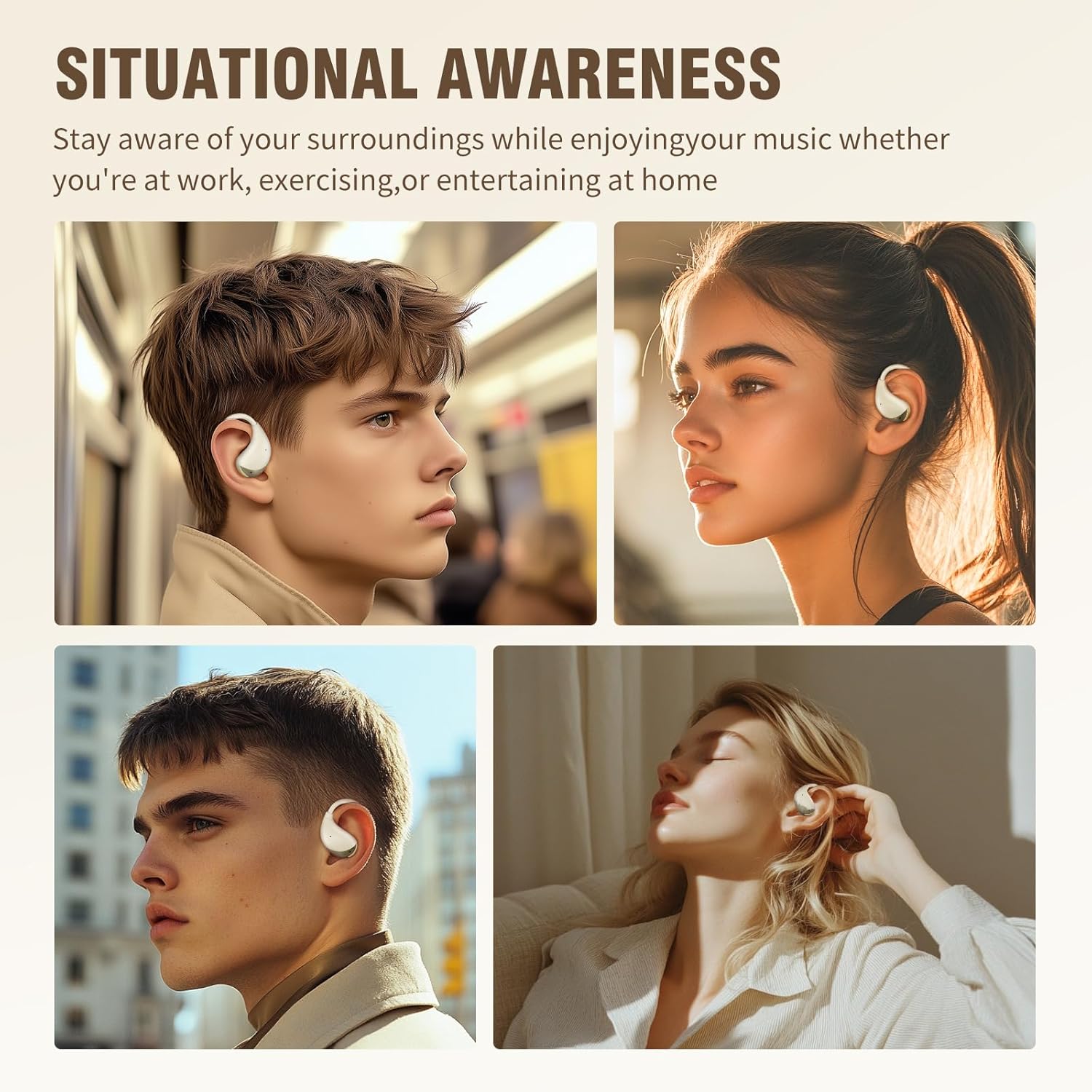
Image: All components included in the EDYELL OWS-C5-Beige package. This includes the beige charging case, the two open-ear earbuds, a black USB-C charging cable, and a small instruction manual.
സജ്ജീകരണ ഗൈഡ്
1. ഇയർബഡുകളും കേസും ചാർജ് ചെയ്യുന്നു
Before first use, fully charge the earbuds and the charging case. The case provides multiple recharges for extended listening.
- നൽകിയിരിക്കുന്ന ടൈപ്പ്-സി ചാർജിംഗ് കേബിൾ കേസിലെ ചാർജിംഗ് പോർട്ടിലേക്കും ഒരു യുഎസ്ബി പവർ സ്രോതസ്സിലേക്കും ബന്ധിപ്പിക്കുക.
- കേസിലെ ഇൻഡിക്കേറ്റർ ലൈറ്റ് ചാർജിംഗ് നില കാണിക്കും.
- ഇയർബഡുകൾ ചാർജിംഗ് കെയ്സിൽ വയ്ക്കുക. അവ സ്വയമേവ ചാർജ് ചെയ്യാൻ തുടങ്ങും.
- A full charge provides approximately 6 hours of playtime for the earbuds, and the charging case extends total playtime up to 72 hours.

Image: The beige charging case and one earbud, highlighting the 72-hour total playtime with the case and 6 hours per single charge.
2. നിങ്ങളുടെ ഉപകരണവുമായി ജോടിയാക്കുന്നു
The earbuds utilize Bluetooth 5.4 for a stable and fast connection.
- ചാർജിംഗ് കേസ് തുറക്കുക. ഇയർബഡുകൾ സ്വയമേവ ജോടിയാക്കൽ മോഡിലേക്ക് പ്രവേശിക്കും.
- നിങ്ങളുടെ ഉപകരണത്തിൽ (സ്മാർട്ട്ഫോൺ, ടാബ്ലെറ്റ്, ലാപ്ടോപ്പ്), ബ്ലൂടൂത്ത് പ്രവർത്തനക്ഷമമാക്കുക.
- ഇതിനായി തിരയുക "C5" or "EDYELL OWS-C5" in the list of available Bluetooth devices.
- കണക്റ്റ് ചെയ്യേണ്ട ഇയർബഡുകൾ തിരഞ്ഞെടുക്കുക. കണക്റ്റ് ചെയ്തുകഴിഞ്ഞാൽ, ഒരു സ്ഥിരീകരണ ടോൺ നിങ്ങൾ കേൾക്കും.
- The earbuds feature a magnetic suction design, ensuring they securely fit into the charging case for convenient charging and storage.

Image: An earbud and its open charging case positioned next to a smartphone displaying its Bluetooth settings, indicating a successful connection to "C5".
പ്രവർത്തന നിർദ്ദേശങ്ങൾ
ഇയർബഡുകൾ ധരിക്കുന്നു
The EDYELL OWS-C5-Beige earbuds are designed with an ergonomic open-ear fit for comfort and situational awareness.
- Gently place the earbud over your ear, ensuring the speaker portion is positioned near your ear canal without entering it.
- Adjust the ear hook for a secure and comfortable fit. The lightweight design ensures minimal pressure, even during extended wear.
- The open-ear design allows you to hear your audio clearly while remaining aware of ambient sounds, enhancing safety during outdoor activities.

Image: A woman wearing the EDYELL OWS-C5-Beige earbud, showcasing its ergonomic design that rests comfortably over the ear without blocking the ear canal.

Image: A visual comparison illustrating the difference between open-ear and traditional in-ear earbuds, emphasizing the comfortable and lightweight fit of the EDYELL OWS-C5-Beige.
ടച്ച് നിയന്ത്രണങ്ങൾ
The earbuds feature intuitive touch-sensitive controls for easy management of music and calls.
- പ്ലേ/താൽക്കാലികമായി നിർത്തുക: ഇയർബഡുകളിൽ ഏതെങ്കിലുമൊന്നിൽ ഒറ്റ ടാപ്പ് ചെയ്യുക.
- അടുത്ത ട്രാക്ക്: വലതുവശത്തെ ഇയർബഡിൽ രണ്ടുതവണ ടാപ്പ് ചെയ്യുക.
- മുമ്പത്തെ ട്രാക്ക്: ഇടതുവശത്തെ ഇയർബഡിൽ രണ്ടുതവണ ടാപ്പ് ചെയ്യുക.
- ഉത്തരം/അവസാന കോൾ: ഇൻകമിംഗ് കോളിലോ സജീവ കോളിലോ ഇയർബഡിൽ ഒറ്റ ടാപ്പ് ചെയ്യുക.
- കോൾ നിരസിക്കുക: ഇൻകമിംഗ് കോൾ വരുമ്പോൾ, ഇയർബഡുകളിൽ ഏതെങ്കിലുമൊന്ന് 2 സെക്കൻഡ് അമർത്തിപ്പിടിക്കുക.
- വോയ്സ് അസിസ്റ്റന്റിനെ സജീവമാക്കുക: ഇയർബഡുകളിൽ ഏതെങ്കിലുമൊന്നിൽ മൂന്ന് തവണ ടാപ്പ് ചെയ്യുക.
ഓഡിയോ നിലവാരവും കോളുകളും
Experience clear audio and calls with advanced sound technology.
- Hi-Fi Sound: Enjoy rich audio with 14.2mm HD stereo speakers, providing a powerful listening experience.
- കോളുകൾ മായ്ക്കുക: Equipped with ENC (Environmental Noise Cancellation) and wind noise suppression technology, ensuring your voice is clear during calls, even in noisy environments. The earbuds feature 4 microphones for enhanced voice pickup.

ചിത്രം: പൊട്ടിത്തെറിച്ച ഒരു view diagram of the earbud's internal structure, emphasizing the 14.2mm HD stereo speakers and Hi-Fi sound quality.
മെയിൻ്റനൻസ്
Proper maintenance ensures the longevity and optimal performance of your EDYELL Open Ear Buds.
- വൃത്തിയാക്കൽ: Regularly wipe the earbuds and charging case with a soft, dry cloth. For the charging case, you may use a small amount of alcohol on a cloth to remove dirt and prolong its service life. Ensure no liquid enters the charging ports or speaker grilles.
- ജല പ്രതിരോധം: The earbuds have an IPX5 waterproof rating, meaning they are resistant to sweat and light splashes. Do not submerge them in water or expose them to heavy rain. After exposure to sweat or water, wipe them dry before placing them back in the charging case.
- സംഭരണം: ഉപയോഗത്തിലില്ലാത്തപ്പോൾ, പൊടിയിൽ നിന്നും കേടുപാടുകളിൽ നിന്നും സംരക്ഷിക്കാൻ ഇയർബഡുകൾ അവയുടെ ചാർജിംഗ് കേസിൽ സൂക്ഷിക്കുക. നേരിട്ടുള്ള സൂര്യപ്രകാശത്തിൽ നിന്നും കടുത്ത താപനിലയിൽ നിന്നും മാറി തണുത്തതും വരണ്ടതുമായ സ്ഥലത്ത് സൂക്ഷിക്കുക.

Image: A visual representation of the earbuds being splashed with water, demonstrating their IPX5 waterproof capability, suitable for workouts and outdoor activities.
ട്രബിൾഷൂട്ടിംഗ്
If you encounter any issues with your EDYELL Open Ear Buds, please refer to the following common solutions:
| പ്രശ്നം | സാധ്യമായ കാരണം | പരിഹാരം |
|---|---|---|
| ഇയർബഡുകൾ ജോടിയാക്കുന്നില്ല/കണക്റ്റ് ചെയ്യുന്നില്ല. | Bluetooth is off, earbuds are out of charge, or already connected to another device. | Ensure Bluetooth is on. Place earbuds in case, close, then reopen to reset. Forget device on your phone and re-pair. Charge earbuds and case. |
| ഒന്നോ രണ്ടോ ഇയർബഡുകളിൽ നിന്ന് ശബ്ദമില്ല. | Low battery, earbud not properly seated in ear, volume too low, or connection issue. | Check battery level. Adjust earbud position. Increase device volume. Re-pair the earbuds. |
| ചാർജിംഗ് കേസ് ചാർജ് ചെയ്യുന്നില്ല. | Faulty cable, power source issue, or dirty charging port. | Try a different Type-C cable and power adapter. Ensure the charging port is clean and free of debris. |
| മോശം കോൾ നിലവാരം. | Environmental noise, earbud position, or weak Bluetooth signal. | Ensure earbuds are properly worn. Move closer to your connected device. Avoid very noisy environments if possible. |
പ്രശ്നം നിലനിൽക്കുകയാണെങ്കിൽ, ദയവായി ഉപഭോക്തൃ പിന്തുണയുമായി ബന്ധപ്പെടുക.
സ്പെസിഫിക്കേഷനുകൾ
| ഫീച്ചർ | വിശദാംശങ്ങൾ |
|---|---|
| മോഡലിൻ്റെ പേര് | EDYELL-OWS-C5-Beige (FM-C5001) |
| കണക്റ്റിവിറ്റി ടെക്നോളജി | വയർലെസ്സ് (ബ്ലൂടൂത്ത് 5.4) |
| ബാറ്ററി ലൈഫ് | 72 മണിക്കൂർ വരെ (ചാർജിംഗ് കേസിനൊപ്പം) |
| ജല പ്രതിരോധ നില | IPX5 (വാട്ടർപ്രൂഫ്) |
| നിയന്ത്രണ രീതി | സ്പർശിക്കുക |
| ഓഡിയോ ഡ്രൈവർ തരം | ഡൈനാമിക് ഡ്രൈവർ (14.2mm) |
| ശബ്ദ നിയന്ത്രണം | Hybrid Noise Cancellation (for calls via ENC) |
| ഇനത്തിൻ്റെ ഭാരം | 3 ഗ്രാം (ഓരോ ഇയർബഡിനും) |
| ഉൽപ്പന്ന അളവുകൾ | 10 x 2 x 2.7 സെ.മീ |
| ബാറ്ററികൾ | 3 ലിഥിയം അയോൺ ബാറ്ററികൾ ആവശ്യമാണ് (ഉൾപ്പെടുത്തിയിരിക്കുന്നു) |
| മാതൃരാജ്യം | ചൈന |
വാറൻ്റിയും പിന്തുണയും
EDYELL products are designed for reliability and performance. For any support needs, please refer to the following information:
- വാറൻ്റി: ഈ ഉൽപ്പന്നം ഒരു സ്റ്റാൻഡേർഡ് നിർമ്മാതാവിന്റെ വാറണ്ടിയോടെയാണ് വരുന്നത്. നിർദ്ദിഷ്ട നിബന്ധനകൾക്കും വ്യവസ്ഥകൾക്കും നിങ്ങളുടെ പാക്കേജിൽ ഉൾപ്പെടുത്തിയിരിക്കുന്ന വാറന്റി കാർഡ് പരിശോധിക്കുക.
- വിപുലീകരിച്ച വാറൻ്റി: An optional 1-Year Extended Warranty Plan is available for purchase to provide additional coverage.
- ഉപഭോക്തൃ പിന്തുണ: For technical assistance, troubleshooting, or warranty claims, please contact EDYELL INDIA customer care.
ബന്ധപ്പെടാനുള്ള വിവരങ്ങൾ:
- ഇമെയിൽ: support@fenman.in
- ഫോൺ: +91 8882786235


