meross MTS205

Meross MTS205 Smart Wi-Fi Electric Heating Thermostat User Manual

Model: MTS205 | Brand: Meross

1. ആമുഖം

Thank you for choosing the Meross MTS205 Smart Wi-Fi Electric Heating Thermostat. This device is designed to provide intelligent control over your electric heating system, offering convenience, energy efficiency, and smart home integration. Please read this manual carefully before installation and use to ensure proper operation and safety.

2. ഉൽപ്പന്നം കഴിഞ്ഞുview

The Meross MTS205 thermostat features a minimalist design with a clear LCD display and touch controls. It is equipped with both an integrated ambient temperature sensor and an optional external floor sensor for precise temperature management.

Meross MTS205 Thermostat with labeled features
Figure 2.1: Thermostat Features. This image displays the Meross MTS205 Smart Wi-Fi Electric Heating Thermostat with its key features labeled, including temperature presets (Comfort, Sleep, Eco), Wi-Fi indicator, open window detection, current/set temperature display, heating/cooling mode (summer mode activated), power button, mode selection, and up/down controls.

3. പാക്കേജ് ഉള്ളടക്കം

പാക്കേജിൽ എല്ലാ ഇനങ്ങളും ഉണ്ടെന്ന് ഉറപ്പാക്കുക:

  • 1 x Meross MTS205 Smart Wi-Fi Electric Heating Thermostat
  • 1 x ഉപയോക്തൃ മാനുവൽ
  • 1 x External Sensor (optional)
  • 4 x സ്ക്രൂകൾ
  • 1 x Wiring Sticker
Contents of the Meross MTS205 Smart Wi-Fi Thermostat package
ചിത്രം 3.1: പാക്കേജ് ഉള്ളടക്കങ്ങൾ. This image shows the Meross Smart Wi-Fi Thermostat, four screws, an external sensor, a wiring sticker, and the user manual.

4 സുരക്ഷാ വിവരങ്ങൾ

  • Always turn off the power at the circuit breaker before installing, removing, or servicing the thermostat.
  • Installation should be performed by a qualified electrician if you are unsure about the wiring process.
  • Ensure the thermostat is compatible with your electric heating system (16A, 240V). It is അനുയോജ്യമല്ല with water heating systems or gas boilers.
  • ഈർപ്പം അല്ലെങ്കിൽ അങ്ങേയറ്റത്തെ താപനിലയിലേക്ക് ഉപകരണം തുറന്നുകാട്ടരുത്.
  • കുട്ടികൾക്ക് ലഭ്യമാകാതെ സൂക്ഷിക്കുക.
Diagram showing compatibility with electric underfloor heating and incompatibility with boiler/water heating systems
Figure 4.1: Heating System Compatibility. This diagram illustrates that the Meross MTS205 thermostat is compatible with electric underfloor heating systems but not with boiler or water heating systems.

5. ഇൻസ്റ്റലേഷൻ

Before beginning installation, ensure the power to your heating system is turned off at the main circuit breaker. This thermostat is designed for electric heating systems only.

5.1 Wiring Diagram and Dimensions

Verify the dimensions and wiring diagram before purchase and installation. The sensor (included in the thermostat kit) connected to terminals 6 and 7 is optional.

Wiring diagram and dimensions for Meross MTS205 thermostat installation
Figure 5.1: Dimensions and Wiring Diagram. This image shows the physical dimensions (86mm x 86mm) of the thermostat and a detailed wiring diagram for installation. It indicates the neutral wire (blue), phase wire (brown), charge, and optional sensor connections (terminals 6 and 7). The recessed box dimensions are also provided: Height > 50.5mm, Width > 50.5mm, Depth > 32mm. A note states: "If you only have one charge wire, connect it to terminal 4."

5.2 ഡ്യുവൽ സെൻസർ സിസ്റ്റം

The thermostat includes an integrated sensor for ambient temperature measurement and an external sensor for floor overheating protection. The external sensor is optional and can be embedded.

Diagram showing integrated and external sensors for the Meross MTS205 thermostat
Figure 5.2: Dual Sensor System. This image illustrates the thermostat's integrated sensor for ambient temperature and an external sensor (optional and embedded) for floor temperature protection.

6. പ്രാരംഭ സജ്ജീകരണവും ആപ്പ് കണക്ഷനും

To unlock the full potential of your Meross thermostat, connect it to the Meross app. The thermostat supports 2.4 GHz Wi-Fi networks only.

6.1 Download the Meross App

Download the Meross app from the App Store or Google Play Store. Register an account and log in.

6.2 വൈഫൈയിലേക്ക് കണക്റ്റുചെയ്യുക

Follow the in-app instructions to add your thermostat. Ensure your phone is connected to a 2.4 GHz Wi-Fi network during setup.

Meross MTS205 thermostat controlled via the Meross app on a smartphone
Figure 6.1: Intuitive Use with Meross App. This image shows the Meross MTS205 thermostat displaying 26.5°C, with a smartphone next to it showing the Meross app interface set to 25.0°C, indicating heating to 26.0°C, and options for Manual, On, and Auto modes.

7. ഓപ്പറേഷൻ

The Meross MTS205 offers various modes and smart features to optimize your heating experience.

7.1 മാനുവൽ നിയന്ത്രണം

Adjust the temperature directly on the thermostat's touch screen or via the Meross app for immediate changes.

Hand interacting with the touch screen of the Meross MTS205 thermostat
Figure 7.1: Intuitive Touch Control. A hand is shown interacting with the minimalist glass panel of the Meross MTS205 thermostat, adjusting the temperature with a simple gesture.

7.2 Smart Programming

Set up to 8 time ranges in the Meross app to automatically activate and deactivate heating based on your daily habits. This feature helps save energy and reduce heating costs.

7.3 ശബ്ദ നിയന്ത്രണം

The thermostat is compatible with Amazon Alexa and Google Home, allowing you to control your heating with voice commands.

Man using voice commands with Alexa and Google Home to control Meross MTS205 thermostat
Figure 7.2: Voice and Remote Control. A man is shown in a living room, using voice commands with Alexa and Google Home devices to set the thermostat to 26°C. The Meross app on a smartphone also shows remote control capabilities.

7.4 വിൻഡോ ഡിറ്റക്ഷൻ

If an open window causes the ambient temperature to drop by 2°C within 15 minutes, the thermostat will automatically pause heating for 30 minutes and notify you via the app, preventing energy waste.
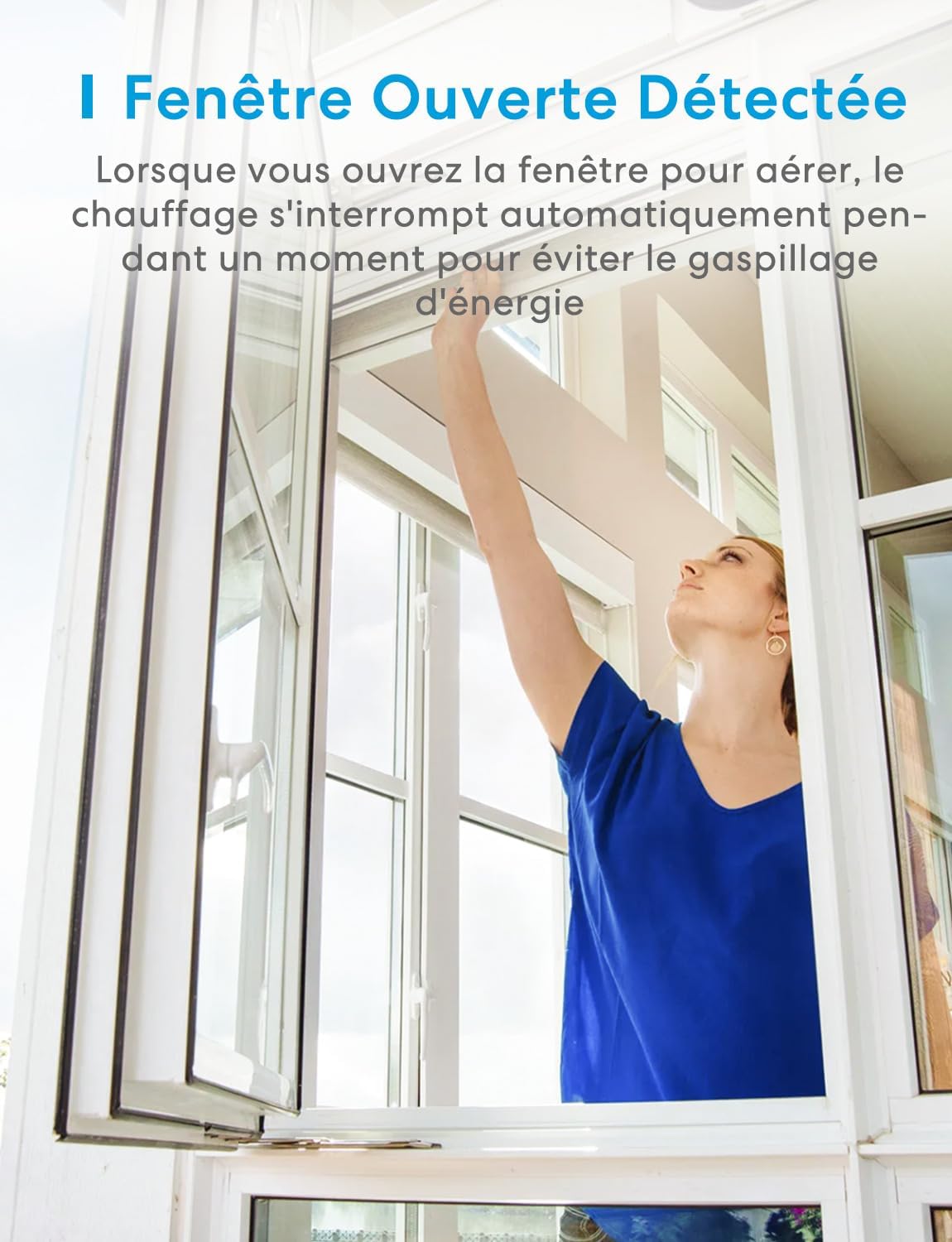
Woman opening a window, with the Meross MTS205 thermostat detecting the open window
Figure 7.3: Open Window Detected. This image shows a woman opening a window, and the thermostat's display indicating an open window, which automatically pauses heating to prevent energy waste.

7.5 Energy Saving Modes

The thermostat supports three modes: hot air mode, cold air mode (for radiators with summer mode), and energy-saving mode. You can set individual temperatures for each room to achieve ideal comfort and reduce costs.

Modern house with different temperatures set in various rooms for energy saving
Figure 7.4: Multi-Room Energy Saving. This image depicts a modern house with different temperature settings in various rooms (16°C, 18°C, 20°C, 23°C), illustrating how multi-room temperature control can lead to energy savings.

7.6 Heating Monitoring

Monitor your heating system's status, temperature curve, and total heating duration through the Meross app. The intelligent 7x24 hour graphical program visually displays usage duration and time slots, helping you save energy and reduce heating costs.

Meross MTS205 thermostat displaying temperature, with app graphs showing heating usage and cost history
Figure 7.5: Heating Monitoring and Energy Savings. This image shows the thermostat displaying 26.5°C, alongside app screenshots illustrating weekly, monthly, and yearly heating usage data, including estimated costs, and a temperature curve over time. This helps users track and optimize energy consumption.

8. പരിപാലനം

  • Clean the thermostat regularly with a soft, dry cloth. Do not use abrasive cleaners or solvents.
  • Ensure the thermostat's vents are not obstructed to allow for accurate temperature readings.
  • Check wiring connections periodically to ensure they are secure.

9. പ്രശ്‌നപരിഹാരം

9.1 Thermostat Not Powering On

  • Check the circuit breaker to ensure power is supplied to the heating system.
  • Verify all wiring connections are correct and secure according to the installation diagram.

9.2 വൈ-ഫൈ വിച്ഛേദിക്കൽ

  • Ensure your Wi-Fi router is working correctly and broadcasting a 2.4 GHz signal.
  • Move the thermostat closer to the Wi-Fi router or consider a Wi-Fi extender.
  • Reset the thermostat by pressing and holding the up and down buttons for 5 seconds until the Wi-Fi LED blinks slowly, then re-pair via the app.

9.3 കൃത്യമല്ലാത്ത താപനില റീഡിംഗുകൾ

  • തെർമോസ്റ്റാറ്റിൽ നേരിട്ടുള്ള സൂര്യപ്രകാശം, കാറ്റുകൾ, താപ സ്രോതസ്സുകൾ എന്നിവ ഏൽക്കുന്നില്ലെന്ന് ഉറപ്പാക്കുക.
  • If using an external sensor, ensure it is properly installed and not damaged.
  • The thermostat can be calibrated via the Meross app if necessary.

10 സ്പെസിഫിക്കേഷനുകൾ

ഫീച്ചർസ്പെസിഫിക്കേഷൻ
മോഡൽ നമ്പർMTS205
വൈദ്യുതി വിതരണം240 Volts (AC90-240V)
പരമാവധി ലോഡ് കറന്റ്16എ
വൈദ്യുതി ഉപഭോഗം3840 വാട്ട്സ്
കണക്റ്റിവിറ്റിവൈഫൈ (2.4 GHz മാത്രം)
താപനില നിയന്ത്രണ തരംചൂടാക്കൽ
താപനില പരിധി5°C മുതൽ 35°C വരെ
താപനില കൃത്യത±0.5°C
ഡിസ്പ്ലേ തരംഎൽഇഡി
അളവുകൾ (L x W x H)8.6 x 4.8 x 8.6 സെ.മീ
ഭാരം141 ഗ്രാം
പ്രത്യേക സവിശേഷതകൾTemperature Display, Window Detection, Dual Sensor, Child Lock
അനുയോജ്യതആമസോൺ അലക്‌സ, ഗൂഗിൾ അസിസ്റ്റൻ്റ്

11. വാറൻ്റിയും പിന്തുണയും

Meross products come with a standard manufacturer's warranty. Please refer to the warranty card included in your package or visit the official Meross webവിശദമായ വാറന്റി വിവരങ്ങൾക്ക് സൈറ്റ്.

For technical support, troubleshooting assistance, or any questions regarding your Meross MTS205 thermostat, please contact Meross customer service through the Meross app or their official website. You can also check compatibility online:

Meross Compatibility Check (MTS205B-EU)

QR code for Meross MTS205 compatibility check
Figure 11.1: Compatibility Check. Scan the QR code to check compatibility before purchasinജി അല്ലെങ്കിൽ ഇൻസ്റ്റാൾ ചെയ്യുക.

അനുബന്ധ രേഖകൾ - MTS205

പ്രീview മെറോസ് MTS205 സ്മാർട്ട് വൈ-ഫൈ തെർമോസ്റ്റാറ്റ് ഉപയോക്തൃ മാനുവൽ
User manual for the Meross MTS205 Smart Wi-Fi Thermostat. Learn about installation, setup, features, and troubleshooting for your electric heating system.
പ്രീview മെറോസ് സ്മാർട്ട് വൈ-ഫൈ തെർമോസ്റ്റാറ്റ് ഉപയോക്തൃ മാനുവൽ
മെറോസ് സ്മാർട്ട് വൈ-ഫൈ തെർമോസ്റ്റാറ്റിനായുള്ള ഉപയോക്തൃ മാനുവൽ, സുരക്ഷാ വിവരങ്ങൾ, പാക്കേജ് ഉള്ളടക്കങ്ങൾ, ഉപകരണ സവിശേഷതകൾ, അനുയോജ്യമായ തപീകരണ സംവിധാനങ്ങൾക്കായുള്ള ഇൻസ്റ്റാളേഷൻ നടപടിക്രമങ്ങൾ എന്നിവ ഉൾക്കൊള്ളുന്നു. ഗൂഗിൾ അസിസ്റ്റന്റ്, ആമസോൺ അലക്‌സ പോലുള്ള വോയ്‌സ് അസിസ്റ്റന്റുമാരുമായി നിങ്ങളുടെ മെറോസ് തെർമോസ്റ്റാറ്റ് എങ്ങനെ സജ്ജീകരിക്കാമെന്നും ഉപയോഗിക്കാമെന്നും അറിയുക.
പ്രീview മെറോസ് MTS200 സ്മാർട്ട് വൈ-ഫൈ തെർമോസ്റ്റാറ്റ് ഉപയോക്തൃ മാനുവൽ
മെറോസ് MTS200 സ്മാർട്ട് വൈ-ഫൈ തെർമോസ്റ്റാറ്റിനായുള്ള സമഗ്രമായ ഉപയോക്തൃ മാനുവൽ, സുരക്ഷാ വിവരങ്ങൾ, പാക്കേജ് ഉള്ളടക്കങ്ങൾ, ഉപകരണ സവിശേഷതകൾ, വയറിംഗ് ഡയഗ്രമുകൾ, ഇൻസ്റ്റലേഷൻ ഗൈഡ്, വോയ്‌സ് അസിസ്റ്റന്റ് ഇന്റഗ്രേഷൻ, പതിവുചോദ്യങ്ങൾ എന്നിവ ഉൾക്കൊള്ളുന്നു. കാര്യക്ഷമമായ വീട് ചൂടാക്കലിനായി നിങ്ങളുടെ മെറോസ് തെർമോസ്റ്റാറ്റ് എങ്ങനെ സജ്ജീകരിക്കാമെന്നും ഉപയോഗിക്കാമെന്നും മനസ്സിലാക്കുക.
പ്രീview മെറോസ് MTS200 സ്മാർട്ട് വൈ-ഫൈ തെർമോസ്റ്റാറ്റ് ഉപയോക്തൃ മാനുവൽ
ഇലക്ട്രിക് അണ്ടർഫ്ലോർ ഹീറ്റിംഗ് സിസ്റ്റങ്ങൾക്കായി രൂപകൽപ്പന ചെയ്‌തിരിക്കുന്ന ഉപകരണമായ മെറോസ് MTS200 സ്മാർട്ട് വൈ-ഫൈ തെർമോസ്റ്റാറ്റിനായുള്ള ഉപയോക്തൃ മാനുവൽ. ആമസോൺ അലക്‌സ, ഗൂഗിൾ അസിസ്റ്റന്റ് പോലുള്ള വോയ്‌സ് അസിസ്റ്റന്റുകളുമായുള്ള സംയോജനം ഉൾപ്പെടെയുള്ള ഇൻസ്റ്റാളേഷൻ, സജ്ജീകരണം, സവിശേഷതകൾ, ട്രബിൾഷൂട്ടിംഗ് എന്നിവ ഈ ഗൈഡിൽ ഉൾപ്പെടുന്നു.
പ്രീview മെറോസ് സ്മാർട്ട് വൈ-ഫൈ തെർമോസ്റ്റാറ്റ് MTS200HK(EU) - ഉപയോക്തൃ മാനുവൽ & ഇൻസ്റ്റലേഷൻ ഗൈഡ്
മെറോസ് സ്മാർട്ട് വൈ-ഫൈ തെർമോസ്റ്റാറ്റിനായുള്ള (മോഡൽ MTS200HK(EU)) വിശദമായ ഉപയോക്തൃ മാനുവലും ഇൻസ്റ്റാളേഷൻ ഗൈഡും, സുരക്ഷാ വിവരങ്ങൾ, പാക്കേജ് ഉള്ളടക്കങ്ങൾ, ഉപകരണം എന്നിവ ഉൾക്കൊള്ളുന്നു.view, സജ്ജീകരണ നിർദ്ദേശങ്ങൾ, പതിവുചോദ്യങ്ങൾ. ഇലക്ട്രിക് ഫ്ലോർ ഹീറ്റിംഗ് സിസ്റ്റങ്ങളുമായി പൊരുത്തപ്പെടുന്നു.
പ്രീview Meross Smart Wi-Fi Socket Thermostat User Manual
Comprehensive user manual for the Meross Smart Wi-Fi Socket Thermostat (MTS960HK), detailing safety precautions, package contents, installation steps, various operating modes (heating, cooling, timer, schedule), sensor troubleshooting, temperature calibration, voice assistant integration, warranty, and compliance information.