ആമുഖം
This manual provides detailed instructions for the Riwbox OL8 Open Wireless Earbuds. It covers setup, operation, maintenance, and troubleshooting to ensure optimal performance and user experience. Please read this manual thoroughly before using your earbuds.
ബോക്സിൽ എന്താണുള്ളത്
- Riwbox OL8 Open Wireless Earbuds (Left and Right)
- ചാർജിംഗ് കേസ്
- USB-C ചാർജിംഗ് കേബിൾ
- ഉപയോക്തൃ മാനുവൽ
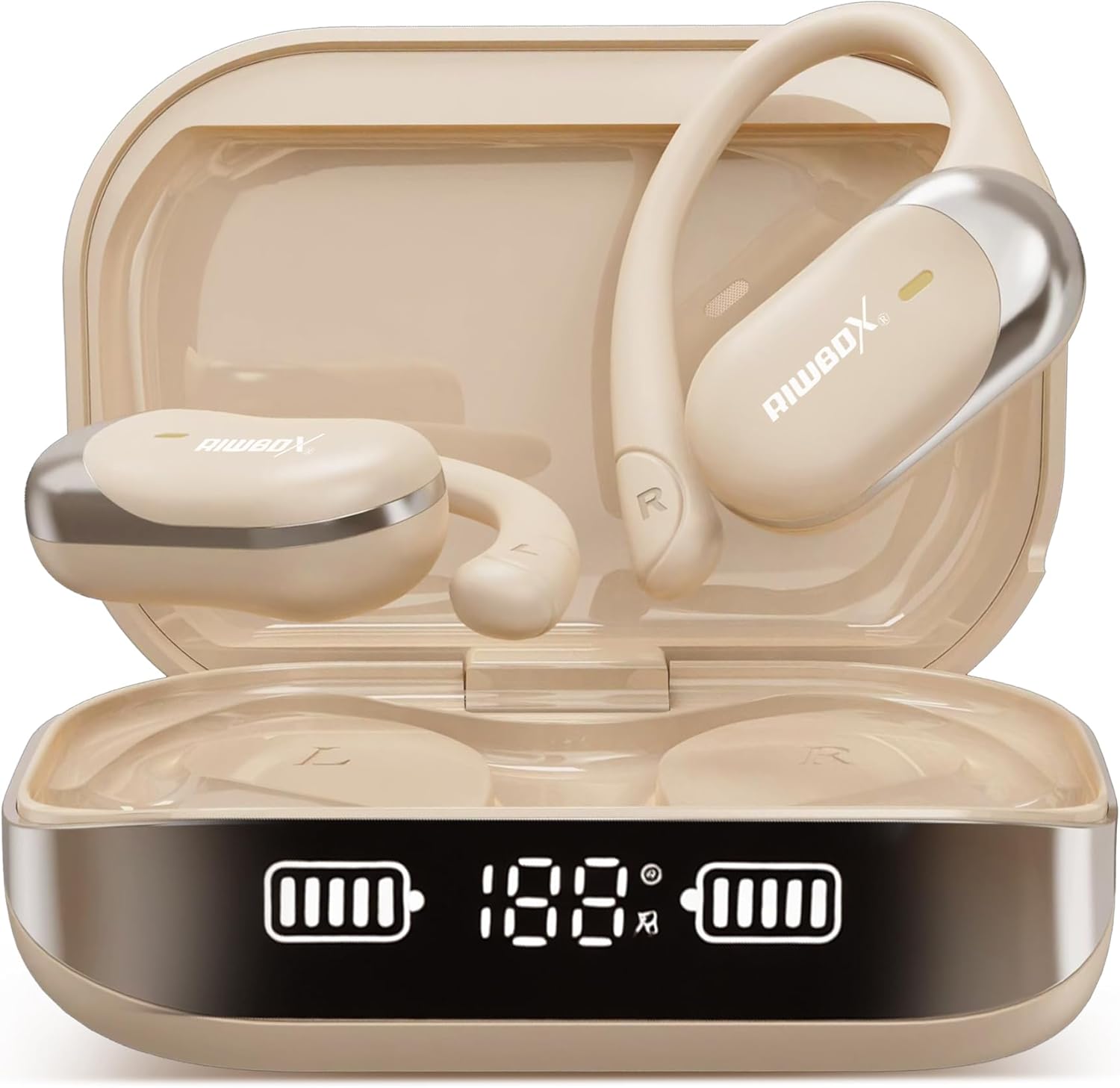
Image: Riwbox OL8 Open Wireless Earbuds in their charging case.
ഉൽപ്പന്നം കഴിഞ്ഞുview
The Riwbox OL8 earbuds are designed for comfort and functionality, featuring an open-ear design, Bluetooth V5.4 connectivity, and a real-time translation function. They are lightweight and suitable for extended wear.

Image: Close-up of a Riwbox OL8 earbud, highlighting its open-ear design and sound components.
പ്രധാന സവിശേഷതകൾ:
- തുറന്ന ചെവി ഡിസൈൻ: ആശ്വാസവും സാഹചര്യ അവബോധവും നൽകുന്നു.
- തത്സമയ വിവർത്തനം: Supports 134 languages with high accuracy.
- ബ്ലൂടൂത്ത് V5.4: For stable and fast wireless connection.
- നീണ്ട ബാറ്ററി ലൈഫ്: Up to 8 hours per charge, 60 hours total with charging case.
- ടച്ച് നിയന്ത്രണങ്ങൾ: For music playback, calls, and translation functions.
- വെള്ളത്തെ പ്രതിരോധിക്കുന്ന: വിവിധ പ്രവർത്തനങ്ങൾക്ക് അനുയോജ്യം.
സജ്ജീകരണ നിർദ്ദേശങ്ങൾ
1. ഇയർബഡുകളും കേസും ചാർജ് ചെയ്യുന്നു
- ഇയർബഡുകൾ ചാർജിംഗ് കേസിൽ വയ്ക്കുക. അവ ശരിയായി സ്ഥാപിച്ചിട്ടുണ്ടെന്ന് ഉറപ്പാക്കുക.
- USB-C ചാർജിംഗ് കേബിൾ കേസിലെ ചാർജിംഗ് പോർട്ടിലേക്കും ഒരു പവർ സ്രോതസ്സിലേക്കും ബന്ധിപ്പിക്കുക.
- The digital display on the charging case will indicate the battery level. A full charge for the case takes approximately 2 hours.
- The earbuds will charge automatically when placed in the powered case.

Image: Graphic illustrating the 60-hour total battery life with the charging case.
2. ബ്ലൂടൂത്ത് ജോടിയാക്കൽ
- ചാർജിംഗ് കേസ് തുറക്കുക. ഇയർബഡുകൾ സ്വയമേവ ജോടിയാക്കൽ മോഡിലേക്ക് പ്രവേശിക്കും.
- നിങ്ങളുടെ ഉപകരണത്തിൽ (സ്മാർട്ട്ഫോൺ, ടാബ്ലെറ്റ്, ലാപ്ടോപ്പ്), ബ്ലൂടൂത്ത് പ്രവർത്തനക്ഷമമാക്കുക.
- ഇതിനായി തിരയുക "Riwbox OL8" in the list of available Bluetooth devices.
- Select "Riwbox OL8" to connect. A voice prompt will confirm successful pairing.
- ജോടിയാക്കൽ പരാജയപ്പെട്ടാൽ, ഇയർബഡുകൾ കേസിൽ തിരികെ വയ്ക്കുക, അത് അടയ്ക്കുക, ഘട്ടങ്ങൾ ആവർത്തിക്കുക.
3. ഇയർബഡുകൾ ധരിക്കുന്നു
The OL8 earbuds feature an over-ear hook design for a secure and comfortable fit. Gently place the earbud over your ear, ensuring the speaker rests just outside your ear canal.

Image: Visual guide demonstrating the correct way to wear the Riwbox OL8 earbuds.
4. Translation App Installation (Optional)
To utilize the real-time translation feature, a dedicated application is required. Refer to the included "Translate the instruction Manual" or scan the QR code provided in the packaging for app download instructions. Ensure you download the app from a trusted source.
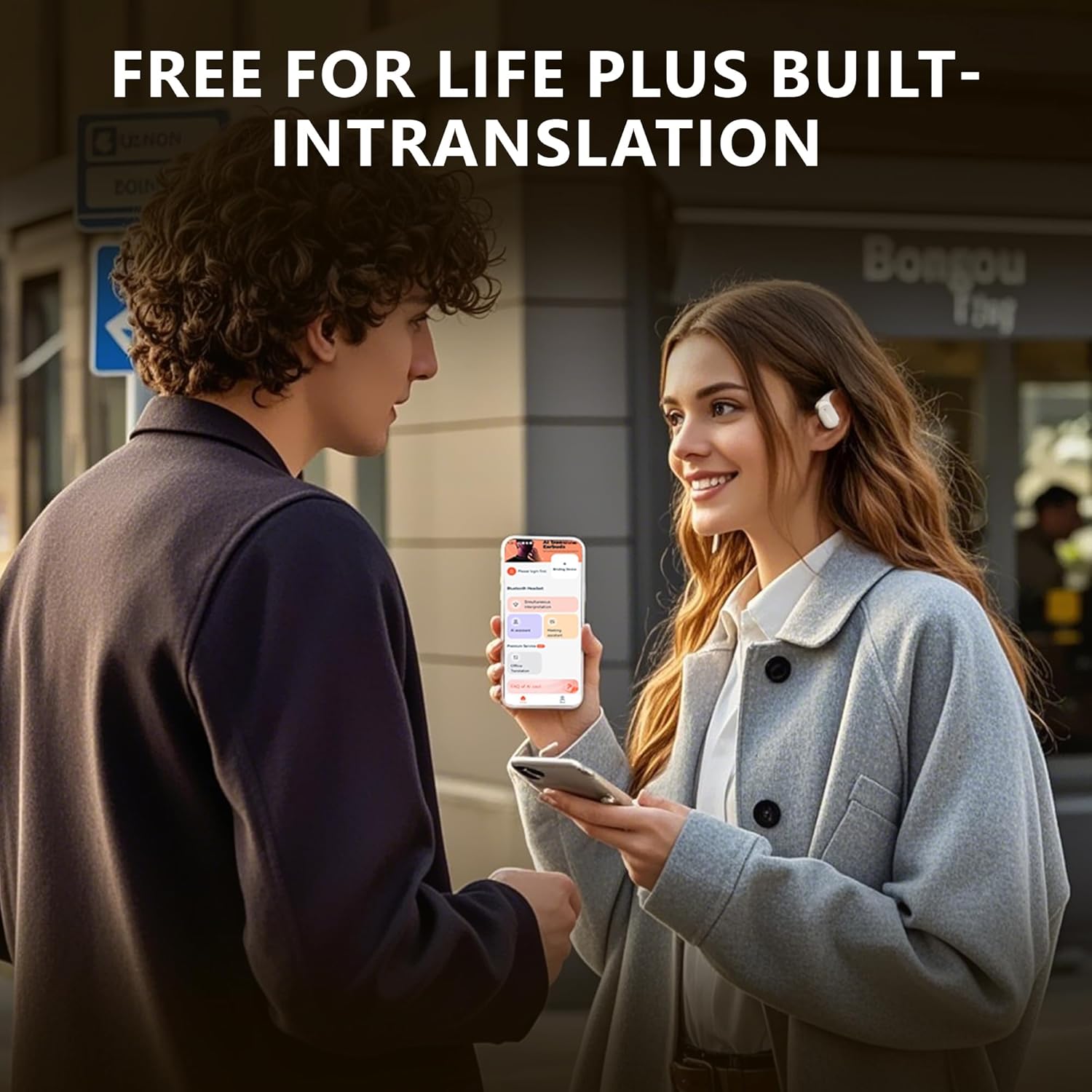
Image: Two individuals using the Riwbox OL8 earbuds for real-time language translation.
പ്രവർത്തന നിർദ്ദേശങ്ങൾ
The Riwbox OL8 earbuds feature intuitive touch controls located on the outer surface of each earbud.
Music Playback and Calls:
- പ്ലേ/താൽക്കാലികമായി നിർത്തുക: ഇയർബഡുകളിൽ ഏതെങ്കിലുമൊന്നിൽ ഒറ്റ ടാപ്പ് ചെയ്യുക.
- അടുത്ത ട്രാക്ക്: വലതുവശത്തെ ഇയർബഡിൽ രണ്ടുതവണ ടാപ്പ് ചെയ്യുക.
- മുമ്പത്തെ ട്രാക്ക്: ഇടതുവശത്തെ ഇയർബഡിൽ രണ്ടുതവണ ടാപ്പ് ചെയ്യുക.
- വോളിയം കൂട്ടുക: വലതുവശത്തെ ഇയർബഡിൽ മൂന്ന് തവണ ടാപ്പ് ചെയ്യുക.
- വോളിയം താഴേക്ക്: ഇടതുവശത്തെ ഇയർബഡിൽ മൂന്ന് തവണ ടാപ്പ് ചെയ്യുക.
- ഉത്തരം/അവസാന കോൾ: ഇൻകമിംഗ് കോൾ വരുമ്പോൾ ഏത് ഇയർബഡിലും ഒറ്റ ടാപ്പ് ചെയ്യുക.
- കോൾ നിരസിക്കുക: ഇൻകമിംഗ് കോൾ വരുമ്പോൾ ഇയർബഡുകളിൽ ഏതെങ്കിലുമൊന്ന് 2 സെക്കൻഡ് അമർത്തിപ്പിടിക്കുക.
- വോയ്സ് അസിസ്റ്റന്റിനെ സജീവമാക്കുക: കോൾ ചെയ്യാത്തപ്പോൾ, ഇയർബഡുകളിൽ ഏതെങ്കിലുമൊന്ന് 3 സെക്കൻഡ് അമർത്തിപ്പിടിക്കുക.
Translation Function:
Once the translation app is installed and connected, follow the app's instructions for real-time translation. Typically, one earbud is used by you, and the other by the person you are communicating with, or both earbuds are used by you for listening to translated speech.
- Refer to the specific translation app's guide for detailed usage.
- Ensure both earbuds are connected to your device via Bluetooth.
മെയിൻ്റനൻസ്
Proper maintenance ensures the longevity and performance of your Riwbox OL8 earbuds.
- വൃത്തിയാക്കൽ: ഇയർബഡുകളും ചാർജിംഗ് കെയ്സും വൃത്തിയാക്കാൻ മൃദുവായതും ഉണങ്ങിയതും ലിന്റ് രഹിതവുമായ തുണി ഉപയോഗിക്കുക. അബ്രാസീവ് ക്ലീനറുകൾ, ആൽക്കഹോൾ, കെമിക്കൽ ലായകങ്ങൾ എന്നിവ ഉപയോഗിക്കരുത്.
- സംഭരണം: ഉപയോഗത്തിലില്ലാത്തപ്പോൾ, പൊടിയിൽ നിന്നും കേടുപാടുകളിൽ നിന്നും സംരക്ഷിക്കാൻ ഇയർബഡുകൾ അവയുടെ ചാർജിംഗ് കേസിൽ സൂക്ഷിക്കുക. തണുത്തതും വരണ്ടതുമായ സ്ഥലത്ത് സൂക്ഷിക്കുക.
- ജല പ്രതിരോധം: The earbuds are water-resistant, but not waterproof. Avoid submerging them in water or exposing them to heavy rain for extended periods. Dry them thoroughly if they get wet.

Image: An individual engaged in physical activity, demonstrating the earbuds' resistance to sweat and light moisture.
ട്രബിൾഷൂട്ടിംഗ്
| പ്രശ്നം | പരിഹാരം |
|---|---|
| ഇയർബഡുകൾ ജോടിയാക്കുന്നില്ല |
|
| ഇയർബഡുകളിൽ നിന്ന് ശബ്ദമില്ല |
|
| Translation function not working |
|
| ഇയർബഡുകൾ ഊരിപ്പോവുന്നു |
|
സ്പെസിഫിക്കേഷനുകൾ
| ഫീച്ചർ | വിശദാംശങ്ങൾ |
|---|---|
| മോഡലിൻ്റെ പേര് | OL8 |
| കണക്റ്റിവിറ്റി ടെക്നോളജി | Bluetooth V5.4, Wireless |
| ബ്ലൂടൂത്ത് ശ്രേണി | 70 അടി (ഏകദേശം 21 മീറ്റർ) |
| ബാറ്ററി ലൈഫ് (ഇയർബഡുകൾ) | 8 മണിക്കൂർ വരെ (ഒറ്റ ചാർജ്) |
| മൊത്തം ബാറ്ററി ലൈഫ് (കേസിനൊപ്പം) | 60 മണിക്കൂർ വരെ |
| ചാർജിംഗ് സമയം | ഏകദേശം 2 മണിക്കൂർ (കേസ്) |
| ശബ്ദ നിയന്ത്രണം | Active Noise Cancellation, Environmental Noise Cancellation, Sound Isolation |
| ഫ്രീക്വൻസി റേഞ്ച് | 20 ഹെർട്സ് - 40000 ഹെർട്സ് |
| പ്രതിരോധം | 32 ഓം |
| ഓഡിയോ ഡ്രൈവർ തരം | ഡൈനാമിക് ഡ്രൈവർ (12mm) |
| നിയന്ത്രണ തരം | ടച്ച് നിയന്ത്രണം |
| ജല പ്രതിരോധ നില | വെള്ളത്തെ പ്രതിരോധിക്കുന്ന |
| ചെവി പ്ലേസ്മെൻ്റ് | ചെവിക്ക് മുകളിൽ |
| ഇനത്തിൻ്റെ ഭാരം | 5.6 ഔൺസ് (ആകെ പാക്കേജ്) |
| മെറ്റീരിയൽ | Flexible Material |

Image: Illustration of the advanced acoustic drive unit within the Riwbox OL8 earbuds.
ഉപഭോക്തൃ പിന്തുണ
For further assistance, technical support, or warranty inquiries, please contact Riwbox customer service. Contact information can typically be found on the product packaging or the official Riwbox webസൈറ്റ്.
Riwbox offers 24-hour customer support.


