ആമുഖം
The ZAZU Instant Digital Camera is designed to provide a fun and engaging photography experience for children. This versatile camera allows young photographers to capture high-resolution photos, record Full HD videos, and instantly print their favorite moments using inkless thermal printing technology.
Its user-friendly design, compact size, and creative features make it an ideal tool for fostering creativity and capturing memories.
- Instant Printing Fun: Capture and print photos instantly using inkless thermal printing technology. Includes 2 print rolls for up to 120 photos.
- ശ്രദ്ധേയമായ വ്യക്തത: Record every moment in high-resolution 48MP photos and 1080P Full HD videos.
- Creative Design Options: Personalize photos and videos with fun filters.
- ബഹുമുഖ ഡിസൈൻ: Combines photography, video recording, and built-in games in a compact device.
- Portable and Robust: Lightweight (230g) with a 1200 mAh rechargeable battery and a lanyard for safe, on-the-go use. USB charging cable included.
പാക്കേജ് ഉള്ളടക്കം
പാക്കേജിൽ എല്ലാ ഇനങ്ങളും ഉണ്ടെന്ന് ഉറപ്പാക്കുക:
- ZAZU Instant Digital Camera
- യുഎസ്ബി ചാർജിംഗ് കേബിൾ
- ലാനിയാർഡ്
- 2 Thermal Print Rolls (5.7 cm width)
കുറിപ്പ്: A TF (MicroSD) card is not included and is required for saving photos and videos. The camera supports up to 64GB TF cards.
സജ്ജമാക്കുക
1. ക്യാമറ ചാർജ് ചെയ്യുന്നു
Before first use, fully charge the camera's built-in 1200 mAh rechargeable battery.
- നൽകിയിരിക്കുന്ന USB ചാർജിംഗ് കേബിൾ ക്യാമറയുടെ ചാർജിംഗ് പോർട്ടുമായി ബന്ധിപ്പിക്കുക.
- USB കേബിളിന്റെ മറ്റേ അറ്റം അനുയോജ്യമായ ഒരു USB പവർ അഡാപ്റ്ററുമായി (ഉൾപ്പെടുത്തിയിട്ടില്ല) അല്ലെങ്കിൽ കമ്പ്യൂട്ടറിന്റെ USB പോർട്ടുമായി ബന്ധിപ്പിക്കുക.
- ചാർജിംഗ് ഇൻഡിക്കേറ്റർ ലൈറ്റ് പ്രകാശിക്കും. പൂർണ്ണമായി ചാർജ് ചെയ്തുകഴിഞ്ഞാൽ, ലൈറ്റ് നിറം മാറുകയോ ഓഫാകുകയോ ചെയ്യാം.
2. Inserting a TF (MicroSD) Card
A TF card is necessary to store your photos and videos.
- ക്യാമറയിൽ TF കാർഡ് സ്ലോട്ട് കണ്ടെത്തുക.
- സ്വർണ്ണ കോൺടാക്റ്റുകൾ താഴേക്ക് അഭിമുഖമായി വരുന്ന തരത്തിൽ TF കാർഡ് സൌമ്യമായി തിരുകുക, അങ്ങനെ അത് സ്ഥലത്ത് ക്ലിക്ക് ആകുന്നതുവരെ.
- കാർഡ് നീക്കം ചെയ്യാൻ, അത് പുറത്തേക്ക് വരുന്നത് വരെ സൌമ്യമായി അമർത്തുക.
3. Loading Thermal Print Paper
The camera uses inkless thermal paper for instant prints.
- പേപ്പർ കമ്പാർട്ട്മെന്റ് കവർ തുറക്കുക.
- Insert a roll of thermal paper, ensuring the paper feeds out from the top of the roll.
- Pull a small length of paper out of the slot and close the cover firmly.

Image: The ZAZU Instant Digital Camera showing how to load the thermal print paper roll into the designated compartment.
പ്രവർത്തന നിർദ്ദേശങ്ങൾ
1. പവർ ഓൺ/ഓഫ്
Press and hold the Power button (usually marked with a power symbol) for a few seconds to turn the camera on or off.

ചിത്രം: മുൻഭാഗം view of the ZAZU Instant Digital Camera, showing its 2-inch color screen and control buttons.
2. ഫോട്ടോ എടുക്കൽ
The camera captures photos at 48MP resolution.
- Ensure the camera is in photo mode (check the icon on the screen).
- Frame your shot using the 2-inch color screen.
- Press the Shutter button (usually a prominent button on top or side) to take a picture.

Image: A child holding the ZAZU Instant Digital Camera, demonstrating its ease of use for capturing moments.
3. വീഡിയോകൾ റെക്കോർഡുചെയ്യുന്നു
Record Full HD 1080P videos.
- Switch to video recording mode (refer to the on-screen icons or menu).
- Press the Record button (often the same as the Shutter button, or a dedicated video button) to start recording.
- റെക്കോർഡിംഗ് നിർത്താൻ വീണ്ടും റെക്കോർഡ് ബട്ടൺ അമർത്തുക.

Image: A child actively using the ZAZU Instant Digital Camera to capture photos and videos.
4. തൽക്ഷണ പ്രിന്റിംഗ്
Print your captured photos instantly without ink.
- After taking a photo, or when viewing a photo in playback mode, look for the Print option on the screen.
- Select the Print option, and the camera will automatically print the image on the thermal paper.

Image: A child's hands holding the ZAZU Instant Digital Camera as it prints a black-and-white photo on thermal paper.
5. Using Filters and Creative Options
Enhance your photos and videos with various built-in filters and frames.
- Navigate through the camera's menu to find the "Filters" or "Frames" option.
- Select your desired filter or frame before taking a photo or recording a video.
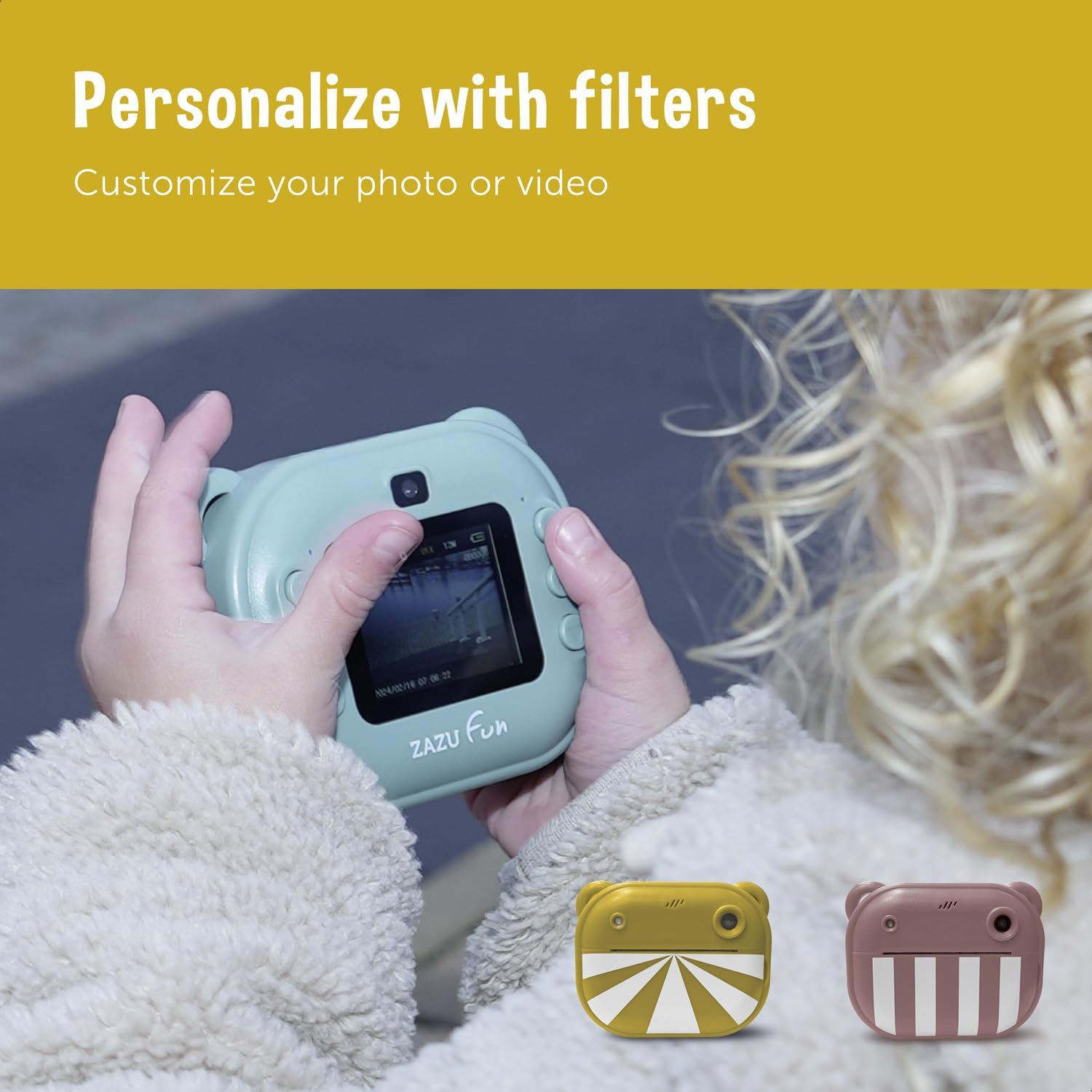
Image: A child interacting with the ZAZU Instant Digital Camera, demonstrating the use of creative filters on the screen.
6. Taking Selfies
The camera features a front-facing lens for easy selfies.
- Switch to the front-facing camera mode (usually an icon on the screen or a dedicated button).
- Hold the camera facing yourself and press the Shutter button.

Image: A child holding the ZAZU Instant Digital Camera to take a selfie, utilizing its front-facing camera feature.
7. Creative Activities with Prints
The black-and-white thermal prints can be colored and decorated.

ചിത്രം: ഉദാamples of thermal prints from the ZAZU Instant Digital Camera, colored and decorated with pencils, encouraging creative engagement.
മെയിൻ്റനൻസ്
1. ക്യാമറ വൃത്തിയാക്കൽ
- ക്യാമറ ബോഡി തുടയ്ക്കാൻ മൃദുവായതും ഉണങ്ങിയതുമായ ഒരു തുണി ഉപയോഗിക്കുക.
- For the lens and screen, use a specialized lens cleaning cloth. Avoid abrasive materials or harsh chemicals.
- ദ്വാരങ്ങളിലോ ദ്വാരങ്ങളിലോ ഈർപ്പം പ്രവേശിക്കുന്നില്ലെന്ന് ഉറപ്പാക്കുക.
2. Replacing Thermal Paper Rolls
When the paper roll is depleted, replace it with a new 5.7 cm wide thermal paper roll, following the instructions in the "Loading Thermal Print Paper" section.
3. ബാറ്ററി പരിചരണം
- Recharge the camera regularly to maintain battery health.
- ബാറ്ററി ഇടയ്ക്കിടെ പൂർണ്ണമായും കളയുന്നത് ഒഴിവാക്കുക.
- Store the camera in a cool, dry place when not in use for extended periods.
ട്രബിൾഷൂട്ടിംഗ്
| പ്രശ്നം | സാധ്യമായ കാരണം | പരിഹാരം |
|---|---|---|
| ക്യാമറ ഓണാകുന്നില്ല. | ബാറ്ററി തീർന്നു. | നൽകിയിരിക്കുന്ന USB കേബിൾ ഉപയോഗിച്ച് ക്യാമറ പൂർണ്ണമായും ചാർജ് ചെയ്യുക. |
| ഫോട്ടോകൾ/വീഡിയോകൾ എടുക്കാൻ കഴിയില്ല. | No TF card inserted or card is full/corrupted. | Insert a TF card, or check if the existing card has enough space. Format the card if corrupted (this will erase all data). |
| പ്രിന്റുകൾ ശൂന്യമോ മങ്ങിയതോ ആണ്. | Thermal paper loaded incorrectly or paper roll is empty. | Ensure the thermal paper is loaded with the correct side facing the print head. Replace the paper roll if empty. |
| ക്യാമറ മരവിക്കുന്നു അല്ലെങ്കിൽ പ്രതികരിക്കുന്നില്ല. | സോഫ്റ്റ്വെയർ തകരാറ് അല്ലെങ്കിൽ കുറഞ്ഞ ബാറ്ററി. | Press and hold the Power button for 10-15 seconds to force a restart. Ensure the battery is charged. |
| മോശം ഇമേജ് നിലവാരം. | Lens is dirty or insufficient lighting. | Clean the camera lens. Ensure adequate lighting when taking photos. |
സ്പെസിഫിക്കേഷനുകൾ
| ബ്രാൻഡ് | ZAZU |
| മോഡൽ | ZA-CAMERA |
| നിറം (നിലവിലെ വകഭേദം) | മഞ്ഞ |
| ഫലപ്രദമായ സ്റ്റിൽ റെസല്യൂഷൻ | 48 മെഗാപിക്സലുകൾ |
| വീഡിയോ റെസല്യൂഷൻ | 1080p ഫുൾ എച്ച്ഡി |
| സ്ക്രീൻ | 2-ഇഞ്ച് TFT കളർ സ്ക്രീൻ |
| ഒപ്റ്റിക്കൽ സൂം | 3x |
| കണക്റ്റിവിറ്റി ടെക്നോളജി | USB |
| ബാറ്ററി | 1200 mAh റീചാർജ് ചെയ്യാവുന്ന ബാറ്ററി |
| സംഭരണം | Supports up to 64GB TF (MicroSD) Card (not included) |
| പ്രിൻ്റിംഗ് ടെക്നോളജി | മഷിയില്ലാത്ത തെർമൽ പ്രിന്റിംഗ് |
| ഉൽപ്പന്ന അളവുകൾ | ഏകദേശം 13 x 9 x 4 സെ.മീ |
| ഉൽപ്പന്ന ഭാരം | 230 ഗ്രാം |
| മോഡൽ വർഷം | 2024 |
വാറൻ്റിയും പിന്തുണയും
വാറൻ്റി വിവരങ്ങൾ
Specific warranty details for the ZAZU Instant Digital Camera are typically provided with your purchase documentation or can be found on the official ZAZU webസൈറ്റ്. വാറന്റി ക്ലെയിമുകൾക്കായി നിങ്ങളുടെ വാങ്ങലിന്റെ തെളിവ് സൂക്ഷിക്കുക.
ഉപഭോക്തൃ പിന്തുണ
For further assistance, technical support, or inquiries regarding your ZAZU Instant Digital Camera, please visit the official ZAZU webസൈറ്റിൽ നൽകുകയോ അവരുടെ ഉപഭോക്തൃ സേവന വിഭാഗവുമായി ബന്ധപ്പെടുകയോ ചെയ്യുക. കോൺടാക്റ്റ് വിവരങ്ങൾ സാധാരണയായി ഉൽപ്പന്ന പാക്കേജിംഗിലോ നിർമ്മാതാവിന്റെയോ webസൈറ്റ്.


