ആമുഖം
The Trust IPCAM-3900 is an advanced outdoor WiFi surveillance camera designed to provide comprehensive security for your property. With its 360° pan and tilt capabilities, high-resolution 3MP video, and intelligent human detection, it offers reliable monitoring and minimizes false alarms. This manual provides detailed instructions for setting up, operating, and maintaining your camera.

ചിത്രം: മുൻഭാഗം view of the Trust IPCAM-3900 outdoor surveillance camera.
പാക്കേജ് ഉള്ളടക്കം
ആരംഭിക്കുന്നതിന് മുമ്പ്, പാക്കേജിൽ എല്ലാ ഇനങ്ങളും ഉണ്ടെന്ന് ഉറപ്പാക്കുക:
- Trust IPCAM-3900 Outdoor Camera
- 2 മീറ്റർ പവർ കേബിൾ
- Mounting Material (screws and wall plugs)
- പവർ അഡാപ്റ്റർ
- നിർദ്ദേശ മാനുവൽ (ഈ പ്രമാണം)

Image: The retail box of the Trust IPCAM-3900, indicating included components.
സജ്ജമാക്കുക
1. ഫിസിക്കൽ ഇൻസ്റ്റലേഷൻ
The IPCAM-3900 is designed for outdoor use and can be wall-mounted. Choose a location that provides optimal viewing coverage and is within range of your WiFi network and a power outlet. The camera has an IP65 rating, making it resistant to dust and water splashes.
- Mark the drilling points on the wall using the camera's mounting bracket as a template.
- ദ്വാരങ്ങൾ തുരന്ന് വാൾ പ്ലഗുകൾ ഇടുക.
- നൽകിയിരിക്കുന്ന സ്ക്രൂകൾ ഉപയോഗിച്ച് മതിലിലേക്ക് മൗണ്ടിംഗ് ബ്രാക്കറ്റ് സുരക്ഷിതമാക്കുക.
- ക്യാമറ മൌണ്ട് ചെയ്ത ബ്രാക്കറ്റിൽ സുരക്ഷിതമായി ഘടിപ്പിക്കുക.
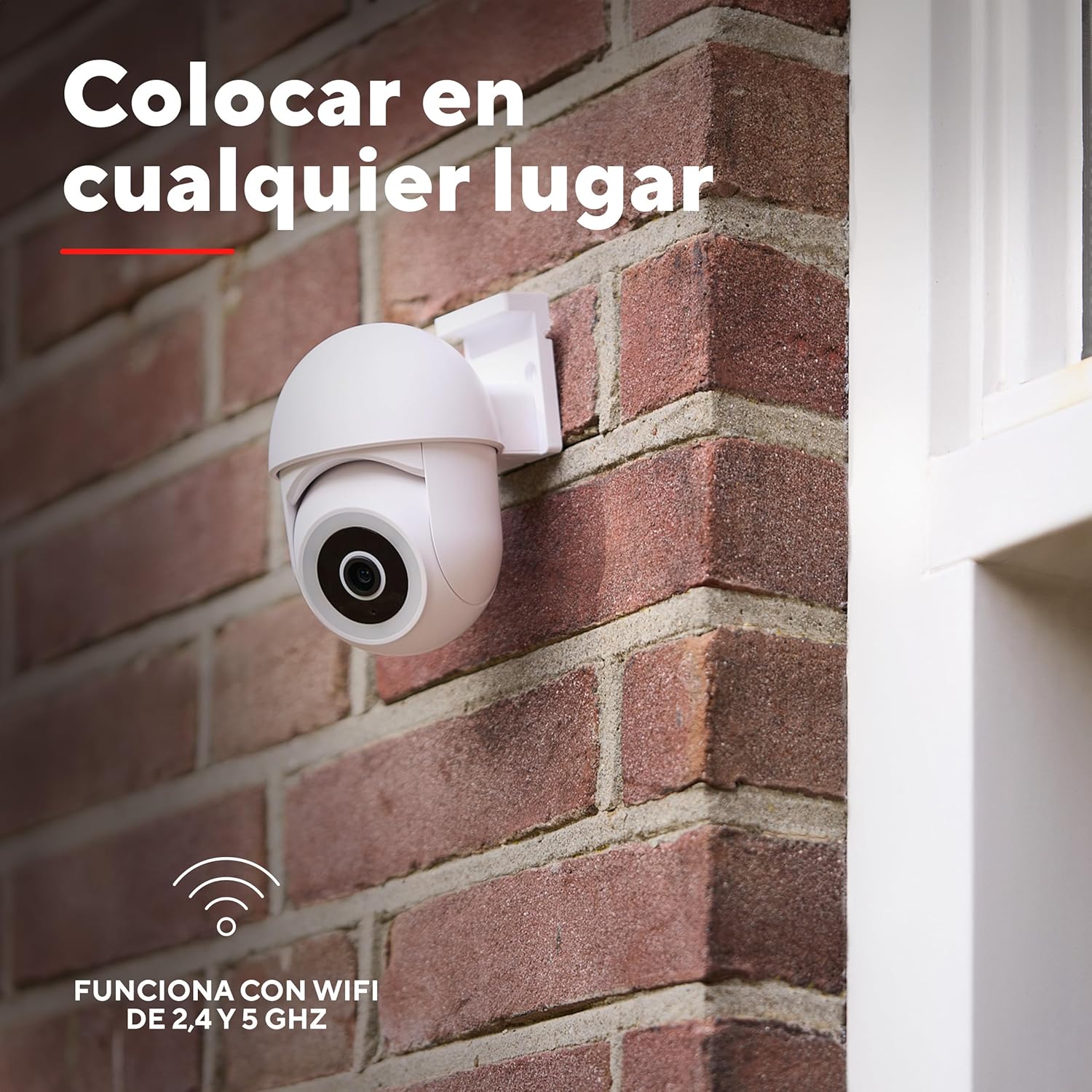
Image: The Trust IPCAM-3900 camera securely mounted on an exterior brick wall.
2. ആപ്പ് ഇൻസ്റ്റാളേഷൻ
To control and monitor your camera, download the free Trust Wifi app on your smartphone or tablet. The app is compatible with iOS 11+ and Android 6.0+ devices.
- ഉൽപ്പന്ന പാക്കേജിംഗിലെ QR കോഡ് സ്കാൻ ചെയ്യുക അല്ലെങ്കിൽ സന്ദർശിക്കുക trustsmartcloud2.com/download/trustwifi to download the Trust Wifi app.
- ആപ്പ് ഇൻസ്റ്റാൾ ചെയ്ത് അക്കൗണ്ട് ഇല്ലെങ്കിൽ ഒരു അക്കൗണ്ട് സൃഷ്ടിക്കുക.
3. നെറ്റ്വർക്ക് കണക്ഷൻ
The IPCAM-3900 supports both 2.4 GHz and 5 GHz WiFi networks for flexible connectivity.
- Plug in the camera using the provided power adapter.
- Open the Trust Wifi app and follow the on-screen instructions to add a new device.
- Select your WiFi network and enter the password when prompted.
- The app will guide you through the pairing process, which typically involves scanning a QR code displayed on your phone with the camera.
- കണക്റ്റ് ചെയ്തുകഴിഞ്ഞാൽ, ക്യാമറയുടെ സ്റ്റാറ്റസ് ഇൻഡിക്കേറ്റർ മാറും, ആപ്പിൽ നിങ്ങൾക്ക് ലൈവ് ഫീഡ് കാണാൻ കഴിയും.
പ്രവർത്തന നിർദ്ദേശങ്ങൾ
1. തത്സമയം View കൂടാതെ പാൻ/ടിൽറ്റ് നിയന്ത്രണം
Access the live video feed from your camera anytime, anywhere via the Trust Wifi app. The camera offers a 360° viewing angle through its motorized pan and tilt functions.
- Open the Trust Wifi app and select your IPCAM-3900 camera from the device list.
- Use the on-screen joystick or directional controls to pan (rotate horizontally) and tilt (rotate vertically) the camera lens to adjust your viewing ഏരിയ.

ചിത്രം: ഒരു വ്യക്തി viewing the live camera feed on their smartphone, demonstrating remote monitoring.
2. നൈറ്റ് വിഷൻ
The camera automatically activates night vision mode in low-light conditions, providing clear images up to 8 meters.
- Night vision is enabled by default and switches on automatically.
- You can adjust night vision settings (e.g., auto, on, off) within the app's camera settings.
3. Human Detection and Alerts
The IPCAM-3900 features intelligent human detection to distinguish people from other moving objects like pets or swaying branches, significantly reducing false alarms.
- Enable motion detection and human detection in the app settings.
- Configure alert zones and sensitivity levels to suit your environment.
- Receive instant push notifications on your smartphone when human motion is detected.

Image: Visual representation of the camera's human detection capability, showing it distinguishes people from other movements.
4. Built-in Light, Siren, and Two-Way Audio
Enhance your security with the camera's integrated light, siren, and two-way audio features.
- വെളിച്ചം: The built-in floodlight can be activated manually via the app or set to trigger upon motion detection to deter intruders.
- സൈറൺ: Activate the siren remotely from the app to scare off unwanted visitors.
- ടു-വേ ഓഡിയോ: Use the integrated microphone and speaker to communicate with visitors or deter suspicious activity directly through the app.
5. റെക്കോർഡിംഗും സംഭരണവും
The camera supports local storage of recordings on a Micro-SD card (not included).
- Insert a Micro-SD card (up to 256 GB) into the designated slot on the camera.
- Configure recording settings (e.g., continuous recording, event-triggered recording) within the Trust Wifi app.
- Review രേഖപ്പെടുത്തി footage directly from the app's playback feature.
മെയിൻ്റനൻസ്
To ensure optimal performance and longevity of your Trust IPCAM-3900 camera, follow these maintenance guidelines:
- വൃത്തിയാക്കൽ: ഇടയ്ക്കിടെ ക്യാമറ ലെൻസും ബോഡിയും മൃദുവായ, ഡി ക്ലീനർ ഉപയോഗിച്ച് തുടയ്ക്കുക.amp പൊടിയും അഴുക്കും നീക്കം ചെയ്യാൻ തുണി ഉപയോഗിക്കുക. കഠിനമായ രാസവസ്തുക്കളോ അഗ്രസീവ് ക്ലീനറുകളോ ഉപയോഗിക്കരുത്.
- ഫേംവെയർ അപ്ഡേറ്റുകൾ: Check the Trust Wifi app regularly for firmware updates. Keeping your camera's firmware up-to-date ensures the latest features, security patches, and performance improvements.
- വൈദ്യുതി വിതരണം: Ensure the power cable and adapter are free from damage. Do not expose them to extreme weather conditions beyond their intended use.
- SD കാർഡ് മാനേജുമെന്റ്: If using a Micro-SD card for storage, periodically check its status in the app and consider formatting it every few months to maintain performance and prevent data corruption.
ട്രബിൾഷൂട്ടിംഗ്
If you encounter issues with your Trust IPCAM-3900, refer to the following common troubleshooting steps:
| പ്രശ്നം | സാധ്യമായ കാരണം / പരിഹാരം |
|---|---|
| Camera not connecting to WiFi |
|
| പതിവ് തെറ്റായ അലാറങ്ങൾ |
|
| മോശം ചിത്ര നിലവാരം |
|
| കഴിയില്ല view രേഖപ്പെടുത്തി footage |
|
| Siren is not loud enough |
|
സ്പെസിഫിക്കേഷനുകൾ
Key technical specifications for the Trust IPCAM-3900:
| ഫീച്ചർ | വിശദാംശങ്ങൾ |
|---|---|
| മോഡലിൻ്റെ പേര് | ഐപിസിഎഎം-3900 |
| വീഡിയോ ക്യാപ്ചർ റെസല്യൂഷൻ | 3എംപി |
| നിറം | വെള്ള |
| വയർലെസ് കമ്മ്യൂണിക്കേഷൻ ടെക്നോളജി | വൈഫൈ (2.4 GHz & 5 GHz) |
| നൈറ്റ് വിഷൻ റേഞ്ച് | 8 മീറ്റർ |
| ഫ്രെയിം റേറ്റ് | സെക്കൻഡിൽ 20 ഫ്രെയിമുകൾ |
| ഉൽപ്പന്ന അളവുകൾ (L x W x H) | 11.8 x 8.1 x 9.9 സെ.മീ |
| ഭാരം | 284 ഗ്രാം |
| പ്രത്യേക സവിശേഷതകൾ | Built-in light, microphone, and siren; 360° view; Night vision; 3MP high image quality; Human detection; 2.4 & 5 GHz connectivity |
| ശുപാർശ ചെയ്യുന്ന ഉപയോഗങ്ങൾ | Outdoor Security, Pet Monitoring |
| അനുയോജ്യമായ ഉപകരണങ്ങൾ | 2.4 or 5GHz Wi-Fi network, iOS 11+, Tablet, Smartphone, Android 6.0+ |
| പവർ ഉറവിടം | ഇലക്ട്രിക് കേബിൾ |
| മൗണ്ടിംഗ് തരം | മതിൽ മൗണ്ട് |
| ഇൻഗ്രെസ്സ് പ്രൊട്ടക്ഷൻ (IP) റേറ്റിംഗ് | IP65 (വെള്ളത്തിനും പൊടിക്കും പ്രതിരോധം) |
വാറൻ്റിയും പിന്തുണയും
Trust products are manufactured to the highest quality standards. For information regarding warranty, technical support, or service, please refer to the official Trust webസൈറ്റിൽ ബന്ധപ്പെടുകയോ അവരുടെ ഉപഭോക്തൃ പിന്തുണയുമായി നേരിട്ട് ബന്ധപ്പെടുകയോ ചെയ്യുക. വാറന്റി ക്ലെയിമുകൾക്കുള്ള വാങ്ങലിന്റെ തെളിവായി നിങ്ങളുടെ വാങ്ങൽ രസീത് സൂക്ഷിക്കുക.
കൂടുതൽ സഹായത്തിന്, സന്ദർശിക്കുക Trust Support Page.


