1. ആമുഖം
Thank you for choosing the AYANEO AM01 Retro Mini PC. This manual provides essential information for setting up, operating, maintaining, and troubleshooting your device. Please read this manual thoroughly before use to ensure optimal performance and longevity of your Mini PC.
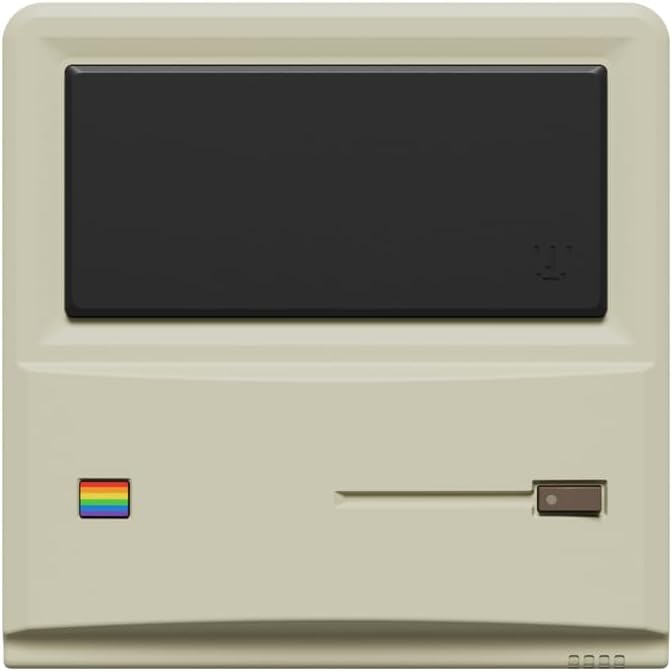
ചിത്രം 1: മുൻഭാഗം view of the AYANEO AM01 Retro Mini PC.
2 സുരക്ഷാ വിവരങ്ങൾ
To prevent damage to the device or injury to yourself and others, please observe the following safety precautions:
- ഉപകരണം വെള്ളം, ഈർപ്പം അല്ലെങ്കിൽ തീവ്രമായ താപനില എന്നിവയിൽ തുറന്നുകാട്ടരുത്.
- താപ സ്രോതസ്സുകൾക്ക് സമീപം അല്ലെങ്കിൽ നേരിട്ട് സൂര്യപ്രകാശത്തിൽ ഉപകരണം സ്ഥാപിക്കുന്നത് ഒഴിവാക്കുക.
- നൽകിയിരിക്കുന്ന പവർ അഡാപ്റ്റർ മാത്രം ഉപയോഗിക്കുക.
- ഉപകരണം സ്വയം തുറക്കാനോ നന്നാക്കാനോ ശ്രമിക്കരുത്. യോഗ്യതയുള്ള സേവന ഉദ്യോഗസ്ഥരെ ബന്ധപ്പെടുക.
- അമിതമായി ചൂടാക്കുന്നത് തടയാൻ ഉപകരണത്തിന് ചുറ്റും ശരിയായ വായുസഞ്ചാരം ഉറപ്പാക്കുക.
3. പാക്കേജ് ഉള്ളടക്കം
പാക്കേജിൽ എല്ലാ ഇനങ്ങളും ഉണ്ടെന്ന് ഉറപ്പാക്കുക:
- 1 x AYANEO AM01 Mini PC
- 1 x പവർ അഡാപ്റ്റർ
- 1 x 2.5-inch hard drive bracket with Screws
- 1 x HDMI കേബിൾ
- 1 x 2.5-inch hard SATA cable
- 2 x ഉപയോക്തൃ മാനുവൽ
4. ഉൽപ്പന്നം കഴിഞ്ഞുview
The AYANEO AM01 Mini PC features a compact design with various ports for connectivity.
4.1 ഫ്രണ്ട് പാനൽ
The front panel includes decorative elements and a power indicator.

Figure 2: Close-up of the AM01 front panel, highlighting the retro design and decorative elements. The virtual screen is for decoration only.
4.2 പിൻ, വശ പാനലുകൾ
The rear and side panels house the primary connectivity ports and ventilation.
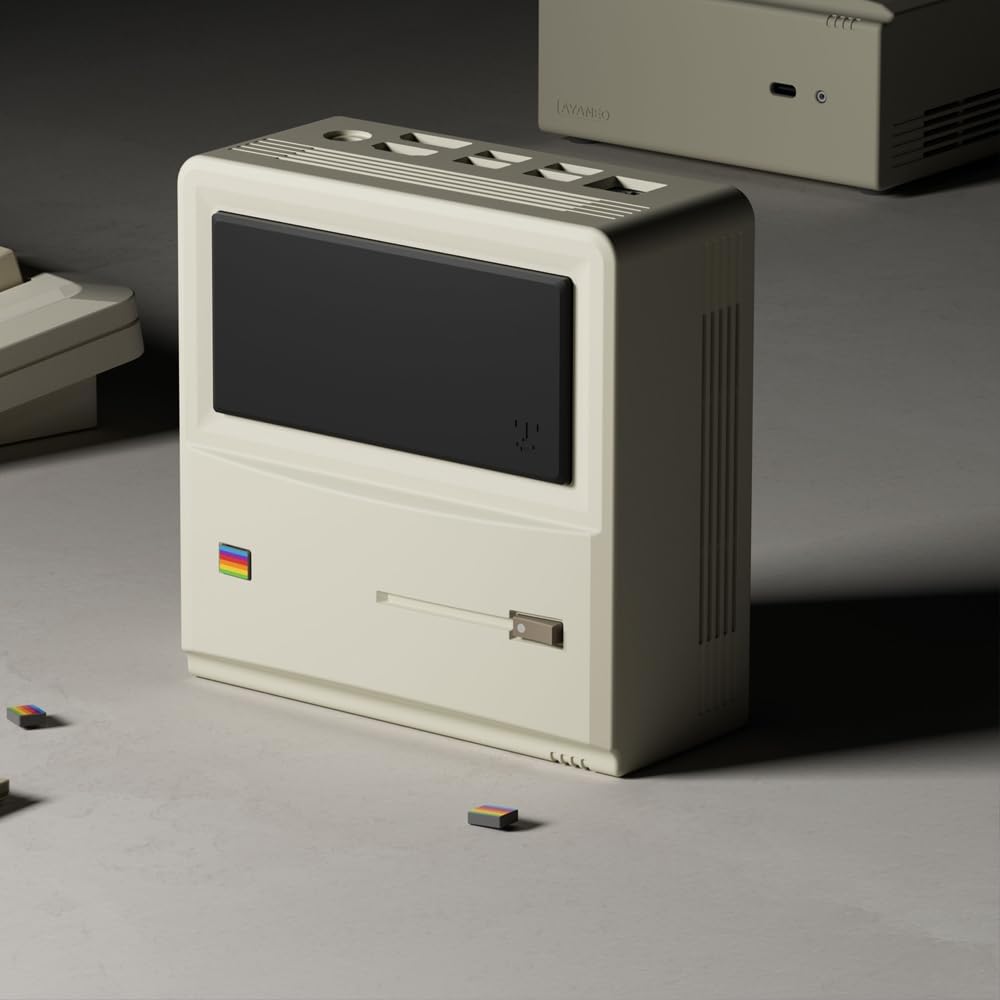
ചിത്രം 3: പിൻഭാഗവും വശവും view of the AM01, illustrating the various input/output ports and ventilation grilles.
Key ports include:
- USB 3.2 Gen 2 പോർട്ടുകൾ
- HDMI 2.0 പോർട്ട്
- ഡിസ്പ്ലേ പോർട്ട് 1.4
- ഗിഗാബൈറ്റ് ഇഥർനെറ്റ് പോർട്ട്
- 3.5 എംഎം ഓഡിയോ ജാക്ക്
- പവർ ഇൻപുട്ട്
5. സജ്ജീകരണം
5.1 പെരിഫറലുകൾ ബന്ധിപ്പിക്കുന്നു
- Connect your monitor(s) to the HDMI and/or DisplayPort outputs.
- ലഭ്യമായ യുഎസ്ബി പോർട്ടുകളിലേക്ക് നിങ്ങളുടെ കീബോർഡും മൗസും ബന്ധിപ്പിക്കുക.
- If using a wired network, connect an Ethernet cable to the Gigabit Ethernet port.
5.2 പവർ ചെയ്യുന്നു
- Connect the power adapter to the Mini PC's power input and then to a power outlet.
- Press the power button located on the device. The power indicator will illuminate.
5.3 പ്രാരംഭ വിൻഡോസ് 11 സജ്ജീകരണം
Upon first boot, you will be guided through the Windows 11 Home setup process. Follow the on-screen instructions to configure your language, region, network, and user account.
5.4 നെറ്റ്വർക്ക് കണക്റ്റിവിറ്റി
- വൈഫൈ: During Windows setup or via Windows Settings, select your Wi-Fi network and enter the password. The AM01 supports Wi-Fi 6.
- ഇഥർനെറ്റ്: If an Ethernet cable is connected, the system will automatically detect and connect to the wired network.
6. പ്രവർത്തന നിർദ്ദേശങ്ങൾ
6.1 അടിസ്ഥാന ഉപയോഗം
The AYANEO AM01 runs on Windows 11 Home, providing a familiar desktop environment. You can install applications, browse the web, and perform various computing tasks.

Figure 4: The AM01 Mini PC integrated into an office workspace, demonstrating its use for productivity tasks.
6.2 AYASpace Software
The AM01 is compatible with AYASpace, a Windows management software developed by AYANEO. This software offers features such as game library management, real-time performance monitoring (FPS Thunder), and fan control strategies.

ചിത്രം 5: ഓവർview of the AYASpace software interface, showing features like game library search, FPS monitoring, and fan scheduling.
For barebone versions, AYASpace can be downloaded and installed from the AYANEO website after Windows installation.
6.3 Storage and Memory Expansion
The AM01 offers flexibility for upgrades:
- റാം: Dual DDR4 memory slots support up to 64GB RAM.
- സംഭരണം: Includes a 512GB PCIe 3.0 SSD and a 2.5-inch SATA 3.0 slot for additional SSDs or HDDs.
Consult a qualified technician for hardware upgrades to avoid voiding your warranty or damaging the device.
7. പരിപാലനം
7.1 വൃത്തിയാക്കൽ
- Use a soft, dry cloth to clean the exterior of the Mini PC.
- For dust accumulation in vents, use compressed air. Ensure the device is powered off before cleaning.
- ലിക്വിഡ് ക്ലീനറുകളോ ഉരച്ചിലുകളുള്ള വസ്തുക്കളോ ഉപയോഗിക്കരുത്.
7.2 സോഫ്റ്റ്വെയർ അപ്ഡേറ്റുകൾ
Regularly update your Windows operating system and device drivers to ensure optimal performance and security. Windows Update can be accessed via the Settings menu.
7.3 കൂളിംഗ് സിസ്റ്റം
The AM01 features a 35W high-pressure turbo fan and a four-copper-pipe cooling module for efficient heat dissipation. Ensure that the ventilation grilles are not obstructed to maintain proper airflow.

ചിത്രം 6: ആന്തരിക view illustrating the AM01's cooling system components, including the fan and copper pipes.
8. പ്രശ്നപരിഹാരം
If you encounter issues with your AYANEO AM01, refer to the following common solutions:
- ശക്തിയില്ല: Ensure the power adapter is securely connected to both the Mini PC and a working power outlet. Try a different outlet.
- ഡിസ്പ്ലേ ഇല്ല: Verify that the monitor is powered on and correctly connected to the Mini PC via HDMI or DisplayPort. Try a different cable or monitor.
- ഇൻ്റർനെറ്റ് കണക്ഷൻ ഇല്ല: Check Wi-Fi settings or ensure the Ethernet cable is properly connected. Restart your router/modem.
- മന്ദഗതിയിലുള്ള പ്രകടനം: Close unnecessary applications. Check for background updates. Ensure adequate ventilation.
- സിസ്റ്റം ഫ്രീസുചെയ്യുന്നു: Press and hold the power button for 10 seconds to force a shutdown, then restart the device.
For persistent issues, contact AYANEO customer support or visit their official webകൂടുതൽ സഹായത്തിനുള്ള സൈറ്റ്.
9 സ്പെസിഫിക്കേഷനുകൾ
Detailed technical specifications for the AYANEO AM01 Mini PC:
| ഫീച്ചർ | സ്പെസിഫിക്കേഷൻ |
|---|---|
| മോഡൽ | AM01 |
| പ്രോസസ്സർ | AMD Ryzen 7 5825U |
| റാം | 32GB DDR4 (64GB വരെ വികസിപ്പിക്കാവുന്നതാണ്) |
| സംഭരണം | 512GB SSD (PCIe 3.0), 2.5-inch SATA 3.0 slot available |
| ഓപ്പറേറ്റിംഗ് സിസ്റ്റം | വിൻഡോസ് 11 ഹോം |
| ഗ്രാഫിക്സ് | സംയോജിത ഗ്രാഫിക്സ് |
| പരമാവധി സ്ക്രീൻ റെസല്യൂഷൻ | 3840x2160 (4K) |
| കണക്റ്റിവിറ്റി | Wi-Fi 6, Bluetooth 5.2, Gigabit Ethernet |
| തുറമുഖങ്ങൾ | USB 3.2 Gen 2 (x3), USB 2.0 (x1), HDMI 2.0 (x1), DisplayPort 1.4 (x1), 3.5mm Audio Jack (x1) |
| അളവുകൾ | 132 × 132 × 60.5mm (approx.) |
| ഇനത്തിൻ്റെ ഭാരം | 1.1 പൗണ്ട് (ഏകദേശം) |
10. വാറൻ്റിയും പിന്തുണയും
The AYANEO AM01 Retro Mini PC comes with a manufacturer's warranty. Please refer to the warranty card included in your package or visit the official AYANEO webവിശദമായ വാറന്റി നിബന്ധനകൾക്കും വ്യവസ്ഥകൾക്കും സൈറ്റ്.
For technical support, product inquiries, or service requests, please contact AYANEO customer support through their official channels. Keep your purchase receipt and product serial number handy when contacting support.


