1. ഉൽപ്പന്നം കഴിഞ്ഞുview
The FIREBAT AM02 Mini PC is a compact and powerful computing solution designed for various applications, including home, business, education, and light gaming. Featuring the Intel 12th Gen Alder Lake-N N100 processor, 16GB LPDDR5 RAM, and a 512GB M.2 SSD, it offers efficient performance in a small form factor. This manual provides essential information for setting up, operating, maintaining, and troubleshooting your device.

Image: The FIREBAT AM02 Mini PC, showcasing its compact design and various input/output ports on the front and rear panels.
പ്രധാന സവിശേഷതകൾ:
- പ്രോസസ്സർ: Intel 12th Gen Alder Lake-N N100 (4 cores/4 threads, up to 3.4GHz).
- ഗ്രാഫിക്സ്: Intel UHD Graphics (up to 750MHz) with 4K video support.
- മെമ്മറി: 16GB LPDDR5 4000MHz SODIMM RAM.
- സംഭരണം: 512GB M.2 SSD, expandable up to 2TB (via SSD replacement) or additional 2.5-inch HDD/SSD.
- കണക്റ്റിവിറ്റി: Dual 2.5Gbps and 1Gbps Ethernet ports, WiFi 6, Bluetooth 5.2.
- ഡിസ്പ്ലേ ഔട്ട്പുട്ട്: 1x DP 1.4, 1x HDMI 2.0, 1x Type-C for triple 4K display support.
- തുറമുഖങ്ങൾ: 4x USB 3.2, 2x RJ45, 1x Type-C, 1x DP 1.4, 1x HDMI 2.0, 1x 3.5mm audio jack.
2. സജ്ജീകരണ ഗൈഡ്
Follow these steps to set up your FIREBAT AM02 Mini PC for the first time.
2.1 അൺബോക്സിംഗും പ്രാരംഭ പരിശോധനയും
Carefully remove all components from the packaging. Verify that all items listed in the package list are present and undamaged.

Image: Contents of the FIREBAT AM02 Mini PC package, including the Mini PC, VESA mount, 12V/3A US adapter, HDMI cable, and user manual.
2.2 പെരിഫറലുകൾ ബന്ധിപ്പിക്കുന്നു
- ഡിസ്പ്ലേ ബന്ധിപ്പിക്കുക: Use the provided HDMI cable or a DisplayPort cable to connect your monitor(s) to the HDMI 2.0, DP 1.4, or USB-C ports on the Mini PC. The device supports up to three 4K displays simultaneously.
- കീബോർഡും മൗസും ബന്ധിപ്പിക്കുക: Plug your USB keyboard and mouse into any of the available USB 3.2 Type-A ports.
- നെറ്റ്വർക്ക് ബന്ധിപ്പിക്കുക (ഓപ്ഷണൽ): For a wired connection, connect an Ethernet cable from your router or modem to one of the RJ45 LAN ports (2.5Gbps or 1Gbps). For wireless, ensure WiFi is enabled after booting.
- പവർ ബന്ധിപ്പിക്കുക: Plug the 12V/3A US adapter into the DC IN port on the Mini PC, then plug the adapter into a power outlet.

ചിത്രം: വിശദമായ ഒരു ചിത്രം view of the FIREBAT AM02 Mini PC's ports, including DC IN, dual RJ45 LAN, HDMI, DisplayPort, USB 3.2 Type-A, USB Type-C, and 3.5mm audio jack.
2.3 ആദ്യ ബൂട്ട്
Press the power button located on the front of the Mini PC. The system will boot up. Follow the on-screen instructions to complete the initial setup of the operating system (default OS is pre-installed).
2.4 VESA മൗണ്ട് ഇൻസ്റ്റലേഷൻ (ഓപ്ഷണൽ)
The Mini PC comes with a VESA mount for attaching it to the back of a compatible monitor or TV. Secure the VESA mount to your display using the provided screws, then slide the Mini PC onto the mount until it clicks into place.

Image: The FIREBAT AM02 Mini PC shown mounted on the back of a monitor using the VESA mount, illustrating its compact and space-saving design.
3. പ്രവർത്തന നിർദ്ദേശങ്ങൾ
3.1 പവർ ഓൺ/ഓഫ്
- പവർ ഓൺ: മുൻ പാനലിലെ പവർ ബട്ടൺ അമർത്തുക.
- പവർ ഓഫ്: Use the operating system's shutdown function. Alternatively, press and hold the power button for 5 seconds for a forced shutdown (only use if the system is unresponsive).
3.2 നെറ്റ്വർക്ക് കണക്റ്റിവിറ്റി
- വയർഡ് കണക്ഷൻ: Connect an Ethernet cable to one of the RJ45 ports. The system will automatically detect the connection.
- Wireless Connection (WiFi 6): Navigate to your operating system's network settings, select your desired WiFi network, and enter the password.
- ബ്ലൂടൂത്ത് (BT 5.2): Enable Bluetooth in your operating system's settings to pair with compatible devices such as keyboards, mice, or headphones.
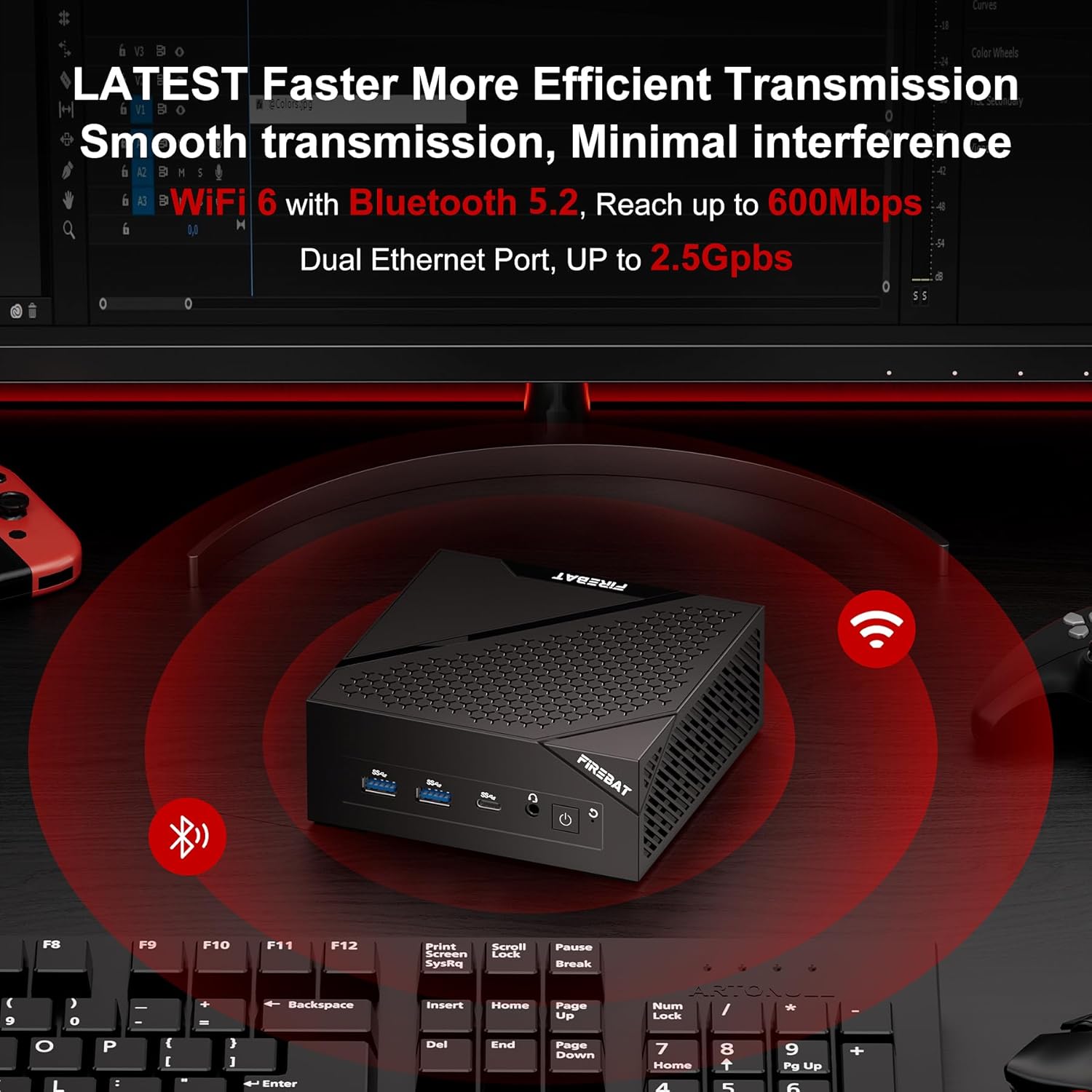
Image: The FIREBAT AM02 Mini PC on a desk with WiFi and Bluetooth symbols radiating from it, indicating its wireless capabilities and dual Ethernet ports.
3.3 സംഭരണ വികസനം
The FIREBAT AM02 Mini PC supports storage expansion. You can replace the existing 512GB M.2 SSD with a larger one (up to 2TB) or add a 2.5-inch 7mm HDD/M.2 SSD 2280 (not included) for additional storage. Refer to the internal layout for drive bay locations.

ചിത്രം: ഒരു ആന്തരികം view of the FIREBAT AM02 Mini PC, highlighting the 16GB LPDDR5 RAM and 512GB M.2 2280 NGFF/NVMe SSD, with an indication of expandability up to 2TB or by adding a 2.5" SSD/HDD.
4. പരിപാലനം
Proper maintenance ensures the longevity and optimal performance of your Mini PC.
4.1 പൊതു പരിചരണം
- ഉപകരണം വൃത്തിയുള്ളതും വരണ്ടതുമായ അന്തരീക്ഷത്തിൽ സൂക്ഷിക്കുക, നേരിട്ടുള്ള സൂര്യപ്രകാശത്തിൽ നിന്നും തീവ്രമായ താപനിലയിൽ നിന്നും അകറ്റി നിർത്തുക.
- Avoid placing heavy objects on top of the Mini PC.
- വെൻ്റിലേഷൻ ഓപ്പണിംഗുകൾ തടയരുത്.
- മൃദുവായതും ഉണങ്ങിയതുമായ തുണി ഉപയോഗിച്ച് പുറംഭാഗം വൃത്തിയാക്കുക. ലിക്വിഡ് ക്ലീനറുകൾ ഉപയോഗിക്കരുത്.
4.2 താപ വിസർജ്ജനം
The FIREBAT AM02 Mini PC features an ultra-fast heat dissipation design to maintain low temperatures and quiet operation. Ensure adequate airflow around the device to prevent overheating.

Image: An illustration of the FIREBAT AM02 Mini PC's ultra-fast heat dissipation design, showing airflow and indicating low temperature and low noise operation (38dB).
5. പ്രശ്നപരിഹാരം
This section addresses common issues you might encounter with your Mini PC.
5.1 വൈദ്യുതിയില്ല
- പവർ അഡാപ്റ്റർ മിനി പിസിയിലേക്കും പ്രവർത്തിക്കുന്ന ഒരു പവർ ഔട്ട്ലെറ്റിലേക്കും സുരക്ഷിതമായി ബന്ധിപ്പിച്ചിട്ടുണ്ടെന്ന് ഉറപ്പാക്കുക.
- മറ്റൊരു ഉപകരണം പ്ലഗ് ഇൻ ചെയ്ത് പവർ ഔട്ട്ലെറ്റ് പ്രവർത്തനക്ഷമമാണെന്ന് ഉറപ്പാക്കുക.
- പവർ അഡാപ്റ്ററിൽ എന്തെങ്കിലും ദൃശ്യമായ കേടുപാടുകൾ ഉണ്ടോ എന്ന് പരിശോധിക്കുക.
5.2 ഡിസ്പ്ലേ ഔട്ട്പുട്ട് ഇല്ല
- Confirm that the display cable (HDMI, DP, or USB-C) is securely connected to both the Mini PC and the monitor.
- മോണിറ്റർ ഓണാക്കിയിട്ടുണ്ടെന്നും ശരിയായ ഇൻപുട്ട് ഉറവിടത്തിലേക്ക് സജ്ജീകരിച്ചിട്ടുണ്ടെന്നും ഉറപ്പാക്കുക.
- ലഭ്യമെങ്കിൽ മറ്റൊരു ഡിസ്പ്ലേ കേബിളോ മോണിറ്ററോ പരീക്ഷിച്ചുനോക്കൂ.
5.3 നെറ്റ്വർക്ക് കണക്റ്റിവിറ്റി പ്രശ്നങ്ങൾ
- വയർ: Check the Ethernet cable connection and ensure your router/modem is working correctly.
- വയർലെസ്: Verify that WiFi is enabled in the operating system. Restart your router/modem. Ensure you are within range of your WiFi network.
5.4 സിസ്റ്റം പ്രകടന പ്രശ്നങ്ങൾ
- പശ്ചാത്തലത്തിൽ പ്രവർത്തിക്കുന്ന അനാവശ്യ ആപ്ലിക്കേഷനുകൾ അടയ്ക്കുക.
- മിനി പിസിക്ക് ആവശ്യത്തിന് വായുസഞ്ചാരം ലഭിക്കുന്നുണ്ടെന്നും അമിതമായി ചൂടാകുന്നില്ലെന്നും ഉറപ്പാക്കുക.
- Check for available operating system updates and driver updates.
If you continue to experience issues, please refer to the Warranty & Support section for contact information.
6 സാങ്കേതിക സവിശേഷതകൾ
| ഫീച്ചർ | സ്പെസിഫിക്കേഷൻ |
|---|---|
| ബ്രാൻഡ് | ഫയർബാറ്റ് |
| മോഡൽ നമ്പർ | AM02 |
| പ്രോസസ്സർ | Intel 12th Gen Alder Lake-N N100 (4 Cores/4 Threads, up to 3.4 GHz) |
| റാം | 16 GB LPDDR5 4000MHz SODIMM |
| ഹാർഡ് ഡ്രൈവ് | 512 GB M.2 SSD (eSATA interface) |
| പരമാവധി സ്ക്രീൻ റെസല്യൂഷൻ | 4096 x 2160@60Hz Pixels |
| ഗ്രാഫിക്സ് | ഇന്റൽ UHD ഗ്രാഫിക്സ് (750MHz വരെ) |
| വയർലെസ് തരം | 802.11ax (WiFi 6), Bluetooth 5.2 |
| USB പോർട്ടുകൾ | 4x USB 3.0 Ports (Type-A), 1x USB Type-C |
| ലാൻ പോർട്ടുകൾ | 2x RJ45 (1x 2.5Gbps, 1x 1Gbps) |
| വീഡിയോ ഔട്ട്പുട്ട് | 1x HDMI 2.0, 1x DP 1.4, 1x Type-C (supports triple display) |
| ഓഡിയോ ഔട്ട്പുട്ട് | 1x 3.5mm ഓഡിയോ ജാക്ക് |
| ഓപ്പറേറ്റിംഗ് സിസ്റ്റം | Default (User-installable) |
| ഇനത്തിൻ്റെ ഭാരം | 13.9 ഔൺസ് (ഏകദേശം 394 ഗ്രാം) |
| ഉൽപ്പന്ന അളവുകൾ | 5 x 5 x 2 ഇഞ്ച് (ഏകദേശം 12.7 x 12.7 x 5.1 സെ.മീ) |
| നിറം | കറുപ്പ് |
7. വാറണ്ടിയും പിന്തുണയും
FIREBAT is committed to providing quality products and excellent customer service. For any technical assistance, warranty claims, or product inquiries, please contact our support team.
ഇമെയിൽ പിന്തുണ: support@firebatpc.com
Please include your model number (AM02) and a detailed description of your issue when contacting support to ensure a prompt and effective resolution.


