ആമുഖം
The Shark TurboBlade Fan is a bladeless tower fan designed for ultra-customizable air circulation. It features 180° oscillation, pivoting and twisting capabilities, and 10 noise levels with 10 speeds. Its design incorporates DustDefense technology for easy cleaning and optimized performance. This manual provides essential information for the safe and efficient operation of your TurboBlade Fan.
പ്രധാനപ്പെട്ട സുരക്ഷാ വിവരങ്ങൾ
Please read all instructions carefully before using your Shark TurboBlade Fan. Failure to follow these instructions may result in electric shock, fire, or serious injury.
- വൃത്തിയാക്കുന്നതിനോ അറ്റകുറ്റപ്പണികൾ നടത്തുന്നതിനോ മുമ്പ് എല്ലായ്പ്പോഴും പവർ ഔട്ട്ലെറ്റിൽ നിന്ന് ഫാൻ അഴിക്കുക.
- കേടായ കോർഡ് അല്ലെങ്കിൽ പ്ലഗ് ഉപയോഗിച്ച് ഒരു ഫാനും പ്രവർത്തിപ്പിക്കരുത്. ഫാൻ നിരസിക്കുക അല്ലെങ്കിൽ പരിശോധനയ്ക്കും/അല്ലെങ്കിൽ നന്നാക്കുന്നതിനുമായി അംഗീകൃത സേവന സൗകര്യത്തിലേക്ക് മടങ്ങുക.
- പരവതാനിയുടെ കീഴിൽ ചരട് ഓടരുത്. ത്രോ റഗ്ഗുകൾ, റണ്ണറുകൾ അല്ലെങ്കിൽ സമാനമായ കവറുകൾ എന്നിവ ഉപയോഗിച്ച് ചരട് മൂടരുത്. ട്രാഫിക് ഏരിയയിൽ നിന്നും അത് മുകളിലേക്ക് കയറാത്ത ഇടങ്ങളിൽ നിന്നും ചരട് ക്രമീകരിക്കുക.
- വെന്റിലേഷനിലേക്കോ എക്സ്ഹോസ്റ്റ് ഓപ്പണിംഗിലേക്കോ വിദേശ വസ്തുക്കൾ കയറ്റുകയോ അകത്ത് കടക്കാൻ അനുവദിക്കുകയോ ചെയ്യരുത്, കാരണം ഇത് വൈദ്യുതാഘാതമോ തീപിടുത്തമോ ഉണ്ടാക്കാം, അല്ലെങ്കിൽ ഫാനിന് കേടുപാടുകൾ വരുത്താം.
- പുറത്ത് ഉപയോഗിക്കരുത്. ഈ ഫാൻ ഇൻഡോർ ഉപയോഗത്തിന് മാത്രമുള്ളതാണ്.
- വെറ്റ് അല്ലെങ്കിൽ ഡിയിൽ ഫാൻ ഉപയോഗിക്കരുത്amp കുളിമുറികൾ അല്ലെങ്കിൽ അലക്കു സ്ഥലങ്ങൾ പോലുള്ള സ്ഥലങ്ങൾ.
- കുട്ടികൾക്കും വളർത്തുമൃഗങ്ങൾക്കും എത്തിപ്പെടാതെ ഫാൻ സൂക്ഷിക്കുക.
എന്താണ് ഉൾപ്പെടുത്തിയിരിക്കുന്നത്
- Shark TurboBlade Fan (Model TF202SWH)
- റിമോട്ട് കൺട്രോൾ (2 AAA ബാറ്ററികൾ ആവശ്യമാണ്, ഉൾപ്പെടുത്തിയിരിക്കുന്നു)
സജ്ജമാക്കുക
The Shark TurboBlade Fan is designed for quick and easy assembly with minimal parts and no tools required.
- ഘടകങ്ങൾ അൺപാക്ക് ചെയ്യുക: പാക്കേജിംഗിൽ നിന്ന് എല്ലാ ഭാഗങ്ങളും ശ്രദ്ധാപൂർവ്വം നീക്കം ചെയ്യുക. "എന്താണ് ഉൾപ്പെടുത്തിയിരിക്കുന്നത്" എന്ന വിഭാഗത്തിൽ ലിസ്റ്റ് ചെയ്തിരിക്കുന്ന എല്ലാ ഘടകങ്ങളും ഉണ്ടെന്ന് ഉറപ്പാക്കുക.
- അടിസ്ഥാനം കൂട്ടിച്ചേർക്കുക: Connect the fan tower to the base. Align the components and twist or click into place as indicated by the markings.
- പൊസിഷൻ ഫാൻ: Place the assembled fan on a firm, level surface. Ensure there is adequate space around the fan for optimal airflow and oscillation.
- റിമോട്ട് ബാറ്ററികൾ ചേർക്കുക: Open the battery compartment on the remote control and insert the two AAA batteries, observing polarity.
- പവർ ബന്ധിപ്പിക്കുക: ഒരു സാധാരണ ഇലക്ട്രിക്കൽ ഔട്ട്ലെറ്റിലേക്ക് പവർ കോർഡ് പ്ലഗ് ചെയ്യുക.

Image: The Shark TurboBlade Fan configured in horizontal mode, demonstrating its ability to cool two distinct levels simultaneously. This setup is ideal for tiered coverage in rooms.
പ്രവർത്തന നിർദ്ദേശങ്ങൾ
Your Shark TurboBlade Fan offers versatile cooling options. Use the controls on the fan unit or the magnetic remote control to adjust settings.
പവർ ഓൺ/ഓഫ്
- Press the Power button on the fan unit or remote control to turn the fan on or off.
Speed and Noise Levels
- The fan features 10 speed settings, which correspond to 10 noise levels.
- Use the '+' and '-' buttons on the control panel or remote to increase or decrease the fan speed.
- Lower speeds (1-3) provide quiet, gentle cooling, while higher speeds (6-10) offer powerful airflow.
Pivoting and Twisting Airflow
The TurboBlade Fan allows for extensive customization of airflow direction.
- Vertical to Horizontal Pivot: The fan head can pivot from a vertical (Tower Mode) to a horizontal (Air Blanket Mode) orientation. Gently adjust the fan head to your desired angle.
- Twist Vents: The dual vents can be twisted independently to direct airflow in multiple directions, allowing for multi-zone cooling.
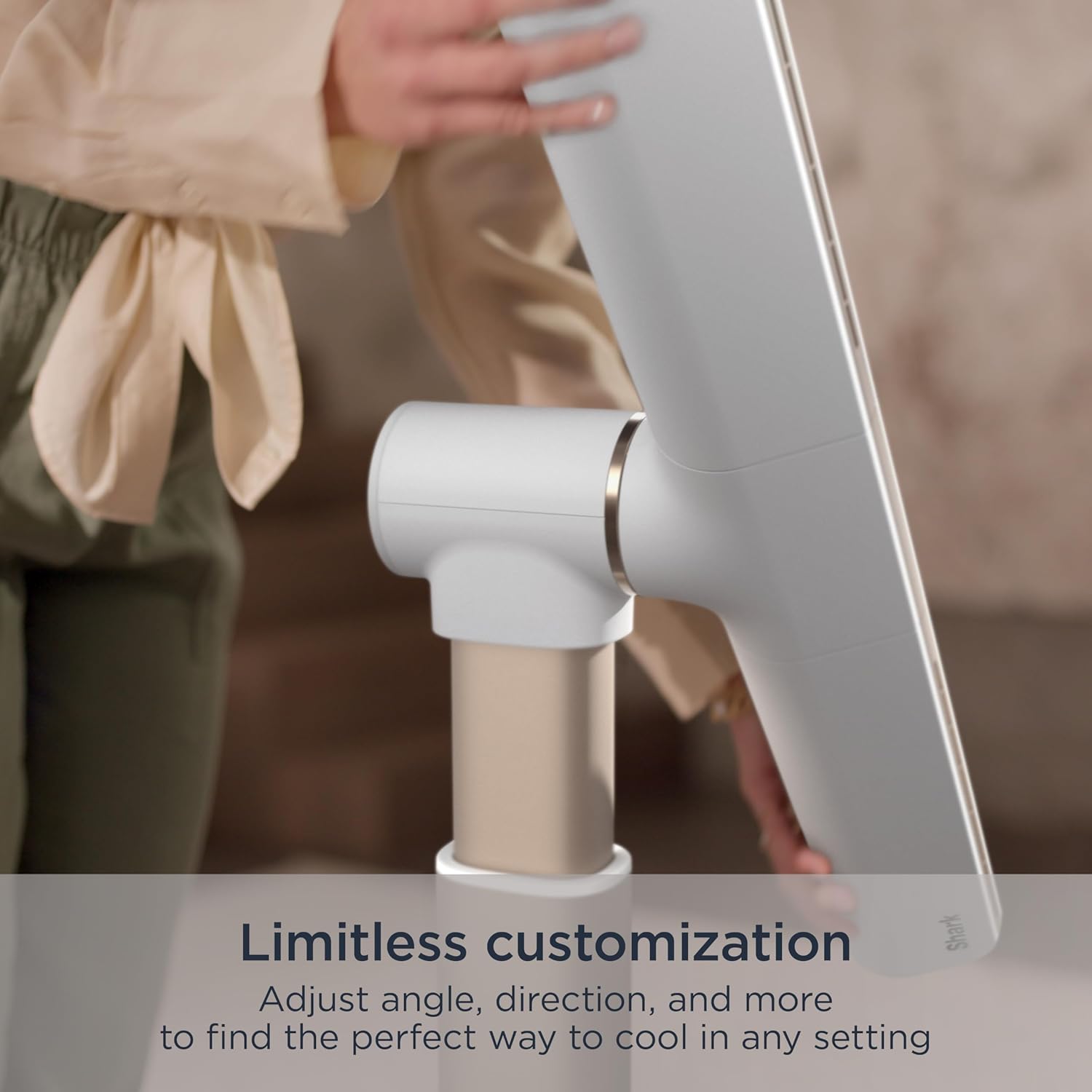
Image: A hand adjusting the fan head, illustrating the fan's limitless customization options for angle and direction.
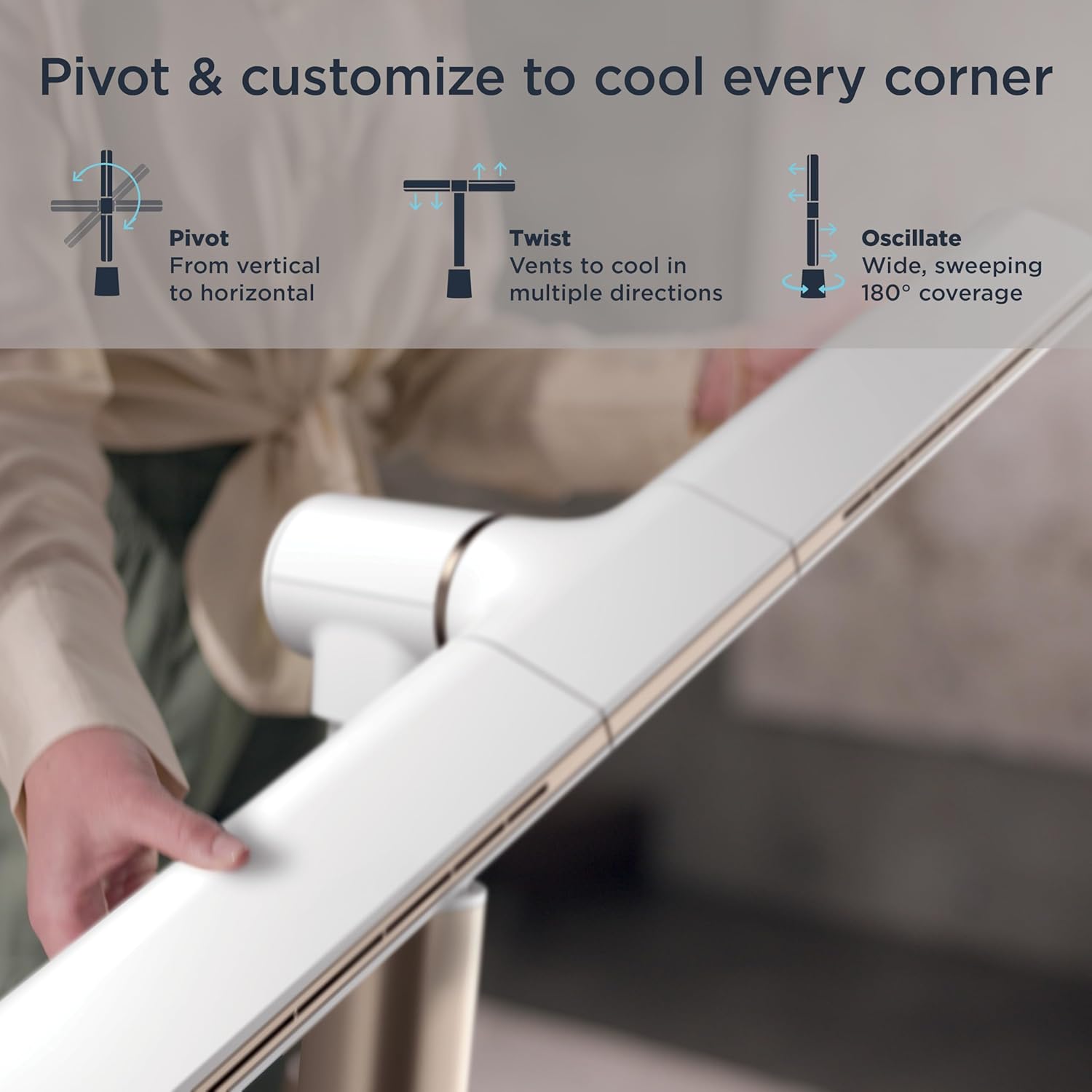
Image: Visual representation of the fan's pivot, twist, and oscillate capabilities, highlighting its ability to cool every corner.
ഓസിലേഷൻ
- Press the Oscillation button on the remote or fan unit to activate the 180° wide, sweeping oscillation feature.
- Press again to stop oscillation at the desired position.
മോഡുകൾ
- Air Blanket™ Mode: When the fan is in horizontal orientation, this mode provides widespread, soothing airflow, ideal for sleeping or covering a larger area.
- നാച്ചുറൽ ബ്രീസ് മോഡ്: This mode simulates natural wind by varying the fan speed, creating a gentle, fluctuating breeze indoors.
- Cool Tower Mode: When the fan is in vertical orientation, this mode provides powerful, sweeping coverage with a compact footprint.

Image: The fan operating in Air Blanket™ Mode, positioned horizontally to deliver widespread, soothing airflow in a bedroom setting.
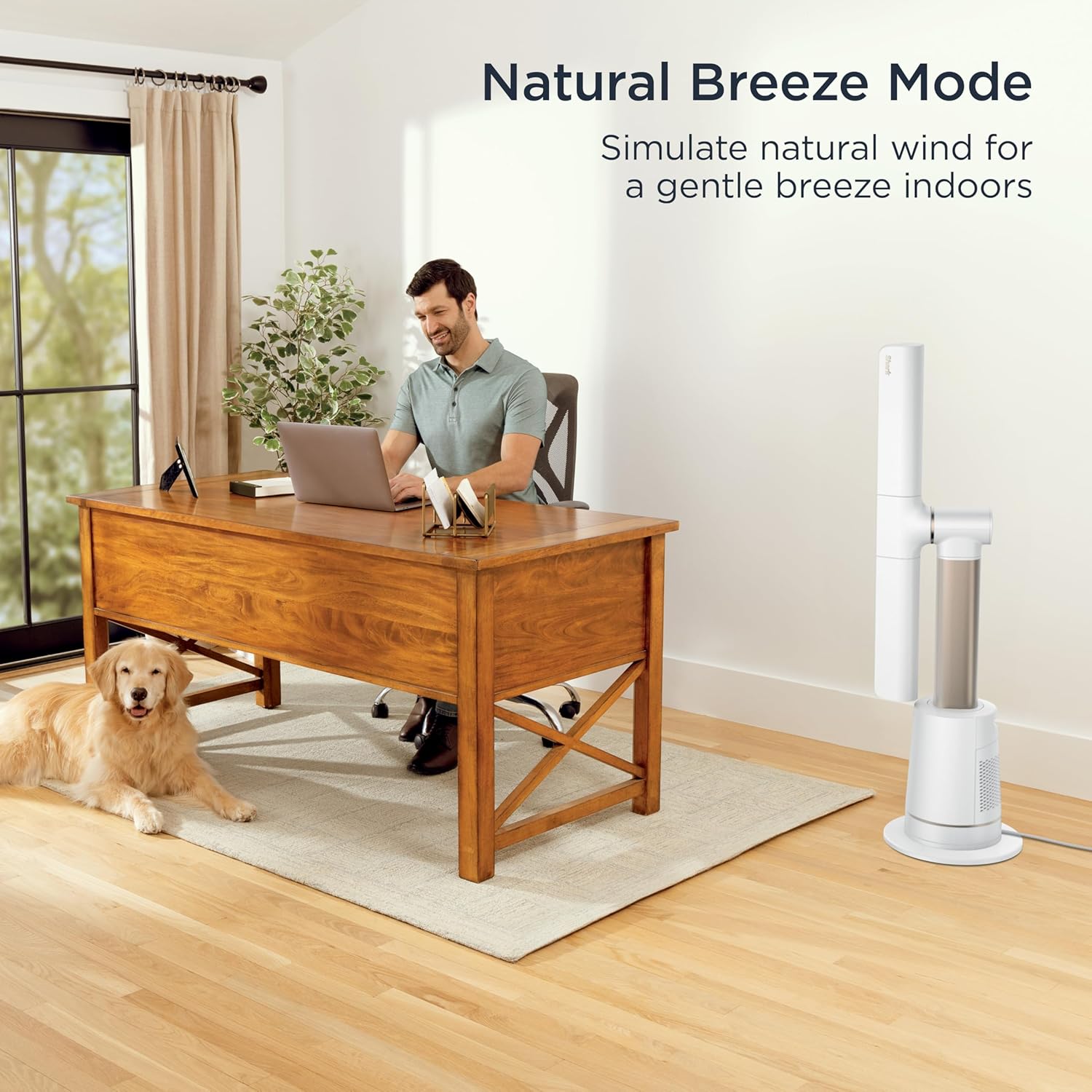
Image: The fan in Natural Breeze Mode, simulating a gentle, natural wind indoors, shown in a home office environment.

Image: The fan in Cool Tower Mode, standing vertically to provide powerful, sweeping coverage with a compact footprint.
റിമോട്ട് കൺട്രോൾ
- ഉൾപ്പെടുത്തിയിരിക്കുന്ന റിമോട്ട് കൺട്രോൾ ദൂരെ നിന്ന് സൗകര്യപ്രദമായ പ്രവർത്തനം അനുവദിക്കുന്നു.
- It features a magnetic parking spot on the fan for easy storage.

Image: A hand holding the remote control, demonstrating its use for controlling the fan from a distance. The remote can be magnetically attached to the fan for storage.
മെയിൻ്റനൻസ്
Regular maintenance ensures optimal performance and longevity of your Shark TurboBlade Fan.
പുറംഭാഗം വൃത്തിയാക്കൽ
- വൃത്തിയാക്കുന്നതിന് മുമ്പ് എല്ലായ്പ്പോഴും ഫാൻ അൺപ്ലഗ് ചെയ്യുക.
- ഫാനിന്റെ പുറംഭാഗങ്ങൾ മൃദുവായ, d തുണി ഉപയോഗിച്ച് തുടയ്ക്കുക.amp തുണി. ഉരച്ചിലുകളുള്ള ക്ലീനറുകളോ ലായകങ്ങളോ ഉപയോഗിക്കരുത്.
- The bladeless design makes the fan easy to wipe clean, preventing dust buildup common with traditional fans.
DustDefense™ Filter Cleaning
The fan is equipped with DustDefense™ technology to capture particles and optimize performance. Regular cleaning of the filter is recommended.
- ആക്സസ് ഫിൽട്ടർ: Locate the DustDefense™ filter compartment, typically on the side or back of the base unit.
- ഫിൽറ്റർ നീക്കം ചെയ്യുക: Gently open the compartment and remove the filter.
- ഫിൽട്ടർ വൃത്തിയാക്കുക: Tap the filter to dislodge loose dust. For more thorough cleaning, rinse the filter under cool water. Ensure the filter is completely dry before reinserting.
- ഫിൽറ്റർ വീണ്ടും ഇൻസ്റ്റാൾ ചെയ്യുക: Place the clean, dry filter back into its compartment and close securely.

Image: A hand demonstrating the removal of the DustDefense™ filter from the fan's base, highlighting the easy cleaning process for optimized performance.
ട്രബിൾഷൂട്ടിംഗ്
If you encounter issues with your Shark TurboBlade Fan, refer to the following common solutions:
| പ്രശ്നം | സാധ്യമായ കാരണം | പരിഹാരം |
|---|---|---|
| ഫാൻ ഓണാകുന്നില്ല. | No power, loose plug, remote batteries dead. | Ensure the fan is securely plugged into a working outlet. Check circuit breaker. Replace remote batteries. |
| ദുർബലമായ വായുസഞ്ചാരം. | Low speed setting, blocked air intake/outlet, dirty DustDefense™ filter. | Increase fan speed. Ensure no obstructions. Clean the DustDefense™ filter as per maintenance instructions. |
| ഫാൻ മുഴങ്ങുന്നു. | High speed setting, fan not on a level surface, internal obstruction. | Reduce fan speed. Place fan on a stable, level surface. Check for any foreign objects. |
| റിമോട്ട് കൺട്രോൾ പ്രവർത്തിക്കുന്നില്ല. | Dead batteries, obstruction between remote and fan, remote out of range. | Replace remote batteries. Ensure clear line of sight to the fan's receiver. Move closer to the fan. |
If the problem persists after trying these solutions, please contact Shark Customer Support.
സ്പെസിഫിക്കേഷനുകൾ
| ഫീച്ചർ | വിശദാംശങ്ങൾ |
|---|---|
| ബ്രാൻഡ് | സ്രാവ് |
| മോഡലിൻ്റെ പേര് | Shark TurboBlade Fan |
| മോഡൽ നമ്പർ | TF202SWH |
| നിറം | പ്രാവ് |
| ഇലക്ട്രിക് ഫാൻ ഡിസൈൻ | ഫ്ലോർ ഫാൻ |
| പവർ ഉറവിടം | എസി/ഡിസി |
| ഉൽപ്പന്ന അളവുകൾ | 11.77"D x 31.57"W x 44.84"H |
| ഇനത്തിൻ്റെ ഭാരം | 14.99 പൗണ്ട് |
| പ്രത്യേക സവിശേഷതകൾ | Adjustable Height, Oscillating, Quiet Operation, Tower Base |
| ശുപാർശ ചെയ്യുന്ന ഉപയോഗങ്ങൾ | Air Circulation, Cooling, Drying, Exhausting, Ventilating |
| ശബ്ദ നില | 40 ഡെസിബെൽ |
| വാട്ട്tage | 192 വാട്ട്സ് |
| വാല്യംtage | 120.0 വി |
| സ്പീഡ് ക്രമീകരണങ്ങൾ | 10 |
| മോട്ടോർ തരം | ബ്രഷ് ഇല്ലാത്തത് |
| നിയന്ത്രണ രീതി | റിമോട്ട് |
| ഇൻഡോർ/ഔട്ട്ഡോർ ഉപയോഗം | ഇൻഡോർ |
| ബാറ്ററികൾ ആവശ്യമാണ് | Yes (2 AAA, included for remote) |
വാറൻ്റിയും പിന്തുണയും
For warranty information, please refer to the warranty card included with your product or visit the official Shark website. If you require assistance with setup, operation, maintenance, or troubleshooting that is not covered in this manual, please contact Shark Customer Support.
Shark Customer Support:
- Webസൈറ്റ്: www.sharkclean.com
- Phone: Refer to your product registration or packaging for regional contact numbers.