ആമുഖം
This manual provides comprehensive instructions for the installation, operation, and maintenance of your Devo G6 Fingerprint Smart Lock. The Devo G6 offers a secure and convenient keyless entry solution with multiple unlocking methods, built-in Wi-Fi, and long battery life. Please read this manual thoroughly before installation and use to ensure optimal performance and safety.
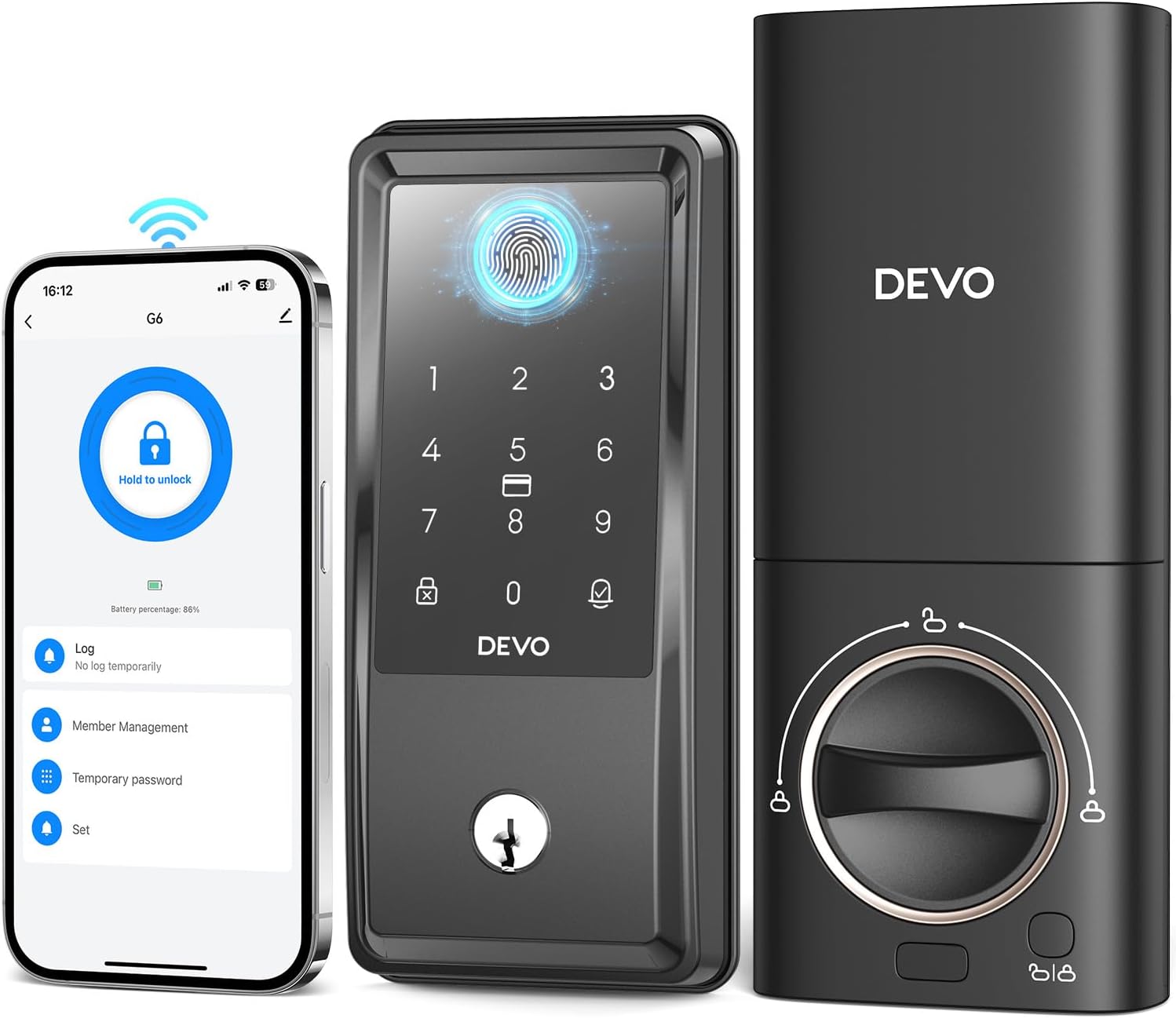
Image: The Devo G6 Smart Lock, showcasing its sleek design, integrated keypad, fingerprint sensor, and a smartphone displaying the accompanying mobile application for remote control.
ഉൽപ്പന്നം കഴിഞ്ഞുview
പ്രധാന സവിശേഷതകൾ
- AI ഫിംഗർപ്രിന്റ് തിരിച്ചറിയൽ: Equipped with advanced AI fingerprint recognition for precise and swift access in under 0.3 seconds, supporting up to 100 fingerprints with 99% accuracy.
- Built-in Wi-Fi & APP Control: No bridge required. Control your deadbolt smart lock from anywhere using the Tuya app, receiving real-time notifications, managing users, generating temporary passwords, and viewing event history.
- 6-ഇൻ-1 കീലെസ് എൻട്രി: Multiple unlocking options including AI fingerprint, app remote control, IC card, voice control (Alexa/Google Assistant), password, and traditional key.
- Strong Security Features: Includes auto-lock (5s-15min), one-touch lock, and error input restrictions. Low battery alarm and IP54 waterproof rating for durability.
- മികച്ച ബാറ്ററി ലൈഫ്: Powered by 8 AA batteries (not included), the lock can operate for up to 8 months.
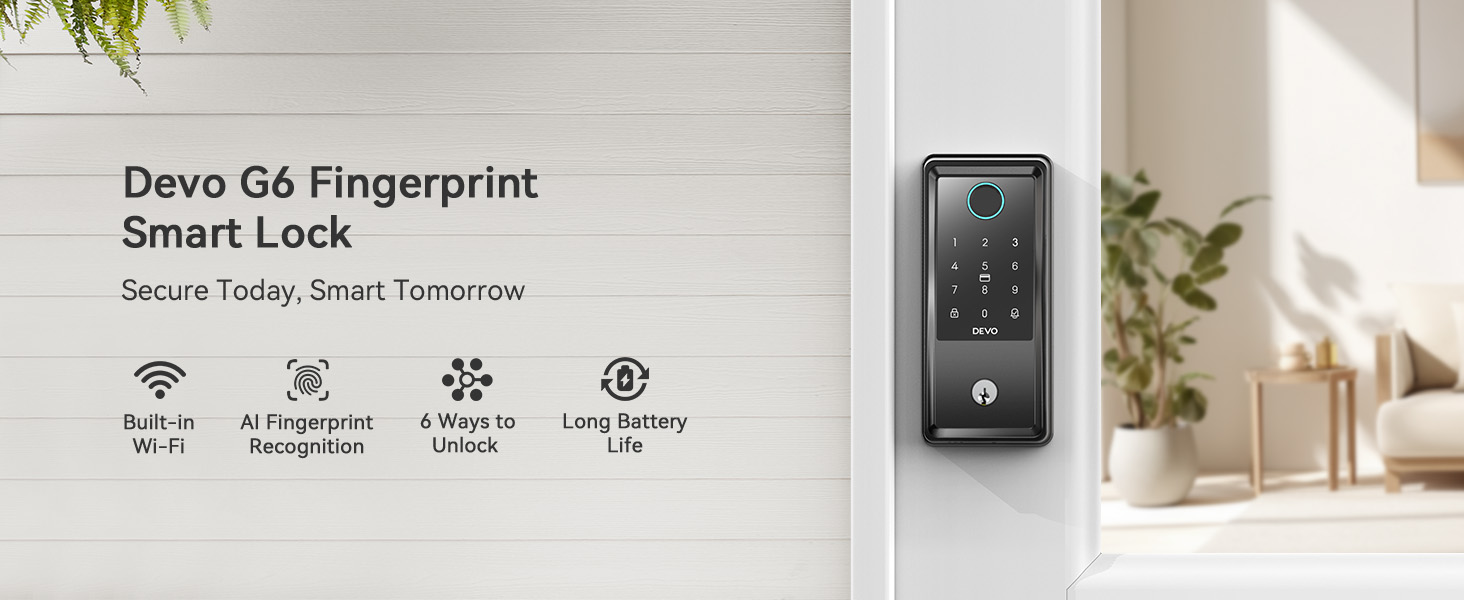
ചിത്രം: ഒരു ഓവർview graphic highlighting the main features of the Devo G6 Smart Lock: Built-in Wi-Fi, AI Fingerprint Recognition, 6 Ways to Unlock, and Long Battery Life.
സജ്ജമാക്കുക
ഇൻസ്റ്റലേഷൻ
The Devo G6 Smart Lock is designed for easy installation and can be set up in minutes with a screwdriver. It is compatible with most US standard doors.

Image: A person installing the Devo G6 Smart Lock on a door with a screwdriver, illustrating the ease of installation. Examples of suitable locations like home, garage, office, and apartment are shown.
വാതിൽ അനുയോജ്യത
ഇൻസ്റ്റാൾ ചെയ്യുന്നതിനുമുമ്പ്, നിങ്ങളുടെ വാതിൽ ഇനിപ്പറയുന്ന സ്പെസിഫിക്കേഷനുകൾ പാലിക്കുന്നുണ്ടെന്ന് ഉറപ്പാക്കുക:
- Cross Bore Diameter: 1.5/2.1 inches (38/54 mm)
- Backset: 2.4/2.8 inches (60/70 mm)
- Door Thickness: 1.4-2.2 inches (35-55 mm)
- Compatible with single cylinder deadbolts. Not compatible with mortise/integrated locks.

Image: A diagram illustrating the required door dimensions (cross bore diameter, backset, door thickness) and compatible latch hole types (chiseled, not chiseled) and lock types (single cylinder) for the Devo G6 Smart Lock.
App Setup (Tuya App)
The Devo G6 Smart Lock features built-in Wi-Fi, allowing direct connection to your home network without a separate bridge. Download the Tuya app to manage your lock remotely.

Image: The Devo G6 Smart Lock on a door, with a Wi-Fi signal icon pointing to a router, indicating its direct Wi-Fi connectivity (2.4GHz only, 5GHz not supported).
സ്മാർട്ട് ലോക്ക് പ്രവർത്തിപ്പിക്കൽ
അൺലോക്ക് രീതികൾ
The Devo G6 Smart Lock offers six convenient ways to unlock your door:
- ഫിംഗർപ്രിന്റ് അൺലോക്ക്: Use your registered fingerprint for quick access. The lock features AI fingerprint recognition for fast and accurate identification. Up to 100 fingerprints can be stored.

Image: A hand touching the fingerprint sensor on the Devo G6 Smart Lock, illustrating the quick fingerprint unlock feature with details on 0.25s biometrics identification, AI chip self-learning, and 100 fingerprint capacity.
- APP റിമോട്ട് കൺട്രോൾ: Unlock your door from anywhere using the Tuya app on your smartphone. You can also manage users, view logs, and receive notifications.

Image: A hand holding a smartphone displaying the Tuya app interface for the Devo G6 Smart Lock, showing options for lock/unlock, real-time notifications, user management, log record, low battery warning, and temporary password generation.
- ഐസി കാർഡ് അൺലോക്ക്: Use the provided IC cards to unlock the door by touching them to the lock's screen. Two IC cards are included.

Image: A hand using an IC card to unlock the Devo G6 Smart Lock, demonstrating the IC card entry method.
- ശബ്ദ നിയന്ത്രണം: Integrate with Amazon Alexa or Google Assistant to unlock the smart lock using voice commands.

Image: A person in a kitchen interacting with a smart speaker, demonstrating voice control for the Devo G6 Smart Lock via Amazon Alexa or Google Assistant.
- പാസ്വേഡ് അൺലോക്ക്: Enter a numerical password on the keypad. The lock supports anti-peeping virtual passwords to enhance security. You can set different passwords for various users and change them as needed.

Image: A hand entering a password on the Devo G6 Smart Lock keypad, illustrating the anti-peeping password feature with random digits surrounding the correct password.
- Traditional Key Unlock: For backup, use the physical key provided to unlock the deadbolt. Two mechanical keys are included.
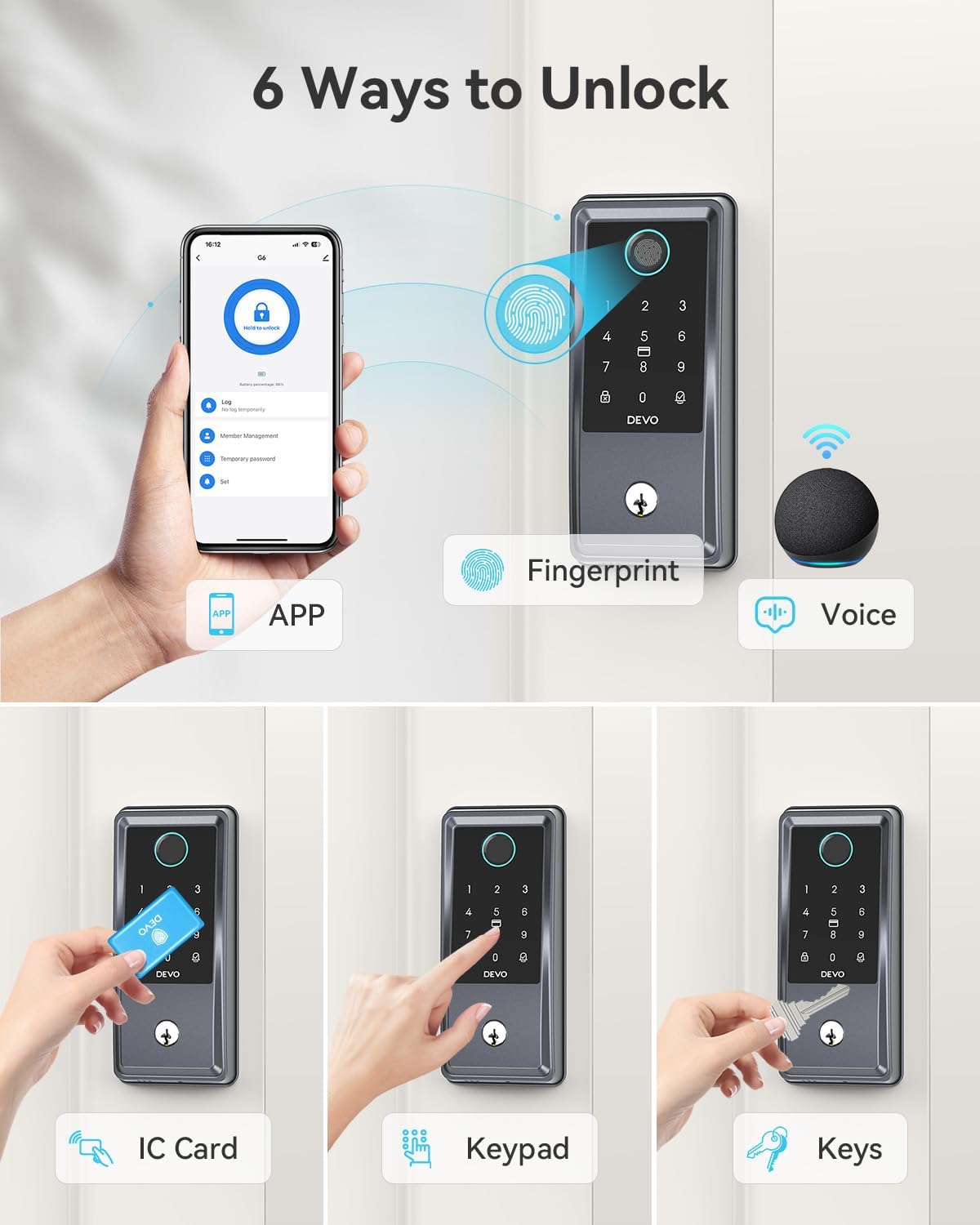
Image: A composite image showing all six unlocking methods for the Devo G6 Smart Lock: App, Fingerprint, Voice, IC Card, Keypad, and Physical Keys.
Auto-Lock and One-Touch Lock
The Devo G6 Smart Lock features an auto-lock function that can be customized to automatically lock the door after a set period (5 seconds to 15 minutes). You can also use the one-touch lock feature for immediate locking.

Image: A person and a dog standing outside a door with the Devo G6 Smart Lock, illustrating the auto-lock feature with customizable time settings (5 sec, 30 sec, 1 min, 5 min, 15 min) and one-touch lock capability.
Official Product Video: How to use Devo G6 Smart Lock
Video: An official demonstration video from the seller, "How to use Devo G6 Smart Lock," showing various unlocking methods including fingerprint, app, IC card, password, and key. This video provides a visual guide to operating the lock's features.
മെയിൻ്റനൻസ്
ബാറ്ററി ലൈഫ്
The Devo G6 Smart Lock is powered by 8 AA batteries (not included) and offers an impressive 8 months of battery life, reducing the need for frequent battery changes. The Tuya app will notify you in advance when the battery is running low.

ചിത്രം: എ view of the Devo G6 Smart Lock's internal battery compartment, highlighting its 8-month battery life and the use of 8 AA batteries.
കാലാവസ്ഥ പ്രതിരോധം
The Devo G6 Smart Lock has an IP54 waterproof rating, making it resistant to rain and snow. It operates effectively in a temperature range of 5°F to 122°F (-15°C to 50°C).

Image: A visual representation of the Devo G6 Smart Lock's IP54 waterproof rating, showing it in a rainy outdoor environment and highlighting its operating temperature range.
ട്രബിൾഷൂട്ടിംഗ്
If you encounter any issues with your Devo G6 Smart Lock, please refer to the following common troubleshooting steps:
- ലോക്ക് പ്രതികരിക്കുന്നില്ല: ബാറ്ററി ലെവലുകൾ പരിശോധിക്കുക. കുറവാണെങ്കിൽ ബാറ്ററികൾ മാറ്റിസ്ഥാപിക്കുക. ലോക്ക് ശരിയായി ഇൻസ്റ്റാൾ ചെയ്തിട്ടുണ്ടെന്നും വിന്യസിച്ചിട്ടുണ്ടെന്നും ഉറപ്പാക്കുക.
- വിരലടയാളം തിരിച്ചറിയാൻ കഴിഞ്ഞില്ല: നിങ്ങളുടെ വിരൽ വൃത്തിയുള്ളതും വരണ്ടതുമാണെന്ന് ഉറപ്പാക്കുക. പ്രശ്നങ്ങൾ നിലനിൽക്കുകയാണെങ്കിൽ നിങ്ങളുടെ വിരലടയാളം വീണ്ടും രജിസ്റ്റർ ചെയ്യുക.
- ആപ്പ് കണക്റ്റിവിറ്റി പ്രശ്നങ്ങൾ: Verify your Wi-Fi network is 2.4GHz and stable. Restart your router and the lock. Ensure the Tuya app is updated to the latest version.
- പാസ്വേഡ് പ്രവർത്തിക്കുന്നില്ല: Double-check the entered password. Ensure the lock is not in a locked-out state due to too many incorrect attempts.
- ഓട്ടോ-ലോക്ക് പ്രവർത്തിക്കുന്നില്ല: Verify the auto-lock timer setting in the app.
കൂടുതൽ വിശദമായ ട്രബിൾഷൂട്ടിംഗ് അല്ലെങ്കിൽ സ്ഥിരമായ പ്രശ്നങ്ങൾക്ക്, ദയവായി ഉപഭോക്തൃ പിന്തുണയുമായി ബന്ധപ്പെടുക.
സ്പെസിഫിക്കേഷനുകൾ
| ആട്രിബ്യൂട്ട് | മൂല്യം |
|---|---|
| ബ്രാൻഡ് | ദേവോ |
| മോഡലിൻ്റെ പേര് | G6 സ്മാർട്ട് ലോക്ക് |
| ലോക്ക് തരം | ഡെഡ്ബോൾട്ട് |
| മെറ്റീരിയൽ | അലുമിനിയം |
| ഇനത്തിന്റെ അളവുകൾ (L x W x H) | 9.5 x 7.3 x 3.8 ഇഞ്ച് |
| ഇനത്തിൻ്റെ ഭാരം | 2.6 പൗണ്ട് |
| പ്രത്യേക സവിശേഷതകൾ | Auto-Lock, Fingerprint, One-Touch Lock, Touchscreen, Weather Resistant |
| കണക്റ്റിവിറ്റി പ്രോട്ടോക്കോൾ | വൈഫൈ (2.4GHz) |
| നിയന്ത്രണ രീതി | ആപ്പ്, റിമോട്ട്, ടച്ച്, വോയ്സ് |
| കൺട്രോളർ തരം | ആമസോൺ അലക്സ, ഗൂഗിൾ അസിസ്റ്റൻ്റ് |
| പവർ ഉറവിടം | 8 AA ബാറ്ററികൾ (ഉൾപ്പെടുത്തിയിട്ടില്ല) |
| ഉൾപ്പെടുത്തിയ ഘടകങ്ങൾ | G6 Smart Door Lock * 1, IC Card * 2, Installation Accessories, Mechanical Key * 2, User Manual |
| പ്രവർത്തന താപനില | 5°F - 122°F (-15°C - 50°C) |
| വാട്ടർപ്രൂഫ് റേറ്റിംഗ് | IP54 |
| സർട്ടിഫിക്കേഷനുകൾ | BHMA GRADE 3 |

Image: A detailed diagram showing the dimensions of the Devo G6 Smart Lock and the required cross bore diameter, backset, and door thickness for installation.
വാറൻ്റി & പിന്തുണ
ഡെവോ ഒരു നൽകുന്നു 12 മാസ വാറൻ്റി for the G6 Smart Lock. For any questions, technical assistance, or warranty claims, please feel free to contact Devo customer service. Refer to the product packaging or the official Devo webബന്ധപ്പെടാനുള്ള വിവരങ്ങൾക്കുള്ള സൈറ്റ്.


