1. ആമുഖം
Thank you for choosing the CAMMHD W8 4K Body Camera. This manual provides essential information for setting up, operating, and maintaining your device. Please read it thoroughly to ensure proper usage and to maximize the camera's performance and longevity.
2. ബോക്സിൽ എന്താണുള്ളത്?
താഴെ ലിസ്റ്റ് ചെയ്തിരിക്കുന്ന എല്ലാ ഇനങ്ങളും നിങ്ങളുടെ പാക്കേജിൽ ഉൾപ്പെടുത്തിയിട്ടുണ്ടെന്ന് ഉറപ്പാക്കുക:
- 1x CAMMHD W8 256G Body Camera (including battery)
- 1x 5V2A Charger
- 1x Type-C Data Cable
- 1x അധിക ബാറ്ററി
- 1x ചാർജിംഗ് ഡോക്ക്
- 1x 360° Rotatable Long Clip
- 1x 360° Rotatable Short Clip
- 1x ഇൻസ്ട്രക്ഷൻ മാനുവൽ
- 1x Troubleshooting Guide

3. ഉൽപ്പന്ന സവിശേഷതകൾ
The CAMMHD W8 Body Camera is designed with advanced features for reliable recording:
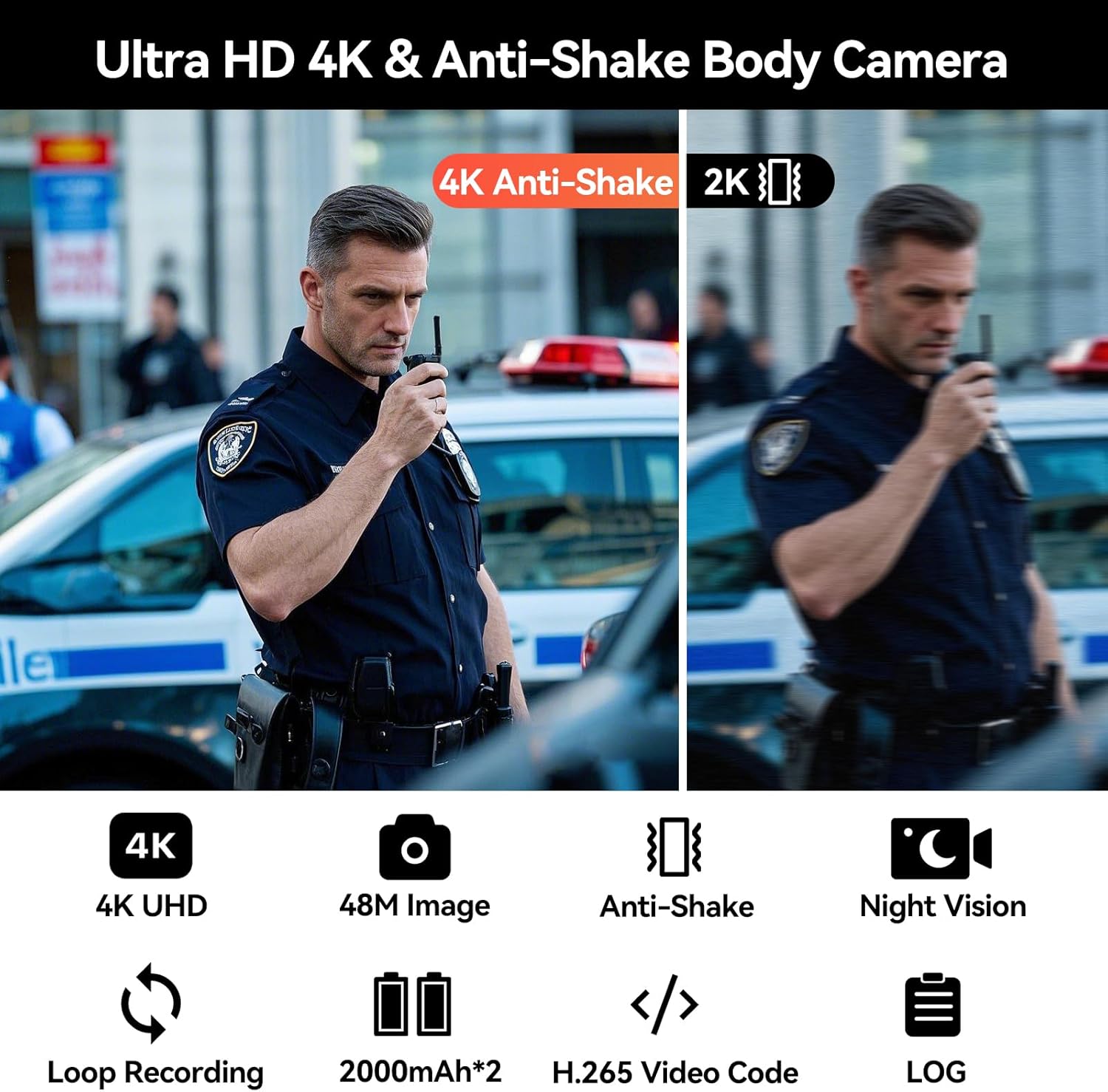
- 4K Anti-Shake Video: Records in 4K resolution with a 170° wide-angle lens and gyroscope anti-shake technology for stable, clear video.
- വിപുലീകരിച്ച ബാറ്ററി ലൈഫ്: Two replaceable 2000 mAh batteries provide 13-14 hours of continuous recording. Includes a charging dock for simultaneous camera and extra battery charging.
- ഇൻഫ്രാറെഡ് നൈറ്റ് വിഷൻ: Features auto and manual night vision settings with 6x glass lens and 4 infrared lights for clear recording in low-light conditions.
- H.265 Video Codec: Utilizes H.265 for clearer video quality, better color, and reduced storage space (up to 50%) and transmission time (up to 30%). Note: H.265 videos may require a specific player on Windows.
- Built-in 256GB Memory: Non-removable 256GB memory card for secure storage of video, audio, and image content.
- ഒന്നിലധികം റെക്കോർഡിംഗ് മോഡുകൾ: Supports loop recording, video tagging for important events, and automatic file categorization.
- ഡാറ്റ സുരക്ഷ: Optional data encryption and a LOG function to record usage, enhancing data protection.
- ടൈപ്പ്-സി ഇന്റർഫേസ്: Upgraded Type-C port for charging and data transfer, offering speeds of 15-20MB/s with the provided cable.
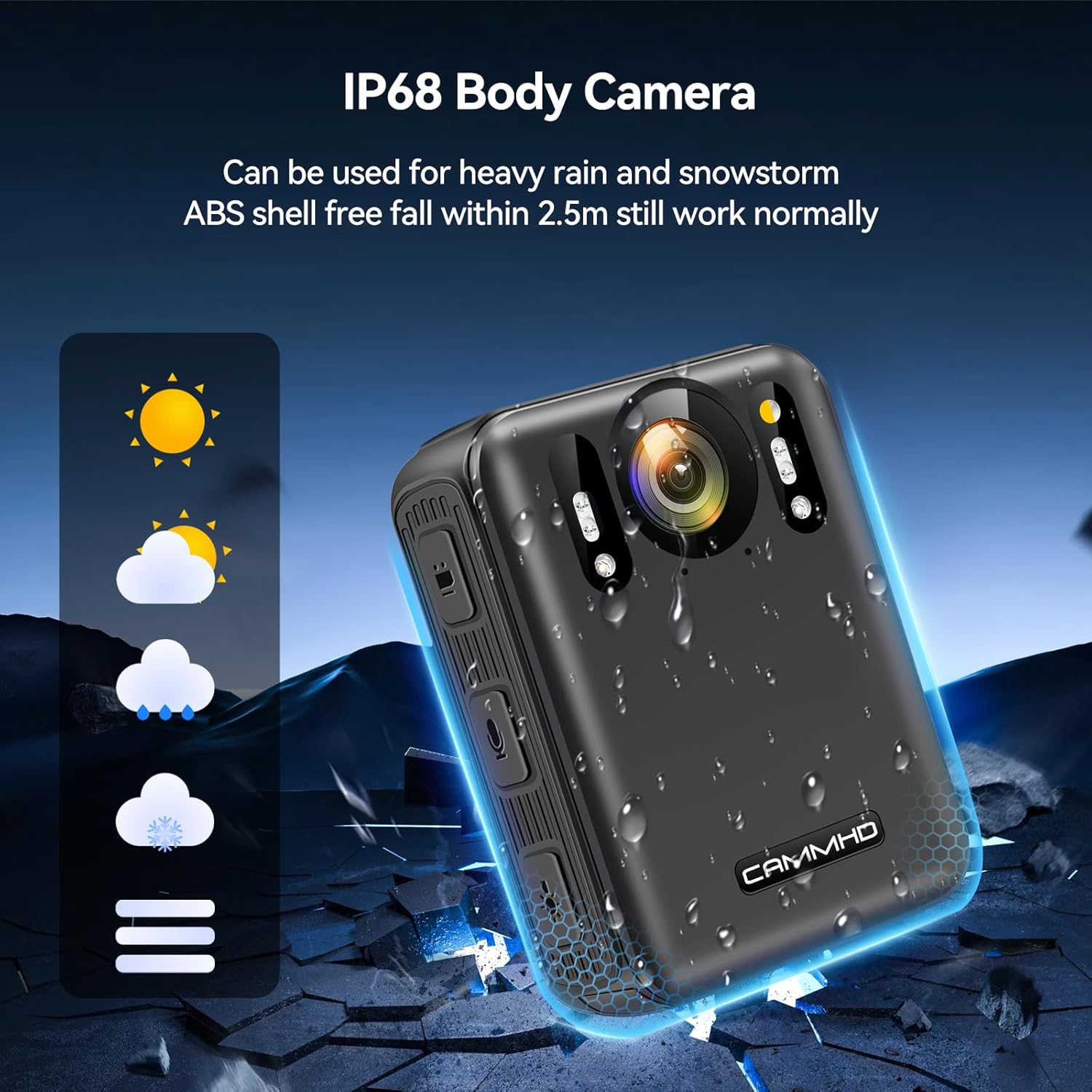
- മോടിയുള്ള ഡിസൈൻ: IP68 rating for water resistance and an ABS shell designed to withstand falls up to 2.5m.

4. സജ്ജീകരണം
4.1 Attaching the Clips
The CAMMHD W8 comes with two rotatable clips (long and short) for versatile attachment. To attach a clip:
- Align the clip's mounting mechanism with the slot on the back of the camera.
- Slide the clip firmly into the slot until it clicks into place.
- To remove, press the release tab on the clip and slide it out.
4.2 ബാറ്ററി ഇൻസ്റ്റാൾ ചെയ്യുക/മാറ്റിസ്ഥാപിക്കുക
The camera uses replaceable batteries. To install or replace a battery:
- ക്യാമറയുടെ അടിയിൽ ബാറ്ററി കമ്പാർട്ട്മെന്റ് കവർ കണ്ടെത്തുക.
- കവർ തുറക്കുക.
- Insert the battery into the compartment, ensuring the gold contacts align with the camera's terminals.
- ബാറ്ററി കമ്പാർട്ട്മെൻ്റ് കവർ സുരക്ഷിതമായി അടയ്ക്കുക.
5. പ്രവർത്തന നിർദ്ദേശങ്ങൾ
5.1 ക്യാമറ കഴിഞ്ഞുview നിയന്ത്രണങ്ങളും

- 1. Video Button: വീഡിയോ റെക്കോർഡിംഗ് ആരംഭിക്കാൻ/നിർത്താൻ അമർത്തുക.
- 2. Audio Button: Press to start/stop audio recording.
- 3. Night Vision Button: Activates/deactivates night vision mode.
- 4. Type-C Interface: ചാർജിംഗിനും ഡാറ്റ കൈമാറ്റത്തിനും.
- 5. പവർ ഓൺ/ഓഫ്: Press and hold to power the camera on or off.
- 6. Photo Button: Press to capture a still image.
- 7. Menu Button: Access camera settings and options.
- 8. മുകളിലേക്കുള്ള ബട്ടൺ: Navigate up in menus or adjust settings.
- 9. താഴേക്കുള്ള ബട്ടൺ: Navigate down in menus or adjust settings.
- 10. Back/Playback Button: Go back in menus or enter playback mode to review റെക്കോർഡിംഗുകൾ.
5.2 പവർ ഓൺ/ഓഫ്
To power on the camera, press and hold the Power On/Off button (5) until the screen illuminates. To power off, press and hold the same button until the camera shuts down.
5.3 Recording Video and Audio
Press the Video Button (1) to begin video recording. A red indicator light or on-screen icon will confirm recording is active. Press it again to stop. Similarly, press the Audio Button (2) to start or stop audio-only recording.
5.4 നൈറ്റ് വിഷൻ ഓപ്പറേഷൻ
The camera features both automatic and manual night vision. To activate or deactivate night vision, press the Night Vision Button (3). In automatic mode, the camera will switch to night vision when ambient light is low.

5.5 File Management and Data Security
The camera offers several features for managing your recordings:
- ലൂപ്പ് റെക്കോർഡിംഗ്: When memory is full, the camera automatically deletes the oldest fileപുതിയ റെക്കോർഡിംഗുകൾക്ക് ഇടം നൽകുന്നതിന് എസ്.
- വീഡിയോ Tagജിംഗ്: ഇതിനായി മെനു ഉപയോഗിക്കുക tag important videos, making them easier to locate later.
- File Categorization: Video, audio, and photo files are automatically organized for easy viewing.
- ഡാറ്റ എൻക്രിപ്ഷൻ: Enable data encryption in the settings to protect your recordings with a password, preventing unauthorized access.
- LOG Function: The camera automatically generates a usage record to protect data integrity.

5.6 ഒരു കമ്പ്യൂട്ടറിലേക്ക് ബന്ധിപ്പിക്കുന്നു
കൈമാറാൻ files or charge the camera via a computer:
- Use the provided Type-C data cable.
- Connect one end to the camera's Type-C Interface (4) and the other to your computer's USB port.
- The camera will appear as a removable storage device, allowing you to access and transfer files.

6. പരിപാലനം
6.1 ബാറ്ററി കെയർ
- Always use the provided charger and Type-C cable for optimal charging.
- ബാറ്ററികൾ തീവ്രമായ താപനിലയിൽ തുറന്നുകാട്ടുന്നത് ഒഴിവാക്കുക.
- Store spare batteries in a cool, dry place.
6.2 വൃത്തിയാക്കൽ
- ക്യാമറ ബോഡി വൃത്തിയാക്കാൻ മൃദുവായതും ഉണങ്ങിയതുമായ തുണി ഉപയോഗിക്കുക.
- ലെൻസിന്, പോറലുകൾ ഒഴിവാക്കാൻ ഒരു പ്രത്യേക ലെൻസ് ക്ലീനിംഗ് തുണിയും ലായനിയും ഉപയോഗിക്കുക.
- കഠിനമായ രാസവസ്തുക്കളോ ഉരച്ചിലുകളോ ഉപയോഗിക്കരുത്.
6.3 സംഭരണം
- Store the camera in a cool, dry environment away from direct sunlight.
- ദീർഘനേരം സൂക്ഷിക്കുകയാണെങ്കിൽ, ബാറ്ററിയുടെ ആയുസ്സ് വർദ്ധിപ്പിക്കുന്നതിന് ബാറ്ററി ഭാഗികമായി (ഏകദേശം 50%) ചാർജ്ജ് ചെയ്തിട്ടുണ്ടെന്ന് ഉറപ്പാക്കുക.
7. പ്രശ്നപരിഹാരം
If you encounter issues with your CAMMHD W8 Body Camera, please refer to the dedicated Troubleshooting Guide included in your package. Below are some general tips:
- ക്യാമറ ഓണാക്കുന്നില്ല: Ensure the battery is fully charged and correctly inserted. Try using the spare battery.
- റെക്കോർഡിംഗ് പ്രശ്നങ്ങൾ: Check if the internal memory is full. Ensure the camera is not in a low-power state.
- Connection problems with PC: Verify the Type-C cable is securely connected to both the camera and the computer. Try a different USB port.
- Video playback issues (H.265): If playing on a Windows PC, ensure you have a compatible H.265 video player installed.
8 സ്പെസിഫിക്കേഷനുകൾ
Detailed technical specifications for the CAMMHD W8 Body Camera:
| ഫീച്ചർ | സ്പെസിഫിക്കേഷൻ |
|---|---|
| മോഡലിൻ്റെ പേര് | W8 |
| വീഡിയോ റെസല്യൂഷൻ | 2160p (4K) |
| ഫലപ്രദമായ സ്റ്റിൽ റെസല്യൂഷൻ | 2160 പിക്സലുകൾ |
| ഫോട്ടോ സെൻസർ ടെക്നോളജി | CMOS |
| ഇമേജ് സ്റ്റെബിലൈസേഷൻ | Digital (Gyroscope Anti-Shake) |
| ലെൻസ് തരം | വൈഡ് ആംഗിൾ (170°) |
| മെമ്മറി സ്റ്റോറേജ് കപ്പാസിറ്റി | 256 GB (Built-in) |
| പിന്തുണച്ചു File ഫോർമാറ്റ് | MP4, JPEG |
| വീഡിയോ കോഡെക് | H.265 |
| ബാറ്ററി തരം | ലിഥിയം-അയൺ പോളിമർ |
| ബാറ്ററി ശരാശരി ആയുസ്സ് | 13-14 Hours (with two batteries) |
| ജല പ്രതിരോധ നില | വാട്ടർ റെസിസ്റ്റൻ്റ് (IP68) |
| ഇനത്തിൻ്റെ ഭാരം | 129 ഗ്രാം |
| സ്ക്രീൻ വലിപ്പം | 2 ഇഞ്ച് |
| കണക്റ്റിവിറ്റി ടെക്നോളജി | USB (ടൈപ്പ്-സി) |
| ഉൽപ്പന്നത്തിൻ്റെ പ്രത്യേക ഉപയോഗങ്ങൾ | Videography, Law Enforcement, Security, Personal Recording |

9. വാറൻ്റിയും പിന്തുണയും
വാറൻ്റി: If there is any quality problem within 30 working days after purchase, you can apply for returning the goods.
For further assistance or technical support, please refer to the contact information provided in your product packaging or visit the official CAMMHD webസൈറ്റ്.
10. ഉൽപ്പന്നത്തിന്റെ രൂപഭാവം കഴിഞ്ഞുview
ഒരു വിഷ്വൽ ഓവർview of the CAMMHD W8 Body Camera's design and physical features.


