1. ആമുഖം
This manual provides essential information for the safe and efficient use of your JVC VIDAA LT-43VDF5455 43-inch Full HD Smart TV. Please read these instructions thoroughly before operating the device and retain them for future reference.
The JVC LT-43VDF5455 is a 43-inch Full HD Smart TV featuring HDR10 support for enhanced contrast and natural colors. It includes an integrated triple tuner (DVB-C/T2/S2) for versatile program reception and runs on the VIDAA operating system, offering access to various streaming applications.
2 പ്രധാനപ്പെട്ട സുരക്ഷാ വിവരങ്ങൾ
- വൈദ്യുതി വിതരണം: ശരിയായ വോള്യമുള്ള ഒരു പവർ ഔട്ട്ലെറ്റിലേക്ക് ടിവി ബന്ധിപ്പിച്ചിട്ടുണ്ടെന്ന് ഉറപ്പാക്കുക.tagഇ. പവർ ഔട്ട്ലെറ്റുകൾ ഓവർലോഡ് ചെയ്യരുത്.
- വെൻ്റിലേഷൻ: വെന്റിലേഷൻ ദ്വാരങ്ങൾ അടയ്ക്കരുത്. ടിവിക്ക് ചുറ്റും ശരിയായ വായുസഞ്ചാരം ഉറപ്പാക്കാൻ മതിയായ ഇടം നൽകുക, അതുവഴി അമിതമായി ചൂടാകുന്നത് തടയുക.
- ജലവും ഈർപ്പവും: ടിവിയിൽ മഴ പെയ്യുകയോ ഈർപ്പം അടിക്കുകയോ ചെയ്യരുത്, അല്ലെങ്കിൽ ദ്രാവകങ്ങൾ നിറച്ച വസ്തുക്കൾ ടിവിയിലോ സമീപത്തോ വയ്ക്കരുത്.
- വൃത്തിയാക്കൽ: വൃത്തിയാക്കുന്നതിന് മുമ്പ് ടിവി പ്ലഗ് ഊരിയിടുക. മൃദുവായതും ഉണങ്ങിയതുമായ തുണി ഉപയോഗിക്കുക. ലിക്വിഡ് അല്ലെങ്കിൽ എയറോസോൾ ക്ലീനറുകൾ ഉപയോഗിക്കരുത്.
- പ്ലേസ്മെൻ്റ്: ടിവി ഒരു സ്ഥിരതയുള്ള, നിരപ്പായ പ്രതലത്തിൽ വയ്ക്കുക. നേരിട്ട് സൂര്യപ്രകാശം ഏൽക്കുന്നതോ താപ സ്രോതസ്സുകൾക്ക് സമീപമോ വയ്ക്കുന്നത് ഒഴിവാക്കുക.
- സേവനം: ടിവി സ്വയം സർവീസ് ചെയ്യാൻ ശ്രമിക്കരുത്. എല്ലാ സർവീസിംഗും യോഗ്യതയുള്ള സർവീസ് ഉദ്യോഗസ്ഥരെ ഏൽപ്പിക്കുക.
3. പാക്കേജ് ഉള്ളടക്കം
എല്ലാ ഇനങ്ങളും നിലവിലുണ്ടോ എന്നും നല്ല നിലയിലാണെന്നും ദയവായി പരിശോധിക്കുക:
- JVC VIDAA LT-43VDF5455 43-inch Full HD Smart TV
- റിമോട്ട് കൺട്രോൾ (2 AAA ബാറ്ററികൾ ഉൾപ്പെടെ)
- ടിവി അടി (സ്റ്റാൻഡ്)
- ഉപയോക്തൃ മാനുവൽ (ഈ പ്രമാണം)
4. സജ്ജീകരണം
4.1 ടിവി സ്റ്റാൻഡ് ഘടിപ്പിക്കൽ
Carefully place the TV screen-down on a soft, flat surface to prevent damage. Attach the provided feet to the designated slots on the bottom of the TV using the screws supplied. Ensure the stand is securely fastened before placing the TV upright.

ചിത്രം: മുൻഭാഗം view of the JVC LT-43VDF5455 Smart TV with its stand attached.
4.2 Physical Dimensions and Placement
The TV has a width of 96.5 cm, a height of 60 cm (with stand), and a depth of 26.1 cm (with stand). The screen diagonal is 43 inches (108 cm). For wall mounting, the VESA standard is M4 100x100. Ensure adequate space for ventilation.

Image: Diagram illustrating the physical dimensions of the JVC LT-43VDF5455 television, including width, height with stand, depth with stand, and screen diagonal.
4.3 പവർ കണക്ഷൻ
Connect the power cord to the TV's power input and then to a suitable wall outlet.
4.4 പ്രാരംഭ സജ്ജീകരണ വിസാർഡ്
Upon first power-on, the TV will guide you through an initial setup wizard. This includes language selection, country, network connection (Wi-Fi), and channel scanning for the integrated triple tuner (DVB-C/T2/S2).
5. നിങ്ങളുടെ ടിവി പ്രവർത്തിപ്പിക്കുന്നു
5.1 വിദൂര നിയന്ത്രണ പ്രവർത്തനങ്ങൾ
The provided remote control allows you to navigate the TV's features. Key functions include:
- പവർ ബട്ടൺ: ടിവി ഓൺ/ഓഫ് അല്ലെങ്കിൽ സ്റ്റാൻഡ്ബൈയിലേക്ക് മാറ്റുന്നു.
- ഇൻപുട്ട് ബട്ടൺ: Selects input sources (HDMI, USB, Tuner).
- നമ്പർ ബട്ടണുകൾ: നേരിട്ടുള്ള ചാനൽ തിരഞ്ഞെടുക്കൽ.
- വോളിയം +/-: വോളിയം ക്രമീകരിക്കുന്നു.
- ചാനൽ +/-: ചാനലുകൾ മാറ്റുന്നു.
- നാവിഗേഷൻ ബട്ടണുകൾ (മുകളിലേക്ക്/താഴേക്ക്/ഇടത്/വലത്) & ശരി: മെനു നാവിഗേഷനും തിരഞ്ഞെടുപ്പിനും.
- ആപ്പ് കുറുക്കുവഴി ബട്ടണുകൾ: Direct access to popular streaming services like Netflix, YouTube, Prime Video, Disney+.

Image: The remote control for the JVC Smart TV, highlighting dedicated buttons for popular streaming applications such as YouTube, Netflix, Prime Video, and Disney+.
5.2 സ്മാർട്ട് ടിവി ഫീച്ചറുകൾ (VIDAA OS)
Your JVC TV runs on the VIDAA operating system, providing a user-friendly interface for accessing a wide range of applications and services.
- ആപ്പ് സ്റ്റോർ: Browse and download additional applications.
- സ്ട്രീമിംഗ് സേവനങ്ങൾ: Enjoy pre-installed apps like Netflix, Prime Video, Disney+, YouTube, and DAZN.
- Web ബ്രൗസർ: നിങ്ങളുടെ ടിവിയിൽ നിന്ന് നേരിട്ട് ഇന്റർനെറ്റ് ആക്സസ് ചെയ്യുക.
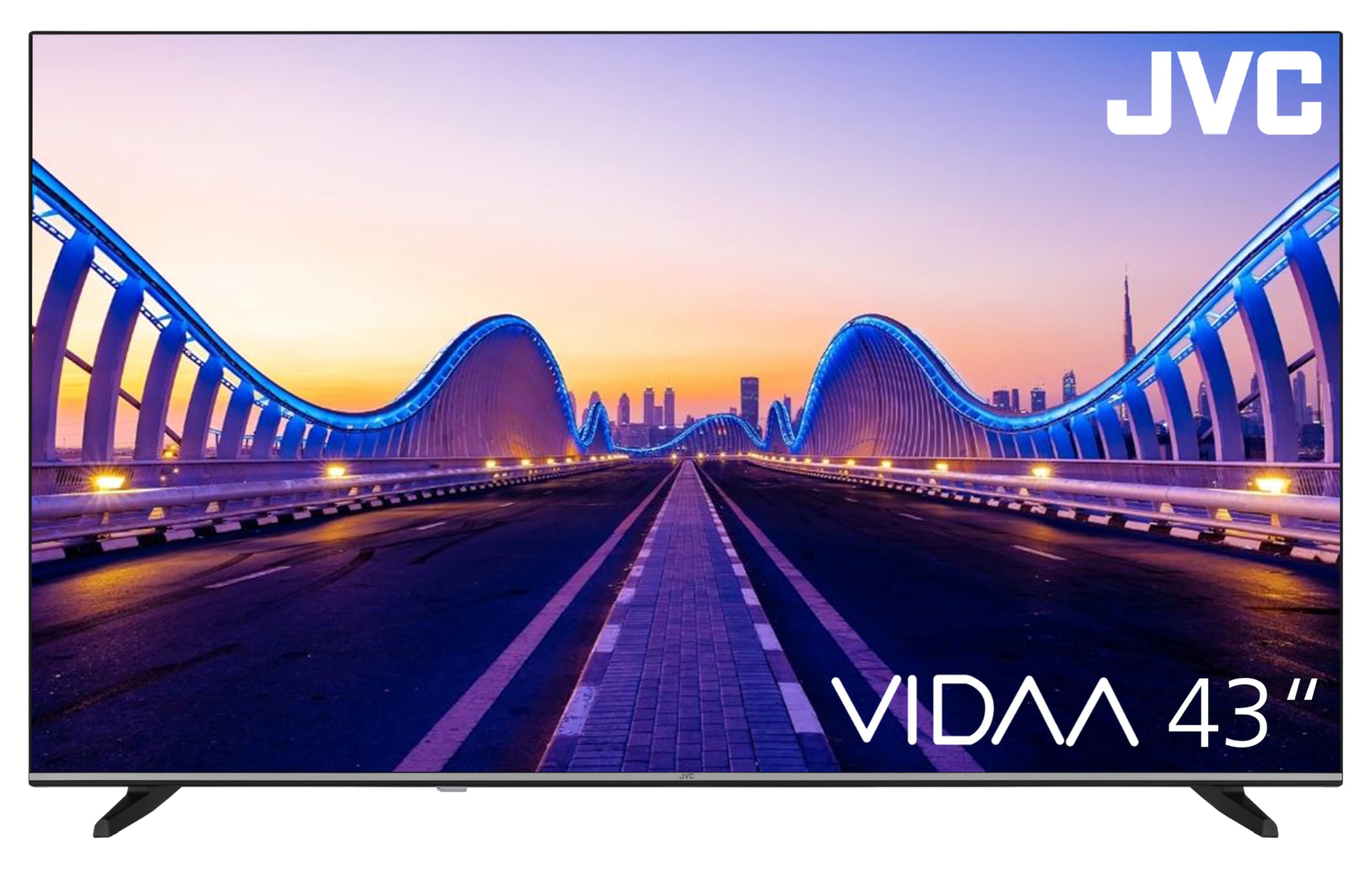
Image: The JVC Smart TV displaying the VIDAA operating system home screen, featuring a selection of popular streaming applications and content recommendations.
5.3 ചിത്ര, ശബ്ദ ക്രമീകരണങ്ങൾ
Access the TV's menu to adjust picture settings (brightness, contrast, color, sharpness, HDR mode) and sound settings (equalizer, sound mode). The TV supports HDR10 for enhanced dynamic range.

Image: A JVC Smart TV screen showcasing content with high dynamic range (HDR), demonstrating improved detail and contrast.
6. കണക്ഷനുകൾ
നിങ്ങളുടെ JVC ടിവി ബാഹ്യ ഉപകരണങ്ങൾക്കായി വിവിധ കണക്ഷൻ ഓപ്ഷനുകൾ വാഗ്ദാനം ചെയ്യുന്നു:
- HDMI പോർട്ടുകൾ (x2): Connect devices such as Blu-ray players, game consoles, or set-top boxes. One port supports ARC (Audio Return Channel) for simplified audio connections to soundbars or AV receivers, and both support CEC (Consumer Electronics Control).
- യുഎസ്ബി പോർട്ട് (x1): മീഡിയ പ്ലേ ചെയ്യാൻ USB സ്റ്റോറേജ് ഉപകരണങ്ങൾ ബന്ധിപ്പിക്കുക files (photos, music, videos) using the integrated media player.
- ആന്റിന ഇൻപുട്ട്: Connect an antenna for DVB-T2 (terrestrial) reception or a cable for DVB-C (cable) reception.
- സാറ്റലൈറ്റ് ഇൻപുട്ട്: Connect a satellite dish for DVB-S2 (satellite) reception.
- LAN പോർട്ട്: വയർഡ് ഇന്റർനെറ്റ് കണക്ഷന് വേണ്ടി.
- ഡിജിറ്റൽ ഓഡിയോ ഔട്ട്പുട്ട്: ഉയർന്ന നിലവാരമുള്ള ഡിജിറ്റൽ ശബ്ദത്തിനായി ഒരു ബാഹ്യ ഓഡിയോ സിസ്റ്റവുമായി ബന്ധിപ്പിക്കുക.
- ഹെഡ്ഫോൺ ജാക്ക്: സ്വകാര്യ ശ്രവണത്തിനായി ഹെഡ്ഫോണുകൾ ബന്ധിപ്പിക്കുക.
- സിഐ സ്ലോട്ട്: For Common Interface modules, typically used with pay-TV services.
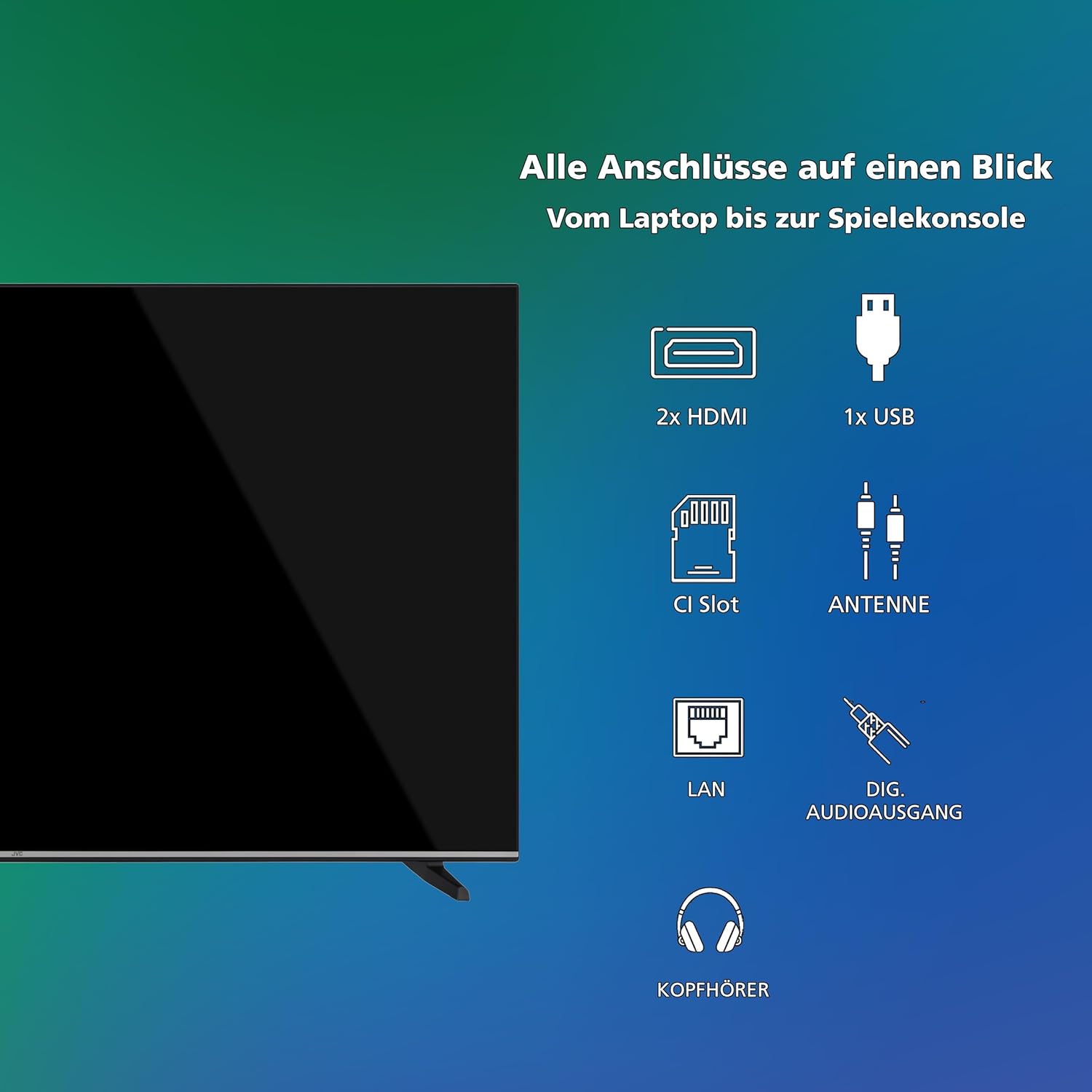
ചിത്രം: ഒരു ദൃശ്യാവിഷ്കാരംview of all available connection ports on the JVC Smart TV, including HDMI, USB, CI Slot, Antenna, LAN, Digital Audio Output, and Headphone jack.
7. പരിപാലനം
- സ്ക്രീൻ ക്ലീനിംഗ്: മൃദുവായ, ലിന്റ് രഹിത തുണി ഉപയോഗിച്ച് സ്ക്രീൻ സൌമ്യമായി തുടയ്ക്കുക. കഠിനമായ പാടുകൾക്ക്, ചെറുതായി dampവെള്ളം അല്ലെങ്കിൽ ഒരു പ്രത്യേക സ്ക്രീൻ ക്ലീനർ ഉപയോഗിച്ച് തുണി വൃത്തിയാക്കുക (തുണിയിൽ പ്രയോഗിക്കുക, സ്ക്രീനിൽ നേരിട്ട് പ്രയോഗിക്കരുത്).
- കാബിനറ്റ് ക്ലീനിംഗ്: ടിവി കാബിനറ്റ് വൃത്തിയാക്കാൻ മൃദുവായതും ഉണങ്ങിയതുമായ തുണി ഉപയോഗിക്കുക.
- പൊടി നീക്കം: Regularly dust the ventilation openings to prevent dust buildup, which can affect performance and lifespan.
- പവർ കോർഡ്: പവർ കോർഡിന് എന്തെങ്കിലും കേടുപാടുകൾ സംഭവിച്ചിട്ടുണ്ടോ എന്ന് ഇടയ്ക്കിടെ പരിശോധിക്കുക.
8. പ്രശ്നപരിഹാരം
നിങ്ങളുടെ ടിവിയിൽ പ്രശ്നങ്ങൾ നേരിടുകയാണെങ്കിൽ, ഇനിപ്പറയുന്ന പൊതുവായ പരിഹാരങ്ങൾ പരിശോധിക്കുക:
- ശക്തിയില്ല:
- ടിവിയിലും വാൾ ഔട്ട്ലെറ്റിലും പവർ കോർഡ് സുരക്ഷിതമായി പ്ലഗ് ചെയ്തിട്ടുണ്ടോയെന്ന് പരിശോധിക്കുക.
- മറ്റൊരു ഉപകരണം ഉപയോഗിച്ച് പരിശോധിച്ചുകൊണ്ട് വാൾ ഔട്ട്ലെറ്റ് പ്രവർത്തിക്കുന്നുണ്ടെന്ന് ഉറപ്പാക്കുക.
- റിമോട്ട് കൺട്രോളിലോ ടിവിയിലോ പവർ ബട്ടൺ അമർത്തുക.
- ചിത്രം/ശബ്ദം ഇല്ല:
- Verify that the correct input source is selected (e.g., HDMI 1, DTV).
- എല്ലാ കേബിൾ കണക്ഷനുകളും (HDMI, ആന്റിന, മുതലായവ) സുരക്ഷിതമാണോ എന്ന് പരിശോധിക്കുക.
- വോളിയം മ്യൂട്ട് ചെയ്തിട്ടില്ല അല്ലെങ്കിൽ ഏറ്റവും കുറഞ്ഞതായി സജ്ജീകരിച്ചിട്ടില്ലെന്ന് ഉറപ്പാക്കുക.
- മോശം ചിത്ര നിലവാരം:
- Check antenna or cable connections.
- ടിവി മെനുവിൽ ചിത്ര ക്രമീകരണങ്ങൾ (തെളിച്ചം, ദൃശ്യതീവ്രത, മൂർച്ച) ക്രമീകരിക്കുക.
- ഒരു ബാഹ്യ ഉപകരണം ഉപയോഗിക്കുകയാണെങ്കിൽ, അതിന്റെ ഔട്ട്പുട്ട് റെസല്യൂഷൻ പരിശോധിക്കുക.
- റിമോട്ട് കൺട്രോൾ പ്രവർത്തിക്കുന്നില്ല:
- Replace the batteries (2 AAA).
- റിമോട്ടിനും ടിവിയുടെ ഐആർ സെൻസറിനും ഇടയിൽ തടസ്സങ്ങളൊന്നുമില്ലെന്ന് ഉറപ്പാക്കുക.
- Smart TV Apps Not Loading/Working:
- Check your internet connection (Wi-Fi or LAN).
- ടിവി കുറച്ച് മിനിറ്റ് പ്ലഗ് അൺപ്ലഗ് ചെയ്ത് വീണ്ടും പ്ലഗ് ഇൻ ചെയ്ത് പുനരാരംഭിക്കുക.
- ടിവിയുടെ സോഫ്റ്റ്വെയർ കാലികമാണെന്ന് ഉറപ്പാക്കുക.
9 സ്പെസിഫിക്കേഷനുകൾ
| മോഡൽ നമ്പർ | LT-43VDF5455 |
| ബ്രാൻഡ് | ജെ.വി.സി |
| സ്ക്രീൻ വലിപ്പം | 43 ഇഞ്ച് (108 സെ.മീ) |
| റെസലൂഷൻ | 1080p (പൂർണ്ണ HD) |
| ഡിസ്പ്ലേ ടെക്നോളജി | എൽസിഡി, എൽഇഡി |
| പുതുക്കിയ നിരക്ക് | 120 Hz |
| ഓപ്പറേറ്റിംഗ് സിസ്റ്റം | VIDAA |
| പ്രത്യേക സവിശേഷതകൾ | VIDAA Smart TV, HDR10 |
| കണക്റ്റിവിറ്റി | 2x HDMI (CEC, ARC), 1x USB, Wi-Fi, LAN, Digital Audio Out, Headphone, CI Slot |
| ട്യൂണർ തരം | Integrated DVB-C/T2/S2 Triple Tuner |
| അളവുകൾ (സ്റ്റാൻഡിനൊപ്പം) | 96.5 cm (W) x 60 cm (H) x 26.1 cm (D) |
| SDR Energy Consumption | 42 kWh/1000h |
| HDR ഊർജ്ജ ഉപഭോഗം | 62 kWh/1000h |
| സ്പെയർ പാർട്സ് ലഭ്യത | 7 വർഷം |
9.1 ഊർജ്ജ വിവരങ്ങൾ
Detailed energy consumption data and product information can be found on the EU EPREL database.

Image: The EU Energy Label for the JVC LT-43VDF5455 television, showing energy efficiency class E and consumption values.
കൂടുതൽ വിവരങ്ങൾക്ക്, സന്ദർശിക്കുക EPREL ഡാറ്റാബേസ് (QR കോഡ് 2198541).

Image: The official product data sheet for the JVC LT-43VDF5455 television, detailing technical parameters and compliance information.
കൂടുതൽ വിവരങ്ങൾ ഇവിടെ ലഭ്യമാണ് EPREL ഡാറ്റാബേസ് (QR കോഡ് 2198541).
9.2 ഒപ്റ്റിമൽ Viewing ദൂരം
For the JVC LT-43VDF5455 (43-inch Full HD), the recommended optimal viewing distance is approximately 216 cm.

Image: A table providing recommended optimal viewing distances based on TV screen size and resolution (4K, Full HD, HD).
10. വാറൻ്റിയും പിന്തുണയും
JVC products are manufactured to high standards and are designed for reliable performance.
- യന്ത്രഭാഗങ്ങൾ: Spare parts for this model are guaranteed to be available for up to 7 years from the date of market placement.
- സോഫ്റ്റ്വെയർ അപ്ഡേറ്റുകൾ: ഉറപ്പായ സോഫ്റ്റ്വെയർ അപ്ഡേറ്റുകളെക്കുറിച്ചുള്ള വിവരങ്ങൾ ലഭ്യമല്ല.
- ഉപഭോക്തൃ പിന്തുണ: സാങ്കേതിക സഹായം, വാറന്റി ക്ലെയിമുകൾ അല്ലെങ്കിൽ കൂടുതൽ അന്വേഷണങ്ങൾക്കായി, ദയവായി JVC ഉപഭോക്തൃ പിന്തുണയുമായി ബന്ധപ്പെടുക. ഔദ്യോഗിക JVC കാണുക. webബന്ധപ്പെടാനുള്ള വിശദാംശങ്ങൾക്ക് സൈറ്റ് അല്ലെങ്കിൽ നിങ്ങളുടെ വാങ്ങൽ ഡോക്യുമെന്റേഷൻ.


