1. ആമുഖം
Thank you for choosing the LogiLink SC0121W Digital Radio Alarm Clock. This device combines an alarm clock, FM radio, temperature display, and a convenient USB charging port. This manual provides detailed instructions to help you set up and operate your new alarm clock effectively.
2. ഉൽപ്പന്നം കഴിഞ്ഞുview
2.1 പാക്കേജ് ഉള്ളടക്കം
- 1 x LogiLink SC0121W Digital Radio Alarm Clock
- 1 x USB-C പവർ കേബിൾ
- 1 x ഉപയോക്തൃ മാനുവൽ
2.2 ഉപകരണ ലേഔട്ടും നിയന്ത്രണങ്ങളും
Familiarize yourself with the buttons and ports on your alarm clock:

ചിത്രം 1: മുൻഭാഗം view of the LogiLink SC0121W Digital Radio Alarm Clock, showing the LCD display and top control buttons.
- RADIO Button: Activates/deactivates FM radio mode.
- VOL+ / VOL- ബട്ടണുകൾ: Adjusts volume in radio mode; navigates menu options.
- DOWN / UP Buttons: Adjusts time, date, alarm settings; changes radio stations.
- മോഡ് ബട്ടൺ: Cycles through display modes (Time, Date, Alarm) and enters setting modes.
- TOUCH SNOOZE/LIGHT Area: Taps to snooze an active alarm or activate/adjust the night light.

ചിത്രം 2: പിൻഭാഗം view of the alarm clock, highlighting the USB-A output port, USB-C power input, and the wired FM antenna.
- USB ഔട്ട് പോർട്ട്: Standard USB-A port for charging external devices.
- POWER IN (5V) Port: USB-C port for connecting the power cable.
- എഫ്എം ആന്റിന: Wired antenna for radio reception.

ചിത്രം 3: താഴെ view of the alarm clock, showing the battery compartment for optional AAA batteries.
- ബാറ്ററി കമ്പാർട്ട്മെൻ്റ്: Holds 2 AAA batteries (not included) for backup power.
3. സജ്ജീകരണം
3.1 ഉപകരണം പവർ ചെയ്യുന്നു
The alarm clock can be powered in two ways:
- USB-C Power (Recommended): Connect the provided USB-C cable to the POWER IN port on the back of the alarm clock and plug the other end into a compatible USB power adapter (5V/2A, 10W, not included). This is the primary power source.
- AAA Batteries (Backup): ou സമയത്ത് ബാക്കപ്പ് പവറിനായിtages or for portability, insert 2 AAA batteries (not included) into the battery compartment on the bottom of the unit. Batteries alone will not power the display continuously but will maintain time settings.
3.2 പ്രാരംഭ സമയ, തീയതി ക്രമീകരണം
Upon first power-up or after a prolonged power loss without backup batteries, the display may show default values. Follow these steps to set the correct time and date:
- അമർത്തിപ്പിടിക്കുക മോഡ് സമയ ഡിസ്പ്ലേ മിന്നിത്തുടങ്ങുന്നത് വരെ ബട്ടൺ അമർത്തുക.
- ഉപയോഗിക്കുക UP ഒപ്പം താഴേക്ക് മണിക്കൂർ ക്രമീകരിക്കാൻ ബട്ടണുകൾ. അമർത്തുക മോഡ് സ്ഥിരീകരിക്കാൻ.
- മിനിറ്റ്, വർഷം, മാസം, ദിവസം എന്നിവയ്ക്കായി ആവർത്തിക്കുക.
- After setting the date, you may be prompted to select 12-hour or 24-hour format and Celsius or Fahrenheit for temperature. Use UP/താഴേക്ക് ഒപ്പം മോഡ് to confirm your preferences.
4. പ്രവർത്തന നിർദ്ദേശങ്ങൾ
4.1 അലാറങ്ങൾ സജ്ജീകരിക്കൽ
The alarm clock supports multiple alarms. To set an alarm:
- അമർത്തുക മോഡ് button repeatedly until the alarm icon (e.g., AL1) appears and the alarm time starts flashing.
- ഉപയോഗിക്കുക UP ഒപ്പം താഴേക്ക് buttons to set the desired alarm hour. Press മോഡ് സ്ഥിരീകരിക്കാൻ.
- മിനിറ്റ് ആവർത്തിക്കുക.
- You may then select the alarm sound (e.g., buzzer or FM radio station) and alarm volume using UP/താഴേക്ക് ഒപ്പം മോഡ്.
- ഒരു അലാറം സജീവമാക്കാനോ നിർജ്ജീവമാക്കാനോ, അമർത്തുക VOL+ or വോൾ- button while the alarm time is displayed. An alarm icon will appear/disappear on the screen.
4.2 സ്നൂസ് ഫംഗ്ഷൻ
When an alarm sounds, tap the TOUCH SNOOZE/LIGHT area on top of the clock to activate the snooze function. The alarm will pause for a set period (typically 9 minutes) and sound again.
4.3 എഫ്എം റേഡിയോ പ്രവർത്തനം
എഫ്എം റേഡിയോ ഉപയോഗിക്കുന്നതിന്:
- Ensure the wired FM antenna is properly extended for optimal reception.
- അമർത്തുക റേഡിയോ button to enter FM radio mode. The current frequency will be displayed.
- സ്വമേധയാ ട്യൂൺ ചെയ്യാൻ, ഉപയോഗിക്കുക UP ഒപ്പം താഴേക്ക് ബട്ടണുകൾ.
- To auto-scan and save stations, press and hold the റേഡിയോ button. The clock will scan for available stations and store them.
- ഉപയോഗിക്കുക VOL+ ഒപ്പം വോൾ- to adjust the radio volume.
- അമർത്തുക റേഡിയോ എഫ്എം റേഡിയോ മോഡിൽ നിന്ന് പുറത്തുകടക്കാൻ വീണ്ടും ബട്ടൺ അമർത്തുക.

Figure 4: The alarm clock can play FM radio, suitable for background music or as an alarm sound.
4.4 സ്ലീപ്പ് ടൈമർ ഫംഗ്ഷൻ
The sleep timer allows the radio to play for a set duration before automatically turning off. This is ideal for falling asleep to music.
- While in FM radio mode, press the മോഡ് button repeatedly until the sleep timer setting appears (e.g., 'SLP 90').
- ഉപയോഗിക്കുക UP ഒപ്പം താഴേക്ക് buttons to select the desired sleep duration (10-90 minutes).
- The radio will play for the selected time and then automatically switch off.
4.5 നൈറ്റ് ലൈറ്റ് ഫംഗ്ഷൻ
The integrated night light provides a soft illumination.
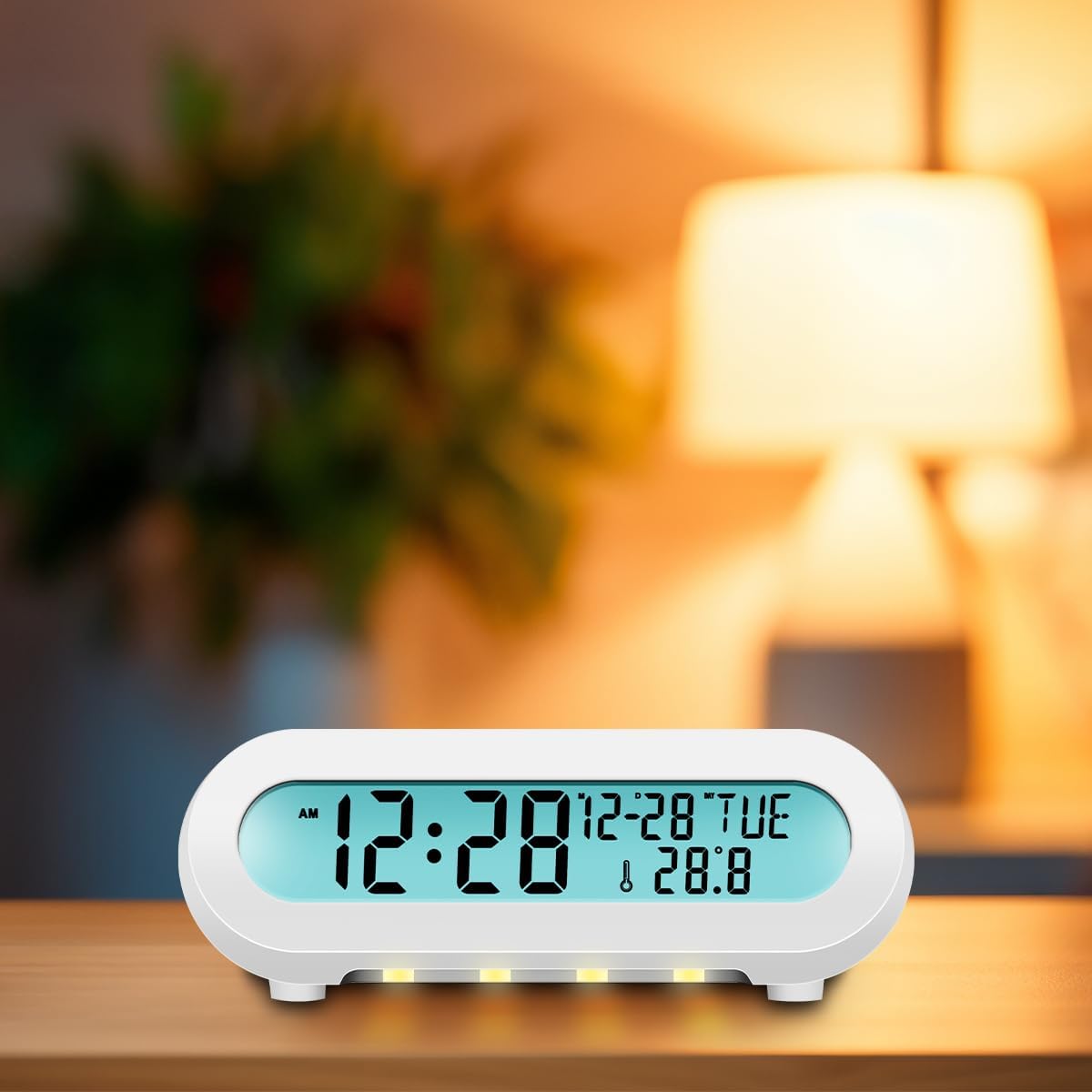
Figure 5: The alarm clock displaying its night light feature in a dark environment.
- ടാപ്പ് ചെയ്യുക TOUCH SNOOZE/LIGHT area to turn the night light on or off.
- Multiple taps may cycle through different brightness levels or colors, if available.
4.6 യുഎസ്ബി ചാർജിംഗ് പോർട്ട്
The USB OUT port on the back of the alarm clock allows you to charge compatible mobile phones, tablets, or eReaders.
- Connect your device's charging cable to the USB OUT port.
- Ensure the alarm clock is powered via its USB-C input for this function to work.
5. പരിപാലനം
To ensure the longevity and proper functioning of your LogiLink SC0121W alarm clock, follow these maintenance guidelines:
- വൃത്തിയാക്കൽ: Use a soft, dry cloth to clean the surface of the device. Avoid abrasive cleaners, solvents, or strong chemicals, as they may damage the finish.
- പ്ലേസ്മെൻ്റ്: Place the alarm clock on a stable, flat surface away from direct sunlight, excessive heat, moisture, or strong magnetic fields.
- ശക്തി: Always use the recommended USB-C power adapter (5V/2A, 10W) to prevent damage.
- ബാറ്ററികൾ: If using AAA batteries for backup, replace them periodically (e.g., once a year) to prevent leakage, especially if the device will be stored for an extended period.
6. പ്രശ്നപരിഹാരം
നിങ്ങളുടെ അലാറം ക്ലോക്കിൽ പ്രശ്നങ്ങൾ നേരിടുകയാണെങ്കിൽ, ഇനിപ്പറയുന്ന പൊതുവായ പ്രശ്നങ്ങളും പരിഹാരങ്ങളും പരിശോധിക്കുക:
| പ്രശ്നം | സാധ്യമായ കാരണം | പരിഹാരം |
|---|---|---|
| ഡിസ്പ്ലേ ശൂന്യമാണ് അല്ലെങ്കിൽ മിന്നിമറയുന്നു. | No power or insufficient power. | Ensure the USB-C power cable is securely connected and the power adapter is working. Check if AAA backup batteries are depleted or incorrectly inserted. |
| Time/Date resets frequently. | Backup batteries are missing or depleted. | ബാറ്ററി കമ്പാർട്ടുമെന്റിൽ പുതിയ AAA ബാറ്ററികൾ സ്ഥാപിക്കുക. |
| എഫ്എം റേഡിയോ റിസപ്ഷൻ മോശമാണ്. | ആന്റിന നീട്ടിയിട്ടില്ല അല്ലെങ്കിൽ ഇടപെടുന്നില്ല. | Fully extend the wired FM antenna. Try repositioning the antenna or the alarm clock to reduce interference from other electronic devices. |
| അലാറം മുഴങ്ങുന്നില്ല. | അലാറം സജീവമാക്കിയിട്ടില്ല അല്ലെങ്കിൽ വോളിയം വളരെ കുറവാണ്. | Verify that the alarm icon is displayed on the screen. Check the alarm volume setting. |
| യുഎസ്ബി ചാർജിംഗ് പോർട്ട് പ്രവർത്തിക്കുന്നില്ല. | Alarm clock not powered via USB-C or device incompatible. | Ensure the alarm clock is connected to its main USB-C power source. Check if your device is compatible with standard USB charging. |
7 സ്പെസിഫിക്കേഷനുകൾ
- മോഡൽ: SC0121W
- അളവുകൾ: 13.5 x 8.5 x 5.5 സെ.മീ
- ഭാരം: 139 ഗ്രാം
- ഡിസ്പ്ലേ തരം: LCD (11 x 2.2 cm)
- ഊർജ്ജ സ്രോതസ്സ്: USB-C (5V/2A, 10W) or 2 x AAA batteries (not included)
- താപനില കണ്ടെത്തൽ ശ്രേണി: 0 - 50 ° C (0 - 122 ° F)
- സമയ ഫോർമാറ്റ്: 12 & 24 hours
- താപനില യൂണിറ്റ്: °C & °F
- എഫ്എം റേഡിയോ ഫ്രീക്വൻസി: 87.5 - 108 MHz
- സ്ലീപ്പ് ടൈമർ: 10-90 മിനിറ്റ്
- പ്രത്യേക സവിശേഷതകൾ: Night light, USB charging port
- മെറ്റീരിയൽ: പ്ലാസ്റ്റിക്
- നിറം: വെള്ള
8. വാറൻ്റിയും പിന്തുണയും
LogiLink products are designed for reliability and performance. For warranty information or technical support, please refer to the documentation included with your purchase or visit the official LogiLink webസൈറ്റ്. ഏതെങ്കിലും വാറന്റി ക്ലെയിമുകൾക്ക് നിങ്ങളുടെ വാങ്ങലിന്റെ തെളിവ് സൂക്ഷിക്കുക.


