ആമുഖം
The WarmlyYours nTrust 2.0 Nonprogrammable Thermostat provides straightforward control for radiant heating systems. Its design features an LED display and capacitive touch interface for easy temperature adjustments. This thermostat is suitable for electric floor heating systems and hardwired radiant panels, offering dual voltage compatibility (120V/240V). It includes a 10k ohm floor sensor for efficient operation and has a built-in GFCI for safety, carrying cULus certification. Setup is guided by a user-friendly wizard.
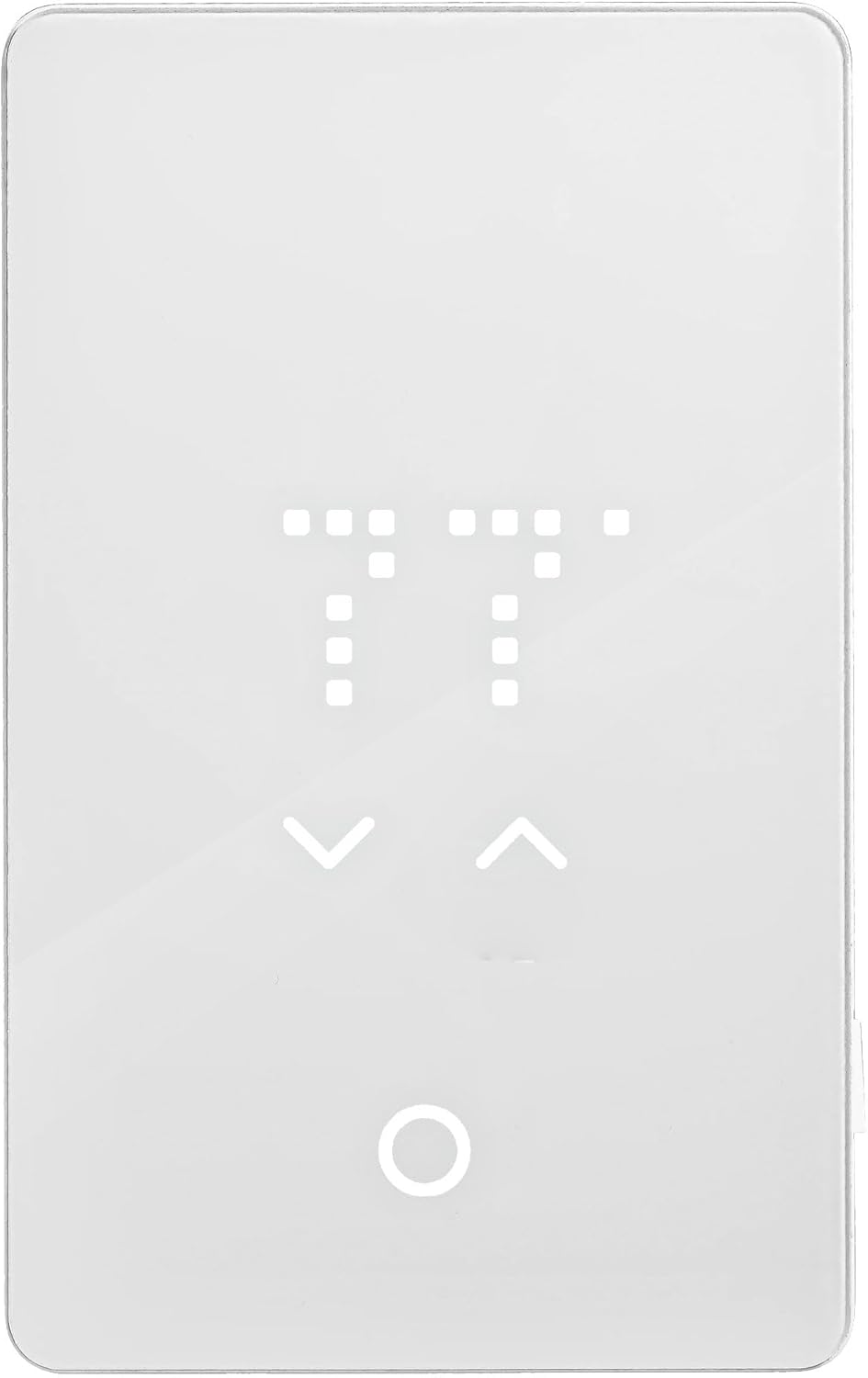
ചിത്രം 1: മുൻഭാഗം view of the WarmlyYours nTrust 2.0 Nonprogrammable Thermostat.
സജ്ജീകരണ നിർദ്ദേശങ്ങൾ
Proper installation is crucial for the safe and efficient operation of your nTrust 2.0 thermostat. Always ensure power is disconnected at the circuit breaker before beginning any wiring. This device is designed for installation by a qualified electrician.
1. സുരക്ഷാ മുൻകരുതലുകൾ
- പവർ ഓഫ് ചെയ്യുക: Before installation, ensure the power supply to the heating system is completely disconnected at the main circuit breaker.
- വോളിയം പരിശോധിക്കുകtage: വോളിയം എന്ന് സ്ഥിരീകരിക്കുകtagനിങ്ങളുടെ പവർ സപ്ലൈയുടെ e വോള്യവുമായി പൊരുത്തപ്പെടുന്നുtage requirements of your heating system (120V or 240V).
- ഗ്രൗണ്ടിംഗ്: പ്രാദേശിക ഇലക്ട്രിക്കൽ കോഡുകൾ അനുസരിച്ച് ശരിയായ ഗ്രൗണ്ടിംഗ് ഉറപ്പാക്കുക.
2. തെർമോസ്റ്റാറ്റ് വയറിംഗ്
The nTrust 2.0 thermostat is designed for easy wiring. Refer to the wiring diagram on the back of the thermostat for specific connections. The thermostat features terminals for power supply, heating load, and the floor sensor.

ചിത്രം 2: പിന്നിലേക്ക് view of the thermostat showing wiring terminals and diagram.
- Separate components: Gently separate the thermostat's front plate from the back plate.
- Connect heating cables: Connect the heating cables from your radiant system to the designated LOAD terminals on the thermostat's back plate.
- വൈദ്യുതി വിതരണം ബന്ധിപ്പിക്കുക: Connect the power supply wires from your circuit breaker to the LINE terminals. Ensure correct voltage connection (120V or 240V).
- Connect floor sensor: Insert the floor sensor wires into the dedicated sensor terminals. No polarity is required for the sensor wires.
- ഗ്രൗണ്ടിംഗ്: Connect the ground wire from your electrical box to the thermostat's ground terminal.
For a visual guide on installation, please watch the official WarmlyYours video below:
Video 1: WarmlyYours nTrust 2.0 (UTN5) - How to install. This video demonstrates the step-by-step process of installing the thermostat, including wiring connections for power, heating load, and the floor sensor.
Another helpful video covering setup and initial use:
Video 2: WarmlyYours nTrust 2.0 (UTN5) - How to setup and use. This video provides a comprehensive guide on setting up the thermostat and its basic operational functions.
3. തെർമോസ്റ്റാറ്റ് മൌണ്ട് ചെയ്യുന്നു
- Secure back plate: Once all wiring is complete and secure, mount the back plate to the electrical box using the provided screws.
- Attach face plate: Carefully align the front plate with the back plate and snap it into place.

Figure 3: Thermostat installed on a wall.
പ്രവർത്തന നിർദ്ദേശങ്ങൾ
The nTrust 2.0 thermostat is designed for simple, non-programmable operation. Once installed and powered on, it will display the current floor temperature.
1. താപനില ക്രമീകരിക്കൽ
- ഉണരുക: Tap the screen to wake up the thermostat if the display is off.
- താപനില സജ്ജമാക്കുക: Use the up and down arrows on the capacitive touch interface to set your desired floor temperature. The new setting will blink a few times to confirm.

Figure 4: Adjusting the temperature using the touch interface.
2. സജ്ജീകരണങ്ങൾ ആക്സസ് ചെയ്യുന്നു
The thermostat features a menu button (circular icon) to access additional settings. Press and hold this button for 3 seconds to enter the settings menu.
Figure 5: Thermostat touch areas and menu button.
For detailed instructions on changing settings, refer to the following video:
Video 3: WarmlyYours nTrust 2.0 (UTN5) - How to change settings. This video guides users through the various settings options available on the thermostat.
മെയിൻ്റനൻസ്
The WarmlyYours nTrust 2.0 thermostat requires minimal maintenance. Keep the screen clean and free from dust and debris. Use a soft, dry cloth for cleaning. Do not use abrasive cleaners or solvents, as these can damage the display and touch interface.
Regularly check the connections for any signs of wear or damage. If any issues are observed, contact a qualified electrician for inspection and repair.
ട്രബിൾഷൂട്ടിംഗ്
If you encounter issues with your nTrust 2.0 thermostat, consider the following common troubleshooting steps:
- No display/power: Check the circuit breaker to ensure power is supplied to the thermostat. Verify all wiring connections are secure.
- തെറ്റായ താപനില വായന: Ensure the floor sensor is properly installed and connected. Check for any damage to the sensor cable.
- ചൂടാക്കൽ സജീവമാകുന്നില്ല: Verify the desired temperature is set above the current floor temperature. Check the GFCI for tripping.
- GFCI tripping: A tripping GFCI indicates a ground fault. Immediately disconnect power and contact a qualified electrician to diagnose and resolve the issue. Do not attempt to bypass the GFCI.
If problems persist after attempting these steps, contact WarmlyYours technical support for assistance.
സ്പെസിഫിക്കേഷനുകൾ
| ബ്രാൻഡ് | M ഷ്മളമായ നിങ്ങളുടെ |
| മോഡലിൻ്റെ പേര് | nTrust 2.0 |
| ഇനം മോഡൽ നമ്പർ | UTN5-4999 |
| യു.പി.സി | 881308080426 |
| കൺട്രോളർ തരം | പുഷ് ബട്ടൺ |
| പ്രത്യേക ഫീച്ചർ | Lighted, Lockable, Temperature Display |
| നിറം | വൈറ്റ് അക്രിലിക് |
| ഉൽപ്പന്നത്തിൻ്റെ പ്രത്യേക ഉപയോഗങ്ങൾ | നില ചൂടാക്കൽ |
| താപനില നിയന്ത്രണ തരം | ഡിജിറ്റൽ |
| ഉൾപ്പെടുത്തിയ ഘടകങ്ങൾ | (1) nTrust 2.0 Touch Nonprogrammable Thermostat (UTN5-4999) |
| പവർ ഉറവിടം | കോർഡഡ് ഇലക്ട്രിക് |
| ഇനത്തിൻ്റെ ഭാരം | 0.6 പൗണ്ട് (9.6 ഔൺസ്) |
| ഡിസ്പ്ലേ തരം | എൽഇഡി |
| നിയന്ത്രണ രീതി | സ്പർശിക്കുക |
| കണക്റ്റിവിറ്റി പ്രോട്ടോക്കോൾ | വയർഡ് |
| മൗണ്ടിംഗ് തരം | മതിൽ മൗണ്ട് |
| പരമാവധി പവർ | 3600W |
| ഐപി സംരക്ഷണം | IP20 |
വാറൻ്റി വിവരങ്ങൾ
The WarmlyYours nTrust 2.0 Nonprogrammable Thermostat comes with a പരിമിതമായ 3 വർഷത്തെ വാറന്റി. This warranty covers defects in materials and workmanship under normal use and service. Please retain your proof of purchase for warranty claims. For full details regarding warranty terms and conditions, refer to the documentation included with your product or visit the WarmlyYours official webസൈറ്റ്.
സാങ്കേതിക സഹായം
WarmlyYours provides ആജീവനാന്ത സാങ്കേതിക പിന്തുണ for the nTrust 2.0 thermostat. If you require assistance with installation, operation, troubleshooting, or any other technical queries, please contact WarmlyYours customer service. Contact information can typically be found on the product packaging, the WarmlyYours website, or within the included product literature.


