ആമുഖം
Thank you for choosing the Thomasville Rivington 60" W L-Shaped Corner Desk & Hutch. This manual provides essential information for the safe assembly, operation, and maintenance of your new desk. Please read all instructions carefully before beginning assembly and retain this manual for future reference.
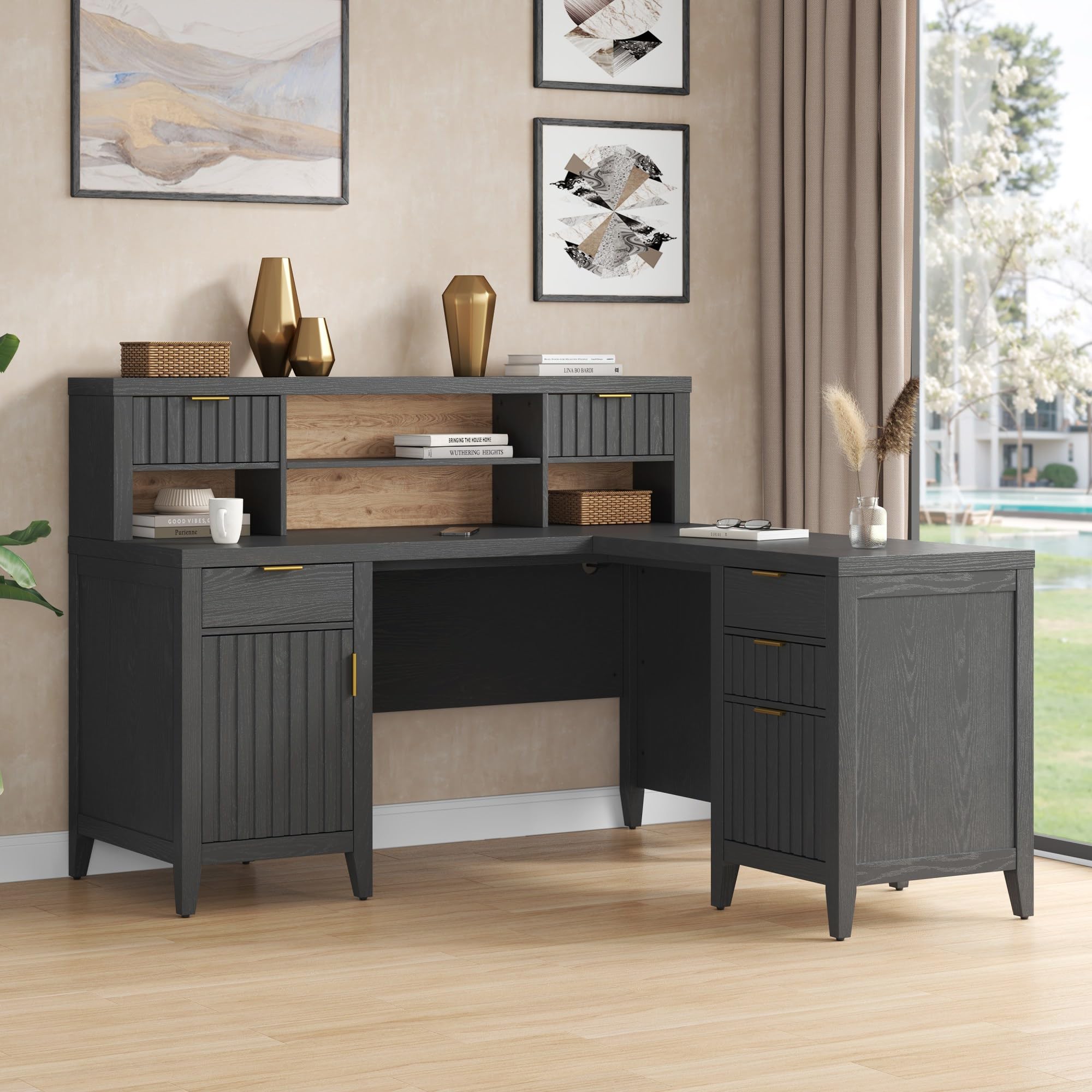
The Thomasville Rivington desk is designed to enhance your home office with its modern aesthetic and functional features, including an integrated power outlet, USB charging port, and ample storage. Constructed from durable particleboard, it offers a robust and stylish workspace.
പ്രധാനപ്പെട്ട സുരക്ഷാ വിവരങ്ങൾ
- This product is heavy and/or oversized. It may require more than one person for safe handling and assembly.
- Always follow assembly instructions precisely to ensure structural integrity and safety.
- ഡ്രോയറുകളിലോ ഷെൽഫുകളിലോ അമിതഭാരം കയറ്റരുത്. ഭാരം തുല്യമായി വിതരണം ചെയ്യുക.
- അസംബ്ലി സമയത്ത് കുട്ടികളിൽ നിന്ന് ചെറിയ ഭാഗങ്ങൾ സൂക്ഷിക്കുക.
- Ensure all electrical connections are made according to local codes and safety standards.
സജ്ജീകരണവും അസംബ്ലിയും
Assembly of the Thomasville Rivington L-Shaped Corner Desk & Hutch is required. Please ensure you have sufficient space and assistance before beginning. All necessary assembly tools are not included, so prepare your own basic tools such as screwdrivers and a hammer.
ഘടകങ്ങൾ പൂർത്തിയായിview
The desk consists of an L-shaped main desk unit, a hutch, multiple drawers, and cabinet storage. Familiarize yourself with all parts before assembly.

അസംബ്ലി ഘട്ടങ്ങൾ (പൊതു മാർഗ്ഗനിർദ്ദേശങ്ങൾ)
- അൺപാക്ക് ചെയ്ത് തിരിച്ചറിയുക: Carefully unpack all components and hardware. Compare them against the parts list provided in your separate assembly guide to ensure all pieces are present.
- ജോലിസ്ഥലം തയ്യാറാക്കുക: Clear a large, flat, and clean area for assembly. Place a blanket or cardboard down to protect the desk components and your floor.
- അടിസ്ഥാന യൂണിറ്റുകൾ കൂട്ടിച്ചേർക്കുക: Begin by assembling the main desk sections and the hutch base according to the detailed instructions in your assembly guide.
- ഡ്രോയറുകളും വാതിലുകളും സ്ഥാപിക്കുക: Attach drawer slides, assemble drawers, and install cabinet doors. Ensure soft-close mechanisms function correctly.
- ഇന്റഗ്രേറ്റ് പവർ ഔട്ട്ലെറ്റ്: Follow instructions for installing the integrated power outlet and USB charging port. Ensure all wiring is secure and routed through the cord management system.
- Attach Hutch: Securely attach the hutch to the main desk unit.
- അന്തിമ ക്രമീകരണങ്ങൾ: Once assembled, check all connections and tighten hardware as needed. Adjust floor levelers to ensure stability.
Refer to the separate detailed assembly instructions included with your product for step-by-step guidance.
പ്രവർത്തന നിർദ്ദേശങ്ങൾ
Integrated Power Outlet and USB Charging Port
- The desk features a built-in power center with two standard outlets and one USB-C port.
- To use, plug the desk's main power cord into a grounded wall outlet.
- Connect your electronic devices to the integrated outlets or USB-C port for convenient power access.
- Utilize the cord management cut-out to keep cables organized and out of sight.
സ്റ്റോറേജ് സവിശേഷതകൾ
The Rivington desk offers various storage solutions:
- Soft-Close Accessory Drawers: Three drawers in the hutch provide convenient storage for small office supplies. The soft-close mechanism ensures quiet operation.
- Soft-Close Cabinet Door: A cabinet with an adjustable interior shelf offers concealed storage for larger items.
- സോഫ്റ്റ്-ക്ലോസ് File ഡ്രോയർ: ഒരു സമർപ്പിത file drawer accommodates letter and legal-size documents, ensuring your important papers are organized and accessible.


മെയിൻ്റനൻസ്
വൃത്തിയാക്കൽ
- മൃദുവായ, ഡി ഉപയോഗിച്ച് ഉപരിതലങ്ങൾ തുടയ്ക്കുകamp തുണി. ഫിനിഷിന് കേടുവരുത്തുന്ന, ഉരച്ചിലുകളുള്ള ക്ലീനറുകളോ കഠിനമായ രാസവസ്തുക്കളോ ഒഴിവാക്കുക.
- ചോർച്ച ഉണ്ടായാൽ, വൃത്തിയുള്ളതും ഉണങ്ങിയതുമായ തുണി ഉപയോഗിച്ച് ഉടൻ തുടയ്ക്കുക.
ജനറൽ കെയർ
- Periodically check and tighten all hardware to ensure the desk remains stable and secure.
- ചൂടുള്ള വസ്തുക്കൾ നേരിട്ട് മേശയുടെ പ്രതലത്തിൽ വയ്ക്കുന്നത് ഒഴിവാക്കുക. കോസ്റ്ററുകളോ സംരക്ഷണ പാഡുകളോ ഉപയോഗിക്കുക.
- മേശ വളച്ചൊടിക്കൽ അല്ലെങ്കിൽ മങ്ങൽ തടയാൻ, നേരിട്ടുള്ള സൂര്യപ്രകാശത്തിൽ നിന്നും തീവ്രമായ താപനില വ്യതിയാനങ്ങളിൽ നിന്നും മേശ അകറ്റി നിർത്തുക.
- Do not stand or sit on the desk or hutch.
ട്രബിൾഷൂട്ടിംഗ്
പൊതുവായ പ്രശ്നങ്ങളും പരിഹാരങ്ങളും
- മേശ ഇളകിയിരിക്കുന്നു:
- Ensure all assembly hardware is securely tightened.
- Adjust the floor levelers on the bottom of the desk legs to compensate for uneven floors.
- ഡ്രോയറുകൾ സുഗമമായി സ്ലൈഡ് ചെയ്യുന്നില്ല:
- Check that the drawer slides are correctly aligned and free of obstructions.
- ഡ്രോയറുകൾ അമിതഭാരമുള്ളതല്ലെന്ന് ഉറപ്പാക്കുക.
- Power outlet not working:
- Verify that the desk's main power cord is securely plugged into a functional wall outlet.
- ചുമരിലെ ഔട്ട്ലെറ്റിനായി സർക്യൂട്ട് ബ്രേക്കർ പരിശോധിക്കുക.
- Ensure the internal connections for the power strip are properly seated (refer to assembly guide).
ഇവിടെ ഉൾപ്പെടുത്തിയിട്ടില്ലാത്ത പ്രശ്നങ്ങൾ നേരിടുകയാണെങ്കിൽ, ദയവായി ഉപഭോക്തൃ പിന്തുണയുമായി ബന്ധപ്പെടുക.
സ്പെസിഫിക്കേഷനുകൾ
| ബ്രാൻഡ് | തോമസ്വില്ലെ |
| മോഡൽ | റിവിംഗ്ടൺ |
| ഡെസ്ക് ഡിസൈൻ | L-Shaped Corner Desk with Hutch |
| നിറം | റേവൻ ബ്ലാക്ക് |
| മെറ്റീരിയൽ | എഞ്ചിനീയേർഡ് വുഡ് (പാർട്ടിക്കിൾബോർഡ്) |
| ഫിനിഷ് തരം | Painted/Lacquered |
| മൊത്തത്തിലുള്ള അളവുകൾ (ഏകദേശം) | 63.5 inches (Working Surface Diagonal Length) x 27 inches (Depth) x 44.25 inches (Height including floor levelers) |
| ഇനത്തിൻ്റെ ഭാരം | 243 പൗണ്ട് |
| പ്രത്യേക സവിശേഷതകൾ | Built-In USB Outlet, Cord Management System, Soft-Close Drawers and Cabinet |
| ഡ്രോയറുകളുടെ എണ്ണം | 4 (3 accessory, 1 file) |
| കാബിനറ്റുകളുടെ എണ്ണം | 2 |
| ഷെൽഫുകളുടെ എണ്ണം | 2 (enclosed) |
| അസംബ്ലി ആവശ്യമാണ് | അതെ |
| യു.പി.സി | 764053567018 |
| ASIN | B0F1JSGZD2 |
വാറൻ്റിയും പിന്തുണയും
നിർമ്മാതാവിന്റെ വാറന്റി
The Thomasville Rivington L-Shaped Corner Desk & Hutch is backed by the manufacturer’s 5 വർഷത്തെ പരിമിത വാറൻ്റി. സാധാരണ ഉപയോഗത്തിലുള്ള മെറ്റീരിയലുകളിലെയും നിർമ്മാണത്തിലെയും വൈകല്യങ്ങൾ ഈ വാറന്റി ഉൾക്കൊള്ളുന്നു. വാറന്റി ക്ലെയിമുകൾക്കായി നിങ്ങളുടെ വാങ്ങലിന്റെ തെളിവ് സൂക്ഷിക്കുക.
For specific details regarding warranty coverage, limitations, and how to file a claim, please refer to the warranty documentation included with your product or visit the official Thomasville webസൈറ്റ്.
ഉപഭോക്തൃ പിന്തുണ
If you have any questions about assembly, operation, maintenance, or warranty, please contact Thomasville customer support. Contact information can typically be found on the manufacturer's webസൈറ്റ് അല്ലെങ്കിൽ പാക്കേജിംഗ് മെറ്റീരിയലുകളിൽ.
For online resources and further assistance, you may visit the Thomasville Store on Amazon.


