1. ആമുഖം
Thank you for choosing the 4DRC V31 RC Plane. This foam remote control airplane is designed for both kids and adults, offering an exciting and easy-to-control flying experience. Equipped with a camera for real-time video streaming and various intelligent flight modes, the V31 provides hours of aerial fun. Please read this manual thoroughly before operating the aircraft to ensure safe and optimal performance.
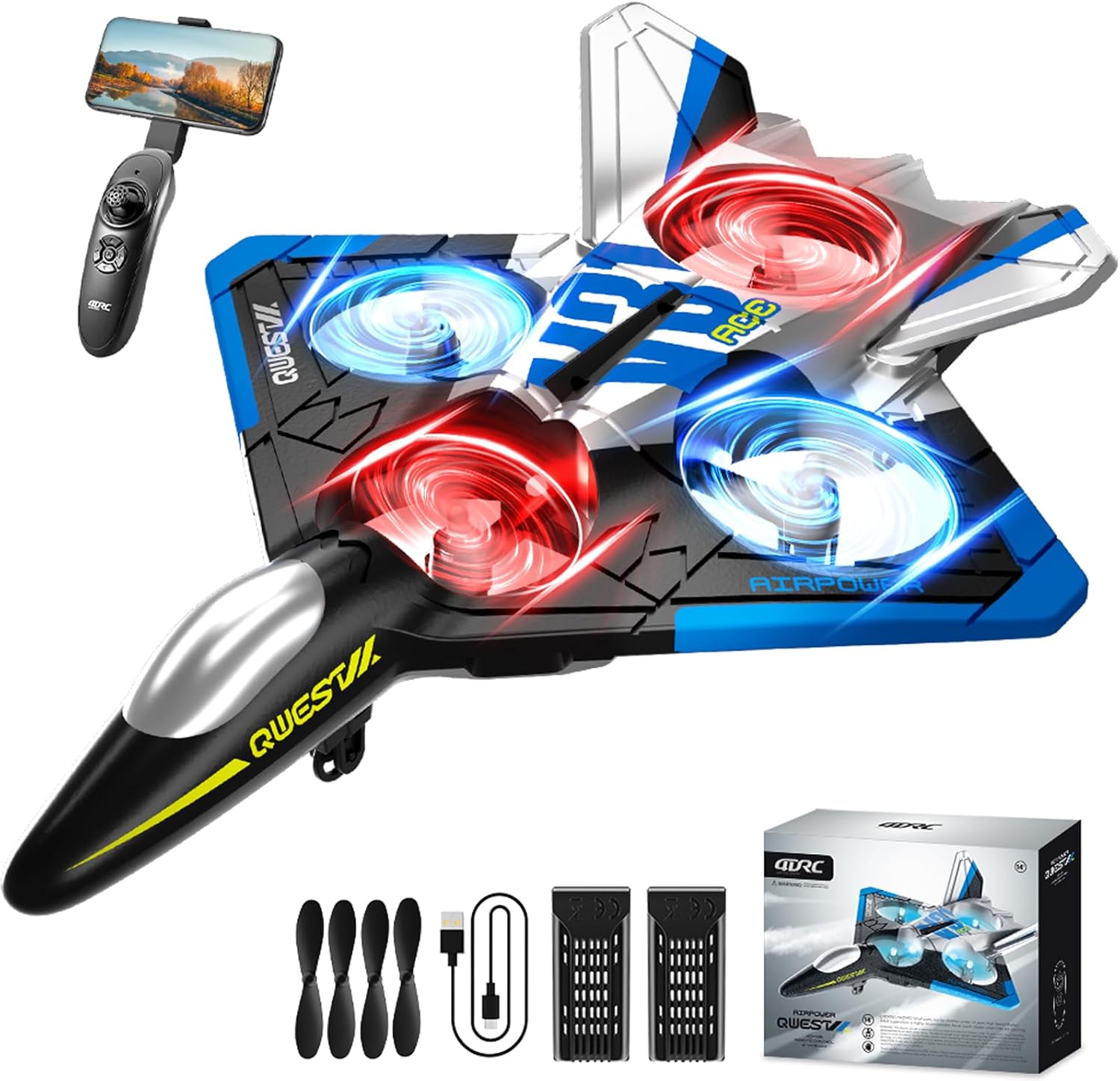
Figure 1: The 4DRC V31 RC Plane, remote controller, and included accessories.
2. ഉൽപ്പന്ന സവിശേഷതകൾ
- 360° Flip & Aerial Stunts: Perform gravity-defying spins, aerobatic rolls, and 360-degree circling. Features include gravity sensing, headless mode, one-key takeoff/landing, altitude hold, and three speed options.
- Real-Time Camera & App Integration: The advanced WiFi-enabled camera and app provide real-time video streaming, allowing you to capture epic flight moments and share experiences.
- വർണ്ണാഭമായ LED ലൈറ്റ്: Equipped with bright LED lights, the RC airplane stands out vividly against the night sky, adding a magical touch to evening flights.
- ഉപയോഗിക്കാൻ എളുപ്പമാണ്: No assembly required. With a simple press of a button, you can launch or land the remote control airplane. Intuitive controls make it accessible for beginners and experienced pilots alike.
- സുരക്ഷയും ഈടുതലും: Features four built-in propellers with a unique protective structure, ensuring safety from spinning propellers. Constructed from soft yet sturdy EPP material for resilience against impacts.

Figure 2: The V31 RC Plane executing a 3D flip maneuver.

Figure 3: The V31 RC Plane performing a 360-degree circle flight stunt.

ചിത്രം 4: View of the FPV real-time transmission feature, showing the plane's perspective on a smartphone screen.
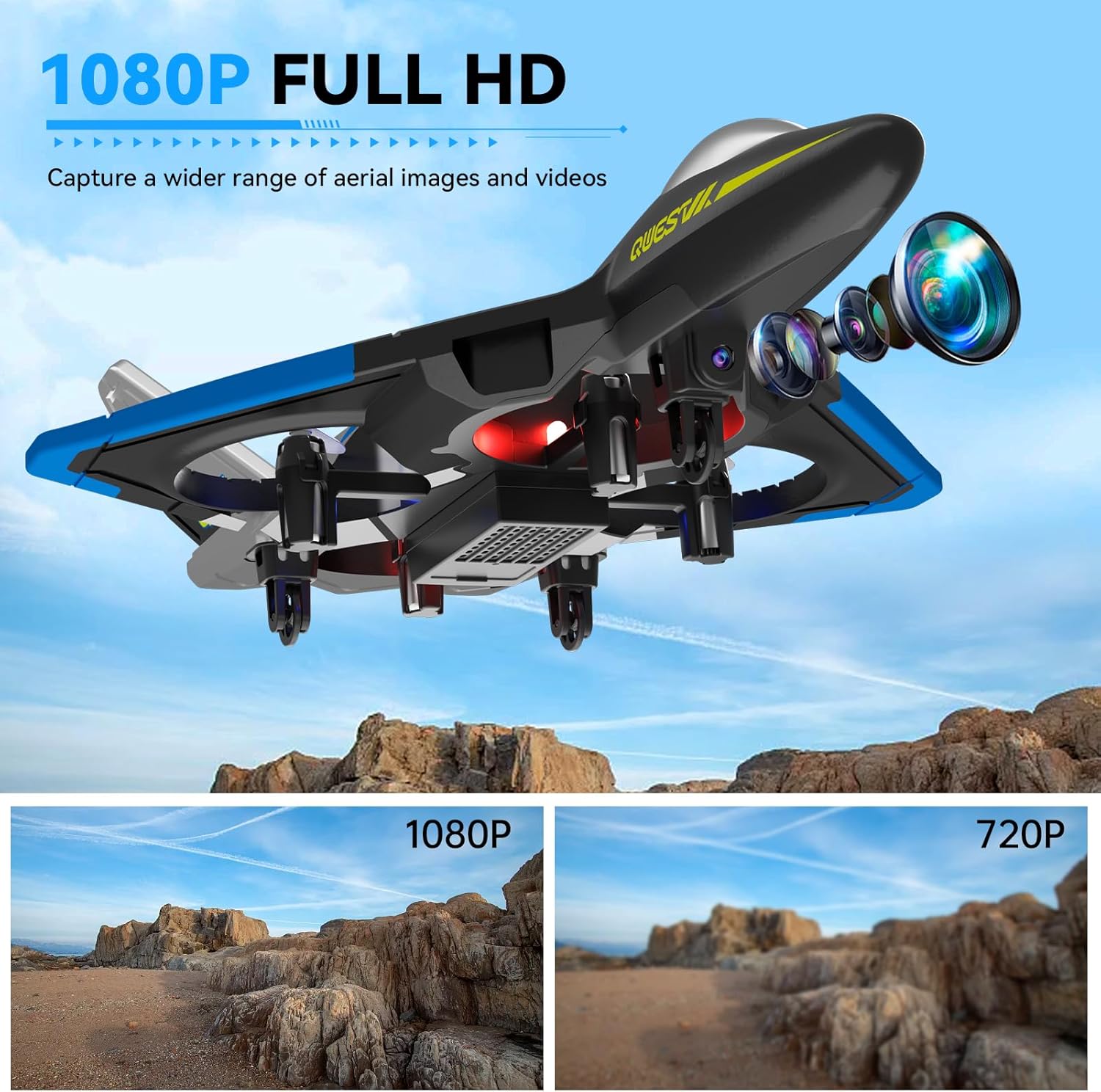
ചിത്രം 5: ക്ലോസപ്പ് view of the 1080P Full HD camera module on the V31 RC Plane.
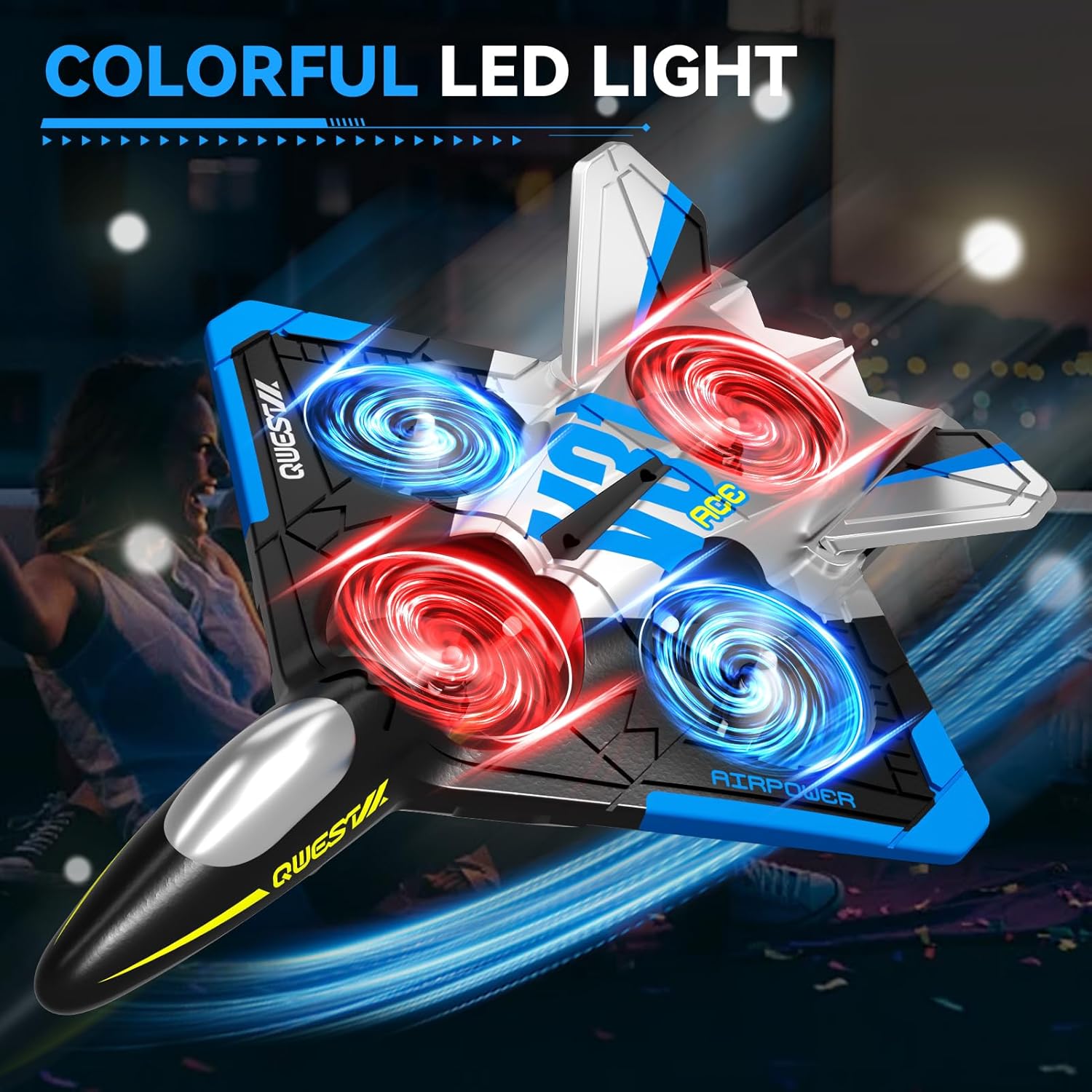
Figure 6: The V31 RC Plane showcasing its vibrant LED lights during nighttime operation.
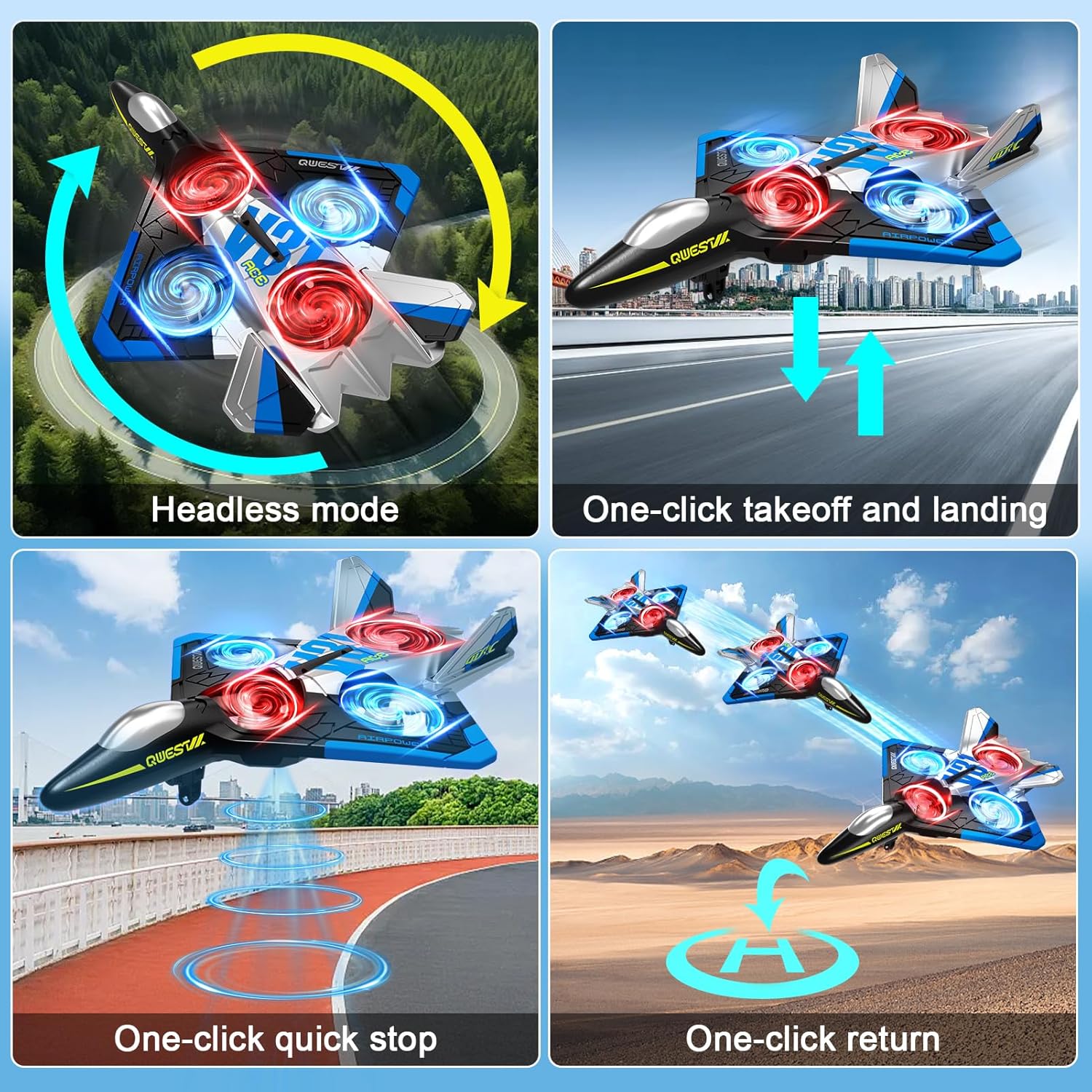
Figure 7: Visual representation of easy-to-use features like one-click takeoff/landing and headless mode.
3. ബോക്സിൽ എന്താണുള്ളത്?
പാക്കേജ് തുറക്കുമ്പോൾ, എല്ലാ ഘടകങ്ങളും നിലവിലുണ്ടെന്നും നല്ല നിലയിലാണെന്നും ദയവായി പരിശോധിക്കുക:
- 4DRC V31 RC Plane (1)
- റിമോട്ട് കൺട്രോളർ (1)
- Rechargeable C Batteries (2, included)
- USB ചാർജിംഗ് കേബിൾ (1)
- Spare Propellers (Set of 4)
- ഉപയോക്തൃ മാനുവൽ (ഈ പ്രമാണം)
4. സജ്ജീകരണ ഗൈഡ്
4.1. ബാറ്ററി ഇൻസ്റ്റാളേഷനും ചാർജിംഗും
- എയർക്രാഫ്റ്റ് ബാറ്ററി: Locate the battery compartment on the underside of the V31 RC Plane. Insert the provided rechargeable C battery, ensuring correct polarity. Close the compartment securely.
- എയർക്രാഫ്റ്റ് ബാറ്ററി ചാർജ് ചെയ്യുന്നു: Connect the USB charging cable to the aircraft battery and plug the other end into a USB power source (e.g., computer USB port, USB wall adapter). The indicator light on the cable will show charging status (e.g., red for charging, off when fully charged). Charging typically takes approximately 60-90 minutes.
- റിമോട്ട് കൺട്രോളർ ബാറ്ററികൾ: Open the battery compartment on the back of the remote controller. Insert 2 C batteries (included), observing the correct positive (+) and negative (-) terminals. Close the compartment.
4.2. Controller Pairing
- Ensure the aircraft battery is installed and the plane is powered on. Place the plane on a flat surface.
- റിമോട്ട് കൺട്രോളർ ഓണാക്കുക. കൺട്രോളറിലെ ഇൻഡിക്കേറ്റർ ലൈറ്റ് മിന്നിമറയും.
- Push the left joystick (throttle) all the way up, then all the way down. The controller will beep, and the indicator light will become solid, indicating successful pairing.
4.3. App Installation (for Camera Features)
For real-time video streaming and advanced camera functions, download the dedicated 4DRC app from your smartphone's app store (iOS or Android). Follow the in-app instructions to connect your device to the plane's Wi-Fi network.
5. പ്രവർത്തന നിർദ്ദേശങ്ങൾ
5.1. പ്രീ-ഫ്ലൈറ്റ് ചെക്ക്ലിസ്റ്റ്
- Ensure both aircraft and remote controller batteries are fully charged.
- പ്രൊപ്പല്ലറുകൾ സുരക്ഷിതമായി ഘടിപ്പിച്ചിട്ടുണ്ടെന്നും കേടുപാടുകൾ സംഭവിച്ചിട്ടില്ലെന്നും ഉറപ്പാക്കുക.
- Choose an open, clear area free from obstacles, people, and animals.
- കാലാവസ്ഥ പരിശോധിക്കുക; ശക്തമായ കാറ്റിലോ മഴയിലോ പറക്കുന്നത് ഒഴിവാക്കുക.
5.2. Take-off and Basic Flight
- വൺ-കീ ടേക്ക്-ഓഫ്: After pairing, press the one-key take-off button on the remote controller. The plane will automatically ascend to a stable hovering altitude.
- ത്രോട്ടിൽ നിയന്ത്രണം: Use the left joystick to control altitude. Push up to ascend, pull down to descend.
- ദിശാ നിയന്ത്രണം: Use the right joystick to control forward/backward movement and left/right turning.
- ആൾട്ടിറ്റ്യൂഡ് ഹോൾഡ്: The V31 features an altitude hold function, allowing it to maintain a stable height without constant throttle input.
5.3. Advanced Flight Modes & Stunts
- തലയില്ലാത്ത മോഡ്: Press the headless mode button. In this mode, the plane's orientation is relative to the pilot, making it easier to control regardless of which way the front of the plane is facing.
- 360° ഫ്ലിപ്പ്: While flying, press the 360° flip button and simultaneously push the right joystick in the desired flip direction. The plane will perform an acrobatic flip.
- ഗ്രാവിറ്റി സെൻസിംഗ്: The remote controller supports gravity sensing. Tilt the controller to maneuver the plane.
- One-Click Circling: Press the one-click circling button to make the plane automatically circle in a designated radius.
- വേഗത ക്രമീകരണം: The V31 offers three speed options. Use the speed switch button on the remote to cycle through low, medium, and high speeds.
Video 1: Demonstration of various flight features including LED lights, one-click take-off, multi-gear speed adjustment, gravity induction, optical flow localization, omnidirectional obstacle avoidance, 360° circling, 360° tumbling, trajectory flight, and one-touch landing.
5.4. ക്യാമറ പ്രവർത്തനം
- തൽസമയം View: Once connected to the app via Wi-Fi, the live camera feed will display on your smartphone screen.
- ഫോട്ടോ ക്യാപ്ചർ: Tap the photo icon in the app to take still images.
- വീഡിയോ റെക്കോർഡിംഗ്: Tap the video icon in the app to start/stop video recording. Videos and photos will be saved to your smartphone's gallery.
5.5. ലാൻഡിംഗ്
To land the plane, gently pull down the left joystick (throttle) or press the one-key landing button. The plane will slowly descend and land automatically.
6. പരിപാലനം
- വൃത്തിയാക്കൽ: Use a soft, dry cloth to clean the aircraft after each flight. Avoid using water or harsh chemicals.
- പ്രൊപ്പല്ലർ മാറ്റിസ്ഥാപിക്കൽ: If a propeller is damaged, carefully remove it and replace it with a spare, ensuring the correct propeller type (A or B) is installed in the corresponding position.
- ബാറ്ററി കെയർ: Always fully charge batteries before use. Do not overcharge. Store batteries in a cool, dry place away from direct sunlight and extreme temperatures. If not used for extended periods, charge batteries every 3 months to maintain their health.
- സംഭരണം: Store the V31 RC Plane and its components in a safe, dry place when not in use, away from direct sunlight and moisture.
7. പ്രശ്നപരിഹാരം
| പ്രശ്നം | സാധ്യമായ കാരണം | പരിഹാരം |
|---|---|---|
| Plane does not respond to controller. | Not paired; low battery; interference. | Re-pair controller and plane; charge batteries; move to an area with less interference. |
| Plane flies erratically or won't fly straight. | Propellers damaged; calibration issue; strong wind. | Replace damaged propellers; perform gyroscope calibration (refer to app/controller instructions); fly in calm conditions. |
| ചെറിയ ഫ്ലൈറ്റ് സമയം. | ബാറ്ററി പൂർണ്ണമായും ചാർജ് ചെയ്തിട്ടില്ല; കാലഹരണപ്പെട്ട ബാറ്ററി. | Ensure battery is fully charged before each flight; consider replacing the battery if performance degrades significantly. |
| No real-time video feed. | Wi-Fi not connected; app not running; camera malfunction. | Ensure smartphone is connected to the plane's Wi-Fi; restart the app and plane; contact support if issue persists. |
8 സ്പെസിഫിക്കേഷനുകൾ
| ഫീച്ചർ | വിശദാംശങ്ങൾ |
|---|---|
| ബ്രാൻഡ് | 4DRC |
| മോഡൽ | V31-BLUE-WIFI |
| ഉൽപ്പന്ന അളവുകൾ | 10 x 4 x 7 ഇഞ്ച് |
| ഇനത്തിൻ്റെ ഭാരം | 11.3 ഔൺസ് |
| ബാറ്ററികൾ | 2 സി ബാറ്ററികൾ ആവശ്യമാണ് (ഉൾപ്പെടുത്തിയിരിക്കുന്നു) |
| നിർമ്മാതാവ് ശുപാർശ ചെയ്യുന്ന പ്രായം | 14 വർഷവും അതിൽ കൂടുതലും |
| ക്യാമറ | Integrated for real-time video and photo capture |
| മെറ്റീരിയൽ | EPP Foam |
9. സുരക്ഷാ മാർഗ്ഗനിർദ്ദേശങ്ങൾ
Adhering to these safety guidelines is crucial for safe operation and to prevent damage or injury:
- Always operate the RC plane in open, unobstructed areas, away from buildings, trees, power lines, and water bodies.
- Maintain a safe distance from people and animals. Never fly directly over crowds.
- ശക്തമായ കാറ്റിലോ, മഴയിലോ, മറ്റ് പ്രതികൂല കാലാവസ്ഥകളിലോ പറക്കരുത്.
- കറങ്ങുന്ന പ്രൊപ്പല്ലറുകളിൽ നിന്ന് വിരലുകളും അയഞ്ഞ വസ്ത്രങ്ങളും അകറ്റി നിർത്തുക.
- Supervise children during operation, especially those under the recommended age.
- Do not modify or disassemble the aircraft or remote controller.
- Ensure batteries are handled and charged according to instructions to prevent fire or explosion hazards.
10. വാറൻ്റിയും പിന്തുണയും
For warranty information, technical support, or replacement parts, please contact 4DRC customer service directly. Refer to the product packaging or the official 4DRC webബന്ധപ്പെടാനുള്ള വിശദാംശങ്ങൾക്കുള്ള സൈറ്റ്.
While third-party protection plans may be available, direct manufacturer support is recommended for product-specific issues.


