ആമുഖം
The REDTIGER Visionpano20 is a 3-channel dash camera system designed to provide comprehensive vehicle surveillance. It features a 2.5K front camera, a 2.5K interior camera with 4 IR lights for enhanced night vision, and a 1080P rear camera, offering a combined 530° field of view. Key functionalities include a responsive touch screen, built-in WiFi for app connectivity, GPS for location and speed tracking, and various parking monitoring modes.

ചിത്രം: കഴിഞ്ഞുview of the 530° field of view provided by the three cameras.
ബോക്സിൽ എന്താണുള്ളത്
ഇൻസ്റ്റാളേഷൻ ആരംഭിക്കുന്നതിന് മുമ്പ് എല്ലാ ഘടകങ്ങളും ഉണ്ടെന്ന് ഉറപ്പാക്കുക.
- 1 x Visionpano20 Dash Cam
- 1 x 1080P പിൻ ക്യാമറ
- കാർ ചാർജ്ജറിനൊപ്പം 1 x 11.5 അടി പവർ സപ്ലൈ കേബിൾ
- 1 x Adhesive Mount (built-in GPS)
- 1 x 21.3 അടി പിൻ ക്യാമറ കേബിൾ
- 5 x കേബിൾ ക്ലിപ്പുകൾ
- 1 x ഉപയോക്തൃ മാനുവൽ
- ഇലക്ട്രോസ്റ്റാറ്റിക് സ്റ്റിക്കറുകൾ
Image: All components included in the REDTIGER Visionpano20 package.
Video: Unboxing the Visionpano20 Dash Cam, showing all included items.
സജ്ജീകരണവും ഇൻസ്റ്റാളേഷനും
Main Dash Cam Installation
- Clean the windshield area where the dash cam will be mounted.
- Apply the electrostatic sticker to the chosen area on the windshield.
- Attach the adhesive mount (with built-in GPS) to the electrostatic sticker.
- Mount the Visionpano20 Dash Cam onto the adhesive mount.
- Connect the 11.5ft Power Supply Cable to the dash cam and plug the car charger into your vehicle's cigar socket.
- Use the provided cable clips and pry tool to neatly route the power cable along the windshield and roof, hiding it down the A-pillar to avoid obstructing the driver's view.

Image: Visual guide for hassle-free dash cam installation.
പിൻ ക്യാമറ ഇൻസ്റ്റലേഷൻ
- Clean the rear windshield area where the rear camera will be installed.
- Apply an electrostatic sticker to the chosen area on the rear windshield.
- Peel off the adhesive on the rear camera and stick it onto the electrostatic sticker.
- Connect the 21.3ft Rear Camera Cable to the rear camera.
- Connect the other end of the rear camera cable to the main dash cam.
- Hide the rear camera cable along the gaps between the car body and the ceiling, and between the rear seats and the ceiling, using the provided cable clips and pry tool.
പ്രവർത്തന നിർദ്ദേശങ്ങൾ
ടച്ച് സ്ക്രീൻ നിയന്ത്രണങ്ങൾ
The 3.18'' touch screen allows for intuitive control of the dash cam's functions:
- താഴേക്ക് സ്വൈപ്പ് ചെയ്യുക: Go to Quick Settings.
- മുകളിലേക്ക് നീക്കുക: Go to Video Playback.
- വലത്തേക്ക് സ്വൈപ്പ് ചെയ്യുക: Switch Display Cameras.
- ഇടത്തേക്ക് സ്വൈപ്പ് ചെയ്യുക: ക്യാമറ ക്രമീകരണങ്ങൾ ആക്സസ് ചെയ്യുക.

Image: Touch screen gestures for navigating the dash cam interface.
റെക്കോർഡുചെയ്യൽ മോഡുകൾ
The Visionpano20 supports multiple recording configurations:
- ലൂപ്പ് റെക്കോർഡിംഗ്: Continuously records, overwriting the oldest footagമെമ്മറി കാർഡ് നിറയുമ്പോൾ ഇ.
- അടിയന്തര റെക്കോർഡിംഗ് (ജി-സെൻസർ): Automatically locks and saves footage upon detecting a collision or sudden movement, preventing it from being overwritten.
- പാർക്കിംഗ് മോണിറ്റർ: Offers time-lapse and collision recording to safeguard your parked vehicle. This feature requires a hardwire kit (ASIN: B09WCTZ3Y8) for continuous power.

Image: Parking surveillance features protecting against various incidents.
WiFi & GPS Connectivity
Connect your dash cam to the "REDTIGER" app on your smartphone for enhanced functionality:
- Access, download, and share recorded footagഇ നിങ്ങളുടെ ഫോണിൽ നിന്ന് നേരിട്ട്.
- View real-time GPS data, including speed, location, and route history.
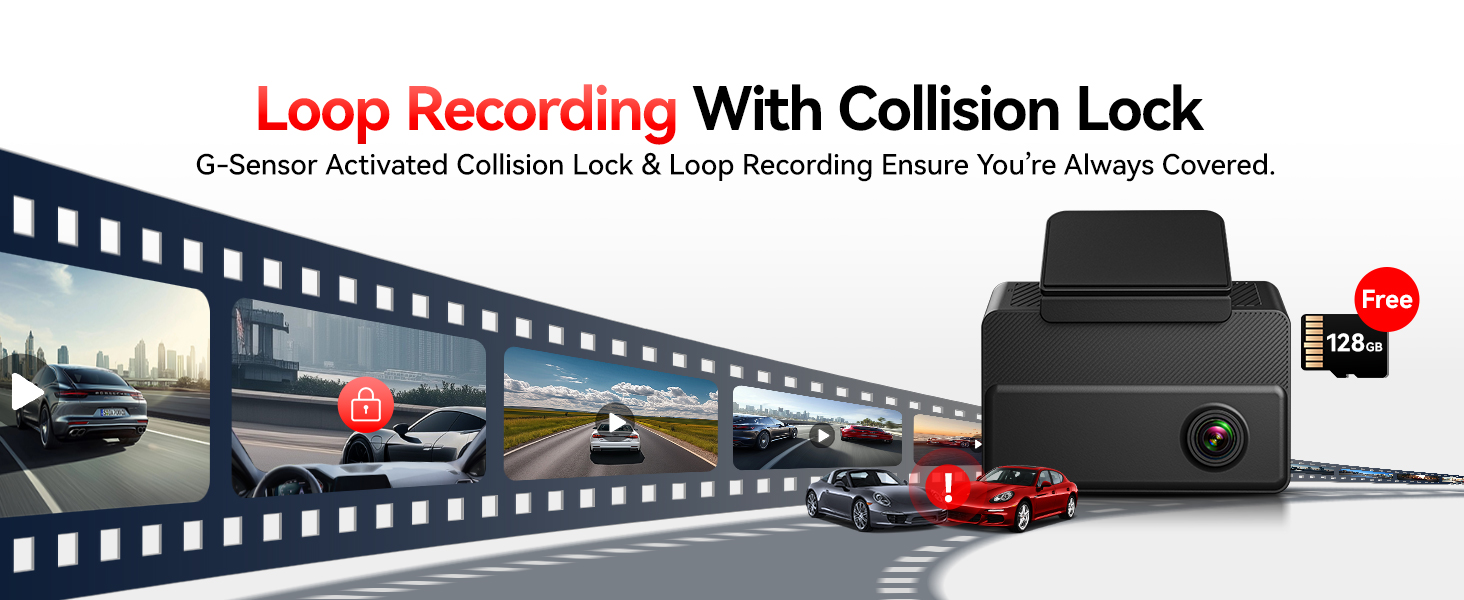
Image: The REDTIGER app displaying video footage and GPS information.
Video: Instructions on how to connect the dash cam to Wi-Fi and set up the app.
നൈറ്റ് വിഷൻ
The interior camera is equipped with 4 infrared (IR) lights and Wide Dynamic Range (WDR) technology to capture clear footage in low-light conditions, both inside and outside the vehicle.

Image: Night vision capabilities with 4 IR lights for clear recording in dark environments.
മെയിൻ്റനൻസ്
- മെമ്മറി കാർഡ്: The dash cam comes with a 128GB high-capacity card. Ensure the card is formatted periodically to maintain optimal performance. Loop recording will automatically manage storage by overwriting older files.
- വൃത്തിയാക്കൽ: Gently wipe the camera lenses and touch screen with a soft, dry cloth to remove dust or smudges. Avoid using abrasive cleaners.
ട്രബിൾഷൂട്ടിംഗ്
For common issues, refer to the "REDTIGER" app's settings or the detailed user manual for specific solutions. If problems persist, please contact customer support.
സ്പെസിഫിക്കേഷനുകൾ
| ഉൽപ്പന്ന അളവുകൾ | 3.43 x 1.46 x 3.15 ഇഞ്ച് |
| ഇനത്തിൻ്റെ ഭാരം | 4.6 ഔൺസ് |
| വീഡിയോ ക്യാപ്ചർ റെസല്യൂഷൻ | Front: 2.5K, Interior: 2.5K, Rear: 1080P |
| ഫീൽഡ് ഓഫ് View | 530 Degrees (200° Front, 200° Interior, 130° Rear) |
| കണക്റ്റിവിറ്റി ടെക്നോളജി | USB, Wi-Fi |
| പ്രത്യേക സവിശേഷതകൾ | 3 Channel Front and Rear Inside, 4 IR Lights, APP Control, Built-In Display, Built-In GPS, Built-In Supercapacitor, G-Sensor, Internal Memory, Loop Recording, Night Vision, Parking Monitor, OTA Firmware Update, Audio Recording, Touch Screen |
| മൗണ്ടിംഗ് തരം | വിൻഡ്ഷീൽഡ് മ .ണ്ട് |
വാറൻ്റിയും പിന്തുണയും
REDTIGER provides an 18-month warranty for the Visionpano20 Dash Cam. For any inquiries or assistance, our dedicated customer support team is available 24/7.
പിന്തുണയുമായി ബന്ധപ്പെടുക: help@redtigercam.com