MOUNTUP Heavy Duty Single Monitor Arm

MOUNTUP Heavy Duty Single Monitor Arm (22-42 Inch Screens) Instruction Manual

ആമുഖം

This manual provides detailed instructions for the installation, operation, and maintenance of your MOUNTUP Heavy Duty Single Monitor Arm. Designed for screens ranging from 22 to 42 inches and supporting weights from 4.4 to 33 lbs, this monitor arm offers superior stability and ergonomic adjustability to optimize your workspace. Please read this manual thoroughly before installation to ensure safe and correct usage.

സുരക്ഷാ വിവരങ്ങൾ

സജ്ജമാക്കുക

പാക്കേജ് ഉള്ളടക്കം

Before beginning, ensure all parts are accounted for. The package typically includes:

MOUNTUP Heavy Duty Single Monitor Arm with C-Clamp and Grommet Base

Image: MOUNTUP Heavy Duty Single Monitor Arm, showcasing its main components including the adjustable arm, the C-clamp mounting option, and the grommet base option. A monitor is shown attached to the arm, illustrating its functionality.

മൗണ്ടിംഗ് ഓപ്ഷനുകൾ

The MOUNTUP monitor arm offers two versatile mounting methods:

  1. C-Clamp മൗണ്ട്: Ideal for desks without existing grommet holes. This method securely attaches the arm to the edge of your desk. It supports desk thicknesses between 0.39 inches and 2.76 inches.
  2. Grommet Hole Mount: Suitable for desks with a pre-existing hole. This provides a stable and flush mounting solution. It supports desk thicknesses between 0.39 inches and 2.36 inches, with a hole diameter between 0.39 inches and 2.36 inches.
Diagram showing C-clamp and grommet hole mounting options for MOUNTUP monitor arm

Image: A detailed diagram illustrating the two available mounting options: the C-clamp for desk edges (0.39-2.76 inches thick) and the grommet hole mount for desks with existing holes (0.39-2.36 inches thick, 0.39-2.36 inches hole diameter).

മോണിറ്റർ അറ്റാച്ചുചെയ്യുന്നു

The monitor arm is compatible with VESA patterns of 75x75mm and 100x100mm. Ensure your monitor has one of these patterns.

  1. നൽകിയിരിക്കുന്ന സ്ക്രൂകൾ ഉപയോഗിച്ച് നിങ്ങളുടെ മോണിറ്ററിന്റെ പിൻഭാഗത്ത് VESA പ്ലേറ്റ് അറ്റാച്ചുചെയ്യുക.
  2. Slide the monitor (with the attached VESA plate) onto the arm's mounting head until it clicks into place.
  3. Secure the monitor by tightening any safety screws or mechanisms as indicated in the detailed assembly guide.
MOUNTUP Monitor Arm VESA compatibility, load capacity, height range, and max extension

Image: This graphic details the monitor arm's adaptability, showing VESA compatibility (75x75mm, 100x100mm), load capacity (4.4-33 lbs), height range (9.3-22.1 inches), and maximum extension (23.8 inches).
മോണിറ്റർ ആം പ്രവർത്തിപ്പിക്കൽ

ക്രമീകരണങ്ങൾ

The MOUNTUP monitor arm allows for a wide range of adjustments to achieve optimal ergonomic positioning:

MOUNTUP Monitor Arm showing tilt, swivel, and 360-degree rotation adjustments

Image: This image showcases the monitor arm's full range of motion, including tilt (+90°/-45°), swivel (±90°), and 360° rotation, allowing for optimal ergonomic positioning.

Video: This video demonstrates the various adjustments possible with the MOUNTUP Heavy Duty Monitor Arm, including height, tilt, swivel, and rotation, highlighting its ergonomic flexibility.

കേബിൾ മാനേജ്മെൻ്റ്

The monitor arm features an integrated cable management system to keep your workspace tidy and free from clutter. Route your monitor cables through the designated channels along the arm to maintain a clean aesthetic and prevent cable damage.

MOUNTUP Monitor Arm with integrated cable management for a tidy desk

Image: An image demonstrating the integrated cable management system of the monitor arm, which helps organize wires and free up desktop space for a cleaner, more productive environment.

മെയിൻ്റനൻസ്

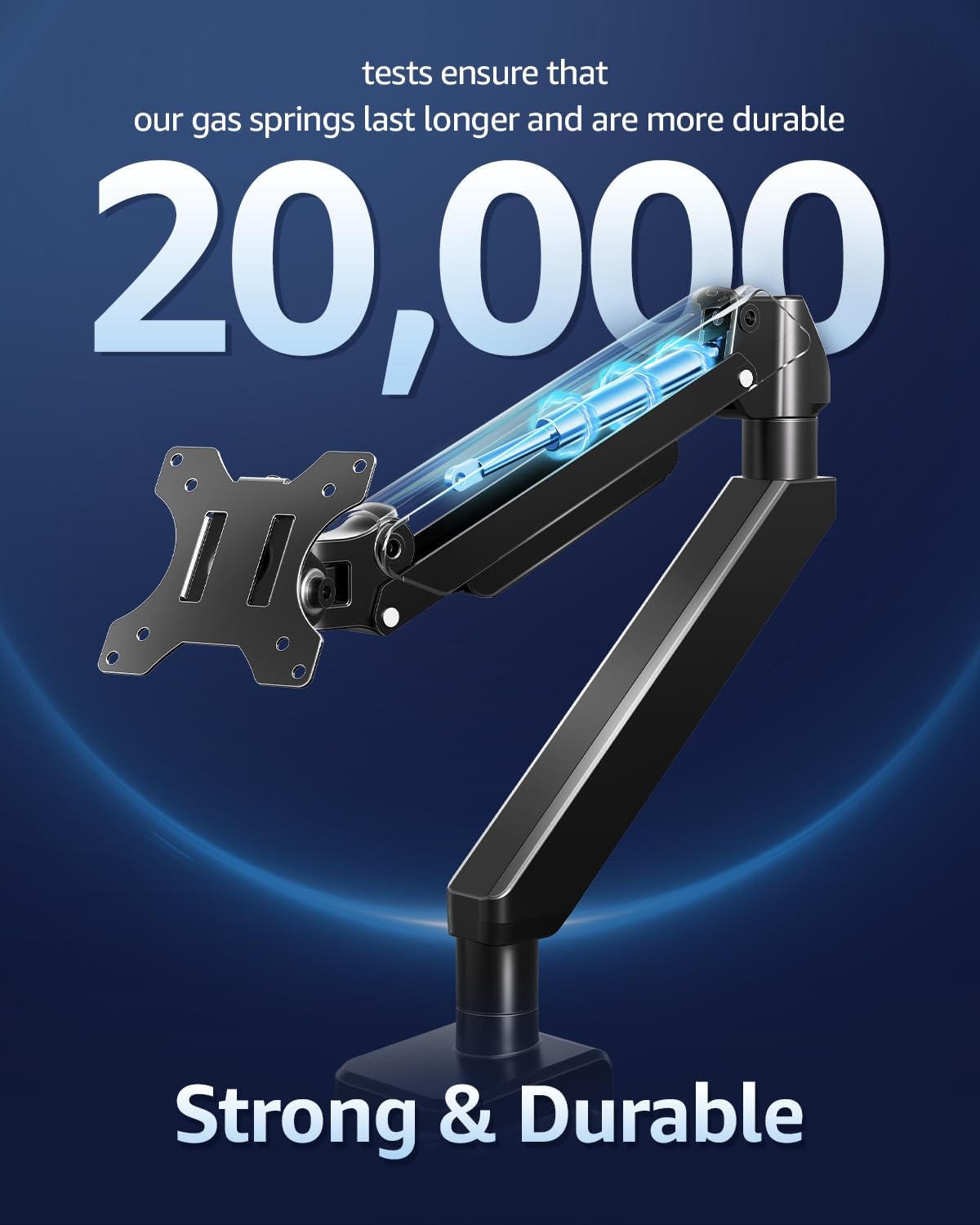
MOUNTUP Monitor Arm with durable gas springs tested for 20,000 cycles

ചിത്രം: ഒരു മുറിച്ചെടുത്ത ഭാഗം view highlighting the durable gas springs within the monitor arm, indicating their longevity and reliability, tested for over 20,000 cycles.

ട്രബിൾഷൂട്ടിംഗ്

സ്പെസിഫിക്കേഷനുകൾ

ഫീച്ചർസ്പെസിഫിക്കേഷൻ
അനുയോജ്യമായ മോണിറ്റർ വലുപ്പം22-42 ഇഞ്ച്
ലോഡ് കപ്പാസിറ്റി4.4 - 33 പൗണ്ട് (2 - 15 കി.ഗ്രാം)
VESA അനുയോജ്യത75x75mm, 100x100mm
മൗണ്ടിംഗ് തരംടാബ്‌ലെറ്റ് മൗണ്ട് (C-Cl)amp or Grommet Base)
C-Clamp ഡെസ്ക് കനം0.39 - 2.76 ഇഞ്ച്
ഗ്രോമെറ്റ് ഡെസ്ക് കനം0.39 - 2.36 ഇഞ്ച്
ഗ്രോമെറ്റ് ഹോൾ വ്യാസം0.39 - 2.36 ഇഞ്ച്
ചലന തരംടിൽറ്റ്, റൊട്ടേറ്റ്, സ്വിവൽ, ഉയരം ക്രമീകരിക്കൽ, പൂർണ്ണ ചലനം
ടിൽറ്റ് ആംഗിൾ+90° / -45°
സ്വിവൽ ആംഗിൾ±90°
ഭ്രമണം360°
പരമാവധി ഉയരം22.1 ഇഞ്ച്
പരമാവധി വിപുലീകരണം23.8 ഇഞ്ച്
മെറ്റീരിയൽഅലോയ് സ്റ്റീൽ
നിറംകറുപ്പ്
MOUNTUP Monitor Arm supporting 33 lbs weight

Image: An illustration highlighting the monitor arm's robust load capacity, capable of supporting up to 33 pounds, ensuring stability for various monitor sizes.

MOUNTUP Monitor Arm supporting a 42-inch ultrawide monitor

Image: An image illustrating the monitor arm's capability to support large ultrawide monitors up to 42 inches, providing an expansive viewഅനുഭവം.

വാറൻ്റി വിവരങ്ങൾ

For detailed warranty information regarding your MOUNTUP Heavy Duty Single Monitor Arm, please refer to the official MOUNTUP webഉൽപ്പന്നത്തിന്റെ സൈറ്റ് അല്ലെങ്കിൽ പാക്കേജിംഗിൽ ഉൾപ്പെടുത്തിയിരിക്കുന്ന വാറന്റി കാർഡ് എന്നിവയുൾപ്പെടെയുള്ള വിവരങ്ങൾക്ക് വാറന്റി നിബന്ധനകളും വ്യവസ്ഥകളും പ്രദേശത്തിനനുസരിച്ച് വ്യത്യാസപ്പെടാം, റീട്ടെയിലർ.

ഉപഭോക്തൃ പിന്തുണ

Should you require technical assistance, have questions about installation, or need further support for your MOUNTUP Heavy Duty Single Monitor Arm, please contact MOUNTUP customer service through their official website or the contact information provided in your product documentation. Please have your model number (Heavy Duty Single Monitor Arm) and purchase details ready when contacting support.

അനുബന്ധ രേഖകൾ - Heavy Duty Single Monitor Arm

പ്രീview MOUNTUP സിംഗിൾ മോണിറ്റർ ഡെസ്ക് മൗണ്ട് ഇൻസ്ട്രക്ഷൻ മാനുവൽ
MOUNTUP സിംഗിൾ മോണിറ്റർ ഡെസ്ക് മൗണ്ടിനായുള്ള സമഗ്രമായ നിർദ്ദേശ മാനുവൽ, VESA-അനുയോജ്യമായ മോണിറ്ററുകൾക്കുള്ള അസംബ്ലി, ഇൻസ്റ്റാളേഷൻ, ക്രമീകരണങ്ങൾ, പരിപാലനം എന്നിവ വിശദമായി പ്രതിപാദിക്കുന്നു.
പ്രീview MOUNTUP MU3003 സിംഗിൾ മോണിറ്റർ ഡെസ്ക് മൗണ്ട് ഇൻസ്റ്റലേഷൻ ഗൈഡ്
Comprehensive installation instructions for the MOUNTUP MU3003 single monitor desk mount, covering clamp and grommet base installation, monitor attachment, tilting, and rotation adjustments. Includes product dimensions and hardware details.
പ്രീview MOUNTUP പ്രീമിയം സിംഗിൾ മോണിറ്റർ ഡെസ്ക് മൗണ്ട് ഇൻസ്റ്റലേഷൻ മാനുവൽ
MOUNTUP പ്രീമിയം സിംഗിൾ മോണിറ്റർ ഡെസ്ക് മൗണ്ടിനായുള്ള (മോഡൽ AG9-21-US1.0) സമഗ്രമായ ഇൻസ്റ്റാളേഷനും ക്രമീകരണ ഗൈഡും. VESA അനുയോജ്യത (75x75mm, 100x100mm) സവിശേഷതകൾ കൂടാതെ 1kg മുതൽ 17kg വരെ (2.2-37.5 lbs) മോണിറ്ററുകളെ പിന്തുണയ്ക്കുന്നു. cl ഉൾപ്പെടുന്നു.amp ഗ്രോമെറ്റ് മൗണ്ടിംഗ് ഓപ്ഷനുകൾ, ഗ്യാസ് സ്പ്രിംഗ് ടെൻഷൻ ക്രമീകരണം, കേബിൾ മാനേജ്മെന്റ് എന്നിവ ഇതിൽ ഉൾപ്പെടുന്നു.
പ്രീview MOUNTUP സിംഗിൾ മോണിറ്റർ ഡെസ്ക് മൗണ്ട് ഇൻസ്ട്രക്ഷൻ മാനുവൽ YZ2216-US3.0
MOUNTUP YZ2216-US3.0 സിംഗിൾ മോണിറ്റർ ഡെസ്ക് മൗണ്ടിനായുള്ള സമഗ്രമായ നിർദ്ദേശ മാനുവൽ, ഗ്യാസ് സ്പ്രിംഗ് മോണിറ്റർ ആയുധങ്ങൾക്കായുള്ള അസംബ്ലി, ഇൻസ്റ്റാളേഷൻ, ക്രമീകരണ നടപടിക്രമങ്ങൾ എന്നിവ വിശദീകരിക്കുന്നു. ഉൽപ്പന്ന അളവുകൾ, പാക്കേജ് ഉള്ളടക്കങ്ങൾ, ഘട്ടം ഘട്ടമായുള്ള ഗൈഡുകൾ എന്നിവ ഉൾപ്പെടുന്നു.
പ്രീview MOUNTUP ഡ്യുവൽ മോണിറ്റർ സ്റ്റാൻഡ് ഇൻസ്റ്റലേഷൻ ഗൈഡ്
MOUNTUP ഡ്യുവൽ മോണിറ്റർ സ്റ്റാൻഡിനായുള്ള സമഗ്രമായ ഇൻസ്റ്റലേഷൻ നിർദ്ദേശങ്ങൾ, ന്യൂമാറ്റിക് മോണിറ്റർ ആംസ്, VESA മൗണ്ടുകൾ, ക്രമീകരിക്കാവുന്ന ഉയരം എന്നിവ ഇതിൽ ഉൾപ്പെടുന്നു. cl-നെക്കുറിച്ചുള്ള വിശദാംശങ്ങൾ ഉൾപ്പെടുന്നു.amp ഗ്രോമെറ്റ് ബേസ് ഇൻസ്റ്റാളേഷൻ, ആം അസംബ്ലി, മോണിറ്റർ മൗണ്ടിംഗ് എന്നിവ.
പ്രീview MOUNTUP Dual Monitor Desk Mount Instruction Manual
Comprehensive instruction manual for the MOUNTUP Dual Monitor Desk Mount, detailing assembly, installation options (clamp and grommet), monitor attachment, adjustments, and maintenance for VESA-compatible monitors.