ആമുഖം
Thank you for choosing the MIDEA 12L Dehumidifier. This appliance is designed to efficiently remove excess moisture from the air, creating a more comfortable and healthier indoor environment. With its silent operation, app control, and various modes, it offers a convenient solution for humidity control in your home. Please read this manual thoroughly before operation to ensure proper use, maintenance, and safety.
സുരക്ഷാ നിർദ്ദേശങ്ങൾ
- ശരിയായ വോള്യം ഉള്ള ഒരു ഗ്രൗണ്ടഡ് പവർ ഔട്ട്ലെറ്റിലേക്ക് യൂണിറ്റ് എപ്പോഴും ബന്ധിപ്പിക്കുക.tage.
- കേടായ പവർ കോർഡോ പ്ലഗോ ഉപയോഗിച്ച് ഡീഹ്യൂമിഡിഫയർ പ്രവർത്തിപ്പിക്കരുത്.
- വൈദ്യുതാഘാതം തടയാൻ ഉപകരണം വെള്ളത്തിൽ നിന്നും മറ്റ് ദ്രാവകങ്ങളിൽ നിന്നും അകറ്റി നിർത്തുക.
- യൂണിറ്റിന് ചുറ്റും ശരിയായ വായുസഞ്ചാരം ഉറപ്പാക്കുക; എയർ ഇൻലെറ്റുകളോ ഔട്ട്ലെറ്റുകളോ തടയരുത്.
- എയർ വെന്റുകളിൽ വസ്തുക്കൾ തിരുകരുത്.
- വൃത്തിയാക്കുന്നതിനോ അറ്റകുറ്റപ്പണികൾ നടത്തുന്നതിനോ മുമ്പ് യൂണിറ്റ് അൺപ്ലഗ് ചെയ്യുക.
- ഈ ഉപകരണം, അവരുടെ സുരക്ഷയ്ക്ക് ഉത്തരവാദിയായ ഒരു വ്യക്തി ഉപകരണത്തിൻ്റെ ഉപയോഗത്തെ സംബന്ധിച്ച മേൽനോട്ടമോ നിർദ്ദേശമോ നൽകിയിട്ടില്ലെങ്കിൽ, ശാരീരികമോ ഇന്ദ്രിയപരമോ മാനസികമോ ആയ കഴിവുകൾ കുറഞ്ഞതോ അനുഭവത്തിൻ്റെയും അറിവിൻ്റെയും അഭാവം ഉള്ള വ്യക്തികൾക്ക് (കുട്ടികൾ ഉൾപ്പെടെ) ഉപയോഗിക്കാൻ ഉദ്ദേശിച്ചുള്ളതല്ല.
- കുട്ടികൾ ഉപകരണം ഉപയോഗിച്ച് കളിക്കുന്നില്ലെന്ന് ഉറപ്പാക്കാൻ മേൽനോട്ടം വഹിക്കണം.
ഉൽപ്പന്നം കഴിഞ്ഞുview
The MIDEA 12L Dehumidifier is a compact and efficient unit designed for spaces up to 35 m². It features a 2.1L removable water tank and offers various operating modes for optimal humidity control.
പ്രധാന സവിശേഷതകൾ:
- കാര്യക്ഷമമായ ഡീഹ്യുമിഡിഫിക്കേഷൻ: പ്രതിദിനം 12 ലിറ്റർ വരെ ഈർപ്പം നീക്കം ചെയ്യുന്നു.
- ആപ്പ് നിയന്ത്രണം: Monitor and control the unit remotely via the MSmartHome app.
- നിശബ്ദ പ്രവർത്തനം: Operates at a low noise level of 36dB, ideal for bedrooms and offices.
- ഡ്രയർ മോഡ്: Facilitates quick drying of clothes.
- യാന്ത്രിക മോഡ്: Maintains desired humidity levels between 30-85%.
- ചൈൽഡ് ലോക്ക്: ക്രമീകരണങ്ങളിൽ ആകസ്മികമായ മാറ്റങ്ങൾ തടയുന്നു.
- Dual Drainage: Offers both removable tank and continuous drainage options.
- പോർട്ടബിലിറ്റി: Equipped with integrated wheels for easy movement.

ചിത്രം: കഴിഞ്ഞുview of the MIDEA compact dehumidifier highlighting its key features such as silent mode, drying mode, automatic mode, child lock, app control, high mobility, removable water tank, and full tank indicator.
സജ്ജമാക്കുക
1. അൺപാക്കിംഗും പ്ലേസ്മെൻ്റും:
- ഡീഹ്യൂമിഡിഫയർ അതിന്റെ പാക്കേജിംഗിൽ നിന്ന് ശ്രദ്ധാപൂർവ്വം നീക്കം ചെയ്യുക.
- Place the unit on a firm, level surface in an area where the humidity is highest.
- ശരിയായ വായുസഞ്ചാരത്തിനായി യൂണിറ്റിന് ചുറ്റും കുറഞ്ഞത് 20 സെന്റീമീറ്റർ (8 ഇഞ്ച്) സ്ഥലം ഉണ്ടെന്ന് ഉറപ്പാക്കുക.
- താപ സ്രോതസ്സുകൾക്ക് സമീപമോ നേരിട്ടുള്ള സൂര്യപ്രകാശത്തിലോ യൂണിറ്റ് സ്ഥാപിക്കുന്നത് ഒഴിവാക്കുക.
2. പവർ കണക്ഷൻ:
- ഗ്രൗണ്ടഡ് ഇലക്ട്രിക്കൽ ഔട്ട്ലെറ്റിലേക്ക് പവർ കോർഡ് പ്ലഗ് ചെയ്യുക.
3. Water Drainage Options:
The dehumidifier offers two drainage methods: using the removable water tank or continuous drainage.

ചിത്രം: വശം view of the MIDEA dehumidifier showing the removable 2.5-liter water tank and the continuous drainage hose connection.
- നീക്കം ചെയ്യാവുന്ന വാട്ടർ ടാങ്ക്: The unit will automatically shut off when the 2.1L tank is full. Empty the tank and reinsert it to resume operation.
- തുടർച്ചയായ ഡ്രെയിനേജ്: For extended use without emptying the tank, connect a drainage hose (60 cm hose included in the toolkit) to the continuous drainage port and direct it to a suitable drain.
പ്രവർത്തന നിർദ്ദേശങ്ങൾ
നിയന്ത്രണ പാനൽ:

Image: Close-up of the dehumidifier's control panel, showing buttons for Timer, Mode, Humidity Level adjustment, Fan Speed, and Power/Connect. The display shows '40%' humidity.
- 24H Timer Adjustment: Press for 3 seconds to cancel the timer setting.
- മോഡ് അഡ്ജസ്റ്റ്മെൻ്റ്: Cycle through Auto, Silent, and Dry modes.
- ഈർപ്പ നില ക്രമീകരണം: Use up/down arrows to set desired humidity. Press both simultaneously to activate/deactivate Child Lock.
- ഫാൻ സ്പീഡ് അഡ്ജസ്റ്റ്മെന്റ്: ഉയർന്നതോ കുറഞ്ഞതോ ആയ ഫാൻ വേഗത തിരഞ്ഞെടുക്കുക.
- പവർ ഓൺ/ഓഫ്: Press to turn the unit on or off. Press for 3 seconds to connect the device with the MSmartHome app.
പ്രവർത്തന രീതികൾ:
- യാന്ത്രിക മോഡ്: Adjust the desired humidity level between 35% and 85%. The dehumidifier will operate until the set humidity level is reached.
- നിശ്ശബ്ദമായ മോഡ്: For quiet operation, especially during rest or work, the unit maintains a low noise level of 36 dB.
- ഡ്രയർ മോഡ്: Activate this mode to quickly dry clothes, providing a worry-free environment even on rainy days.
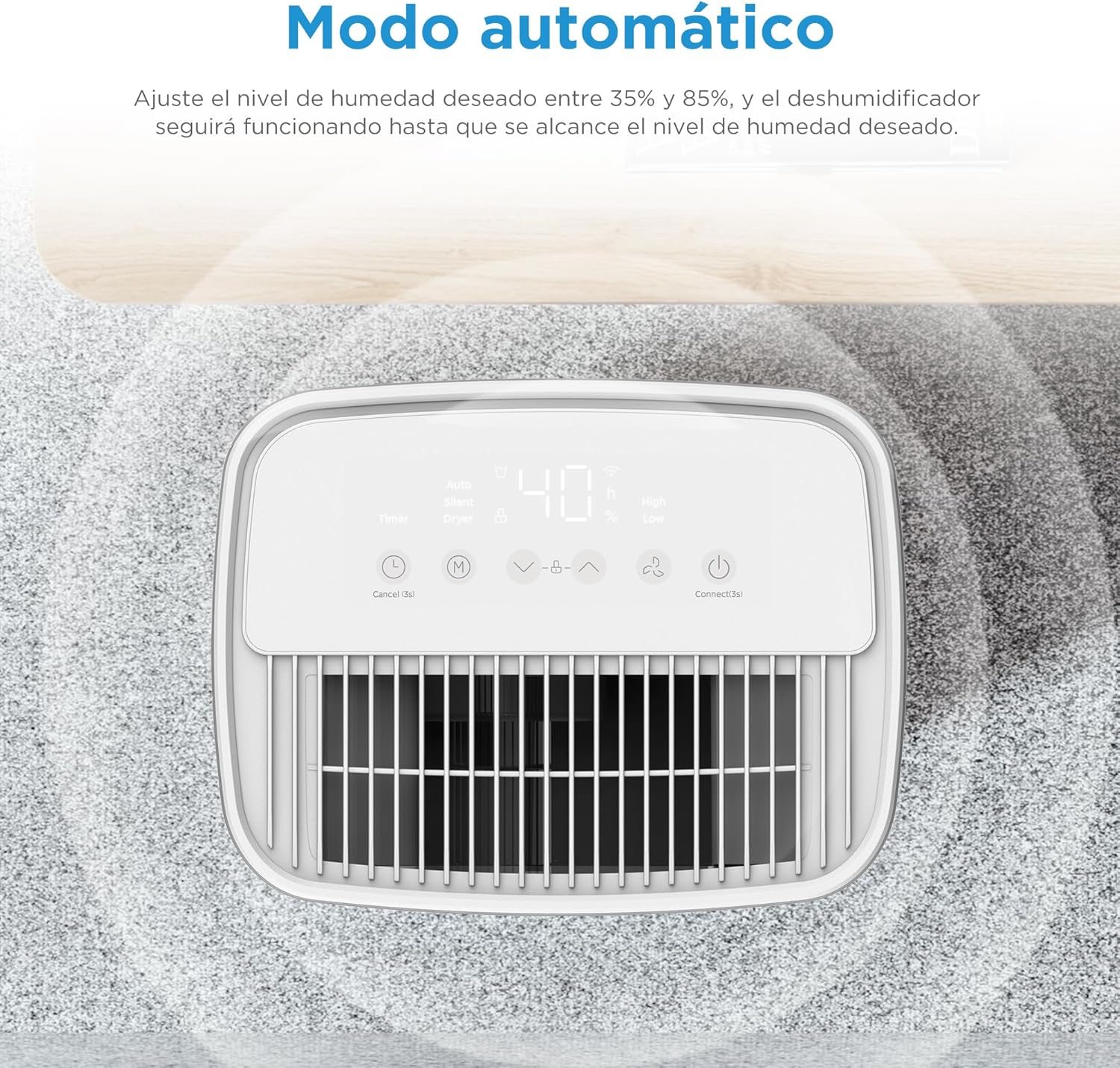
ചിത്രം: മുകളിൽ view of the dehumidifier's control panel displaying '40%' humidity, indicating automatic mode operation.
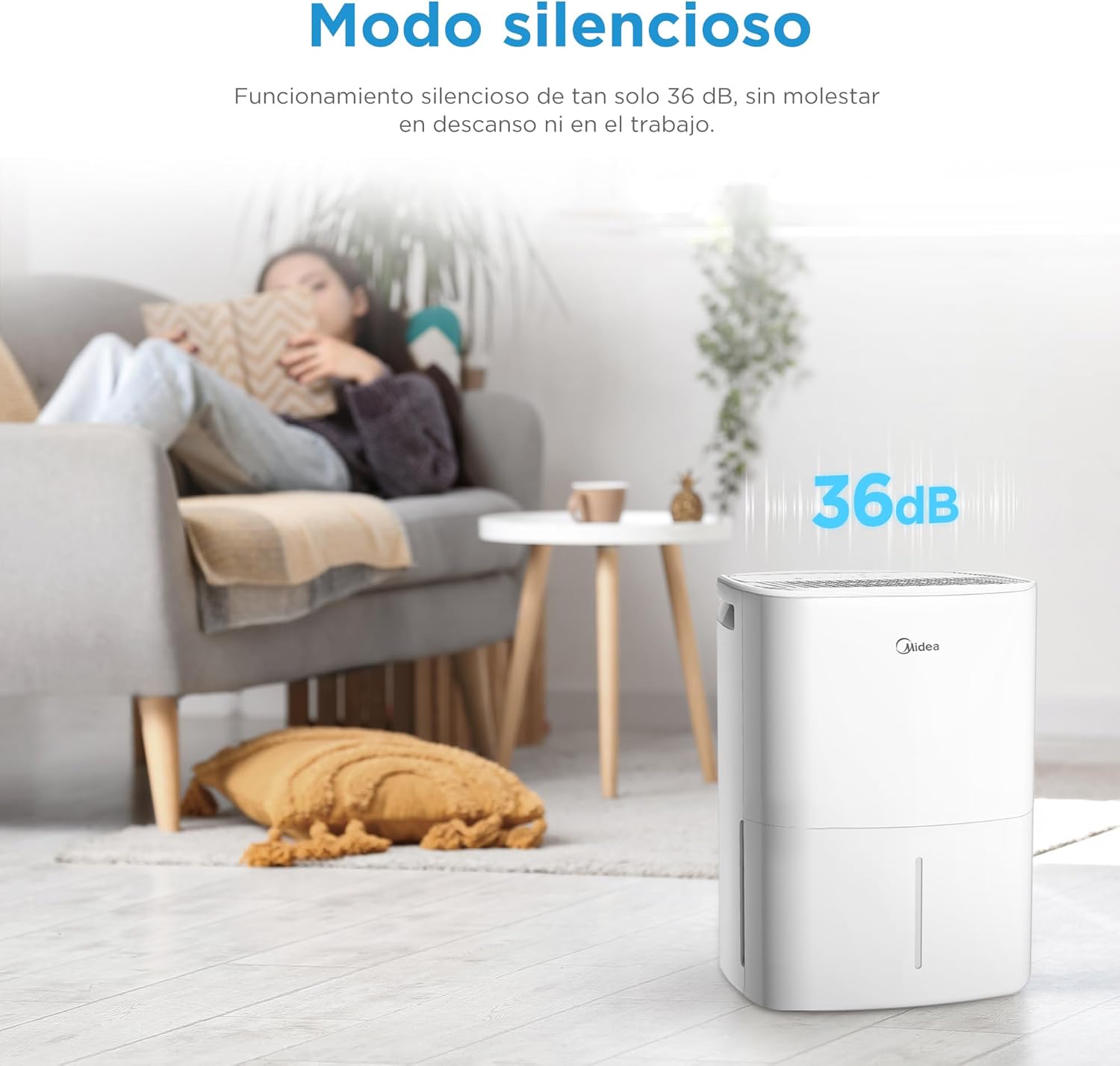
Image: MIDEA dehumidifier operating silently in a living room, with a visual representation of 36dB noise level.

Image: MIDEA dehumidifier placed near a clothes rack, illustrating its use in dryer mode to assist with laundry drying.
ആപ്പ് നിയന്ത്രണം:
Control your dehumidifier anytime, anywhere with the MSmartHome app. You can monitor water levels, predict tank fill times, and adjust settings with ease.

Image: A smartphone screen showing the MSmartHome app interface controlling the MIDEA dehumidifier, with options for humidity, fan speed, and water level.
ചൈൽഡ് ലോക്ക് പ്രവർത്തനം:
To prevent accidental operation, press the up and down humidity adjustment buttons simultaneously to activate or deactivate the child lock function.

Image: A child playing near the MIDEA dehumidifier, with a shield icon indicating the child lock function is active.
മെയിൻ്റനൻസ്
1. വാട്ടർ ടാങ്ക് കാലിയാക്കൽ:
- When the water tank is full, the unit will automatically stop and an indicator light will illuminate.
- യൂണിറ്റിന്റെ മുൻവശത്ത് നിന്ന് വാട്ടർ ടാങ്ക് ശ്രദ്ധാപൂർവ്വം പുറത്തെടുക്കുക.
- ശേഖരിച്ച വെള്ളം ഒഴിക്കുക.
- Reinsert the empty water tank firmly into the unit. Ensure it is properly seated to resume operation.
2. എയർ ഫിൽറ്റർ വൃത്തിയാക്കൽ:
Regular cleaning of the air filter is essential for efficient operation.
- ഡീഹ്യൂമിഡിഫയർ ഓഫ് ചെയ്ത് അൺപ്ലഗ് ചെയ്യുക.
- എയർ ഫിൽറ്റർ കണ്ടെത്തി നീക്കം ചെയ്യുക (സാധാരണയായി യൂണിറ്റിന്റെ പിൻഭാഗത്തോ വശത്തോ).
- ഫിൽട്ടർ ഒരു വാക്വം ക്ലീനർ ഉപയോഗിച്ച് വൃത്തിയാക്കുക അല്ലെങ്കിൽ ചൂടുള്ള, സോപ്പ് വെള്ളത്തിൽ കഴുകുക.
- വീണ്ടും ഇടുന്നതിനുമുമ്പ് നന്നായി കഴുകിക്കളയുക, വായുവിൽ പൂർണ്ണമായും ഉണങ്ങാൻ അനുവദിക്കുക.
- Clean the filter every two weeks or more often if used in a dusty environment.
3. പുറംഭാഗം വൃത്തിയാക്കൽ:
- ഒരു സോഫ്റ്റ്, ഡി ഉപയോഗിച്ച് യൂണിറ്റിൻ്റെ പുറംഭാഗം തുടയ്ക്കുകamp തുണി.
- Do not use harsh chemicals, abrasives, or solvents, as these can damage the surface.
4. സംഭരണം:
- യൂണിറ്റ് ദീർഘനേരം സൂക്ഷിക്കുകയാണെങ്കിൽ, വാട്ടർ ടാങ്ക് ശൂന്യവും വൃത്തിയുള്ളതുമാണെന്ന് ഉറപ്പാക്കുക.
- എയർ ഫിൽട്ടർ വൃത്തിയാക്കുക.
- നേരിട്ട് സൂര്യപ്രകാശം ഏൽക്കാതെ, തണുത്തതും വരണ്ടതുമായ സ്ഥലത്ത് യൂണിറ്റ് നിവർന്നു സൂക്ഷിക്കുക.
ട്രബിൾഷൂട്ടിംഗ്
| പ്രശ്നം | സാധ്യമായ കാരണം | പരിഹാരം |
|---|---|---|
| ഡീഹ്യൂമിഡിഫയർ ഓണാക്കുന്നില്ല. | No power, power cord unplugged, water tank full or incorrectly inserted. | Check power connection, empty and reinsert water tank correctly. |
| വെള്ളം ശേഖരിച്ചിട്ടില്ല. | Humidity level too low, room temperature too low, air filter clogged, continuous drainage hose connected. | Increase desired humidity setting, ensure room temperature is above 5°C, clean air filter, disconnect continuous drainage if using tank. |
| യൂണിറ്റ് ശബ്ദമയമാണ്. | Unit not on a level surface, air filter clogged, internal components vibrating. | Place on a level surface, clean air filter. If noise persists, contact support. |
| ആപ്പ് നിയന്ത്രണം പ്രവർത്തിക്കുന്നില്ല. | Wi-Fi connectivity issues, incorrect app pairing. | Ensure stable Wi-Fi, re-pair the device with the MSmartHome app (press Power button for 3s). |
| ചൈൽഡ് ലോക്ക് സജീവമാണ്. | Child Lock accidentally activated. | Press humidity up and down buttons simultaneously to deactivate. |
സ്പെസിഫിക്കേഷനുകൾ
| ഫീച്ചർ | സ്പെസിഫിക്കേഷൻ |
|---|---|
| ബ്രാൻഡ് | മിഡിയ |
| മോഡൽ നമ്പർ | MDDOZ-12DEN7-QA3 |
| നിറം | വെള്ള |
| ഉൽപ്പന്ന അളവുകൾ | 20.5 x 26 x 41.2 സെ.മീ |
| ഭാരം | 10.34 കി.ഗ്രാം |
| നിർജ്ജലീകരണ ശേഷി | 12 എൽ / ദിവസം |
| വാട്ടർ ടാങ്കിൻ്റെ അളവ് | 2.1 ലിറ്റർ |
| ശുപാർശ ചെയ്യുന്ന ഏരിയ | 35 m² വരെ |
| വേഗതകളുടെ എണ്ണം | 3 |
| പ്രത്യേക സവിശേഷതകൾ | App Control, Dual Drainage, Midea Proactive Pure - R-290, Dryer Mode, Automatic Shut-off |
| മെറ്റീരിയൽ | പ്ലാസ്റ്റിക് |
വാറൻ്റിയും പിന്തുണയും
For warranty information, please refer to the documentation provided with your purchase. If you encounter any issues or require technical assistance, please contact customer support:
- വിൽപ്പനക്കാരൻ: PACERIN EU
- ഫോൺ: +34 614 230 356
- ഇമെയിൽ: support@pacerin.com

Image: MIDEA customer support contact details including Amazon messaging, phone number, and email address.