1. ആമുഖം
Thank you for choosing the MOREFINE M700 Mini PC. This compact desktop computer is designed for efficiency and performance, featuring an AMD Ryzen 7 7735U processor, 16GB DDR5 RAM, and a 512GB M.2 NVMe SSD. It supports 4K dual display output, WiFi 6, and Bluetooth 5.2, making it suitable for various computing tasks from everyday use to demanding applications. This manual provides essential information for setting up, operating, maintaining, and troubleshooting your device.
2. പാക്കേജ് ഉള്ളടക്കം
താഴെ പറയുന്ന ഇനങ്ങൾക്കായി ബോക്സ് ചെക്ക് ചെയ്യുക:
- 1 x MOREFINE M700 Mini PC
- 1 x ഉപയോക്തൃ മാനുവൽ (ഈ പ്രമാണം)
- 1 x HDMI കേബിൾ
- 1 x പവർ അഡാപ്റ്റർ
- 1 x VESA മൗണ്ട്
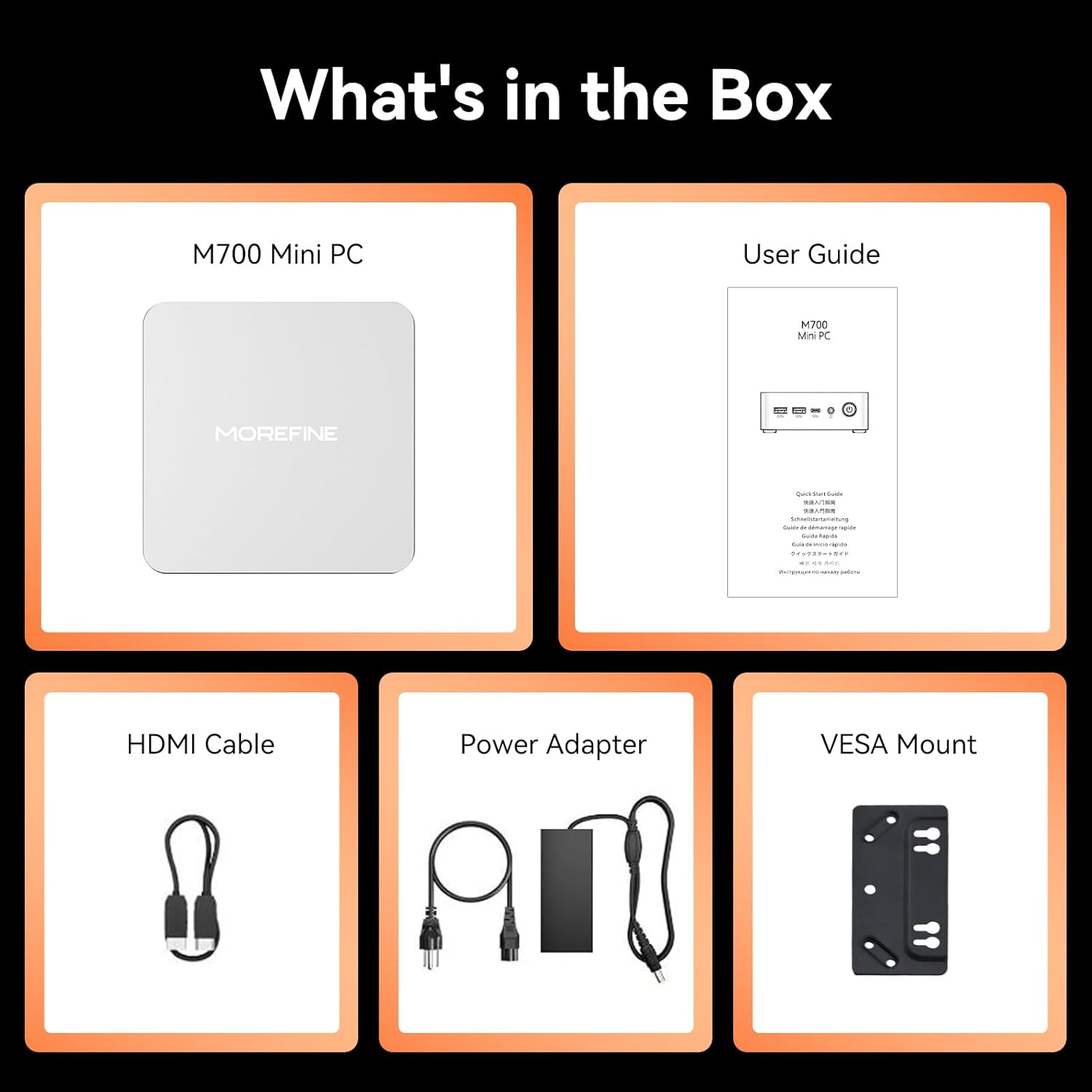
Image: The package contents including the M700 Mini PC, user guide, HDMI cable, power adapter, and VESA mount.
3. ഉൽപ്പന്നം കഴിഞ്ഞുview
The MOREFINE M700 Mini PC is engineered for high performance in a compact design. Key features include:
- പ്രോസസ്സർ: AMD Ryzen 7 7735U (8 Cores/16 Threads, up to 4.75Ghz)
- ഗ്രാഫിക്സ്: AMD Radeon 680M (12 cores, 2200 MHz)
- മെമ്മറി: 16GB DDR5 RAM (64GB വരെ വികസിപ്പിക്കാവുന്നതാണ്)
- സംഭരണം: 512GB M.2 NVMe SSD (expandable up to 4TB)
- ഡിസ്പ്ലേ ഔട്ട്പുട്ട്: Supports up to four 4K@60Hz displays via Dual USB-C, 1x HDMI 2.0, and 1x DP 1.4
- കണക്റ്റിവിറ്റി: WiFi 6, Bluetooth 5.2, 1000M RJ45 LAN
- ഓപ്പറേറ്റിംഗ് സിസ്റ്റം: Pre-installed with Windows 11
- തണുപ്പിക്കൽ: High-efficiency cooling system with ultra-quiet CPU fan
- അളവുകൾ: 112.8 x 112.8 x 38 മിമി
- ഭാരം: ഏകദേശം 0.40 കി.ഗ്രാം

Image: A visual summary of the M700's core features, including the AMD Ryzen 7 7735U processor, Radeon 680M graphics, 4K display support, Windows 11, cooling system, VESA compatibility, LAN, Wi-Fi, Bluetooth, RAM, SSD, and physical dimensions.

Image: An illustration highlighting the M700's enhanced cooling system, featuring a large copper heatsink and a high-performance, quiet fan for improved thermal management.
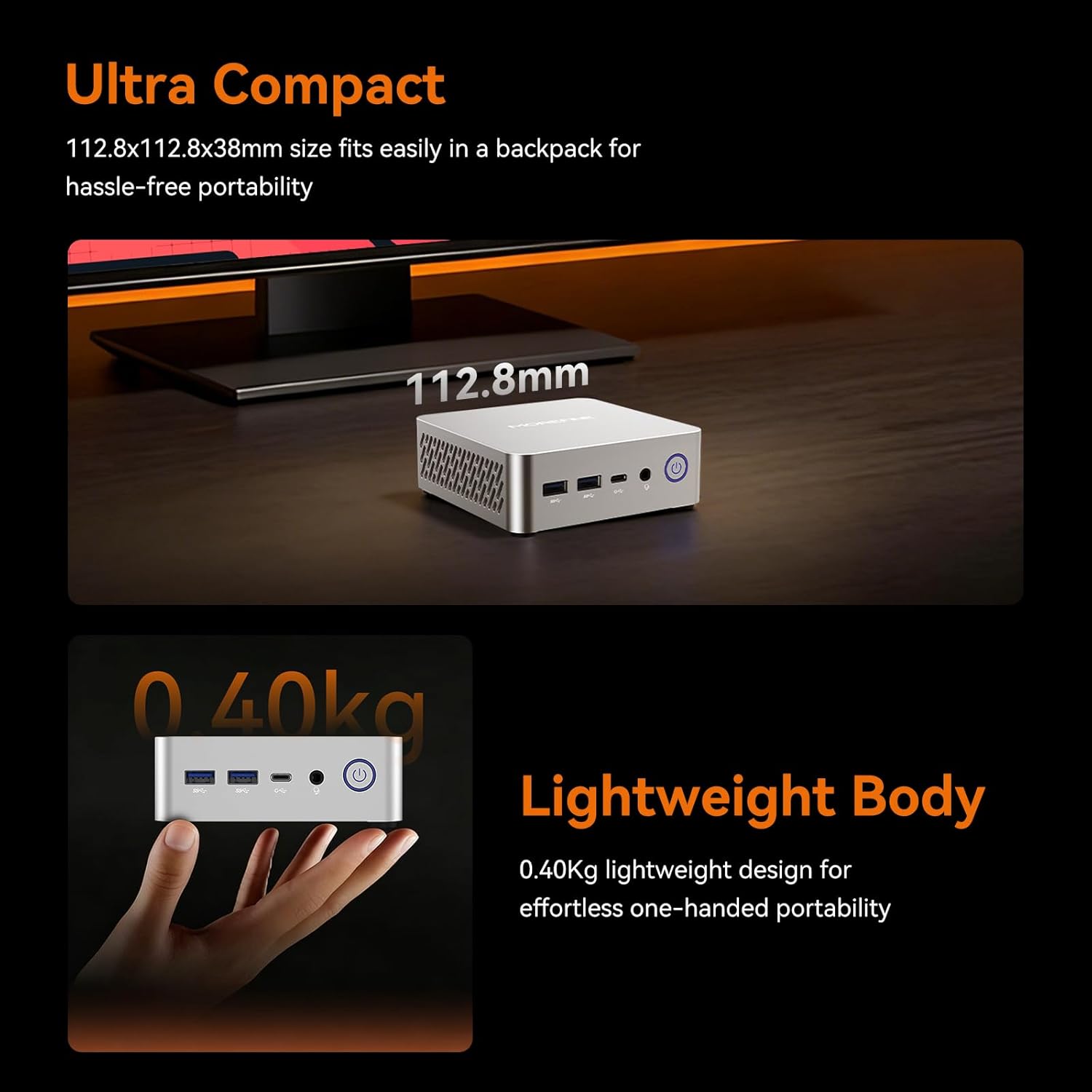
Image: The M700 Mini PC demonstrating its ultra-compact dimensions (112.8x112.8x38mm) and lightweight design (0.40kg), emphasizing its portability.
4. സജ്ജീകരണ നിർദ്ദേശങ്ങൾ
4.1 പ്രാരംഭ കണക്ഷൻ
- ഡിസ്പ്ലേയിലേക്ക് കണക്റ്റുചെയ്യുക: Use the provided HDMI cable to connect the Mini PC to your monitor or TV. You can also use a DisplayPort (DP 1.4) or USB-C cable for other display options.
- പെരിഫറലുകൾ ബന്ധിപ്പിക്കുക: നിങ്ങളുടെ കീബോർഡ്, മൗസ്, മറ്റ് ഏതെങ്കിലും യുഎസ്ബി ഉപകരണങ്ങൾ എന്നിവ ലഭ്യമായ യുഎസ്ബി പോർട്ടുകളിലേക്ക് പ്ലഗ് ഇൻ ചെയ്യുക.
- പവർ ബന്ധിപ്പിക്കുക: Connect the power adapter to the Mini PC's AC Jack and then plug it into a power outlet.
- പവർ ഓൺ: മിനി പിസിയുടെ മുൻവശത്തുള്ള പവർ ബട്ടൺ അമർത്തുക.
4.2 VESA മൗണ്ട് ഇൻസ്റ്റലേഷൻ (ഓപ്ഷണൽ)
The M700 Mini PC is VESA compatible, allowing you to mount it behind a monitor or TV to save desk space.
- Attach the VESA mount bracket to the back of your compatible monitor using the provided screws.
- Slide the Mini PC onto the VESA mount until it clicks securely into place.

Image: The M700 Mini PC demonstrating its space-saving design by being mounted behind a display, illustrating how it can reclaim desk space.
5. പ്രവർത്തന നിർദ്ദേശങ്ങൾ
5.1 ഫസ്റ്റ് ബൂട്ടും വിൻഡോസ് സജ്ജീകരണവും
Upon first power-on, the system will guide you through the initial Windows 11 setup process. Follow the on-screen instructions to configure your language, region, network, and user account.
5.2 ഡിസ്പ്ലേ കോൺഫിഗറേഷൻ
The M700 supports up to four 4K@60Hz displays simultaneously. To configure multiple displays:
- Connect your displays to the available HDMI 2.0, DisplayPort 1.4, or USB-C ports.
- In Windows, right-click on the desktop and select "Display settings."
- Arrange your displays, choose their orientation, and select the desired resolution and refresh rate for each.

Image: A setup demonstrating the M700 Mini PC connected to three 4K monitors, showcasing its multi-display capabilities via HDMI, Type-C, and DP ports.
5.3 നെറ്റ്വർക്ക് കണക്റ്റിവിറ്റി
The Mini PC offers both wired and wireless network options:
- വയർ: Connect an Ethernet cable to the RJ45 1000M LAN port for a stable, high-speed internet connection.
- വയർലെസ്: The device features built-in WiFi 6 (2.4G+5G Dual Band) and Bluetooth 5.2. To connect to a Wi-Fi network, click the network icon in the taskbar, select your desired network, and enter the password. For Bluetooth devices, go to Windows Settings > Bluetooth & devices to pair.
5.4 Wake On LAN and Auto Power On
The M700 supports Wake On LAN and Auto Power On features, which can be configured in the BIOS settings. These features are useful for remote management or for using the Mini PC as a server.
6. പരിപാലനം
6.1 വൃത്തിയാക്കൽ
മികച്ച പ്രകടനവും ദീർഘായുസ്സും ഉറപ്പാക്കാൻ, നിങ്ങളുടെ മിനി പിസി പതിവായി വൃത്തിയാക്കുക:
- പുറംഭാഗം തുടയ്ക്കാൻ മൃദുവായതും ഉണങ്ങിയതുമായ തുണി ഉപയോഗിക്കുക.
- Use compressed air to clear dust from ventilation openings. Ensure the device is powered off before cleaning.
6.2 സോഫ്റ്റ്വെയർ അപ്ഡേറ്റുകൾ
Keep your Windows operating system and drivers updated to ensure system stability and security. Windows Update can be accessed via Settings > Windows Update.
6.3 റാമും SSD അപ്ഗ്രേഡും
The M700 Mini PC features an easily disassembled design for convenient upgrades.
- റാം: It has two DDR5 SODIMM slots, each supporting up to 32GB, for a total maximum of 64GB.
- SSD: It includes one 2280 PCIe 3.0 SSD slot, supporting up to 4TB.
Refer to the detailed instructions in the full user manual or contact customer support for guidance on hardware upgrades.

Image: An illustration detailing the easy installation and upgrade capabilities for DDR5 4800MHz dual-channel SO-DIMM RAM (max 64GB) and M.2 2280 SSD (up to 4TB) in the M700 Mini PC.
7. പ്രശ്നപരിഹാരം
If you encounter issues with your MOREFINE M700 Mini PC, please refer to the following common solutions:
- ശക്തിയില്ല: Ensure the power adapter is securely connected to both the Mini PC and a working power outlet. Try a different outlet or power adapter if available.
- ഡിസ്പ്ലേ ഇല്ല: Verify that the HDMI, DisplayPort, or USB-C cable is correctly connected to both the Mini PC and the monitor. Ensure the monitor is powered on and set to the correct input source.
- ഇൻ്റർനെറ്റ് കണക്ഷൻ ഇല്ല: For wired connections, check the Ethernet cable and router status. For Wi-Fi, ensure the Wi-Fi adapter is enabled and you are connected to the correct network with the right password.
- സിസ്റ്റം മന്ദഗതി: പശ്ചാത്തല ആപ്ലിക്കേഷനുകൾ വിഭവങ്ങൾ ഉപയോഗിക്കുന്നുണ്ടോയെന്ന് പരിശോധിക്കുക. മതിയായ സംഭരണ സ്ഥലം ഉറപ്പാക്കുക. പ്രകടന പ്രശ്നങ്ങൾ നിലനിൽക്കുകയാണെങ്കിൽ RAM അല്ലെങ്കിൽ SSD അപ്ഗ്രേഡ് ചെയ്യുന്നത് പരിഗണിക്കുക.
- പെരിഫറൽ കണ്ടെത്തിയില്ല: പെരിഫറൽ മറ്റൊരു യുഎസ്ബി പോർട്ടിലേക്ക് ബന്ധിപ്പിക്കാൻ ശ്രമിക്കുക. ആവശ്യമെങ്കിൽ ഡ്രൈവറുകൾ ഇൻസ്റ്റാൾ ചെയ്തിട്ടുണ്ടെന്ന് ഉറപ്പാക്കുക.
For more complex issues or if the problem persists, please contact MOREFINE customer support.
8 സ്പെസിഫിക്കേഷനുകൾ
| ഫീച്ചർ | സ്പെസിഫിക്കേഷൻ |
|---|---|
| ബ്രാൻഡ് | കൂടുതൽ വിവരിക്കുക |
| മോഡലിൻ്റെ പേര് | M700 |
| ഓപ്പറേറ്റിംഗ് സിസ്റ്റം | വിൻഡോസ് |
| സിപിയു മോഡൽ | AMD Ryzen 7 7735U |
| സിപിയു വേഗത | 4.75 GHz വരെ |
| ഇൻസ്റ്റാൾ ചെയ്ത RAM മെമ്മറി വലുപ്പം | 16 ജിബി |
| റാം മെമ്മറി ടെക്നോളജി | DDR5 |
| റാം മെമ്മറി പരമാവധി വലുപ്പം | 64 ജിബി |
| ഹാർഡ് ഡിസ്ക് വിവരണം | എസ്എസ്ഡി |
| ഹാർഡ് ഡിസ്ക് ഇന്റർഫേസ് | PCIE x 4 (M.2 NVMe) |
| മെമ്മറി സ്റ്റോറേജ് കപ്പാസിറ്റി | 512 ജിബി (4 ടിബി വരെ വികസിപ്പിക്കാവുന്നതാണ്) |
| ഗ്രാഫിക്സ് കാർഡ് വിവരണം | Integrated AMD Radeon 680M |
| കണക്റ്റിവിറ്റി | WiFi 6, Bluetooth 5.2, 1000M LAN |
| തുറമുഖങ്ങൾ | HDMI 2.0, DP 1.4, 2x USB-C, 2x USB 3.2, 2x USB 2.0, RJ45, 3.5mm Phone Jack, AC Jack |
| ഇനത്തിൻ്റെ ഭാരം | 0.65 കിലോഗ്രാം |
| ഉൽപ്പന്നത്തിൻ്റെ പ്രത്യേക ഉപയോഗങ്ങൾ | Everyday Use, Home Theater, Office Business |
9. വാറൻ്റിയും പിന്തുണയും
MOREFINE Mini PCs undergo strict inspection before shipping. Your MOREFINE M700 Mini PC comes with a 1-Year-free warranty. We also offer ആജീവനാന്ത സാങ്കേതിക പിന്തുണ ഒപ്പം 24/7 വിൽപ്പനാനന്തര സേവനം.
If you have any product-related questions, require technical assistance, or need to claim warranty service, please contact MOREFINE customer support through the official channels provided at the time of purchase or on the MOREFINE webസൈറ്റ്.
വാറന്റി ആവശ്യങ്ങൾക്കായി നിങ്ങളുടെ വാങ്ങിയതിന്റെ തെളിവ് സൂക്ഷിക്കുക.


