1. ആമുഖം
This manual provides instructions for the safe and effective operation of the Landtek MILA48500 Digital Illuminance Lux Light Meter Datalogger. This device is designed for measuring illuminance (brightness) in various environments, offering a wide measurement range, data logging capabilities, and Bluetooth connectivity for real-time monitoring.
ശരിയായ പ്രവർത്തനക്ഷമത ഉറപ്പാക്കാനും കേടുപാടുകൾ തടയാനും ഉപകരണം ഉപയോഗിക്കുന്നതിന് മുമ്പ് ദയവായി ഈ മാനുവൽ നന്നായി വായിക്കുക.
2 സുരക്ഷാ വിവരങ്ങൾ
- ഉപകരണം തുറക്കാനോ പരിഷ്ക്കരിക്കാനോ ശ്രമിക്കരുത്. എല്ലാ സേവനങ്ങളും യോഗ്യതയുള്ള ഉദ്യോഗസ്ഥർക്ക് റഫർ ചെയ്യുക.
- വെള്ളം, ഈർപ്പം, തീവ്രമായ താപനില എന്നിവയിൽ നിന്ന് ഉപകരണം അകറ്റി നിർത്തുക.
- ഉപകരണം ദീർഘനേരം ഉപയോഗിക്കുന്നില്ലെങ്കിൽ, ചോർച്ച തടയാൻ ബാറ്ററികൾ നീക്കം ചെയ്യുക.
- പ്രാദേശിക നിയന്ത്രണങ്ങൾ അനുസരിച്ച് ബാറ്ററികളും ഉപകരണവും നശിപ്പിക്കുക.
- Avoid pointing the light sensor directly at extremely bright light sources for prolonged periods, as this may affect sensor longevity.
3. പാക്കേജ് ഉള്ളടക്കം
പായ്ക്ക് അൺപാക്ക് ചെയ്യുമ്പോൾ എല്ലാ ഇനങ്ങളും ഉണ്ടെന്ന് ഉറപ്പാക്കുക:
- Digital Illuminance Lux Light Meter Datalogger (MILA48500)
- ചുമക്കുന്ന സഞ്ചി
- ഇംഗ്ലീഷ് നിർദ്ദേശ മാനുവൽ
- 2 x 1.5V AAA Batteries (pre-installed or included separately)

ചിത്രം 3.1: The Landtek MILA48500 Lux Meter package contents, showing the meter, a black protective pouch, and the instruction manual.
4. ഡിവൈസ് ഓവർview
Familiarize yourself with the components of the Landtek MILA48500 Lux Meter:

ചിത്രം 4.1: മുന്നിലും പിന്നിലും view of the Landtek MILA48500 Lux Meter with labeled components. Key parts include the light sensor, LCD screen, various function buttons (MAX/MIN, HOLD, UNIT, Power), and the battery compartment.
- ലൈറ്റ് സെൻസർ: Detects ambient light.
- LCD സ്ക്രീൻ: Displays measurement readings, units, and status indicators. Features a backlight for low-light conditions.
- പരമാവധി/മിനിറ്റ് ബട്ടൺ: Toggles between maximum and minimum recorded values.
- ഹോൾഡ് ബട്ടൺ: Freezes the current reading on the display. Also activates Bluetooth when pressed for 2 seconds.
- UNIT ബട്ടൺ: Switches between LUX and FC measurement units. Also activates the backlight when pressed for 2 seconds.
- പവർ ബട്ടൺ: ഉപകരണം ഓണാക്കുകയോ ഓഫാക്കുകയോ ചെയ്യുന്നു.
- ബാറ്ററി കമ്പാർട്ട്മെൻ്റ്: Located on the rear, houses two AAA batteries.
5. സജ്ജീകരണം
5.1 ബാറ്ററി ഇൻസ്റ്റാളേഷൻ
- ഉപകരണത്തിന്റെ പിൻഭാഗത്ത് ബാറ്ററി കമ്പാർട്ട്മെന്റ് കവർ കണ്ടെത്തുക.
- കവർ തുറക്കാൻ അത് സ്ലൈഡ് ചെയ്യുകയോ അൺക്ലിപ്പ് ചെയ്യുകയോ ചെയ്യുക.
- Insert two 1.5V AAA batteries, ensuring correct polarity (+/-) as indicated inside the compartment.
- ബാറ്ററി കമ്പാർട്ട്മെന്റ് കവർ സുരക്ഷിതമായി മാറ്റിസ്ഥാപിക്കുക.
5.2 പവർ ഓൺ/ഓഫ്
- പവർ ഓണാക്കാൻ: അമർത്തുക പവർ ബട്ടൺ (). The LCD screen will illuminate.
- പവർ ഓഫ് ചെയ്യാൻ: അമർത്തുക പവർ ബട്ടൺ again. The device also features an automatic power-off function to conserve battery life.
6. പ്രവർത്തന നിർദ്ദേശങ്ങൾ
6.1 അടിസ്ഥാന അളവ്
After powering on, the device will immediately begin measuring illuminance. Point the light sensor towards the light source or area you wish to measure.
6.2 Unit Selection (LUX / FC)
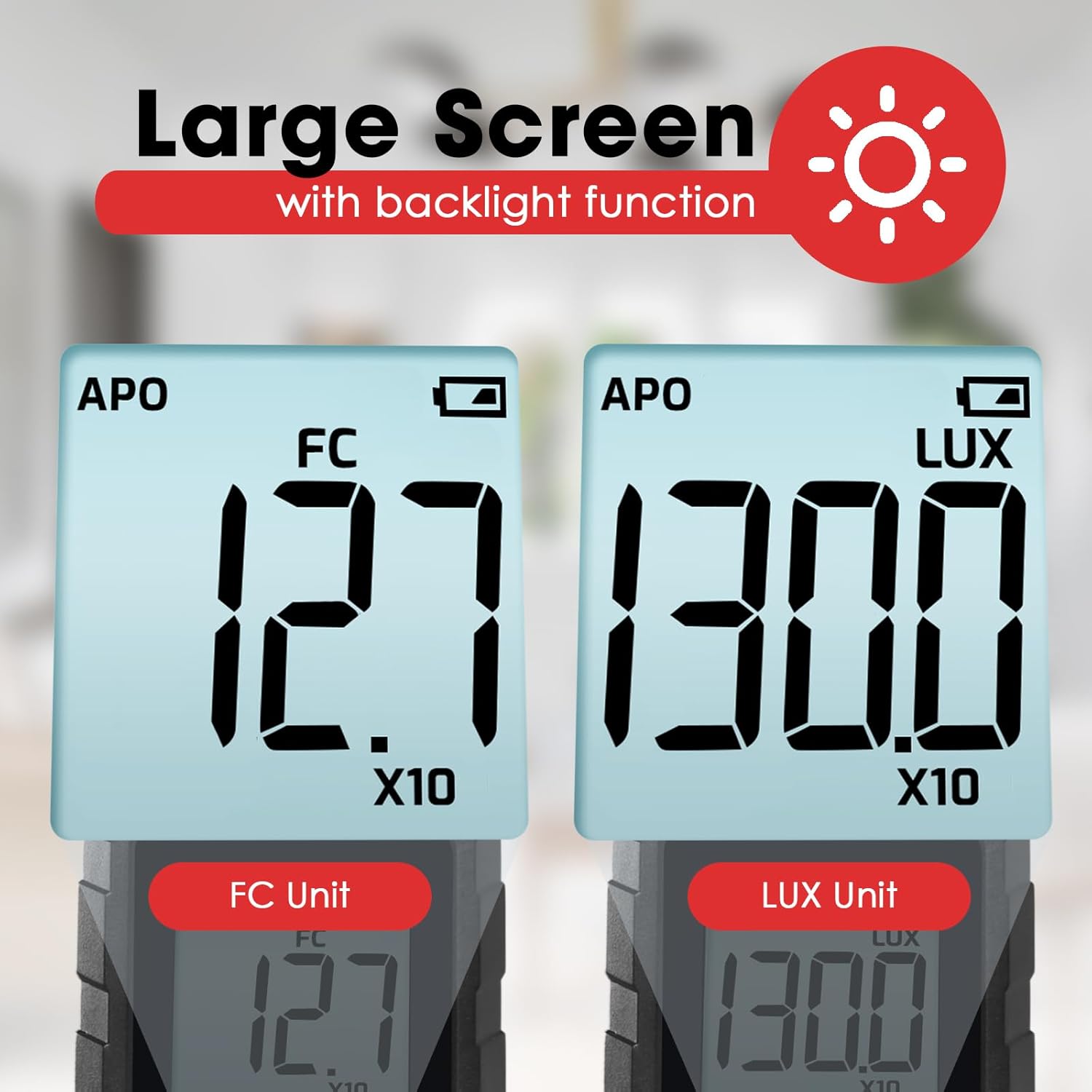
അമർത്തുക UNIT ബട്ടൺ to toggle between LUX (lux) and FC (foot-candle) measurement units. The selected unit will be displayed on the LCD screen.

ചിത്രം 6.1: The meter's display showing measurements in FC (left) and LUX (right) units.
6.3 ഡാറ്റ ഹോൾഡ് പ്രവർത്തനം
അമർത്തുക ഹോൾഡ് ബട്ടൺ briefly to freeze the current reading on the display. Press it again to release the hold and resume live measurement.
6.4 MAX / MIN Display
അമർത്തുക MAX/MIN ബട്ടൺ to cycle through the maximum, minimum, and current readings recorded since the device was powered on or the function was reset. The display will indicate 'MAX' or 'MIN' accordingly.
6.5 ബാക്ക്ലൈറ്റ് ഫംഗ്ഷൻ
അമർത്തിപ്പിടിക്കുക UNIT ബട്ടൺ for approximately 2 seconds to turn the LCD backlight on or off.
6.6 Measurement Range Multipliers
The meter automatically adjusts its measurement range. When 'X10' or 'X100' appears on the display, the displayed reading must be multiplied by that factor to obtain the actual illuminance value.
ചിത്രം 6.2: Explanation of how to interpret readings when 'X10' or 'X100' multipliers are active on the display.
- If 'X10' is displayed, multiply the reading by 10. For example, a display of 16.47 with 'X10' means 164.7 LUX.
- If 'X100' is displayed, multiply the reading by 100. For example, a display of 16.47 with 'X100' means 1647 LUX.
6.7 Bluetooth Connectivity and Data Logging
The device supports Bluetooth connectivity for real-time monitoring and data logging via a compatible smartphone application.
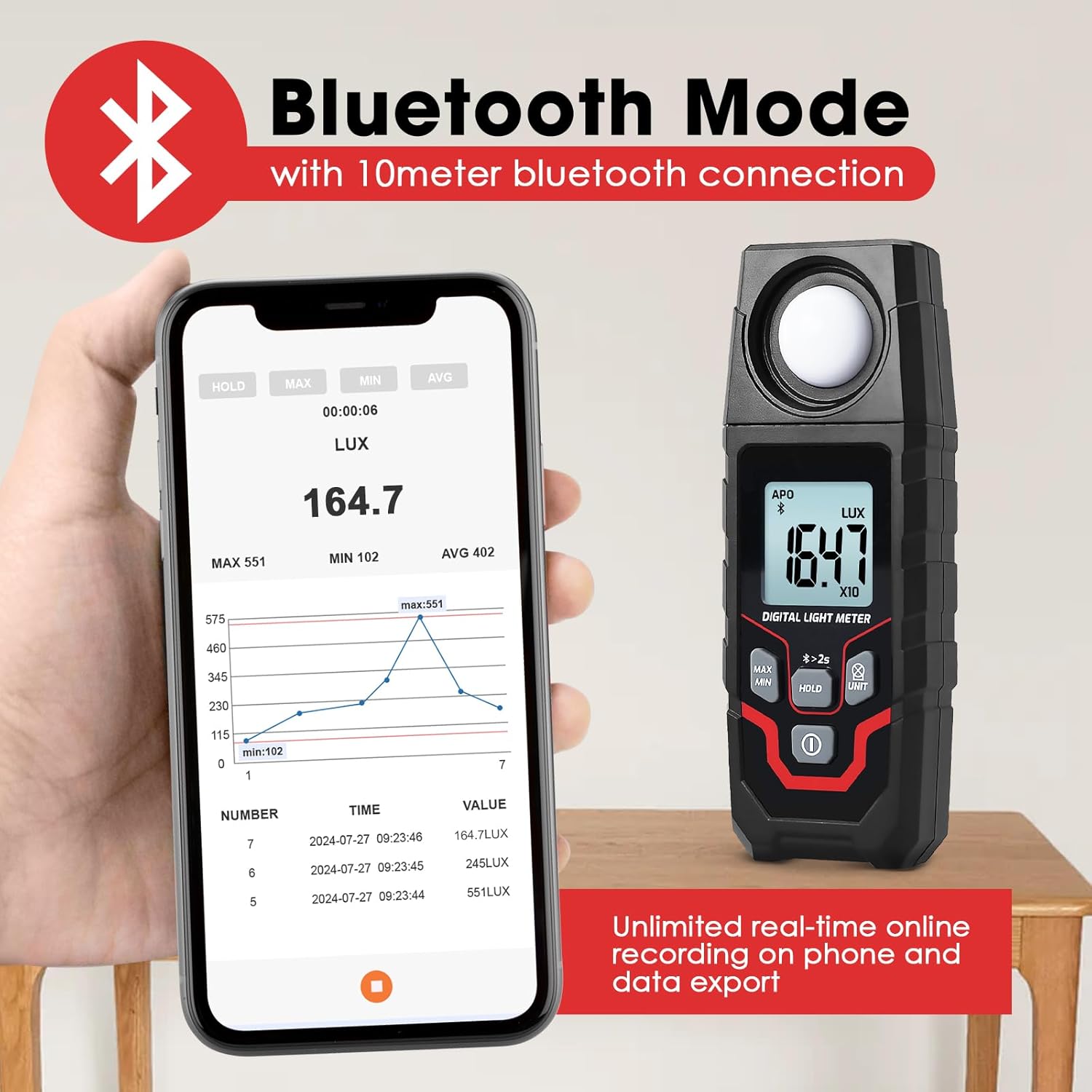
ചിത്രം 6.3: The Lux Meter connected to a smartphone via Bluetooth, displaying real-time data and a historical graph.
- ബ്ലൂടൂത്ത് സജീവമാക്കുക: അമർത്തിപ്പിടിക്കുക ഹോൾഡ് ബട്ടൺ for approximately 2 seconds. A Bluetooth icon will appear on the meter's display.
- അപ്ലിക്കേഷൻ ഡൗൺലോഡുചെയ്യുക: Download the official Landtek application from your smartphone's app store.
- ബന്ധിപ്പിക്കുക: Open the app on your smartphone and follow the instructions to pair with the MILA48500 device. The Bluetooth range is up to 10 meters.
- ഡാറ്റ ലോഗിംഗ്: The app allows for unlimited real-time online recording and data export. The meter can also store up to 2000 groups of data for offline recording, which can be downloaded to the app later.
7. പരിപാലനം
- വൃത്തിയാക്കൽ: Use a soft, dry cloth to clean the device. Do not use abrasive cleaners or solvents. Ensure the light sensor is kept clean and free of dust.
- സംഭരണം: Store the device in a cool, dry place, away from direct sunlight and extreme temperatures. If storing for an extended period, remove the batteries.
- ബാറ്ററി മാറ്റിസ്ഥാപിക്കൽ: കൃത്യമായ റീഡിംഗുകൾ ഉറപ്പാക്കാൻ ഡിസ്പ്ലേയിൽ ബാറ്ററി കുറവാണെന്ന് കാണിക്കുമ്പോൾ ബാറ്ററികൾ മാറ്റിസ്ഥാപിക്കുക.
8. പ്രശ്നപരിഹാരം
| പ്രശ്നം | സാധ്യമായ കാരണം | പരിഹാരം |
|---|---|---|
| ഉപകരണം പവർ ഓണാക്കുന്നില്ല. | ഡെഡ് അല്ലെങ്കിൽ തെറ്റായി ഇൻസ്റ്റാൾ ചെയ്ത ബാറ്ററികൾ. | ബാറ്ററി പോളാരിറ്റി പരിശോധിക്കുക. പുതിയ AAA ബാറ്ററികൾ ഉപയോഗിച്ച് മാറ്റിസ്ഥാപിക്കുക. |
| കൃത്യമല്ലാത്ത വായനകൾ. | Dirty light sensor; low battery; incorrect unit/multiplier interpretation. | Clean the light sensor. Replace batteries. Ensure correct interpretation of LUX/FC units and X10/X100 multipliers. |
| ബ്ലൂടൂത്ത് കണക്ഷൻ പരാജയപ്പെടുന്നു. | Bluetooth not activated on meter; app issue; out of range. | Press and hold HOLD button for 2s to activate Bluetooth. Restart app/phone. Ensure meter is within 10m of phone. |
| ഡിസ്പ്ലേ മങ്ങിയതോ മിന്നിമറയുന്നതോ ആണ്. | കുറഞ്ഞ ബാറ്ററി. | ബാറ്ററികൾ മാറ്റിസ്ഥാപിക്കുക. |
9 സ്പെസിഫിക്കേഷനുകൾ
| ഫീച്ചർ | സ്പെസിഫിക്കേഷൻ |
|---|---|
| അളക്കൽ രീതി | ഇന്റഗ്രൽ തരം |
| പരിധി | 0.1~200000 LUX / 0.01~20000 FC |
| Measuring Levels (LUX) | 200 / 2,000 / 20,000 / 200,000 |
| Measuring Levels (FC) | 20 / 200 / 2,000 / 20,000 |
| കൃത്യത | ±(4% + 10 digits) (calibrated under standard incandescent lamp 2856°K) താപനില |
| Resolution (LUX) | <200: 0.1; ≥200: 1 |
| Resolution (FC) | <20: 0.01; 20≤FC<200: 0.1; ≥200: 1 |
| പ്രദർശിപ്പിക്കുക | 4-digit LCD, max 1999 |
| സ്ക്രീൻ വലിപ്പം | 34 x 31 മിമി |
| ലൈറ്റ് സെൻസർ | ഫിൽട്ടറുള്ള സിലിക്കൺ ഫോട്ടോഡയോഡ് |
| Sampലിംഗ് നിരക്ക് | ഏകദേശം. സെക്കൻഡിൽ 2 തവണ |
| Incident Angle | 120° |
| Repeatability Deviation | ±2% |
| സ്പെക്ട്രൽ റേഞ്ച് | 400~700nm |
| ബ്ലൂടൂത്ത് ശ്രേണി | Up to 10 meters proximity |
| പ്രവർത്തന വ്യവസ്ഥകൾ | -10~50°C, പരമാവധി 80% RH, ഇൻഡോർ ഉയരം <2000m |
| സംഭരണ വ്യവസ്ഥകൾ | -10~50°C, max 70% RH (with battery removed) |
| വൈദ്യുതി വിതരണം | 2 x 1.5V AAA ബാറ്ററികൾ |
| അളവുകൾ | 150 x 56 x 28 മിമി |
| ഭാരം | Approx. 150g (excluding batteries) |

ചിത്രം 9.1: Physical dimensions and weight of the Landtek MILA48500 Lux Meter.
10. വാറൻ്റിയും പിന്തുണയും
This product is covered by a manufacturer's warranty. Please refer to the warranty card included in your package or contact Landtek customer support for detailed warranty terms and conditions.
For technical assistance, troubleshooting, or service inquiries, please contact your local distributor or the manufacturer directly. Contact information can typically be found on the manufacturer's webസൈറ്റ് അല്ലെങ്കിൽ ഉൽപ്പന്ന പാക്കേജിംഗിൽ.


