1. ആമുഖം
This manual provides instructions for the safe and effective use of the KAIWEETS KC604 Digital Clamp Meter Multimeter and the KET12 Soft Silicone Electrician Test Leads Kit. Please read this manual thoroughly before operation and retain it for future reference. This kit is designed for professional and DIY electrical testing, offering a range of measurement capabilities for various applications.
2 സുരക്ഷാ വിവരങ്ങൾ
Always adhere to safety precautions when using electrical testing equipment. Failure to do so may result in injury or damage to the device. This device is designed for safe operation when used according to these instructions.
- Do not exceed the maximum input values for any function. The KC604 is rated for CAT III 1000V and CAT IV 600V.
- Ensure the test leads are properly connected and the function switch is set to the correct range before making measurements.
- Always use appropriate personal protective equipment (PPE) such as safety glasses and insulated gloves when working with electrical circuits.
- Inspect test leads for damage before each use. Do not use if insulation is compromised or if there are any signs of wear.
- Avoid touching exposed conductors or circuit components when power is applied.
- Do not operate the meter if it appears damaged or is not functioning correctly.
- Replace batteries promptly when the low battery indicator appears to ensure accurate readings and proper device function.
- Never attempt to measure current on a circuit with the test leads; use the clamp function for current measurements.

Image: An electrician safely using the KAIWEETS KC604 Digital Clamp Meter to perform measurements within an electrical panel, highlighting its application in a professional setting.
3. ഉൽപ്പന്നം കഴിഞ്ഞുview
3.1 KAIWEETS KC604 Digital Clamp മീറ്റർ
The KAIWEETS KC604 is a versatile digital clamp meter designed for measuring AC/DC current, AC/DC voltage, resistance, continuity, diode, capacitance, frequency, and temperature. It features a D-shaped jaw for clamping around conductors and a clear digital display with backlight and flashlight functions for improved visibility in various environments.

Image: The KAIWEETS KC604 Digital Clamp Meter, showcasing its main components including the clamp jaw, function dial, and LCD display.
3.2 KAIWEETS KET12 Soft Silicone Electrician Test Leads Kit
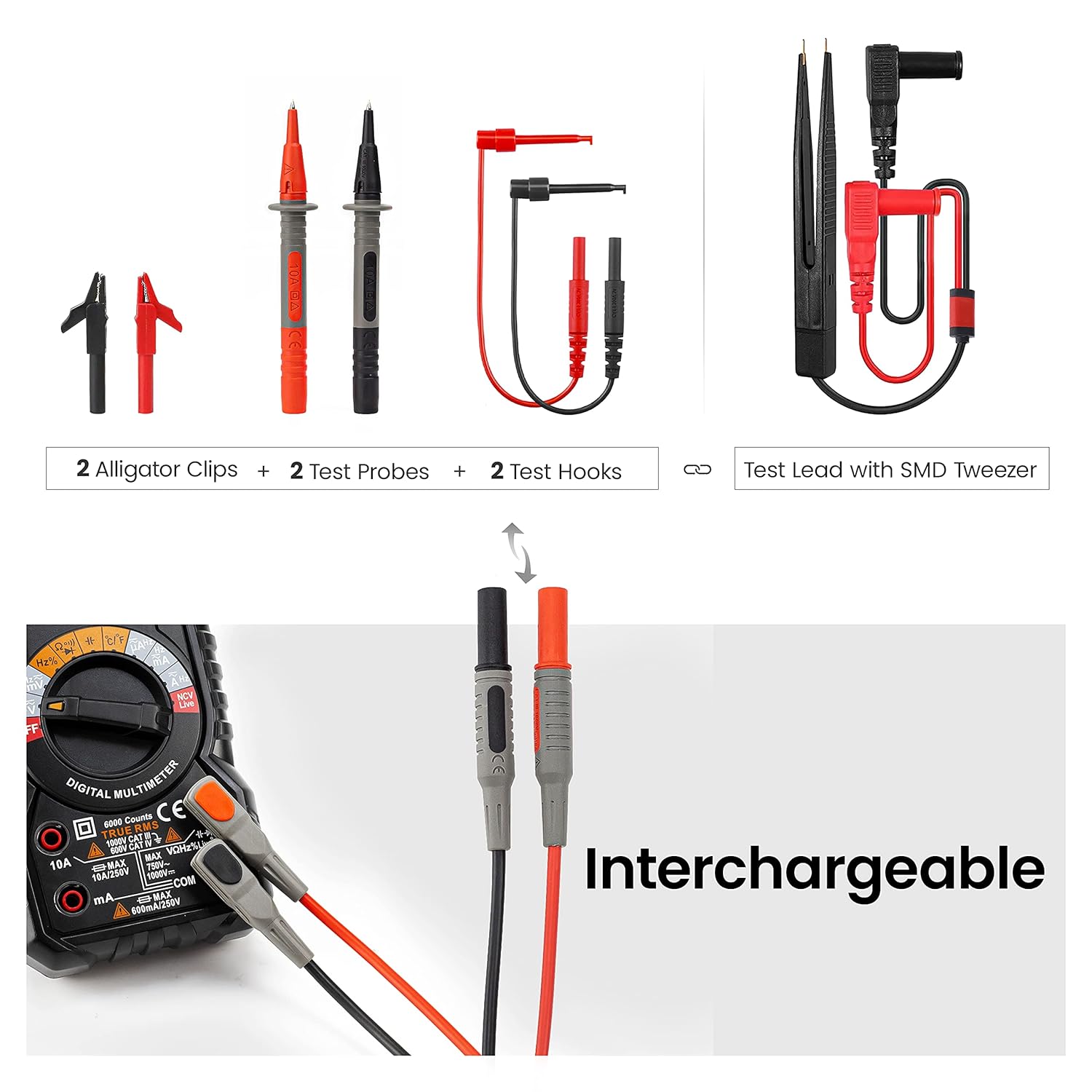
The KET12 kit provides high-quality, flexible silicone test leads with interchangeable connectors, including alligator clips, needle probes, and mini-hooks, for various testing applications. These leads are double-insulated, rated for CAT III 1000V & CAT IV 600V, and can handle a 10A current, ensuring safety and versatility.
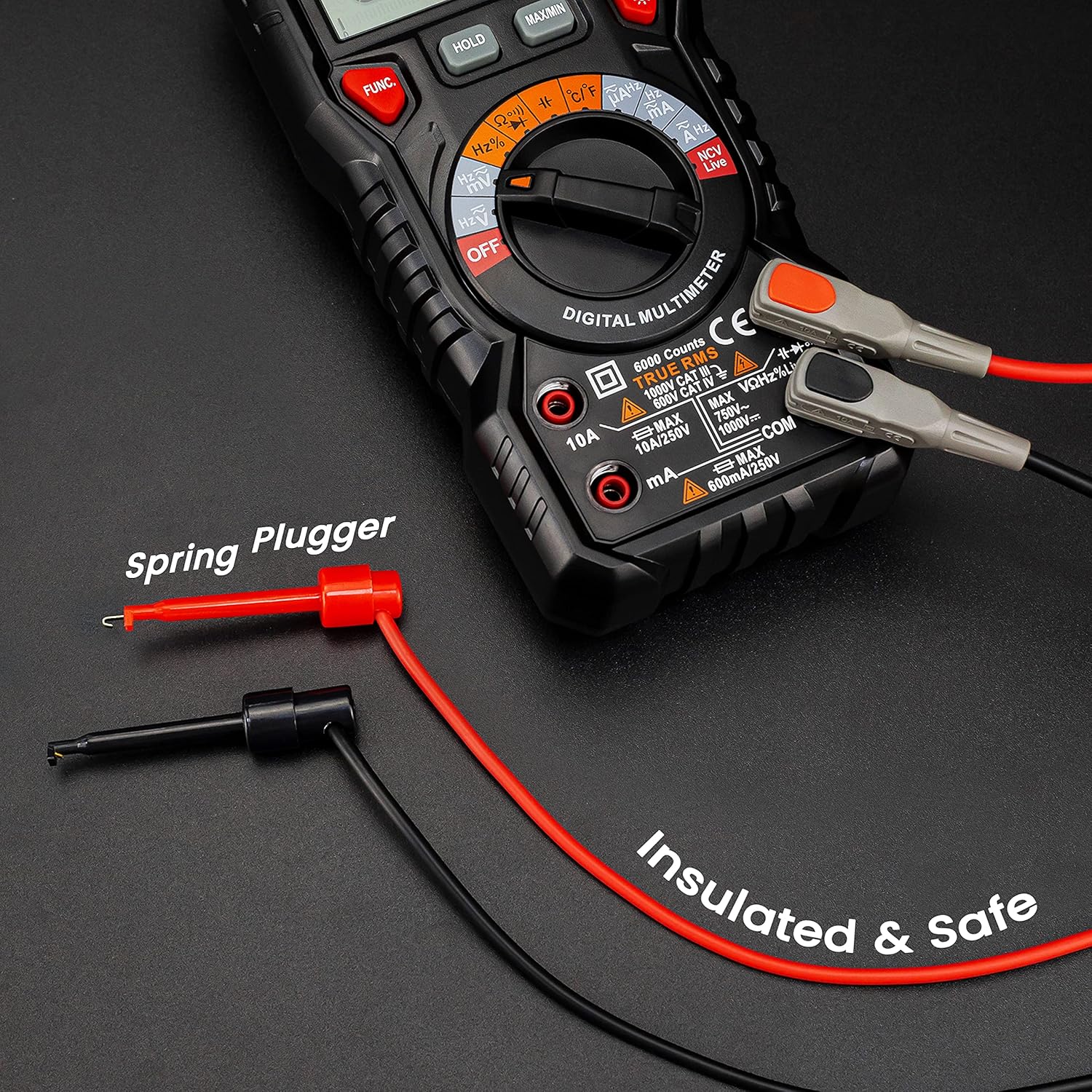
Image: Components of the KET12 Test Leads Kit, including two alligator clips, two test probes, two test hooks, and a test lead with an SMD tweezer, demonstrating the interchangeable nature of the connectors.
4. സജ്ജീകരണം
4.1 ബാറ്ററി ഇൻസ്റ്റാളേഷൻ
The KC604 requires batteries for operation. To install or replace batteries, locate the battery compartment on the back of the device. Use a screwdriver to open the compartment, insert the batteries according to the polarity markings, and then securely close the compartment. Refer to the device markings for the correct battery type (e.g., AAA or 9V).
4.2 ടെസ്റ്റ് ലീഡുകൾ ബന്ധിപ്പിക്കുന്നു
മിക്ക വോള്യങ്ങൾക്കുംtage, resistance, continuity, diode, capacitance, and frequency measurements, insert the red test lead into the "VΩmA" input jack and the black test lead into the "COM" input jack. Ensure the connections are firm. For current measurements using the clamp function, test leads are not required for the main current path.

Image: An illustration showing test leads properly connected to a multimeter's input jacks, demonstrating the correct setup for various electrical measurements.
5. പ്രവർത്തന നിർദ്ദേശങ്ങൾ
5.1 പവർ ഓൺ/ഓഫ്
Rotate the function dial from the "OFF" position to any desired measurement function to power on the device. To power off, rotate the function dial back to "OFF". The device features an auto-shutdown function after a period of inactivity to conserve battery life.
5.2 Measuring AC/DC Current (Clamp പ്രവർത്തനം)
Rotate the function dial to the appropriate AC or DC current range (e.g., 40A, 400A). Open the clamp jaw and carefully enclose a single conductor. Ensure the jaw is fully closed. The current value will be displayed on the LCD. Do not clamp around multiple conductors as this will result in an inaccurate reading.

Image: The KAIWEETS KC604 clamp meter actively measuring AC/DC current by securely clamping around a single electrical wire, displaying the reading on its screen.
5.3 എസി/ഡിസി വോളിയം അളക്കുന്നുtage
Rotate the function dial to the AC V or DC V range. Connect the red and black test leads in parallel to the circuit or component where voltage is to be measured. The voltage value will be displayed on the LCD. Always ensure the correct voltage type (AC or DC) is selected.

Image: The KAIWEETS KC604 clamp meter measuring AC/DC voltage using its connected test leads, with the voltage reading visible on the display.
5.4 താപനില അളക്കൽ
Rotate the function dial to the temperature function (°C/°F). Connect the temperature probe (typically a K-type thermocouple, if included) to the meter's input jacks. Place the tip of the probe on the object whose temperature is to be measured. The temperature will be displayed in Celsius or Fahrenheit.

Image: The KAIWEETS KC604 clamp meter measuring temperature using a connected temperature probe, showing the temperature reading on its display.
5.5 Other Functions (Resistance, Continuity, Diode, Capacitance, Frequency)
For these functions, rotate the function dial to the corresponding symbol. Connect the test leads to the appropriate input jacks and across the component or circuit being tested. Always ensure the circuit is de-energized before measuring resistance, continuity, diode, or capacitance.
- പ്രതിരോധം (Ω): Measures electrical resistance in Ohms.
- തുടർച്ച (ബസർ): Indicates a complete circuit with an audible tone and low resistance reading.
- Diode (►|--): Tests diode functionality and forward voltagഇ ഡ്രോപ്പ്.
- കപ്പാസിറ്റൻസ് (F): Measures capacitance in Farads.
- Frequency (Hz%): ഒരു AC സിഗ്നലിന്റെ ആവൃത്തി അളക്കുന്നു.
5.6 MAX/MIN and HOLD Functions
ദി പരമാവധി/മിനിറ്റ് button allows the meter to capture and display the maximum and minimum readings during a measurement session. Pressing it cycles through MAX, MIN, and current readings. The പിടിക്കുക button freezes the current reading on the display, which is useful for recording measurements in hard-to-reach areas.
6. പരിപാലനം
6.1 വൃത്തിയാക്കൽ
മീറ്റർ തുടച്ചുമാറ്റി പരസ്യം ഉപയോഗിച്ച് ലീഡുകൾ പരിശോധിക്കുക.amp cloth and mild detergent. Do not use abrasive cleaners, solvents, or harsh chemicals, as these can damage the casing or display. Ensure the device is powered off and disconnected from any circuits before cleaning.
6.2 ബാറ്ററി മാറ്റിസ്ഥാപിക്കൽ
When the low battery indicator appears on the display, replace the batteries immediately to ensure accurate readings and proper device functionality. Refer to the battery compartment cover for the correct battery type and ensure proper polarity during installation.
6.3 Test Lead Care
Store test leads properly to prevent kinking, sharp bends, or damage to the insulation. Regularly inspect the test leads for any cuts, cracks, or other signs of wear. Damaged test leads should be replaced immediately to maintain safety and measurement accuracy.
ചിത്രം: ഒരു ക്ലോസ്-അപ്പ് view of the flexible, double-insulated silicone test leads, emphasizing their durable and soft construction for long-lasting use.
7. പ്രശ്നപരിഹാരം
7.1 പൊതുവായ പ്രശ്നങ്ങളും പരിഹാരങ്ങളും
- ഡിസ്പ്ലേ/പവർ ഇല്ല: Check battery installation and charge. Ensure the function dial is not on the "OFF" position. Replace batteries if necessary.
- കൃത്യമല്ലാത്ത വായനകൾ: Verify correct function selection and test lead connection. Check for damaged test leads. Ensure the clamp jaw is fully closed around a single conductor for current measurements. Ensure the circuit is de-energized for resistance/continuity tests.
- തുടർച്ചയില്ലാത്ത ബീപ്പ്: Ensure the circuit is de-energized. Check for open circuits or high resistance in the component being tested.
- Display Shows "OL" (Overload): The measured value exceeds the selected range. Select a higher range or ensure the input is within the device's specifications.
8 സ്പെസിഫിക്കേഷനുകൾ
8.1 KAIWEETS KC604 Digital Clamp മീറ്റർ
- സുരക്ഷാ റേറ്റിംഗ്: CAT III 1000V, CAT IV 600V
- ഡിസ്പ്ലേ: 4000 Counts Digital Display
- AC/DC Current Range: Up to 400A (via clamp)
- എസി/ഡിസി വോളിയംtagഇ ശ്രേണി: 1000V വരെ
- താപനില പരിധി: -4°F മുതൽ 1832°F വരെ (-20°C മുതൽ 1000°C വരെ)
- ഫീച്ചറുകൾ: Auto-shutdown, Backlight, Flashlight, Low battery indication, NCV (Non-Contact Voltage) detection, MAX/MIN, HOLD functions.
8.2 KAIWEETS KET12 Test Leads Kit
- സുരക്ഷാ റേറ്റിംഗ്: CAT III 1000V, CAT IV 600V
- നിലവിലെ റേറ്റിംഗ്: 10എ
- മെറ്റീരിയൽ: Soft Silicone Double Insulated
- വയർ നീളം: ഏകദേശം 48 ഇഞ്ച് (122 സെ.മീ)
- Wire Core: Composed of 105pcs 0.001mm copper wires and nylon yarn for excellent tensile strength and low resistance.
- കണക്ടറുകൾ: Interchangeable alligator clips, needle probes, and mini-hooks.
9. വാറൻ്റിയും പിന്തുണയും
9.1 വാറൻ്റി വിവരങ്ങൾ
KAIWEETS provides a 36-month after-sale service for this product. This warranty covers manufacturing defects and ensures the product meets its specified performance. Please retain your proof of purchase for warranty claims.
9.2 ബന്ധപ്പെടാനുള്ള വിവരങ്ങൾ
For warranty claims, technical support, or any inquiries regarding the KAIWEETS KC604 Digital Clamp Meter and KET12 Test Leads Kit, please contact KAIWEETS customer service through their official website or the retailer where the product was purchased. Detailed contact information can typically be found in your product packaging or on the KAIWEETS official support page.


