ആമുഖം
Welcome to your new TECKNET Bluetooth Wireless Mouse. This manual provides comprehensive instructions for the setup, operation, and maintenance of your device to ensure optimal performance and a seamless user experience. Please read this manual carefully before using the mouse.
പാക്കേജ് ഉള്ളടക്കം
- TECKNET Bluetooth Wireless Mouse
- USB റിസീവർ (മൗസിനുള്ളിൽ സൂക്ഷിച്ചിരിക്കുന്നു)
- ഉപയോക്തൃ മാനുവൽ
ഉൽപ്പന്നം കഴിഞ്ഞുview
The TECKNET TK-MS046 is a versatile wireless mouse designed for efficiency and comfort. It features dual-mode connectivity, allowing you to connect via Bluetooth (5.0/3.0) or a 2.4G USB receiver. Its compact, symmetrical design is suitable for both right and left-handed users, and silent click buttons ensure a quiet working environment.

ചിത്രം: മുകളിൽ നിന്ന് താഴേക്ക് view of the TECKNET Bluetooth Wireless Mouse, showcasing its sleek and symmetrical design.
പ്രധാന സവിശേഷതകൾ:
- ഇരട്ട ഉപകരണ കണക്റ്റിവിറ്റി: Seamlessly switch between Bluetooth 5.0/3.0 and 2.4G USB receiver connections.
- ഒതുക്കമുള്ളതും കൊണ്ടുപോകാവുന്നതും: Measuring 2.36 x 4.09 x 1.49 inches, ideal for travel and small hands.
- നിശബ്ദ ക്ലിക്ക്: Noise-reducing buttons for a quiet user experience.
- Ergonomic Symmetrical Design: ഇടത് കൈ, വലത് കൈ ഉപയോക്താക്കൾക്ക് സുഖകരമാണ്.
- ക്രമീകരിക്കാവുന്ന DPI: Multiple sensitivity levels (e.g., 800, 1200, 1600) for precise control.
- വിപുലീകരിച്ച ബാറ്ററി ലൈഫ്: Up to 18 months on a single AA battery (not included).
- വിശാലമായ അനുയോജ്യത: Supports Windows, macOS, Chrome, and Linux operating systems.

Image: A visual representation of the mouse's dual connectivity, showing both USB 2.4G and Bluetooth 5.2/3.0 options.
സജ്ജമാക്കുക
1. ബാറ്ററി ഇൻസ്റ്റാളേഷൻ
- Open the battery compartment cover located on the underside of the mouse.
- Insert one AA battery (not included) into the compartment, ensuring the correct polarity (+/-).
- ബാറ്ററി കമ്പാർട്ട്മെൻ്റ് കവർ സുരക്ഷിതമായി അടയ്ക്കുക.

ചിത്രം: വിശദമായത് view of the mouse's underside, illustrating the battery compartment, USB receiver storage, and the mode switch.
2. ബ്ലൂടൂത്ത് മോഡ് വഴി ബന്ധിപ്പിക്കുന്നു
- Ensure the mouse has a battery installed and the power switch on the bottom is in the 'ON' position.
- Toggle the mode switch button on the bottom of the mouse to the Bluetooth (BT) mode. The BT indicator light will flash, indicating it's in pairing mode.
- നിങ്ങളുടെ ഉപകരണത്തിൽ (കമ്പ്യൂട്ടർ, ടാബ്ലെറ്റ് മുതലായവ), ബ്ലൂടൂത്ത് പ്രവർത്തനക്ഷമമാക്കി പുതിയ ഉപകരണങ്ങൾക്കായി തിരയുക.
- Select either "BT 3.0 Mouse" or "BT 5.2 Mouse" from the list of available devices to pair.
- The indicator light will stop flashing and remain solid once successfully connected.

Image: Step-by-step guide for connecting the mouse via Bluetooth, showing battery insertion, mode selection, and device pairing on a screen.
3. Connecting via 2.4G USB Receiver Mode
- Locate the USB-A receiver stored inside the battery compartment of the mouse.
- നിങ്ങളുടെ കമ്പ്യൂട്ടറിൽ ലഭ്യമായ ഒരു USB പോർട്ടിലേക്ക് USB-A റിസീവർ പ്ലഗ് ചെയ്യുക.
- Toggle the mode switch button on the bottom of the mouse to the 2.4G mode. The LED indicator will flash.
- The mouse should automatically connect to your device. No additional drivers are typically required.

Image: Instructions for connecting the mouse using the 2.4G USB receiver, showing receiver insertion into a laptop's USB port and mode selection.
പ്രവർത്തന നിർദ്ദേശങ്ങൾ
DPI ക്രമീകരണം
The mouse features adjustable DPI (Dots Per Inch) settings, allowing you to control the cursor sensitivity and speed. This is useful for different tasks, from precise editing to fast browsing.
- Press the DPI switch button, located behind the scroll wheel, to cycle through the available DPI settings (e.g., 800, 1200, 1600).
- The cursor speed will change with each press, enabling you to select your preferred sensitivity level.

Image: The mouse shown with indicators for 3 adjustable DPI levels: 800, 1200, and 1600, emphasizing sensitive response.
ഓട്ടോമാറ്റിക് സ്ലീപ്പ് മോഡ്
To conserve battery life, the mouse is designed with an automatic sleep mode feature.
- The mouse will enter sleep mode after 10 minutes of inactivity.
- To wake the mouse, simply click any button 2-3 times or move the mouse.
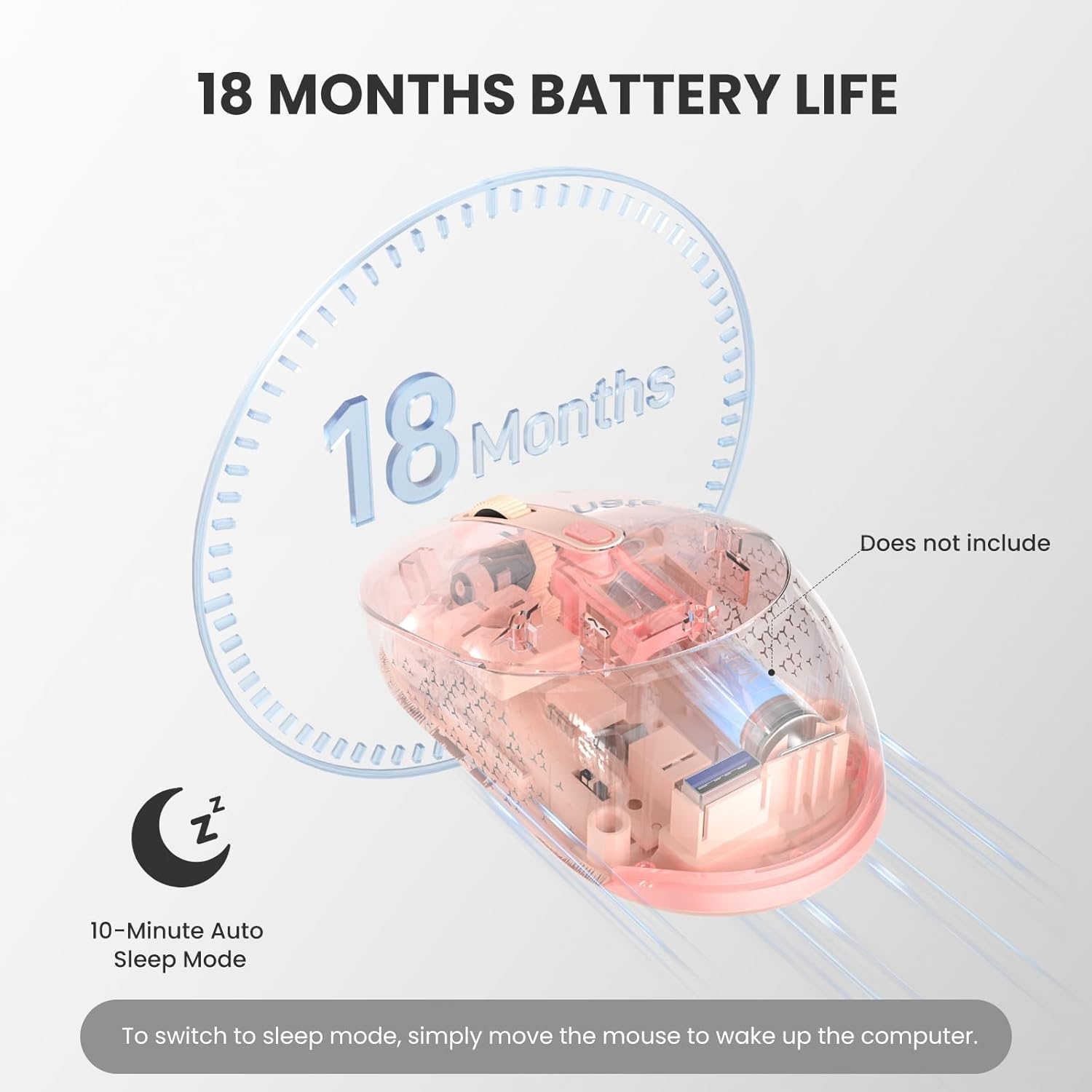
Image: Illustration highlighting the mouse's 18-month battery life and its 10-minute auto-sleep mode feature.
മെയിൻ്റനൻസ്
- വൃത്തിയാക്കൽ: Keep the mouse clean by wiping it with a soft, dry cloth. Avoid using harsh chemicals or abrasive materials.
- സംഭരണം: Avoid exposing the mouse to extreme temperatures, direct sunlight, or liquids. Store the USB receiver inside the mouse when not in use to prevent loss.
- ബാറ്ററി കെയർ: When not in use for extended periods, consider removing the battery to prevent potential leakage and damage.
ട്രബിൾഷൂട്ടിംഗ്
| പ്രശ്നം | പരിഹാരം |
|---|---|
| മൗസ് പ്രതികരിക്കുന്നില്ല | Check battery level and replace if necessary. Ensure the mouse is powered on. Verify correct connection mode (Bluetooth or 2.4G USB) is selected via the switch on the bottom. For 2.4G, ensure the USB receiver is securely plugged into a working USB port. For Bluetooth, try re-pairing the device. |
| ഇടയ്ക്കിടെയുള്ള കണക്ഷൻ അല്ലെങ്കിൽ കാലതാമസം | Ensure the mouse is within the optimal operating range (up to 34 feet/10 meters). Avoid obstructions between the mouse and the receiver/device. Try connecting to a different USB port or re-pairing the Bluetooth connection. Reduce interference from other wireless devices. |
| Cursor movement is erratic or imprecise | Clean the optical sensor on the bottom of the mouse with a soft, dry cloth. Use the mouse on a clean, non-reflective, and uniform surface. Adjust DPI settings to a lower sensitivity if the cursor is too fast. |
| MacOS-ൽ സൈഡ് ബട്ടണുകൾ പ്രവർത്തിക്കുന്നില്ല. | Please note that the side buttons on this mouse are not compatible with macOS. This is a system-specific limitation. |
| Mouse enters sleep mode too quickly | The mouse is designed to enter sleep mode after 10 minutes of inactivity to save power. To wake it, simply click any button 2-3 times or move the mouse. This behavior is normal. |
സ്പെസിഫിക്കേഷനുകൾ
- മോഡൽ: TK-MS046
- കണക്റ്റിവിറ്റി: Bluetooth 5.0/3.0, 2.4G USB
- ഉൽപ്പന്ന അളവുകൾ: 4 x 2.5 x 0.1 inches (overall), 2.36 x 4.09 x 1.49 inches (compact body)
- ഇനത്തിൻ്റെ ഭാരം: 2.12 ഔൺസ്
- ബാറ്ററി: 1 x AA ബാറ്ററി (ഉൾപ്പെടുത്തിയിട്ടില്ല)
- ബാറ്ററി ലൈഫ്: 18 മാസം വരെ
- DPI ലെവലുകൾ: Adjustable (e.g., 800, 1200, 1600)
- ആയുസ്സ് ക്ലിക്ക് ചെയ്യുക: Rated for 10 Million Clicks (Left & Right buttons)
- അനുയോജ്യത: Windows, macOS, Chrome, Linux
- പ്രത്യേക സവിശേഷതകൾ: Silent Click, Auto-Sleep Mode, Ergonomic Symmetrical Design, Optical Movement Detection

Image: Diagram illustrating the compact dimensions of the mouse and demonstrating various grip styles (palm, finger, and claw grip).
വാറൻ്റിയും പിന്തുണയും
This TECKNET product is backed by a 36-month warranty upon registration. For technical assistance, warranty claims, or any product-related inquiries, please contact TECKNET customer service.
ഉദ്യോഗസ്ഥൻ Webസൈറ്റ്: www.tecknet.co.uk
ഇമെയിൽ പിന്തുണ: support@tecknet.co.uk


