ആമുഖം
Welcome to your INFIYA Z1 2K Wireless Outdoor Security Camera System. This manual provides detailed instructions for installation, operation, and maintenance to ensure optimal performance and security for your home. Please read this manual thoroughly before using the product.
പാക്കേജ് ഉള്ളടക്കം
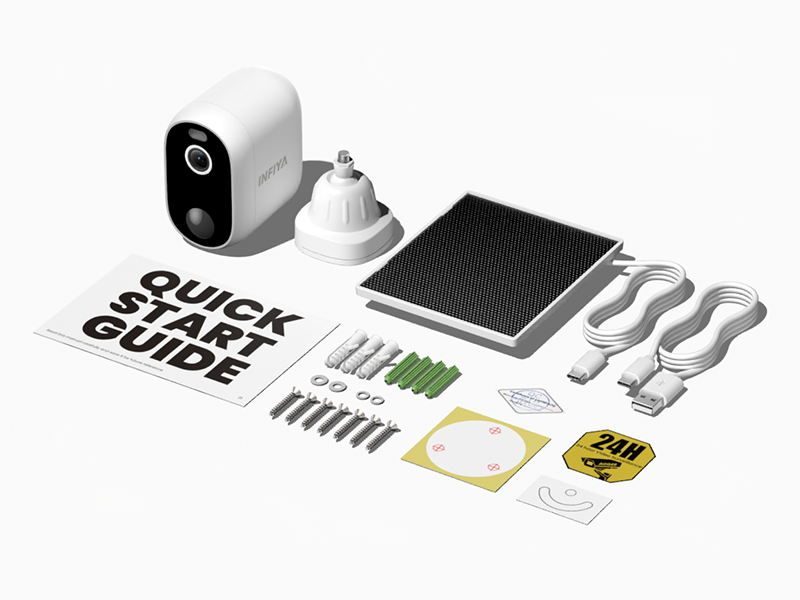
താഴെ ലിസ്റ്റ് ചെയ്തിരിക്കുന്ന എല്ലാ ഇനങ്ങളും നിങ്ങളുടെ പാക്കേജിൽ ഉൾപ്പെടുത്തിയിട്ടുണ്ടെന്ന് ഉറപ്പാക്കുക:
- Solar Camera x 4
- ബ്രാക്കറ്റ് x 4
- ഇൻസ്റ്റലേഷൻ ഗൈഡ്
- മൗണ്ടിംഗ് സ്ക്രൂകൾ
- Mounting Template Stickers
- Type-C Power Cord x 4
- സോളാർ പാനൽ x 4
ഉൽപ്പന്ന സവിശേഷതകൾ
The INFIYA Z1 camera system offers a range of features designed for comprehensive home security:
- ദീർഘിപ്പിച്ച സ്റ്റാൻഡ്ബൈ സമയം: Built-in 5200 mAh battery and included solar panel provide continuous power without wiring.
- Dual Defense System: Features light and siren alarms to deter intruders, activated by motion detection.
- Clear 2K FHD Vision: Delivers crystal-clear 2K (1296p) live feed for detailed surveillance.
- കളർ നൈറ്റ് വിഷൻ: Provides full-color vision at night with an attached white light, or traditional infrared black and white mode.
- AI ഹ്യൂമൻ ഡിറ്റക്ഷൻ: Reduces false alerts by focusing on human shapes, conserving power and storage.
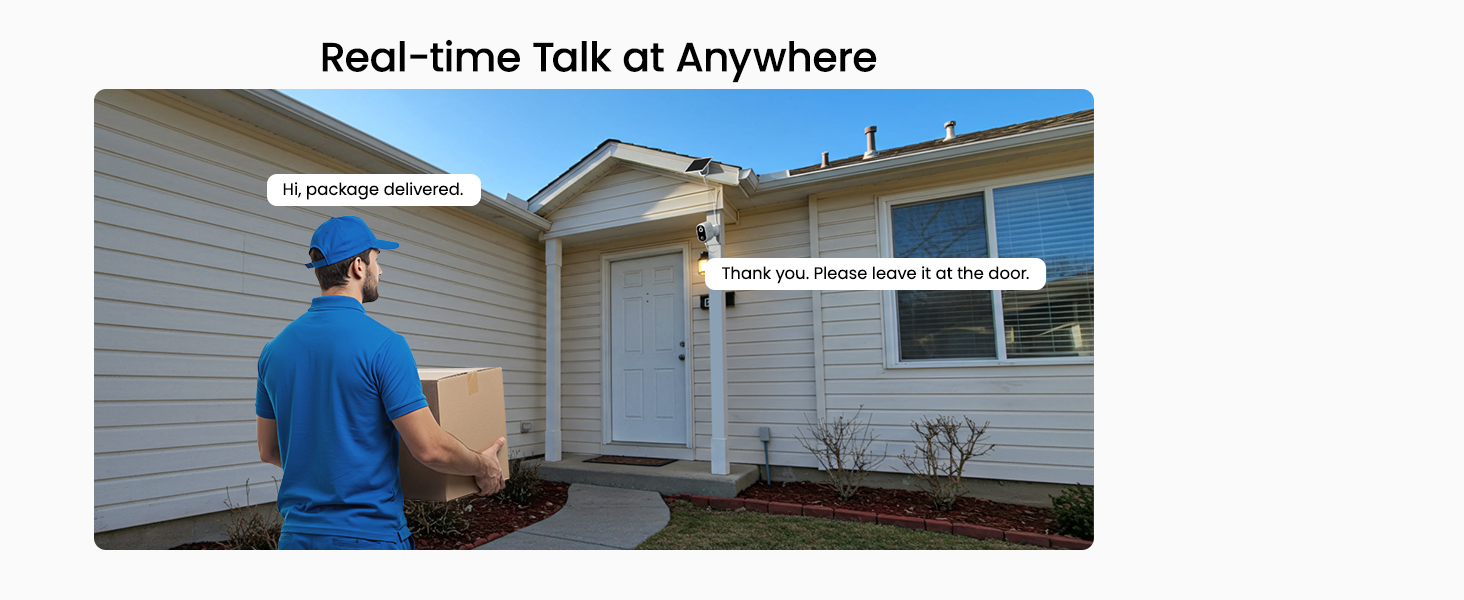
- ദ്വിമുഖ സംസാരം: ക്യാമറയിലൂടെ തത്സമയ ആശയവിനിമയം സാധ്യമാക്കുന്നു.
- IP65 കാലാവസ്ഥാ പ്രതിരോധം: Ensures reliable operation in various weather conditions.
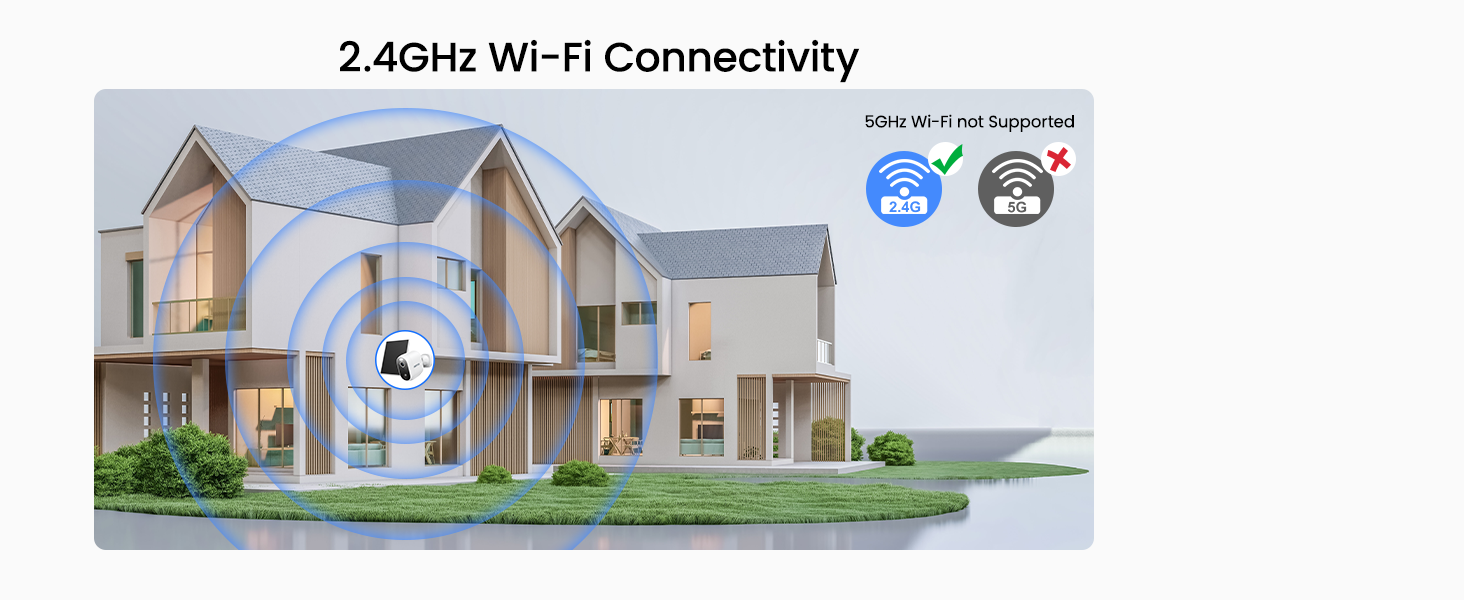
- 2.4GHz Wi-Fi കണക്റ്റിവിറ്റി: Simple wireless setup without Ethernet cabling.
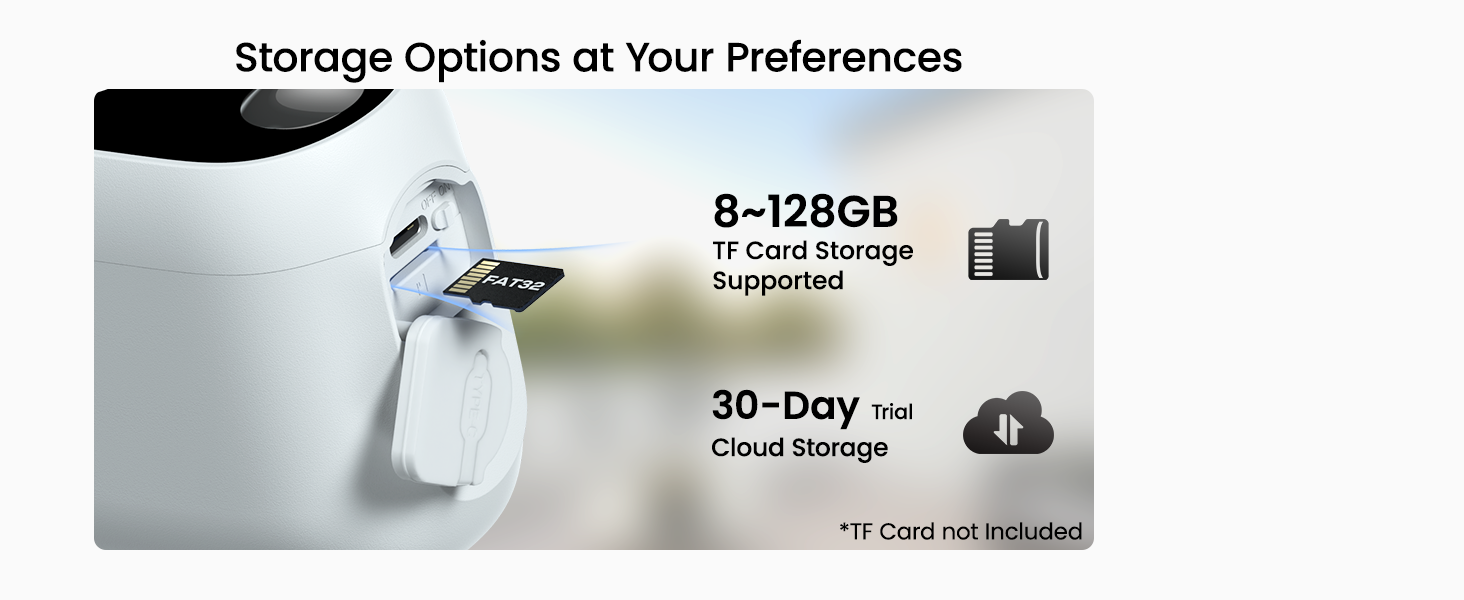
- ഫ്ലെക്സിബിൾ സ്റ്റോറേജ്: Supports TF card storage (8GB~128GB, FAT32) and optional cloud service.
- Alexa അനുയോജ്യത: Integrate with Alexa for voice commands and live view പ്രവേശനം.

ഇൻസ്റ്റലേഷൻ ഗൈഡ്
1. ക്യാമറയും സോളാർ പാനലും സ്ഥാപിക്കൽ
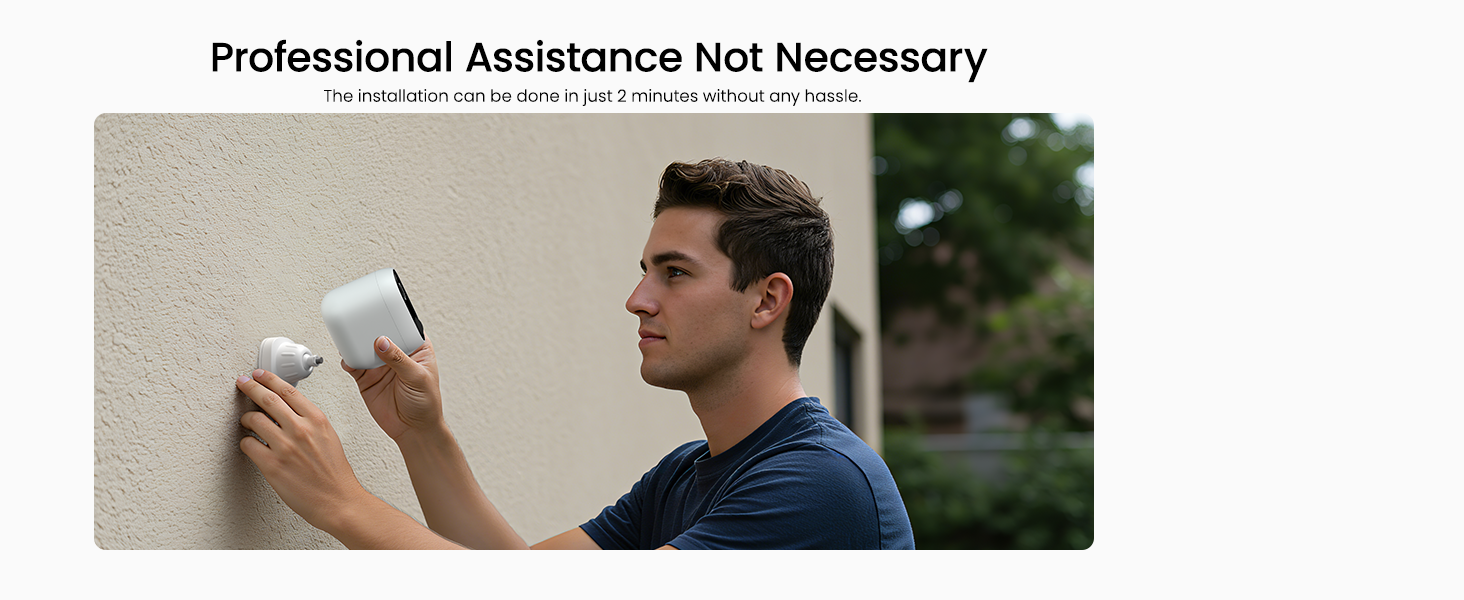
The INFIYA Z1 cameras are designed for easy installation on walls or ceilings. Choose a location that provides the desired field of view and receives adequate sunlight for the solar panel.
- Use the provided mounting template stickers to mark the drill holes for the camera bracket and solar panel.
- Drill holes and insert the wall anchors if necessary.
- Securely attach the camera bracket and solar panel bracket using the mounting screws.
- Attach the camera to its bracket and adjust the angle for optimal coverage.
- ക്യാമറയുടെ ചാർജിംഗ് പോർട്ടിലേക്ക് സോളാർ പാനൽ കേബിൾ ബന്ധിപ്പിക്കുക.
2. ക്യാമറ പവർ ചെയ്യുന്നു
The camera is powered by a built-in 5200 mAh battery and continuously charged by the included solar panel. Ensure the solar panel is positioned to receive direct sunlight for maximum charging efficiency.

3. ആപ്പ് സജ്ജീകരണവും വൈഫൈ കണക്ഷനും
Download the dedicated mobile application (refer to the Quick Start Guide for app name and QR code) to set up and manage your cameras. The camera supports 2.4GHz Wi-Fi networks only.
- നിങ്ങളുടെ സ്മാർട്ട്ഫോൺ 2.4GHz വൈഫൈ നെറ്റ്വർക്കിലേക്ക് കണക്റ്റ് ചെയ്തിട്ടുണ്ടെന്ന് ഉറപ്പാക്കുക.
- ആപ്പ് തുറന്ന് സ്ക്രീനിലെ നിർദ്ദേശങ്ങൾ പാലിച്ച് നിങ്ങളുടെ ക്യാമറ ചേർക്കുക.
- Scan the QR code on the camera or manually enter its ID.
- Follow prompts to connect the camera to your home Wi-Fi network.
പ്രവർത്തന നിർദ്ദേശങ്ങൾ
തത്സമയം View ഒപ്പം ടു-വേ സംസാരവും
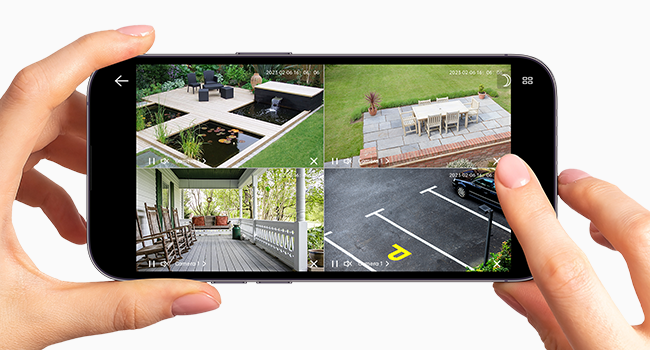
Access the live video feed from your cameras through the mobile app. The two-way talk feature allows you to communicate with individuals near the camera.
- Open the app and select the desired camera to view അതിന്റെ തത്സമയ ഫീഡ്.
- ടു-വേ ഓഡിയോ ആശയവിനിമയം ആരംഭിക്കാൻ മൈക്രോഫോൺ ഐക്കണിൽ ടാപ്പ് ചെയ്യുക.
മോഷൻ ഡിറ്റക്ഷനും അലേർട്ടുകളും
The camera utilizes AI-enhanced PIR human detection to minimize false alarms. When motion is detected, you will receive instant push notifications and recorded video clips.
- Adjust motion detection sensitivity within the app settings.
- Enable push notifications to receive alerts on your mobile device.
- Review recorded alert videos in the app's playback section.

നൈറ്റ് വിഷൻ മോഡുകൾ
The camera offers both color night vision and traditional infrared (IR) night vision for clear visibility in low-light conditions.
- കളർ നൈറ്റ് വിഷൻ: Activates the built-in white light to provide full-color images at night.
- ഇൻഫ്രാറെഡ് നൈറ്റ് വിഷൻ: പൂർണ്ണമായ ഇരുട്ടിൽ കറുപ്പും വെളുപ്പും ചിത്രങ്ങൾ എടുക്കാൻ ഇൻഫ്രാറെഡ് LED-കൾ ഉപയോഗിക്കുന്നു.
- Switch between modes or set automatic activation based on ambient light in the app settings.

സൈറൺ, ലൈറ്റ് അലാറം
Utilize the integrated siren and intelligent white light to deter potential intruders.
- Configure alarm trigger conditions in the app, such as motion detection at specific times.
- The camera can automatically activate the siren and light to scare away unwanted visitors.

സ്റ്റോറേജ് ഓപ്ഷനുകൾ
The INFIYA Z1 camera offers local and cloud storage solutions for your recorded footage.
- ടിഎഫ് കാർഡ് സംഭരണം: Insert a TF card (8GB~128GB, FAT32 format) into the camera's designated slot for local storage of video clips.
- ക്ലൗഡ് സേവനം: An optional cloud service provides encrypted storage for your recordings. A 30-day trial may be available.
അലക്സ ഇൻ്റഗ്രേഷൻ
Connect your INFIYA Z1 cameras with Amazon Alexa for convenient voice control and monitoring.
- Enable the INFIYA skill in your Alexa app.
- Discover your cameras through the Alexa app.
- Use voice commands like "Alexa, show me the garden" to view live feeds on compatible Alexa devices.

മെയിൻ്റനൻസ്
Regular maintenance ensures the longevity and optimal performance of your security camera system.
- സോളാർ പാനലുകൾ വൃത്തിയാക്കുക: Periodically wipe the solar panels with a soft, damp സൂര്യപ്രകാശത്തെ തടസ്സപ്പെടുത്തുകയും ചാർജിംഗ് കാര്യക്ഷമത കുറയ്ക്കുകയും ചെയ്യുന്ന പൊടി, അഴുക്ക് അല്ലെങ്കിൽ അവശിഷ്ടങ്ങൾ നീക്കം ചെയ്യാൻ തുണി ഉപയോഗിക്കുക.
- ബാറ്ററി നില പരിശോധിക്കുക: Monitor the battery level through the mobile app to ensure consistent power.
- ക്ലിയർ ഫീൽഡ് View: Ensure no obstructions (e.g., overgrown branches, spiderwebs) are blocking the camera's lens or motion sensor.
- ലെൻസ് ക്ലീനിംഗ്: വ്യക്തമായ ഇമേജ് നിലവാരം നിലനിർത്താൻ ക്യാമറ ലെൻസ് ഒരു മൈക്രോഫൈബർ തുണി ഉപയോഗിച്ച് സൌമ്യമായി വൃത്തിയാക്കുക.

ട്രബിൾഷൂട്ടിംഗ്
പൊതുവായ പ്രശ്നങ്ങളും അവയുടെ പരിഹാരങ്ങളും അറിയാൻ താഴെയുള്ള പട്ടിക കാണുക.
| പ്രശ്നം | പരിഹാരം |
|---|---|
| Camera not powering on or charging. | Ensure the solar panel is connected and receiving direct sunlight. Check the Type-C power cord connection. The battery may be fully depleted; allow several hours of direct sunlight for initial charge. |
| വൈഫൈയിലേക്ക് കണക്റ്റ് ചെയ്യാനാവുന്നില്ല. | Confirm your router is broadcasting a 2.4GHz Wi-Fi signal. The camera does not support 5GHz Wi-Fi. Ensure the camera is within range of your Wi-Fi router. Restart your router and camera. |
| പതിവ് തെറ്റായ മുന്നറിയിപ്പുകൾ. | Adjust the motion detection sensitivity in the app. Ensure the camera's field of view is clear of moving objects like tree branches or flags. The AI human detection helps reduce non-human triggers. |
| മോശം രാത്രി കാഴ്ച നിലവാരം. | Ensure the camera lens is clean. Check if the night vision mode (color or IR) is set appropriately for the environment. Ensure no strong light sources are directly facing the camera at night. |
| Two-way talk not working. | Check your phone's microphone and speaker permissions for the app. Ensure a stable internet connection for both your phone and the camera. |
സാങ്കേതിക സവിശേഷതകൾ
| ഫീച്ചർ | വിശദാംശങ്ങൾ |
|---|---|
| മോഡലിൻ്റെ പേര് | Z1 |
| ഇൻഡോർ/ഔട്ട്ഡോർ ഉപയോഗം | ഇൻഡോർ, ഔട്ട്ഡോർ |
| അനുയോജ്യമായ ഉപകരണങ്ങൾ | Alexa Assistant |
| പവർ ഉറവിടം | ബാറ്ററിയിൽ പ്രവർത്തിക്കുന്ന, സൗരോർജ്ജത്തിൽ പ്രവർത്തിക്കുന്ന |
| കണക്റ്റിവിറ്റി പ്രോട്ടോക്കോൾ | വൈഫൈ (2.4GHz മാത്രം) |
| കൺട്രോളർ തരം | ആൻഡ്രോയിഡ്, ഐഒഎസ് |
| മൗണ്ടിംഗ് തരം | വാൾ മൗണ്ട്, സീലിംഗ് മൗണ്ട് |
| വീഡിയോ ക്യാപ്ചർ റെസല്യൂഷൻ | 1296p (2K) |
| നിറം | വെള്ള |
| ഇനങ്ങളുടെ എണ്ണം | 4 |
| Viewing ആംഗിൾ | 98.9 ഡിഗ്രി |
| നൈറ്റ് വിഷൻ റേഞ്ച് | 26 അടി |
| വാല്യംtage | 5 വോൾട്ട് |
| വാട്ട്tage | 5 വാട്ട് മണിക്കൂർ |
| ബാറ്ററി പവർ | 5200 മില്ലിamp മണിക്കൂർ (ലിഥിയം അയോൺ) |
| കുറഞ്ഞ വെളിച്ച സാങ്കേതികവിദ്യ | രാത്രി നിറം |
| സൂം തരം | ഡിജിറ്റൽ സൂം |
| അലേർട്ട് തരം | Motion Only (AI Human Detection) |
| പ്രകാശ സ്രോതസ്സ് തരം | എൽഇഡി |
| വീഡിയോ ക്യാപ്ചർ ഫോർമാറ്റ് | MP4 |
| ഫോട്ടോ സെൻസർ ടെക്നോളജി | CMOS |
| ഫലപ്രദമായ സ്റ്റിൽ റെസല്യൂഷൻ | 3 എം.പി |
| അന്താരാഷ്ട്ര സംരക്ഷണ റേറ്റിംഗ് | IP65 |
| ഇനത്തിൻ്റെ ഭാരം | 3.89 പൗണ്ട് (പാക്കേജിന്) |
| നിർമ്മാതാവ് | ഇൻഫിയ |
വാറന്റി വിവരങ്ങളും ഉപഭോക്തൃ പിന്തുണയും
INFIYA is committed to providing reliable products and support. For specific warranty details, please refer to the documentation included with your product or contact customer service.
Should you encounter any issues or have questions regarding your INFIYA Z1 security camera system, our team of professional technicians is available to provide effective and quick assistance.
For support, please visit the INFIYA brand store or contact us through the channels provided in your product packaging.


