1. ആമുഖം
This manual provides detailed instructions for the assembly, installation, and maintenance of your Corsair FRAME 5000D RS ARGB Mid-Tower PC Case. Please read this manual thoroughly before beginning your PC build to ensure proper installation and optimal performance.
The Corsair FRAME 5000D RS ARGB is designed for high airflow and modularity, supporting a wide range of components including large graphics cards and extensive cooling solutions. It features the innovative FRAME Modular Case System and InfiniRail™ Fan Mounting System for enhanced customization and ease of use.
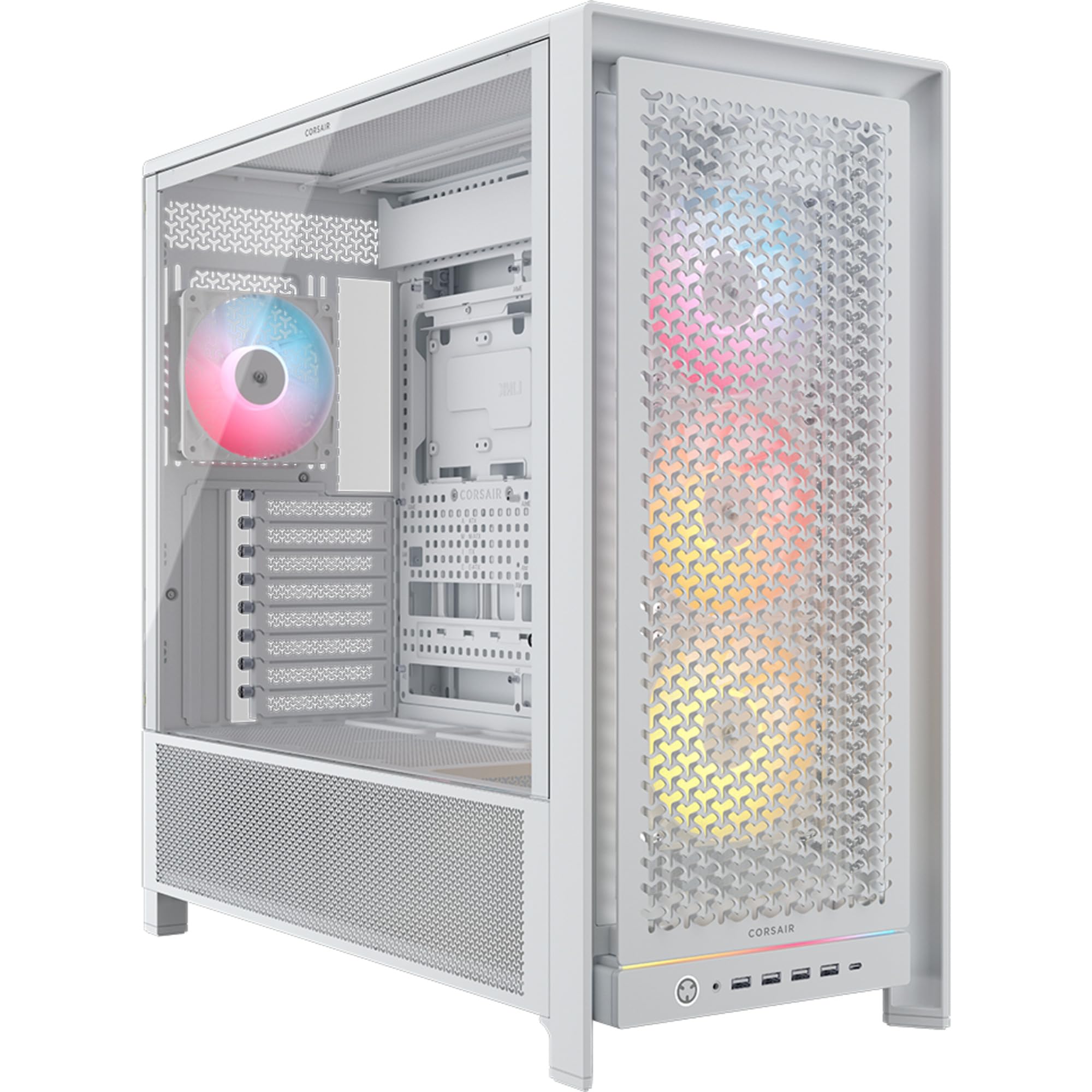
ചിത്രം 1: മുൻഭാഗം view of the Corsair FRAME 5000D RS ARGB PC Case.
2 പ്രധാന സവിശേഷതകൾ
- ഫ്രെയിം മോഡുലാർ കേസ് സിസ്റ്റം: Allows for extensive customization, including upgrading the motherboard tray, replacing the front I/O panel, and swapping out the front intake panel.
- Flexible Internal Side Panel: Can be used as a cable cover for clean management or removed to mount additional fans for increased cooling.
- 3D Y-Pattern Airflow Front Panel: Optimized steel front panel with perforations for high airflow and minimal restriction.
- Extensive Radiator Support: Accommodates up to a 420mm radiator on the top and 360mm radiators on the front or side.
- InfiniRail™ Fan Mounting Options: Supports up to 14x 120mm fans or adjustable mounts for 140mm or 200mm fans, providing flexible cooling configurations.
- Reverse Connection Motherboard Support: Compatible with ASUS BTF, MSI Project Zero, and Gigabyte Project Stealth motherboards for unobstructed airflow and a clean build.
- GPU Anti-Sag Stabilization Arm: Includes a stabilization arm to support heavy graphics cards and prevent sagging.
- RapidRoute 2.0 Cable Management: Features a pegboard motherboard tray with detachable and rotatable tie-down buckles and cable looms for tidy cable routing.
- Modern Front I/O Panel: Includes 4x USB 3.2 Gen1 Type-A, 1x USB 3.2 Gen2 Type-C, and a combined headphone/microphone jack.
- Pre-Installed Fans: Comes with 4x RS140 ARGB PWM fans with daisy-chainable connections for easy setup, offering high airflow and quiet operation.

Figure 2: Modular design of the Corsair FRAME 5000D RS ARGB PC Case.
3. പ്രാരംഭ സജ്ജീകരണം
3.1 കേസ് അൺപാക്ക് ചെയ്യുന്നു
Carefully remove the PC case from its packaging. Inspect the case for any signs of damage during transit. Retain the packaging for future transport or warranty claims.
3.2 Accessing the Interior
The side panels are typically secured with thumbscrews or a latch mechanism. Remove the rear thumbscrews or unlatch the side panels to gain access to the interior for component installation.
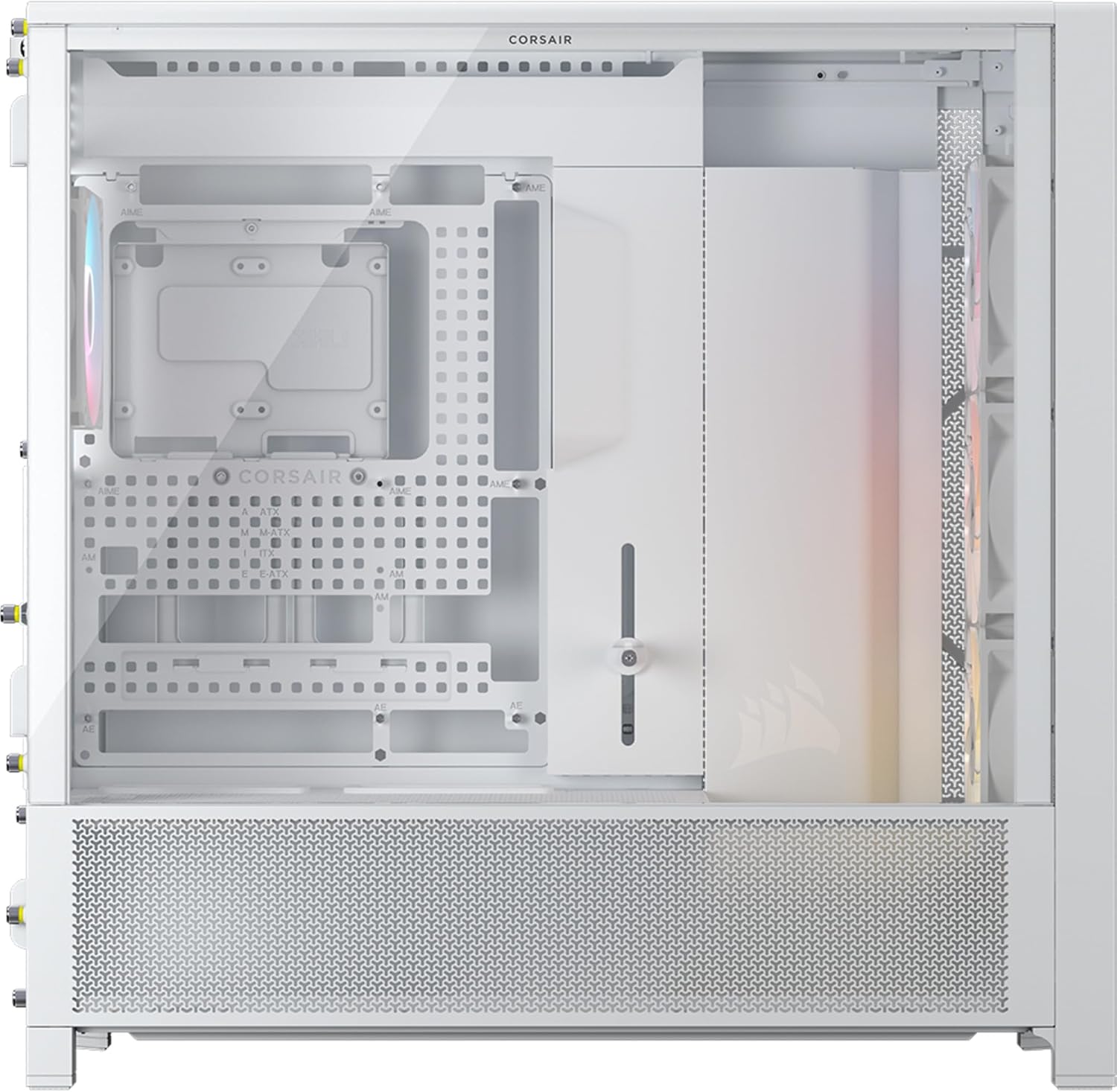
ചിത്രം 3: ഇൻ്റീരിയർ view സൈഡ് പാനൽ നീക്കം ചെയ്തു.
4. ഘടകം ഇൻസ്റ്റലേഷൻ
4.1 മദർബോർഡ് ഇൻസ്റ്റാളേഷൻ
- Ensure the correct standoffs are installed for your motherboard form factor (Mini-ITX, Micro-ATX, ATX, E-ATX).
- Place the motherboard into the case, aligning it with the standoffs and the rear I/O shield opening.
- നൽകിയിരിക്കുന്ന സ്ക്രൂകൾ ഉപയോഗിച്ച് മദർബോർഡ് സുരക്ഷിതമാക്കുക.
4.2 സ്റ്റോറേജ് ഡ്രൈവ് ഇൻസ്റ്റലേഷൻ
The case supports 6x 2.5" SSDs and 2x 3.5" HDDs. Locate the drive bays and mounting points, typically behind the motherboard tray or within the PSU shroud area. Secure drives using the provided screws or tool-less mechanisms.
4.3 ഗ്രാഫിക്സ് കാർഡ് (GPU) ഇൻസ്റ്റാളേഷൻ
Install your graphics card into the appropriate PCIe slot on your motherboard. The case supports GPUs up to 450mm in length. Utilize the included GPU anti-sag stabilization arm to support heavier cards.
4.4 ഫാൻ, റേഡിയേറ്റർ ഇൻസ്റ്റാളേഷൻ
The InfiniRail™ Fan Mounting System allows flexible placement of fans and radiators. The case supports:
- മുൻഭാഗം: Up to 3x 120mm, 3x 140mm, or 2x 200mm fans. Radiator support up to 360mm, 280mm, 240mm.
- മുകളിൽ: Up to 3x 120mm, 3x 140mm fans. Radiator support up to 420mm, 360mm, 280mm, 240mm.
- വശം: Up to 3x 120mm, 3x 140mm fans. Radiator support up to 360mm, 280mm, 240mm.
- പിൻഭാഗം: 1x 120mm or 1x 140mm fan. Radiator support 120mm, 140mm.
The case comes with four pre-installed RS140 ARGB PWM fans. Connect these fans to your motherboard or a fan controller for power and RGB control.

Figure 4: Cooling layout and radiator compatibility.

Figure 5: InfiniRail™ Fan Mounting System.
4.5 കേബിൾ മാനേജ്മെന്റ്
Utilize the RapidRoute 2.0 cable management system located behind the motherboard tray. Route cables through the designated cutouts and secure them using the detachable and rotatable tie-down buckles and cable looms for a clean and organized interior.

Figure 6: RapidRoute 2.0 Cable Management.
4.6 ഫ്രണ്ട് I/O പാനൽ കണക്ഷനുകൾ
Connect the front I/O cables (USB 3.2 Gen1 Type-A, USB 3.2 Gen2 Type-C, Headphone/Microphone, Power) to the corresponding headers on your motherboard. Refer to your motherboard manual for specific header locations.

ചിത്രം 7: ഫ്രണ്ട് I/O പാനൽ ലേഔട്ട്.
5. നിങ്ങളുടെ പിസി കേസ് പ്രവർത്തിപ്പിക്കൽ
Once all components are installed and cables are connected, close the side panels. Connect your peripherals, monitor, and power cable. Press the power button on the front I/O panel to start your system.
5.1 വായുപ്രവാഹവും തണുപ്പിക്കലും
The FRAME 5000D RS ARGB is designed for optimal airflow. Ensure that intake fans (typically front and side) are drawing cool air into the case, and exhaust fans (typically rear and top) are expelling hot air. Regularly check fan speeds and temperatures to maintain optimal cooling performance.
വീഡിയോ 1: ഒരു ഔദ്യോഗിക വീഡിയോ ഷോasing the modular design and features of the Corsair FRAME 5000D PC Case.
6. പരിപാലനം
6.1 പൊടി ഫിൽറ്റർ വൃത്തിയാക്കൽ
The case includes dust filters on the front, bottom, right side, and left side. Regularly clean these filters to maintain optimal airflow and prevent dust buildup inside your PC. Filters can typically be removed and cleaned with water or a soft brush.
6.2 പൊതുവായ ശുചീകരണം
Use a soft, dry cloth to wipe down the exterior of the case. For interior cleaning, use compressed air to remove dust from components and fan blades. Ensure the PC is powered off and unplugged before performing any internal cleaning.
7. പ്രശ്നപരിഹാരം
7.1 സിസ്റ്റം ഓണാക്കുന്നില്ല
- Check all power connections, including the main ATX power, CPU power, and GPU power cables.
- പവർ സപ്ലൈ സ്വിച്ച് 'ഓൺ' സ്ഥാനത്താണെന്ന് ഉറപ്പാക്കുക.
- Verify that the front panel power button cable is correctly connected to the motherboard header.
7.2 അമിത ചൂടാക്കൽ പ്രശ്നങ്ങൾ
- Confirm that all case fans are spinning and correctly oriented for proper airflow (intake/exhaust).
- Clean dust filters and internal components to remove any obstructions to airflow.
- സിപിയു കൂളറും ജിപിയു ഫാനുകളും ശരിയായി പ്രവർത്തിക്കുന്നുണ്ടെന്ന് ഉറപ്പാക്കുക.
7.3 Front I/O Ports Not Working
- Check that the USB and audio cables from the front panel are securely connected to the correct headers on your motherboard.
- Verify that the necessary drivers for your motherboard's USB and audio controllers are installed.
8 സാങ്കേതിക സവിശേഷതകൾ
| ഫീച്ചർ | സ്പെസിഫിക്കേഷൻ |
|---|---|
| മോഡലിൻ്റെ പേര് | FRAME 5000D RS ARGB |
| ഇനം മോഡൽ നമ്പർ | സിസി -9011310-ഡബ്ല്യു.ഡബ്ല്യു |
| അളവുകൾ (LxWxH) | 21.89 x 9.84 x 21.34 ഇഞ്ച് (556 x 250 x 542 മിമി) |
| മെറ്റീരിയൽ | സ്റ്റീൽ, ടെമ്പർഡ് ഗ്ലാസ് |
| കേസ് തരം | മിഡ് ടവർ |
| മദർബോർഡ് അനുയോജ്യത | മിനി-ഐടിഎക്സ്, മൈക്രോ എടിഎക്സ്, എടിഎക്സ്, ഇ-എടിഎക്സ് (305 എംഎം x 277 എംഎം) |
| വിപുലീകരണ സ്ലോട്ടുകൾ | 8 Horizontal or 3 Vertical |
| സംഭരണ കേന്ദ്രങ്ങൾ | 6x 2.5" SSDs, 2x 3.5" HDDs |
| പരമാവധി PSU ദൈർഘ്യം | 250 മി.മീ |
| പരമാവധി സിപിയു കൂളർ ഉയരം | 175 മി.മീ |
| പരമാവധി GPU ദൈർഘ്യം | 450 മി.മീ |
| പൊടി ഫിൽട്ടറുകൾ | Front, Bottom, Right Side, Left Side |
| ഫ്രണ്ട് ഐ / ഒ പോർട്ടുകൾ | 4x USB 3.2 Gen1 Type-A, 1x USB 3.2 Gen2 Type-C, 1x Headphone/Microphone Combo, Power Button |
| മുൻകൂട്ടി ഇൻസ്റ്റാൾ ചെയ്ത ഫാനുകൾ | 4x RS140 ARGB PWM Fans |
| തണുപ്പിക്കൽ രീതി | വായു |
| ഇനത്തിൻ്റെ ഭാരം | 27.9 പൗണ്ട് (12.7 കിലോഗ്രാം) |

Figure 8: Case dimensions and component clearances.
9. വാറൻ്റിയും പിന്തുണയും
കോർസെയർ ഉൽപ്പന്നങ്ങൾക്ക് പരിമിതമായ വാറണ്ടി മാത്രമേയുള്ളൂ. വിശദമായ വാറന്റി വിവരങ്ങൾക്ക്, ദയവായി ഔദ്യോഗിക കോർസെയർ കാണുക. website or the warranty card included with your product. For technical support, driver downloads, or further assistance, visit the Corsair support page:
www.corsair.com/support (കോർസെയർ)
You can also find additional resources and community forums on the Corsair webസൈറ്റ്.