1. ആമുഖം
This manual provides essential instructions for the safe and efficient use of your Aiffro P10 Plus Magnetic Portable Solid State Drive. Please read this manual thoroughly before using the device and retain it for future reference.
2. ഉൽപ്പന്നം കഴിഞ്ഞുview
The Aiffro P10 Plus is a high-speed, portable solid state drive designed for efficient data transfer and storage expansion across various devices. Its magnetic design offers convenient attachment, particularly for MagSafe-compatible iPhones.
- High-Speed Transfers: Achieves speeds up to 2000MB/s, supporting USB 3.2 Gen 2x2 (20Gbps) for rapid data movement.
- MagSafe അനുയോജ്യത: Features magnetic attachment for iPhones, supporting both Type-C (iPhone 15/16 and later) and Lightning (iPhone 14/13/12 and earlier) connections.
- ബഹുമുഖ അനുയോജ്യത: Works with Windows, macOS, Linux, Android, and iOS devices, including laptops, smartphones, and gaming consoles like PS5.
- പോർട്ടബിൾ ഡിസൈൻ: Ultra-thin at 6.5mm and lightweight at approximately 41g, crafted from aluminum alloy for durability and ease of transport.
- കാര്യക്ഷമമായ പ്രകടനം: Utilizes a single-chip SM2320 design for enhanced performance and reduced power consumption.
3. പാക്കേജ് ഉള്ളടക്കം
നിങ്ങളുടെ പാക്കേജിൽ എല്ലാ ഇനങ്ങളും ഉണ്ടെന്ന് ഉറപ്പാക്കുക:
- Aiffro P10 Plus Magnetic Portable Solid State Drive
- 2 x USB Cables (Type-C to Type-C, Type-C to Lightning)

4. സജ്ജീകരണ നിർദ്ദേശങ്ങൾ
- SSD ബന്ധിപ്പിക്കുക:
- For iPhone 15/16 and later models: Use the Type-C to Type-C cable.
- For iPhone 14/13/12 and earlier models: Use the Type-C to Lightning cable.
- For other devices (laptops, Android phones, PS5): Use the appropriate USB cable (Type-C to Type-C or Type-C to USB-A if an adapter is used).
- Magnetic Attachment (for iPhones): Align the Aiffro P10 Plus with the back of your iPhone. The magnetic mechanism will securely attach the SSD. For non-MagSafe compatible iPhones or cases, a magnetic ring may be required for optimal adhesion.

Image 2: The Aiffro P10 Plus SSD magnetically connected to an iPhone. 
Image 3: Illustration of the stable magnetic adhesion feature for iPhones. - ഉപകരണ തിരിച്ചറിയൽ: Once connected, your device should automatically recognize the Aiffro P10 Plus as an external storage drive. You may need to access it through your device's file management application (e.g., Files app on iOS, File വിൻഡോസിൽ എക്സ്പ്ലോറർ, മാകോസിൽ ഫൈൻഡർ).
5. പ്രവർത്തന നിർദ്ദേശങ്ങൾ
- കൈമാറുന്നു Files:
- നിങ്ങളുടെ ഉപകരണം തുറക്കുക file മാനേജർ.
- കണ്ടെത്തുക fileനിങ്ങൾ കൈമാറാൻ ആഗ്രഹിക്കുന്നു.
- പകർത്തുക അല്ലെങ്കിൽ നീക്കുക files to the Aiffro P10 Plus drive.
- കൈമാറുന്നതിന് files from the SSD to your device, reverse the process.
- Using with iPhone ProRes 4K 60fps: For iPhone 15/16 and later models, the P10 Plus supports direct recording of ProRes 4K 60fps video. Ensure the SSD is connected and recognized before starting video recording in the Camera app.
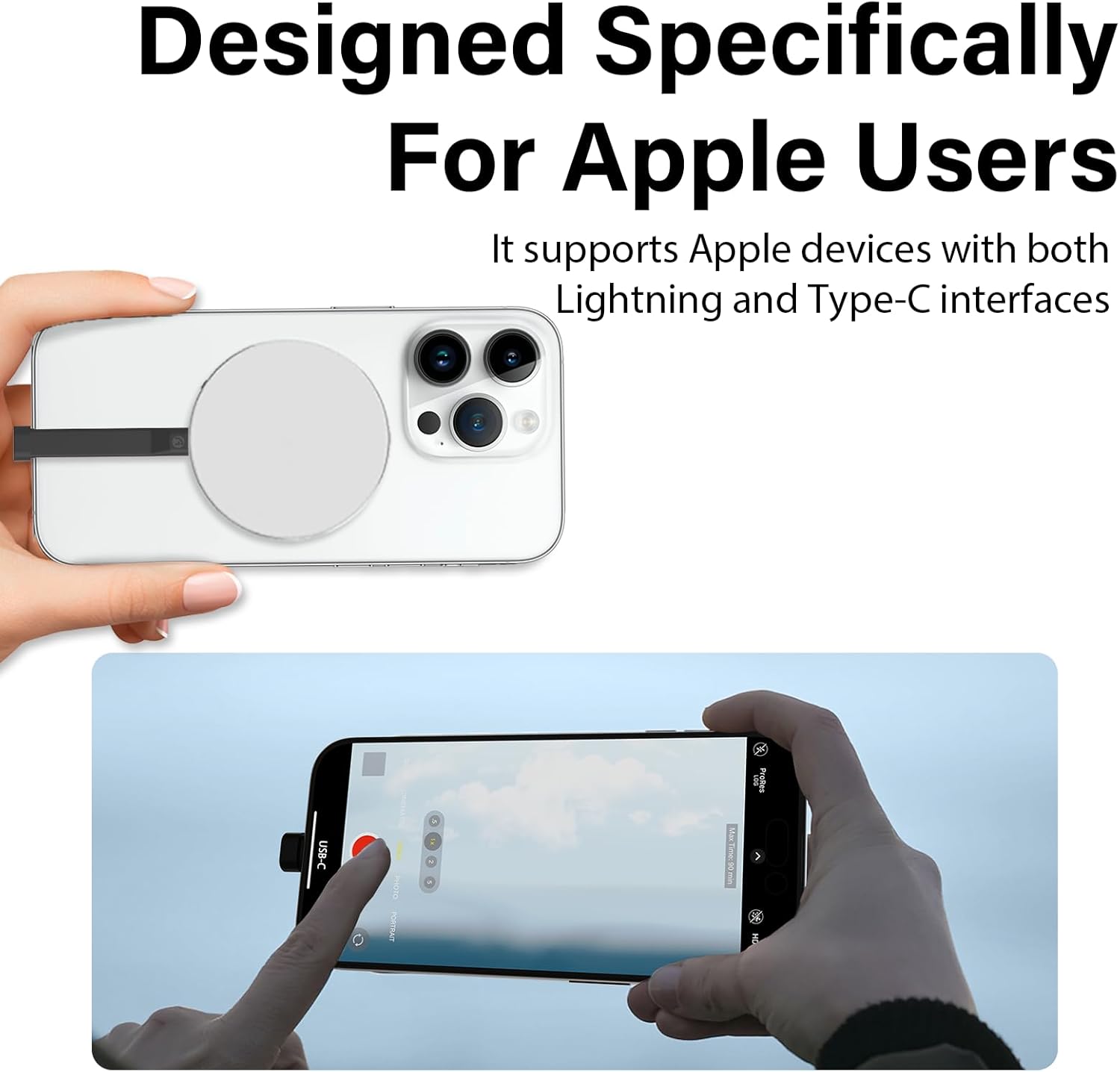
Image 4: An iPhone recording ProRes video directly to the Aiffro P10 Plus SSD. - സുരക്ഷിതമായ എജക്ഷൻ: Always safely eject the Aiffro P10 Plus from your computer or device before disconnecting it to prevent data corruption.
- Windows: Right-click the drive icon in "This PC" or the taskbar, then select "Eject".
- macOS: Drag the drive icon to the Trash or click the Eject button next to the drive in Finder.
- iOS/Android: Disconnect after confirming no active transfers are occurring.
6 അനുയോജ്യത
The Aiffro P10 Plus is designed for broad compatibility:
- ഓപ്പറേറ്റിംഗ് സിസ്റ്റങ്ങൾ: Windows, macOS, Linux, Android, iOS (version 13 and later).
- ഉപകരണങ്ങൾ:
- iPhones: X, 11, 12, 13, 14 (Lightning connection); 15, 16 and later (Type-C connection).
- iPads: iPad mini, iPad Air, iPad Pro, and other Lightning or Type-C enabled iPads.
- Android Smartphones and Tablets.
- Laptops and Desktop Computers.
- Gaming Consoles: PS5.


7. പരിപാലനം
To ensure the longevity and optimal performance of your Aiffro P10 Plus SSD, follow these maintenance guidelines:
- ശാരീരിക പരിചരണം: Avoid dropping the device or subjecting it to strong impacts. While durable, extreme physical shock can damage internal components.
- പരിസ്ഥിതി വ്യവസ്ഥകൾ: Keep the SSD away from extreme temperatures, direct sunlight, and high humidity. Store it in a cool, dry place.
- വൃത്തിയാക്കൽ: SSD യുടെ പുറംഭാഗം വൃത്തിയാക്കാൻ മൃദുവായതും ഉണങ്ങിയതുമായ തുണി ഉപയോഗിക്കുക. ലിക്വിഡ് ക്ലീനറുകളോ ലായകങ്ങളോ ഉപയോഗിക്കരുത്.
- സോഫ്റ്റ്വെയർ അപ്ഡേറ്റുകൾ: Keep your device's operating system updated to ensure proper compatibility and performance with external storage devices.
- സുരക്ഷിതമായ എജക്ഷൻ: Always follow the safe ejection procedures mentioned in Section 5 before disconnecting the drive.
8. പ്രശ്നപരിഹാരം
If you encounter issues with your Aiffro P10 Plus, refer to the following common problems and solutions:
| പ്രശ്നം | സാധ്യമായ കാരണം | പരിഹാരം |
|---|---|---|
| ഉപകരണം SSD തിരിച്ചറിഞ്ഞില്ല. |
|
|
| മന്ദഗതിയിലുള്ള ഡാറ്റ കൈമാറ്റ വേഗത. |
|
|
| കാന്തിക ബന്ധം ദുർബലമാണ്. |
|
|
9 സ്പെസിഫിക്കേഷനുകൾ
| ഫീച്ചർ | വിശദാംശങ്ങൾ |
|---|---|
| മോഡൽ | P10 പ്ലസ് |
| സംഭരണ തരം | സോളിഡ് സ്റ്റേറ്റ് ഡ്രൈവ് (SSD) |
| ഡിജിറ്റൽ സ്റ്റോറേജ് കപ്പാസിറ്റി | 512 ജിബി |
| Max Read/Write Speed | Up to 2000MB/s (Read/Write) |
| ഇൻ്റർഫേസ് | USB 3.2 Gen 2x2 (20Gbps) |
| കണക്റ്റിവിറ്റി | USB (ടൈപ്പ്-സി) |
| Dimensions (Thickness) | 6.5 മി.മീ |
| ഭാരം | ഏകദേശം 41 ഗ്രാം |
| മെറ്റീരിയൽ | അലുമിനിയം അലോയ് |
| അനുയോജ്യമായ OS | Windows, macOS, Linux, Android, iOS (13+) |


10. വാറൻ്റിയും പിന്തുണയും
Aiffro products are designed for reliability and performance. For warranty information, technical support, or service inquiries, please refer to the official Aiffro webസൈറ്റിൽ ബന്ധപ്പെടുകയോ അവരുടെ ഉപഭോക്തൃ സേവനവുമായി നേരിട്ട് ബന്ധപ്പെടുകയോ ചെയ്യുക. വാറന്റി ക്ലെയിമുകൾക്കുള്ള വാങ്ങലിന്റെ തെളിവായി നിങ്ങളുടെ വാങ്ങൽ രസീത് സൂക്ഷിക്കുക.
കൂടുതൽ സഹായത്തിന്, ദയവായി സന്ദർശിക്കുക: Aiffro Official Store on Amazon


