ആമുഖം
Thank you for choosing the WeCool Fairwhale Sports Analog Digital Watch. This watch combines classic analog timekeeping with modern digital functionalities, designed for durability and versatility. It features a robust build, water resistance, and multiple functions including alarm, stopwatch, and LED backlight, making it suitable for various activities and daily wear.

Figure 1: WeCool Fairwhale Sports Analog Digital Watch on Wrist
This manual provides detailed instructions on how to set up, operate, and maintain your watch to ensure optimal performance and longevity. Please read it carefully before using your watch.
ഉൽപ്പന്നം കഴിഞ്ഞുview
Familiarize yourself with the main components and buttons of your WeCool Fairwhale watch:

ചിത്രം 2: വാച്ച് ഘടകങ്ങളും ബട്ടൺ പ്രവർത്തനങ്ങളും
- ലൈറ്റ് ബട്ടൺ: LED ബാക്ക്ലൈറ്റ് സജീവമാക്കുന്നു.
- മോഡ് ബട്ടൺ: വ്യത്യസ്ത മോഡുകളിലൂടെയുള്ള സൈക്കിളുകൾ (സമയം, അലാറം, സ്റ്റോപ്പ് വാച്ച്).
- റീസെറ്റ് ബട്ടൺ: Used for resetting stopwatch or adjusting settings.
- ആരംഭിക്കുക ബട്ടൺ: Used for starting stopwatch or adjusting settings.
- ക്രമീകരിക്കുക ബട്ടൺ: Used for entering setting mode and confirming selections.
സജ്ജീകരണവും പ്രാരംഭ കോൺഫിഗറേഷനും
ഡിജിറ്റൽ സമയവും തീയതിയും സജ്ജീകരിക്കുന്നു
- സാധാരണ സമയ ഡിസ്പ്ലേ മോഡിൽ, അമർത്തുക മോഡ് button three times to enter the time setting mode. The seconds will flash.
- അമർത്തുക പുനഃസജ്ജമാക്കുക ക്രമീകരണങ്ങളിലൂടെ കടന്നുപോകാൻ ബട്ടൺ അമർത്തുക: സെക്കൻഡ്സ് → മണിക്കൂർ → മിനിറ്റ് → മാസം → തീയതി → ആഴ്ചയിലെ ദിവസം.
- ഉപയോഗിക്കുക ആരംഭിക്കുക button to adjust the flashing value. Hold to increase rapidly.
- എല്ലാ ക്രമീകരണങ്ങളും ശരിയായ ശേഷം, മോഡ് ക്രമീകരണ മോഡിൽ നിന്ന് പുറത്തുകടക്കാൻ ബട്ടൺ.
അനലോഗ് സമയം ക്രമീകരിക്കുന്നു
The analog hands are set independently. Pull out the crown (small knob on the right side of the watch) and rotate it to adjust the analog time. Push the crown back in when finished.

Figure 3: WeCool Fairwhale Sports Analog Digital Watch
പ്രവർത്തന നിർദ്ദേശങ്ങൾ
LED ബാക്ക്ലൈറ്റ് ഉപയോഗിക്കുന്നു
അമർത്തുക വെളിച്ചം button (top left) to illuminate the digital display. The backlight will stay on for a few seconds, allowing you to read the time in low-light conditions.

Figure 4: Super-Luminous Display in the Dark
സ്റ്റോപ്പ് വാച്ച് ഉപയോഗിക്കുന്നു
- സാധാരണ സമയ ഡിസ്പ്ലേയിൽ നിന്ന്, അമർത്തുക മോഡ് സ്റ്റോപ്പ് വാച്ച് മോഡിൽ പ്രവേശിക്കാൻ ഒരിക്കൽ ബട്ടൺ അമർത്തുക. ഡിസ്പ്ലേ "00:00:00" കാണിക്കും.
- അമർത്തുക ആരംഭിക്കുക സമയം ആരംഭിക്കാൻ ബട്ടൺ അമർത്തുക.
- അമർത്തുക ആരംഭിക്കുക സമയം താൽക്കാലികമായി നിർത്താൻ വീണ്ടും ബട്ടൺ അമർത്തുക.
- അമർത്തുക പുനഃസജ്ജമാക്കുക സ്റ്റോപ്പ് വാച്ച് "00:00:00" ആയി പുനഃസജ്ജമാക്കാൻ ബട്ടൺ.
- അമർത്തുക മോഡ് സാധാരണ സമയ പ്രദർശനത്തിലേക്ക് മടങ്ങാൻ ബട്ടൺ അമർത്തുക.
അലാറം സജ്ജീകരിക്കുകയും ഉപയോഗിക്കുകയും ചെയ്യുന്നു
- സാധാരണ സമയ ഡിസ്പ്ലേയിൽ നിന്ന്, അമർത്തുക മോഡ് അലാറം സജ്ജീകരണ മോഡിൽ പ്രവേശിക്കാൻ രണ്ടുതവണ ബട്ടൺ അമർത്തുക. മണിക്കൂർ അക്കങ്ങൾ മിന്നിമറയും.
- അമർത്തുക പുനഃസജ്ജമാക്കുക button to select between hour and minute settings.
- ഉപയോഗിക്കുക ആരംഭിക്കുക ഫ്ലാഷിംഗ് മൂല്യം ക്രമീകരിക്കാൻ ബട്ടൺ.
- ആവശ്യമുള്ള അലാറം സമയം സജ്ജീകരിച്ചുകഴിഞ്ഞാൽ, അമർത്തുക മോഡ് പുറത്തുകടക്കാനുള്ള ബട്ടൺ.
- അലാറം മോഡിൽ അലാറം ഓൺ/ഓഫ് ചെയ്യാൻ, ആരംഭിക്കുക ബട്ടൺ. ഡിസ്പ്ലേയിൽ ഒരു അലാറം ഐക്കൺ പ്രത്യക്ഷപ്പെടും/അപ്രത്യക്ഷമാകും.
പരിചരണവും പരിപാലനവും
- വൃത്തിയാക്കൽ: അഴുക്കും വിയർപ്പും നീക്കം ചെയ്യാൻ മൃദുവായതും ഉണങ്ങിയതുമായ തുണി ഉപയോഗിച്ച് വാച്ച് പതിവായി തുടയ്ക്കുക. കഠിനമായ അഴുക്കിന്, അല്പം ഡി-ക്ലോഷർ ഉപയോഗിക്കുക.amp തുണി പിന്നീട് നന്നായി ഉണക്കുക.
- ജല പ്രതിരോധം: This watch is water-resistant up to 50 meters (5 ATM). It is suitable for cold water, rain, and swimming. ചെയ്യരുത് press any buttons underwater. Avoid exposure to steam and hot water, as this can damage the waterproof seal.
- താപനില: ഉയർന്ന താപനിലയിൽ (ചൂടോ തണുപ്പോ) വാച്ച് ദീർഘനേരം തുറന്നുവെക്കുന്നത് ഒഴിവാക്കുക.
- രാസവസ്തുക്കൾ: ബാൻഡിനോ കേസിനോ കേടുവരുത്തുന്ന ലായകങ്ങൾ, ഡിറ്റർജന്റുകൾ, പെർഫ്യൂമുകൾ, മറ്റ് രാസവസ്തുക്കൾ എന്നിവയിൽ നിന്ന് വാച്ച് അകറ്റി നിർത്തുക.
- ബാറ്ററി മാറ്റിസ്ഥാപിക്കൽ: When the display becomes dim or functions become erratic, it may be time to replace the battery. It is recommended to have the battery replaced by a qualified watch technician to ensure the water resistance is maintained.
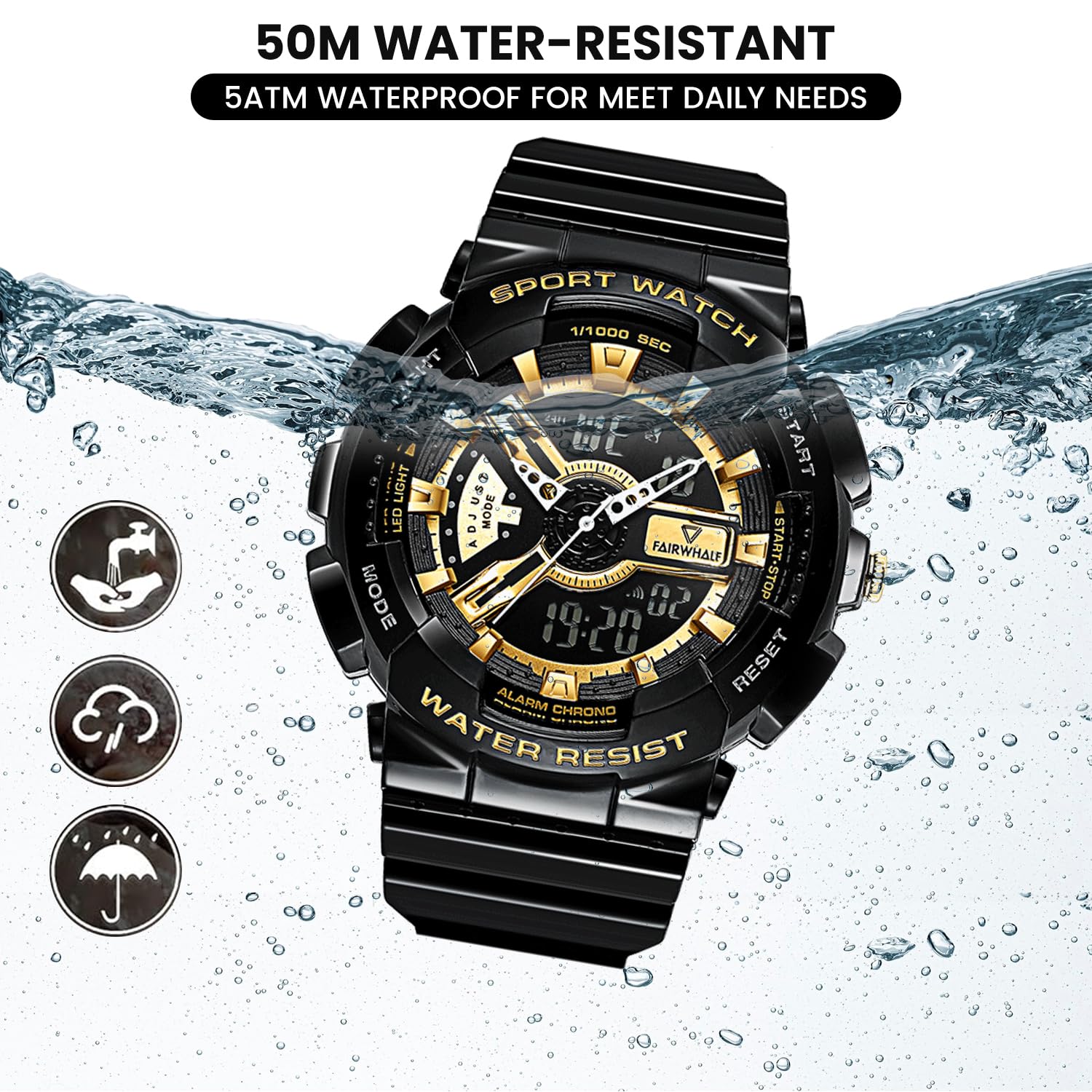
Figure 5: 50M Water-Resistant Feature
ട്രബിൾഷൂട്ടിംഗ്
| പ്രശ്നം | സാധ്യമായ കാരണം | പരിഹാരം |
|---|---|---|
| ഡിജിറ്റൽ ഡിസ്പ്ലേ ശൂന്യമാണ് അല്ലെങ്കിൽ മങ്ങിയതാണ്. | കുറഞ്ഞ ബാറ്ററി. | ബാറ്ററി മാറ്റിസ്ഥാപിക്കുക. |
| അനലോഗ് കൈകൾ ചലിക്കുന്നില്ല അല്ലെങ്കിൽ തെറ്റാണ്. | Crown is pulled out; battery issue. | Push the crown back in. If still not working, replace battery. |
| ബട്ടണുകൾ പ്രതികരിക്കുന്നില്ല. | വാച്ച് ലോക്ക് ചെയ്ത മോഡിലായിരിക്കാം അല്ലെങ്കിൽ ബാറ്ററി കുറവായിരിക്കാം. | എല്ലാ ബട്ടണുകളും ദൃഢമായി അമർത്തി നോക്കൂ. പ്രശ്നം നിലനിൽക്കുകയാണെങ്കിൽ, ബാറ്ററി മാറ്റുക. |
| വാച്ചിനുള്ളിൽ വെള്ളം. | Buttons pressed underwater; exposure to hot water/steam; damaged seal. | Immediately take to a professional watch repair service. Avoid further water exposure. |
സ്പെസിഫിക്കേഷനുകൾ
| ഫീച്ചർ | വിശദാംശങ്ങൾ |
|---|---|
| മോഡൽ നമ്പർ | എഫ്ഡബ്ല്യു-4300-1 |
| ചലന തരം | Imported Japanese Quartz Movement |
| ഡിസ്പ്ലേ തരം | അനലോഗും ഡിജിറ്റലും |
| കേസ് വ്യാസം | 52 മിമി (2 ഇഞ്ച്) |
| ബാൻഡ് മെറ്റീരിയൽ | Eco-friendly Resin / Polyurethane |
| ജല പ്രതിരോധം | 5 എടിഎം (50 മീറ്റർ) |
| പ്രത്യേക സവിശേഷതകൾ | LED Backlight, Dual Time Display, Stopwatch, Alarm, Shock-Resistant, 12/24H Format |
| ബാറ്ററി | 1 AAA ബാറ്ററി (ഉൾപ്പെട്ടിരിക്കുന്നു) |
| ഇനത്തിൻ്റെ ഭാരം | 50 ഗ്രാം |
| ഉൽപ്പന്ന അളവുകൾ | 20 x 5 x 2 സെ.മീ |

Figure 6: Watch Parameters and Key Features
വാറൻ്റിയും പിന്തുണയും
Your WeCool Fairwhale Sports Analog Digital Watch comes with a limited warranty. For specific warranty terms and conditions, please refer to the warranty card included with your purchase or visit the official WeCool webസൈറ്റ്.
If you encounter any issues or have questions regarding your watch, please do not hesitate to contact our professional after-sales team through Amazon. We are committed to providing satisfactory answers and support.
You can reach us via the Amazon messaging system by visiting the product page and clicking on the seller's name, "WeCool Technology", then selecting "Ask a question".


