ആമുഖം
This manual provides detailed instructions for the setup, operation, maintenance, and troubleshooting of your WeCool Fairwhale Sports Analog Digital Watch, model FW-5100-R1. Please read this manual thoroughly to ensure proper use and to maximize the lifespan of your watch.
സുരക്ഷാ മുൻകരുതലുകൾ
- ഉയർന്ന താപനിലയിൽ (ചൂടോ തണുപ്പോ) വാച്ച് ദീർഘനേരം തുറന്നുവെക്കുന്നത് ഒഴിവാക്കുക.
- Do not operate buttons underwater to maintain water resistance.
- Keep the watch away from strong magnetic fields, which can affect timekeeping accuracy.
- Clean the watch regularly with a soft, dry cloth. Avoid chemical cleaners.
- Battery replacement should be performed by a qualified technician to ensure proper sealing and water resistance.
ഉൽപ്പന്നം കഴിഞ്ഞുview
Your WeCool Fairwhale Sports Watch features a robust design with both analog and digital displays, offering multiple functions for daily use and outdoor activities.
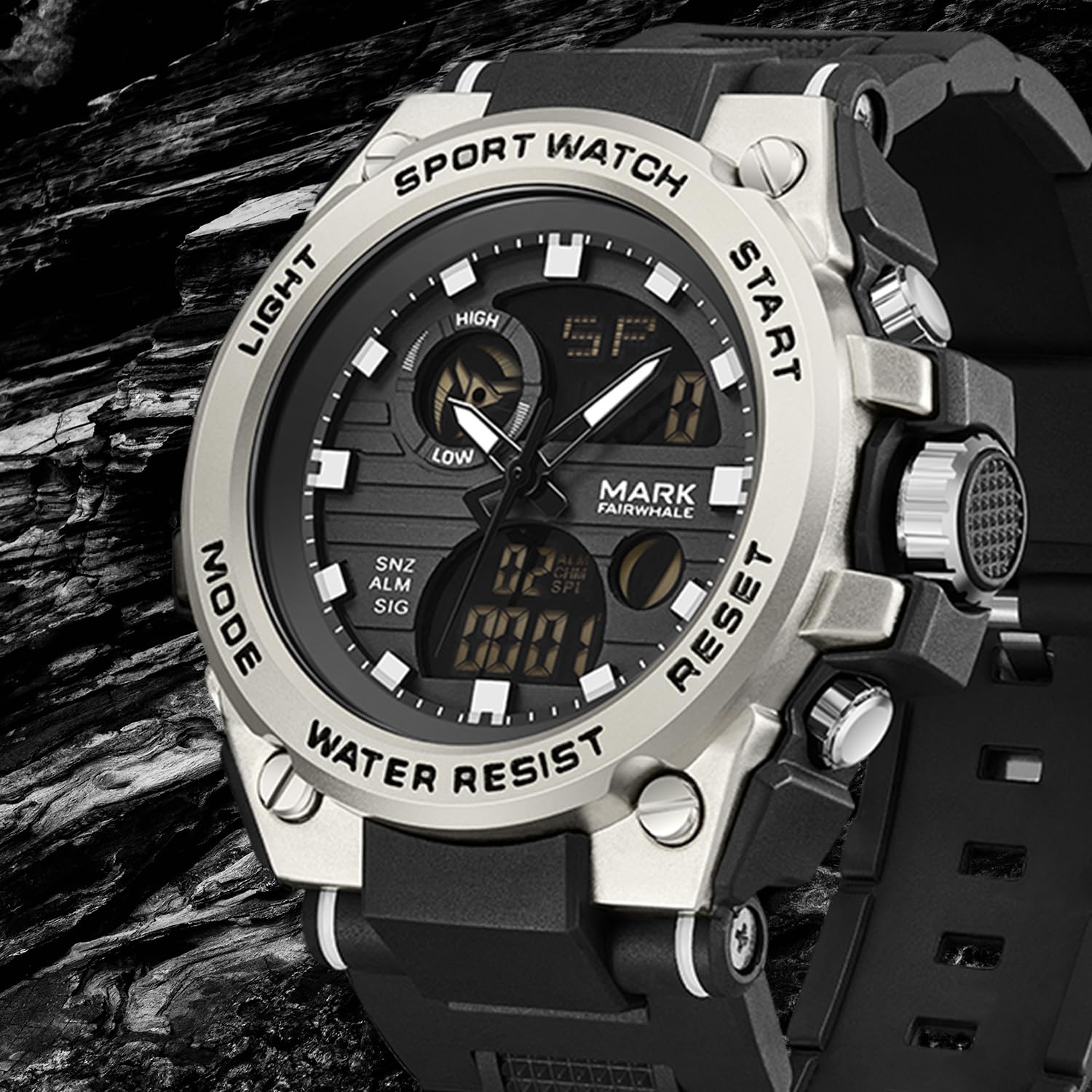
ചിത്രം 1: മുൻഭാഗം view of the WeCool Fairwhale Sports Analog Digital Watch FW-5100-R1.
വാച്ച് ഘടകങ്ങളും ബട്ടണുകളും

Figure 2: Watch button functions.
- ലൈറ്റ് ബട്ടൺ: കുറഞ്ഞ വെളിച്ചത്തിൽ ദൃശ്യപരതയ്ക്കായി LED ബാക്ക്ലൈറ്റ് സജീവമാക്കുന്നു.
- മോഡ് ബട്ടൺ: വ്യത്യസ്ത മോഡുകളിലൂടെയുള്ള സൈക്കിളുകൾ (സമയം, അലാറം, സ്റ്റോപ്പ് വാച്ച്, ഡ്യുവൽ സമയം).
- ആരംഭ ബട്ടൺ: Used to start/pause functions (e.g., stopwatch) and adjust settings.
- റീസെറ്റ് ബട്ടൺ: Used to reset functions (e.g., stopwatch) and switch between hour, minute, week modes during setting.
സജ്ജീകരണവും പ്രാരംഭ കോൺഫിഗറേഷനും
1. അനലോഗ് സമയം ക്രമീകരിക്കൽ
- വാച്ച് കേസിന്റെ വലതുവശത്തുള്ള ക്രൗൺ നോബ് ആദ്യ ക്ലിക്ക് സ്ഥാനത്തേക്ക് വലിക്കുക.
- മണിക്കൂറും മിനിറ്റും ആവശ്യമുള്ള സമയത്തേക്ക് ക്രമീകരിക്കാൻ കിരീടം തിരിക്കുക.
- സമയ ക്രമീകരണം സുരക്ഷിതമാക്കാൻ കിരീടം പിന്നിലേക്ക് തള്ളുക.
2. ഡിജിറ്റൽ സമയവും തീയതിയും സജ്ജീകരിക്കുന്നു
- അമർത്തുക മോഡ് button repeatedly until the digital time display starts flashing, indicating it's in setting mode.
- അമർത്തുക പുനഃസജ്ജമാക്കുക ക്രമീകരണങ്ങളിലൂടെ കടന്നുപോകാൻ ബട്ടൺ: സെക്കൻഡ്, മണിക്കൂർ, മിനിറ്റ്, മാസം, തീയതി, ആഴ്ചയിലെ ദിവസം.
- ഉപയോഗിക്കുക ആരംഭിക്കുക ഫ്ലാഷിംഗ് മൂല്യം ക്രമീകരിക്കാൻ ബട്ടൺ.
- എല്ലാ ക്രമീകരണങ്ങളും ശരിയായ ശേഷം, മോഡ് ക്രമീകരണ മോഡിൽ നിന്ന് പുറത്തുകടക്കാൻ ബട്ടൺ.
3. 12/24 മണിക്കൂർ ഫോർമാറ്റ് തിരഞ്ഞെടുക്കൽ
In the digital time setting mode (when the hour is flashing), press the ആരംഭിക്കുക 12 മണിക്കൂർ (AM/PM സൂചകത്തോടൊപ്പം) 24 മണിക്കൂർ ഫോർമാറ്റുകൾക്കിടയിൽ ടോഗിൾ ചെയ്യാൻ ബട്ടൺ.
പ്രവർത്തന നിർദ്ദേശങ്ങൾ
1. LED ബാക്ക്ലൈറ്റ്

Figure 3: Watch display with LED backlight.
അമർത്തുക വെളിച്ചം button (top-left) to illuminate the digital display. The backlight will remain active for a few seconds.
2. സ്റ്റോപ്പ് വാച്ച് പ്രവർത്തനം
- അമർത്തുക മോഡ് ഡിജിറ്റൽ ഡിസ്പ്ലേയിൽ "ST" അല്ലെങ്കിൽ "STOP" ദൃശ്യമാകുന്നതുവരെ ബട്ടൺ അമർത്തിപ്പിടിക്കുക.
- അമർത്തുക ആരംഭിക്കുക സമയം ആരംഭിക്കാൻ ബട്ടൺ അമർത്തുക.
- അമർത്തുക ആരംഭിക്കുക സമയം താൽക്കാലികമായി നിർത്താൻ വീണ്ടും ബട്ടൺ അമർത്തുക.
- പുനരാരംഭിക്കാൻ, ആരംഭിക്കുക ബട്ടൺ.
- സ്റ്റോപ്പ്വാച്ച് പൂജ്യത്തിലേക്ക് പുനഃസജ്ജമാക്കാൻ, അമർത്തുക പുനഃസജ്ജമാക്കുക സ്റ്റോപ്പ് വാച്ച് താൽക്കാലികമായി നിർത്തിയിരിക്കുമ്പോൾ ബട്ടൺ അമർത്തുക.
3 അലാറം പ്രവർത്തനം
- അമർത്തുക മോഡ് button until "AL" or "ALARM" appears on the digital display.
- അമർത്തുക പുനഃസജ്ജമാക്കുക button to select the hour or minute setting. The selected value will flash.
- ഉപയോഗിക്കുക ആരംഭിക്കുക മിന്നുന്ന മണിക്കൂർ അല്ലെങ്കിൽ മിനിറ്റ് ക്രമീകരിക്കാൻ ബട്ടൺ.
- അമർത്തുക മോഡ് അലാറം ക്രമീകരണം സ്ഥിരീകരിച്ച് പുറത്തുകടക്കാൻ ബട്ടൺ.
- അലാറം ഓൺ/ഓഫ് ചെയ്യാൻ, അമർത്തുക ആരംഭിക്കുക button while in alarm mode (not in setting mode). An alarm icon will appear/disappear.
- To activate the hourlമണിനാദം മുഴക്കുക, അമർത്തുക പുനഃസജ്ജമാക്കുക button while in alarm mode (not in setting mode). A chime icon will appear/disappear.
4. Dual Time Display
This watch supports displaying two different time zones. To set the second time zone:
- അമർത്തുക മോഡ് button until "DT" or "DUAL TIME" appears on the digital display.
- അമർത്തുക പുനഃസജ്ജമാക്കുക button to select the hour or minute setting. The selected value will flash.
- ഉപയോഗിക്കുക ആരംഭിക്കുക button to adjust the flashing hour or minute for the second time zone.
- അമർത്തുക മോഡ് button to confirm and exit the dual time setting.
മെയിൻ്റനൻസ്
1. ജല പ്രതിരോധം (50M)
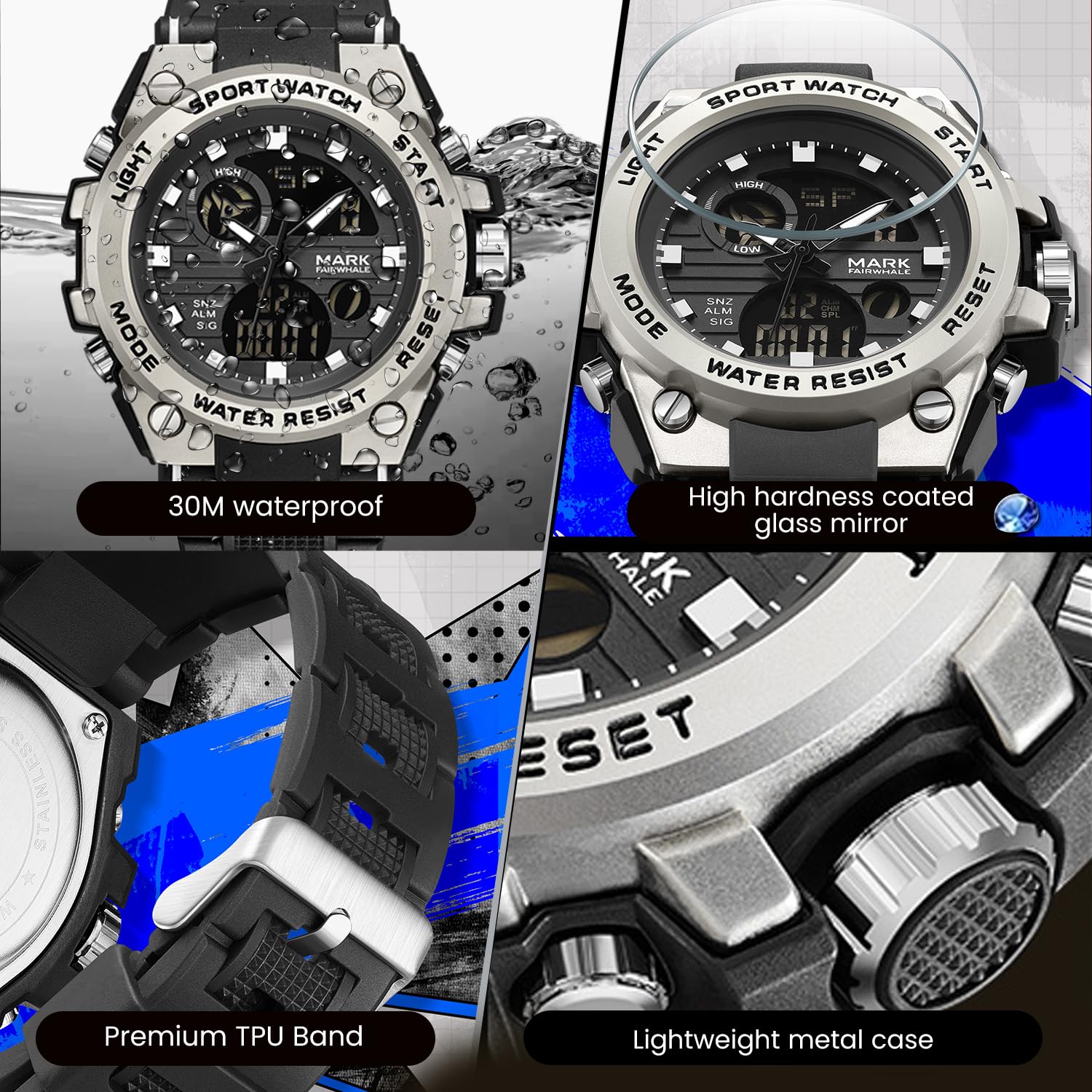
Figure 4: Key features including water resistance.
Your watch is water-resistant up to 50 meters (5 ATM). This means it is suitable for cold water, rain, and swimming. However, it is അല്ല suitable for diving, snorkeling, or hot water activities (e.g., hot showers, saunas) as steam can damage the waterproof seals. Do not operate buttons while the watch is wet or submerged.
2. വൃത്തിയാക്കൽ
Wipe the watch case and band regularly with a soft, slightly damp cloth. For stubborn dirt, a mild soap solution can be used, followed by rinsing with clean water and thorough drying. Avoid harsh chemicals, solvents, or abrasive cleaners.
3. ബാറ്ററി മാറ്റിസ്ഥാപിക്കൽ
The watch uses 1 AAA battery (included). When the display dims or functions become erratic, the battery may need replacement. It is recommended to have the battery replaced by a professional watch technician to ensure the watch's water resistance is maintained after opening the case back.
4. സംഭരണം
ദീർഘനേരം ഉപയോഗിക്കാത്തപ്പോൾ, വാച്ച് നേരിട്ട് സൂര്യപ്രകാശം ഏൽക്കാത്തതും കടുത്ത താപനില ഏൽക്കാത്തതുമായ ഒരു തണുത്ത വരണ്ട സ്ഥലത്ത് സൂക്ഷിക്കുക.
ട്രബിൾഷൂട്ടിംഗ്
| പ്രശ്നം | സാധ്യമായ കാരണം | പരിഹാരം |
|---|---|---|
| Analog hands not moving or incorrect time. | ക്രൗൺ പുറത്തെടുത്തു; ബാറ്ററി കുറവാണ്. | Push the crown back in. If issue persists, battery may need replacement. |
| ഡിജിറ്റൽ ഡിസ്പ്ലേ ശൂന്യമാണ് അല്ലെങ്കിൽ മങ്ങിയതാണ്. | കുറഞ്ഞ ബാറ്ററി. | ബാറ്ററി മാറ്റിസ്ഥാപിക്കുക. |
| ബട്ടണുകൾ പ്രതികരിക്കുന്നില്ല. | വാച്ച് നനഞ്ഞിരിക്കുന്നു; ആന്തരിക തകരാറ്. | Ensure watch is dry before operating buttons. If issue persists, contact support. |
| വാച്ചിനുള്ളിൽ വെള്ളം ഘനീഭവിക്കുന്നത്. | Exposure to extreme temperature changes; damaged seal. | Avoid hot water/steam. Seek professional inspection immediately to prevent damage. |
സ്പെസിഫിക്കേഷനുകൾ

Figure 5: Detailed watch parameters.
| ഫീച്ചർ | വിശദാംശങ്ങൾ |
|---|---|
| മോഡൽ നമ്പർ | FW-5100-R1 |
| ചലന തരം | Quartz (Analog) / Electronic (Digital) |
| മിറർ മെറ്റീരിയൽ | Mineral Reinforced Coated Glass |
| കേസ് മെറ്റീരിയൽ | ലോഹം |
| സ്ട്രാപ്പ് മെറ്റീരിയൽ | Polyurethane (TPU) |
| ഡയൽ ഡയമീറ്റർ | 50 മി.മീ |
| ഡയൽ കനം | 18 മി.മീ |
| ജല പ്രതിരോധം | 50 മീറ്റർ (5 എടിഎം) |
| ബാറ്ററി തരം | 1 AAA ബാറ്ററി (ഉൾപ്പെട്ടിരിക്കുന്നു) |
| ഇനത്തിൻ്റെ ഭാരം | 50 ഗ്രാം |
| മാതൃരാജ്യം | ചൈന |
വാറൻ്റി വിവരങ്ങൾ
This WeCool Fairwhale Sports Analog Digital Watch comes with a പരിമിത വാറൻ്റി. Please refer to the warranty card included with your purchase for specific terms, conditions, and duration of coverage. The warranty typically covers manufacturing defects but may not cover damage resulting from improper use, accidents, or unauthorized repairs.
ഉപഭോക്തൃ പിന്തുണ
For any questions, technical assistance, or warranty claims regarding your WeCool Fairwhale Sports Analog Digital Watch, please contact WeCool customer support. You can reach us through the Amazon platform where you made your purchase. Our professional after-sales team is available to assist you.
ഓൺലൈൻ പിന്തുണ: Visit the WeCool Store on Amazon


