1. ആമുഖം
This manual provides detailed instructions for the installation, setup, and operation of your Lumary Smart 4-Inch 9W RGBWW Recessed LED Downlight. This smart lighting solution offers versatile control options, including Wi-Fi, Bluetooth remote, and voice commands via Alexa or Google Assistant. Enjoy 16 million colors, adjustable brightness (1%-100%), and tunable white light (2700K-6500K) to create the perfect ambiance for any room.
2. ബോക്സിൽ എന്താണുള്ളത്?
- Recessed Light with J-Box
- മൌണ്ടിംഗ് ഹാർഡ്വെയർ
- റിമോട്ട് കൺട്രോൾ
- Hole Cut-out Template
- ഇൻസ്ട്രക്ഷൻ മാനുവൽ
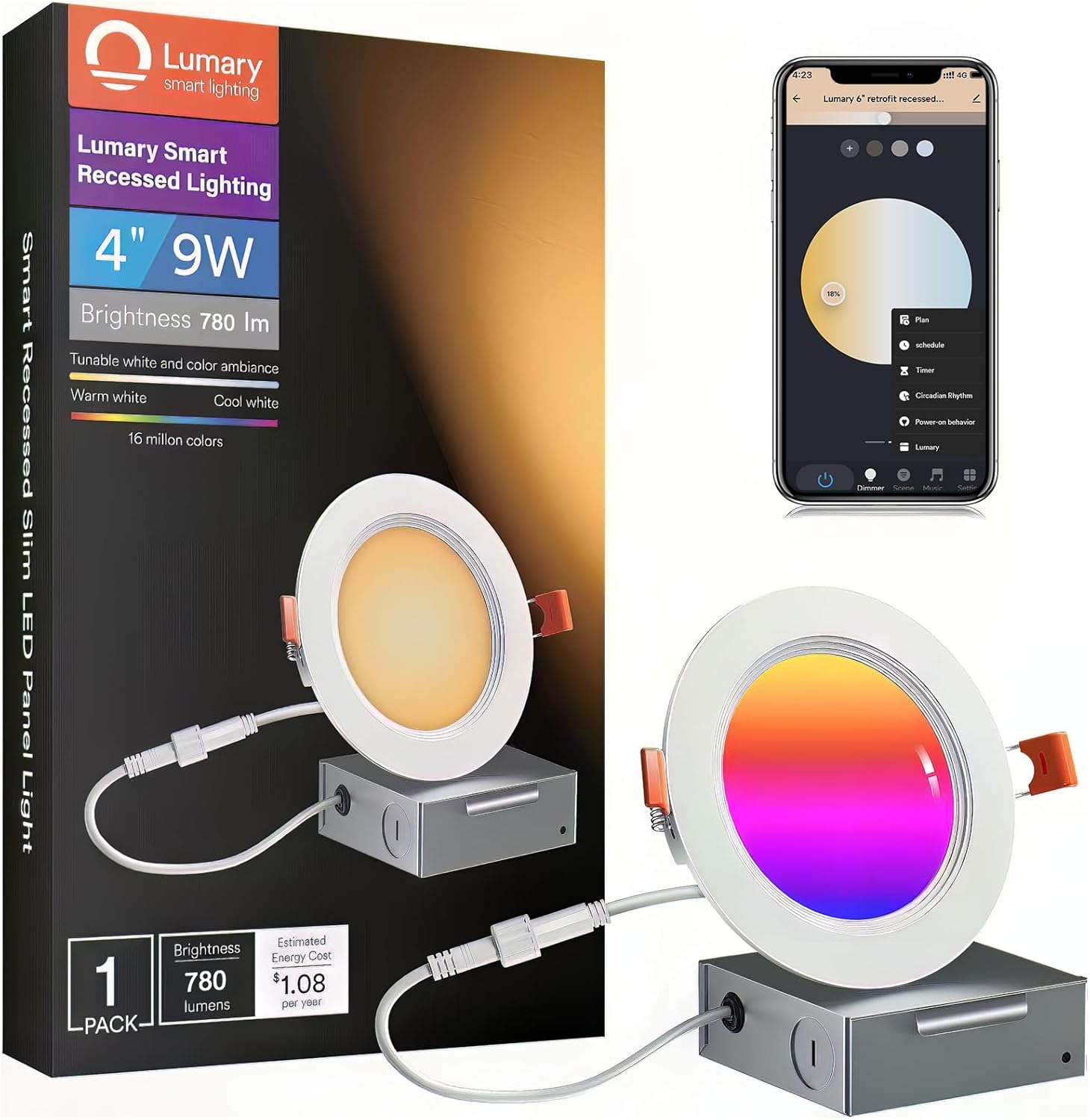
Image: The product box, a single recessed light, a junction box, and small bags of mounting hardware and wire connectors.
The package includes the smart recessed LED downlight, a separate junction box for electrical connections, necessary mounting hardware, a remote control for convenient operation, a hole cut-out template for precise installation, and this instruction manual.
Video: An unboxing of the Lumary Smart Wafer LED downlights, showing the contents of the package.
3 സ്പെസിഫിക്കേഷനുകൾ
| ബ്രാൻഡ് | ലുമറി |
| മോഡൽ നമ്പർ | US-SD4C-1 |
| വലിപ്പം | 4 ഇഞ്ച് |
| വാട്ട്tage | 9 വാട്ട്സ് |
| തെളിച്ചം | 780 ല്യൂമെൻസ് |
| വർണ്ണ താപനില | 2700K-6500K (ട്യൂണബിൾ വൈറ്റ്) |
| വർണ്ണ ഓപ്ഷനുകൾ | 16 Million RGBWW Colors |
| നിയന്ത്രണ രീതികൾ | ആപ്പ്, റിമോട്ട്, വോയ്സ് (അലക്സ, ഗൂഗിൾ അസിസ്റ്റന്റ്) |
| കണക്റ്റിവിറ്റി | വൈഫൈ (2.4GHz മാത്രം), ബ്ലൂടൂത്ത് |
| ഇൻപുട്ട് വോളിയംtage | 110 വോൾട്ട് |
| റേറ്റുചെയ്ത ജീവിതം | 25,000 മണിക്കൂർ |
| ഉൽപ്പന്ന അളവുകൾ | 4.72"L x 4.72"W x 0.6"H |
| ഇൻസ്റ്റലേഷൻ തരം | Flush Mount (Canless) |
| ജല പ്രതിരോധ നില | Not Water Resistant (Indoor Use Only) |
4. ഇൻസ്റ്റാളേഷൻ ഗൈഡ്
4.1 സുരക്ഷാ വിവരങ്ങൾ
- ഇൻസ്റ്റാൾ ചെയ്യുന്നതിന് മുമ്പ് സർക്യൂട്ട് ബ്രേക്കറിൽ പവർ ഓഫ് ചെയ്തിട്ടുണ്ടെന്ന് ഉറപ്പാക്കുക.
- ശരിയായ ബ്രാഞ്ച് സർക്യൂട്ട് കണ്ടക്ടർ ഉറപ്പാക്കാൻ യോഗ്യതയുള്ള ഒരു ഇലക്ട്രീഷ്യനെ സമീപിക്കുക.
- ഉൽപ്പന്നത്തിൻ്റെ നിർമ്മാണവും പ്രവർത്തനവും ഉൾപ്പെട്ടിരിക്കുന്ന അപകടങ്ങളും പരിചയമുള്ള ഒരു വ്യക്തി ബാധകമായ ഇൻസ്റ്റാളേഷൻ കോഡിന് അനുസൃതമായി ഈ ഉൽപ്പന്നം ഇൻസ്റ്റാൾ ചെയ്തിരിക്കണം.
- Do not use with dimmer switches. Dimming is controlled via the app or voice commands.
4.2 ടൂളുകൾ ആവശ്യമാണ്
- പെൻസിൽ
- Saw (for cutting ceiling hole)
- വയർ സ്ട്രിപ്പറുകൾ
- സ്ക്രൂഡ്രൈവർ
4.3 ഘട്ടം ഘട്ടമായുള്ള ഇൻസ്റ്റാളേഷൻ
- Create a hole in the ceiling: Use the provided hole cut-out template to trace the desired size (recommended 4.34 inches / 110mm) on the ceiling. Carefully cut the hole with a saw.
- വയറുകൾ ബന്ധിപ്പിക്കുക: Open the junction box. Connect the household electrical wires (live, neutral, ground) to the corresponding wires inside the junction box using wire nuts or the provided quick connectors. Ensure all connections are secure.
- Insert junction box: Push the wired junction box through the mounting hole in the ceiling.
- Connect light to junction box: Connect the male connector from the recessed light to the female connector from the junction box.
- Insert fixture: Push the spring-loaded clips on the light upwards and insert the fixture base into the mounting hole. Release the clips to secure the light flush against the ceiling.

Image: Visual guide showing the five steps of recessed light installation, from cutting the hole to securing the fixture.

Image: Close-up showing how to correctly insert and squeeze the spring clips for secure mounting.
Video: A demonstration of the Lumary Smart Recessed Lighting, highlighting its slim design and anti-glare trim, and showing the installation process.
5. ആപ്പ് സജ്ജീകരണവും കണക്റ്റിവിറ്റിയും
5.1 Downloading the Lumary App
- ഇതിനായി തിരയുക "Lumary" in your mobile device's app store (App Store for iOS, Google Play Store for Android).
- Download and install the Lumary App.
- ഒരു പുതിയ അക്കൗണ്ടിനായി രജിസ്റ്റർ ചെയ്യുക അല്ലെങ്കിൽ നിങ്ങൾക്ക് ഇതിനകം ഒന്ന് ഉണ്ടെങ്കിൽ ലോഗിൻ ചെയ്യുക.

Image: Screenshots illustrating the process of downloading the Lumary App, adding a device, connecting to Wi-Fi, and completing the setup.
5.2 ജോടിയാക്കൽ ഉപകരണങ്ങൾ
- നിങ്ങളുടെ ഫോണിന്റെ വൈഫൈയും ബ്ലൂടൂത്തും പ്രവർത്തനക്ഷമമാക്കിയിട്ടുണ്ടെന്ന് ഉറപ്പാക്കുക.
- Power on the recessed light. The light should blink rapidly, indicating it's in pairing mode. If not, cycle the power OFF-ON five times until it blinks.
- In the Lumary App, tap "Add Device" or the "+" icon. The app will automatically discover nearby devices.
- Select the discovered device(s) and connect to your 2.4GHz Wi-Fi network by entering the password.
- Once successfully added, you can rename the device for easier identification.
Video: A tutorial demonstrating how to group multiple Lumary smart lights together within the app for synchronized control.
5.3 വൈ-ഫൈ ആവശ്യകതകൾ
The Lumary Smart Recessed LED Downlight only supports 2.4GHz Wi-Fi networks. It is not compatible with 5GHz Wi-Fi. Ensure your router is configured to support 2.4GHz, or connect your phone to the 2.4GHz band during the pairing process.
6. പ്രവർത്തന നിർദ്ദേശങ്ങൾ
6.1 ആപ്പ് നിയന്ത്രണം
- Color & Brightness Adjustment: Use the color wheel and brightness slider in the app to select from 16 million colors and adjust brightness from 1% to 100%. You can also tune white light from 2700K (warm white) to 6500K (cool daylight).
- സീൻ മോഡുകൾ: Choose from multiple preset scene modes or create custom scenes to match your mood or activity.
- സംഗീത സമന്വയം: The lights can synchronize with music played on your device, creating dynamic lighting effects.
- ഗ്രൂപ്പ് നിയന്ത്രണം: Group multiple lights together to control them simultaneously with a single command.
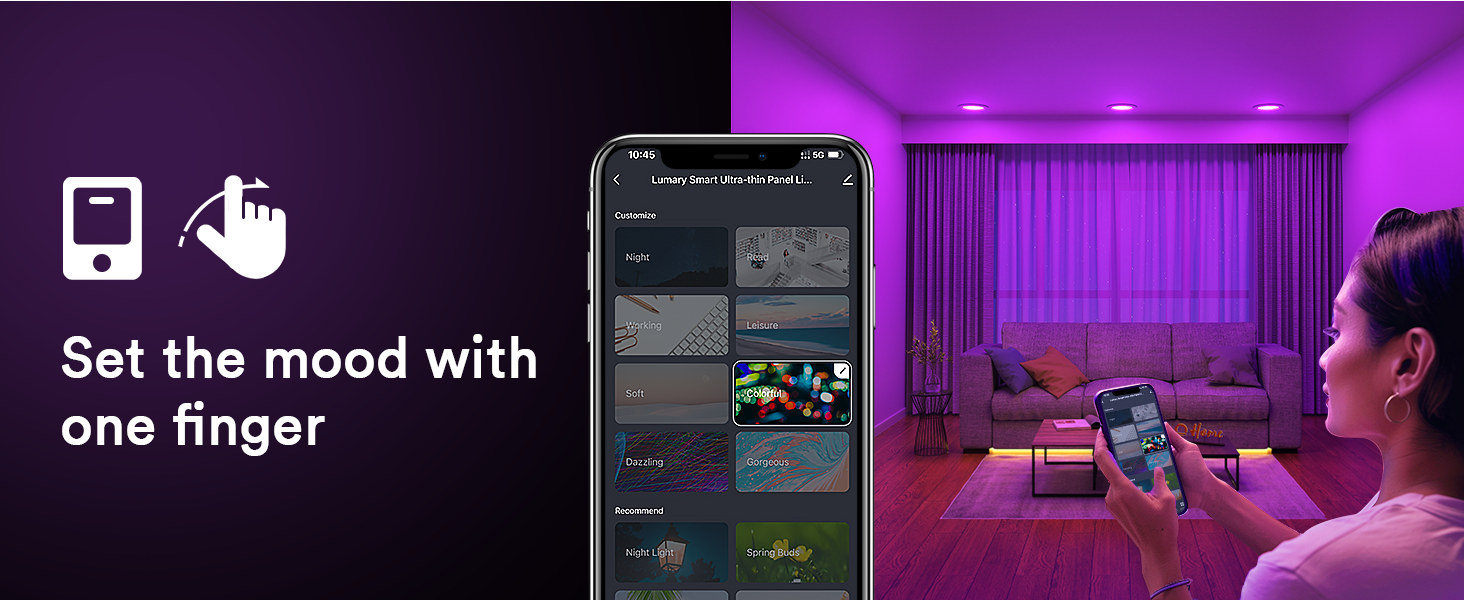
Image: A mobile phone displaying the Lumary app interface with various scene modes for lighting control.

Image: An illustration of smart lights syncing with music, games, and movies to enhance the entertainment experience.
Video: A demonstration of the multi-functional capabilities of the Lumary smart lights, showcasing various color changes and effects.
6.2 വോയ്സ് കൺട്രോൾ (അലക്സ/ഗൂഗിൾ അസിസ്റ്റന്റ്)
Once paired with the Lumary App, you can link your lights to Amazon Alexa or Google Assistant for hands-free voice control. Use simple commands such as:
- "Alexa/Hey Google, turn on/off [Light Name]."
- "Alexa/Hey Google, set [Light Name] to red."
- "Alexa/Hey Google, dim [Light Name] to 50%."
- "Alexa/Hey Google, change [Light Name] to warm white."

Image: A woman using voice commands to control Lumary smart lights, demonstrating hands-free operation with Alexa or Google Assistant.
6.3 വിദൂര നിയന്ത്രണം
The included Bluetooth remote control allows for quick adjustments without needing your phone. To pair the remote:
- Ensure the light is already paired with the Lumary App.
- Restart the light by cycling the wall switch OFF-ON.
- Within 3 seconds of turning the light on, long press any group key on the remote until the light flashes, indicating successful pairing.
To unpair the remote, press two keys on the remote at the same time for 5 seconds. Re-pairing requires another light reboot using the wall switch.

Image: Visual guide for adding devices via the Lumary App, pairing the Bluetooth remote, and unpairing the Bluetooth remote.
Video: A short video demonstrating how to pair the remote control with the Lumary smart light after it has been linked to the phone app.
7. പരിപാലനം
- വൃത്തിയാക്കൽ: Ensure the light is off and cool before cleaning. Wipe with a soft, dry cloth. Do not use abrasive cleaners or solvents.
- ഡിമ്മർ സ്വിച്ചുകൾ: These smart lights are designed for app, remote, or voice control dimming. They are not compatible with traditional dimmer switches. Using a dimmer switch will decline the smart light's life and may cause malfunction. If a dimmer is pre-installed, it needs to be set to 100% brightness or replaced with a standard ON/OFF switch.
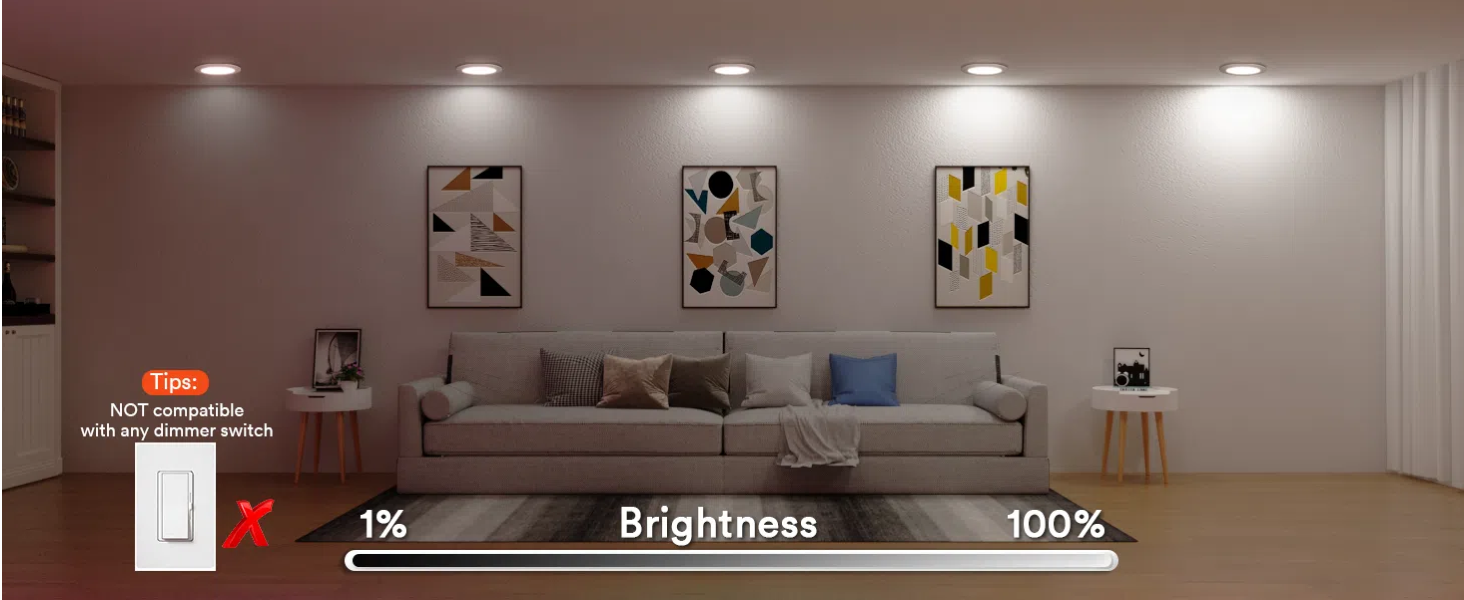
Image: A visual warning indicating that Lumary smart lights are not compatible with traditional dimmer switches.
8. പ്രശ്നപരിഹാരം
- Light not pairing: Ensure your Wi-Fi is 2.4GHz. Cycle the light's power OFF-ON five times to enter pairing mode (it should blink rapidly). Move closer to your Wi-Fi router if signal is weak.
- Light not responding to app/remote: Check Wi-Fi connection. Ensure the remote is correctly paired. If using voice control, verify the light is linked in your Alexa/Google Home app.
- ഇടവിട്ടുള്ള കണക്റ്റിവിറ്റി: Ensure a strong 2.4GHz Wi-Fi signal. Avoid placing the light too far from the router or near sources of interference.
- Light flickers or malfunctions: Confirm no traditional dimmer switch is in use. If one is present, set it to 100% brightness or replace it with a standard switch.
9. വാറൻ്റി വിവരങ്ങൾ
This product comes with a Limited Warranty. Please refer to the warranty card included in your package for specific terms and conditions. Retain your proof of purchase for any warranty claims.
10. ഉപഭോക്തൃ പിന്തുണ
For further assistance, technical support, or inquiries, please refer to the contact information provided in your product packaging or visit the official Lumary website. You can also email support@lumary.tech പിന്തുണയ്ക്കായി.


