ആമുഖം
This instruction manual provides detailed guidance for the safe and efficient use of your EYESUN 76L Automatic Self-Cleaning Cat Litter Box, Model NEO-maxE. Please read this manual thoroughly before initial use to ensure proper setup, operation, and maintenance. This device is designed to simplify cat care by automating the litter cleaning process, offering convenience and a cleaner environment for both you and your feline companions.
ഉൽപ്പന്നം കഴിഞ്ഞുview ഫീച്ചറുകളും
The EYESUN Automatic Self-Cleaning Cat Litter Box is equipped with several features to enhance your cat care routine:
- അധിക ശേഷി: Features a 76L drum and a 13L waste bin, suitable for cats weighing between 3.3 and 27.5 pounds. It can operate for up to 15 days without needing to empty the waste bin, ideal for multi-cat households or busy schedules.
- വിപുലമായ സുരക്ഷാ പരിരക്ഷ: Incorporates 4 pairs of infrared sensors and 4 weight sensors to detect your cat's presence. The unit automatically pauses operation if a cat interacts with it during a cleaning cycle, ensuring their safety. A dedicated Kitten Mode is also available for smaller cats.
- സ്മാർട്ട് ആപ്പ് നിയന്ത്രണം: Manage the litter box remotely via a companion app. Monitor cat usage, receive real-time notifications, and control cleaning cycles from your smartphone. Compatible with 2.4GHz Wi-Fi networks only.
- വിസ്പർ-ക്വയറ്റ് ഓപ്പറേഷൻ: Operates at a low noise level of approximately 35 dB, ensuring a peaceful environment for both pets and owners, even during nighttime cleaning cycles.
- Effective Odor Control: An advanced odor control system, including a deodorizer, helps maintain a fresh and pleasant home environment. The design also minimizes litter tracking.
- വൃത്തിയാക്കാനും പരിപാലിക്കാനും എളുപ്പമാണ്: Designed with removable components for convenient and hygienic cleaning.
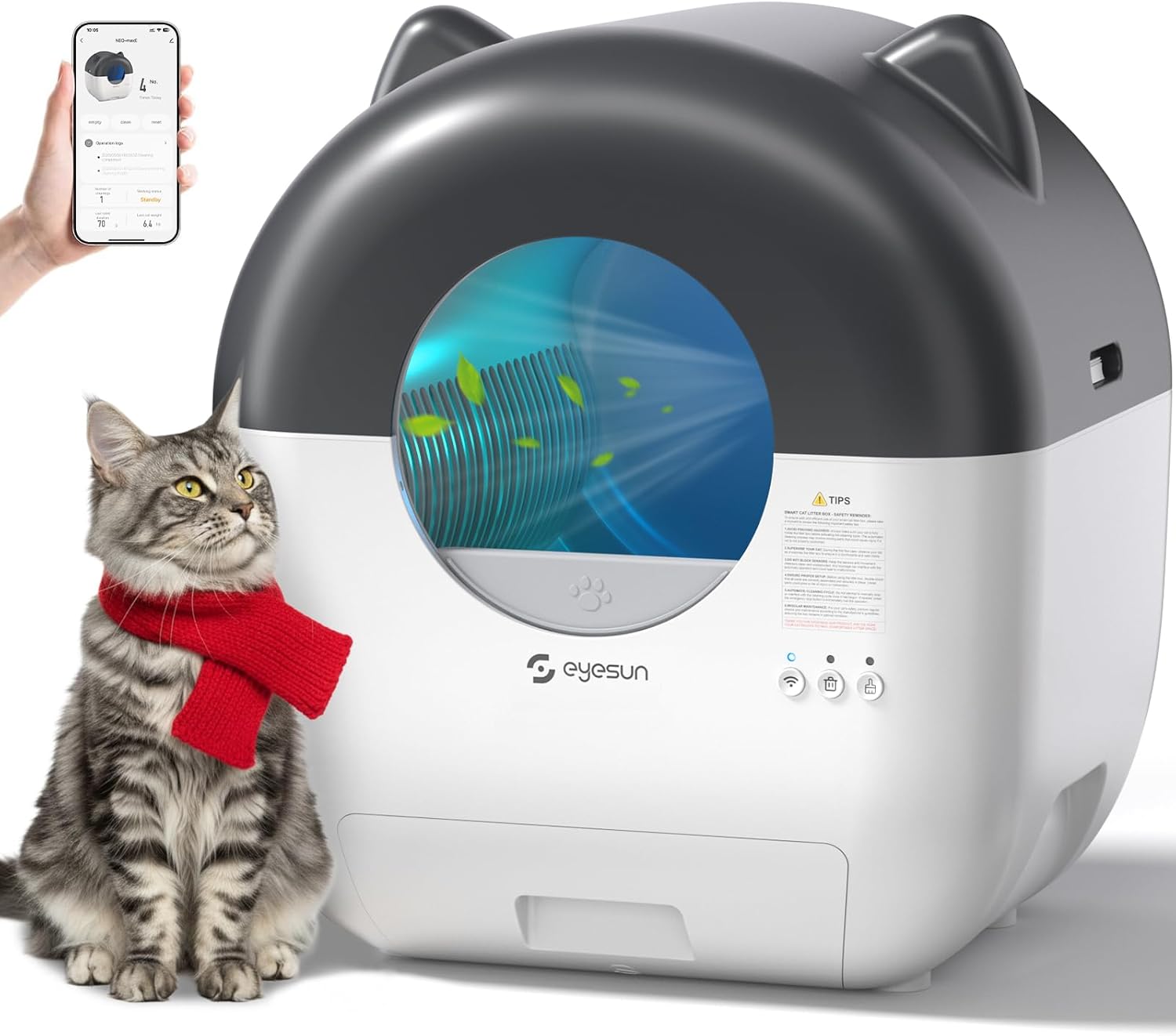
Figure 1: EYESUN Automatic Self-Cleaning Cat Litter Box with app interface.

ചിത്രം 2: ഓവർview of the EYESUN Automatic Self-Cleaning Cat Litter Box features.
സജ്ജമാക്കുക
- അൺബോക്സിംഗ്: Carefully remove all components from the packaging. Ensure all parts listed in the "Package Includes" section are present.
- പ്ലേസ്മെൻ്റ്: Position the litter box on a flat, stable surface in a suitable location, away from direct sunlight or heat sources.
- വേസ്റ്റ് ബാഗ് ഇൻസ്റ്റാൾ ചെയ്യുക: Open the waste bin drawer located at the bottom front of the unit. Line the 13L waste bin with one of the provided garbage bags. Ensure the bag is securely fitted. Close the drawer.
- ലിറ്റർ ചേർക്കുക: Open the top cover of the litter box. Pour clumping cat litter into the drum. The litter level should be between the minimum and maximum fill lines indicated inside the drum. Close the top cover securely.
- പവർ കണക്ഷൻ: Connect the power adapter to the litter box and plug it into a power outlet. The unit will power on.
- Wi-Fi Connection (App Control):
- Download the companion app (refer to the Quick Start Guide for app name and download instructions).
- Long press the Wi-Fi button on the unit for 3 seconds to enter Wi-Fi discovery mode. The Wi-Fi light will blink.
- Open the app and follow the on-screen instructions to discover and connect the device. Ensure your app's location and Bluetooth permissions are enabled.
- Enter your 2.4GHz Wi-Fi network name and password. Note: The device only supports 2.4GHz Wi-Fi.
- Upon successful connection, the Wi-Fi button light will turn solid white.

Figure 3: Wi-Fi connection steps for app control.

ചിത്രം 4: പാക്കേജ് ഉള്ളടക്കം.
പ്രവർത്തന നിർദ്ദേശങ്ങൾ
Automatic Cleaning Cycle
The litter box is designed to automatically detect when your cat uses it and initiate a cleaning cycle after a set delay. This ensures a fresh bed of litter for each use.
- സെൻസർ കണ്ടെത്തൽ: The integrated infrared and weight sensors detect your cat's presence. Once your cat exits the unit, a timer begins.
- Cleaning Initiation: After the preset delay (customizable via the app), the drum will rotate, sifting clean litter and depositing waste into the sealed waste bin.
- Safety Pause: If a cat re-enters or approaches the unit during a cleaning cycle, the sensors will detect their presence, and the operation will immediately pause to prevent injury. It will resume once the cat is clear.
അപ്ലിക്കേഷൻ നിയന്ത്രണം
The companion app provides comprehensive control and monitoring capabilities:
- റിമോട്ട് ക്ലീനിംഗ്: Initiate a cleaning cycle manually from anywhere.
- ഉപയോഗ നിരീക്ഷണം: Track your cat's litter box usage frequency and duration.
- അറിയിപ്പുകൾ: Receive alerts for waste bin full, cleaning cycle completion, or any detected issues.
- ക്രമീകരണങ്ങൾ ഇഷ്ടാനുസൃതമാക്കൽ: Adjust cleaning delay times, activate Kitten Mode (which may modify sensor sensitivity or cleaning cycles for smaller cats), and manage other operational parameters.
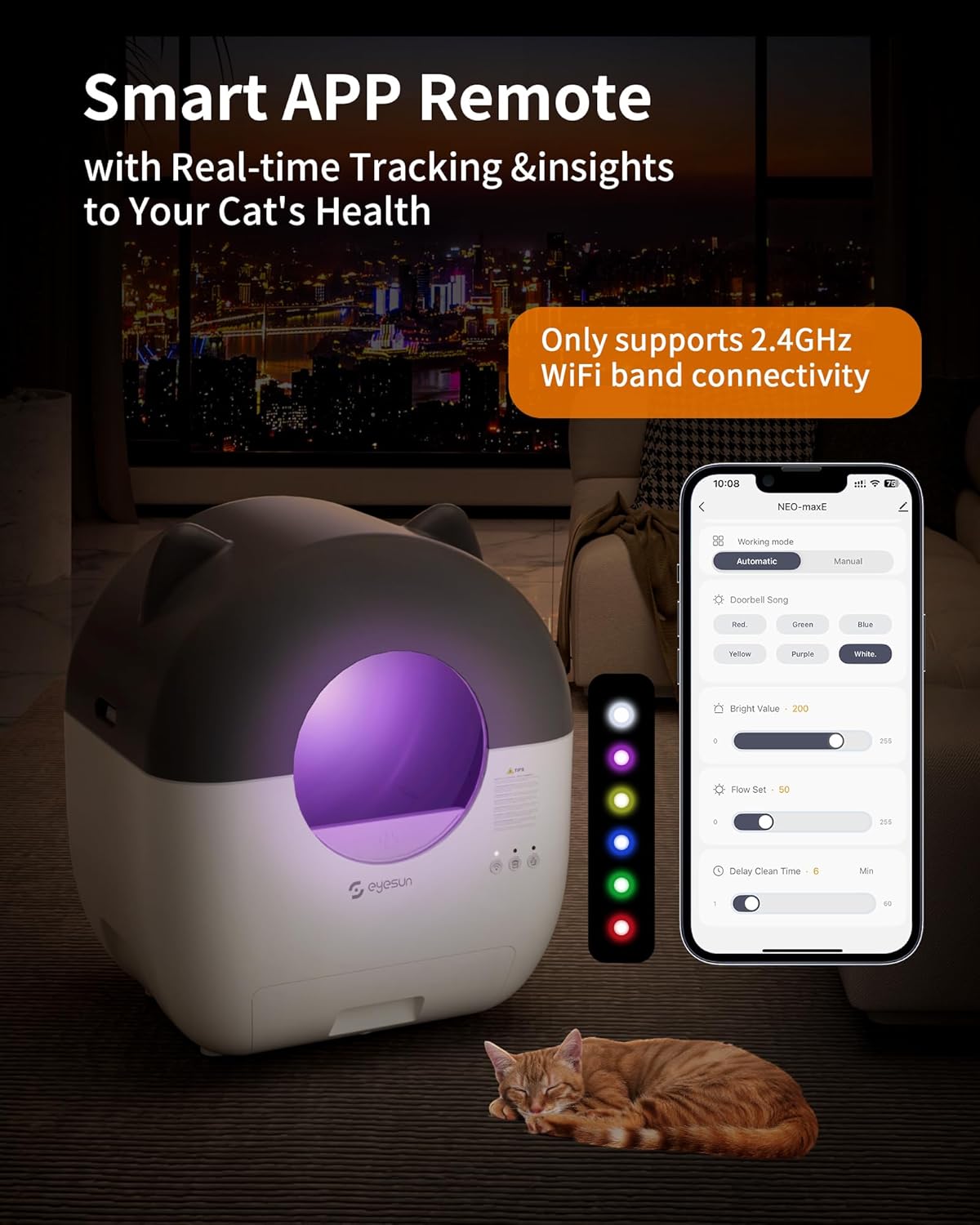
Figure 5: Smart app remote control interface.
മാനുവൽ ക്ലീനിംഗ്
To initiate a manual cleaning cycle, press the "Clean" button on the unit's control panel.
മെയിൻ്റനൻസ്
Regular maintenance ensures optimal performance and hygiene of your EYESUN litter box.
- വേസ്റ്റ് ബിൻ ശൂന്യമാക്കൽ:
When the waste bin full indicator lights up (or as needed, typically every 7-15 days depending on usage), pull out the waste bin drawer. Securely tie the top of the used garbage bag and dispose of it. Replace with a new garbage bag and slide the drawer back into place.

Figure 6: Waste disposal process.
- യൂണിറ്റ് വൃത്തിയാക്കൽ:
For thorough cleaning, the top cover, drum, drum liner, and waste bin are all removable. Disassemble these parts as shown in the diagram below. Clean with mild soap and water, rinse thoroughly, and ensure all parts are completely dry before reassembling. Do not immerse the main unit or electrical components in water.

Figure 7: Removable parts for easy cleaning.
- ഡിയോഡറൈസർ മാറ്റിസ്ഥാപിക്കൽ:
The included deodorizer should be replaced periodically to maintain optimal odor control. Refer to the deodorizer packaging for specific replacement intervals.
- സെൻസർ ക്ലീനിംഗ്:
Regularly wipe the infrared and weight sensors with a dry, soft cloth to ensure they remain free of dust and debris. Blocked sensors can interfere with proper operation.
ട്രബിൾഷൂട്ടിംഗ്
If you encounter any issues with your EYESUN litter box, please refer to the following common solutions:
- Unit Not Responding/Cleaning:
- പവർ അഡാപ്റ്റർ സുരക്ഷിതമായി പ്ലഗിൻ ചെയ്തിട്ടുണ്ടെന്ന് ഉറപ്പാക്കുക.
- Check if any sensors are blocked by litter or debris. Clean sensors if necessary.
- Verify that the drum and waste bin are correctly assembled and securely in place. Loose parts can prevent operation.
- If a cat is detected near or inside the unit, the cleaning cycle will pause. Wait for the cat to leave the area.
- വൈഫൈ കണക്റ്റിവിറ്റി പ്രശ്നങ്ങൾ:
- Confirm your router is broadcasting a 2.4GHz Wi-Fi signal. The device is not compatible with 5GHz networks.
- Ensure the litter box is within range of your Wi-Fi router.
- Restart your router and the litter box, then attempt to reconnect via the app.
- Check app permissions (location, Bluetooth) on your smartphone.
- ദുർഗന്ധം നിലനിൽക്കുന്നത്:
- Ensure the waste bin bag is properly sealed and replaced regularly.
- Check if the deodorizer needs replacement.
- Clean the interior of the drum and waste bin thoroughly.
- ലിറ്റർ ട്രാക്കിംഗ്:
- Ensure the soft, clean mat (if included or purchased separately) is properly positioned to help reduce tracking.
- Consider using a different type of clumping litter that may track less.
കൂടുതൽ സഹായത്തിന്, ദയവായി ഉപഭോക്തൃ പിന്തുണയുമായി ബന്ധപ്പെടുക.
സ്പെസിഫിക്കേഷനുകൾ
| ബ്രാൻഡ് | EYESUN |
| മോഡൽ നമ്പർ | NEO-maxE |
| ഉൽപ്പന്ന അളവുകൾ | 55L x 50W x 66H സെന്റീമീറ്റർ (21.6"L x 19.7"W x 26.0"H) |
| ഇനത്തിൻ്റെ ഭാരം | 10.89 കി.ഗ്രാം |
| ഡ്രം കപ്പാസിറ്റി | 76 ലിറ്റർ |
| വേസ്റ്റ് ബിൻ കപ്പാസിറ്റി | 13 ലിറ്റർ |
| പൂച്ചയ്ക്ക് അനുയോജ്യമായ ഭാരം | 3.3 - 27.5 പൗണ്ട് |
| മെറ്റീരിയൽ | പ്ലാസ്റ്റിക് |
| കണക്റ്റിവിറ്റി | 2.4GHz വൈഫൈ മാത്രം |
| ശബ്ദ നില | ≤35 ഡിബി |

Figure 8: Product dimensions and suitable cat sizes.
വാറൻ്റിയും പിന്തുണയും
Your EYESUN Automatic Self-Cleaning Cat Litter Box comes with a 24-month worry-free warranty. For any questions, technical support, or warranty claims, please contact our customer support team.
- ഉപഭോക്തൃ പിന്തുണാ ഇമെയിൽ: സപ്പോർട്ട്@eyesun.net
- ലഭ്യത: 24/7
You may also activate an extended warranty service by visiting the manufacturer's website as indicated in the product packaging or quick start guide.


