1. ഉൽപ്പന്നം കഴിഞ്ഞുview
This manual provides instructions for the CAMECHO 4G+64G Android 13 Car Stereo, a 9.7-inch touchscreen in-dash GPS head unit designed for Subaru Outback models from 2010 to 2014. It features Wireless/Wired CarPlay, Wired Android Auto, Bluetooth, DSP, GPS, WiFi, 32-band EQ, and AHD backup camera support.
Note: This car radio is for the basic vehicle version only. If your car radio system includes Harman Kardon, this unit will not be compatible.
2. പാക്കേജ് ഉള്ളടക്കം
പാക്കേജിൽ എല്ലാ ഇനങ്ങളും ഉണ്ടെന്ന് ഉറപ്പാക്കുക:
- CAMECHO 9.7-inch Android 13 Car Stereo Head Unit
- പവർ കേബിൾ
- RCA Input/Output Cables
- Reversing Camera Input Cable
- USB Cables (multiple)
- ജിപിഎസ് ആൻ്റിന
- ബാഹ്യ മൈക്രോഫോൺ
- AHD ബാക്കപ്പ് ക്യാമറ
- ഉപയോക്തൃ മാനുവൽ

3. ഇൻസ്റ്റാളേഷൻ ഗൈഡ്
3.1 അനുയോജ്യതാ പരിശോധന
Ensure your Subaru Outback (2010-2014) is the basic version without a Harman Kardon sound system for proper fitment and functionality.

3.2 പിൻഭാഗം View ക്യാമറ വയറിംഗ്
The double DIN car stereo is equipped with an AHD, night vision, and waterproof backup camera. The rear image will automatically display on the touchscreen when the vehicle is in reverse.
- Red Cable ①: കാറിന്റെ റിവേഴ്സിംഗ് ലൈറ്റ് കേബിളിന്റെ പോസിറ്റീവ് പോളിലേക്ക് ബന്ധിപ്പിക്കുക.
- Black Cable ②: കാറിന്റെ റിവേഴ്സിംഗ് ലൈറ്റ് കേബിളിന്റെ നെഗറ്റീവ് പോൾ ബന്ധിപ്പിക്കുക.
- The other two red extension cables (③ and ④) do not need to be connected.


4. പ്രവർത്തന നിർദ്ദേശങ്ങൾ
4.1 വയർലെസ്/വയർഡ് കാർപ്ലേ & ആൻഡ്രോയിഡ് ഓട്ടോ
The head unit supports both wireless and wired Apple CarPlay and Android Auto. This allows users to control navigation, make phone calls, play music, and send/receive messages using voice commands or the touchscreen interface.
Note: Mirror Link functionality may not support all Samsung and Huawei devices.

4.2 മിറർ ലിങ്ക്
Mirror Link allows you to display your smartphone screen directly on the car stereo. This feature supports both Android and iOS devices.


4.3 Bluetooth Hands-Free Calling & Music
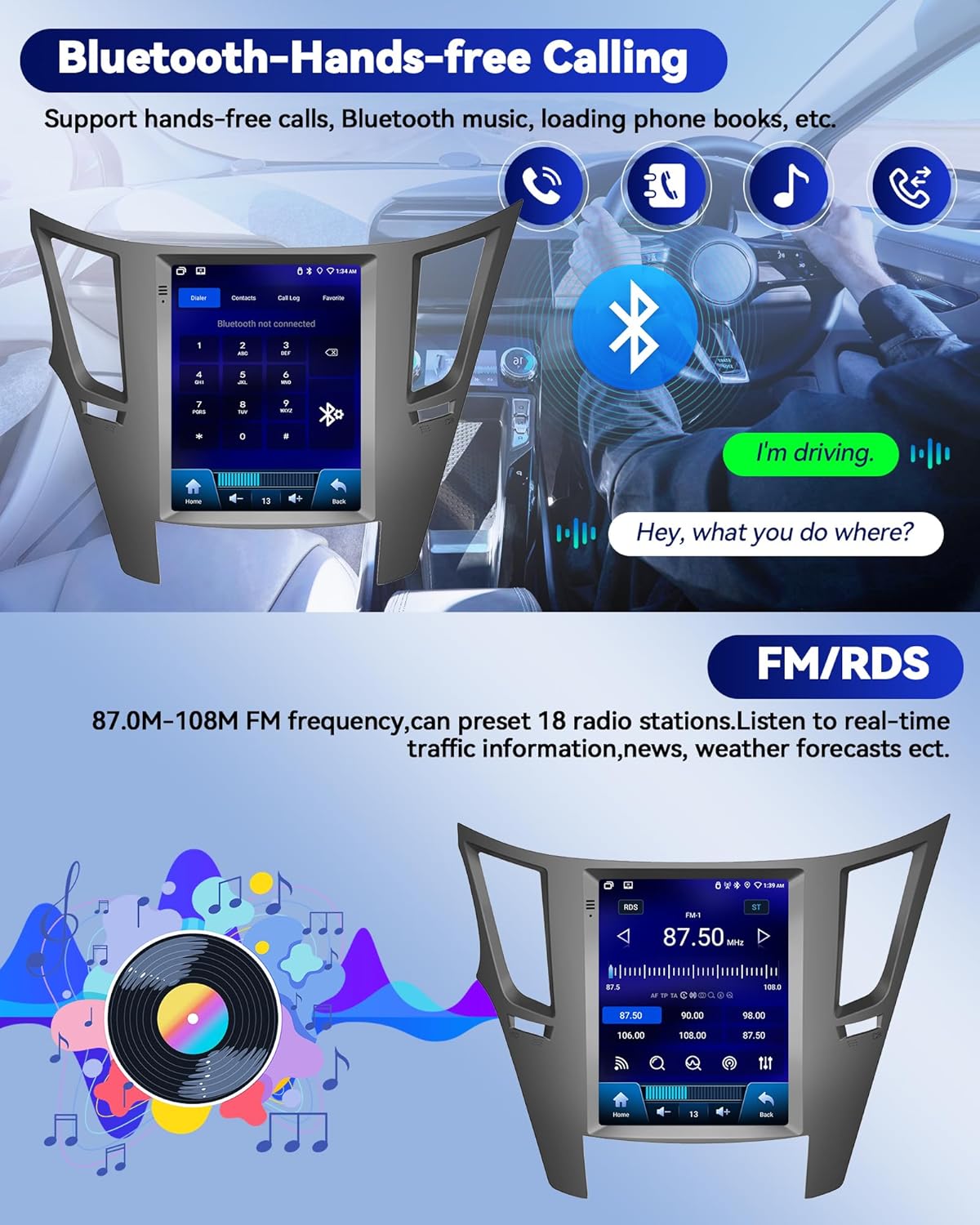
The car radio supports Bluetooth for hands-free calling and music playback. It can automatically load your phonebook for convenience. An external microphone is included for clearer call quality.
4.4 FM/RDS റേഡിയോ
Enjoy FM/RDS radio with the ability to preset 18 radio stations. Stay informed with real-time traffic information, news, and weather forecasts.

4.5 DSP & EQ Settings
Elevate your audio experience with advanced DSP audio technology and a 32-band EQ for customized sound. Explore various audio modes and adjustments for an immersive and tailored audio experience.


4.6 ജിപിഎസ് നാവിഗേഷൻ & വൈഫൈ കണക്ഷൻ
The car stereo has a built-in GPS receiver and WiFi connectivity. This enables both online and offline navigation, internet browsing, and access to various applications like GPS Maps, YouTube, TikTok, and Spotify. Stay connected while driving with incoming and outgoing calls, address book sync, and mobile phone music playback.


4.7 സ്റ്റിയറിംഗ് വീൽ നിയന്ത്രണം (SWC)
The multimedia player supports the steering wheel control function, allowing you to manage song switching and volume directly from your steering wheel for safer driving.


5 സ്പെസിഫിക്കേഷനുകൾ
| ഫീച്ചർ | വിശദാംശങ്ങൾ |
|---|---|
| ഇനത്തിൻ്റെ ഭാരം | 4.13 പൗണ്ട് |
| ഉൽപ്പന്ന അളവുകൾ | 10 x 6 x 3 ഇഞ്ച് |
| ഡിസ്പ്ലേ വലിപ്പം | 9.7 ഇഞ്ച് |
| വോയ്സ് കമാൻഡ് | ടച്ച് സ്ക്രീൻ |
| ബ്രാൻഡ് | കാമെക്കോ |
| വാഹന സേവന തരം | കാർ |
| പ്രത്യേക ഫീച്ചർ | Android 13 4G+64G, CarPlay & Android Auto & Mirror Link, FM/RDS & EQ, GPS & WIFI, SWC & AHD Backup camera |
| കണക്റ്റിവിറ്റി ടെക്നോളജി | ബ്ലൂടൂത്ത്, യുഎസ്ബി, വൈ-ഫൈ |
| മാപ്പ് തരം | ലോകമെമ്പാടും |
| ഓഡിയോ put ട്ട്പുട്ട് മോഡ് | സ്റ്റീരിയോ |
| മൗണ്ടിംഗ് തരം | ഡാഷ്ബോർഡ് മ .ണ്ട് |
6. പ്രശ്നപരിഹാരം
പൊതുവായ പ്രശ്നങ്ങൾക്ക്, ദയവായി ഇനിപ്പറയുന്നവ പരിശോധിക്കുക:
- കണക്ഷൻ പ്രശ്നങ്ങൾ: Ensure Bluetooth and WiFi settings are correctly configured on both the car stereo and your smartphone. Verify that the correct pairing PIN (0000) is used for Bluetooth connections.
- കാർപ്ലേ/ആൻഡ്രോയിഡ് ഓട്ടോ കണക്റ്റ് ചെയ്യുന്നില്ല: Check for proper USB cable connection if using wired mode. For wireless, ensure your phone's personal hotspot is active and the car stereo is connected to it.
- ശബ്ദമില്ല: Check volume settings for media and calls in the car stereo's settings menu. Ensure 'Silence all sounds' is not enabled.
- ബാക്കപ്പ് ക്യാമറ പ്രദർശിപ്പിക്കുന്നില്ല: Verify the rear camera wiring connections, especially to the reversing light. The reversing input must be plugged in even when the camera is not in use.
- സിസ്റ്റം ലാഗ്/പ്രതികരണമില്ലായ്മ: Ensure the system is up to date. Close unnecessary background applications.
7. വാറൻ്റിയും പിന്തുണയും
7.1 വാറൻ്റി വിവരങ്ങൾ
The product comes with a 1-year warranty. For detailed information regarding warranty claims and coverage, please contact customer support.
7.2 ഉപഭോക്തൃ പിന്തുണ
For online help and user manual inquiries, you can contact CAMECHO customer service. Look for the 'Ask a question' button on the product page or contact them via email.


