1. ആമുഖം
The OSCAL PowerMax 6000 is a high-capacity solar generator designed to provide reliable power for various applications, including home backup, outdoor activities, and emergency situations. This unit features a 3600Wh capacity and a 6000W AC output (7200W peak), supporting both 120V and 240V dual voltage. It is equipped with advanced LiFePO4 battery technology for long-lasting performance and safety.

Figure 1.1: The OSCAL PowerMax 6000 Solar Generator shown with two 400W solar panels, highlighting its comprehensive power solution.
2. ബോക്സിൽ എന്താണുള്ളത്?
അൺബോക്സിംഗ് ചെയ്യുമ്പോൾ എല്ലാ ഘടകങ്ങളും ഉണ്ടെന്ന് ദയവായി പരിശോധിക്കുക:
- PowerMax 6000 Solar Generator Unit
- 2 x 400W Solar Panels
- എസി ചാർജിംഗ് കേബിൾ
- സോളാർ ചാർജിംഗ് കേബിൾ
- കാർ ചാർജിംഗ് കേബിൾ
- ഉപയോക്തൃ മാനുവൽ (ഈ പ്രമാണം)
- വാറൻ്റി കാർഡ്

Figure 2.1: Visual representation of the PowerMax 6000 unit, its dimensions, included accessories, and various output ports.
3. ഉൽപ്പന്ന സവിശേഷതകൾ
- ഉയർന്ന ശേഷിയും ഔട്ട്പുട്ടും: 3600Wh capacity with 6000W AC output (7200W surge), supporting 120V/240V dual voltage.
- ഫാസ്റ്റ് ചാർജിംഗ്: Achieves 0-100% charge in approximately 1.96 hours via 2200W AC input. Dual charging (AC + Solar) can fully charge in 1.44 hours with a 2400W solar input.
- ഈടുനിൽക്കുന്ന LiFePO4 ബാറ്ററി: Utilizes LiFePO4 battery technology with a lifespan of 3500+ charge cycles, supported by an eight-layer safety BMS for protection against overcharge, over-discharge, over-voltage, over-current, short-circuit, and temperature fluctuations.
- Uninterruptible Power Supply (EPS): Features a fast switchover time of 5-8 milliseconds, ensuring continuous power to connected devices during outages.
- സ്മാർട്ട് ആപ്പ് നിയന്ത്രണം: Monitor power usage, control charging speed, and manage settings remotely via the OSCAL application on your smartphone.
- വികസിപ്പിക്കാവുന്ന ശേഷി: Can be expanded from 3600Wh up to 57600Wh by connecting up to 15 BP3600 batteries (sold separately).
- പോർട്ടബിൾ ഡിസൈൻ: Equipped with wide wheels and an ergonomic pull handle for easy transport.

Figure 3.1: The PowerMax 6000 offers 120V/240V dual voltage output, capable of powering a wide range of household appliances.
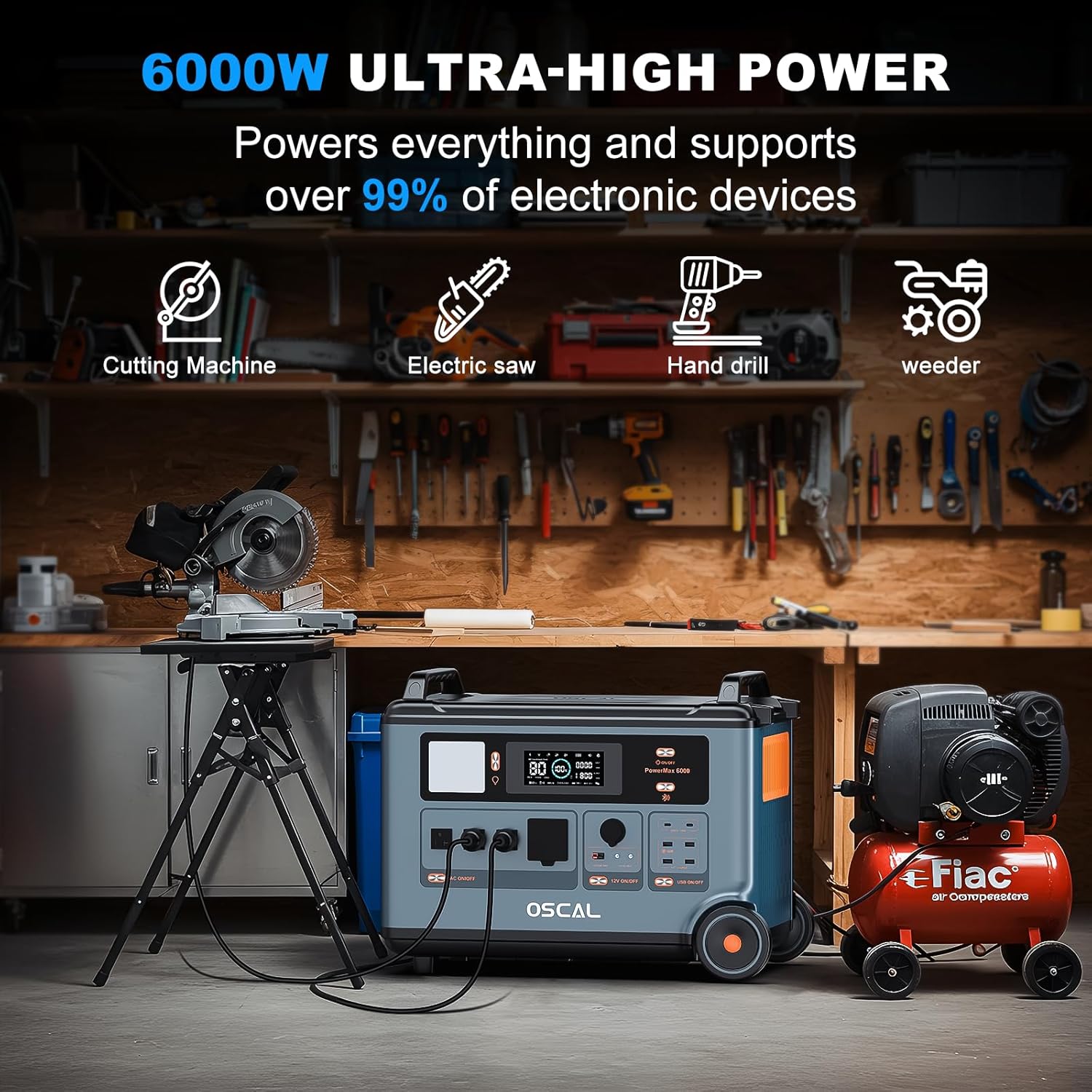
Figure 3.2: With 6000W ultra-high power, the generator can support over 99% of electronic devices and heavy-duty tools.
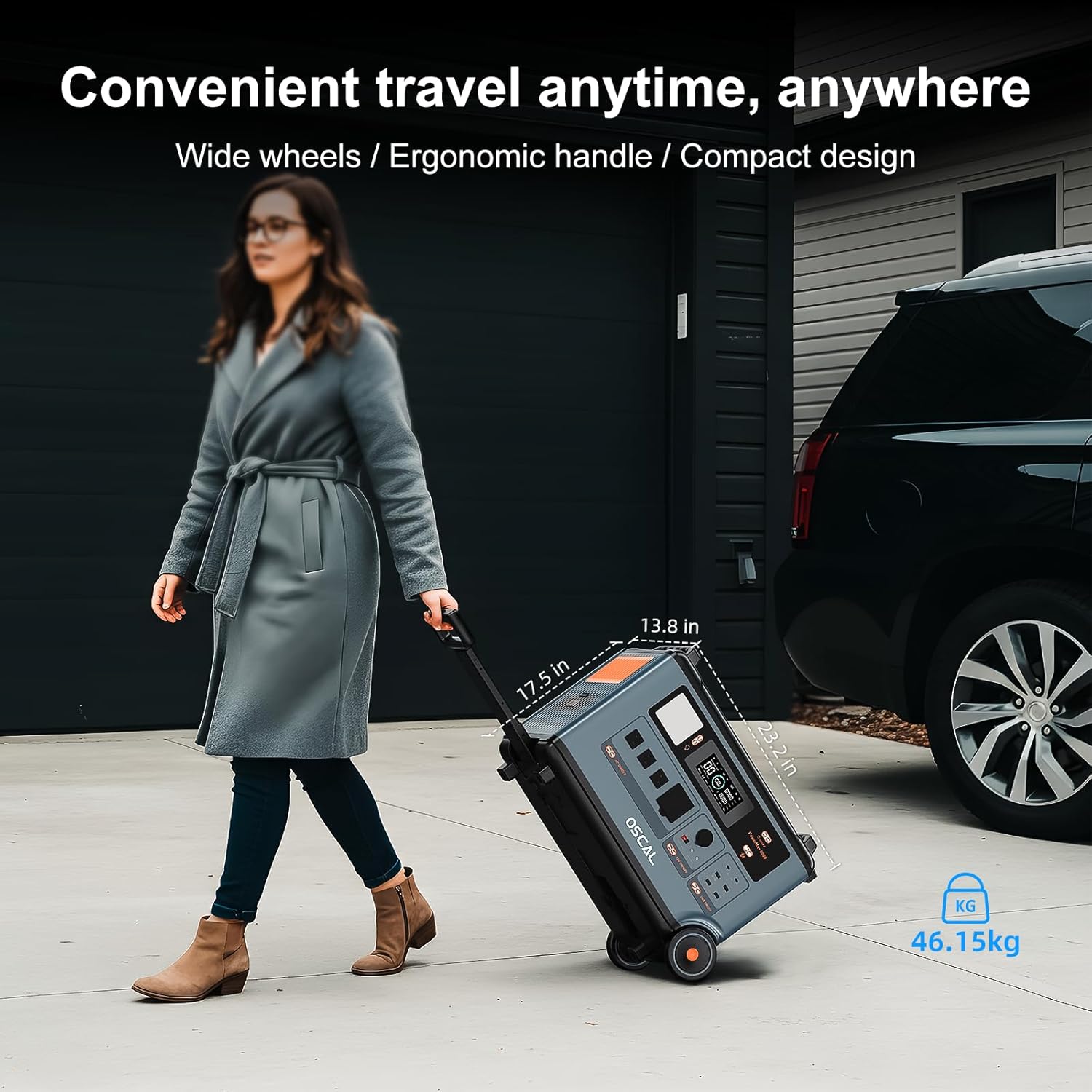
Figure 3.3: The PowerMax 6000 features wide wheels and an ergonomic handle for convenient travel and portability.
4. സജ്ജീകരണം
Before first use, ensure the unit is fully charged. Place the generator on a stable, flat surface in a well-ventilated area, away from direct sunlight or heat sources.
4.1 പ്രാരംഭ ചാർജിംഗ്
- Connect the AC charging cable to the AC input port on the PowerMax 6000.
- Plug the other end of the AC charging cable into a standard wall outlet (120V/240V).
- The display will indicate charging status. Allow the unit to charge until it reaches 100%.
4.2 സോളാർ പാനൽ കണക്ഷൻ
To charge using solar panels:
- Unfold the solar panels and position them in direct sunlight for maximum efficiency.
- Connect the solar charging cable to the solar input port on the PowerMax 6000.
- Connect the other end of the solar charging cable to the solar panels.
- ഡിസ്പ്ലേ സോളാർ ഇൻപുട്ട് കാണിക്കും wattage.

Figure 4.1: The PowerMax 6000 supports both 2200W AC high-speed charging and combined AC + solar charging for rapid power replenishment.
5. പ്രവർത്തന നിർദ്ദേശങ്ങൾ
5.1 പവർ ഓൺ/ഓഫ്
Press and hold the main power button for a few seconds to turn the unit on or off. The display screen will illuminate.
5.2 ഔട്ട്പുട്ട് പോർട്ടുകൾ ഉപയോഗിക്കൽ
The PowerMax 6000 offers a variety of output ports:
- എസി ഔട്ട്ലെറ്റുകൾ (x4): Press the AC power button to activate. Supports 120V/240V dual voltage for household appliances.
- USB-A Ports (x4, including 3 fast charging): Plug in USB devices for charging.
- USB-C Ports (x2, 100W Max each): ഫാസ്റ്റ് ചാർജിംഗിന് അനുയോജ്യമായ USB-C ഉപകരണങ്ങൾക്ക്.
- കാർ ചാർജർ ഔട്ട്പുട്ട്: For 12V car accessories.
- DC 5521 Output (x2): ഡിസിയിൽ പ്രവർത്തിക്കുന്ന ഉപകരണങ്ങൾക്ക്.
- ആൻഡേഴ്സൺ ഔട്ട്പുട്ട്: For specific high-power DC applications.
5.3 Emergency Power Supply (EPS) Mode
When connected to a wall outlet and powering devices, the PowerMax 6000 functions as an EPS. In the event of a power outage, it automatically switches to battery power within 5-8 milliseconds, ensuring uninterrupted operation for critical devices like computers, medical equipment, or refrigerators.
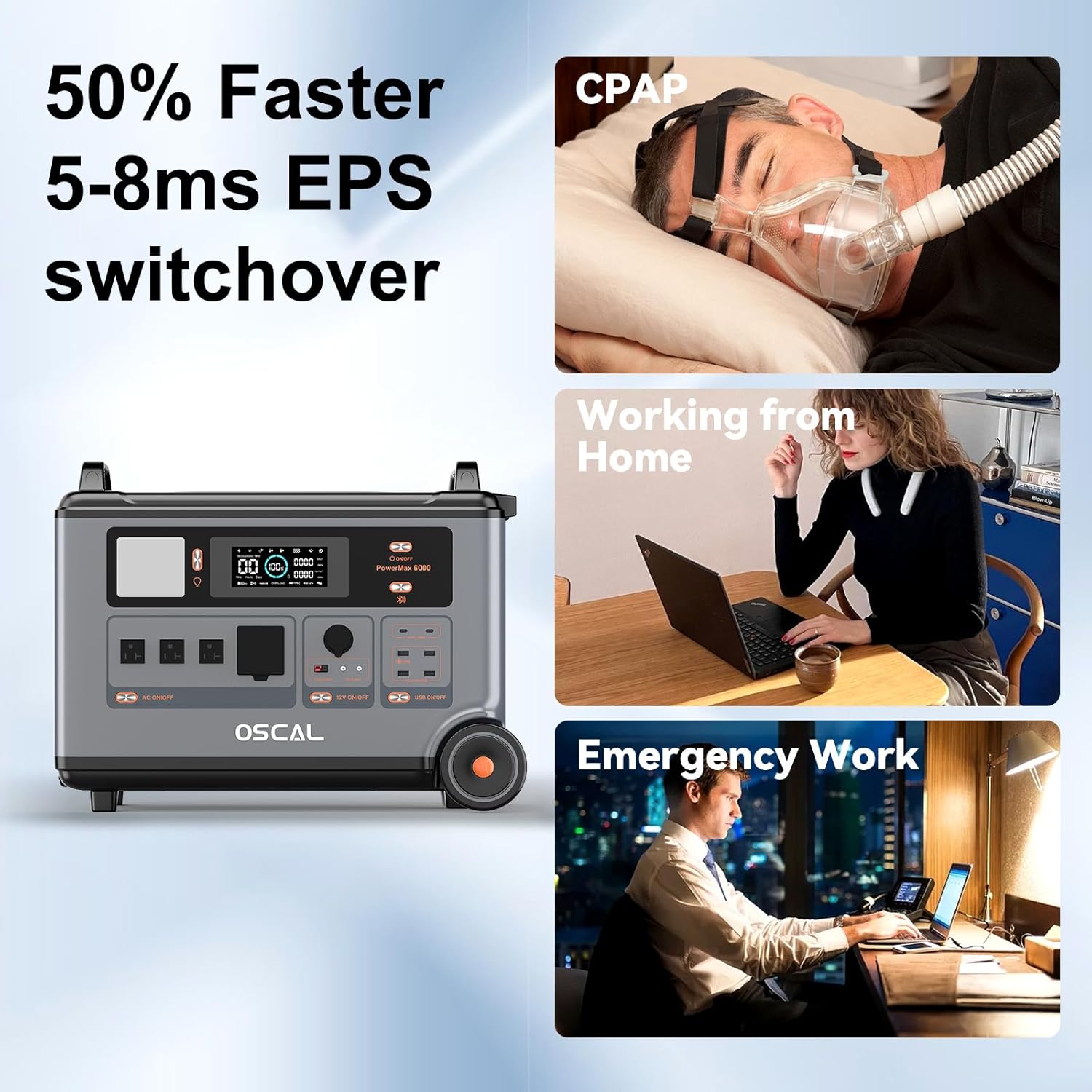
Figure 5.1: The 5-8ms fast EPS switchover ensures continuous power for essential devices during outages, ideal for home, work, and medical needs.
5.4 സ്മാർട്ട് ആപ്പ് നിയന്ത്രണം
Download the OSCAL application from your smartphone's app store. Pair your PowerMax 6000 via Bluetooth to:
- Monitor real-time input and output power.
- View ശേഷിക്കുന്ന ബാറ്ററി ശതമാനംtage and estimated discharge time.
- Control AC/DC/USB outputs remotely.
- Adjust charging speed.
- Receive low battery notifications.

Figure 5.2: The OSCAL mobile application provides intelligent control and monitoring capabilities for your PowerMax 6000.

Figure 5.3: Full control of the PowerMax 6000 is available through the smart app, allowing remote management of charging and power output.
5.5 സമാന്തര കണക്ഷൻ (ഓപ്ഷണൽ)
The PowerMax 6000 can be connected in parallel with additional BP3600 batteries (sold separately) to significantly increase its total capacity and output. Refer to the BP3600 battery manual for detailed parallel connection instructions.

Figure 5.4: The PowerMax 6000 supports parallel connection with BP3600 batteries to double capacity and output for extended power needs.

Figure 5.5: The PowerMax 6000's capacity can be expanded up to 57600Wh with additional battery packs, providing extensive power backup.
6. പരിപാലനം
ശരിയായ അറ്റകുറ്റപ്പണി നിങ്ങളുടെ പവർമാക്സ് 6000 ന്റെ ദീർഘായുസ്സും മികച്ച പ്രകടനവും ഉറപ്പാക്കുന്നു.
- ബാറ്ററി കെയർ: The LiFePO4 battery is designed for long life. For best results, avoid completely draining the battery frequently. Store the unit with at least a 50% charge if not used for extended periods. Recharge every 3-6 months to maintain battery health.
- വൃത്തിയാക്കൽ: യൂണിറ്റിന്റെ പുറംഭാഗം വൃത്തിയാക്കാൻ മൃദുവായതും ഉണങ്ങിയതുമായ തുണി ഉപയോഗിക്കുക. അബ്രാസീവ് ക്ലീനറുകൾ ഉപയോഗിക്കരുത് അല്ലെങ്കിൽ യൂണിറ്റ് വെള്ളത്തിൽ മുക്കരുത്.
- സംഭരണം: Store the generator in a cool, dry place, away from extreme temperatures and direct sunlight.
- വെൻ്റിലേഷൻ: Ensure the ventilation vents are clear of obstructions during operation to prevent overheating.
7. പ്രശ്നപരിഹാരം
If you encounter issues with your PowerMax 6000, please refer to the following common solutions:
- യൂണിറ്റ് ഓണാക്കുന്നില്ല: Ensure the battery is charged. If the battery is depleted, connect to an AC outlet for charging.
- പോർട്ടുകളിൽ നിന്ന് ഔട്ട്പുട്ട് ഇല്ല: Check if the specific output (AC, DC, USB) is activated via its respective button. Ensure the total power draw does not exceed the unit's maximum output (6000W).
- ചാർജിംഗ് പ്രശ്നങ്ങൾ: Verify that charging cables are securely connected. For solar charging, ensure panels are in direct sunlight and clean. Check for error codes on the display.
- ഓവർലോഡ് സംരക്ഷണം: If the unit shuts down due to overload, disconnect some devices and restart the unit.
For persistent issues or problems not listed here, please contact OSCAL customer support.
8 സ്പെസിഫിക്കേഷനുകൾ
| സ്പെസിഫിക്കേഷൻ | മൂല്യം |
|---|---|
| മോഡലിൻ്റെ പേര് | PowerMax 6000 |
| ബാറ്ററി തരം | ലൈഫെപിഒ4 |
| ശേഷി | 3600Wh |
| എസി ഔട്ട്പുട്ട് (റേറ്റുചെയ്തത്) | 6000W |
| എസി ഔട്ട്പുട്ട് (പീക്ക്) | 7200W |
| വാല്യംtage | 120വി / 240വി (എസി) |
| എസി ചാർജിംഗ് ഇൻപുട്ട് | 2200W |
| Solar Charging Input (Max) | 2400W (12-60V⎓25A Max) |
| മൊത്തം പവർ ഔട്ട്ലെറ്റുകൾ | 14 (4x AC, 4x USB-A, 2x USB-C, 1x Car Charger, 2x DC 5521, 1x Anderson) |
| അളവുകൾ (LxWxH) | 23.2" x 13.8" x 17.5" (59x35x44cm) |
| ഇനത്തിൻ്റെ ഭാരം | 97.9 പൗണ്ട് (44.5 കി.ഗ്രാം) |
| മെറ്റീരിയൽ | എബിഎസ്, പ്ലാസ്റ്റിക് |
| പ്രത്യേക സവിശേഷതകൾ | 120/240V ഡ്യുവൽ വോളിയംtage, Fast Charging, Overload Protection, Portable, USB Port, EPS Function, APP Control |
9. വാറൻ്റിയും പിന്തുണയും
The OSCAL PowerMax 6000 Solar Generator comes with a 2 വർഷത്തെ വാറൻ്റി വാങ്ങിയ തീയതി മുതൽ. സാധാരണ ഉപയോഗത്തിലുള്ള മെറ്റീരിയലുകളിലെയും വർക്ക്മാൻഷിപ്പുകളിലെയും വൈകല്യങ്ങൾ ഈ വാറന്റി ഉൾക്കൊള്ളുന്നു.
For warranty claims, technical support, or any inquiries, please contact OSCAL customer service through the official brand store or the contact information provided on your warranty card.
വാറന്റി സാധൂകരണത്തിനായി നിങ്ങളുടെ വാങ്ങിയതിന്റെ തെളിവ് സൂക്ഷിക്കുക.


