1. ആമുഖവും അവസാനവുംview
This manual provides essential information for the safe and effective operation of your briidea Electric Cabinet Humidifier, Model MK-204. This device is designed to maintain optimal humidity levels within cabinets ranging from 1 to 8 cubic feet, ensuring the preservation of stored items.
പ്രധാന സവിശേഷതകൾ:
- Precise Humidity Control: Set desired humidity levels between 30% RH and 80% RH.
- താപനിലയും ഈർപ്പവും നിരീക്ഷണം: Integrated sensors provide real-time data.
- Even Humidity Distribution: Internal fan circulates air for uniform moisture.
- സ്മാർട്ട് എൽസിഡി ഡിസ്പ്ലേ: Easy-to-read screen for temperature, humidity, and settings.
- എളുപ്പമുള്ള ഇൻസ്റ്റാളേഷൻ: Compact design suitable for top-center cabinet placement.
2. ഉൽപ്പന്ന ഘടകങ്ങൾ
The briidea Electric Cabinet Humidifier system includes the main humidifier unit, a control unit with an LCD display, a 12V adapter, and a 6-foot extension cord.

Figure 2.1: Main components of the briidea Electric Cabinet Humidifier.

Figure 2.2: Detailed diagram of humidifier components.
Detailed Component Views:

Figure 2.3: LCD Display.

Figure 2.4: Power and Control Ports.

Figure 2.5: Water Adding Port.

Figure 2.6: Internal Fan.
3. സജ്ജീകരണവും ഇൻസ്റ്റാളേഷനും
3.1 പ്ലേസ്മെൻ്റ്
The compact briidea humidifier is recommended for installation at the top center of cabinets ranging from 1 to 8 cubic feet. Ensure adequate space for air circulation and access for water refills.

Figure 3.1: Recommended placement of the humidifier within a cabinet.
3.2 പവർ കണക്ഷൻ
Connect the 12V adapter to the humidifier unit and then plug it into a standard household outlet. Use the provided 6-foot extension cord for flexible installation if needed.
3.3 വാട്ടർ ടാങ്ക് തയ്യാറാക്കൽ
The water tank contains expandable beads designed to balance humidity release. Fill the water tank only with distilled or purified water. Do not use tap water or other liquids, as this can lead to mineral buildup and affect performance.
4. പ്രവർത്തന നിർദ്ദേശങ്ങൾ
4.1 ആവശ്യമുള്ള ഈർപ്പം ക്രമീകരിക്കൽ
Use the control unit's buttons to set your desired humidity level within the range of 30% RH to 80% RH. The device will automatically work to maintain this set point.
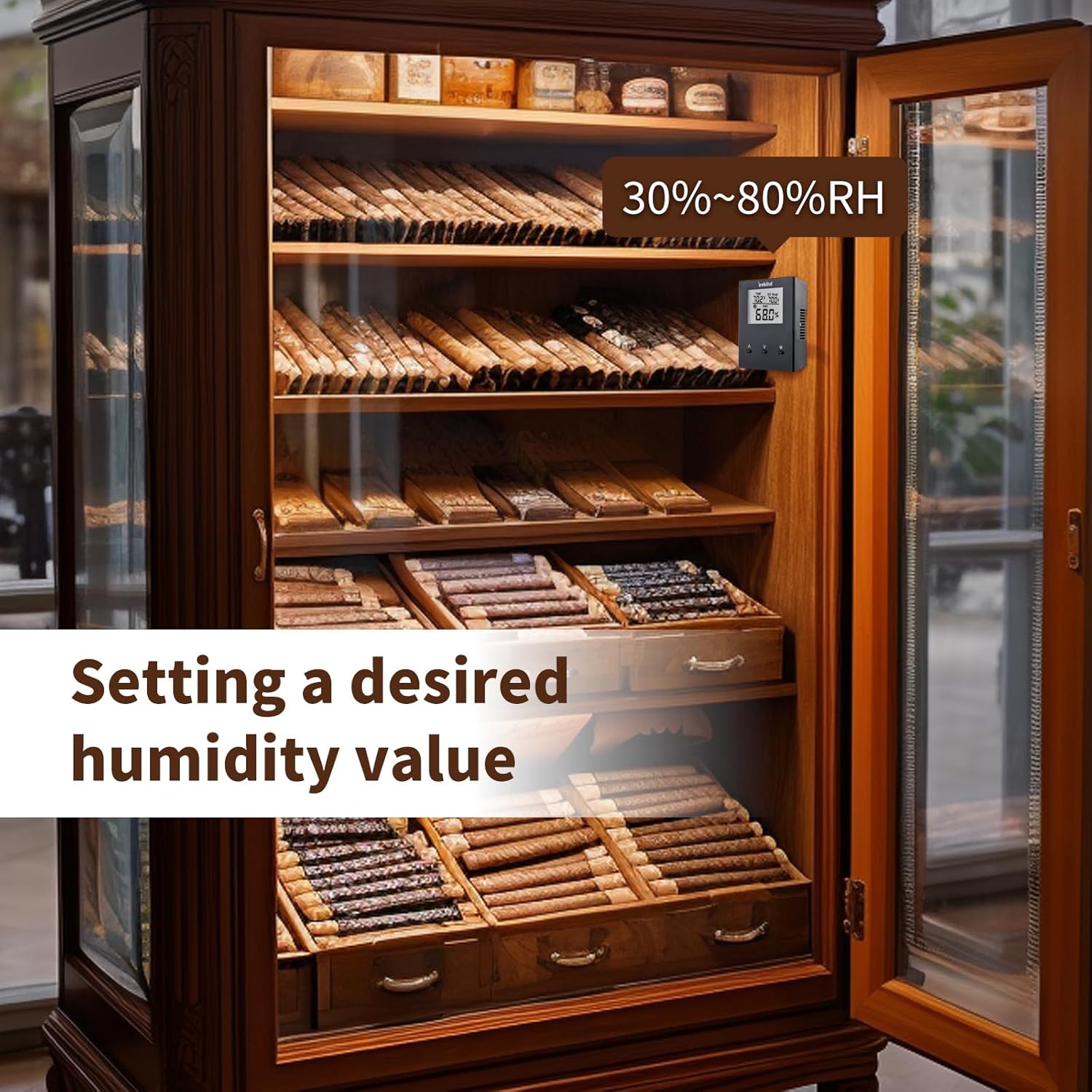
Figure 4.1: Setting the desired humidity value on the control unit.
4.2 എൽസിഡി ഡിസ്പ്ലേ
The upgraded LCD screen provides clear readings of the current temperature and humidity levels. You can also adjust preset humidity values directly from this display. The 6-foot extension cord allows for flexible placement of the display unit for easy viewing without opening the cabinet.
4.3 Air Circulation
An internal fan located between the sensor and control unit circulates air to ensure even humidity distribution throughout the cabinet. This prevents localized humidity pockets and ensures consistent conditions.

Figure 4.2: Illustration of uniform humidity distribution.
4.4 Video Guide: Humidifier Features and Operation
This video demonstrates various features of a smart humidifier, including mist levels, 6L capacity, top-fill design for easy cleaning, RGB nightlight, whisper-quiet operation, precision sensor for automatic humidity adjustment, and 2-in-1 diffuser functionality. It also highlights app and voice control capabilities. While showcasing a similar product, the operational principles and benefits of humidity control are directly applicable to the briidea Electric Cabinet Humidifier.
5. പരിപാലനം
5.1 വൃത്തിയാക്കൽ
To ensure optimal performance and hygiene, it is recommended to clean the water tank and base of the humidifier every 3 days. Use a soft cloth and mild detergent, then rinse thoroughly with clean water. Avoid using abrasive cleaners or harsh chemicals.
5.2 വെള്ളം നിറയ്ക്കൽ
The average refill time for the water tank is 1-2 weeks, depending on usage and ambient conditions. Always use distilled or purified water to prevent mineral buildup and maintain the longevity of the device.
6. പ്രശ്നപരിഹാരം
If you encounter any issues with your briidea Electric Cabinet Humidifier, please refer to the following general troubleshooting tips:
- ഉപകരണം ഓണാക്കുന്നില്ല: Ensure the 12V adapter is securely connected to both the humidifier and a working power outlet.
- No mist production: Check if the water tank is filled with distilled or purified water. Ensure the water adding port is clear.
- കൃത്യമല്ലാത്ത ഈർപ്പം വായനകൾ: Verify that the sensor is not obstructed and that the humidifier is placed in an area with good air circulation.
- അസാധാരണമായ ശബ്ദം: Check for any foreign objects in the fan area or ensure the unit is placed on a stable, flat surface.
If problems persist, please contact briidea customer support for further assistance.
7 സ്പെസിഫിക്കേഷനുകൾ
| ആട്രിബ്യൂട്ട് | മൂല്യം |
|---|---|
| ബ്രാൻഡ് | ബ്രിഡിയ |
| മോഡലിൻ്റെ പേര് | എംകെ-204 |
| ഓപ്പറേഷൻ മോഡ് | മാനുവൽ |
| വാല്യംtage | 12 വോൾട്ട് (DC) |
| പവർ ഉറവിടം | കോർഡഡ് ഇലക്ട്രിക് |
| ഉൾപ്പെടുത്തിയ ഘടകങ്ങൾ | 12V adapter, 6-foot extension cord |
| ഇനത്തിൻ്റെ ഭാരം | 2.05 പൗണ്ട് |
| പാക്കേജ് അളവുകൾ | 7.91 x 5.63 x 4.06 ഇഞ്ച് |
8. വാറൻ്റിയും പിന്തുണയും
For warranty information or technical support, please refer to the contact details provided with your product packaging or visit the official briidea webസൈറ്റ്. വാറൻ്റി ക്ലെയിമുകൾക്കായി നിങ്ങളുടെ വാങ്ങൽ രസീത് സൂക്ഷിക്കുക.


