ആമുഖം
വാങ്ങിയതിന് നന്ദി.asing the VECELO Gaming Chair. This manual provides detailed instructions for assembly, operation, maintenance, and troubleshooting to ensure optimal performance and longevity of your chair. Please read this manual thoroughly before use and retain it for future reference.
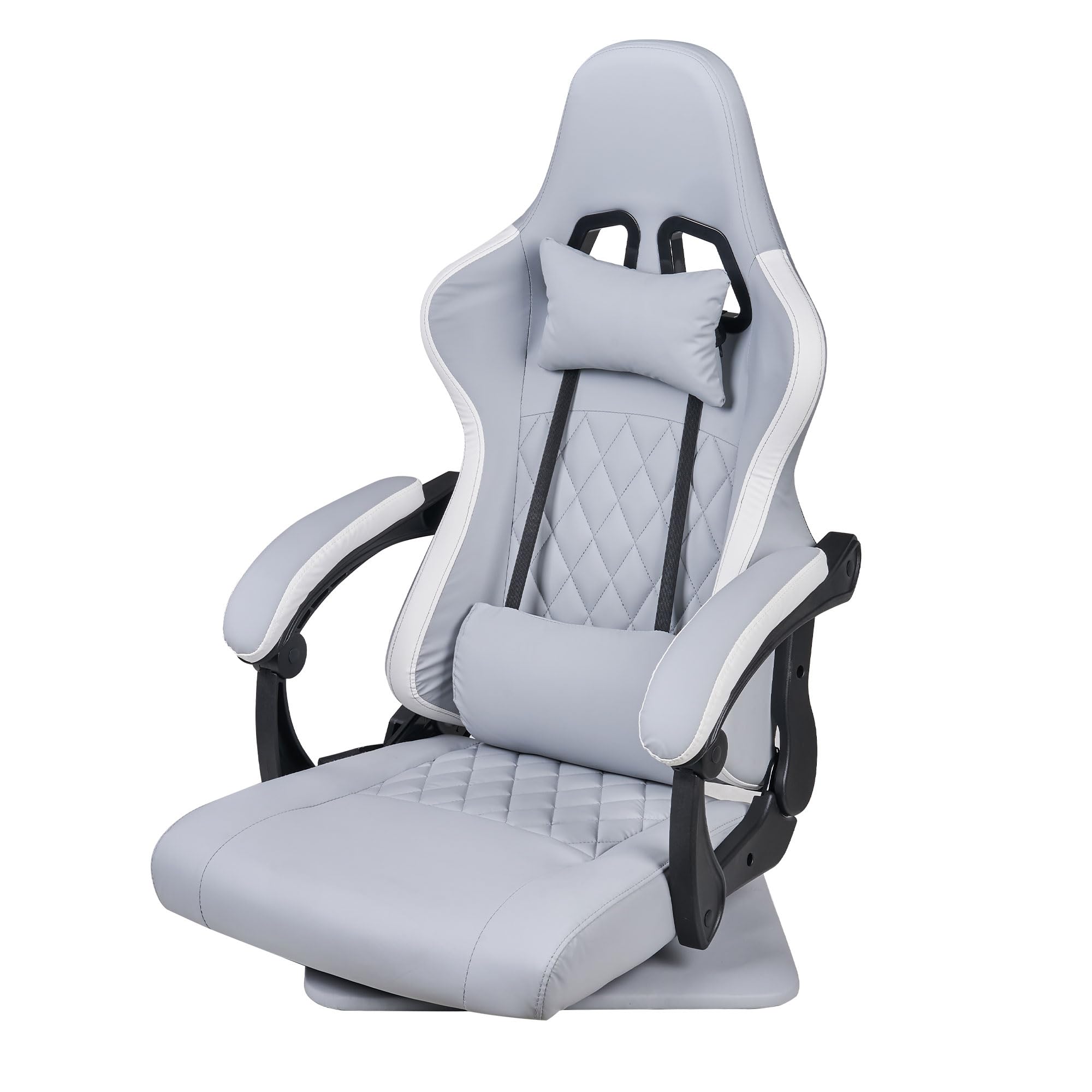
Image: The VECELO Gaming Chair in Grey, showcasing its ergonomic design and overall appearance.
സുരക്ഷാ വിവരങ്ങൾ
- അസംബ്ലി ചെയ്യുന്നതിനുമുമ്പ് എല്ലാ ഘടകങ്ങളും ഉണ്ടെന്നും കേടുപാടുകൾ സംഭവിച്ചിട്ടില്ലെന്നും ഉറപ്പാക്കുക.
- Follow assembly instructions carefully to prevent injury or damage to the chair.
- കസേരയിൽ നിൽക്കുകയോ സ്റ്റെപ്പ് സ്റ്റൂൾ ആയി ഉപയോഗിക്കുകയോ ചെയ്യരുത്.
- Avoid exposing the chair to direct sunlight or extreme temperatures.
- അസംബ്ലി സമയത്ത് കുട്ടികളെയും വളർത്തുമൃഗങ്ങളെയും കസേരയിൽ നിന്ന് അകറ്റി നിർത്തുക.
- Do not use abrasive cleaners or harsh chemicals on the chair's surfaces.
സജ്ജീകരണവും അസംബ്ലിയും
Assembly is required for this product. Please ensure you have sufficient space and all tools provided before beginning. Refer to the included assembly guide for detailed step-by-step instructions and diagrams.
ഉൾപ്പെടുത്തിയ ഘടകങ്ങൾ:
- ചെയർ ബേസ്
- സീറ്റ് കുഷ്യൻ
- ബാക്ക്റെസ്റ്റ്
- ആംറെസ്റ്റുകൾ
- ഹെഡ്റെസ്റ്റ് തലയണ
- ലംബർ സപ്പോർട്ട് പില്ലോ
- Assembly Hardware (screws, washers, tools)
അസംബ്ലി നുറുങ്ങുകൾ:
- പോറലുകൾ ഉണ്ടാകാതിരിക്കാൻ എല്ലാ ഭാഗങ്ങളും വൃത്തിയുള്ളതും മൃദുവായതുമായ ഒരു പ്രതലത്തിൽ നിരത്തുക.
- Do not overtighten screws during initial assembly; tighten them fully once all parts are aligned.
- Seek assistance if needed, especially when attaching the backrest to the seat.
പ്രവർത്തന നിർദ്ദേശങ്ങൾ
The VECELO Gaming Chair is designed for comfort and versatility. Familiarize yourself with its adjustable features.
1. ചാരിക്കിടക്കുന്ന പ്രവർത്തനം

Image: The chair demonstrating its reclining capability, adjustable from 90 to 135 degrees for various activities like gaming or relaxing.
The backrest can be adjusted to an angle of up to 135 degrees. Locate the recline lever, typically on the right side of the seat. Pull the lever up and lean back to your desired angle. Release the lever to lock the backrest in position. To return to an upright position, pull the lever and lean forward slightly.
2. 360° ഭ്രമണം
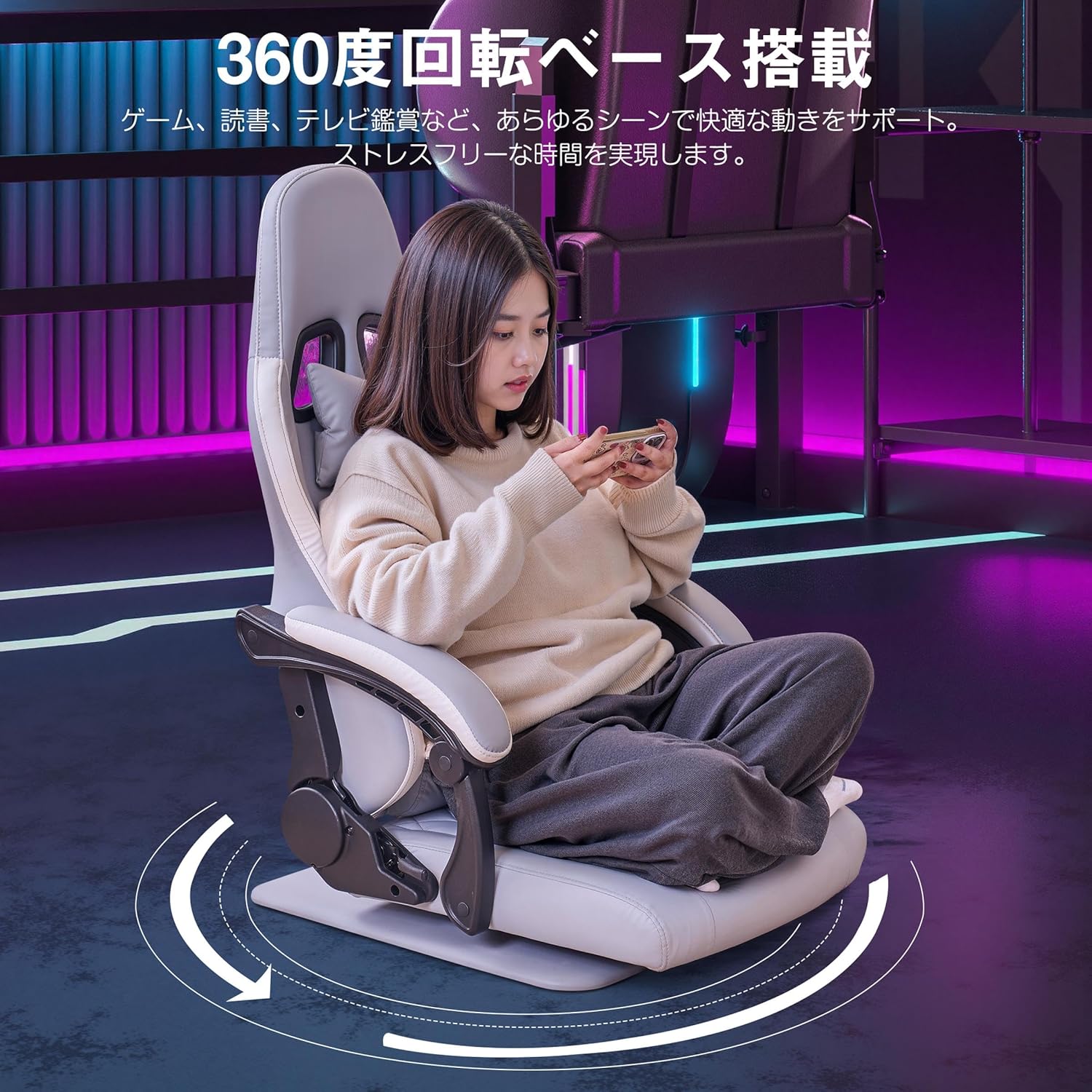
Image: A user comfortably rotating in the VECELO Gaming Chair, highlighting the 360-degree swivel base for unrestricted movement.
The chair features a 360-degree rotating base, allowing for freedom of movement and easy access to different areas around your workspace or gaming setup. Simply rotate the chair to your desired orientation.
3. Lumbar Support and Headrest

Image: An illustration demonstrating the ergonomic design of the VECELO Gaming Chair, with emphasis on how the headrest and lumbar support align with the human spine for optimal posture.
The chair includes removable headrest and lumbar support cushions. Adjust their position by sliding them along the straps to best support your neck and lower back, promoting an ergonomic posture during extended use.
പരിപാലനവും പരിചരണവും
Proper maintenance will extend the life and appearance of your VECELO Gaming Chair.
- വൃത്തിയാക്കൽ: For the PU leather surface, wipe regularly with a soft, damp cloth. For stubborn stains, use a mild soap solution and wipe dry immediately. Avoid harsh chemicals or abrasive cleaners.
- പരിശോധന: എല്ലാ സ്ക്രൂകളും ബോൾട്ടുകളും ഇറുകിയതാണെന്ന് ഉറപ്പാക്കാൻ ഇടയ്ക്കിടെ പരിശോധിക്കുക. ആവശ്യമെങ്കിൽ വീണ്ടും മുറുക്കുക.
- കേടുപാടുകൾ ഒഴിവാക്കുക: Do not expose the chair to sharp objects, excessive weight, or prolonged direct sunlight.
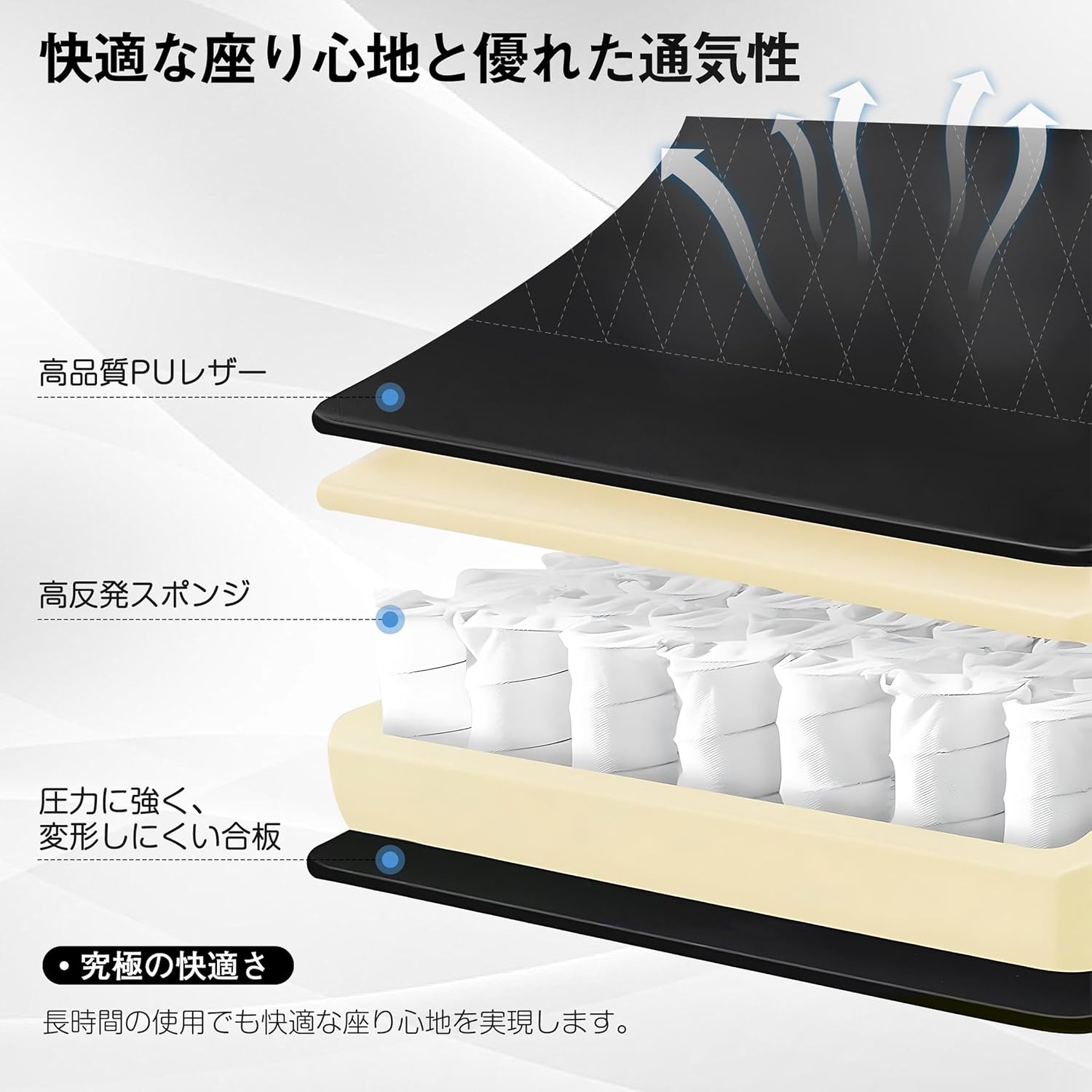
ചിത്രം: ഒരു മുറിച്ചെടുത്ത ഭാഗം view illustrating the internal construction of the chair, showing the layers of high-quality PU leather, high-resilient sponge, and the durable wood base, which contribute to comfort and longevity.
ട്രബിൾഷൂട്ടിംഗ്
| പ്രശ്നം | സാധ്യമായ കാരണം | പരിഹാരം |
|---|---|---|
| കസേര അസ്ഥിരമായോ ഇളകുന്നതോ ആയി തോന്നുന്നു. | അയഞ്ഞ സ്ക്രൂകൾ അല്ലെങ്കിൽ അസമമായ അസംബ്ലി. | എല്ലാ അസംബ്ലി സ്ക്രൂകളും പരിശോധിച്ച് മുറുക്കുക. കസേര പരന്ന പ്രതലത്തിലാണെന്ന് ഉറപ്പാക്കുക. |
| Recline function not working smoothly. | മെക്കാനിസത്തിന്റെ തടസ്സം അല്ലെങ്കിൽ കേടുപാടുകൾ. | Ensure no objects are obstructing the recline mechanism. If issues persist, contact customer support. |
| ഞരക്കങ്ങൾ. | ഭാഗങ്ങൾ തമ്മിലുള്ള അയഞ്ഞ കണക്ഷനുകൾ അല്ലെങ്കിൽ ഘർഷണം. | എല്ലാ സ്ക്രൂകളും മുറുക്കുക. ആവശ്യമെങ്കിൽ ചലിക്കുന്ന ഭാഗങ്ങളിൽ ചെറിയ അളവിൽ സിലിക്കൺ ലൂബ്രിക്കന്റ് പുരട്ടുക. |
സ്പെസിഫിക്കേഷനുകൾ
| ഫീച്ചർ | വിശദാംശങ്ങൾ |
|---|---|
| ബ്രാൻഡ് | വെസെലോ |
| മോഡൽ നമ്പർ | KHD-CC-ZD04 |
| നിറം | ചാരനിറം |
| ഉൽപ്പന്ന അളവുകൾ (D x W x H) | 28.15" x 21.46" x 37.99" (71.5 സെ.മീ x 54.5 സെ.മീ x 96.5 സെ.മീ) |
| ഇനത്തിൻ്റെ ഭാരം | 16.4 കിലോഗ്രാം (36.1 പൗണ്ട്) |
| മെറ്റീരിയൽ | PU Leather, High-Resilient Sponge, Wood |
| ചരിഞ്ഞ ആംഗിൾ | 135 ഡിഗ്രി വരെ |
| ഭ്രമണം | 360 ഡിഗ്രി |
| ഉൾപ്പെടുത്തിയ ഘടകങ്ങൾ | Headrest Pillow, Lumbar Support Pillow |
| അസംബ്ലി ആവശ്യമാണ് | അതെ |
| ബാറ്ററികൾ ആവശ്യമാണ് | ഇല്ല |
| യു.പി.സി | 840408986533 |
വാറൻ്റി വിവരങ്ങൾ
VECELO products are manufactured to high-quality standards. For specific warranty details regarding your VECELO Gaming Chair, please refer to the warranty card included with your purchase or visit the official VECELO webസൈറ്റ്. ഏതെങ്കിലും വാറന്റി ക്ലെയിമുകൾക്ക് വാങ്ങിയതിന്റെ തെളിവായി നിങ്ങളുടെ വാങ്ങൽ രസീത് സൂക്ഷിക്കുക.
ഉപഭോക്തൃ പിന്തുണ
If you have any questions, require assistance with assembly, or encounter any issues with your VECELO Gaming Chair, please contact our customer support team. You can find contact information on the VECELO official webസൈറ്റ് അല്ലെങ്കിൽ നിങ്ങളുടെ റീട്ടെയിലർ വഴി.
ഓൺലൈൻ പിന്തുണ: Visit the VECELO Store on Amazon


